


A new integration between 1Password Device Trust and Zscaler marks the first step in helping our shared customers implement Zero Trust practices.
1Password is proud to announce a new integration with Zscaler, a leading cloud-based solution for Zero Trust network access (ZTNA). This marks a shared commitment to helping our customers secure access, reduce their attack surface, manage AI app sprawl, and practice the principles of Zero Trust.
The 1Password® Extended Access Management platform is designed to support Zero Trust initiatives by securing every sign-in to every application from any device, including unmanaged devices and apps. Now, 1Password has built an integration between Zscaler and 1Password Device Trust to help mutual customers secure access and reduce risk. “With this integration, customers using 1Password and Zscaler can be confident that critical applications are only accessible from trusted, healthy devices where Zscaler is installed and configured.
Note: Companies with an active 1Password Device Trust account and an active Zscaler account can head to the 1Password Marketplace to set up the integration immediately.
The National Security Telecommunications Advisory Committee (NSTAC) describes Zero Trust as “...a cybersecurity strategy premised on the idea that… a user should not be granted access to sensitive information by a single verification done at the enterprise perimeter. Instead, each user, device, application, and transaction must be continually verified.”
Unfortunately, continually verifying all forms of access is challenging in today’s remote-first, SaaS-heavy environments, where employees regularly work from unapproved apps and unmanaged devices. In particular, legacy security tools like mobile device management (MDM) have limited ability to secure unmanaged personal devices.
1Password Device Trust, as part of the 1Password Extended Access Management platform, adds a crucial device-based factor to the authentication flow, ensuring users are accessing systems from trusted, compliant devices. Even if a malicious actor phishes important credentials, 1Password Device Trust ensures they can’t gain access unless they’re on a compliant, verified device.
Zscaler is a leading provider of Zero Trust Network Access (ZTNA), meaning that they verify trust at the network level. Legacy network security solutions, like corporate virtual private networks (VPN), operate on a “castle-and-moat” paradigm, meaning that users only have to authenticate access once in order to access their corporate network and all the data hosted on it. Zscaler leverages the Zscaler Zero Trust Exchange™, the world’s largest security cloud, to broker network access to apps on an individual basis. User access to any given app is continually verified according to the principle of least privilege, meaning that users only have access to the apps they need when they need them.
To recap: Zscaler applies zero trust principles to ensure users can access only the specific applications they need and only under the appropriate conditions. 1Password Device Trust validates that both managed and unmanaged devices are compliant and healthy before users can authenticate to work applications.
Of course, Zscaler is only effective if it is correctly installed and configured on employee devices. Through the new integration, customers of Zscaler and 1Password Device Trust can block users from authenticating and accessing company resources unless their device has Zscaler installed, running, up-to-date, and configured correctly.
1Password Device Trust continuously evaluates managed or unmanaged employee and contractor devices via security and compliance Checks.
Admins can write custom Checks tailored to their environment's needs, and enable any of 1Password Device Trust’s 100+ pre-built Checks.
These pre-built Checks range from simple yes-or-no evaluations, like ensuring that the firewall is turned on, to more complex evaluations like the new integration with Zscaler.
This integration is built using our Checks API, enabling organizations to set and customize Checks, using the 1Password Device Trust agent, that determine whether:
The Zscaler App is installed
The Zscaler Client Connector Service is configured correctly
The Zscaler ZSTunnel Service is active and secure
When a device fails one of these Checks, the agent can be configured to automatically:
Explain the issue to the user
Provide step-by-step guidance to remediate the issue
Block the noncompliant device from authenticating to protected applications
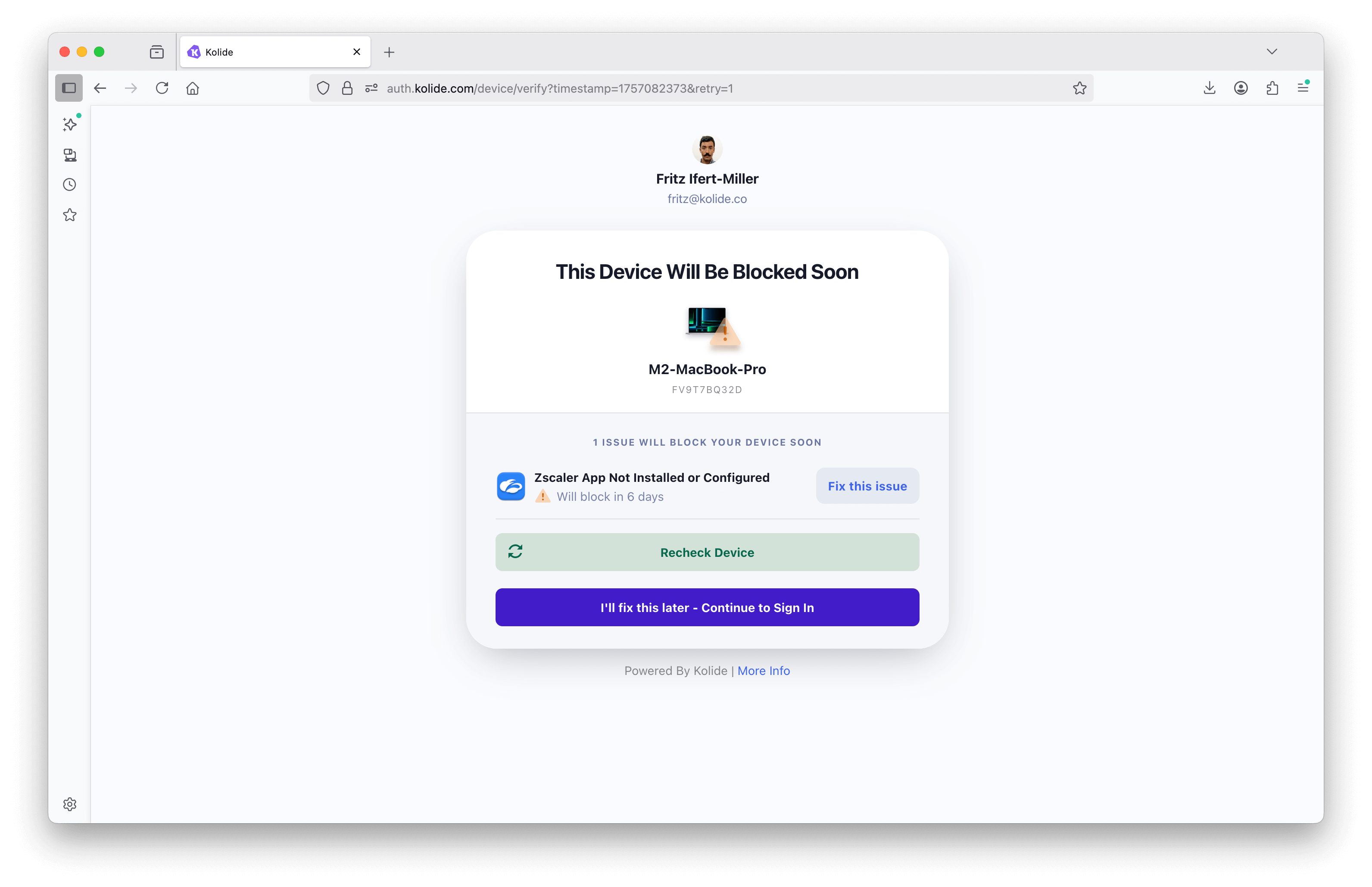
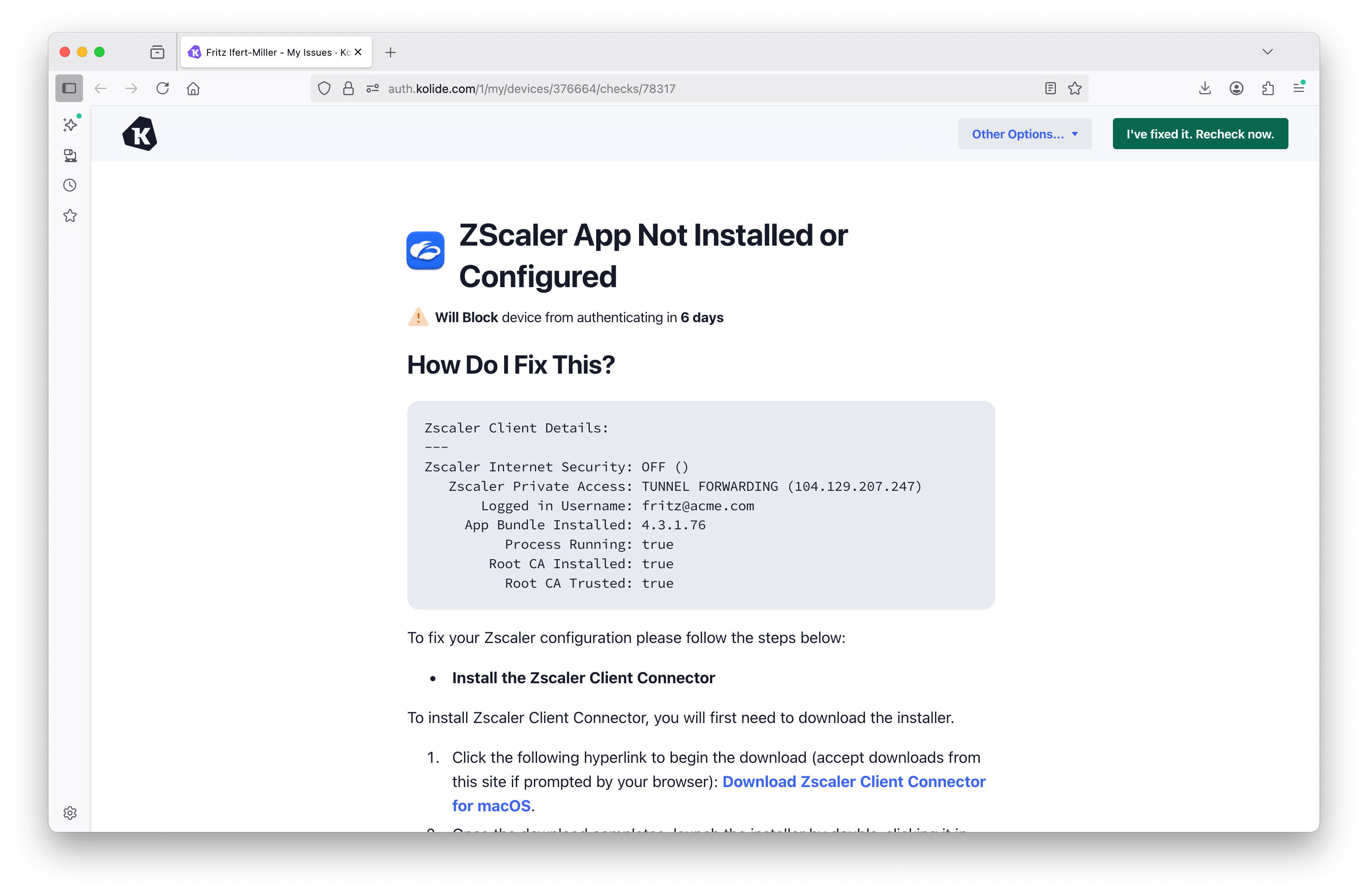
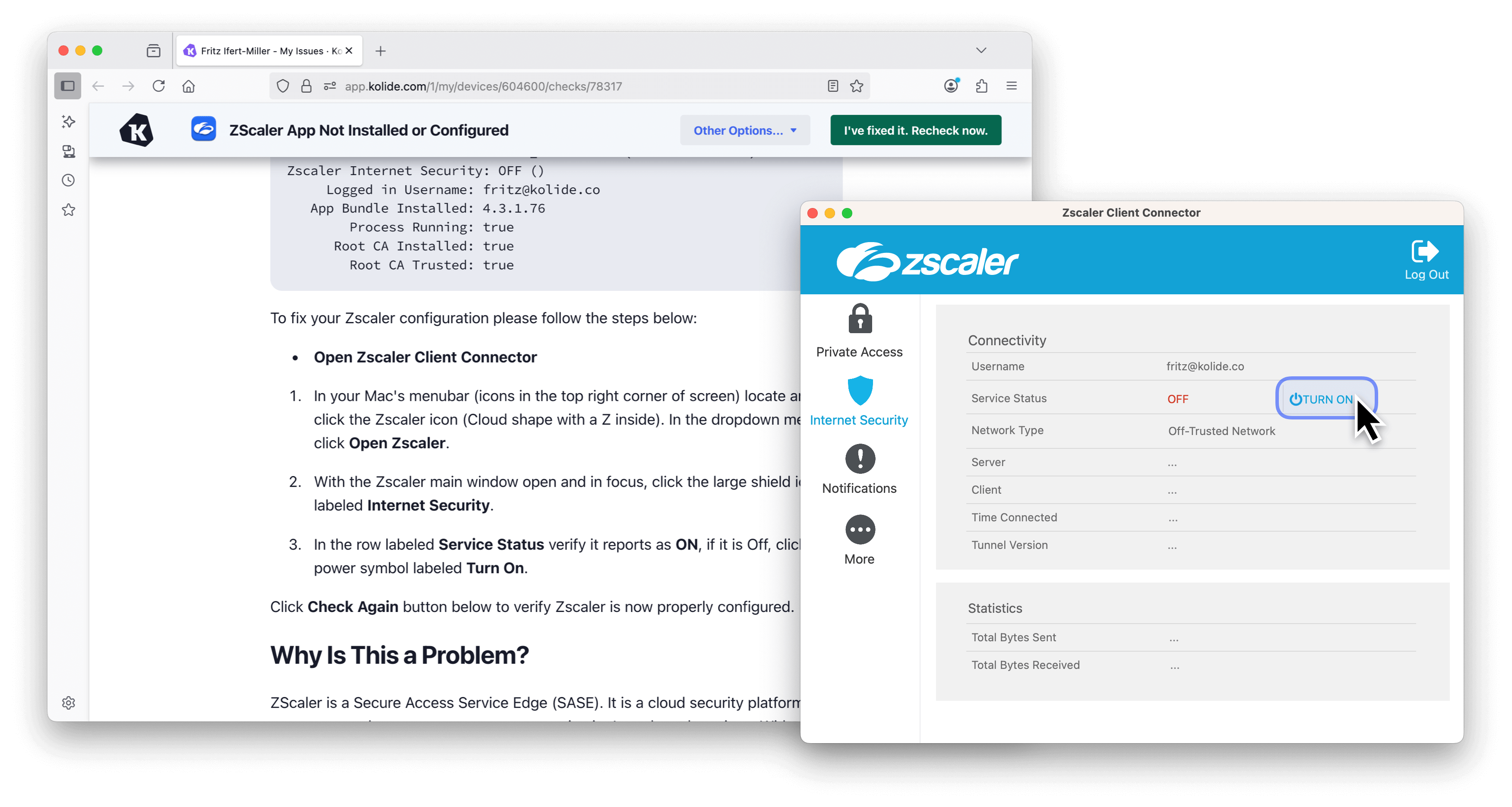
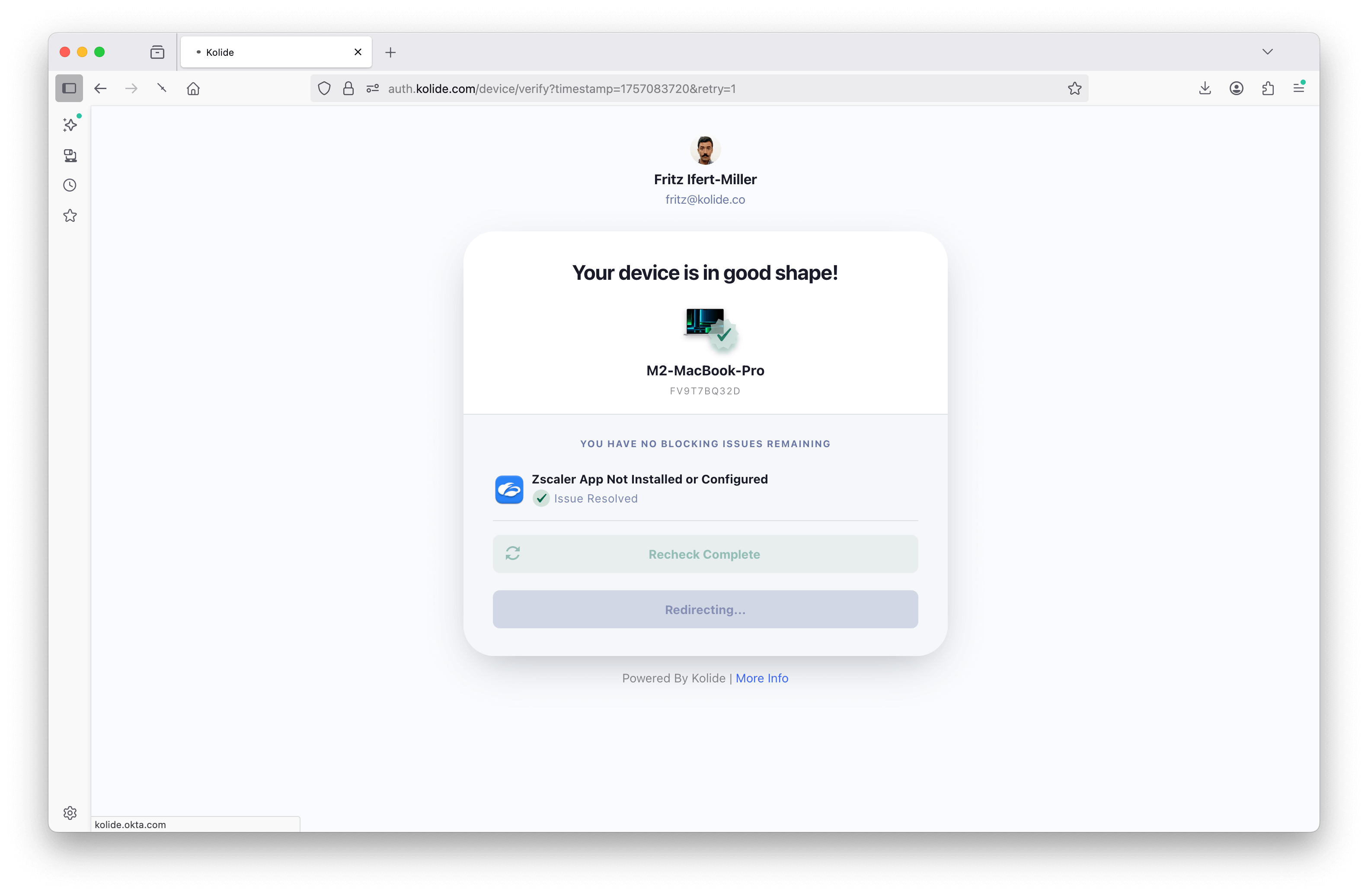
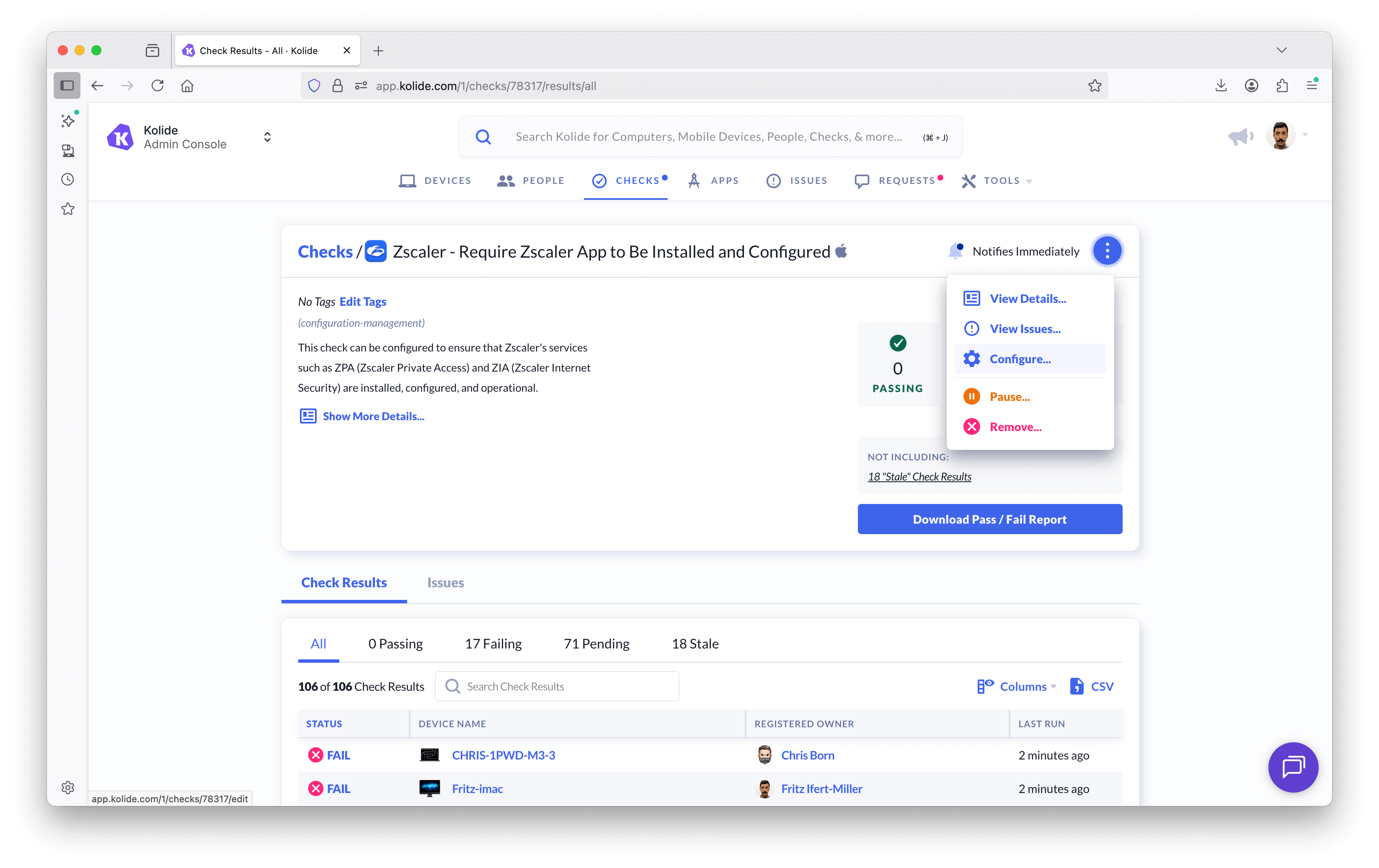
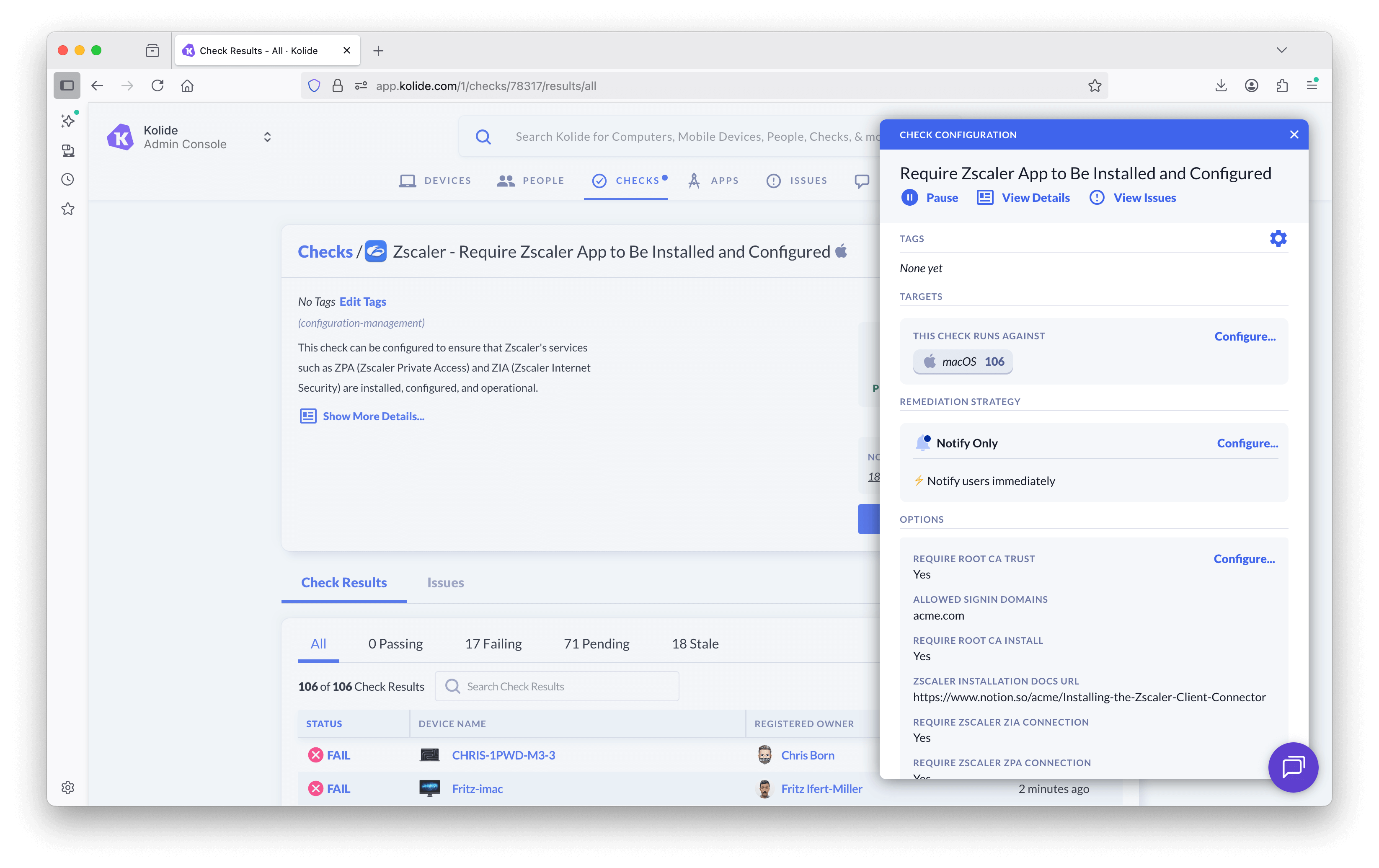
The Device Trust agent runs these evaluations hourly by default, but it can be configured to run more frequently depending on the admin’s preference. Admins can similarly configure how the Check is enforced: Users can be blocked from authenticating immediately, or after a certain period of time has gone by without the issue being remediated.
Below is a diagram of the integration workflow:
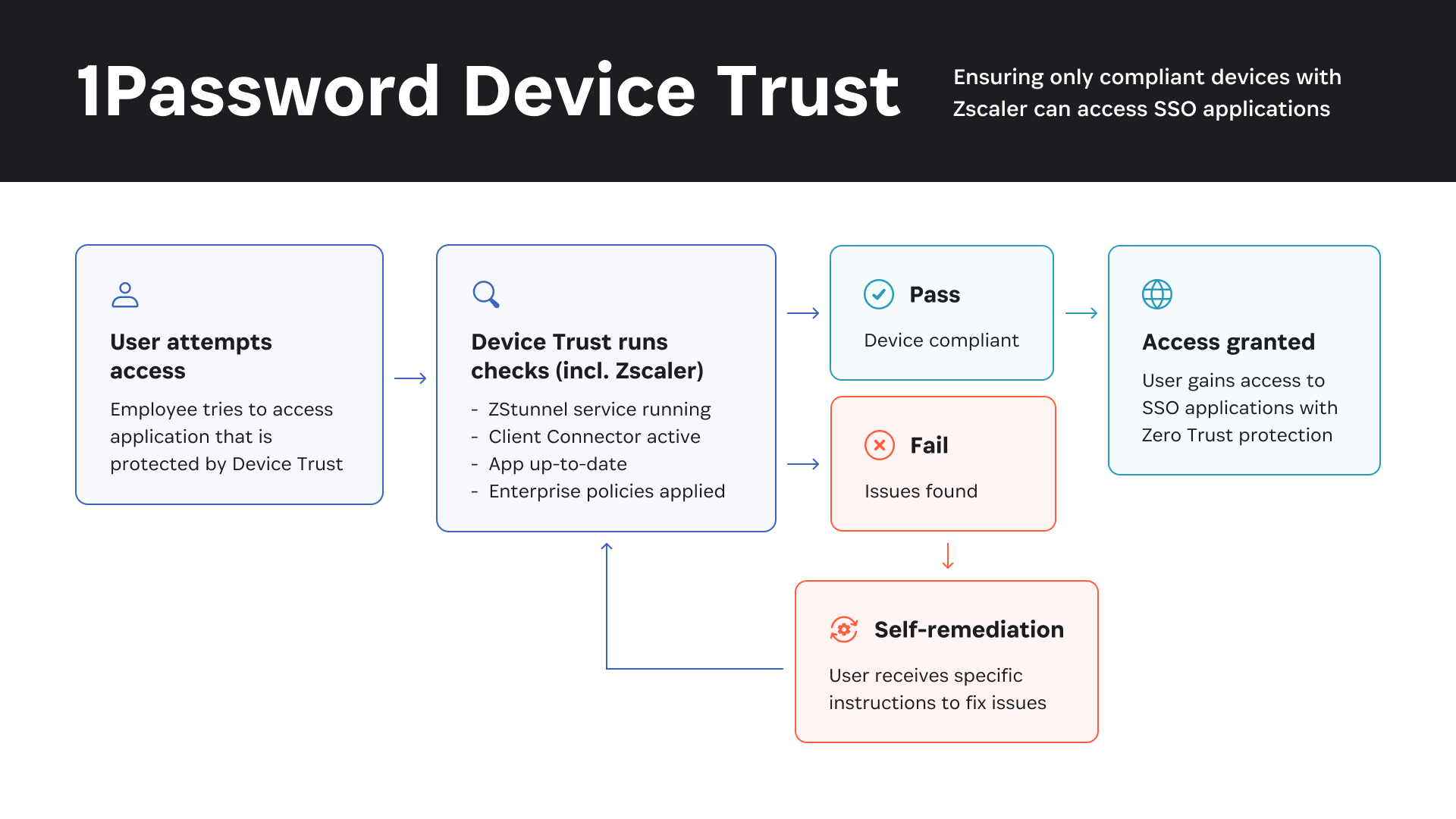
1Password Device Trust is uniquely suited to run on employee personal devices, as it lacks the invasive capabilities of MDM and similar solutions. This means that companies can enforce Zero Trust on personal devices, including ensuring that every device is running Zscaler according to the company’s ZTNA policy. Conversely, if a company wants to effectively ban unmanaged devices and roll out Zscaler exclusively to managed devices, this integration can be configured to lock out any device missing Zscaler.
The integration allows for automated enforcement of a company’s Zero Trust policies. Through end-user remediation, employees can solve compliance issues without the need to submit an IT ticket. Teams can ensure that devices are secure and compliant while saving valuable time for their IT and security teams on manual and time-consuming tasks.
To sum up, this integration helps teams reduce their attack surface, enforce their Zero Trust policies, and provide seamless security across their distributed and hybrid workforces; companies with an active 1Password Device Trust account and an active Zscaler account can head to the 1Password Marketplace to begin setting up the integration immediately.
Today’s announcement is just the beginning for teams looking to leverage 1Password and Zscaler in the Zero Trust space. With this integration, we’re excited to take the first step in helping our shared customers strengthen their security posture and ensure that every user, device, and application is secure before it is granted access.
To explore the integration, head to the 1Password Marketplace.
此内容由惯性聚合(RSS阅读器)自动聚合整理,仅供阅读参考。 原文来自 — 版权归原作者所有。