








Back in July, we launched the Awesome GitHub Copilot Customizations repo with a simple goal: give the community a place to share custom instructions, prompts, and chat modes to customize the AI responses from GitHub Copilot. We were hoping for maybe one community contribution per week.
That… did not happen.
Instead, you all showed up. In a big way.
The repo now has 175+ agents, 208+ skills, 176+ instructions, 48+ plugins, 7 agentic workflows, and 3 hooks – all contributed by the community.
What started as a curated list has become something much bigger, and we needed to match that energy. The space has evolved so quickly that some of the customizations we originally supported aren’t even a thing any longer (looking at you prompts and chat modes).
Today we’re announcing the Awesome GitHub Copilot website, a Learning Hub, and a plugin system to make all of Awesome GitHub Copilot easier to use.
The problem with a very long README
Let’s face it, it was a little bit difficult to find what you were looking for in the Awesome Copilot repo.
The repo worked great when it had a couple dozen resources. But with 600+ items? The README, scratch that, we had multiple READMEs for each customization, turned into a scroll marathon. Finding what you needed meant a lot of Ctrl+F and patience. We needed a better front door.
The new website
The Awesome GitHub Copilot website is built to be easy to navigate (with a memorable URL https://awesome-copilot.github.com!) and deployed on GitHub Pages. It wraps the repo in a proper website with search, so you can find what’s in there without scrolling one of the READMEs forever.
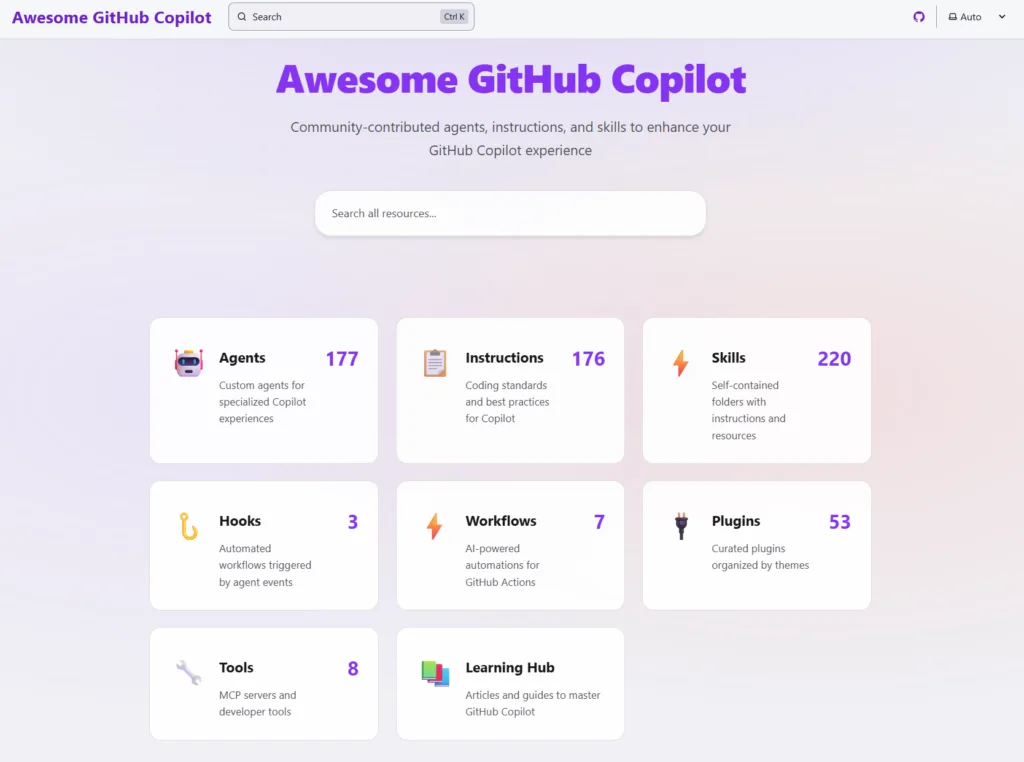
The big things:
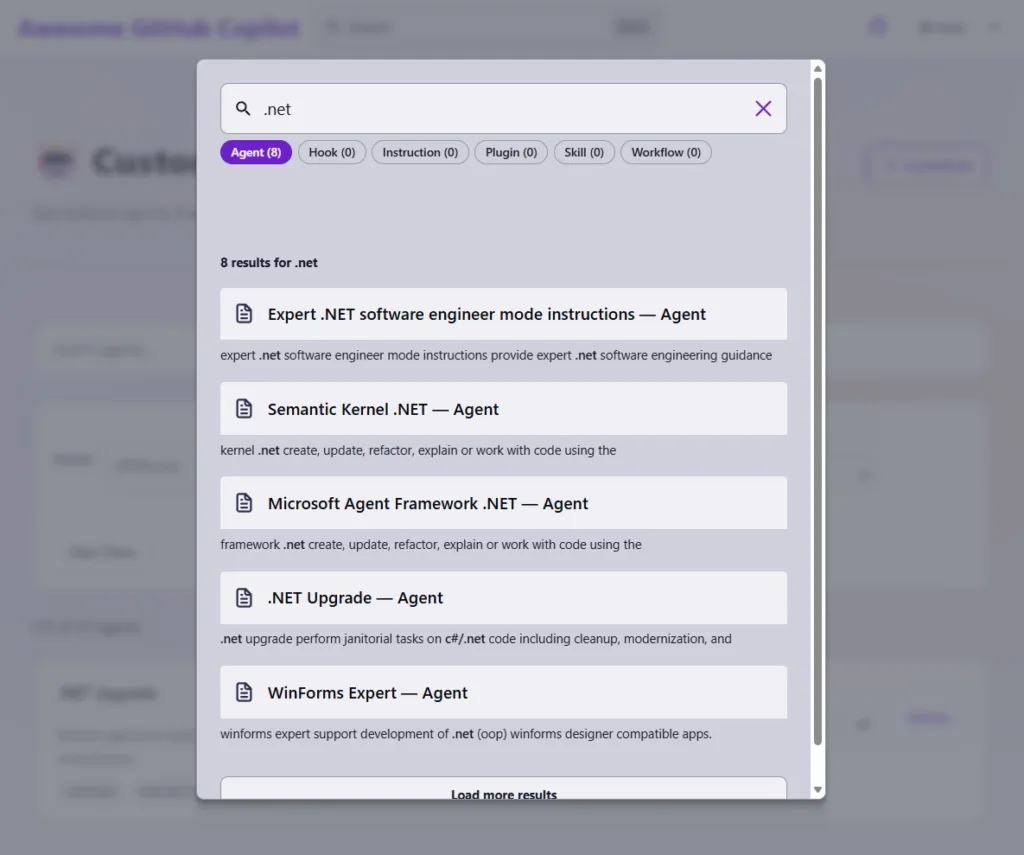
- Full-text search across every resource – agents, skills, instructions, hooks, workflows, and plugins. You can narrow results by category.
- Resource pages for each category with live search, modal previews so you can see what a resource looks like before committing, and direct links back to the source. Plus one-click install into VS Code or VS Code insiders.
- The Learning Hub more on that one below!
The original Awesome Copilot repo itself hasn’t gone anywhere. If you want to still browse via the native GitHub interface, be our guest.
Of course, you still contribute any content through the repo. Once your PR has been merged, your new content will show up on the website.
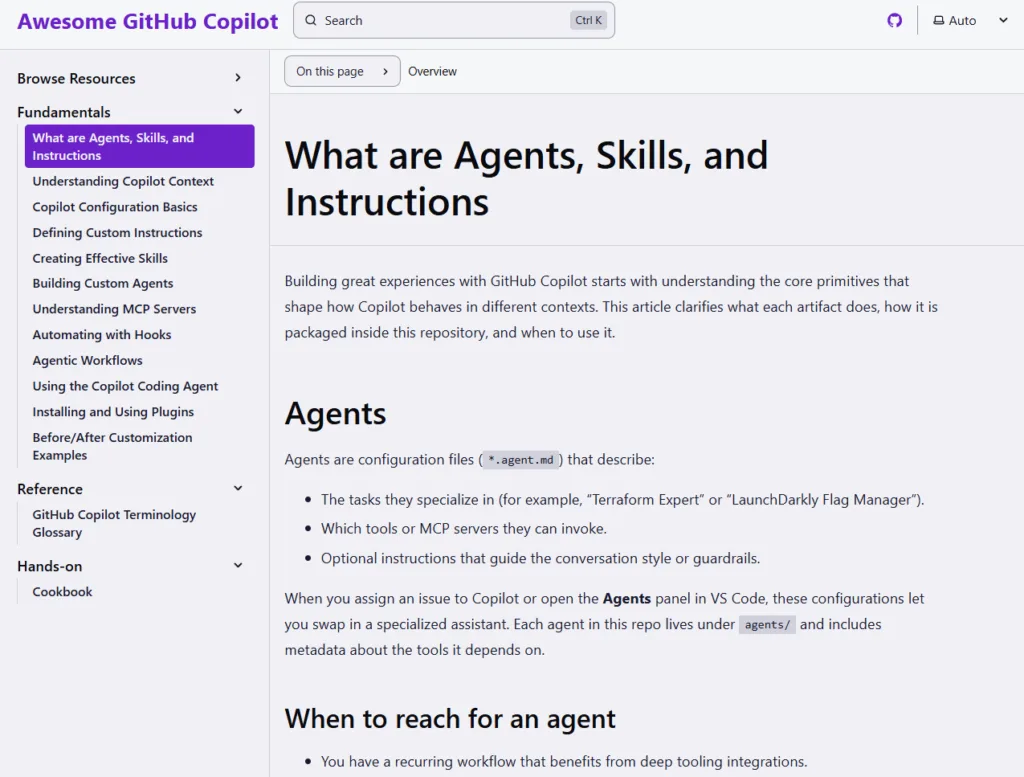
The Learning Hub
It may be fair to sum up developer sentiment around AI tooling right now by saying: “whoa – everything is moving so fast all the time – I cannot keep up!”
Everybody is feeling it. Some of the resources we included when we launched Awesome Copilot back in July 2025 aren’t even things any longer. Anybody remember prompts? Yeah, it’s moving fast.
This is where we hope the Learning Hub will help out. The idea of the Learning Hub is to explain the fundamental concepts behind customizing the AI responses from GitHub Copilot.
In other words – what’s a skill and why is it important? How is a plugin different than a hook?
Then since Awesome Copilot contains ready-to-use examples of all of those – how do you tailor them exactly for your needs? Or write your own from scratch?
That’s what you’ll learn from The Learning Hub.
Plugins
Plugins are how the industry is thinking of distribution of customization files of the like Awesome Copilot contains. A plugin bundles related agents, skills, and commands into a single installable package – themed collections for specific domains like frontend development, Python, Azure cloud, or team-specific workflows.
Various IDEs or agentic runtimes like GitHub Copilot CLI support marketplaces of plugins. We’re very happy to announce that Awesome GitHub Copilot is a default plugin marketplace for both GitHub Copilot CLI and VS Code!
There are 48+ plugins in the repo today. The website has its own plugin page with search, tag filters.
And you can install any of those plugins as simply as:
copilot plugin install <plugin-name>@awesome-copilot
What else is new
A few more things worth knowing about. We menntioned above that the landscape is changing quickly and there are a couple of other new customization types that are available now:
- Agentic Workflows are natural-language GitHub Actions that run AI coding agents autonomously. There are 7 examples in the repo right now, covering things like daily issue reports, codeowner file updates, and stale repo detection.
- Hooks let you set up event-triggered automations during Copilot coding agent sessions – useful for session logging, governance auditing, and custom post-processing.
We also did a Skills migration. Consolidating the resource model from the original 8 types down to a cleaner set. Skills are now the standard unit for bundling reusable knowledge, which makes contributing (and consuming) a lot more straightforward.
Get involved
This is a community project. Everything in the repo was contributed by people who found something useful and wanted to share it.
A few ways to start:
1. Browse the website at https://awesome-copilot.github.com and find something that fits your workflow.
2. Try a plugin install one from the plugin page and see how it changes your Copilot experience.
3. Walk through the Learning Hub at https://awesome-copilot.github.com/learning-hub if you want to understand how AI response customization works end to end.
4. Contribute PRs are welcome! Check the contributing guide for details.
5. Star the repo at https://github.com/github/awesome-copilot to keep up with new additions.
Thank you
Seriously — thank you. We put up a repo and you filled it with 600+ resources. Every agent, skill, and instruction in there exists because somebody thought it was worth sharing. We’ll keep building on this.
Keep sending PRs. 💜