惯性聚合 高效追踪和阅读你感兴趣的博客、新闻、科技资讯
阅读原文 在惯性聚合中打开

推荐订阅源

宝玉的分享
宝玉的分享
酷 壳 – CoolShell
酷 壳 – CoolShell
让小产品的独立变现更简单 - ezindie.com
S
Security @ Cisco Blogs
小众软件
小众软件
D
Docker
博客园_首页
A
About on SuperTechFans
P
Privacy International News Feed
freeCodeCamp Programming Tutorials: Python, JavaScript, Git & More
A
Arctic Wolf
Spread Privacy
Spread Privacy
有赞技术团队
有赞技术团队
T
Tailwind CSS Blog
Latest news
Latest news
WordPress大学
WordPress大学
CTFtime.org: upcoming CTF events
T
The Exploit Database - CXSecurity.com
C
Cybersecurity and Infrastructure Security Agency CISA
大猫的无限游戏
大猫的无限游戏
cs.CV updates on arXiv.org
OSCHINA 社区最新新闻
OSCHINA 社区最新新闻
K
Kaspersky official blog
V2EX - 技术
V2EX - 技术
SecWiki News
SecWiki News
U
Unit 42
GbyAI
GbyAI
H
Hackread – Cybersecurity News, Data Breaches, AI and More
L
LINUX DO - 热门话题
S
Security Affairs
Y
Y Combinator Blog
aimingoo的专栏
aimingoo的专栏
Blog — PlanetScale
Blog — PlanetScale
MongoDB | Blog
MongoDB | Blog
博客园 - 【当耐特】
The GitHub Blog
The GitHub Blog
T
Tenable Blog
W
WeLiveSecurity
Cloudbric
Cloudbric
Cyber Security Advisories - MS-ISAC
G
Google Developers Blog
Application and Cybersecurity Blog
N
Netflix TechBlog - Medium
F
Full Disclosure
N
News and Events Feed by Topic
D
DataBreaches.Net
P
Proofpoint News Feed
B
Blog RSS Feed
B
Blog
cs.CL updates on arXiv.org

Wccftech

007 First Light Review — IO Interactive Ends a 14-Year Bond Drought With a Near-Total Triumph Subnautica 2 Early Access – How to Craft a Tadpole Subnautica 2 Tips and Tricks Assassin’s Creed Black Flag Resynced – Everything We Know About the Remake of Edward Kenway’s Pirate Adventure Forza Horizon 6 PC Performance Analysis & Tuning Guide – How To Get Best Experience On PC LEGO Batman: Legacy of the Dark Knight: How to Fix PlayStation Controller Icons On PC LEGO Batman: Legacy of the Dark Knight: How to Complete the Paranormal Investigator Challenge Luna Abyss Review: Tight Movement and Stellar Performances Carry an Unmissable Shooter Despite Bland Enemy Design LEGO Batman Legacy of the Dark Knight: How to Build Focus While Gliding (Focused Maneuvers Guide) LEGO Batman: Legacy of the Dark Knight – Best Waynetech Upgrades to Unlock First Phonopolis Review: Amanita Design's Decade-Long Cardboard Dystopia Delivers Beauty, Even if Its Orwellian Story Feels Familiar Yoshi and the Mysterious Book Review — Nintendo's Switch 2 Exclusive Ditches Platforming Challenge for a Picture-Book Sandbox of Creatures LEGO Batman: Legacy of the Dark Knight – How to Earn Studs Fast LEGO Batman: Legacy of the Dark Knight: How to Fix Motion Sickness (FOV Guide) LEGO Batman: Legacy of the Dark Knight: Should You Expand the Batcave Early? LEGO Batman: Legacy of the Dark Knight: Can You Replay Missions? LEGO Batman: Legacy of the Dark Knight Combat Guide: Why You Should Build Focus Quickly LEGO Batman: Legacy of the Dark Knight – How to Always Earn Gold Medals in Driving Trials (Racing Guide) LEGO Batman: Legacy of the Dark Knight: Complete Walkthrough & Guide – Character Progression, Studs, Combat and Trials Subnautica 2 – How to get Silver Forza Horizon 6 Review - First Love Google Tensor G6 Chip’s Architecture, Quirky GPU Choice, Specifications, And Launch IQUINIX Magi75 Review: A Fast & Silent Low-Profile Keyboard For All Directive 8020 Review: Supermassive’s Shapeshifting Aliens Can Hijack Your Own Character, Yet One Playthrough Is Enough Star Fox (2026) — Everything We Know About Nintendo’s Star Fox 64 Remake Steam Controller Review - It Just Works...Most of the Time Uperfect UFree V Review: A Wireless "True" Portable Monitor With Incredible Compatibility And Versatility Windrose PC Performance Analysis & Tuning Guide – How To Get Best Experience On PC RAMpocalypse Has Made DIY Builds Pointless, But These Pre-Built Gaming PCs Beat Component Prices In 2026 Saros: How to Fix Alt-Fire Controls (The Circle Button Trick) Saros: The Best Weapon to Melt Bosses (Ripsaw Chakram Guide) Saros: Can You Beat the Tutorial Boss? (Consort Boss Guide) Saros: How to Get Your Favorite Weapon at the Start of Every Cycle Saros: The Best Weapons for High Damage and Stagger Saros: How to Cleanse Corruption (And Why You Shouldn’t Always Do So) Saros: How to Parry Enemy Attacks and Projectiles Saros: Best Stats to Upgrade Pokémon Champions Review – Confined Competition Saros: How to Increase Movement Speed (Traversal Boost) Saros: The Best Carcosan Modifiers to Use for Easy Progression Saros: Complete Walkthrough & Guide – Combat Secrets, Character Progression Tips, Best Difficulty Modifiers The Elder Scrolls VI – Everything We Know about Skyrim’s Long-Awaited Successor from Bethesda Your SSD May Be in the Wrong M.2 Slot — Here’s How to Tell Saros – Everything We Know About Housemarque’s Solar Bullet-Hell Saros Review - If Death is Welcome, Let Him Seek it There. Beyerdynamic MMX 150 Wireless Review – Classic Beyer Sound Finally Cuts the Cord Diablo IV: Lord of Hatred Review - The Epic Conclusion to a Long Narrative Arc Cthulhu The Cosmic Abyss PC Performance Analysis & Tuning Guide – How To Get Best Experience On PC Gigabyte Z890 AORUS Elite DUO X Motherboard Review – CQDIMM-Ready! PRAGMATA: How To Solve Crashing Issues On PC PRAGMATA: 100% Complete Walkthrough & Guide – Combat Secrets, Upgrades, Training Simulations, Collectibles PRAGMATA: Why You Should Always Finish Bots With a Critical Shot PRAGMATA: How Does Multihack Work? Master This Hacking Node For Ultimate Crowd Control PRAGMATA: Bad Blood Training Simulation Guide (Defeat 4 Enemies With Friendly Fire) PRAGMATA: How to Unlock Auto-Hacking PRAGMATA: Every Currency and How to Get It PRAGMATA: Mouse Trap Training Simulation Guide (Defeat All Enemies Within The Recycler) PRAGMATA: Every Mr. Cabin Locations and The Secret Setting to Find Them Easily PRAGMATA: All Mr. Cabin Stamp Rewards – Spend Your Cabin Coins Wisely PRAGMATA: Floor It Training Simulation Guide (Complete Without Taking Damage) PRAGMATA: The Hacking Reset Secret Technique to Improve Combat Tomodachi Life: Living the Dream Review – A Joke Worth Repeating The Super Mario Galaxy Movie Review – Accomplished Craftmanship, Copious Callbacks
Epomaker RT98 Review: A New Step In Modularity
Sarfraz Khan · 2026-04-18 · via Wccftech
Product Info
Type

Mechanical Keyboard

Price

$119

A large section of the PC gaming community loves modularity, and modular keyboards are not uncommon. Most modular keyboards offer customizations to the switch level, allowing you to swap the stock switches with different ones. RGB customizations are common even on non-modular keyboards, and that's something quite usual on most RGB keyboards.

Epomaker took a different approach to modularity, and apart from swappable switches and RGB customizations, you are also seeing a swappable layout on its new RT98 keyboard. The RT98 is advertised as a keyboard that "Breaks the Mold" as it offers an unusual modularity that is unique and practical, as per the company. In this review, we will take a close look at the RT98 keyboard, its features, specifications, modularity, ease of usage, and how it performs when it comes to gaming and work.
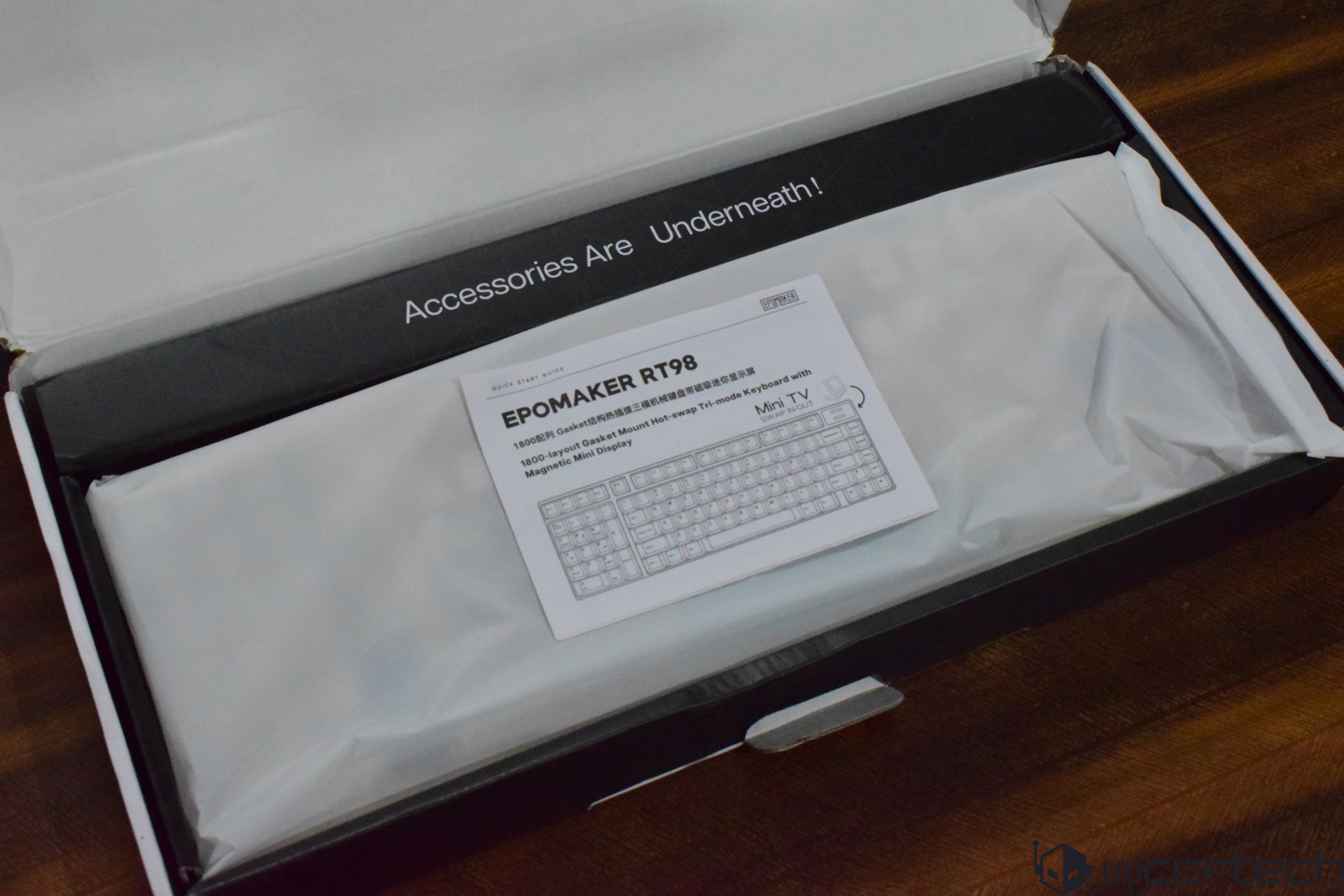
Packaging and Contents

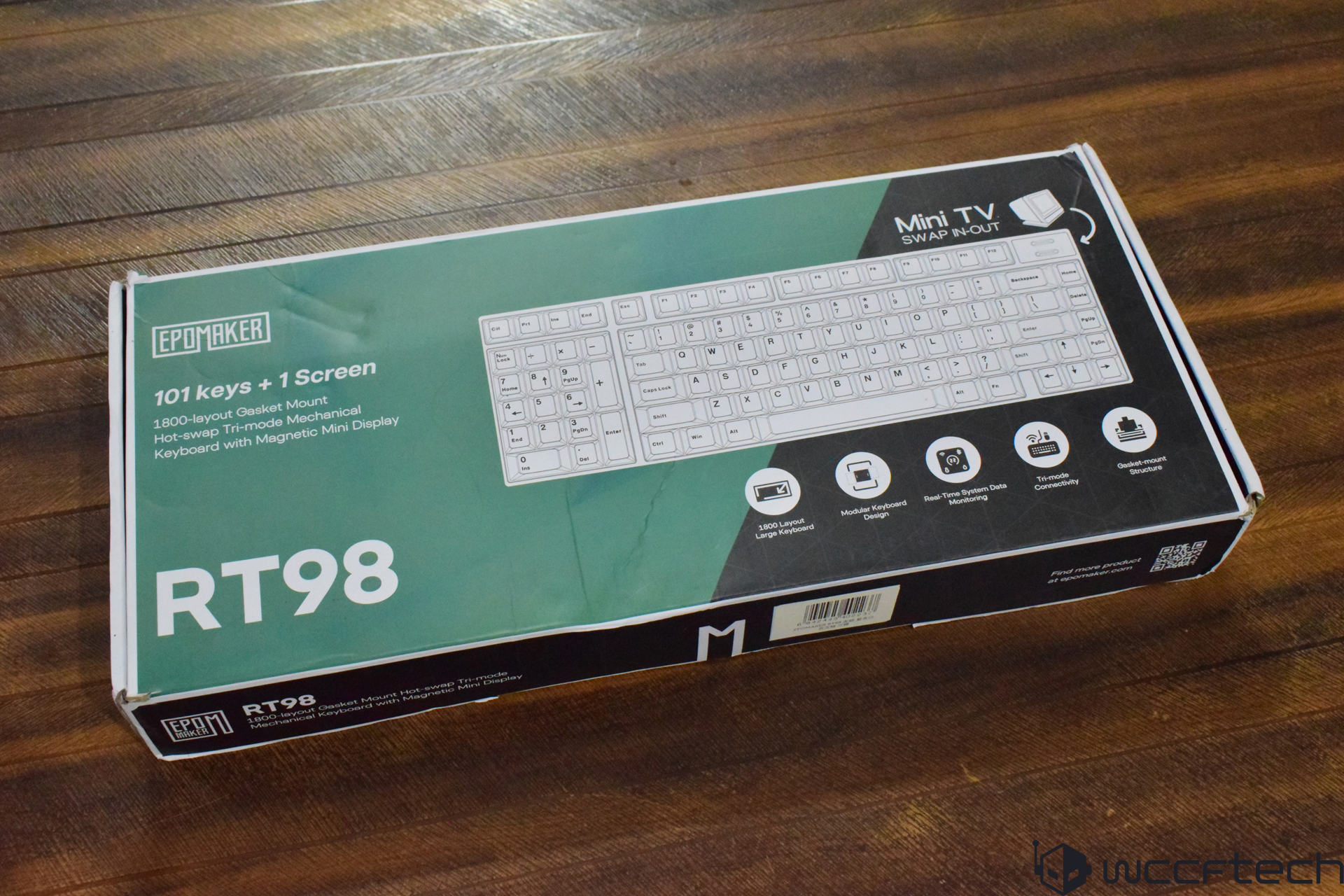
The image shows the box of the Epomaker RT98 mechanical keyboard, featuring '101 keys + 1 screen' and described as an 1800-layout gasket mount with hot-swap tri-mode connectivity and a magnetic mini display.
An open box reveals an EPOMAKER RT98 keyboard, with a guide indicating it features an 1800-layout gasket mount and a magnetic mini display, labeled as Accessories Are Underneath!
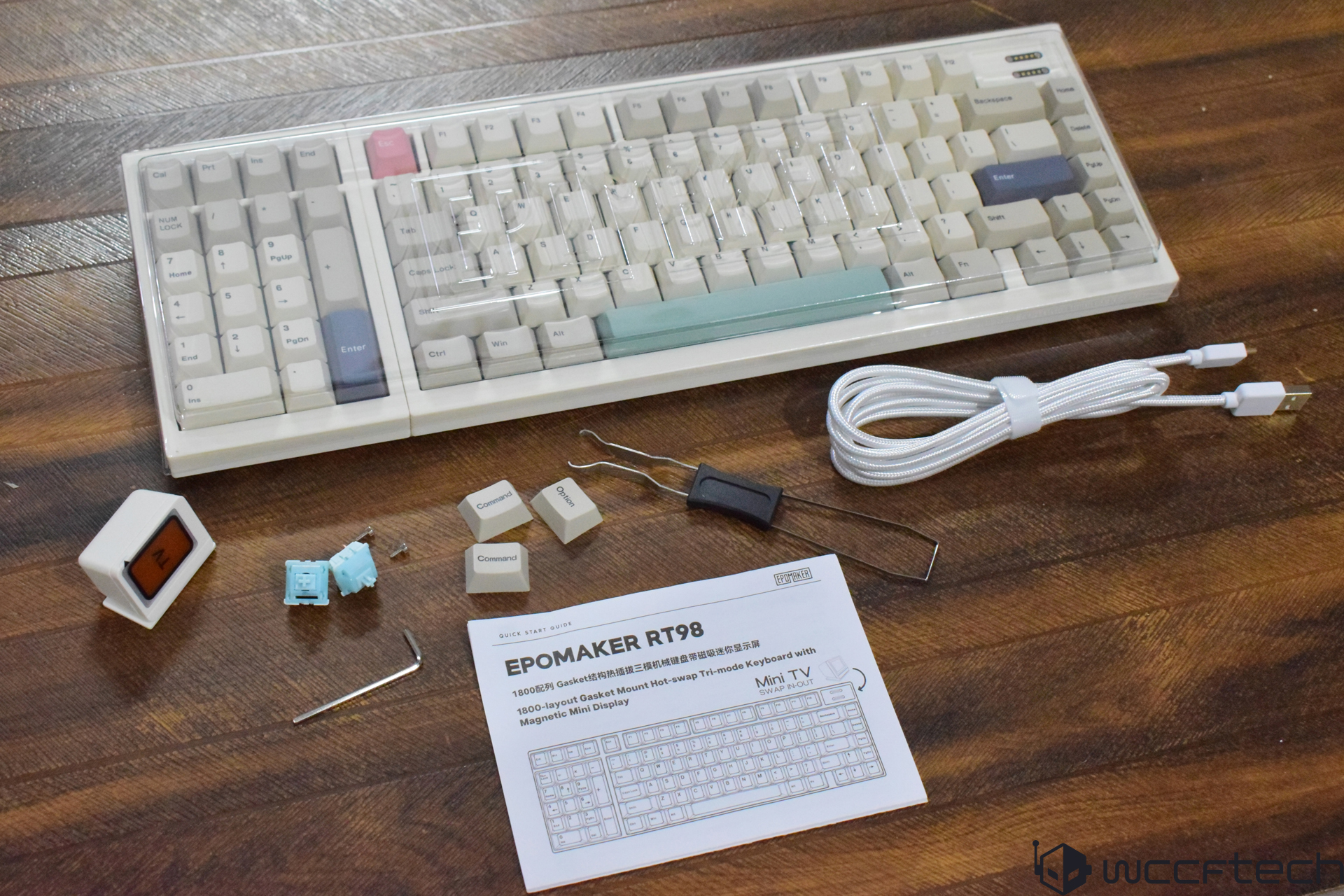
EPOMAKER RT98 keyboard with beige and colored keycaps is displayed alongside a keycap puller, USB cable, switch puller, spare keycaps, switches, and a quick start guide on a wooden surface.

2 of 9

The RT98 box comes with quite a good number of utilities. The packaging was decent as well, and here are all the accessories and utilities you will find in the box:
  1. Epomaker RT98 keyboard
  2. 3x keycaps
  3. 2x stock switches
  4. Braided USB C to A cable
  5. Magnetic Mini TV
  6. Keycap/switch puller
  7. Allen Wrench
  8. A quick start guide

Specifications and Features

  • Layout & Dimensions: 98%, Modular detachable numeric keypad
  • Approx. dimensions: 390 × 150 × 45 mm
  • Weight: ~1.2 kg
  • Display Module: 1.14-inch detachable smart display
  • Battery & Power: 8000mAh
  • Switch and Input System: Hot-swappable PCB, 3-pin and 5-pin switches, Full N-key rollover support
  • Lighting: South-facing per-key RGB
  • Connectivity: Wired (USB Type C port), Bluetooth, 2.4 GHz
  • Compatibility: VIA configuration support,
  • OS: Windows, macOS, iOS, Android, Linux
  • Key Caps: Dye-sublimated PBT keycaps,
  • Case materials: ABS
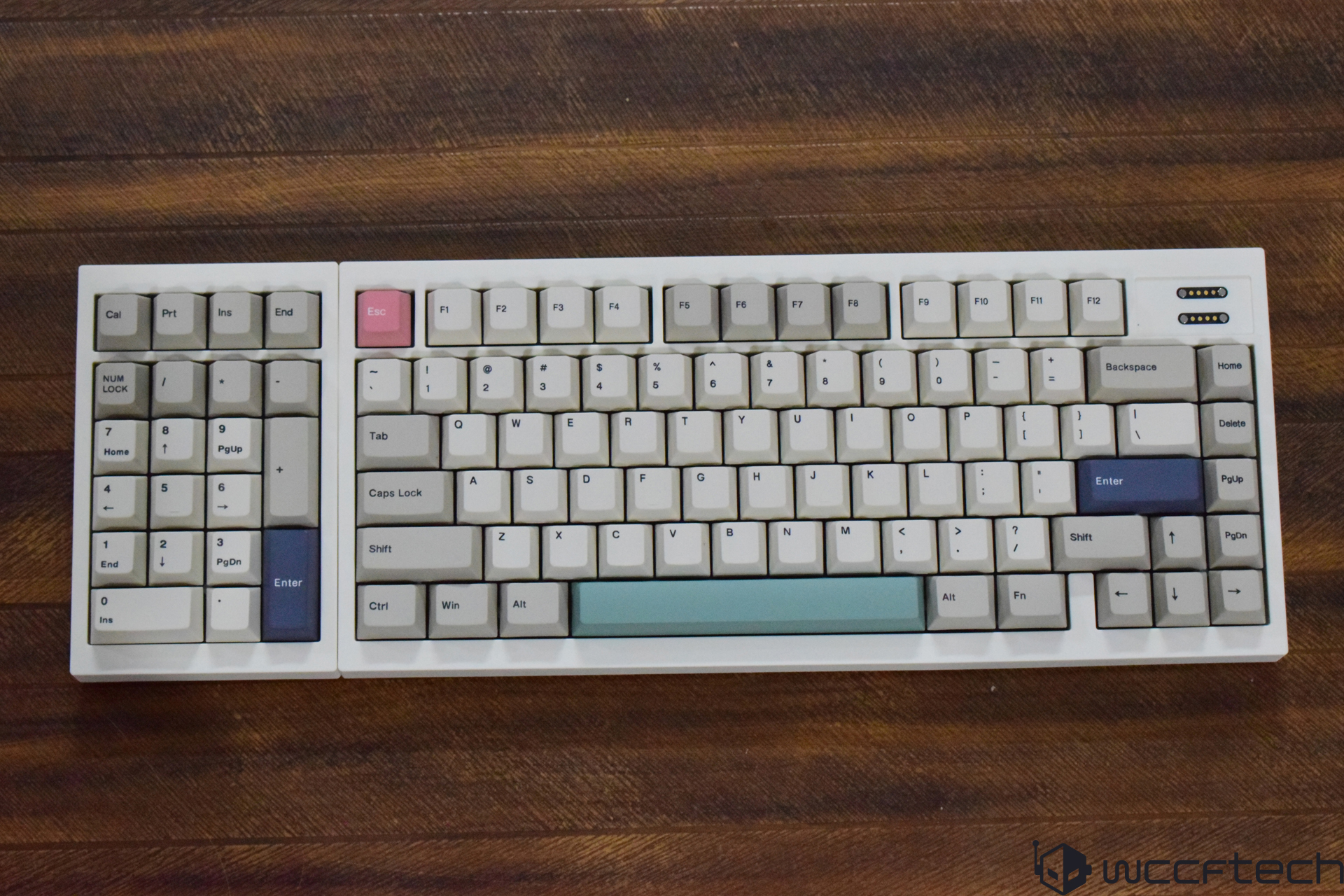
A mechanical keyboard with a pink 'Esc' key and a mint green space bar, featuring white and gray keycaps on a wooden surface.

The Epomaker RT98 uses a 98% form-factor and offers a standard 104 key-style keyboard. You will find some of the keys missing in the Navigation section, but you get a dedicated numpad and all the Function keys on top. It's pretty much like a standard 104 keyboard except for a few keys missing. The footprint is similar to a standard full-sized keyboard, and the layout remains spacious instead of compressing keys tightly together.

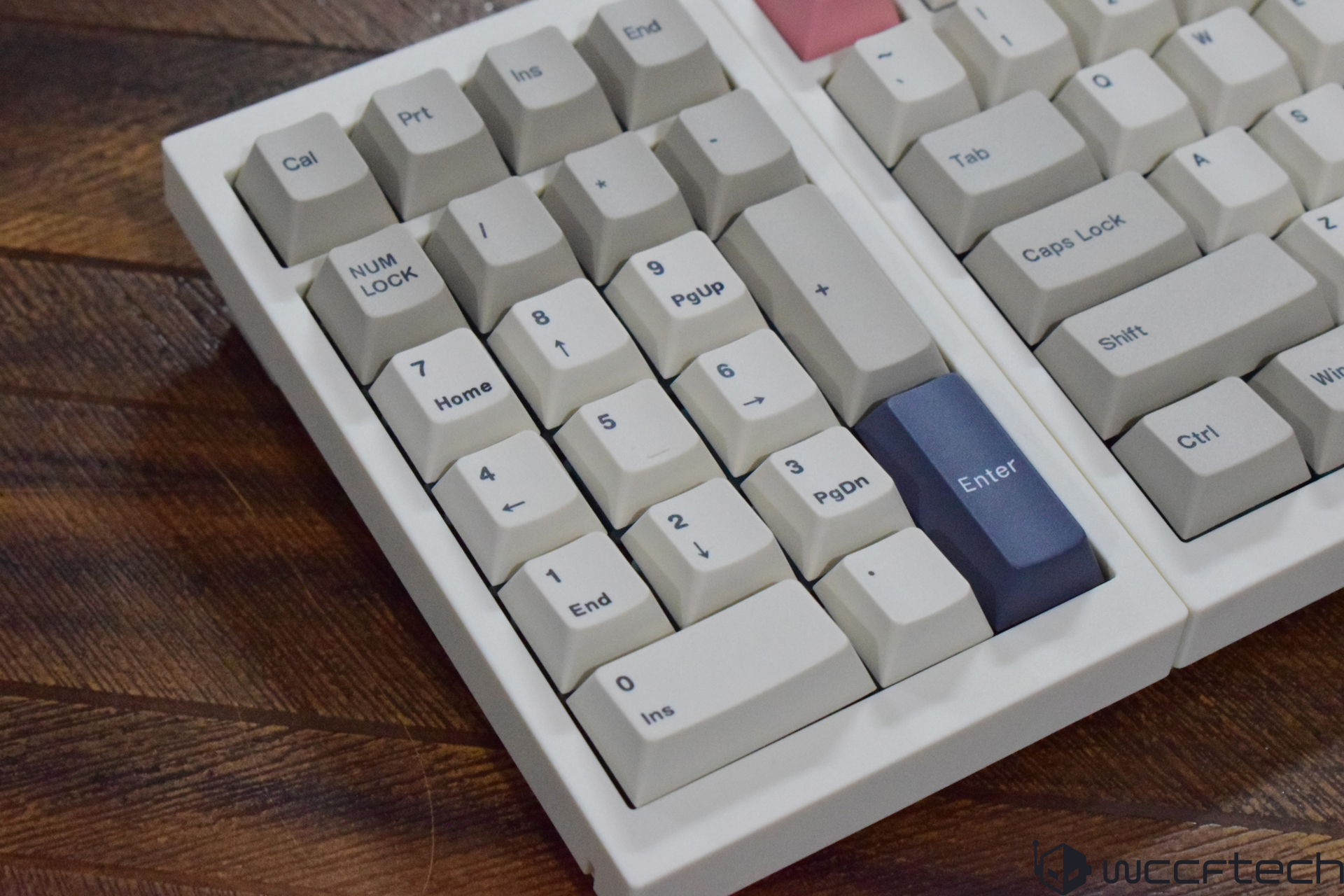
The RT98 appears to be a retro-inspired keyboard that brings an integrated smart display system, which looks like a CRT Television. The off-white and cream keycaps create a subtle contrast with the chassis, which is detachable as we will see in the customization section. As you can see, a few keys feature multi-colored styling for a unique identity with white legends instead of the black as seen across the rest of the keyboard.

Epomaker RT98 is a mechanical keyboard that has a big focus on modularity as well as a wide compatibility to allow working on various platforms. Unlike o,ther conventional mechanical keyboards, RT98's focus is more on providing the flexibility for shifting the numpad to either side apart from delivering necessary customizability.
Connectivity and Ease of Usage

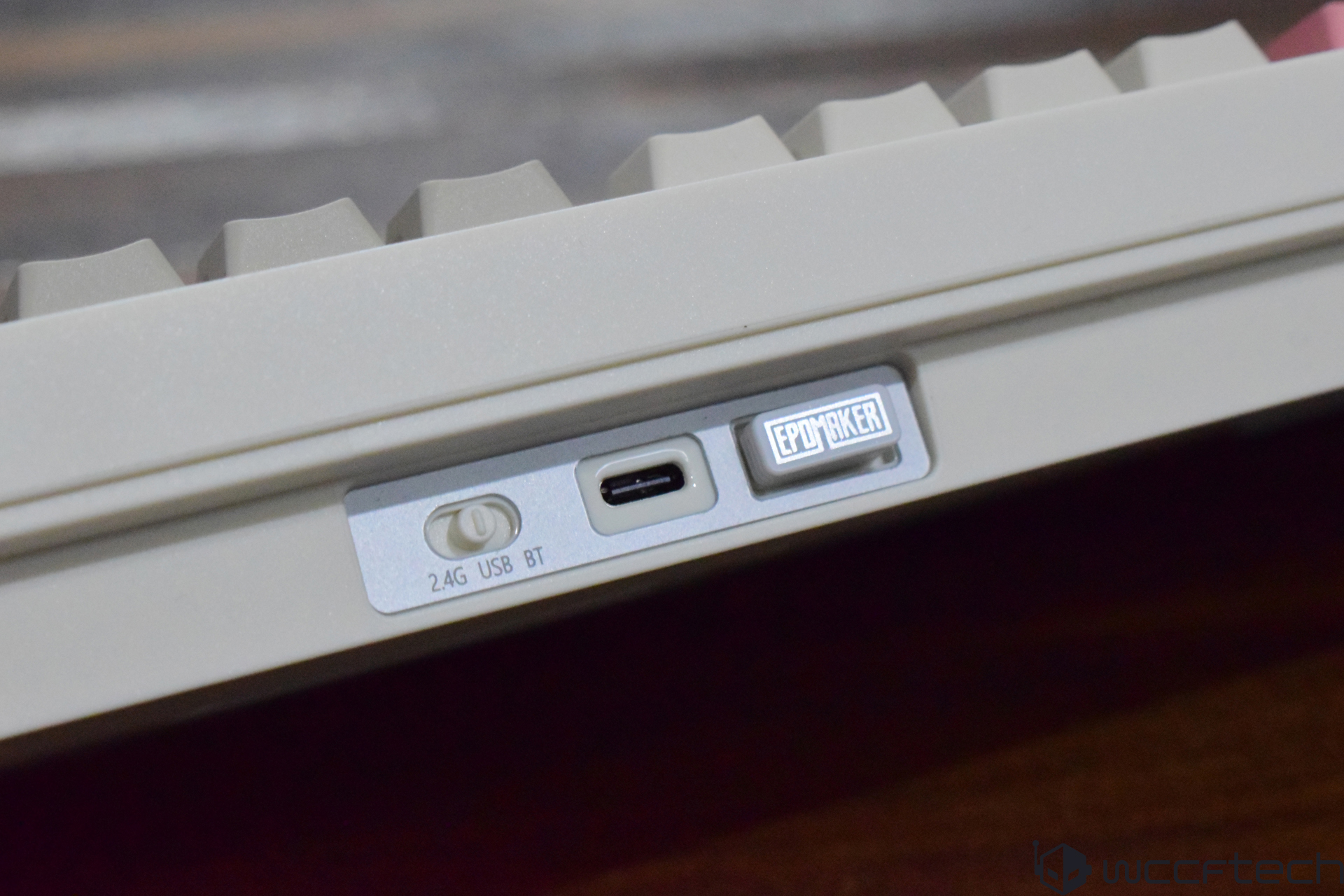
A close-up view shows an EPOMAKER keyboard with a switch labeled '2.4G USB BT' and a USB-C port.

The RT98 boasts tri-mode connectivity, which is a fantastic way to ensure good compatibility with multiple platforms, a wide range of devices, and operating systems. Out of the box, the RT98 keyboard offers Bluetooth, 2.4 GHz, and a wired connection for your devices. It's one of the very few keyboards that come with a dedicated housing for the 2.4 GHz adapter, which makes it an easy option for carrying around while reducing the risk of misplacing the USB adapter.

A long USB-C to A braided cable is provided for wired connectivity, and a toggle switch is present at the I/O to switch between connection modes. It's convenient, user-friendly, and makes switching quick. As far as compatibility goes, the RT98 is compatible with multiple OSes, including Windows, macOS, Linux, Android, and iOS.
Build Quality and Performance

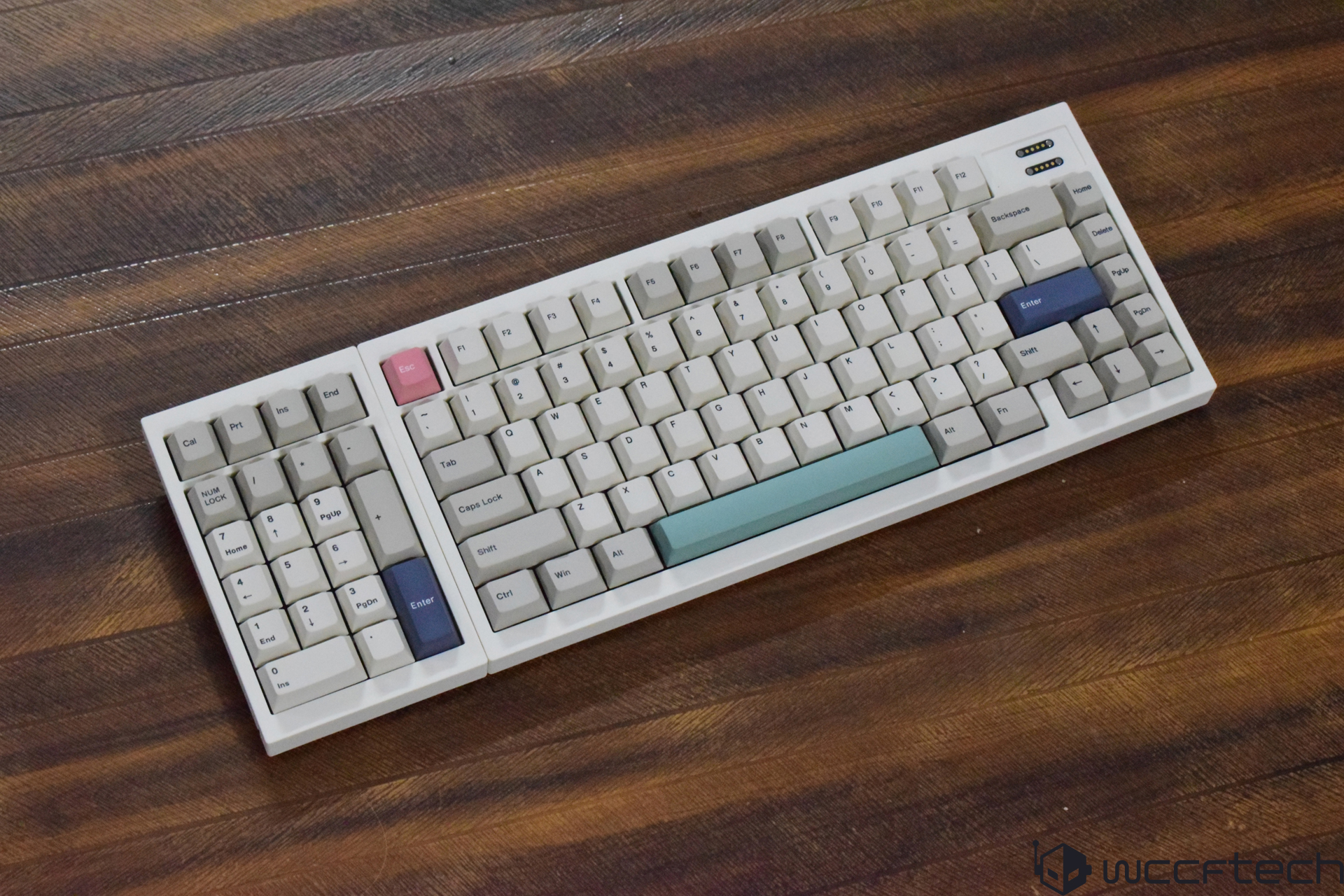
A mechanical keyboard with a multicolored keycap set, including pink, light blue, and dark blue keys, on a wooden surface.
A mechanical keyboard with white keycaps and a distinctive dark blue 'Enter' key is shown on a wooden surface.
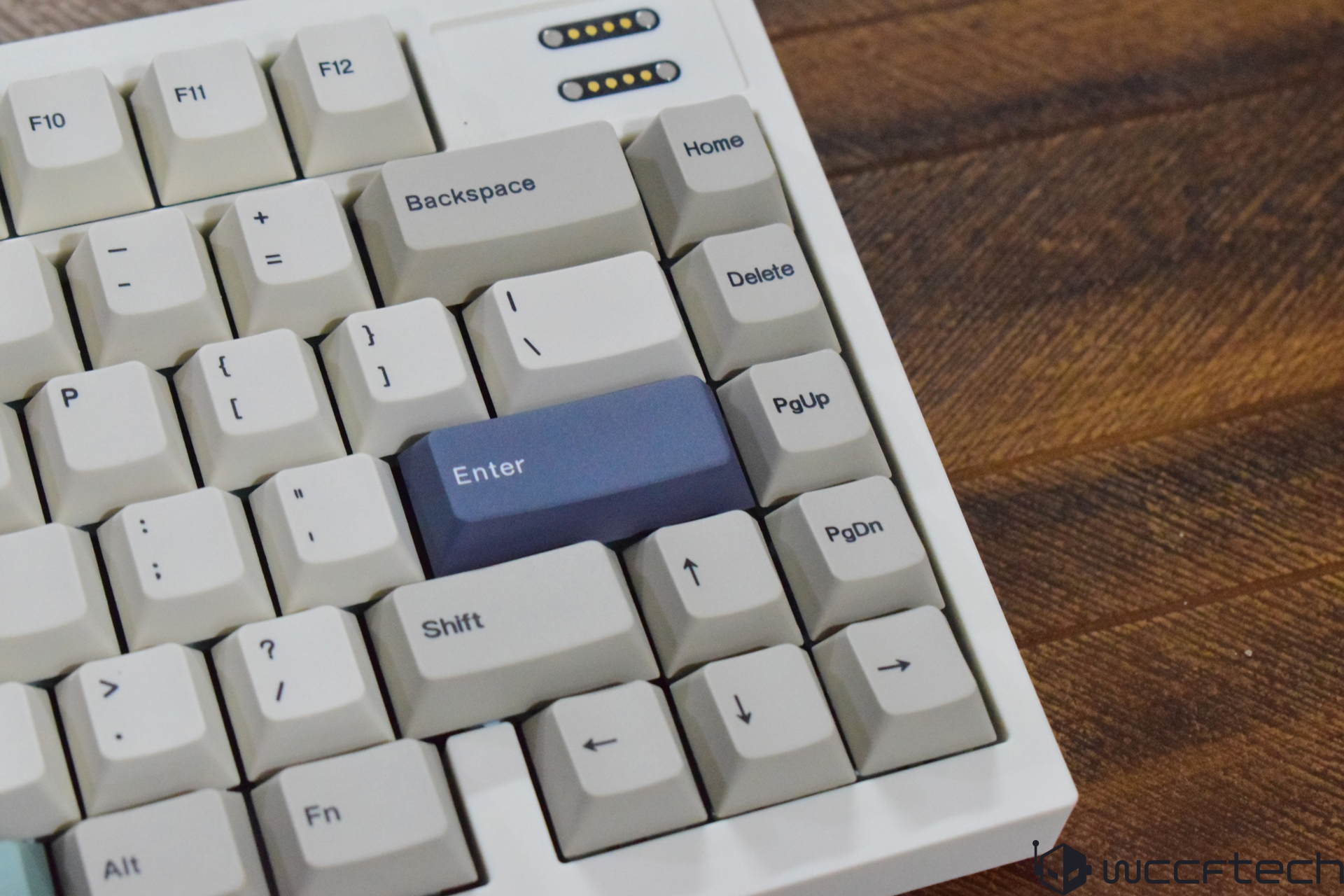
A close-up of a white mechanical keyboard featuring a numpad with a distinctive blue 'Enter' key cap on a wooden surface.

2 of 9

The RT98 appears to be a well-built keyboard, as it feels durable and doesn't wobble. Even though it doesn't use a steel or metal frame, the ABS chassis keeps it sturdy in use. The RT98 uses double-shot PBT keycaps, which are well-known for their reliability and have a few colored keycaps for unique aesthetics. Epomaker uses similar housing across its RT-series, and it's a great way of reducing weight without affecting the durability and sturdiness.

The keyboard uses the gasket-style mounting structure that helps isolate the plate from the case using compression materials. This is why when you press the keys on the RT98, you will experience a slightly cushioned keystroke response, which is silent and fast. I liked the softer typing feel of the switches, and as these are linear and silent, they are well-suited for high-speed typing and gaming in environments where quieter operation is preferred, such as shared workspaces or late-night setups.
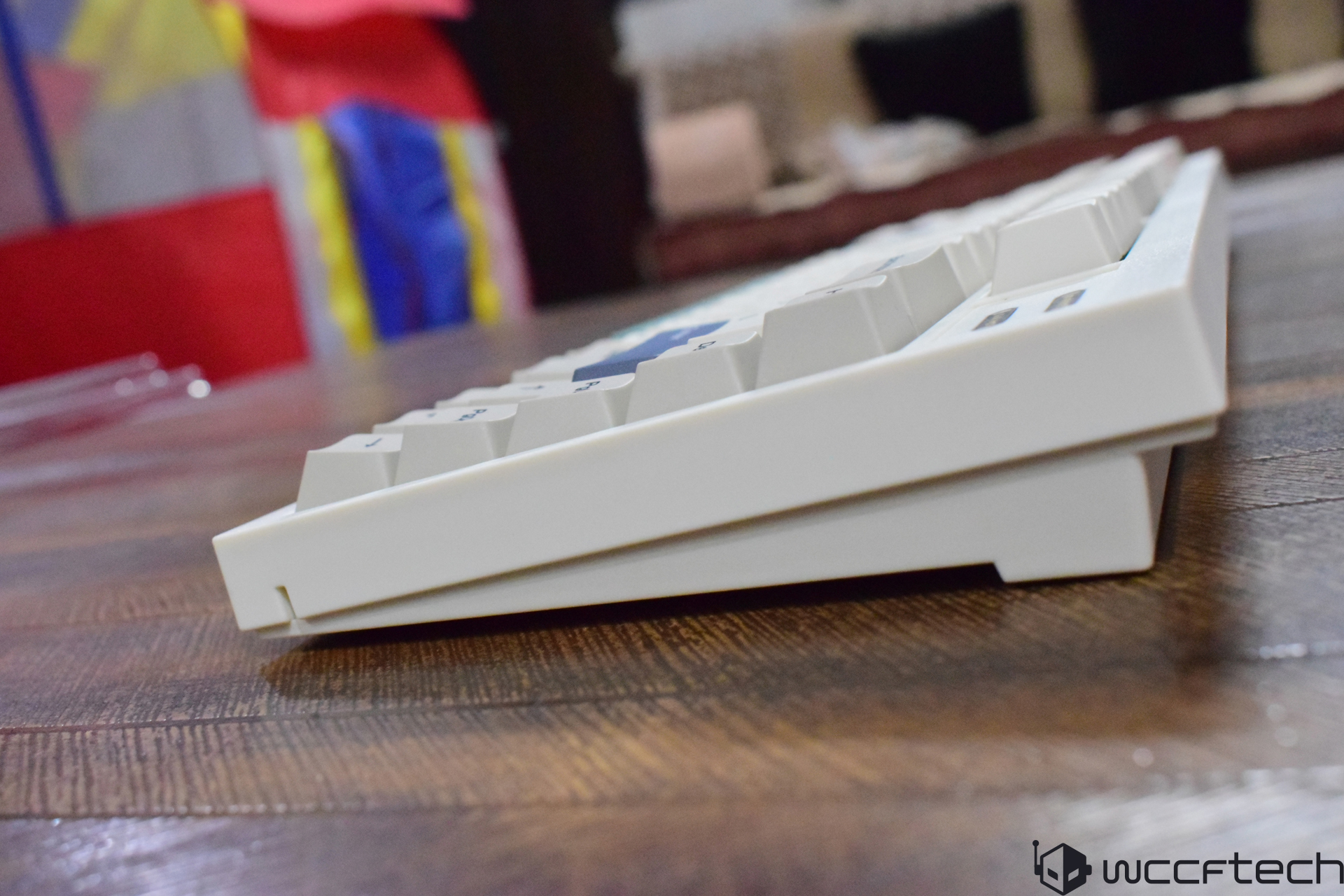
A side view of an unbranded white mechanical keyboard sitting on a wooden surface.
A close-up of a white keyboard's adjustable rear leg on a wooden surface.
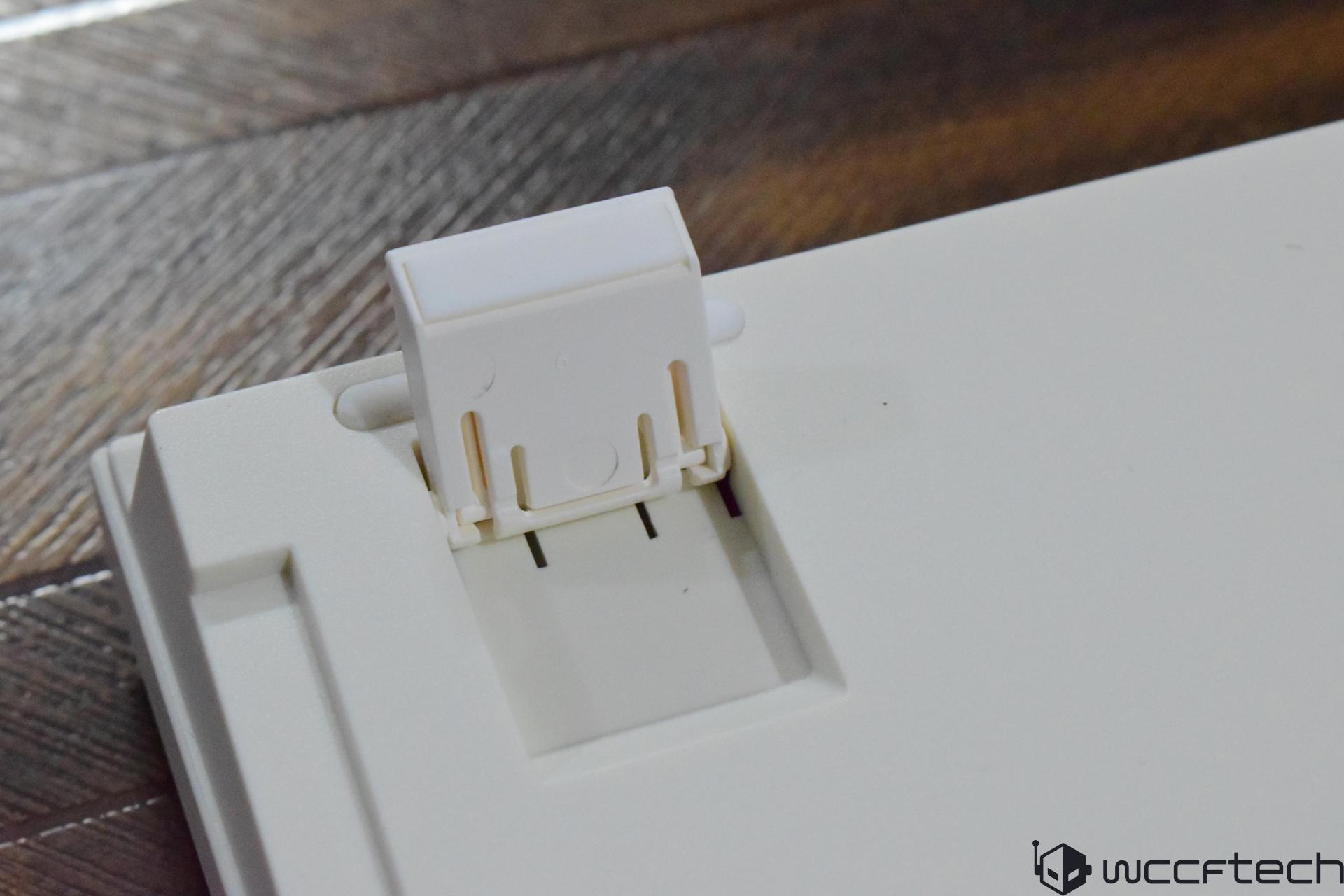
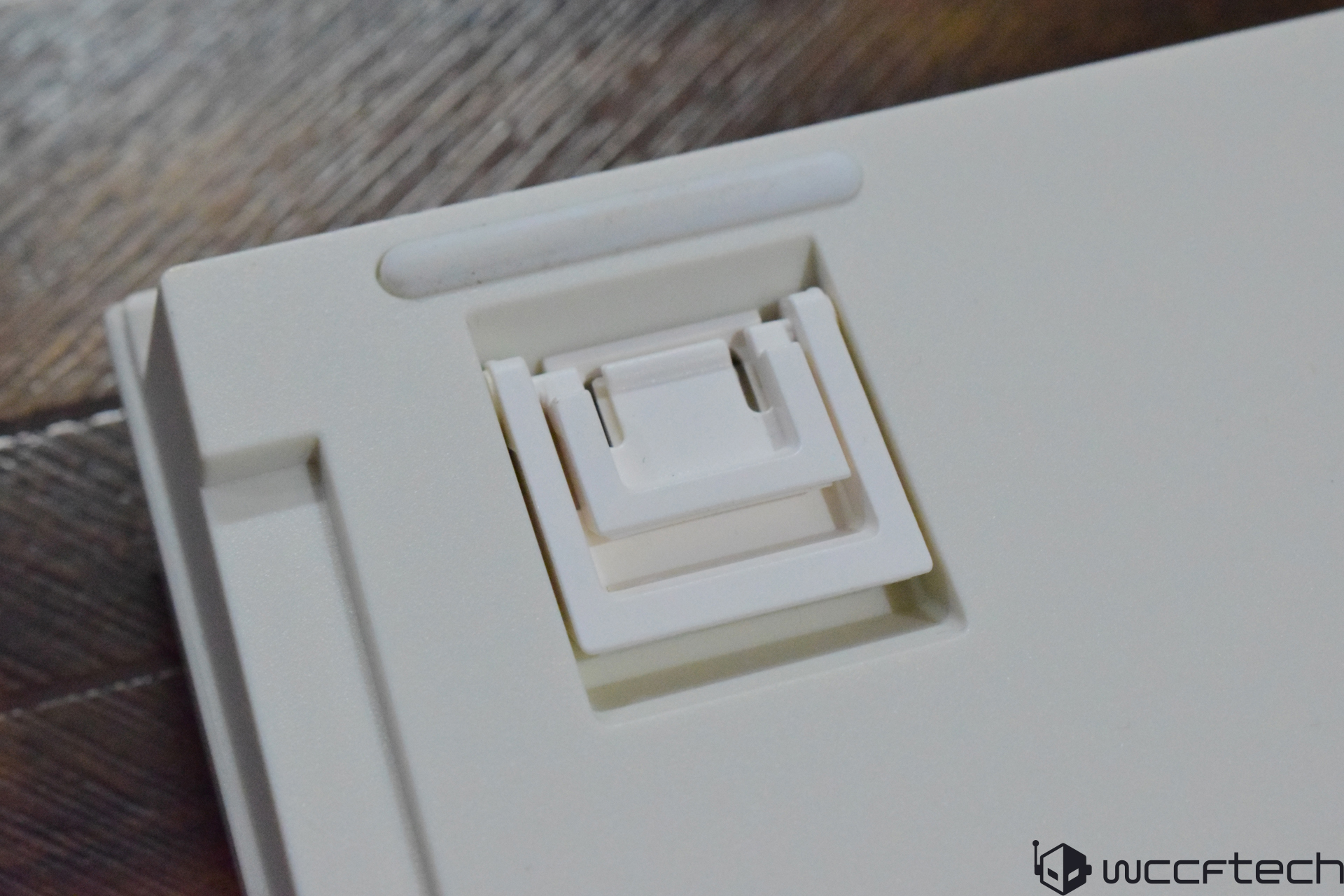
A close-up of a white plastic adjustable foot stand on the underside of a keyboard.

2 of 9

The keyboard chassis uses three pieces, which you can remove as we will see in the customization sections. These are secured together with the help of a few screws. So, you won't be seeing a single piece, which is quite obvious from the assembly as well. For height adjustments, the keyboard provides two height adjustments through built-in kickstands. These are snappy but quite sturdy, giving you the right ergonomics for your work.
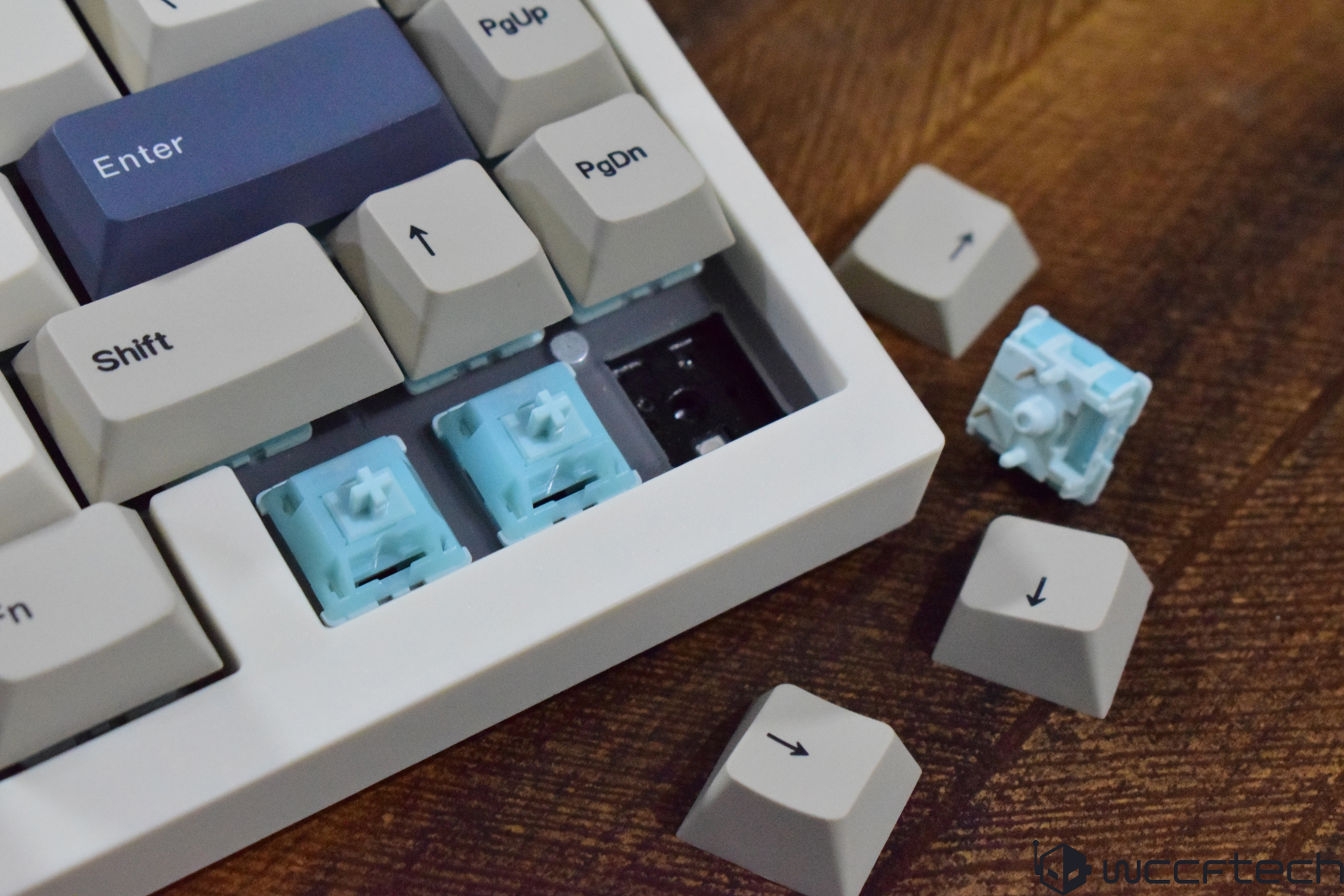
A mechanical keyboard with several detached gray keycaps exposes blue mechanical switches on a wooden surface.

Under the hood, you will find these light blue linear mechanical switches. I have tried to find out the name of this particular switch, but as far as I can search, I could only see Epomaker mentioning them as "Hot-Swappable" switches, meaning you can swap them with your favorite ones. One thing is clear: these are Epomaker's proprietary switches, which are obviously linear. The key presses across the keyboard felt quite consistent and produced similar acoustics.

The RT98 uses internal damping layers, which you will see in the next section when we disassemble it. These are integrated into the RT-series structure and reduce the internal cavity resonance, producing a more controlled typing sound.
Customizations

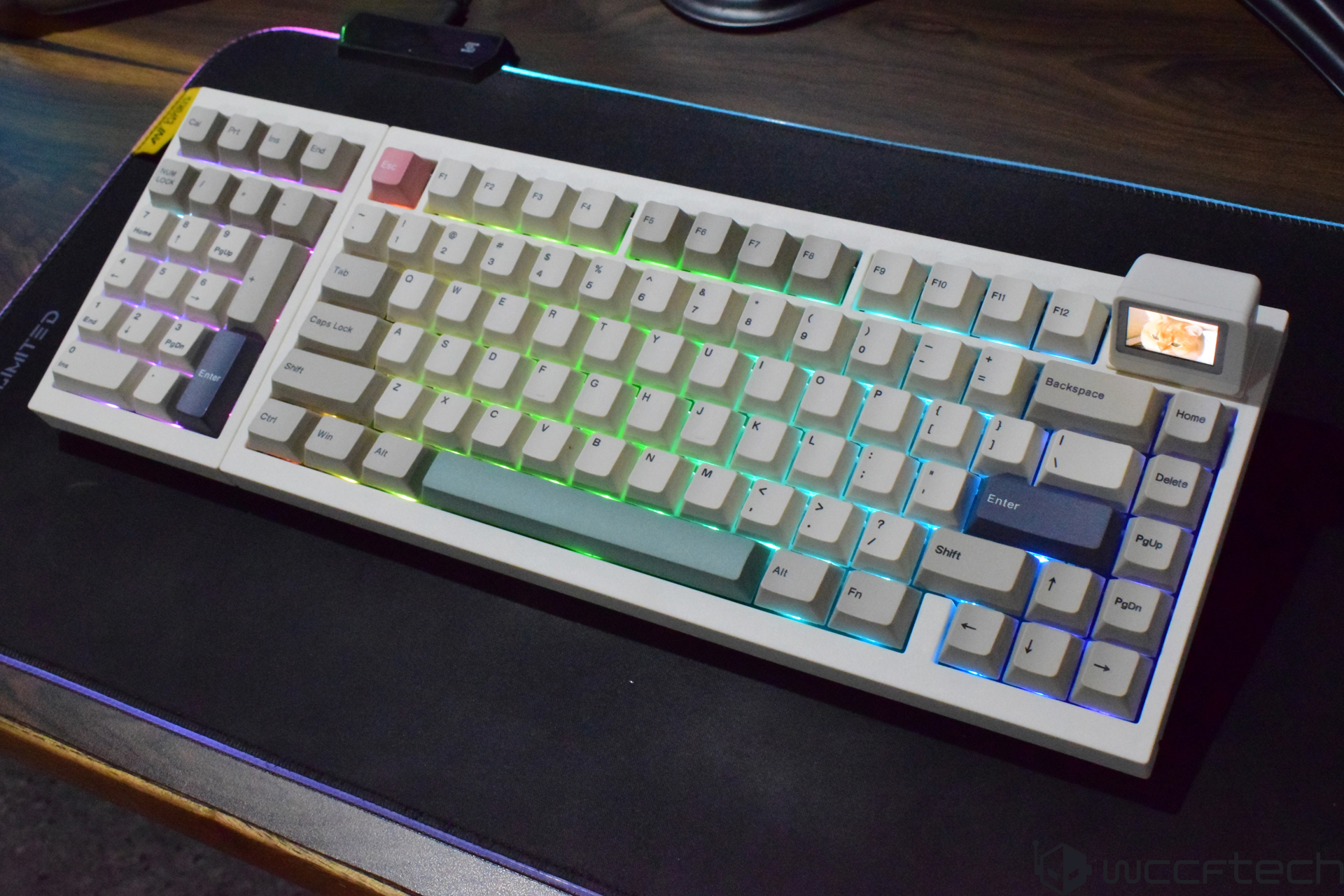
A retro-style mechanical keyboard with RGB backlighting and a small color display in the top right corner, showing an image of a cat, placed on a dark mouse pad.

Here comes the interesting part. The RT98 isn't your regular mechanical keyboard with some RGB and hot swappability. It's a new approach to customizations that goes beyond the conventional tweaks. We have reviewed several keyboards and haven't seen anything that can actually let you change the layout. As far as the traditional customizations are concerned, you can use FN+\ to cycle through various RGB presets and can control the lighting through VIA.
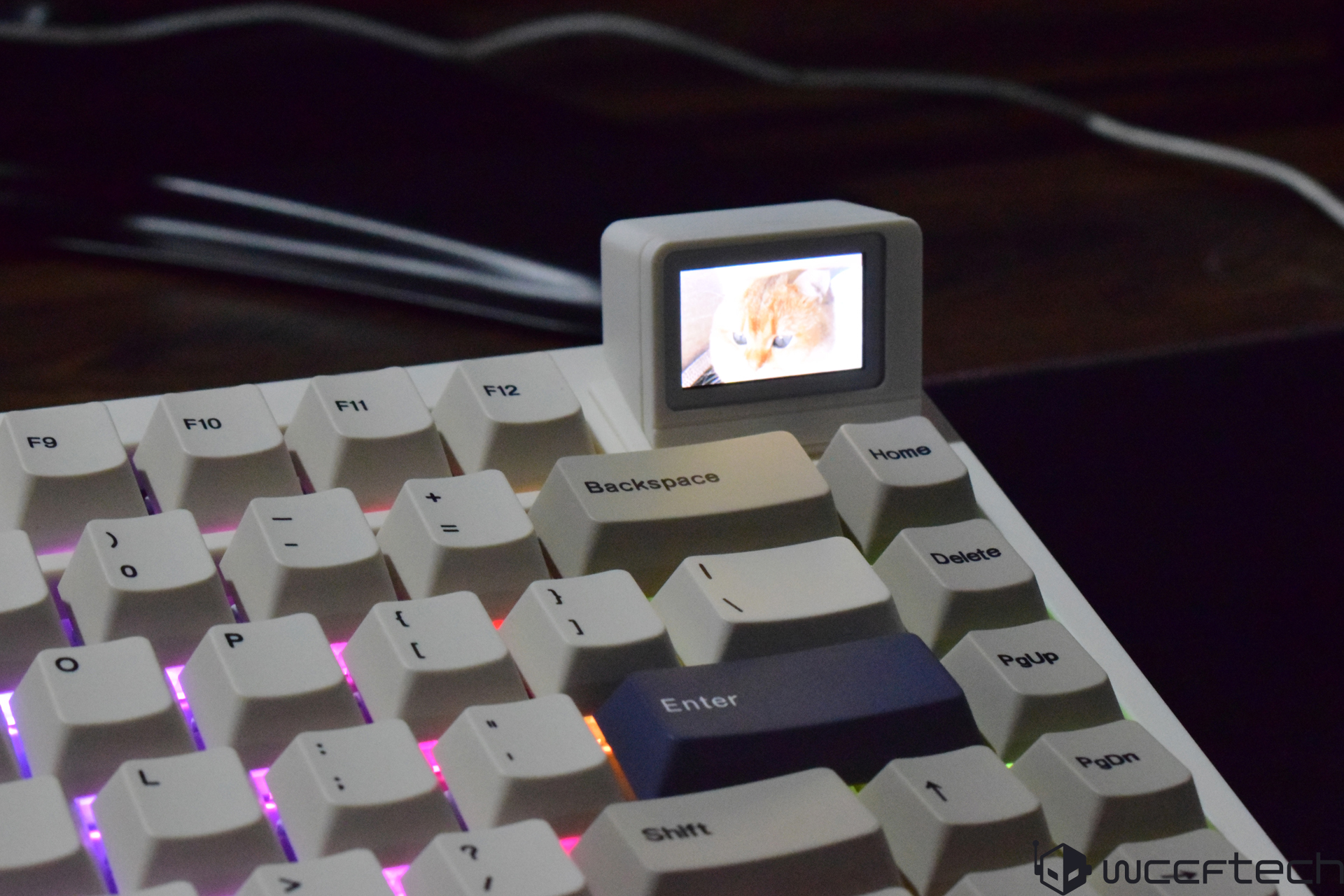
A mechanical keyboard featuring a small display above the keys showing an image of a cat.

The keyboard has south-facing LEDs, and despite the legends being opaque, the RGB lighting illuminates the keyboard, thanks to the bright RGB LEDs. You can customize the lighting through the software after uploading its JSON file to use via.app. After connecting the keyboard, you will get all the options to tweak stuff like layers, macros, button remapping, etc. For the TV, a dedicated image tool is provided to change the GIFs or change whatever is displayed on the screen according to need. This is a magnetic TV, which can be detached easily as it uses a magnetic interface. The features aren't something extraordinary, but it gives the RT98 a unique personality.
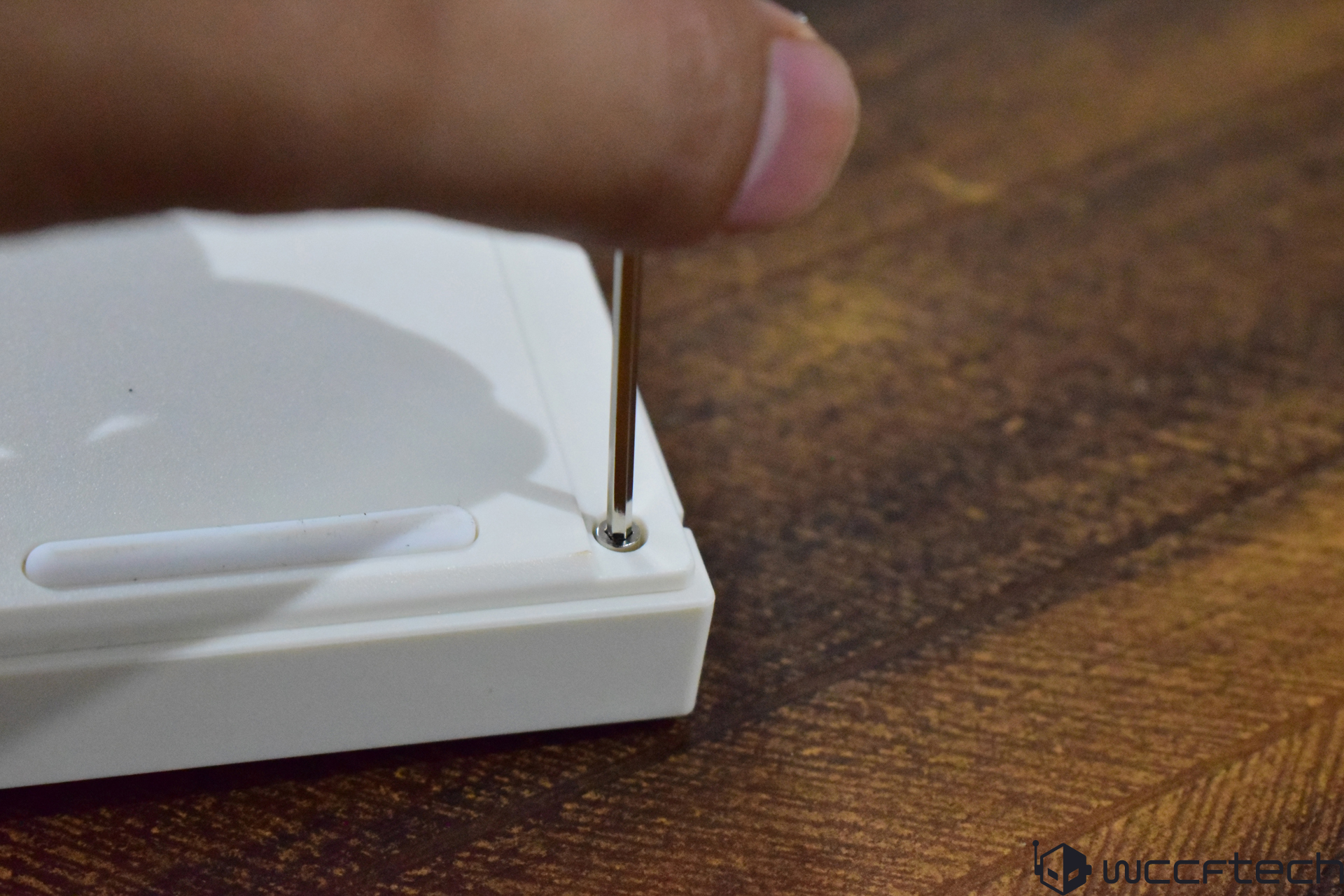
A hand uses a screwdriver to assemble a white electronic device housing on a wooden surface.
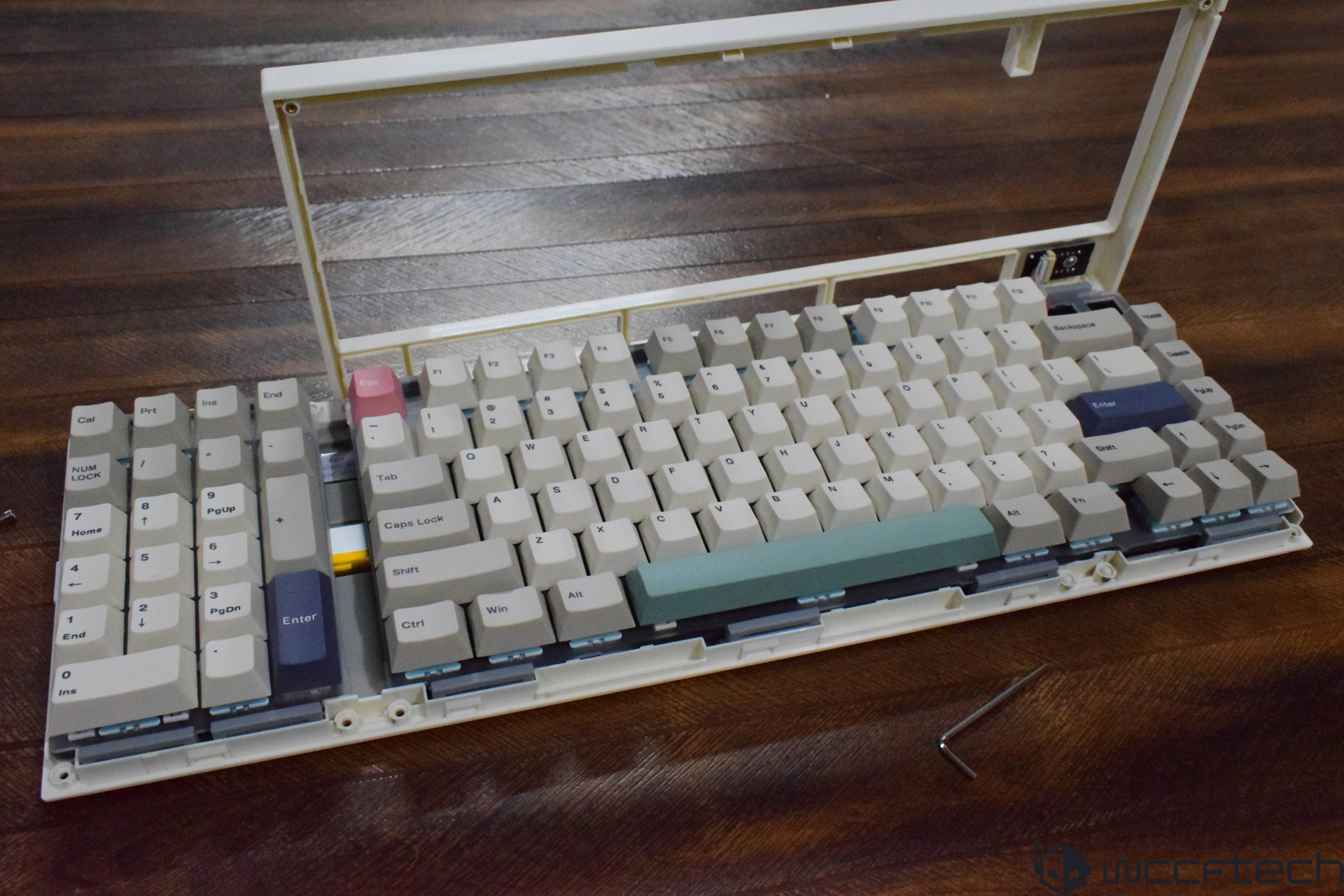
A mechanical keyboard in mid-disassembly with various keycaps removed and parts visible, set on a wooden surface.

2 of 9

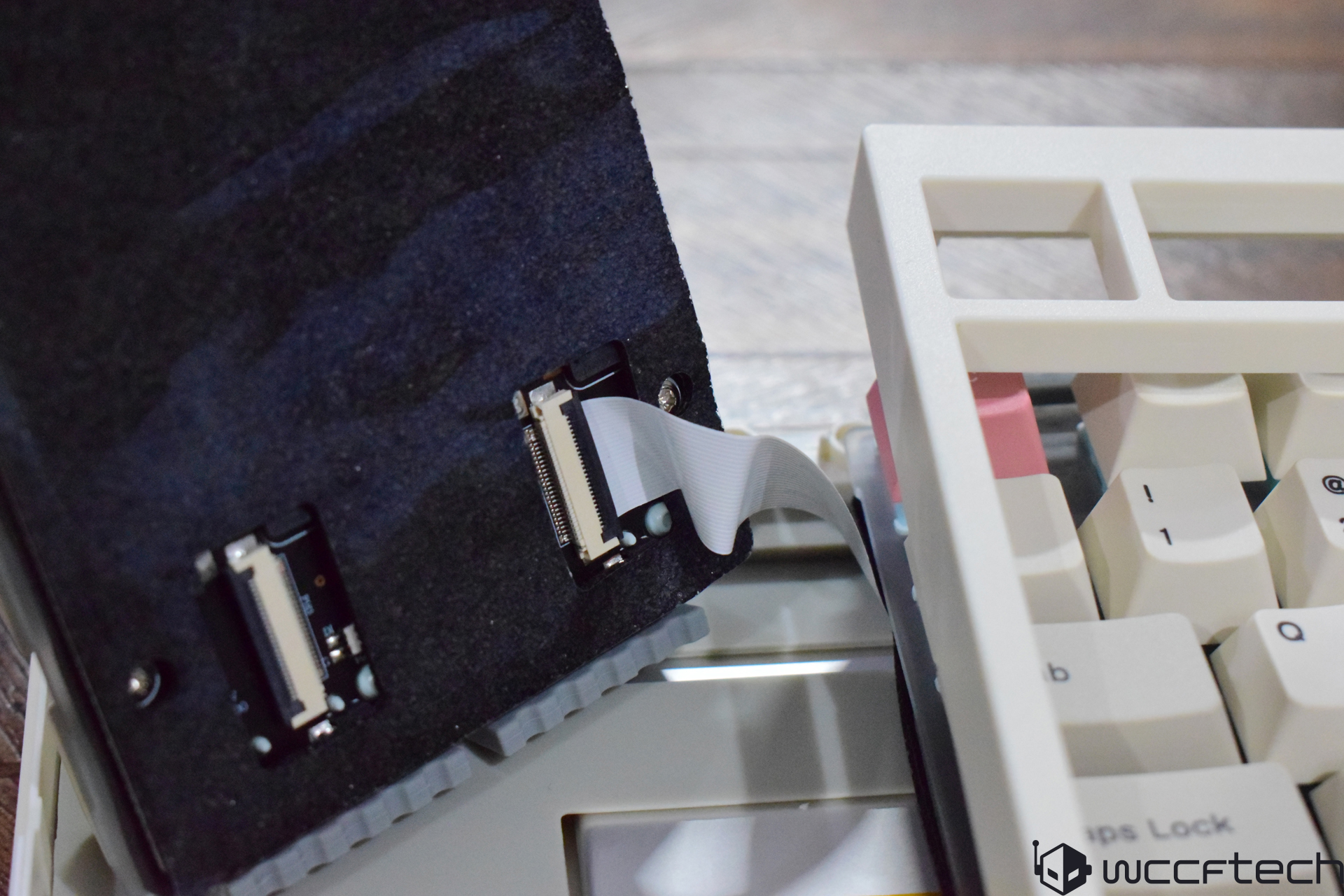
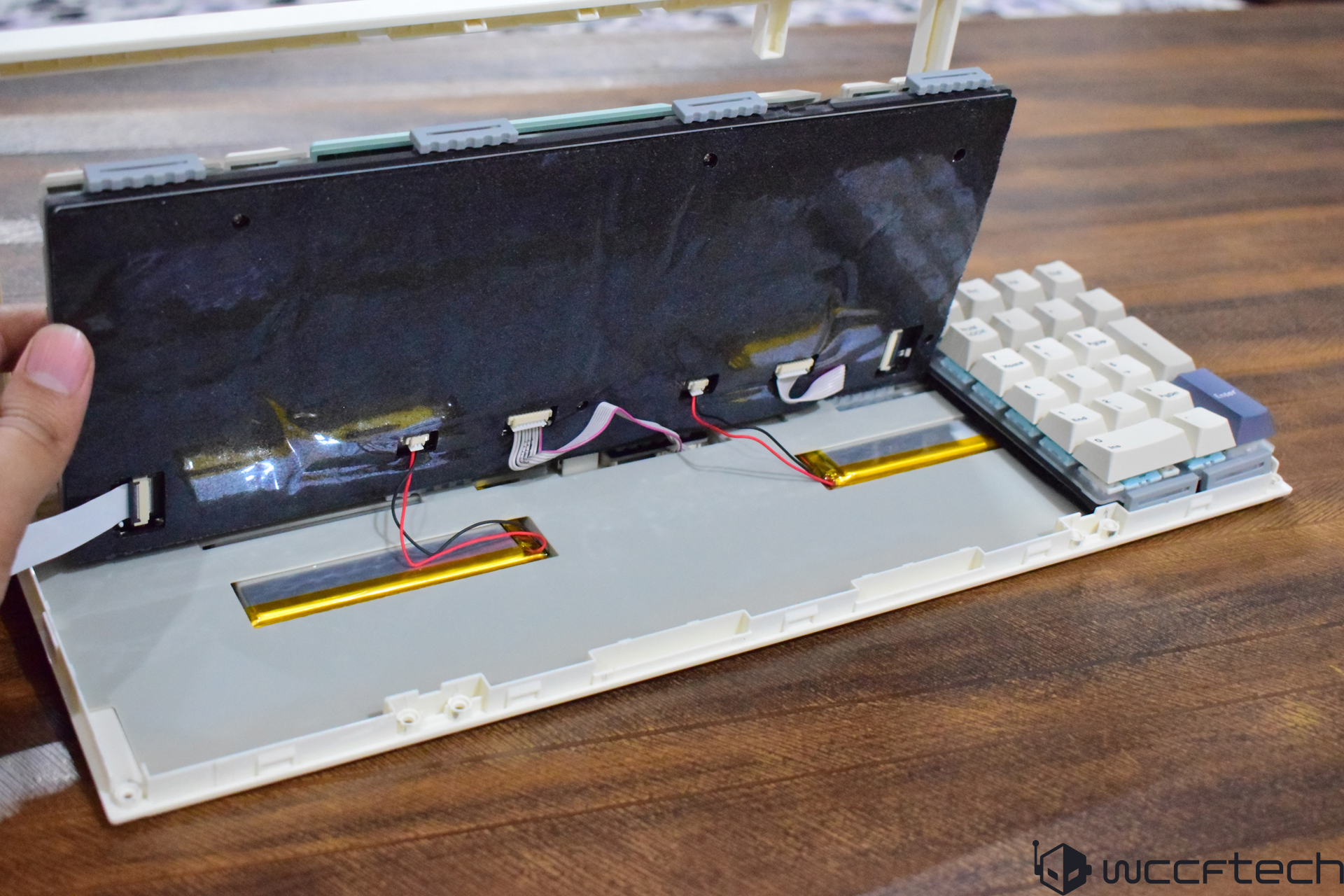
When you move on to the actual hardware customizations, you can swap the switches, but most importantly, can change the layout. The Numpad on the RT98 can be switched either to the right or the left, which is rare on even high-end keyboards. The process can be a bit complicated for beginners as it's not a simple plug-and-play process. You need to remove around 8 screws with the provided Allen wrench to remove the frame for both sections. Once you do that, you can place them safely on the side and here's what you will see underneath the PCB.
A mechanical keyboard with partial keycaps removed exposes its internal components, including a ribbon cable connected to a PCB.
A person holding the top panel of an unbranded mechanical keyboard, revealing the internal wiring and battery components on a wooden surface.

2 of 9

The Numpad PCB has a flat white cable or FFC (Flat Flexible Cable) attached to the ZIF FFC/FPC connector. You can see there are two such connectors for left/right orientation, and once you remove the cable by unlocking the small bar on the connector, you can now place the Numpad on either the left or Right side and connect the cable to the ZIF FFC connector again. The main area can now be placed on the other side, and both sections can be secured using their respective frames and screws. Now, you successfully have a different layout than what the majority of keyboards can provide.

I personally loved the Numpad on the left by default. So, I didn't change the layout. The numpad on the left helps in clearing space for mouse movement, and this particularly helps in gaming if you do a lot of mouse movement.

The Verdict

I am amazed by the amount of customization Epomaker has allowed on the RT98. Such a keyboard design is rare, but super convenient. We aren't just talking about the excellent performance RT98 brings to the table, but also how easily one can adjust it as per needs. The key presses on the RT98 are smooth, silent, and fast. Its approach to changing the Numpad layout without compromising the durability is remarkable, and the tri-mode connectivity makes it widely compatible with a wide range of devices. On top of that, the detachable magnetic TV adds a unique personality to the keyboard.


The RT98 might not be the best "gaming" keyboard, but it's certainly the best for work. For gaming, performance matters, and I recommend opting for a Hall Effect keyboard, but if you want a perfect balance of both gaming and work, I think other keyboard manufacturers will have a hard time delivering an impressive model like the Epomaker RT98. The keyboard is officially priced at $119, but you can buy it for cheaper on Kickstart at an early bird price of $95.

You can find additional information about our hardware review process and ethics policy here.
8.8

WCCFTECH RATING

Epomaker RT98 stands out as an exceptionally versatile keyboard, offering layout-swapping flexiblity alongside delivering smooth performance that suits both gaming and productivity workflows.

    Pros
  • Linear and silent key presses
  • Hot-Swappable switches
  • Swappable layout
  • Dedicated mini TV
  • Good software support
  • Bright RGB lighting
  • Tri-mode connectivity
  • Dedicated USB storage
    Cons
  • Changing layout is time-consuming
  • Mini TV conumes a lot of space vertically
  • Not the best chassis
Buy for from Amazon The links above are affiliate links. As an Amazon Associate, Wccftech.com may earn from qualifying purchases.

Sarfraz Khan Photo

About the author: Sarfraz Khan is a hardware reporter with a focus on PC components and the builder community. With years of experience writing about PC hardware and laptops, his work has been featured on several reputable technology publications. Sarfraz's hands-on experience is demonstrated through his first-person accounts of using and comparing different hardware configurations, providing practical and relatable insights for everyday users. His technical analysis is respected by peers in the enthusiast community and has been cited by specialized hardware sites such as Germany's Igor's Lab.

Follow Wccftech on Google to get more of our news coverage in your feeds.