
惯性聚合 高效追踪和阅读你感兴趣的博客、新闻、科技资讯
阅读原文 在惯性聚合中打开

推荐订阅源

P
Proofpoint News Feed
Exploit-DB.com RSS Feed
Microsoft Security Blog
云风的 BLOG
云风的 BLOG
MongoDB | Blog
MongoDB | Blog
Know Your Adversary
Know Your Adversary
K
Kaspersky official blog
人人都是产品经理
人人都是产品经理
IT之家
IT之家
Recorded Future
Recorded Future
Recent Announcements
D
DataBreaches.Net
C
CXSECURITY Database RSS Feed - CXSecurity.com
U
Unit 42
博客园 - 【当耐特】
I
Intezer
Cisco Talos Blog
Cisco Talos Blog
Spread Privacy
Spread Privacy
L
LINUX DO - 热门话题
H
Help Net Security
L
LangChain Blog
T
The Exploit Database - CXSecurity.com
P
Palo Alto Networks Blog
Scott Helme
Scott Helme
The GitHub Blog
The GitHub Blog
博客园_首页
P
Proofpoint News Feed
大猫的无限游戏
大猫的无限游戏
S
Secure Thoughts
The Register - Security
Engineering at Meta
Engineering at Meta
T
Threatpost
OSCHINA 社区最新新闻
OSCHINA 社区最新新闻
Blog — PlanetScale
Blog — PlanetScale
C
Cybersecurity and Infrastructure Security Agency CISA
T
Troy Hunt's Blog
罗磊的独立博客
腾讯CDC
Simon Willison's Weblog
Security Latest
Security Latest
Last Week in AI
Last Week in AI
P
Privacy & Cybersecurity Law Blog
Latest news
Latest news
The Cloudflare Blog
Jina AI
Jina AI
小众软件
小众软件
Cloudbric
Cloudbric
TaoSecurity Blog
TaoSecurity Blog
F
Full Disclosure
V
V2EX

Wccftech

007 First Light Review — IO Interactive Ends a 14-Year Bond Drought With a Near-Total Triumph Subnautica 2 Early Access – How to Craft a Tadpole Subnautica 2 Tips and Tricks Assassin’s Creed Black Flag Resynced – Everything We Know About the Remake of Edward Kenway’s Pirate Adventure Forza Horizon 6 PC Performance Analysis & Tuning Guide – How To Get Best Experience On PC LEGO Batman: Legacy of the Dark Knight: How to Fix PlayStation Controller Icons On PC LEGO Batman: Legacy of the Dark Knight: How to Complete the Paranormal Investigator Challenge Luna Abyss Review: Tight Movement and Stellar Performances Carry an Unmissable Shooter Despite Bland Enemy Design LEGO Batman Legacy of the Dark Knight: How to Build Focus While Gliding (Focused Maneuvers Guide) LEGO Batman: Legacy of the Dark Knight – Best Waynetech Upgrades to Unlock First Phonopolis Review: Amanita Design's Decade-Long Cardboard Dystopia Delivers Beauty, Even if Its Orwellian Story Feels Familiar Yoshi and the Mysterious Book Review — Nintendo's Switch 2 Exclusive Ditches Platforming Challenge for a Picture-Book Sandbox of Creatures LEGO Batman: Legacy of the Dark Knight – How to Earn Studs Fast LEGO Batman: Legacy of the Dark Knight: How to Fix Motion Sickness (FOV Guide) LEGO Batman: Legacy of the Dark Knight: Should You Expand the Batcave Early? LEGO Batman: Legacy of the Dark Knight: Can You Replay Missions? LEGO Batman: Legacy of the Dark Knight Combat Guide: Why You Should Build Focus Quickly LEGO Batman: Legacy of the Dark Knight – How to Always Earn Gold Medals in Driving Trials (Racing Guide) LEGO Batman: Legacy of the Dark Knight: Complete Walkthrough & Guide – Character Progression, Studs, Combat and Trials Subnautica 2 – How to get Silver Forza Horizon 6 Review - First Love Google Tensor G6 Chip’s Architecture, Quirky GPU Choice, Specifications, And Launch IQUINIX Magi75 Review: A Fast & Silent Low-Profile Keyboard For All Directive 8020 Review: Supermassive’s Shapeshifting Aliens Can Hijack Your Own Character, Yet One Playthrough Is Enough Star Fox (2026) — Everything We Know About Nintendo’s Star Fox 64 Remake Steam Controller Review - It Just Works...Most of the Time Uperfect UFree V Review: A Wireless "True" Portable Monitor With Incredible Compatibility And Versatility Windrose PC Performance Analysis & Tuning Guide – How To Get Best Experience On PC RAMpocalypse Has Made DIY Builds Pointless, But These Pre-Built Gaming PCs Beat Component Prices In 2026 Saros: How to Fix Alt-Fire Controls (The Circle Button Trick) Saros: The Best Weapon to Melt Bosses (Ripsaw Chakram Guide) Saros: Can You Beat the Tutorial Boss? (Consort Boss Guide) Saros: How to Get Your Favorite Weapon at the Start of Every Cycle Saros: The Best Weapons for High Damage and Stagger Saros: How to Cleanse Corruption (And Why You Shouldn’t Always Do So) Saros: How to Parry Enemy Attacks and Projectiles Saros: Best Stats to Upgrade Pokémon Champions Review – Confined Competition Saros: How to Increase Movement Speed (Traversal Boost) Saros: The Best Carcosan Modifiers to Use for Easy Progression Saros: Complete Walkthrough & Guide – Combat Secrets, Character Progression Tips, Best Difficulty Modifiers The Elder Scrolls VI – Everything We Know about Skyrim’s Long-Awaited Successor from Bethesda Saros – Everything We Know About Housemarque’s Solar Bullet-Hell Saros Review - If Death is Welcome, Let Him Seek it There. Beyerdynamic MMX 150 Wireless Review – Classic Beyer Sound Finally Cuts the Cord Diablo IV: Lord of Hatred Review - The Epic Conclusion to a Long Narrative Arc Cthulhu The Cosmic Abyss PC Performance Analysis & Tuning Guide – How To Get Best Experience On PC Epomaker RT98 Review: A New Step In Modularity Gigabyte Z890 AORUS Elite DUO X Motherboard Review – CQDIMM-Ready! PRAGMATA: How To Solve Crashing Issues On PC PRAGMATA: 100% Complete Walkthrough & Guide – Combat Secrets, Upgrades, Training Simulations, Collectibles PRAGMATA: Why You Should Always Finish Bots With a Critical Shot PRAGMATA: How Does Multihack Work? Master This Hacking Node For Ultimate Crowd Control PRAGMATA: Bad Blood Training Simulation Guide (Defeat 4 Enemies With Friendly Fire) PRAGMATA: How to Unlock Auto-Hacking PRAGMATA: Every Currency and How to Get It PRAGMATA: Mouse Trap Training Simulation Guide (Defeat All Enemies Within The Recycler) PRAGMATA: Every Mr. Cabin Locations and The Secret Setting to Find Them Easily PRAGMATA: All Mr. Cabin Stamp Rewards – Spend Your Cabin Coins Wisely PRAGMATA: Floor It Training Simulation Guide (Complete Without Taking Damage) PRAGMATA: The Hacking Reset Secret Technique to Improve Combat Tomodachi Life: Living the Dream Review – A Joke Worth Repeating The Super Mario Galaxy Movie Review – Accomplished Craftmanship, Copious Callbacks
Your SSD May Be in the Wrong M.2 Slot — Here’s How to Tell
Sebastian Ca · 2026-04-25 · via Wccftech

One of the easiest mistakes to make when building or upgrading a PC is assuming that every M.2 slot on a motherboard is basically the same. After all, they all look nearly identical and take the same "gum stick-shaped" drives. Motherboard marketing pages love to list "4 x M.2" as though that number alone tells the whole story, but in practice, these slots can behave very differently.

You could have a perfectly healthy, high-end Non-Volatile Memory Express (NVMe) solid-state drive (SSD) that performs well below expectations simply because it was installed in the wrong slot. If your shiny new PCI-Express (oftentimes shortened to just PCIe) Gen4 or Gen5 SSD isn't hitting those advertised speeds, the first thing to check may not be the drive itself, but rather the slot you chose to put it in.

M.2 is a Form Factor, Not a Performance Guarantee

It is a common trap to assume that the "gum stick" shape of an M.2 drive guarantees a certain level of performance, but the reality is that M.2 is merely a physical form factor. It describes the connector style, not the speed or the protocol, which means that you could be looking at a Serial Advanced Technology Attachment (SATA)-based drive or a high-speed NVMe one, and the two are often not interchangeable.

Because motherboard manufacturers make their own routing decisions under the hood, two slots that look identical can have wildly different electrical behaviors. One might support both SATA and PCIe, while another is strictly NVMe-only. In short: if you want to avoid a compatibility headache, checking your motherboard manual is no longer optional — it's simply essential, as the exact behavior changes depending on which CPU you have installed. For example, let us consider the two following examples:

  • Intel LGA 1700: Mainstream Intel Core CPUs (12th to 14th Gen) typically provide 16 PCIe 5.0 lanes for the graphics card and an additional 4 PCIe 4.0 lanes dedicated to storage, both directly from the CPU. The chipset then adds a larger pool of extra PCIe lanes (often PCIe 4.0/3.0, depending on the chipset, like Z690/Z790 with up to ~28 lanes), all connected through a PCIe 4.0 x4 Direct Multimedia Interface (DMI) link to the CPU, meaning those lanes ultimately share bandwidth.
  • AMD AM5: Ryzen 7000/9000 CPUs expose up to 28 PCIe 5.0 lanes, with 24 usable for add-in devices (typically 16 for graphics card + 4 for NVMe + 4 flexible lanes) and 4 reserved for the chipset link. Like Intel, the chipset then adds additional PCIe lanes (usually PCIe 4.0/3.0 depending on B650/X670 tiers), connected via a PCIe 4.0 or 5.0 x4 link, meaning chipset-connected devices share that uplink bandwidth.

The heart of the issue is simple: CPU-connected storage is direct, while chipset-connected storage is shared. While a chipset-connected slot should work just fine for everyday use, it can be less ideal if it shares bandwidth with other devices or disables other features elsewhere on the board.
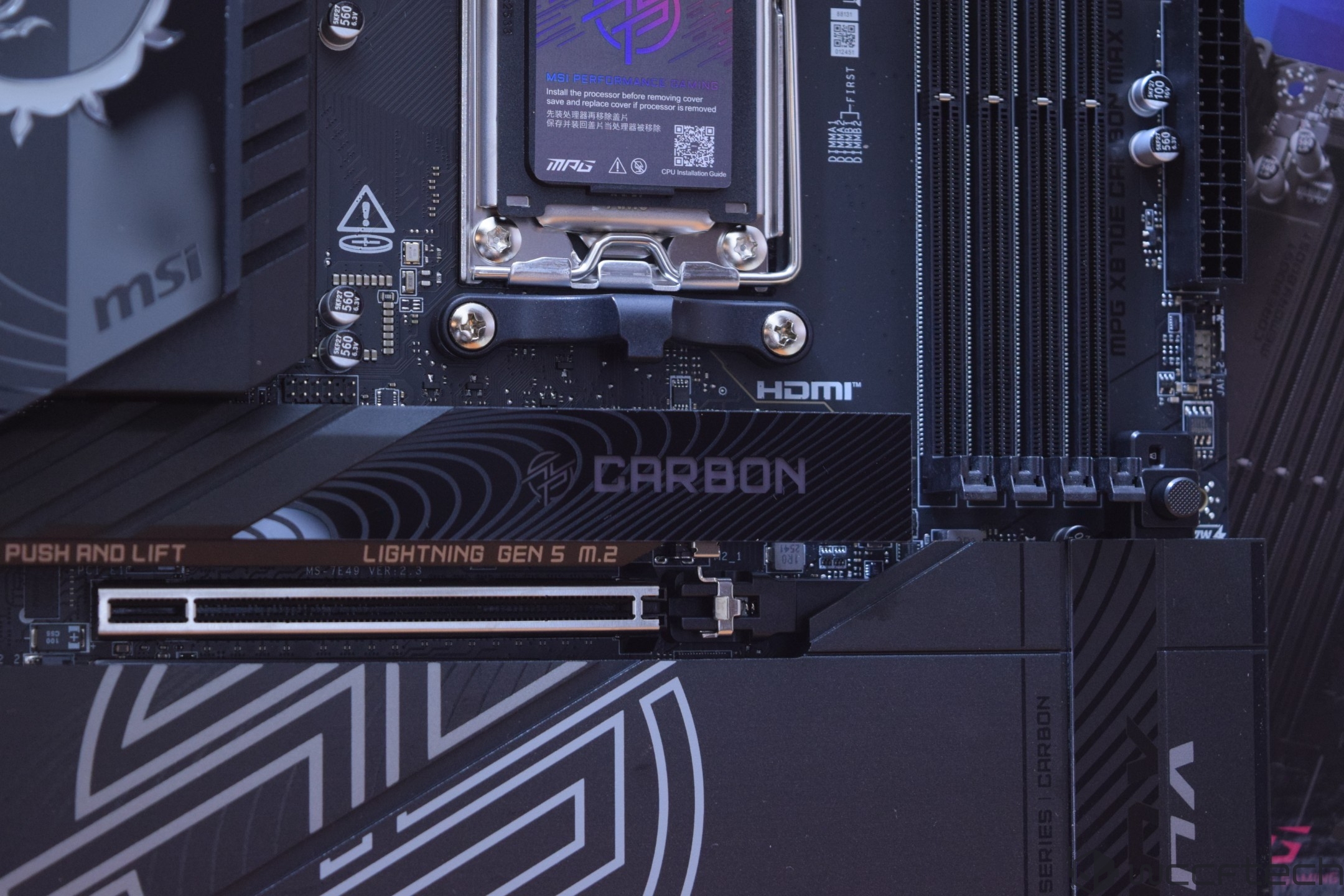
MSI motherboard featuring a CPU socket labeled 'CARBON' and 'LIGHTNING GEN 5 M.2' with visible branding, including 'msi,' 'HDMI,' and 'MPG Z8 TUE CARBON MAX WIFI'.
The top M.2 slot on most modern motherboards is usually the fastest in terms of speed and is directly linked to the installed CPU.

When enthusiasts say "check your motherboard manual", this is exactly what they mean. You aren't just checking if the drive fits; you’re checking a few other key things: is the slot CPU-connected, does it run at full x4 bandwidth, what PCIe generation does it support, and whether using it ends up sharing lanes with something like your GPU.

Real motherboard documentation reveals some startling differences, via the following examples:
  • ASUS TUF Gaming Z790-PRO WIFI: The manual shows a non-uniform M.2 layout, including a slot that uniquely supports both PCIe NVMe and SATA SSDs.
  • MSI MPG B550 Gaming Plus: This is a classic example of hidden tradeoffs. The primary slot comes from the CPU, but if you install a PCIe SSD in the secondary (chipset) M.2_2 slot, then the PCI_E3 expansion slot becomes completely unavailable.
  • Gigabyte X870E AORUS ELITE WIFI7 ICE: This board goes further. Its official specs state that populating the extra CPU-connected M.2 slots causes the main GPU slot to drop from x16 to x8 operation. Furthermore, those extra slots become entirely unavailable if you use certain AMD Ryzen 8000 Phoenix processors.
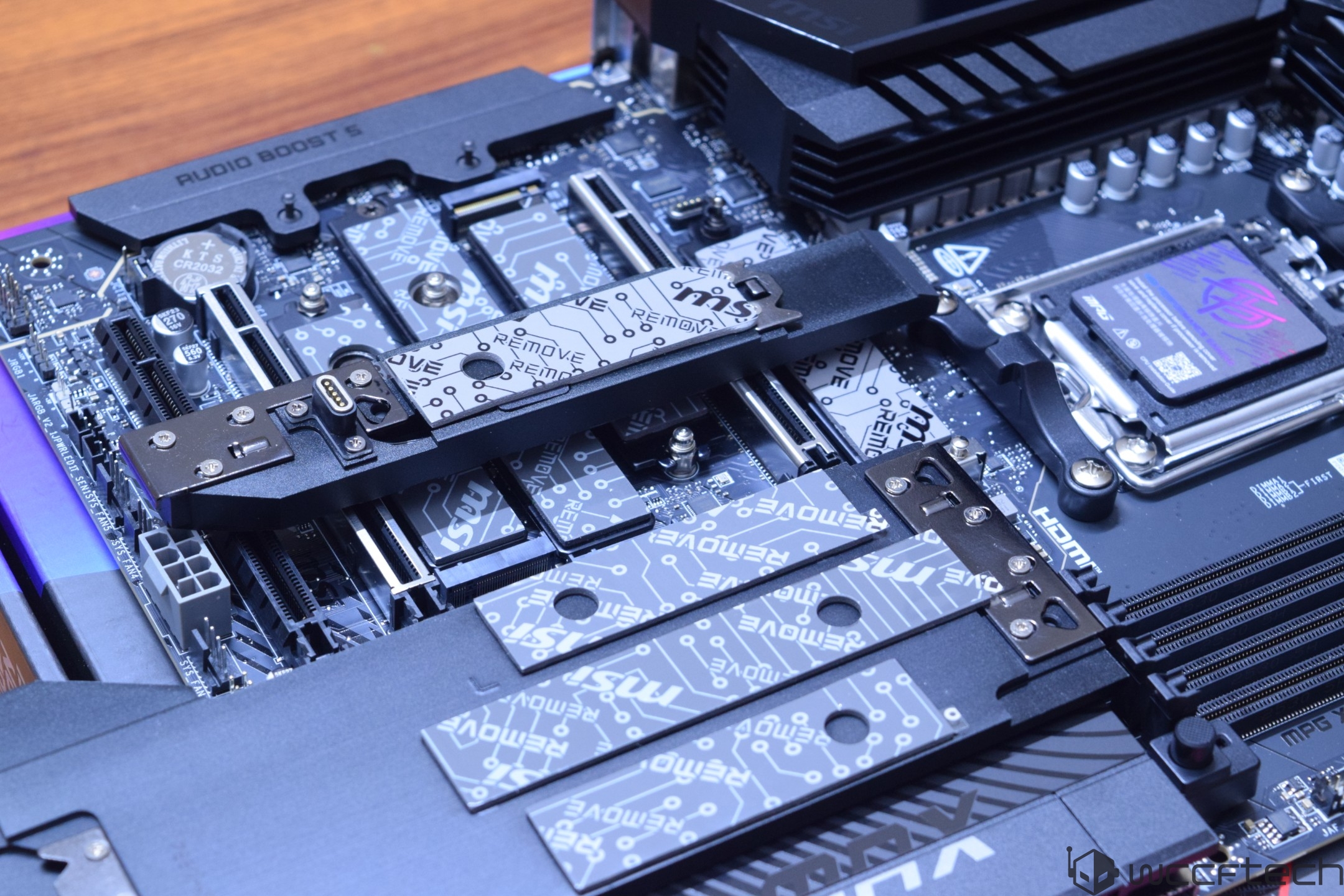
A close-up of an ASUS motherboard featuring an MSI Gen5 M.2 card and 'AUDIO BOOST 5' on the heatsink.
Very few modern motherboards allow you to populate most of their M.2 slots with top-of-the-line NVMe PCIe Gen4/Gen5 SSDs without some hidden compromises.

Gaming vs. Content Creation: Does It Actually Matter?

The impact of slot choice is nuanced. For gamers, moving an SSD from one healthy PCIe x4 slot to another usually won't transform the experience. While real-world testing from various tech outlets found that SSDs are a massive leap over Hard Disk Drives (HDDs), the gains from moving between faster SSD tiers are often modest in current game load times. However, with Microsoft’s DirectStorage API designed around high-speed PCIe NVMe drives, the storage path will matter more as games stream assets more aggressively to the GPU.

For content creators, the "wrong slot" penalty is much easier to notice. Workloads like large file transfers, video editing scratch disks, and media cache management expose storage bottlenecks far more readily than gaming. Beyond storage bandwidth, thermal behavior is critical, as an SSD in a thermally poor location — such as under a hot GPU or within a hot case — will thermally throttle sooner during sustained transfers of massive amounts of data.
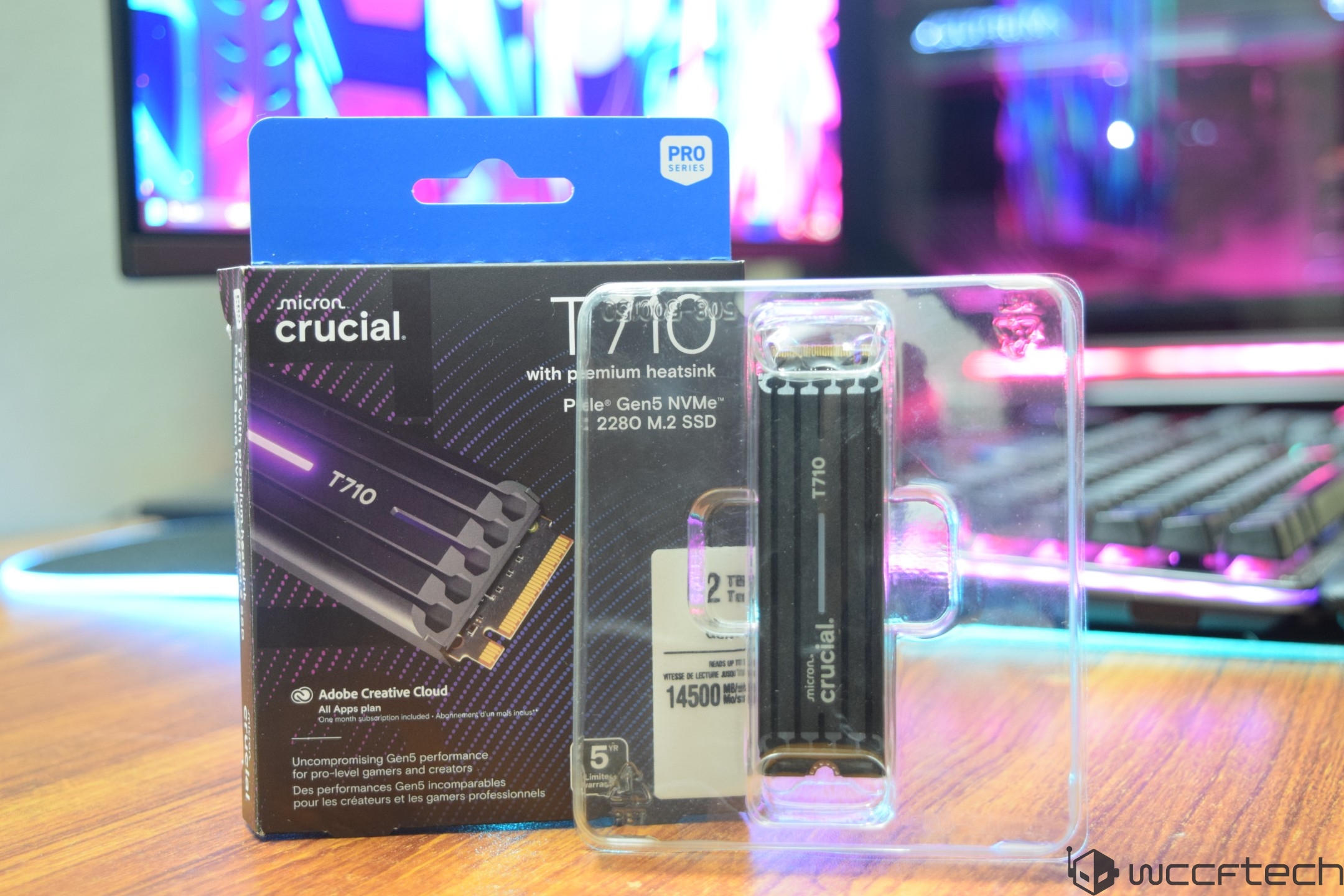
A Crucial T710 Pro Series 2280 M.2 SSD with heatsink is displayed next to its packaging, featuring '14500' MB/s read speed information.
Microsoft's DirectStorage asset streaming API works best with fast NVMe PCIe SSDs, like the pictured PCIe Gen 5 Crucial T710 2 TB SSD

The 5-Step Slot Sanity Check

To ensure that your storage drive is actually doing the job you paid for, use the following checklist:
  1. Read the storage section of your motherboard manual: Don't rely on the labels on the board. Identify which slots are CPU-connected and which ones get disabled when some of them are used in certain ways.
  2. Watch for bandwidth sharing: Determine if your SSD is slowing down your GPU or killing another expansion slot.
  3. Confirm CPU/platform compatibility: Some M.2 connectors or PCIe revisions may become unavailable depending on which generation of CPU is installed on the motherboard in question.
  4. Run a benchmark: If your performance is wildly out of line with the drive’s class, then it’s a red flag for slot, link mode, or potential thermal issues. We recommend Crystal Disk Mark as a great SSD benchmarking tool.
  5. Monitor thermals: Check temperatures during large transfers to ensure your slot placement isn't causing performance-killing heat, or that your SSD doesn't have a properly installed heatsink alongside a quality thermal pad. We recommend HWiNFO as a great program for monitoring not just your SSD thermals, but those of all your relevant PC parts.
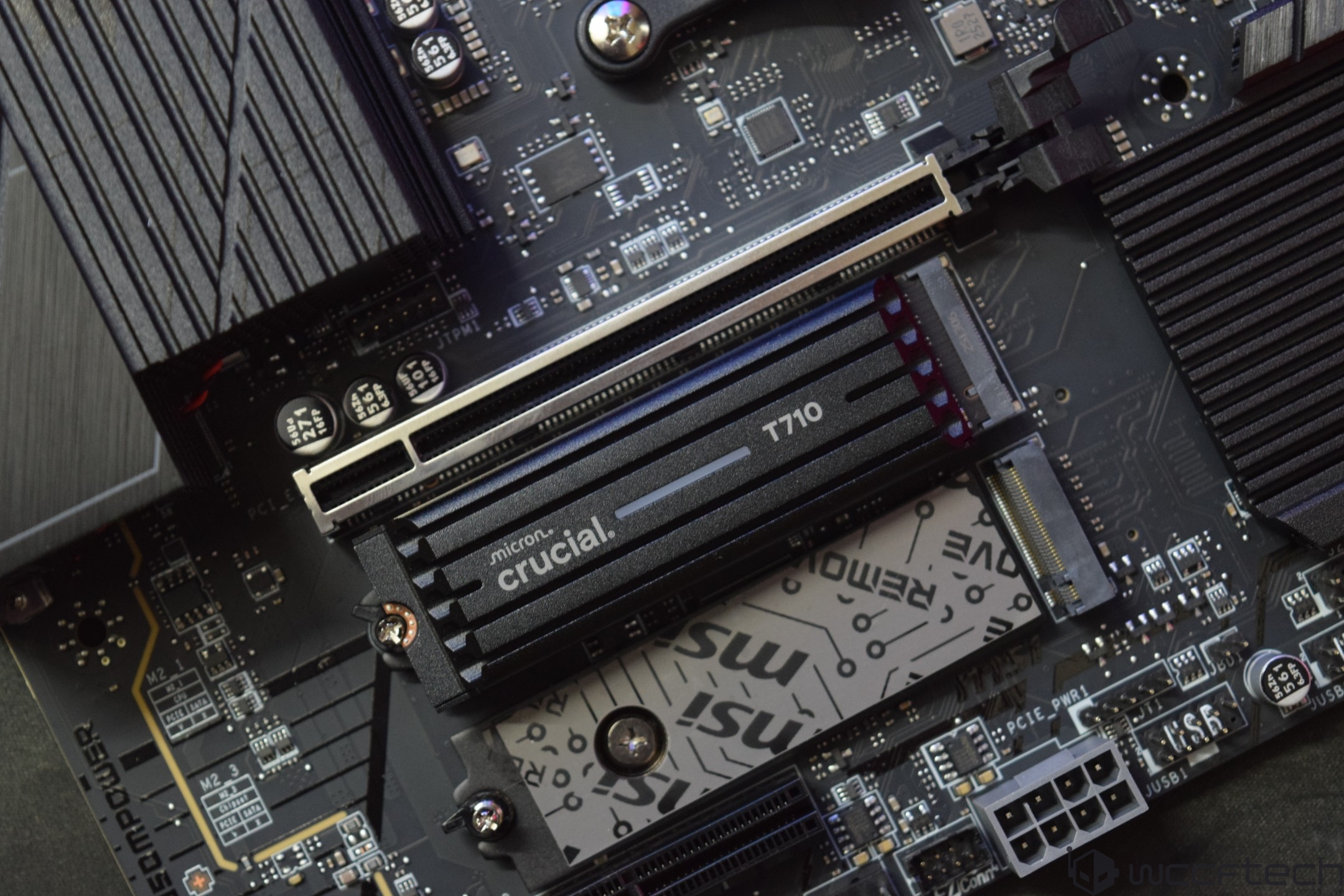
A Crucial T710 SSD is installed on an MSI motherboard.
Always make sure that your NVMe PCIe SSD is properly cooled with a quality heatsink/thermal pad combo, especially if it's a fast PCIe Gen5 SSD.

Final Words

M.2 storage is the ultimate "looks can be deceiving" component. It seems straightforward until you actually crack open your motherboard manual. That’s when you realize one slot might have a direct, high-speed line to the CPU, while another is just a chipset-connected afterthought that could quietly disable your SATA ports or nerf your GPU lanes the moment you plug it in. Official platform docs from Intel and AMD, along with specific guides from ASUS, MSI, ASRock, and GIGABYTE, make it clear that not all M.2 connectivity is created equal.

The good news is that these issues are usually easy to fix once you know where to look, but the reality is that most PC builders never bother to check. While swapping slots won’t always deliver a "night and day" performance jump — especially in gaming, where the differences between good NVMe setups are often modest — a bad slot choice can lead to very real bottlenecks via lane downgrades or poor thermals. Ultimately, your SSD is only as fast and uncompromised as the slot you put it in, which is why that motherboard manual is still one of your most important PC building tools.

Sebastian Castellanos Photo

About the author: Sebastian Castellanos is a data scientist by education and training. He's also deeply passionate about PC gaming hardware and software. He has recently started writing technical articles and guides Wccftech about PC hardware, games and mods.

Follow Wccftech on Google to get more of our news coverage in your feeds.