


It’s hard to believe it's only been four years since Bambu Lab introduced its freaky fast X1 Carbon 3D printer and shook the industry out of its stupor. Just a few weeks ago, the legendary X1 line was officially retired to make way for a new machine: the X2D.
Priced at a surprisingly approachable $899, the X2D Combo enters the market $550 cheaper than its predecessor’s Kickstarter debut. It fits snugly between the larger H2 printers and the budget-friendly P2S. Rather than trying to top the X1 Carbon’s advanced performance capabilities, the X2D focuses on ease of use.
Though not a toolchanger, the X2D’s dual-nozzle setup is incredibly effective at saving time, filament, and frustration. Bambu Lab is highlighting the second nozzle as an aid for easy-to-remove supports: by mixing two filaments that do not stick, supports are much easier to remove without scarring the model’s surface.
Bambu Lab has perfected its formula for quality, speed, and ease of use. Combined with its $899 price point for the X2D Combo and $649 for the standalone machine, this is one of the best 3D printers we’ve seen this year.
Specifications: Bambu Lab X2D
Swipe to scroll horizontally
Build Volume | 256 x 256 x 256 mm (10 x 10 x 10 inches) |
Material | PLA/TPU/ABS/PC (up to 300 degrees) |
Extruder Type | Direct drive/Bowden |
Nozzle | .4mm hardened steel |
Build Platform | PEI textured spring steel sheet, heated |
Bed Leveling | Fully Automatic |
Filament Runout Sensor | Yes |
Connectivity | USB, WiFi, Bluetooth |
Interface | 5 inch Touchscreen |
Machine Footprint | 392 x 406 x 478 mm (15.4 x 15.9 x 18.8 inches) |
Machine Weight | 16.25 KG (35.8 lbs) |
MSRP | $899 X2D Combo, $649 standalone |
Release Date | April 14, 2026 |
Bambu Lab X2D: Included in the Box
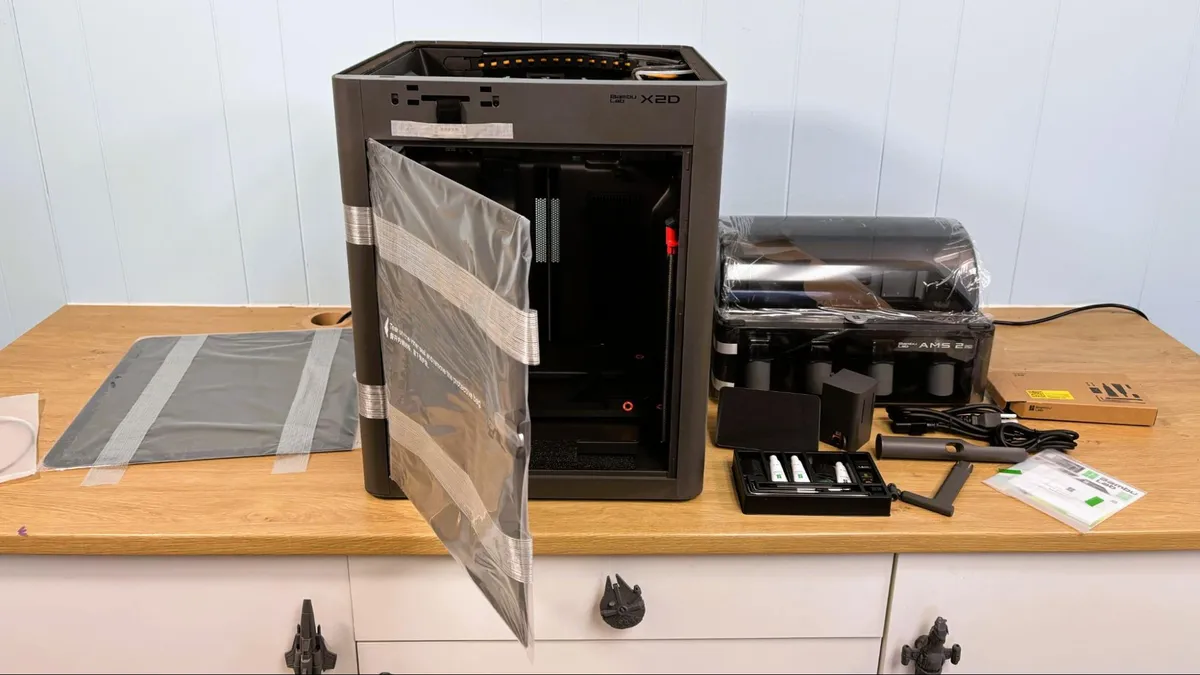
The Bambu Lab X2D comes with everything you need to get your printer set up, as well as a few extra parts. You get tools to maintain the printer, spare nozzle and nozzle wiping pads. No filament was included with the machine as part of the retail package, though our test unit did come with several spools for testing.
The printer comes with test models loaded in its memory, such as a scraper you can print and assemble with parts included in the toolbox. It does NOT come with a USB stick, which you will need to take time-lapse videos. There’s a getting-started guide and instructions on how to access the slicer and phone app. The box has a QR code printed on the inside flap that directs you to an unpacking video.
Design of the Bambu Lab X2D
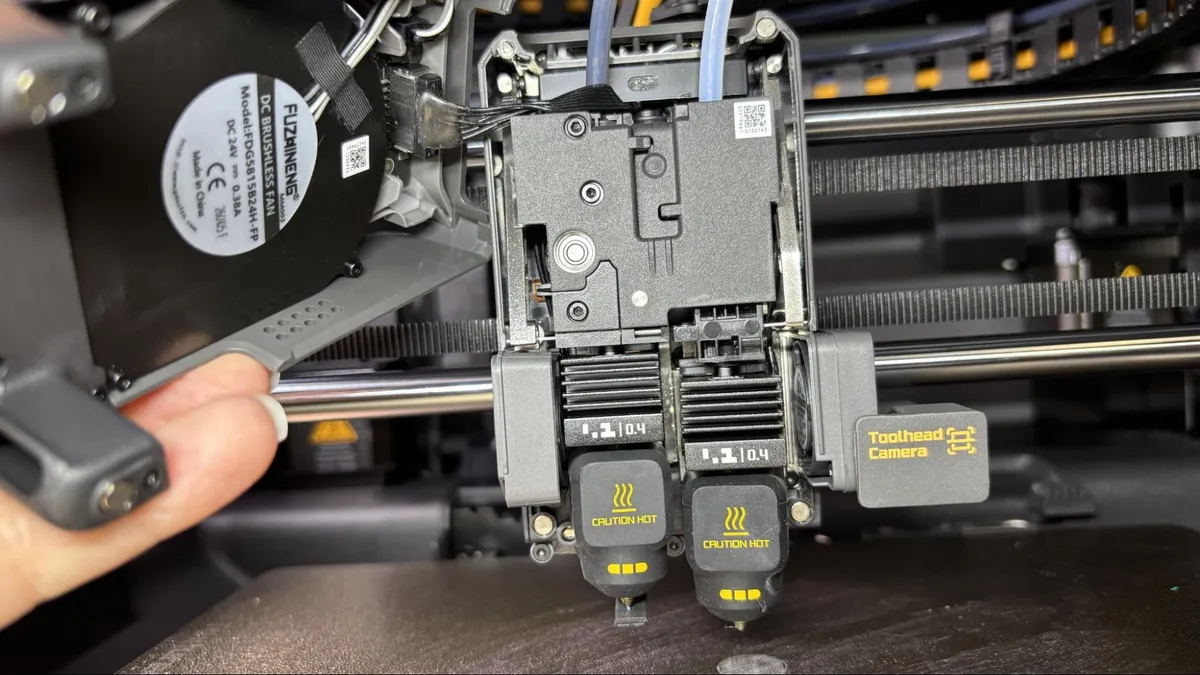
The most obvious improvement to the X2D is the dual nozzle, which is similar, but not the same as, the H2D. The X2D uses the same quick swap nozzles, originally inspired by the A1 but improved for faster flow. This means that all manually changed Bambu Lab nozzles are now compatible across the entire X2, H2, and P2 lineup.
Unlike the H2D and H2C, the right side nozzle is the "auxiliary," and it's got a weird little secret: it's not direct drive. Bambu Lab has gone old school and given the Aux nozzle a true Bowden extruder, which I expect to confuse the crud out of makers who started with any “modern” direct drive printer from the last 4 or 5 years. I’ll admit that even I puzzled over the mysterious gray box after opening the package. As an early reviewer, I was coming in completely blind and naturally didn’t stop to dig out the manual first.
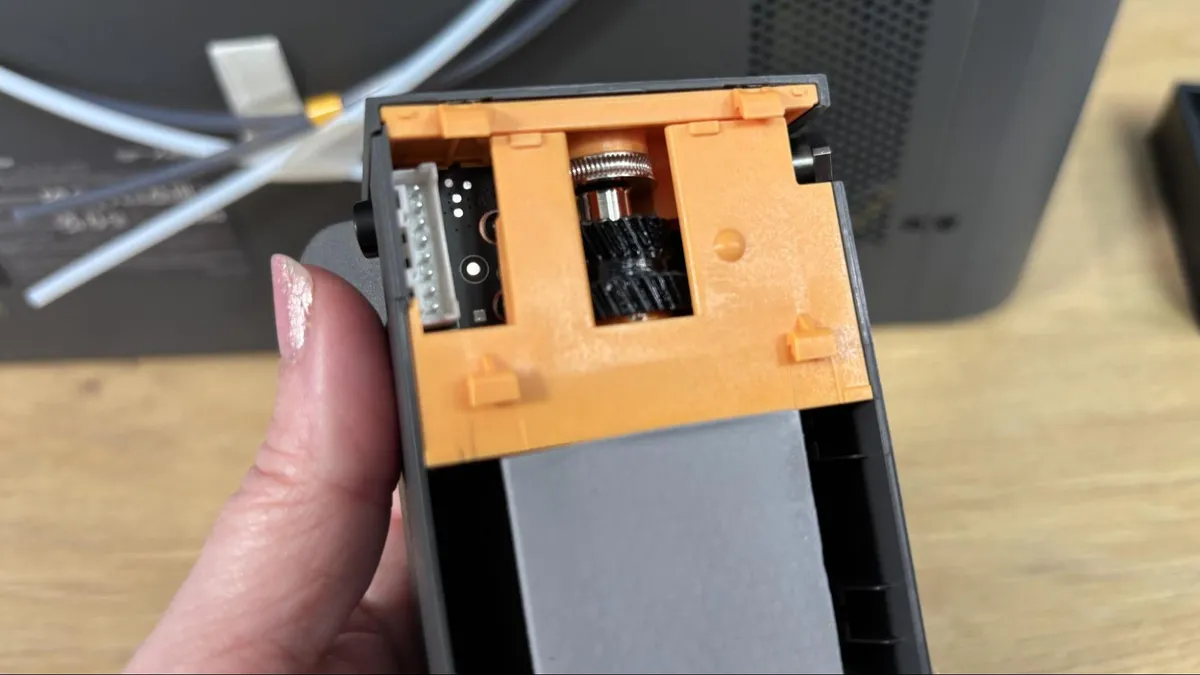
The extruder is slapped onto the back of the printer and screwed into place, which leads me to suspect the X2 and P2 share a good bit of chassis. The new H2 style filter is also screwed into the back. Fortunately, this mess can face the wall and never be seen again.
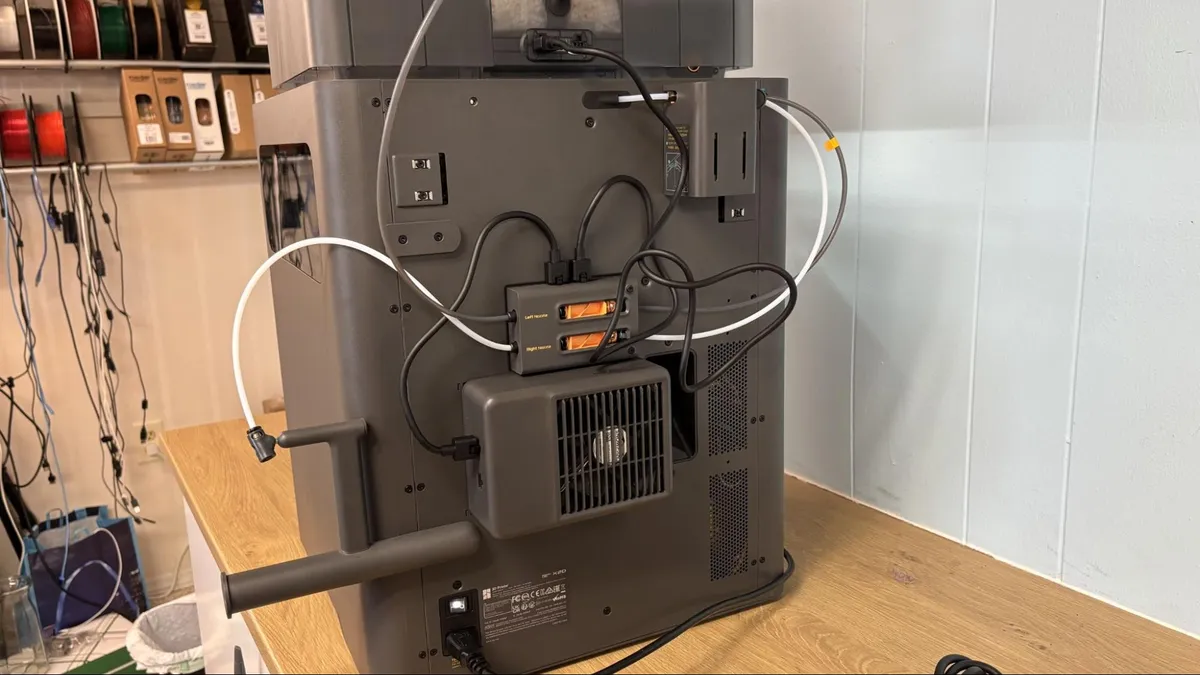
Bambu Lab says the extruder is placed on the back of the machine to remove weight from the toolhead and remove vibrations. But that’s not all that has changed. First, the toolhead glides on steel rods, instead of the X1 Carbon’s dubious carbon fiber rods. Steel rods, which started showing up with the H2 series, should be more robust and easier to maintain.
The dual nozzles have mechanical switching, which removes yet another motor from the tool head. And, as previously stated, Bambu Lab is tripling down on the new style of A1 adjacent nozzle, which can be installed without tools. This means Bambu only needs to manufacture one kind of nozzle for multiple printers, and customers can avoid confusion when ordering replacement parts.
The X2D has a “smart thermal control system” which, like the H2 before it, can keep the chamber cool or warm to suit your needs. This solves one of my personal pet peeves: leaving the door open while printing PLA. Many new users think the door is there to keep children/cats/dust out of the printer, rather than provide a controlled environment for high temperature printing. The airflow system feeds cooler air from the room to the auxiliary part cooling fan on both sidewalls. During testing, the chamber temperature hovered around 32 °C, and I had no issue with nozzle clogs or overhangs.
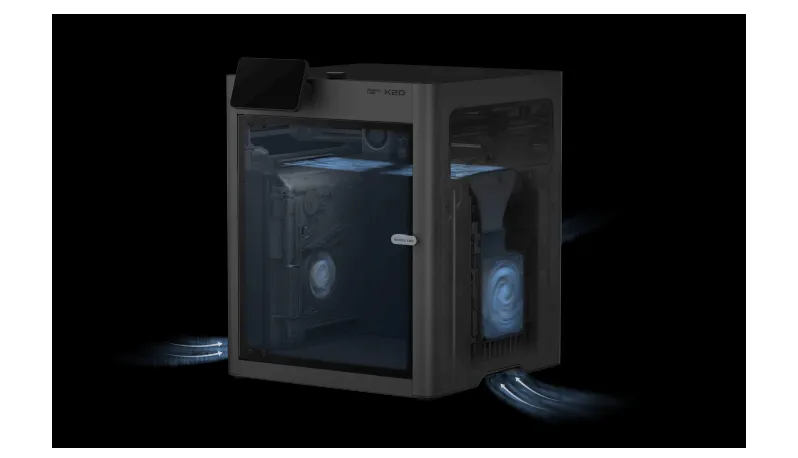
When you print high-temperature filaments, the heat mode is activated automatically. The vents close and the heater kicks on, allowing warm air to circulate in the chamber.
Speaking of circulating air, the X2D has a triple-stage air filtration system with a HEPA filter and coconut shell activated carbon. The print chamber is vented through this system to trap odors and particulates.
The X2D also gets a USB port, which is one of those simple features that we appreciate. Having a USB port allows you to easily transfer files without the need for an internet connection. It's also where the X2D stores timelapse footage.
The live view camera has also been improved to a full HD 1920 x 1080 high frame rate camera, and combined with upgraded chamber lighting, gives much better results. The camera is also part of a new AI computer monitoring system that makes sure you have the same plate installed as the slicer settings and watches for nozzle blobs and spaghetti printing.
Nozzle pressure is measured with an eddy current sensor, and the machine automatically adjusts the flow rates for you. The main (left side) nozzle has the new direct drive system we’ve seen on the H2 and P2, with a PMSM servo delivering 8.5kg max extrusion force. That’s about 70% more than the old X1C. The printer also monitors the system to detect filament grinding or clogs on the main nozzle. The auxiliary (right side) nozzle uses a standard stepper motor.
Another huge improvement over the X1C is the removal of the dead zone in the forward left corner. The older machine reserved this space for a permanently mounted prong to push the cutter. Now the filament cutter levers are pointed backward, with a small metal prong mounted in the center back of the chamber to depress a button that pushes the cutter. It’s still a manual system, but now it’s much smaller and doesn’t eat up any build volume space.
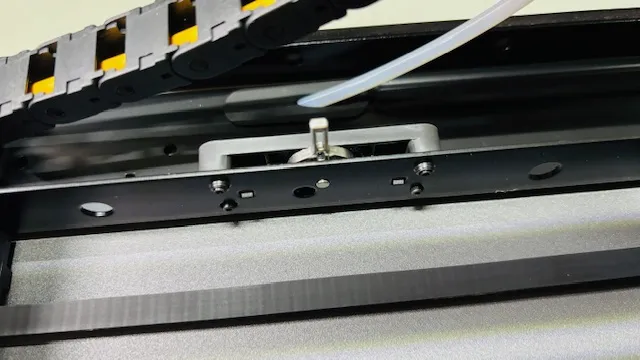
The rest of the printer is largely the same: a 256mm cubed build volume and a speedy, highly accurate motion system. In case this is your first Core XY, the motion system uses a combination of belts to move the X and Y axes in tandem for smoother, faster printing. The print head stays at the top of the machine while the build plate slowly lowers. When combined with vibration-damping input shaping, the results are exceptionally smooth, high-quality prints.
The X2D Combo comes standard with the new AMS 2 Pro, a four-color Automatic Material System. This new AMS can double as a filament dryer with active venting to maintain low humidity when the lid is kept closed. It still needs desiccant packs to keep moisture at bay because the dryer doesn’t run while it prints.
The AMS 2 Pro is now easier to maintain, with the tubes exposed. This makes it a lot easier to fish out scraps of filament that might snap inside the unit.
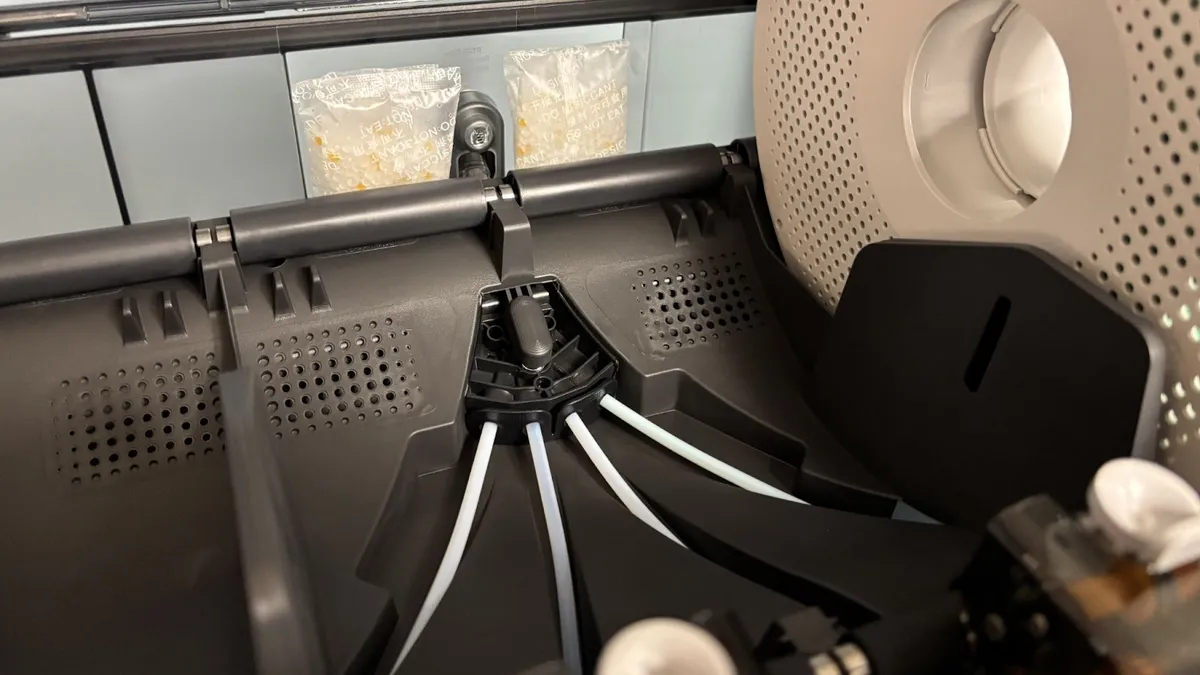
Like all the other Bambu Lab machines, X2D needs a collection bucket for its inevitable pile of filament poops. There are various community-designed solutions to the problem, or you can just put an empty filament box back there. I do wish Bambu would address this issue.
Bambu Lab says the X2D can obtain a top speed of 1,000mm/s and 20,000 mm/s acceleration, which is twice the default speed of the slicer and likely only used for travel moves. We still have the “sport” and “ludicrous” speeds, which is 124% and 164% faster than normal, with somewhat sketchy quality results. It’s fine for a quick draft, but I’d still stick with standard speed.
When the X2D has an error, the touchscreen can show us the same helpful assistant as the higher-end machines. It will offer up a QR code you can scan with your phone and get troubleshooting advice from the Bambu Wiki, a knowledge base for operating any Bambu printer. The Wiki will help you identify and fix the problem, often with short video tutorials.
Bambu Lab Automatic Material System (AMS)
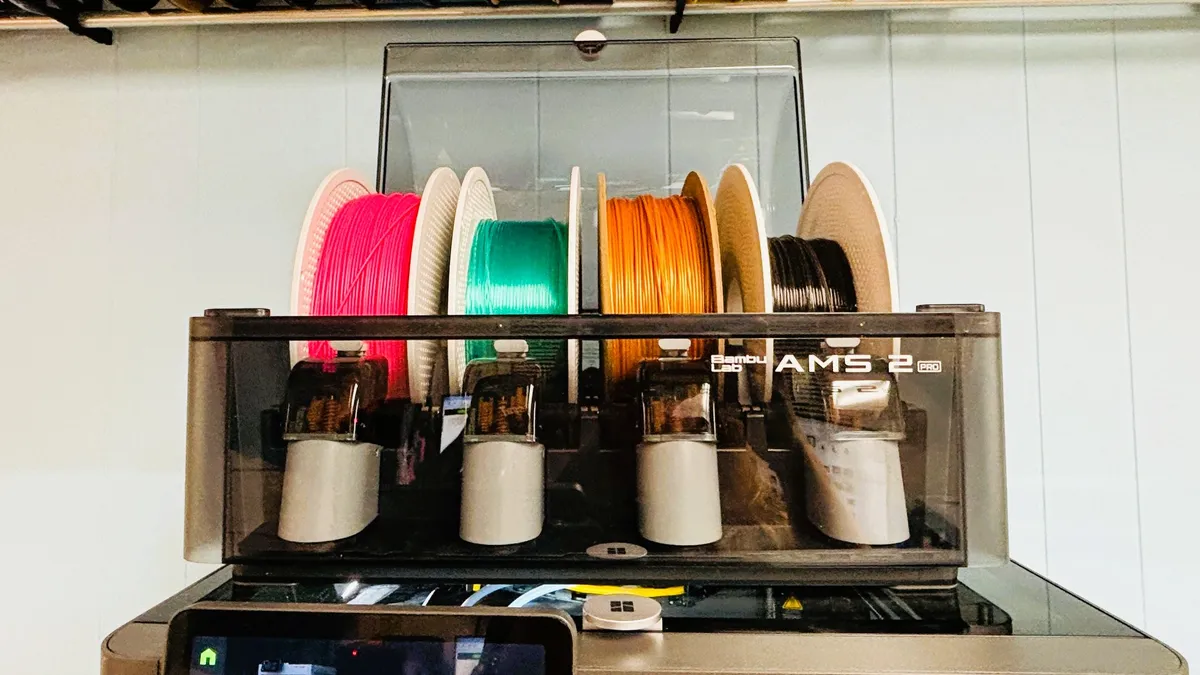
The X2D Combo comes standard with Bambu Lab’s new AMS2 Pro system: a four-spool feeder that unlocks the ability to print in four, eight, twelve, and even sixteen colors. The units cost $299 each and can be placed on top or next to the printer. You can also attach an older AMS if you have an extra or just want to save a couple of bucks.
The auxiliary nozzle comes with a basic rack, but can use another AMS 2 Pro or the single spool AMS HT.
You can program the filament colors using the touchscreen, and also change the colors or spool placement on sliced files.
The AMS unit is able to read RFID ID tags that the company installs on each roll of its own filament for easy identification. These tags tell the printer what type and color of material you have installed, and then match it with presets in Bambu Studio. If you use 3rd party filament, you’ll have to fill that information in by hand.
The AMS has pockets for descant and seals tightly, allowing you to use the AMS as a drybox for temperamental filament like Nylon. The AMS 2 Pro does double duty as a filament dryer, though only while it is not printing.
There’s also a “backup” option for the AMS, which will allow it to automatically switch from one slot to the next instead of tripping a run-out sensor. This could be handy for using up partial spools or prints that will need more than one spool. To use this setting, you’ll need to have identical spools loaded.
Assembling the Bambu Lab X2D
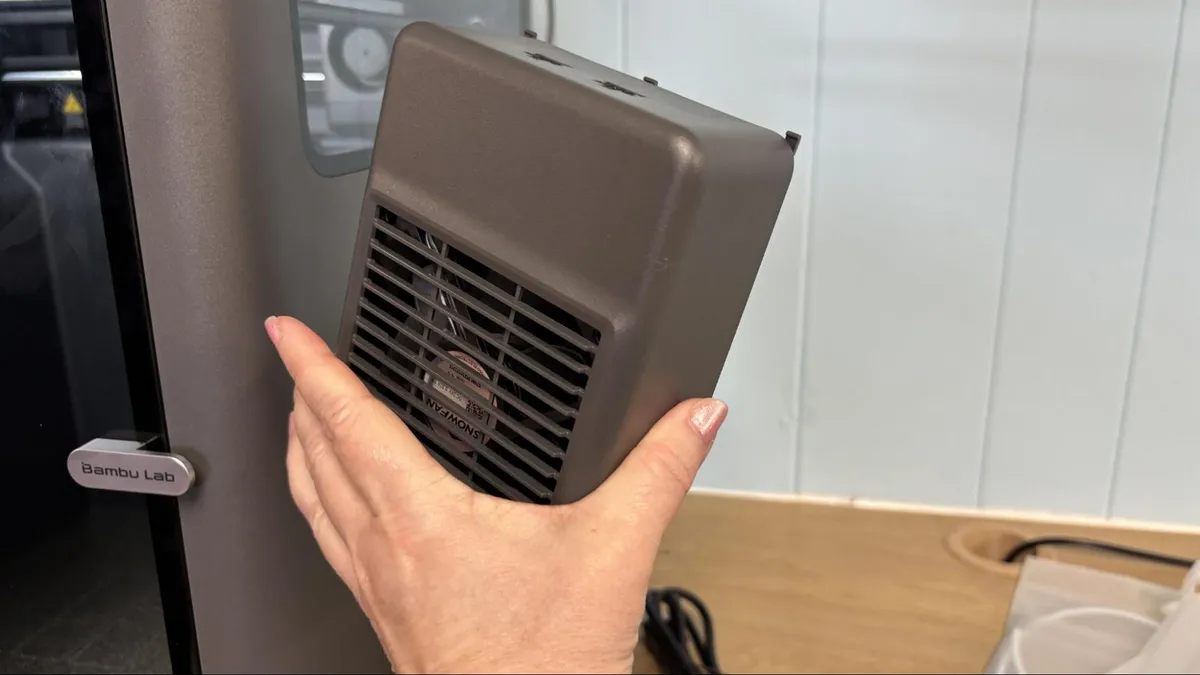
The Bambu Lab X2D comes mostly assembled and only needs a few things mounted onto the back, and the screen plugged into the front. You’ll probably spend more time removing all the packing screens and zip ties. The printed guide walks you through each step.
Leveling the Bambu Lab X2D
The Bambu Lab X2D has an excellent auto-leveling system combined with vibration compensation, pressure advance, and automatic belt tensioning. A thorough self-test is run after unpacking the machine to make sure everything is in working order.
Once you’re up and running, the machine will automatically run a bed leveling check before each print. This takes a few minutes, but you’re free to uncheck the option if you don’t want to take the time.
There is no need to set the Z height or Z offset. In fact, there’s no option or button to do so, because the X2D handles this setting on its own.
Loading Filament on the Bambu Lab X2D
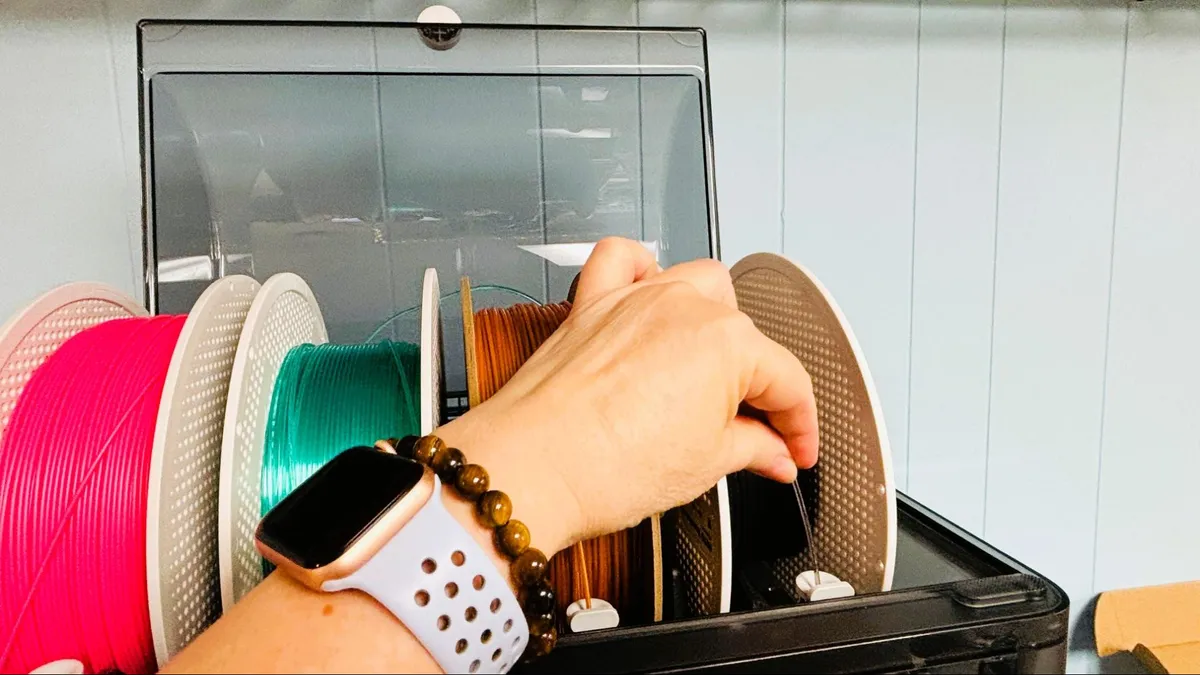
The X2D comes with two single spool racks if you didn’t opt for an AMS. If you order the combo, you’ll get an AMS 2 Pro and one spool rack for the auxiliary nozzle. If you’re upgrading from an X1 Carbon or a P1, the side-mounted rack is so much easier to deal with than the old rear-mounted spool.
TPU is problematic. Bambu Lab recommends their harder “TPU for AMS” for the main nozzle and none at all for the auxiliary nozzle. If you want to run “regular” soft TPU, you’ll have to gerry rig a top-mounted spool and bypass all the tubing, but this is not supplied.
The X2D automatically unloads filament when it’s done printing.
Preparing Files / Software for Bambu Lab X2D
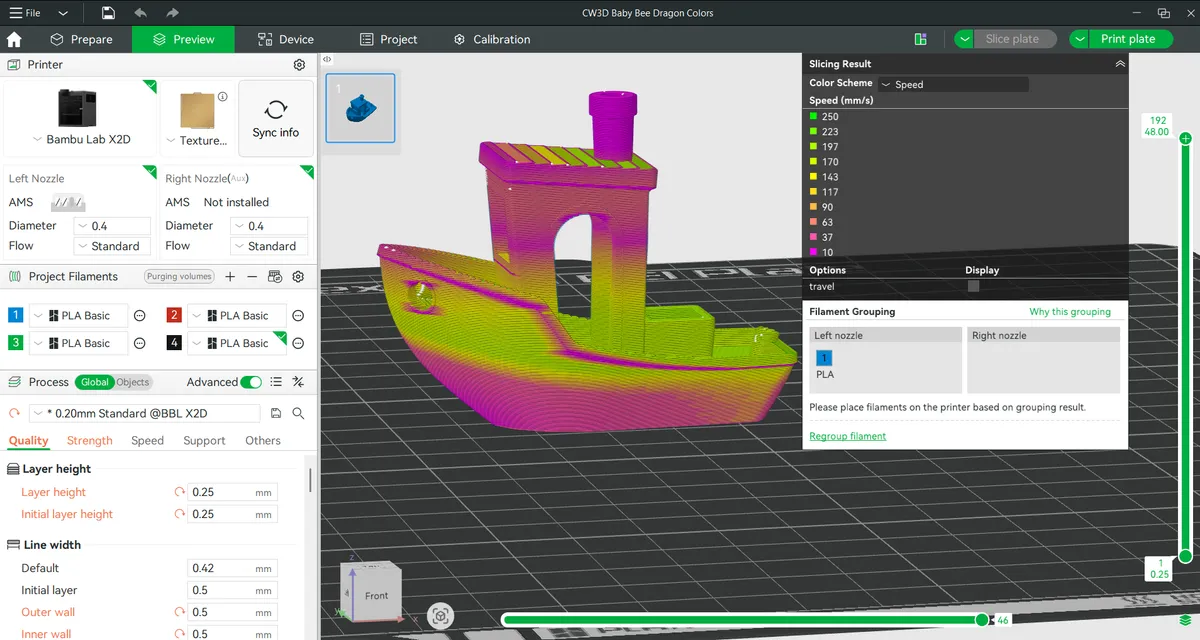
Bambu Studio is the custom slicer for the X2D and its fellow 3D printers. It’s largely based on PrusaSlicer, though the layout is a bit different. If you find the settings overwhelming, it’s generally fine to run with the default presets.
The device tab is where you can send files via LAN or the Cloud, watch videos from your camera’s timelapse and remotely tweak the speed and temperature of your printer.
A link to MakerWorld is on the homepage, which allows you to easily search for models designed to work on Bambu machines. While signed in to MakerWorld (and using the Cloud), you can also send presliced files directly back to your printer.
Printing on the Bambu Lab X2D
The X2D doesn’t come with any filament, so you’ll definitely want to check out our guide to the best filaments for 3D printing for suggestions.
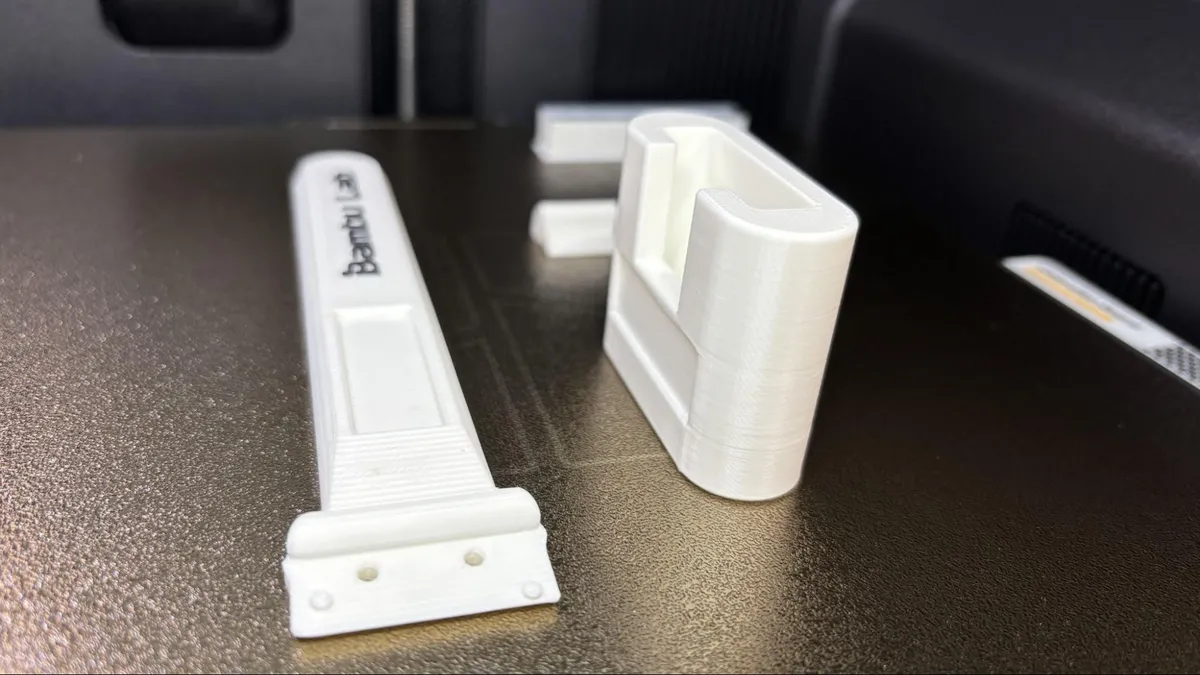
The printer came with several pre-sliced files to print, like this functional scraper with a cap. The metal blade (not sharp) comes with the machine, along with screws for assembly. I printed it in Bambu Lab black and white ABS, and it turned out great.
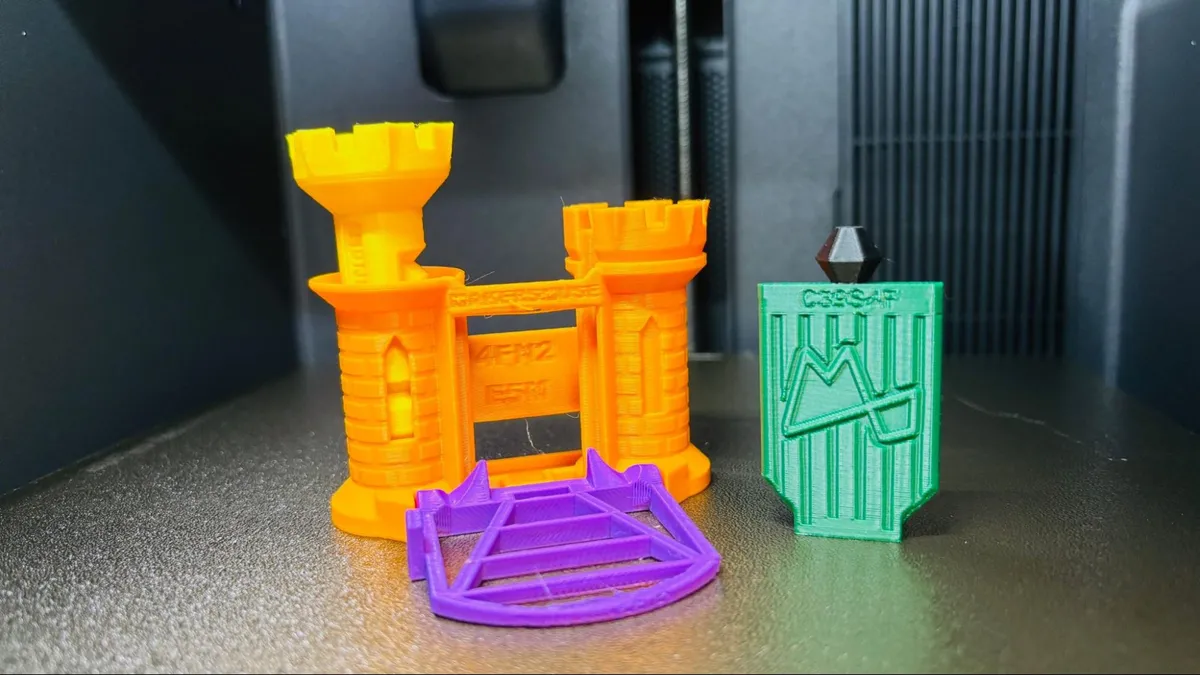
I printed the Maker’s Muse Clearance Castle in five random colors of PLA that were hiding in my closet. The print turned out very good, with none of the parts binding up and just a bit of slop at the worst part of the drawbridge’s overhang test.
The X2D will tell you which filament to put in the aux nozzle for the best filament savings. In this case, it suggested putting the main color (orange) on the aux nozzle, which it claims saved me 111 grams of material. It still had to waste 143.4 grams in printer poop, and 46 grams in an unavoidable prime tower.
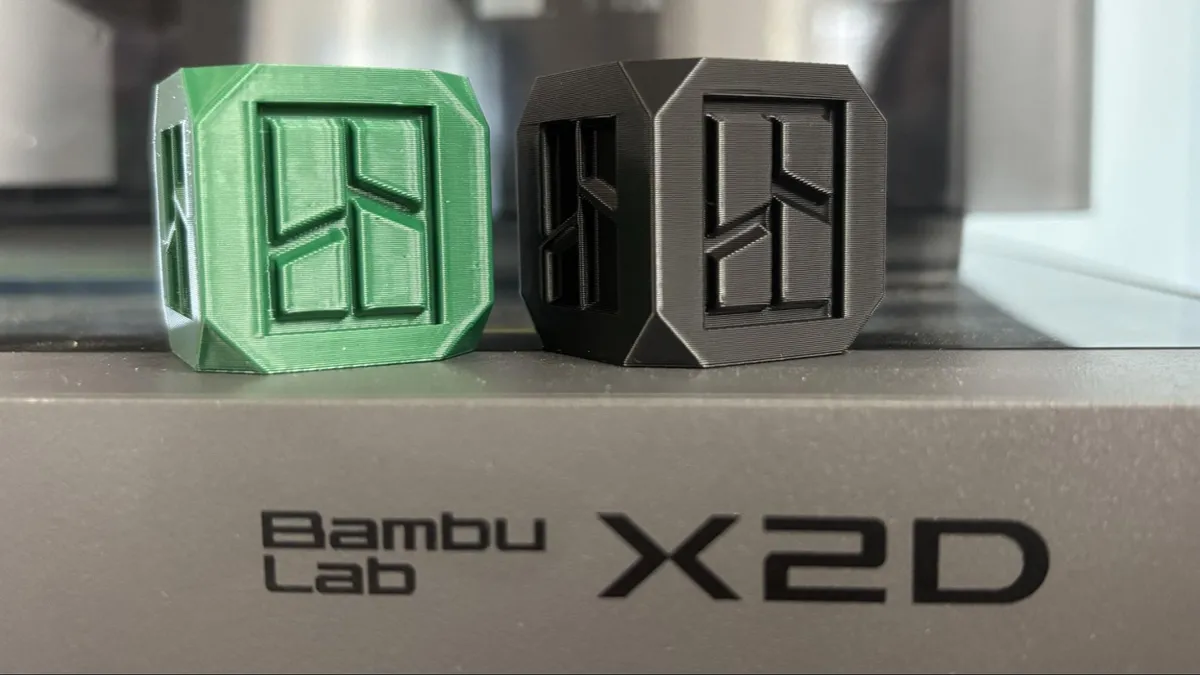
I was curious if there was a noticeable quality difference between the main and aux nozzles, so I ran two of the calibration cubes from Bambu Studio. The green PLA print is from the bowden aux nozzle and the black PLA is from the main, direct drive.
Both prints are using a 0.2 mm layer height and default PLA settings. I use Matterhacker’s Green Build Series PLA and Bambu Lab Basic PLA in Black.
The main nozzle printed the cube perfectly in 20 minutes and 35 seconds. The aux nozzle took twice as long, at 41 minutes and 59 seconds, and has a very subtle bit of waviness to the side walls. This is probably why Bambu Lab is leaning heavily on using the aux nozzle for disposable supports.
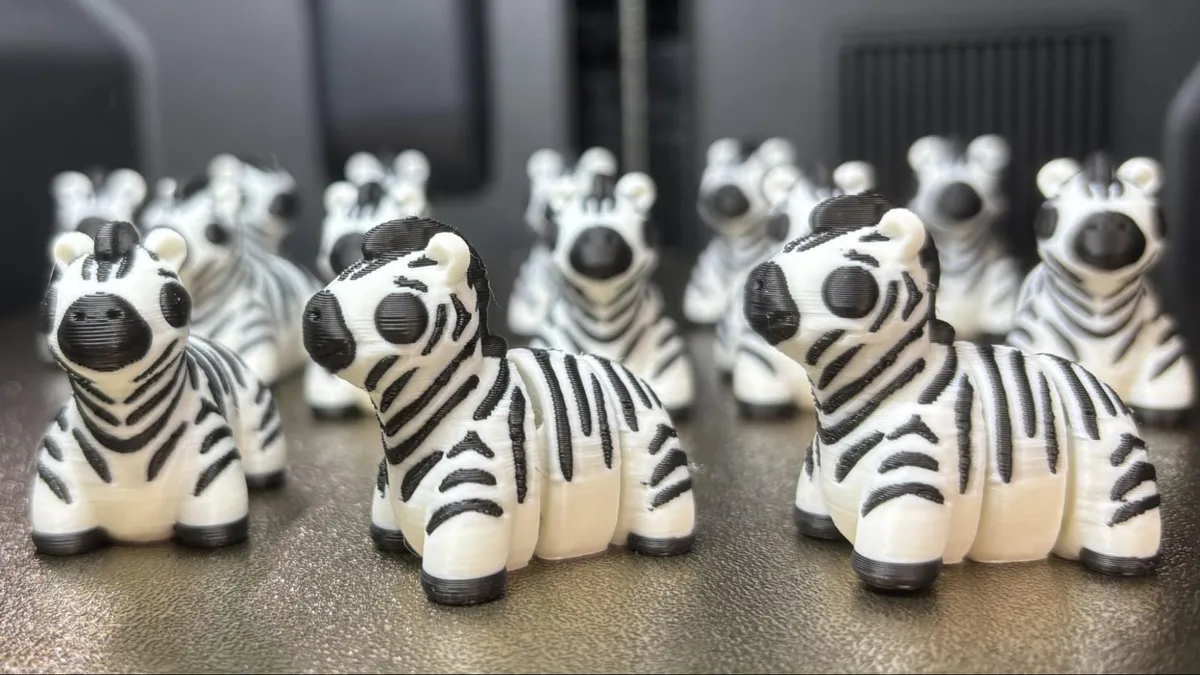
If you don’t mind the tiny hit to quality, the dual nozzle setup is a huge time and filament saver for two-color prints. I hate using a single-nozzle machine to print black and white objects due to the waste, but the X2D was able to print this herd of tiny zebras without any purge waste. The eyeballs, which are printed on the aux nozzle, look a tiny bit rougher on camera than they do in person.
This herd of 15 minis printed in 13 hours and 54 minutes, using a standard 0.2 mm layer height and default settings, wasting only 11.5 grams of filament in the prime tower. I saved 101 grams by using the dual nozzle setup. This was printed in Bambu Lab black and white PLA Basic.
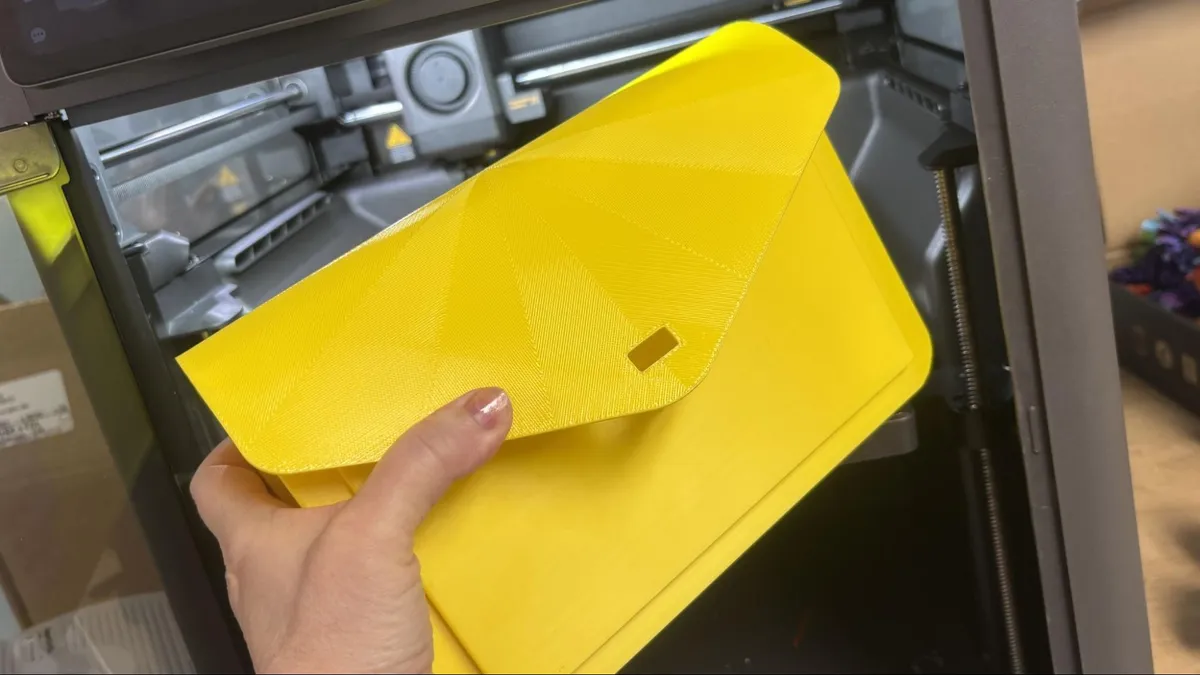
The X2D was not built for printing normal TPU. The AMS 2 Pro can only handle stiff “TPU for AMS,” and it's not recommended to run soft TPU through the Bowden side for the same reason you don’t run it through the AMS. (It’s like pushing a wet noodle through the tubing.) You can rig up a top-mounted spool holder and load directly into the top of the direct drive main nozzle, but I didn’t have time to print one.
Instead, I used the suggested Bambu Lab TPU for AMS in yellow to print a purse I found in Makerworld. The purse had some design issues, making it too stiff for this kind of hard TPU, but the TPU itself printed flawlessly. I also used this model to test out Bambu’s Support for PLA, which also works with TPU. The support material can be printed while directly touching the TPU and won’t stick. It’s also a brittle material that snaps off the print easily.
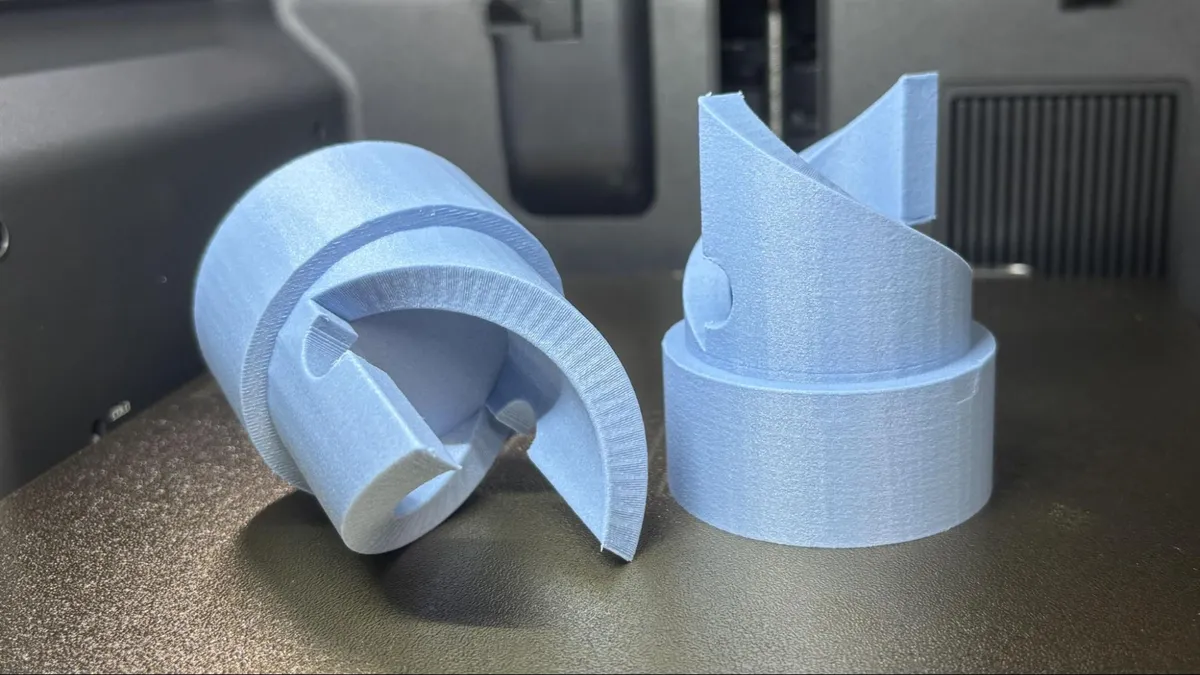
To test out high-temperature filaments, I ran this part of a giant top launcher we’re working on. This piece will be under a good deal of stress, as the launcher is powered by a scooter motor. This ran in Bambu Lab’s PA6-GF, which is Nylon 6 filled with glass fiber. The fiber makes the nylon more stable and less likely to warp. It’s also heat-resistant and could be used to print parts installed in your car engine. The textured surface on this part is from the glass fiber.
This was printed with four walls for extra strength, but otherwise with default settings and a 0.2mm layer height. It took 2 hours and 10 minutes to print, one at a time.
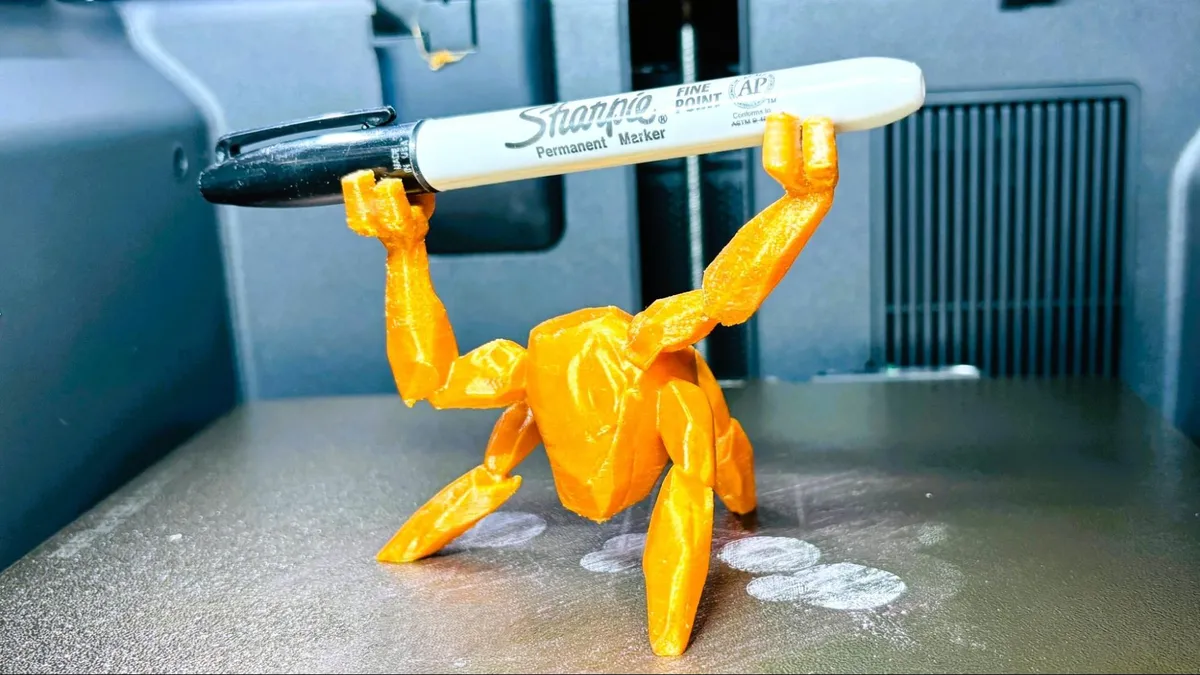
I also ran this Rocky pen holder in PET filament by Fusion Filament, which is probably overkill, but the gold color is perfect, and the model is extremely strong. PET (without the G) is the same material soda bottles are made of, and needs to be run extra hot, but without a fan. This was printed at 285 °C, with a bit of stringing, but otherwise turned out great. This used a .2mm layer height, not that you can tell from the smooth sides of this print. The arms are a little scruffy from the stringing, but would improve after tuning. This took one hour and 43 minutes to print.
Note, the model is Chinese, where the movie “Project Hail Mary” was translated to Saving Plan, and Rocky is known as Luòjī.
Bottom Line
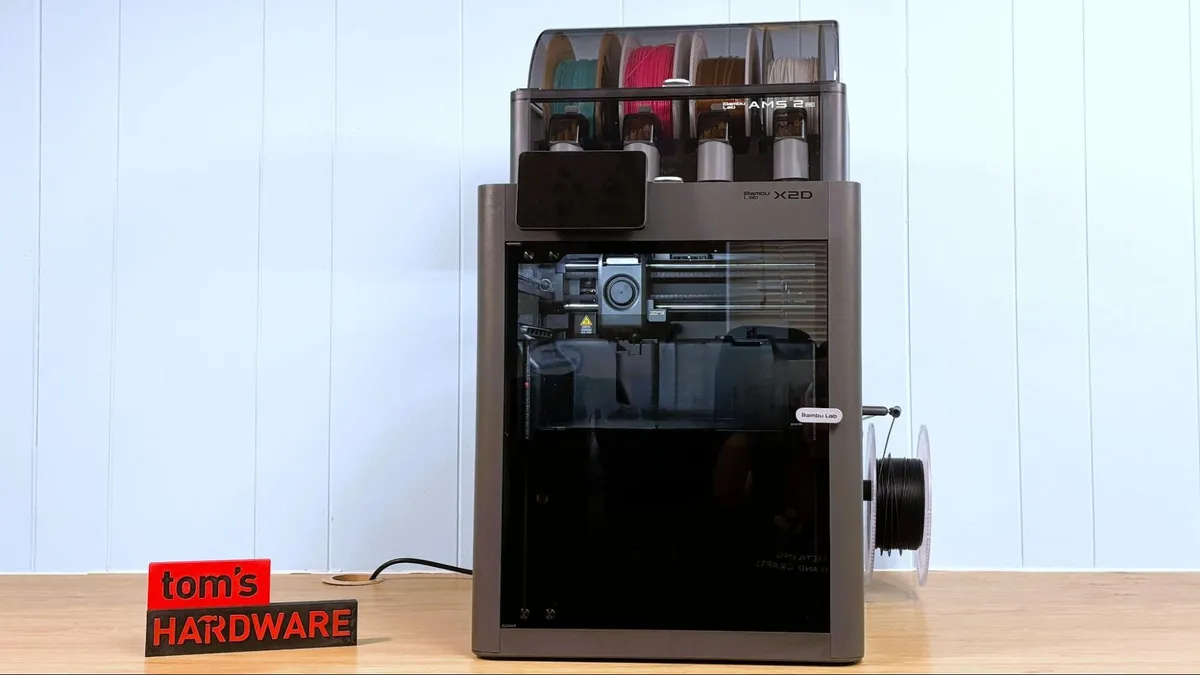
The Bambu Lab X2D is a wonderful example of strategic refinement while keeping costs in check. It’s a great 3D printer for the home or office, offering convenience and simplicity with a robust set of features and none of the over-the-top extras.
The dual-nozzle hybrid toolhead is an unusual solution, letting the X2D keep the speed of its predecessor while having the advantage of a waste-free second color and easy-to-remove supports when you apply a little material science.
Retailing at $899 for the Combo model, the X2D is a strong choice for anyone wanting to upgrade their 3D printing experience or start a new hobby on the right foot. You can save a bit of cash by going with the single-nozzle P2S, which currently retails for $799, or grab a real bargain by picking up the still awesome A1 Combo for only $399. If you need more build volume and four colors, the H2S Combo is our favorite large-scale pick from the Bambu lineup and retails at $1,499.