


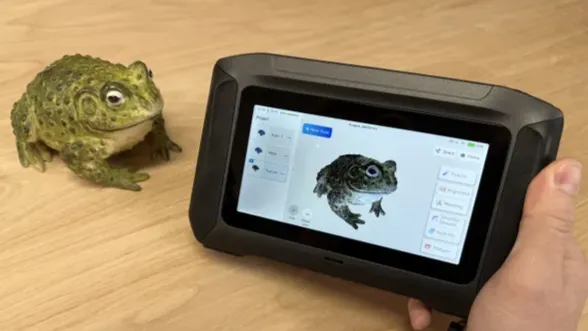
While 3D printing has been rapidly advancing and the list of the best 3D printers changes on an almost weekly basis, 3D scanning technology has been making slower but steady progress toward becoming a consumer-friendly technology. With many 3D scanners dropping in price to around the cost of an entry-level 3D printer or laser engraver, it’s a great time to get started and learn about the technology. While some of these scanners launched several years ago, they remain competitive due to continued software updates and strong performance when capturing geometry.
To explain it simply: most 3D scanners work by capturing a point cloud and stitching it together to make a 3D model. This can easily add up to hundreds of thousands or millions of points, so there is a lot of data to process, align, and stitch together to create a 3D model. Some 3D scanners include an onboard computer to simplify the workflow, typically at the expense of a slightly longer processing time than a fast computer. If you’re proficient in mesh editing and 3D modeling, a 3D scanner that uses a computer for mesh clean-up offers more flexibility but may require more hands-on effort.
There’s a 3D scanner for almost every application, from CT scanners that can accurately capture the inside of a model to cell phone apps that can make a 3D model from pictures in minutes. Before buying a 3D scanner, it’s worth doing some research to understand what aspects are most important for your project. Consider what you want to accomplish, and read through some of these tips to get you started on your journey into the world of 3D scanning.
The Best Consumer 3D Scanners You Can Buy Today
Why you can trust Tom's Hardware Our expert reviewers spend hours testing and comparing products and services so you can choose the best for you. Find out more about how we test.
Best Overall 3D Scanner
Best Consumer 3D Scanner Overall
Specifications
Technology: NIR Structured Light, Blue Laser
Accuracy: Up to 0.02 mm
Resolution: 0.05 to 2 mm
Minimum Scan Volume: 5 x 5 x 5 mm
Scanning Speed: Up to 60 FPS
Alignment: Geometry, Markers
Color Texture: Supported
Connectivity: Standalone, USB, Wi-Fi
Reasons to buy
+
Lightning-fast scanning in 22-line crossed laser mode
+“One-Click Process” worked well for most scans
+Capable and robust on-device mesh editing
+Includes extra battery for mobile use
Reasons to avoid
-
Expensive
-Color texture doesn’t meet expectations
-Frame rate drops when scanning large objects in standalone NIR mode
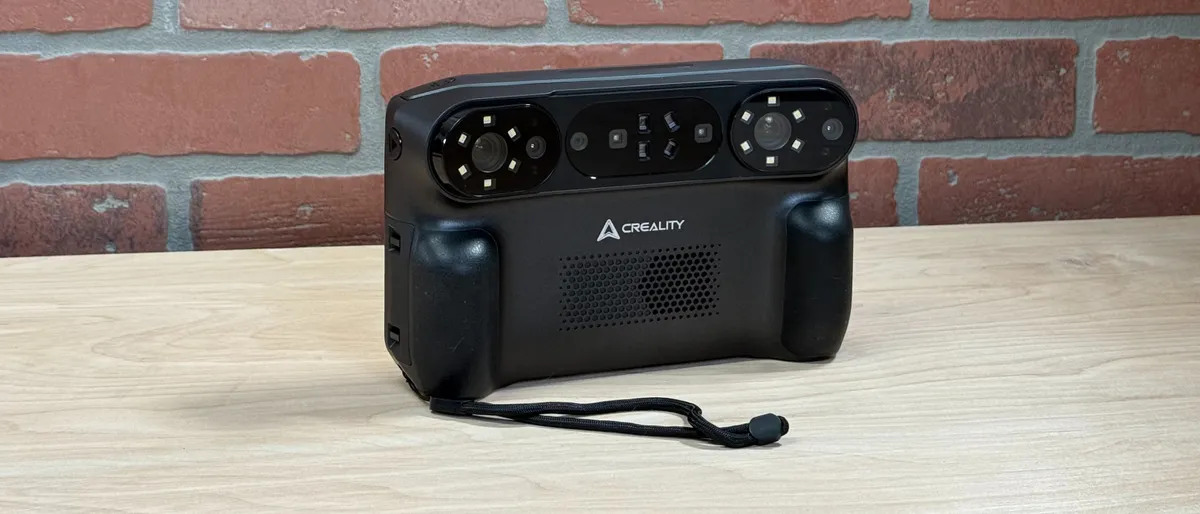
The Creality Sermoon P1 is a handheld all-in-one 3D scanner that uses both structured light and blue lasers to quickly and accurately capture geometry. The standout feature of the Sermoon P1 is the integrated touchscreen, which allows users to edit point clouds, create and repair 3D models, and even export the file just by using the onboard computer, no desktop PC required.
The bright 6-inch LCD on the Sermoon P1 is equally readable indoors and outdoors, so users can go through the entire editing process and create a 3D model without needing to put the 3D scanner down. Whether it was scanning sculptures outdoors, automotive components, or consumer products, the Sermoon P1 performed exceptionally during testing, although the color textures lacked detail.
The Sermoon P1 launched at $3,299, a price point that moves into prosumer territory and likely won’t appeal to casual or first-time users. The 22-line laser mode is ideal for scanning large parts quickly, and the ability to go back into single-laser mode to scan deep recesses makes this a compelling option for reverse engineering.
More: Creality Sermoon P1 3D Scanner Review
Best 3D Scanner for Beginners
Best 3D Scanner for Beginners
Specifications
Technology: NIR Structured Light
Accuracy: 0.05 mm
Resolution: 0.1 mm
Minimum Scan Volume: 15 x 15 x 15 mm
Scanning Speed: 10 FPS
Alignment: Geometry
Color Texture: Supported
Connectivity: USB
Reasons to buy
+
Capable of scanning black (or dark) objects
+Turntable mode is easy to use for beginners
+Lightweight and portable
Reasons to avoid
-
No color texture on base model
-Automatic alignment struggles with thin objects
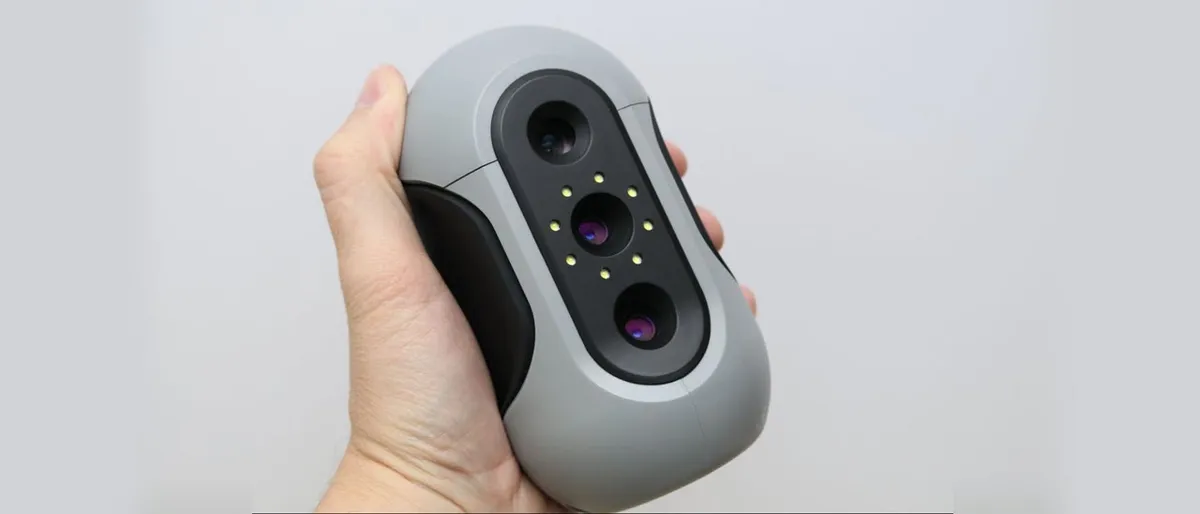
Originally launched in 2023, the 3DMakerPro Mole uses NIR structured light to provide marker-free scanning capable of accurately capturing dark objects without any surface prep or spray. The base package for the Mole doesn’t support color texture capture, although it can capture greyscale textures which may be useful in certain applications. The Mole requires a wired connection to a computer, although an optional grip is included to connect to a smartphone.
The automated turntable is especially beneficial to beginners, and it can capture a full revolution of an object automatically. When enabled, this mode will detect the turntable, remove it from the scan data, and capture 320 frames all in a single operation without any manual work. This worked well during testing and will take out much of the guesswork around positioning for beginners.
The Standard package of the Mole is available for $649, but the extra $100 for the automated turntable in the Premium is easy to justify given the more automated workflow it enables. The Mole is ergonomically designed and easy to hold, and while the software can sometimes struggle with tracking thin objects the Mole is still worth looking at for a first 3D scanner for a beginner.
More: 3DMakerPro Mole 3D Scanner Review
Best Prosumer Laser Scanner
Best Prosumer Laser Scanner
Specifications
Technology: NIR Structured Light, Blue Laser
Accuracy: Up to 0.02 mm
Resolution: 0.05 to 2 mm
Minimum Scan Volume: 5 x 5 x 5 mm
Scanning Speed: Up to 90 FPS
Alignment: Geometry, Markers
Color Texture: Supported
Connectivity: USB, Wi-Fi
Reasons to buy
+
NIR mode provides marker-free scanning
+High frame rate for large objects
Reasons to avoid
-
Requires a wired connection
-Expensive
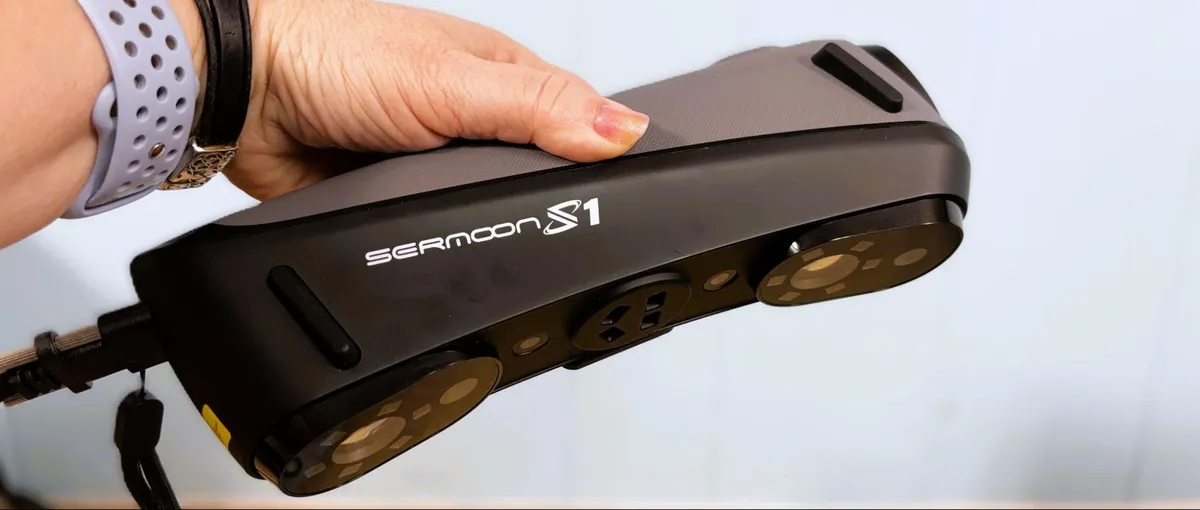
The Creality Sermoon S1 combines NIR structured light and blue laser scanning modes into a single unit and also includes a camera specifically for capturing color textures. The Sermoon S1 is capable of high-precision scanning and capturing deep recesses in the single laser mode, and can also use up to 34 laser lines simultaneously at a high frame rate for capturing large models quickly.
The NIR mode allows for marker-free scanning, making it an appealing choice for applications where it isn’t practical or possible to add tracking markers to a model. While the NIR mode provided high-quality geometry during testing, the color texture wasn’t up to expectations and is unlikely to be a selling point of the unit.
Available starting at $2,399, the Sermoon S1 is similar in specifications to the more expensive standalone Sermoon P1 but offers a higher FPS capture rate and a 34-line mode for the blue laser. The optional $299 Scan Bridge accessory adds a wireless mode for using the scanner without being tethered by cords.
More: Creality Sermoon S1 3D Scanner Review
Other 3D Scanners We Tested
▶️ 3D MakerPro Toucan
The 3DMakerPro Toucan is an all-in-one 3D scanner that enables a computer-free workflow thanks to onboard processing and a touchscreen LCD. With an upper limit of 15 FPS, the Toucan worked well for small, detailed objects but struggled with tracking loss on larger objects. Sharing a name with the notably colorful bird, the Toucan unfortunately performed poorly during testing when capturing color textures.
The Toucan has two laser modes: Class 1 and Class 3R, with the latter being a more powerful laser that can capture sharp detail but is not safe for applications that involve scanning people. Using tracking markers enables very accurate scans, and the alignment in JMStudio usually works well, but getting the file off the Toucan requires a USB-C thumb drive or a transfer via Wi-Fi.
The Standard package starts at $1,499, but another $200 will buy the Premium package, which includes a portable tripod that doubles as a handle as well as a carrying case. Designed for users who put a high value on portability, the Toucan is a solid 3D scanner for general use or field work.
Read: 3DMakerPro Toucan 3D Scanner Review
Shopping Tips for the Best 3D Scanners
Here are a few important points to consider when choosing the best consumer 3D scanners.
✅ Structured light or laser?
Structured light 3D scanners are capable of capturing geometry and color data simultaneously, but typically don’t provide the same level of detail or accuracy as a laser-based scanner. Laser scanners can capture details at the sub-millimeter level, but they are typically more expensive and generally don’t capture color data. If you need a scanner for quality control or metrology, a laser scanner is going to be your best bet.
✅ Scanning indoors or outdoors?
The bright and directional light from the sun can make it hard to scan outdoors, and some scanners struggle to accurately capture the contrast from a bright spot to a dark recessed hole. If you’re going to be scanning outdoors or in areas with inconsistent lighting, it’s worth confirming that the 3D scanner is designed for that application.
✅ Tracking markers or no tracking markers?
The reflective markers you will sometimes see on models being 3D scanned are called tracking markers, and they give 3D scanners a reference point in space when aligning frames for creating a point cloud. Tracking markers enable more accurate alignment but aren’t always feasible to put on a model. Typically seen with more expensive laser scanners, these are critical if you’re capturing large or featureless geometry like a car door.
✅ Is color important?
Color can be challenging to capture for many 3D scanners, and editing a color texture can be more complicated than editing a 3D mesh geometry. Photogrammetry apps like Polycam and Metashape can produce clean color textures, but won’t capture the same amount of detail as a laser or Near-Infrared (NIR) scanner.
MORE: Best 3D Printers
MORE: Best Resin 3D Printers