







Espresso is an Australian tech company that produces a growing range of portable monitors and accessories. Over the years, we’ve had a chance to look lots of the company’s products, ranging from entry-level monitors to their high-end, touch-enabled 4K offerings.
Today, we’re looking at the Espresso Lite 15, which, as its name implies, is a 15-inch monitor (15.6 inches, to be exact). It sits below the Display 15, taking the mantle as the company’s cheapest portable monitor. At $249, the Lite 15 is also $50 cheaper than the Display 15, but does it offer enough to be ranked among the best portable monitors?
Design of the Espresso Lite 15
The first thing you’ll notice about the Lite 15 is its color, which, on our review unit, is orange. I’m used to reviewing portable monitors in some shade of grey (i.e., silver, black, or grey). However, our orange review unit is a breath of fresh air in this space, giving it a more playful vibe than the typically “all business” monitors available on the market. But orange isn’t the only color available on the Lite 15: Espresso makes the monitor available in white, green, and purple. And if you intentionally want to be boring, you can also get it in black.
Espresso can offer these colors because it does not use the typical aluminum-alloy chassis as featured on its pricier models. The Lite 15 uses a plastic shell, which is not only lighter but also lends itself to the more cheerful colors. It also allows Espresso to reach the lower price point. With that said, the Lite 15 doesn’t feel cheap and has a nice, textured finish, making it easier to grip.
Image
1
of
4
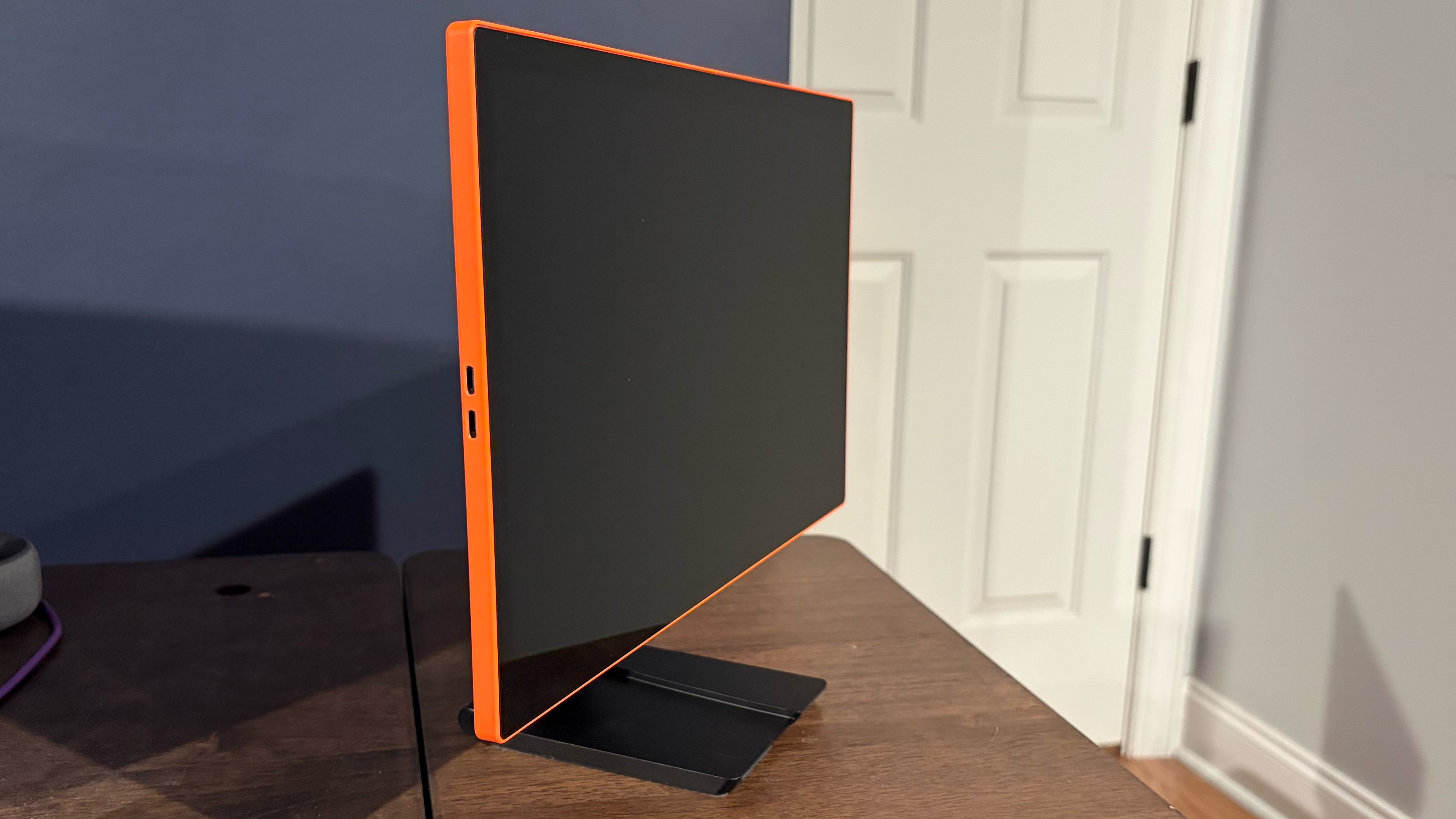
That grippy finish comes in handy because the Lite 15 ships with Espresso’s Stand+, which attaches magnetically to the back of the monitor. The Stand+ attaches with a relatively strong force, so the textured case allows your fingers to get a better grip to pry it off. The Stand+ is adjustable for height and tilt. You can also rotate the Lite 15 from landscape to portrait mode thanks to the magnetic attachment point. It is made of aluminum, finished in black, and features a weighted base to prevent the monitor from toppling over.
Image
1
of
3
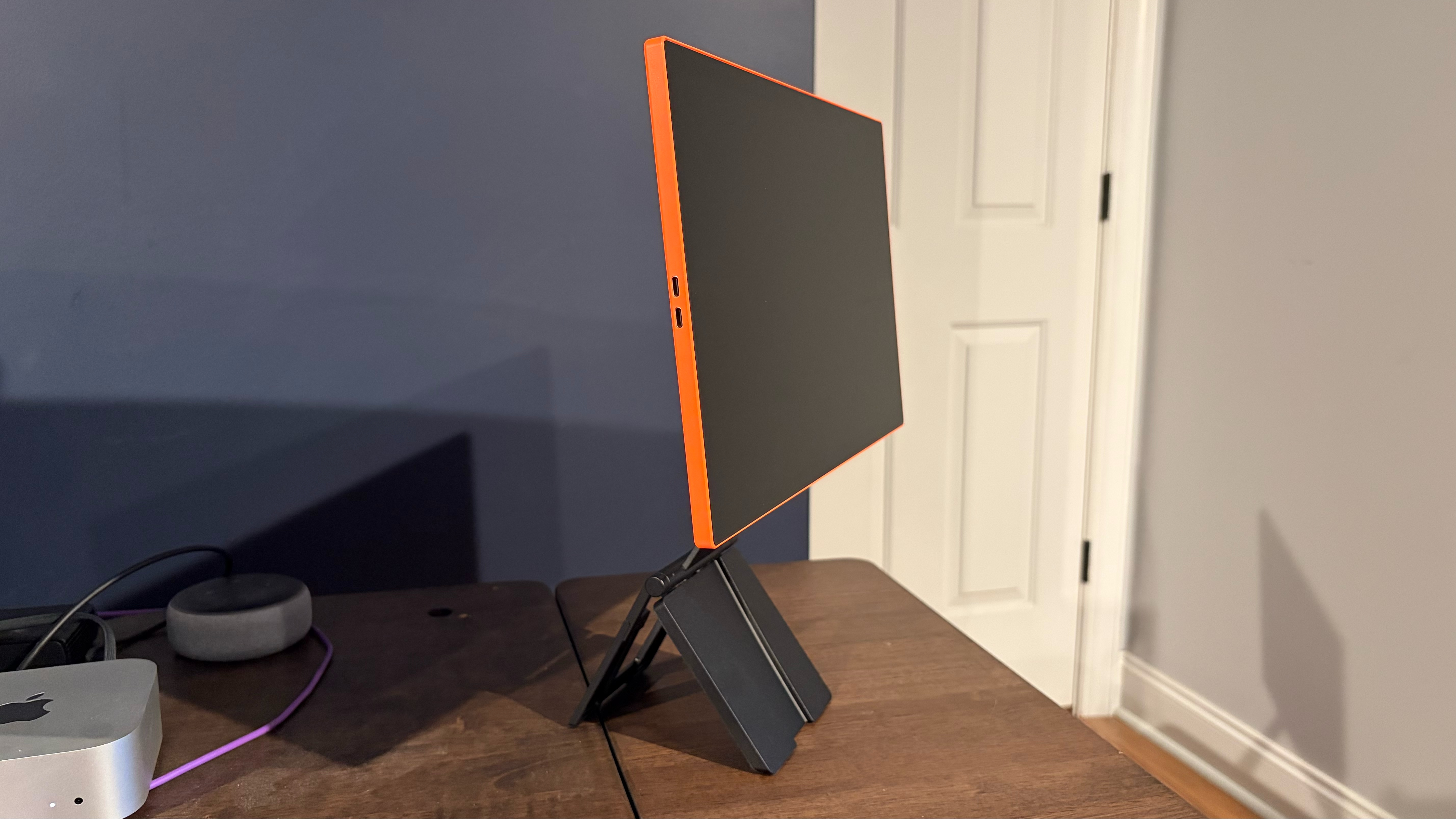
Unlike the Display 15, the Lite 15 doesn’t feature an overly large bottom bezel. Instead, the side bezels are both roughly 3/8 of an inch thick, while the top and bottom bezels are just under half an inch thick. This creates a more symmetrical appearance and makes things look less awkward than on the Display 15 in portrait mode.
The Lite 15 features two centrally located USB-C ports that support power pass-through for your laptop, and a single USB-C cable (in Espresso’s usual purple) is included. While Espresso includes a cleaning cloth in the box, which is needed for the monitor's glossy finish, you won’t find a carrying case like you do on some cheaper monitors.
The Lite 15 measures 14.34 x 8.58 x 0.37 inches and weighs 1.55 pounds (compared to 14.09 x 10.07 x 0.2 inches and 1.68 pounds for the Display 15).
Espresso Lite 15 Monitor Specifications
Swipe to scroll horizontally
Panel Type / Backlight | IPS / WLED |
Screen Size / Aspect Ratio | 15.6 inches / 16:9 |
Max Resolution & Refresh Rate | 1920 x 1080 @ 60Hz |
Color Depth | 8-bit |
Max Brightness | 400 nits |
Contrast | 1,000:1 |
Ports | 2x USB-C (DisplayPort Alt Mode) |
Speakers | None |
Dimensions | 14.34 x 8.58 x 0.37 inches |
Weight | 1.55 pounds |
Warranty | 2 years |
Display Performance on the Espresso Lite 15
The Lite 15 features a 15.6-inch IPS panel, 1920 x 1080 resolution, and a 60 Hz refresh rate. Espresso says that the Lite 15 has a 1,000:1 contrast ratio and maximum brightness of 400 nits (which we’ll get to in a moment). Those specs put it smack dab in the middle of the mainstream portable monitor market. In fact, you’ll find a bevy of monitors in the sub-$100 segment that feature similar specs.
Like Espresso’s other monitors, the Lite 15 features a glossy finish rather than an antireflective coating. While this slightly improves contrast and makes colors “pop,” it also makes the surface highly reflective. As long as you have a primarily white background (i.e., when viewing most webpages and typing in my word processor), reflections weren’t a problem. However, when using Pixelmator Pro in dark mode, reflections were quite prevalent, although my brain eventually managed to “reject” them.

One item of note: I left the Lite 15 on my desk and turned off the light in my home office. It was then that I noticed four points of light shining through the orange plastic casing, most likely from the backlight. It’s not something I’ve seen with other portable monitors, because they featured dark grey, black, or aluminum housings that would prevent any light bleeding.

Our instrumented tests showed that the Lite 15 performed similarly, if not slightly better than, the Display 15 and the Arzopa Z3FC. The Lite 15 achieved 85.4 percent coverage of DCI-P3 and 120.5 percent coverage of sRGB in our colorimeter tests. Our light meter showed just 237 nits with the default picture profile, ranking it last among its peers. However, the light output was more than sufficient during my testing. If you need more light output, the “Create” picture profile boosted it to 291.4 nits with no trade-offs in color performance.
Placing the Display 15 and the Lite 15 side-by-side under the same lighting conditions at maximum brightness, I couldn't detect much, if any, difference in color or off-axis light falloff. While the Z3FC puts up similar numbers, I preferred the glossy finish of the Lite 15, especially when watching YouTube content and movies.

Although the Lite 15 doesn’t feature a traditional OSD, you can control picture settings using the EspressoFlow app.
Bottom Line
At a time when the vast sea of portable monitors seems to blur together in terms of size, specs, and price, the Lite 15 stands out from the crowd. When purchasing a portable monitor, you don’t get much choice on exterior color options – you get what the manufacturers think will appeal to the most people, and you accept it. However, Espresso offers users multiple bright colors to choose from that match their style.
The question is whether folks will pony up the cash just to have some flashy colors. The Arzopa Z3FC is $10 less, offering a slightly larger 16.1-inch display with QHD resolution and a 180 Hz refresh rate. I’m all for adding some more color to portable monitors, but the additional resolution and faster refresh rate for less money are much more appealing overall.