








The best PC speakers aren't necessarily the newest PC speakers. In fact, many PC speakers have been around for years (just look at all of Logitech's lineup) — but just because audio technology can keep going for decades, that doesn't mean there isn't other technology we'd like to see in our favorites, even if they're otherwise classics.
Klipsch first introduced its ProMedia PC speaker lineup back in 1999 with the THX-certified ProMedia v2-400 4.1 system, and quickly followed up with the ProMedia 2.1 system a couple of years later. The ProMedia 2.1 has seen a handful of updates since then, such as the addition of Bluetooth connectivity, but the design has stayed mostly the same — until now. The new Klipsch ProMedia 2.1 features a brand-new design, with a significantly slimmer subwoofer and boxy, angular speakers with customizable backlighting and a classy-looking faux-woodgrain finish.
The speakers are available now in one color — black — and retail for $380, though they're currently on sale at Crutchfield for $319.99.
The Klipsch ProMedia Lumina 2.1 is a 2.1 speaker system, which means it has two primary speakers (left and right) and a standalone subwoofer. Like most PC speaker systems (and most speaker systems in general), it's a wired system — both primary speakers plug directly into the subwoofer via dedicated DB9 ports, and the subwoofer plugs into the wall.
Image
1
of
2
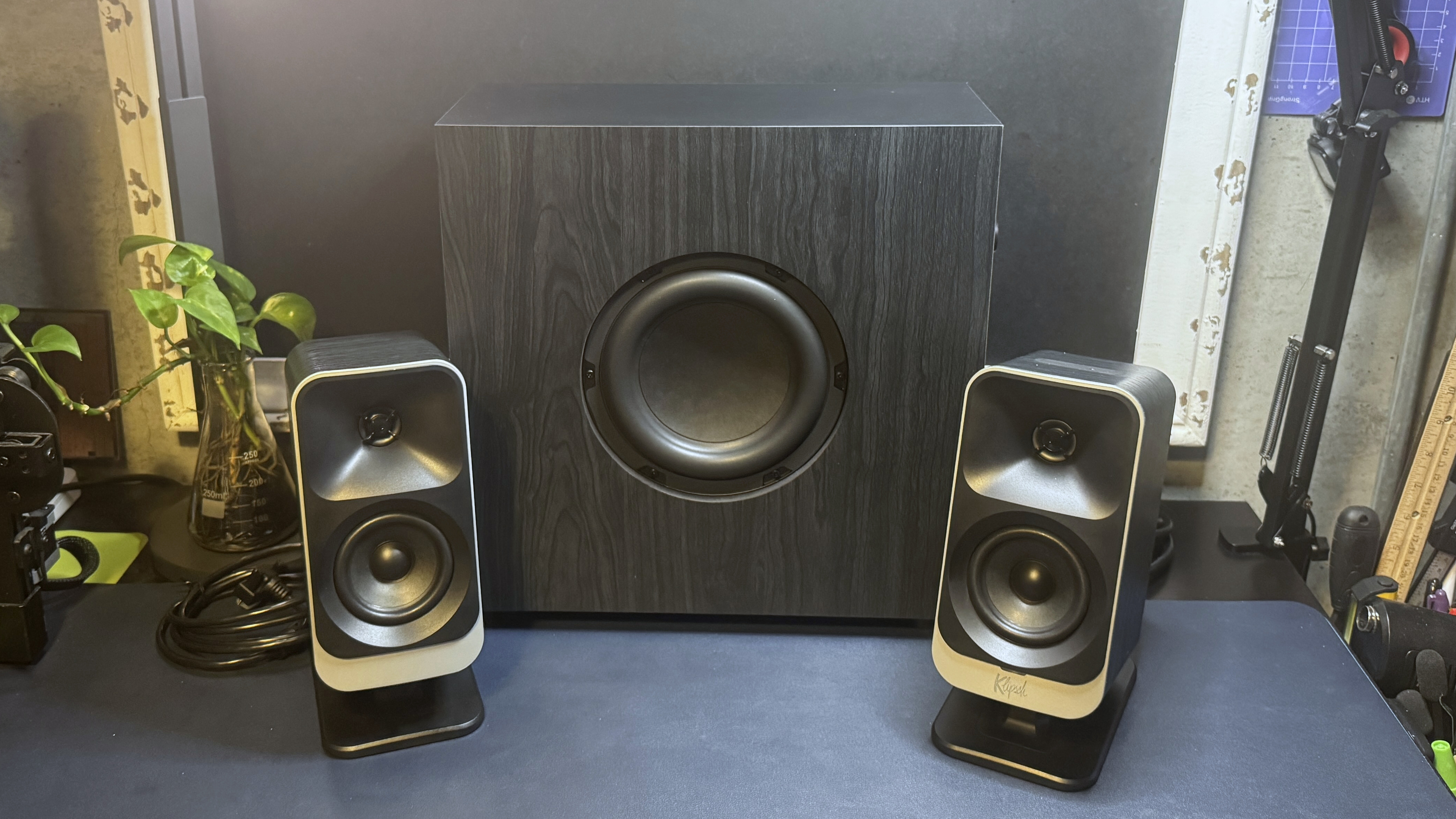
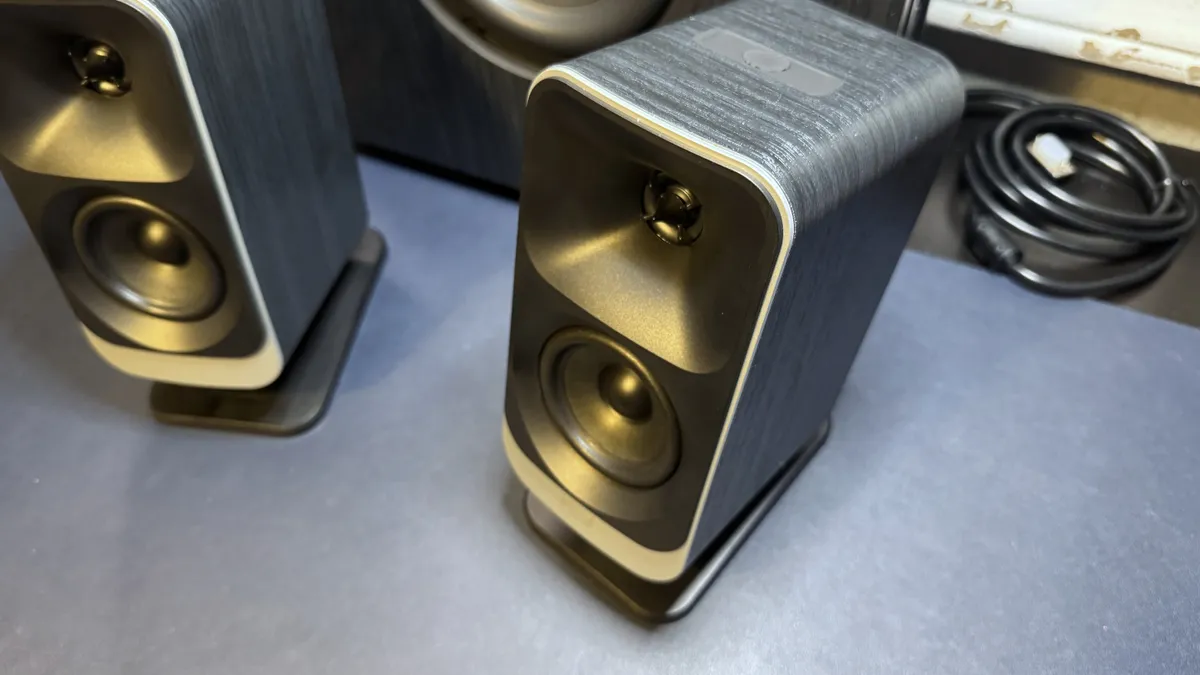
The ProMedia Lumina 2.1 looks different from its predecessors immediately, thanks to the primary speakers' cabinet redesigns. The primary speakers are large and rectangular, with rounded corners and matte black drivers surrounded by light silver trim. The speakers are wrapped in a black woodgrain-finish vinyl, which makes them look refined and premium (and like they belong on an actual bookshelf, not your desk). I am a little concerned that this woodgrain finish might not hold up, however — especially not for decades like the original ProMedia system did.
On the back of each satellite you'll find a lighting block of six LEDs measuring approximately 3 x 2.5 inches (76.2 x 63.5 mm). These are designed to give off a bright, diffused glow that can be customized (to some extent) to match your overall setup. This type of backward-facing lighting is pretty common in PC speakers, and you'll see it designed to give off a bright, diffused glow that can be customized (to some extent) to match your overall setup. Each satellite comes with a built-in plastic stand, which features non-stick rubber coating on the bottom and lets you tilt the speaker back about 18 degrees — which is good if you, like many PC speaker buyers, plan to place these speakers on your desk.
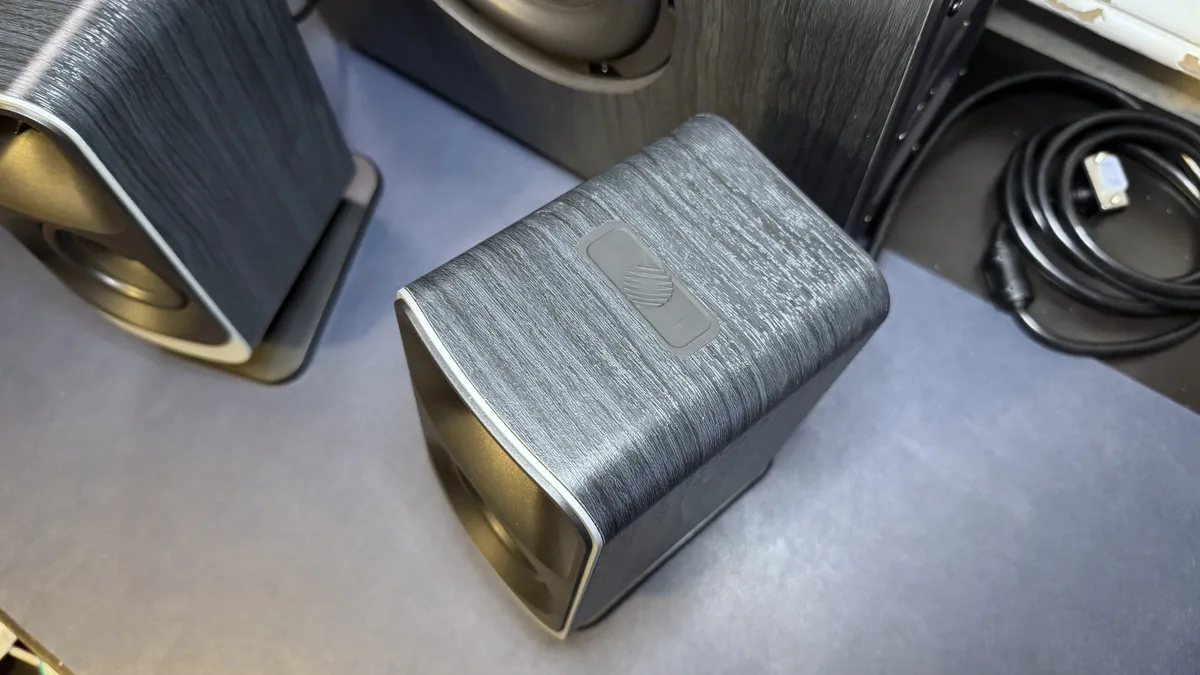
The right satellite is the "primary" primary speaker, and it's where you'll find the controls and indicator light. There's a trio of rubber buttons on the top of the right satellite — volume up/down with a multifunction button in the middle. They're about as satisfying to use as they look, which is to say... not very. But since you can also control the ProMedia Lumina speakers with Klipsch's companion PC / mobile app, this isn't too much of a concern. Pressing the center button turns the system on (holding it down for five seconds turns it off), and tapping it once the system is turned on cycles through the backlighting brightness settings. Holding the center button for about a second lets you cycle through five lighting presets (six if you include "off").
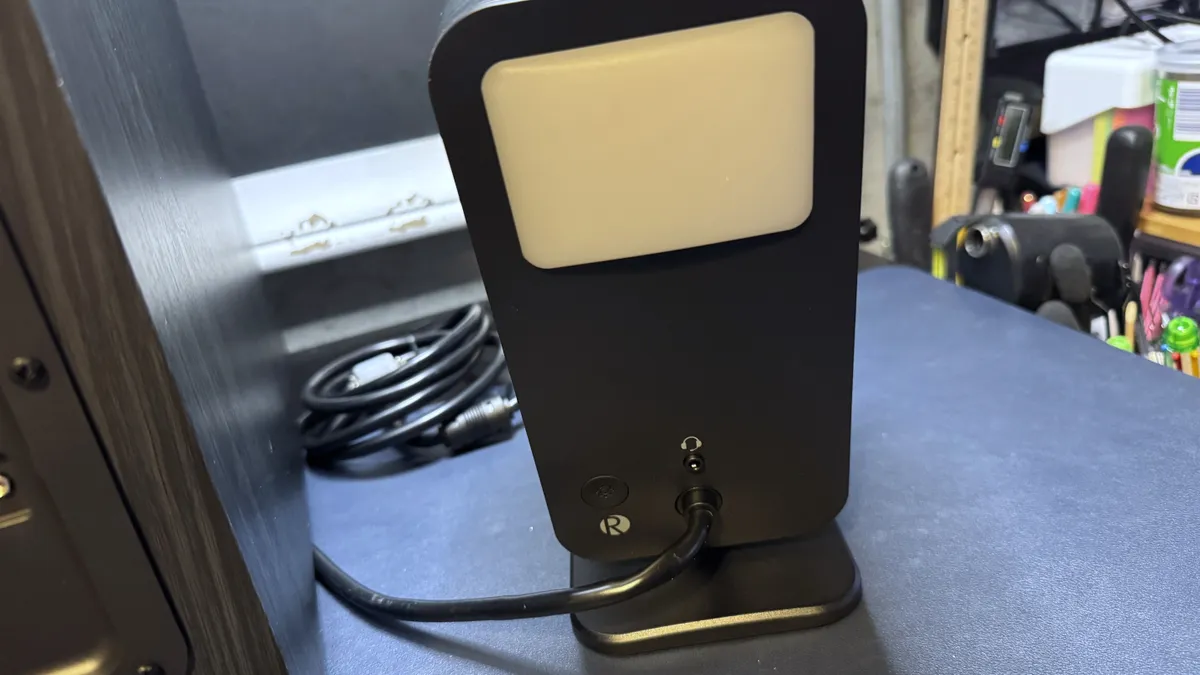
The right satellite also has a small rubber "utility" button on the back, as well as a 3.5mm headset passthrough jack. The utility button is for switching between connections — tapping it cycles you through the speakers' connections: Bluetooth, AUX, USB-C, and the headset passthrough. The indicator LED, which is located on the front of the right satellite under the drivers, changes color to correspond with each connection. Pressing and holding the utility button will put the speakers in Bluetooth pairing mode.
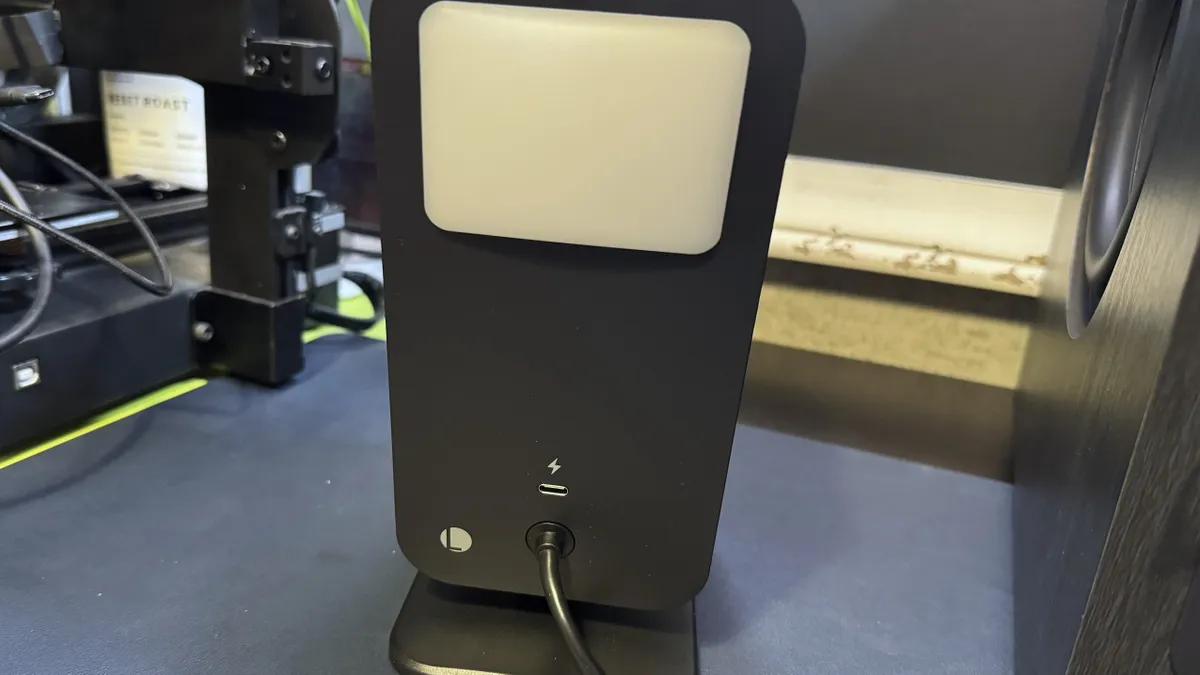
The left satellite has no controls, but it does have a USB-C charging passthrough port so you can plug in your phone (or whatever device you have that needs to be charged).
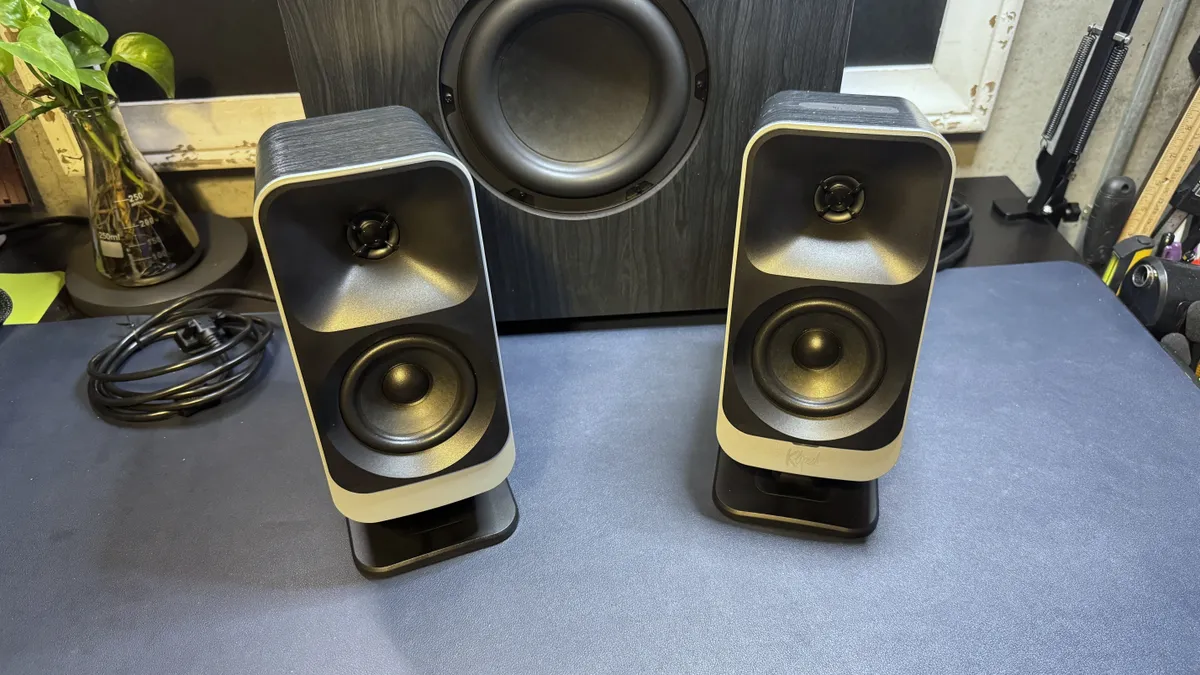
Both satellites feature 1-inch mylar tweeters stacked on 3-inch midrange drivers and have thick, 6.5-feet (2m) cables that plug into the subwoofer via a proprietary DB9 connector. This length is probably enough for most setups, but the thickness of the cables makes for difficult cable organization. The subwoofer does have cable clips at the top for wire routing, but it's not much help when it comes to placing the speakers.
Image
1
of
4
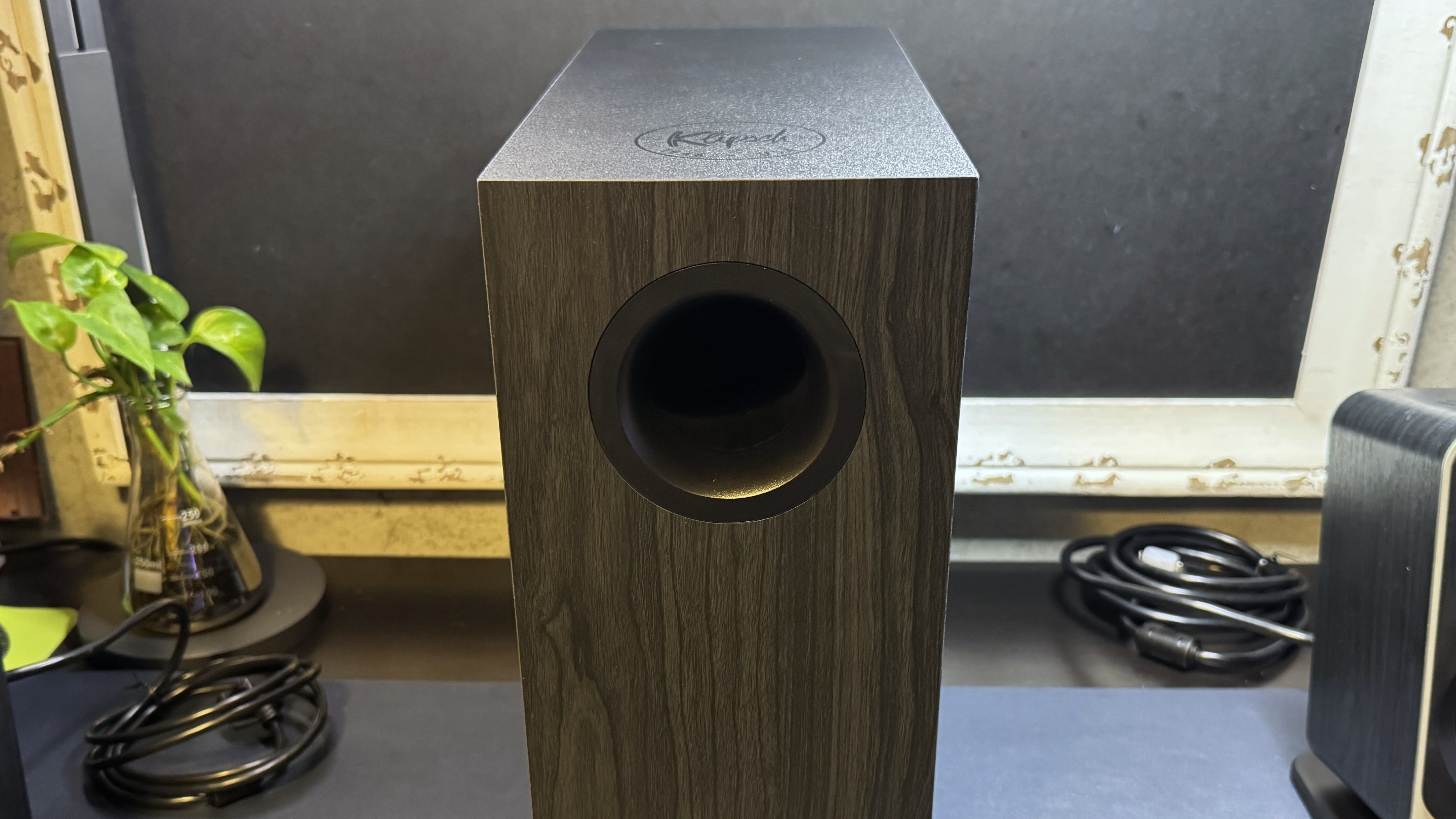
The subwoofer's slim, side-firing design is a big change from the cube-shaped subwoofer of the original ProMedia system. The new subwoofer measures approximately 14 inches (355.6mm) tall by 13.88 inches (354.2mm) wide (or deep, depending on how you set it up), and is about 6 inches (152.5mm) deep (or wide), and it's definitely slimmer than the subwoofers we've seen from other flagship gaming PC speakers. It's also relatively light, at just 11 pounds (4.99kg).
The subwoofer has the same black woodgrain vinyl on its sides, though the top is a pretty standard matte black (with Klipsch's jarringly whimsical new logo printed in shiny black-on-black). On the back of the subwoofer you'll find the two DB9 connectors for the right and left satellite speakers above the AC-in port. A little higher up, there's a USB-C port and a 3.5mm AUX port, as well as a gain adjustment knob.
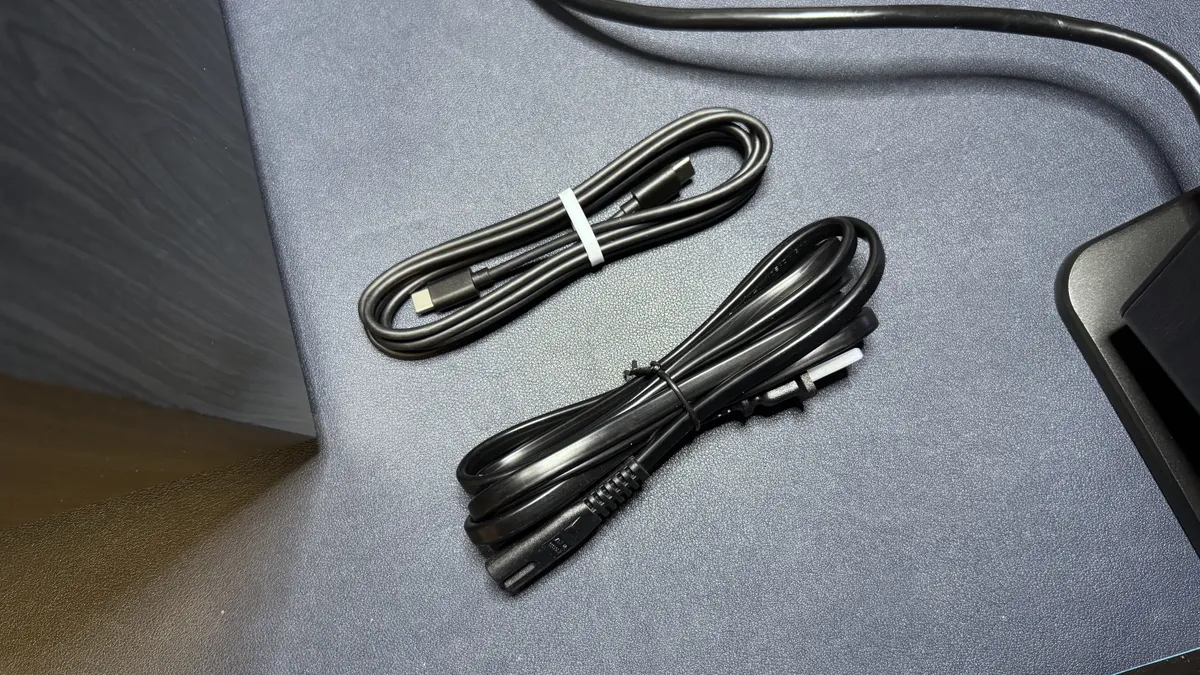
The system comes with the two main speakers, the subwoofer, a 6.5-foot (2m) rubber USB-C to USB-C cable, and a 6.5-foot (2m) power cable.
Specs
Swipe to scroll horizontally
Speaker Type | 2.1 |
Driver Type | 1" Mylar Tweeter, 3" midrange (satellites) 6.5" side-firing woofer |
Impedance | 8Ω |
Frequency Response | 40 Hz - 20,000 Hz @ -6dB |
Signal-to-Noise Ratio (SNR) | 98 dB |
Inputs | USB-C, 3.5mm AUX, Bluetooth 5.3 |
Cables | 6.5ft / 2m USB-C to USB-C |
Size | 9.75 x 6.5 x 4 inches / 247.5 x 165 x 101.6 mm (satellites) 14 x 13.88 x 6 inches / 355.6 x 354.2 x 152.5 mm (subwoofer) |
Weight | 2.1lbs / 0.95kg (satellite) 11lbs / 4.99kg (subwoofer) |
Lighting | Yes |
Software | Klipsch Control |
Features | LED backlighting |
MSRP | $380 |
Release Date | Nov. 2029 |
The ProMedia Lumina is a 2.1 system with left and right satellite speakers and a slim subwoofer for that extra 'oomph'. Each satellite speaker has a 1-inch tweeter on top of a 3-inch midrange driver, and the subwoofer has a 6.5-inch side-firing woofer. The speakers have a frequency response of 40 - 20,000 Hz -6dB and a signal-to-noise ratio (SNR) of 98dB.
The speakers sound good — but not great. They're especially strong in the midrange: mids are solid, present, and well-rounded, and songs such as K-391's Lonely World sound vibrant and dynamic. The highs are also fairly strong without being too bright. Songs with easily painful highs, such as Britney Spears' Toxic, were no problem on these speakers. The strong mids and highs also means these speakers were very good for gaming — gunshots and footsteps were definitely a little easier to hear, but they weren't so in my ear that I started feeling jumpy (well, not until the enemy was actually on top of me, anyway).
The disappointing part was the bass — while the subwoofer was definitely pumping out something, it wasn't much. Even turned up all the way, the ProMedia Lumina system definitely lacked the power and oomph I expect from a 2.1 system — especially a 2.1 system aimed at gamers (while these are, I suppose, marketed as PC speakers and not gaming-specific PC speakers, I think the flashy LED lighting definitely makes them more gamer-oriented than not). Even when I cranked the volume and the subwoofer up, the bass still felt lackluster. The speakers' strong lower midrange meant that most media still sounded pretty good, but I definitely felt like we could have gotten rid of the subwoofer and not much would change. And on top of that, since the speakers connect to the subwoofer via proprietary connectors, you can't swap in a third-party subwoofer.
The ProMedia Lumina speakers can be controlled in a few different ways — through the physical controls on the right satellite speaker, using Klipsch's mobile remote app, or with Klipsch Control on your PC (PC only).
Image
1
of
5
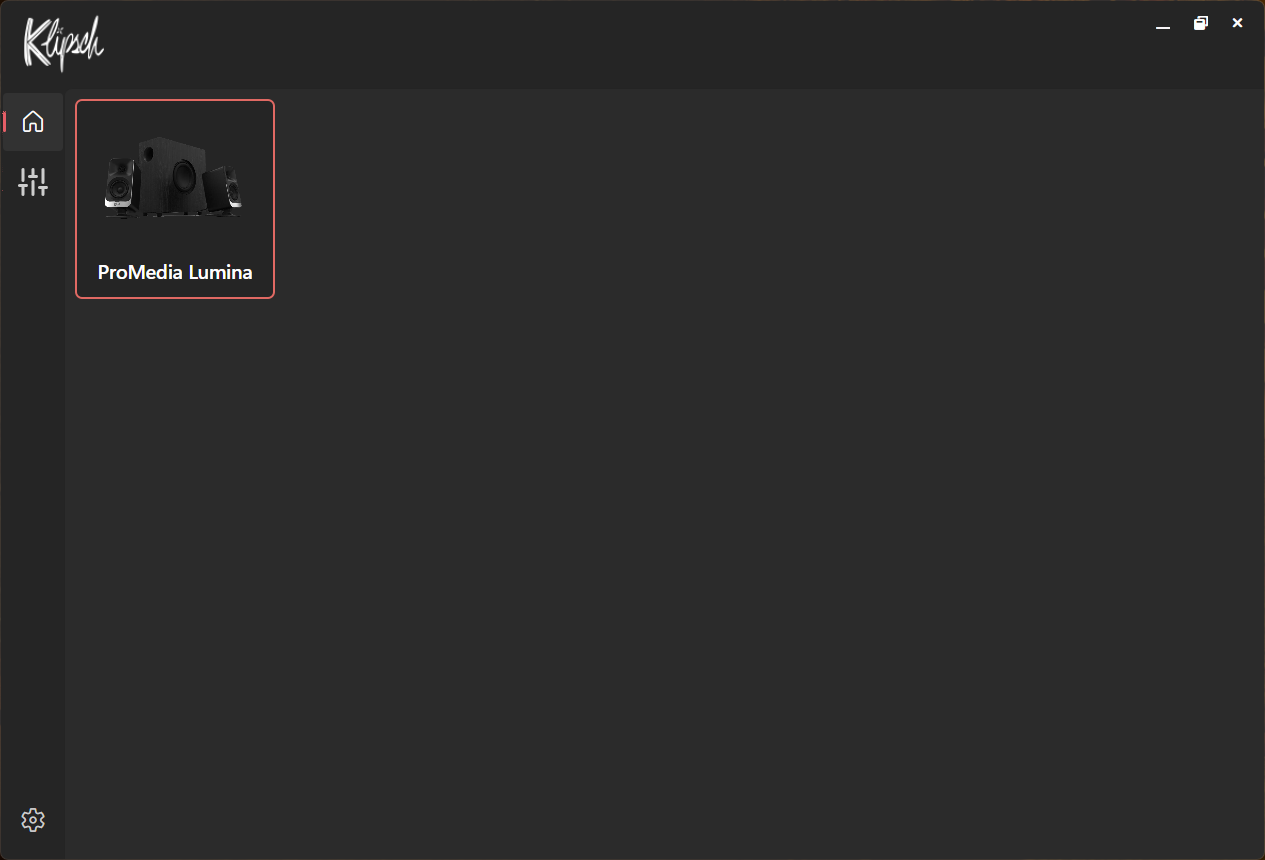
You can use Klipsch Control to further customize the built-in lighting presets — it's definitely not the most customizable lighting you'll find in PC speakers, but most of the presets can be tweaked a little. You can also set the lighting to "screen react," which reflects your screen (sort of) for a more immersive experience. If you're looking for something that will perfectly mirror your setup's colors or react in time with gunshots in various games (or whatever), however, you probably want a lighting setup more along the lines of Razer's Nommo V2 Pro.
Klipsch Control also features virtual surround, a 6-band EQ with several built-in presets, and a few settings you can't access with the on-speaker controls, such as "night mode," which turns the bass down by 50%, and lets you toggle and adjust things like auto standby and function sounds.
Bottom Line
The Klipsch ProMedia line is a classic in PC speakers, and the ProMedia Lumina is pretty good, but I'm not sure it's worth the nearly $400 price tag. The new speakers look nice, even if I'm not sure how well this woodgrain vinyl wrap will stand the test of time, and the slimmer subwoofer redesign is definitely more convenient. However, while the speakers sounded very good for most media, including gaming, music, and movies, they would have sounded even better had there been a solid bass response. Instead, I wasn't even sure what the subwoofer was doing — perhaps Klipsch should've just gotten rid of the subwoofer altogether.
With a retail price of $380, the ProMedia Lumina 2.1 isn't exactly a budget-friendly system, especially when you might as well just get a cheaper 2.0 system (and maybe pick up a third-party subwoofer, if you feel like it). While systems like Razer's Nommo V2 Pro are even pricier, the Razer Nommo V2 is a closer equivalent to the ProMedia Lumina, and costs $299.99.