







We've extensively benchmarked the best Thunderbolt and USB-C docks in 2026 and have compiled a list of the best models on the market here. There used to be a time when laptops would come with a bevy of ports to satisfy most of your connectivity needs. While some larger, desktop-replacement laptops still have a relatively large number of ports, ultrabooks have mostly reduced the number of ports to the bare minimum to save space and reduce weight.
While these efforts result in laptops that are thin and light, if you want to connect a wide variety of devices, including external monitors, you’ll need a dongle or a dock. While dongles are fine for connecting a single peripheral, docks are handy for connecting a variety of devices while simultaneously charging your laptop.
The two most common connectivity options for modern docks are USB-C and Thunderbolt. Nearly every laptop on the market has at least one USB-C port available, which opens up a wealth of possibilities for connecting everything from an external monitor to an external hard drive to webcams to gaming mice. Thunderbolt ports are less common, particularly the latest Thunderbolt 5 standard, but these docks give you the option for even more ports and faster maximum transfer speeds while supporting higher-resolution monitors.
With this in mind, we’re going to take a look at some of the best Thunderbolt and USB-C docks available today.
Quick List
1. Amazon Basics Thunderbolt 4 Pro Docking Station
Best Value Thunderbolt 4 Dock
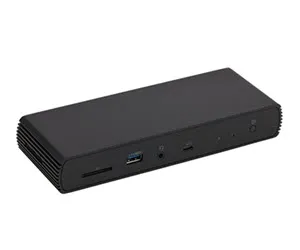
If you don't need the speed of Thunderbolt 5 (or simply don't have a Thunderbolt 5-equipped system), the Amazon Basics Thunderbolt 4 Pro is a well-thought-out dock with a good selection of Thunderbolt and USB ports, plus a 2.5 GbE port for wired connectivity.
Read more below
Best Value Thunderbolt 5 Dock
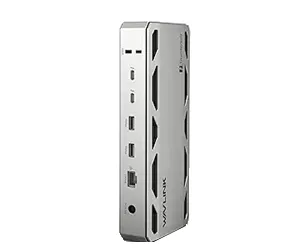
The WAVLINK WL-UTD58-M is a well-rounded Thunderbolt 5 dock offering Thunderbolt, USB-C, and USB-A ports along with 2.5 GbE. In addition, it includes an internal M.2 slot for adding a PCIe 4.0 SSD.
Read more below
Best Premium Thunderbolt 5 Dock for Windows Laptops
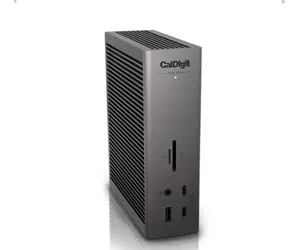
The CalDigit TS5 Plus is a premium Thunderbolt 5 dock that would work well with PCs or Macs. It offers a total of 20 ports, including DisplayPort 2.1 and a 10 GbE port.
Read more below
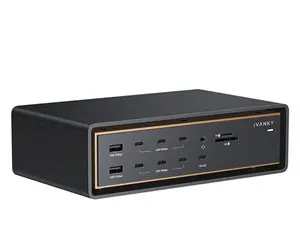
4. Ivanky FusionDock Ultra
Best Premium Thunderbolt 5 Dock for Macs
The Ivanky FusionDock Ultra is a prime example of why "excess is best," offering a staggering 26 ports. You'll find four downstream Thunderbolt 5 ports, seven USB-C ports, HDMI 2.1 and DisplayPort 2.1 connections, and a 10 GbE port.
Read more below
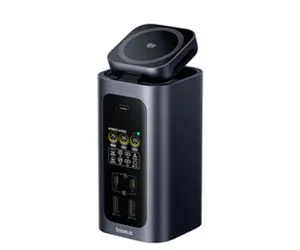
5. Baseus Spacemate RD1 Pro
Best USB-C Dock
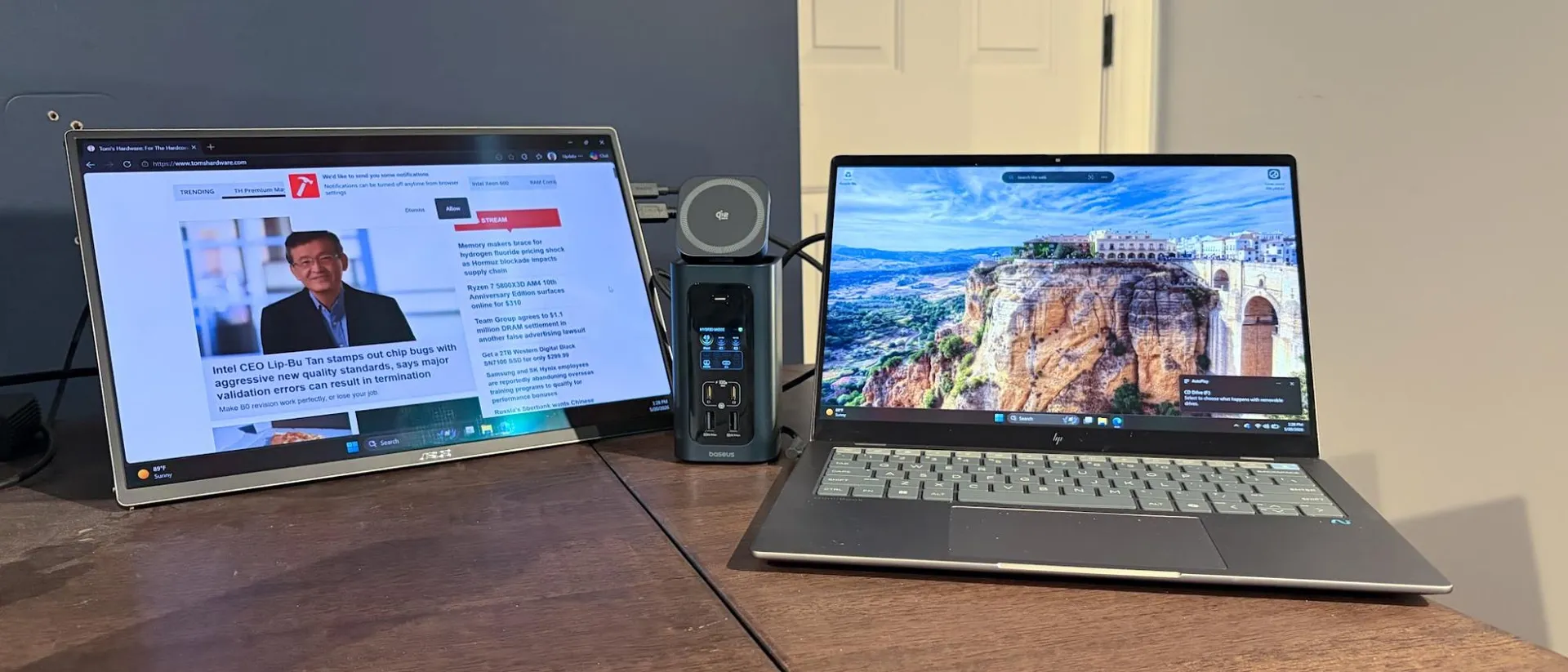
The Baseus Spacemate RD1 Pro is a full-featured USB-C dock with 15 ports. You'll find a selection of USB-C and USB-A ports along with a GbE network connection. It even has an integrated display for real-time port monitoring and a built-in Qi2.2 charger for your smartphone.
Read more below
Best Thunderbolt and USB-C Docks for Laptops you can buy today
Why you can trust Tom's Hardware Our expert reviewers spend hours testing and comparing products and services so you can choose the best for you. Find out more about how we test.
Best Value Thunderbolt 4 Dock
Image 1 of 2
1. Amazon Basics Thunderbolt 4 Pro Docking Station
Best Value Thunderbolt 4 Dock
Specifications
Upstream: 1x Thunderbolt 4 upstream (40 Gbps bi-directional)
Downstream: 2x Thunderbolt 4 downstream (40 Gbps bi-directional)
Ports: 1x HDMI 2.1 3x USB-A (10Gbps) 1x 2.5 Gigabit Ethernet 1x SD 4.0 (UHS-II) 1x 3.5mm audio out
Dimensions: 7.86 x 2.95 x 1.23 inches
Reasons to buy
+
+ Attractive pricing
+2.5 GbE port for networking
Reasons to avoid
-
Only two Thunderbolt 4 ports
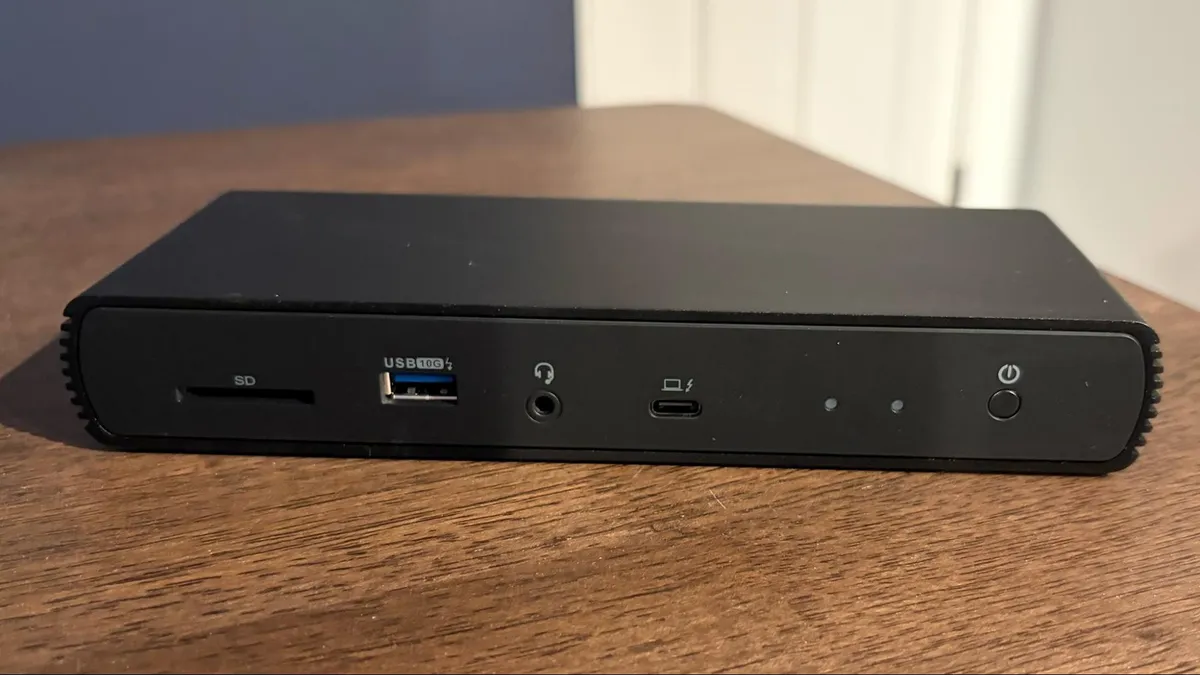
The Amazon Basics Thunderbolt 4 Pro Dock is a relatively compact dock measuring just 7.86 x 2.95 x 1.23 inches. It features a jet black finish with cooling fins along its flanks to help dissipate heat. As you can see from its name, this is a Thunderbolt 4 dock, so it doesn't offer the higher throughput speeds and loftier Power Delivery figures available to Thunderbolt 5 docks. However, you do get up to 40 Gbps bidirectional data transfer speeds and up to 96-watt charging for your laptop.
The dock supports up to two 4K monitors at 60 Hz, and even includes a 2.5 GbE Ethernet port and an SD slot for offloading images from your digital camera or drone.
With a street price of around $200, the Thunderbolt 4 Pro Dock is a good all-around solution if you need a dock that won't break the bank.
Best Value Thunderbolt 5 Dock
Image 1 of 2
2. WAVLINK WL-UTD58-M
Best Value Thunderbolt 5 Dock
Specifications
Upstream: 1x Thunderbolt 5 upstream (80 Gbps bi-directional)
Downstream: 3x Thunderbolt 5 downstream (80 Gbps bi-directional)
Ports: 4x USB-A 3.2 Gen 2, 1x audio combo jack 1x microSD UHS-II slot 1x SD UHS-II slot 1x 2.5 GbE (RJ45) port
Dimensions: 8.6 x 3.8 x 1.38 inches
Reasons to buy
+
+ Includes internal M.2 PCIe slot for an SSD
+Three downstream TB5 ports
Reasons to avoid
-
5 GbE port would have been nice at this price point
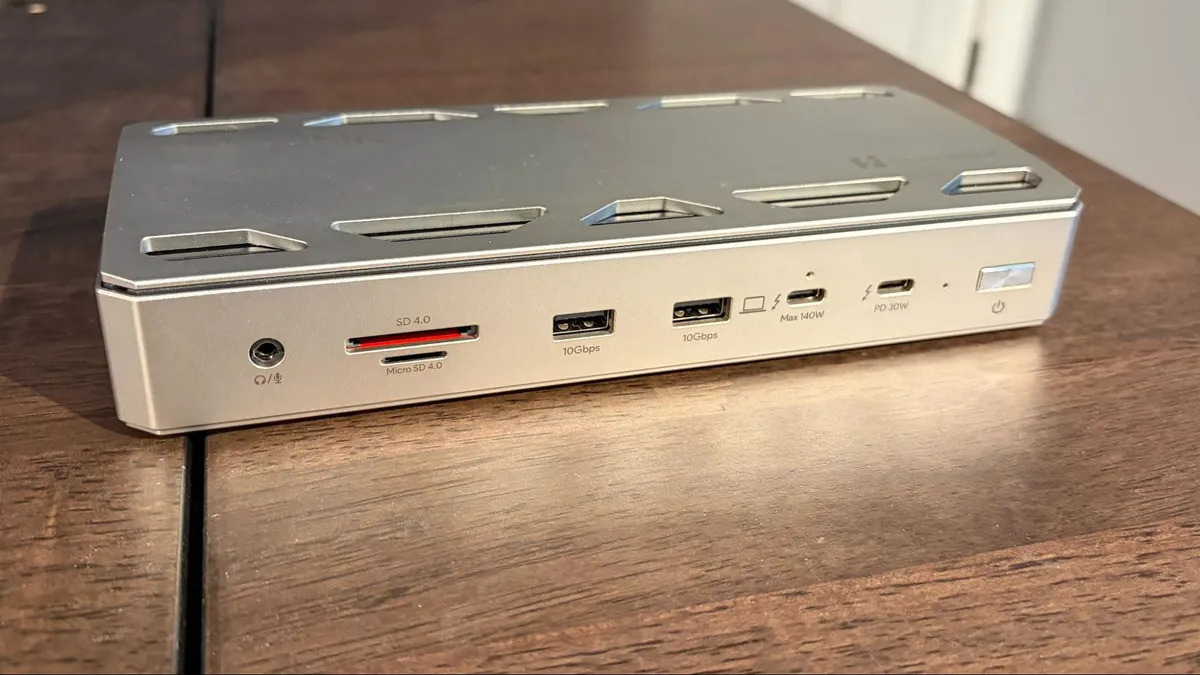
-Thunderbolt upstream port to host is on front of unit
The WAVLINK WL-UTD58-M is a well-rounded Thunderbolt 5 dock supporting bidirectional data speeds of up to 80 Gbps (120 Gbps one way) via its three downstream ports. The dock measures 8.6 x 3.8 x 1.38 inches and includes four USB-A ports for legacy peripherals. Your media needs are also met with microSD and SD slots, while a 2.5 GbE port handles your wired networking. It can also support up to three 4K monitors at a 144 Hz refresh rate.
One of the standout features of the WL-UTD58-M is the M.2 slot on the bottom of the dock, which allows you to add a PCIe 4.0 SSD.
The WL-UTD58-M has an MSRP of $399, making it price-competitive in the Thunderbolt 5 Dock market.
Best Premium Thunderbolt 5 Dock for Windows Laptops
Image 1 of 2
3. CalDigit TS5 Plus
Best Premium Thunderbolt 5 Dock for Windows Laptops
Specifications
Upstream: 1x Thunderbolt 5 upstream (80 Gbps bi-directional)
Downstream: 3x Thunderbolt 5 downstream (80 Gbps bi-directional)
Ports: 3x USB-C 3.2 Gen 2 1x USB-A 3.2 Gen 2 1x USB-A 2.0 1x DisplayPort 2.1 1x 2.5 GbE (RJ45) port 1x microSD UHS-II slot 1x SD UHS-II slot 1x audio-in 1x audio-out 1x audio combo jack 1x 240W power port
Dimensions: 5.03 x 1.85 x 6.1 inches
Reasons to buy
+
Plenty of TB5 and USB-C ports
+Includes 10 GbE port
+Native DisplayPort 2.1 connectivity
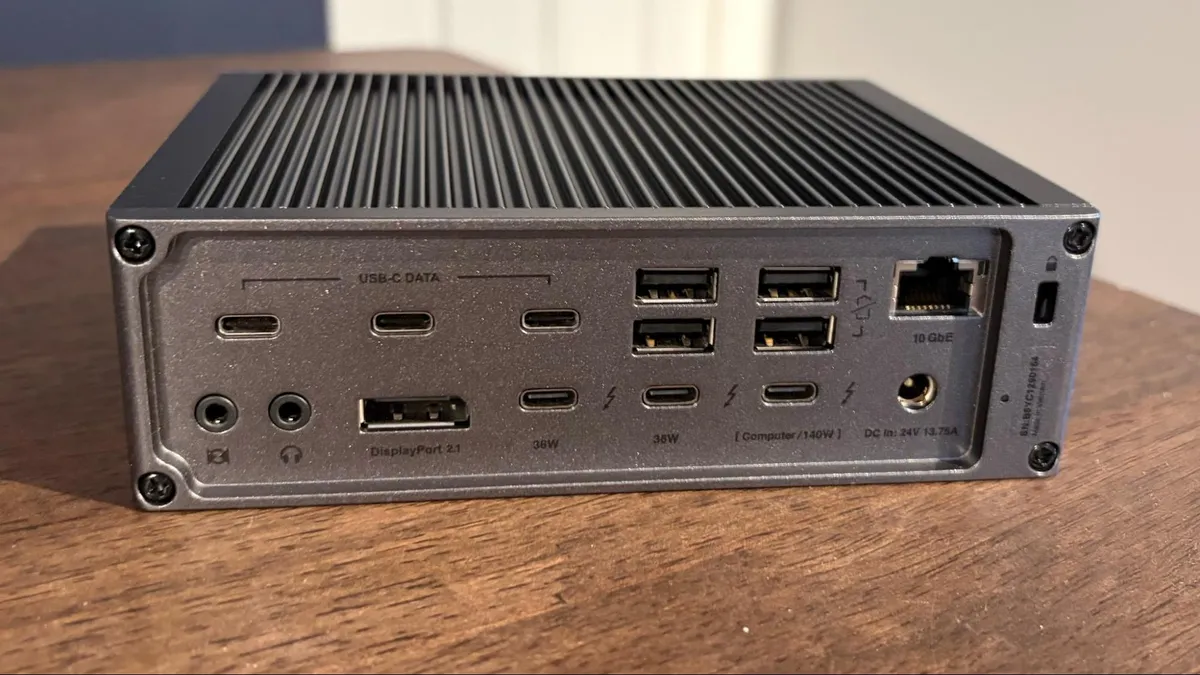
The CalDigit TS5 Plus puts most other Thunderbolt docks to shame with its sheer number of ports (20 in total). The TS5 Plus looks unassuming from the front, offering microSD and SD slots, a single USB-A port, two USB-C ports, and a 3.5mm combo jack. However, the floodgates open at the back, where you'll find a wealth of USB-C, Thunderbolt, and USB-A ports.
CalDigit even offers up a DisplayPort 2.1 port for your monitor, and a 10 GbE port for wired networking. About the only thing missing here is an internal M.2 SSD slot like some other Thunderbolt 5 docks. The TS5 Plus supports up to two 8K60 monitors or three 4K144 monitors.
The TS5 Plus is a premium dock, and it definitely comes with premium pricing with an MSRP of $499.
Best Premium Thunderbolt 5 Dock for Macs
Image 1 of 2
4. Ivanky FusionDock Ultra
Best Premium Thunderbolt 5 Dock for Macs
Specifications
Upstream: 2x Thunderbolt 5 upstream (80 Gbps bi-directional)
Downstream: 4x Thunderbolt 5 downstream (80 Gbps bi-directional)
Ports: 7x USB-C 3.2 Gen 2 1x USB-C 3.2 Gen 2 (45W PD) 4x USB-A 3.2 Gen 2 1x DisplayPort 2.1 1x HDMI 2.1 1x 10 GbE (RJ45) port 1x audio-in 1x audio-out 1x audio combo jack 1x S/PDIF 1x microSD UHS-II slot 1x SD UHS-II slot 1x 240W power port
Dimensions: 8.3 x 4.9 x 2.4 inches
Reasons to buy
+
4 downstream TB5 ports and a staggering 7 USB-C ports
+10 GbE networking
+DisplayPort 2.1 and HDMI 2.1 ports
Reasons to avoid
-
Wallet-busting price tag
If you have a high-end Mac or MacBook, look no further than the Ivanky FusionDock Ultra. This is the ultimate Thunderbolt 5 dock available, and it only supports Apple Silicon Macs.
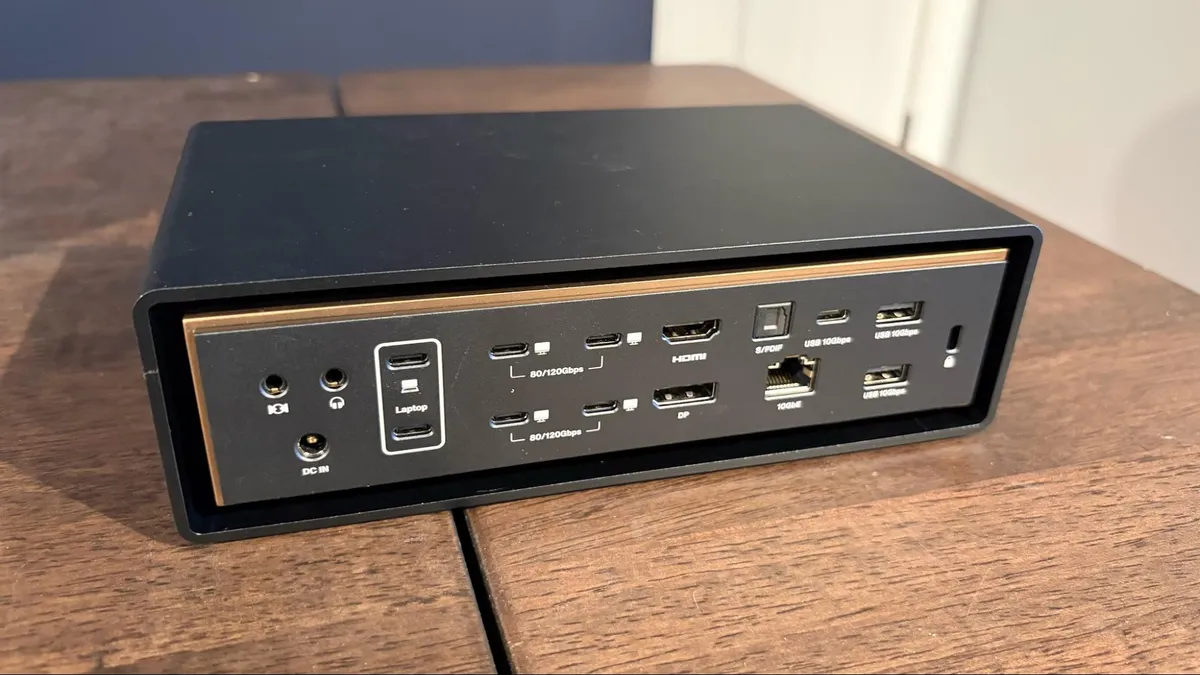
It offers a staggering 26 ports, including seven USB-C and two USB-A on the front panel (along with a microSD and SD slot). The back panel is awash in ports, including four Thunderbolt 5 ports, DisplayPort 2.1, HDMI 2.1, S/PDIF, and even a 10 GbE port. You won’t be left wanting, as every possible data and video option is covered here.
The FusionDock Ultra has two Thunderbolt 5 chips onboard, so it requires two Thunderbolt ports on your Mac. While that might seem a bit odd, giving up those two ports opens you to the most feature-packed Thunderbolt 5 dock on the market, while also delivering 140 watts through Power Delivery. With the proper hardware, the FusionDock Ultra can support up to four 6K60 monitors simultaneously.
All of this port goodness comes at a cost; however, the FusionDock Ultra has a street price of a staggering $649.
Best USB-C Dock
Image 1 of 2
5. Baseus Spacemate RD1 Pro
Best USB-C Dock
Specifications
Upstream: -
Downstream: -
Ports: 2x USB-C (Charging-only, 100W max) 2x USB-C 2x USB-A 2x HDMI 1x microSD 1x SD 1x GbE
Dimensions: 6.61 x 2.76 x 9.53 inches
Reasons to buy
+
Built-in Qi2.2 wireless charger
+Power status LCD for front USB-C ports
+GbE networking
Reasons to avoid
-
Two of the USB-A ports are limited to 480 Mbps
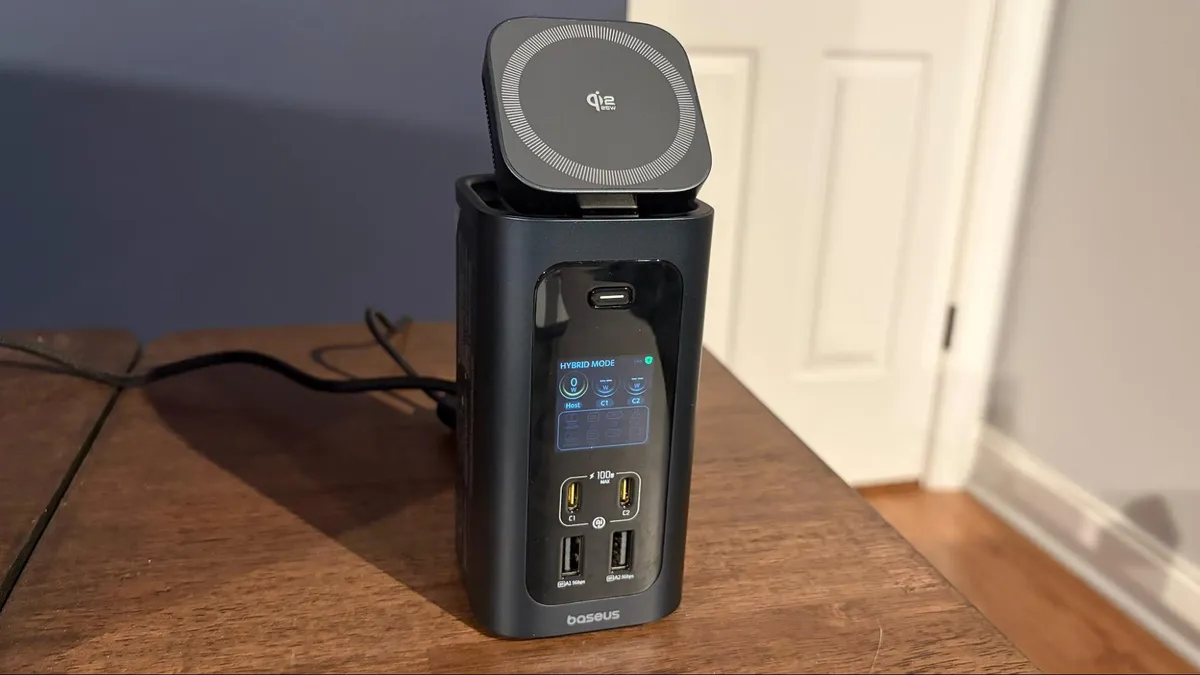
The Baseus RD1 Pro is a 15-in-1 unit with dual HDMI ports that support up to 4K resolution at 60 Hz. It also supports Power Delivery to a laptop, along with Gigabit Ethernet, an SD card slot, and a gaggle of USB-A and USB-C ports.
Perhaps its most interesting addition is a Qi2.2 wireless charging dock (25 watts) mounted to the top of the unit. The dock can lie flat or pivot forward, giving you a better view of your smartphone when it's docked.
The RD1 Pro even has a display on the front that shows the status and power level of the USB ports, which is a nice touch. The dock has an MSRP of $199.99.
Specifications
Swipe to scroll horizontally
| Header Cell - Column 0 | Thunderbolt 5 Ports (Downstream) | Thunderbolt 4 Ports (Downstream) | USB-C Ports (Downstream) | Downstream USB-A Ports (Downstream) | HDMI | DisplayPort | microSD/SD slot | Ethernet | PCIe 4.0 M.2 slot |
|---|---|---|---|---|---|---|---|---|---|
N/A | 2 | N/A | 3 | Yes | N/A | Yes | 2.5 GbE | N/A | |
5 | N/A | 2 | 5 | N/A | Yes | Yes | 10 GbE | N/A | |
3 | N/A | N/A | 4 | N/A | N/A | Yes | 2.5 GbE | Yes | |
4 | N/A | 8 | 4 | Yes | Yes | Yes | 10 GbE | No | |
Baseus Spacemate RD1 Pro | N/A | N/A | 2 | 2 | Yes | N/A | Yes | 1 GbE | No |
Best Thunderbolt and USB-C Docks for Laptops Shopping Tips
Thunderbolt or USB-C?
A lot of this will come down to the type of ports available on your laptop. If you have a free Thunderbolt port, a Thunderbolt 4 or Thunderbolt 5 dock will give you a wider array of port options and higher maximum transfer speeds.
If you don’t have a Thunderbolt port, your only option is a USB-C dock. However, if you have a Thunderbolt port and want to go with a more economical option, you can still use a USB-C dock. The reverse is not true, however, as a Thunderbolt dock won’t work via a standard USB-C port.
Should you go with an internal M.2 slot?
For those who’d like to add fast SSD storage to your system, a Thunderbolt 5 dock with an internal M.2 slot is a viable option. If you already have an old M.2 SSD lying around, you can simply pop it into an internal bay and be up and running in minutes. Not only is the SSD tucked away, out of sight, but you also don’t have to take up a USB-C or Thunderbolt port with an external adapter or dedicated portable SSD.
Wired networking speeds
Many people who purchase a Thunderbolt/USB-C dock for a laptop do so for desktop use, i.e., turning their laptop into a productivity powerhouse with an external monitor. With this in mind, it’s nice to have a wired Ethernet connection for faster, more consistent performance. Thunderbolt 4 docks usually max out at 2.5 Gbps, while Thunderbolt 5 docks max out at 10 Gbps. Most USB-C docks are limited to 1 GbE speeds.
Windows vs Mac support
Be careful and READ the specs BEFORE committing to a Thunderbolt dock. Not all docks are created equal, and external monitor support will vary depending on what hardware and operating system you’re using. For example, the Ivanky FusionDock Ultra only works on Macs, and further restrictions limit it to only Apple Silicon Macs.
Monitor support can be especially tricky. For example, the CalDigit TS5 Plus supports triple monitors on M5 Max and M5 Pro Macs, but not on M4 Pro/M4 Max or older Macs. On the other hand, Windows PCs have no trouble supporting three external monitors over Thunderbolt 5. Only an M5 Max Mac can support four external monitors simultaneously.