





惯性聚合 高效追踪和阅读你感兴趣的博客、新闻、科技资讯
阅读原文 在惯性聚合中打开

推荐订阅源

D
DataBreaches.Net
V
Visual Studio Blog
WordPress大学
WordPress大学
Google DeepMind News
K
Kaspersky official blog
博客园 - 叶小钗
月光博客
月光博客
S
Schneier on Security
T
Threat Research - Cisco Blogs
C
CERT Recently Published Vulnerability Notes
量子位
博客园 - 三生石上(FineUI控件)
宝玉的分享
宝玉的分享
P
Privacy & Cybersecurity Law Blog
Cyberwarzone
Cyberwarzone
S
Securelist
Hugging Face - Blog
Hugging Face - Blog
B
Blog
C
Cyber Attacks, Cyber Crime and Cyber Security
OSCHINA 社区最新新闻
OSCHINA 社区最新新闻
奇客Solidot–传递最新科技情报
奇客Solidot–传递最新科技情报
V
Vulnerabilities – Threatpost
大猫的无限游戏
大猫的无限游戏
Google DeepMind News
V
V2EX
MongoDB | Blog
MongoDB | Blog
博客园_首页
Recorded Future
Recorded Future
酷 壳 – CoolShell
酷 壳 – CoolShell
F
Fortinet All Blogs
GbyAI
GbyAI
Microsoft Security Blog
C
Cybersecurity and Infrastructure Security Agency CISA
T
Troy Hunt's Blog
罗磊的独立博客
CTFtime.org: upcoming CTF events
T
The Blog of Author Tim Ferriss
Application and Cybersecurity Blog
P
Proofpoint News Feed
cs.AI updates on arXiv.org
T
Tor Project blog
Microsoft Azure Blog
爱范儿
爱范儿
O
OpenAI News
有赞技术团队
有赞技术团队
Blog — PlanetScale
Blog — PlanetScale
N
News | PayPal Newsroom
G
GRAHAM CLULEY
H
Hacker News: Front Page
Hacker News - Newest:
Hacker News - Newest: "LLM"

Black Hills Information Security, Inc.

Bad Habits: An ANTISOC Operation Same Problem, Different Angles: When Red Team and Blue Team Actually Talk to Each Other How to Identify and Exploit New Vulnerabilities Swapper – A Pure Regex Match/Replace Burp Extension A Practical Guide to BloodHound Data Collection Network Engineering Basics Signed, Trusted, and Abused: Proxy Execution via WebView2 Getting Started In Pentesting – Advice From The BHIS Pentest Lead Cloud Security: Tips and Resources for Securing the Cloud Lessons From A Chatbot Incident How to Lead Effective Tabletops Understanding GRC: How to Navigate Risks and Compliance Standards The “P” in PAM is for Persistence: Linux Persistence Technique Malware Analysis: How to Analyze and Understand Malware OSINT: How to Find, Use, and Control Open-Source Intelligence What to Do with Your First Home Lab When the SOC Goes to Deadwood: A Night to Remember Social Engineering and Microsoft SSPR: The Road to Pwnage is Paved with Good Intentions Common Cyber Threats Finding the Right Penetration Testing Company Deceptive-Auditing: An Active Directory Honeypots Tool The Curious Case of the Comburglar How to Set Smart Goals (That Actually Work For You) Inside the BHIS SOC: A Conversation with Hayden Covington Abusing Delegation with Impacket (Part 3): Resource-Based Constrained Delegation Why You Got Hacked – 2025 Super Edition Abusing Delegation with Impacket (Part 2): Constrained Delegation Abusing Delegation with Impacket (Part 1): Unconstrained Delegation GoSpoof – Turning Attacks into Intel Model Context Protocol (MCP) Bypassing WAFs Using Oversized Requests Getting Started with AI Hacking Part 2: Prompt Injection Wrangling Windows Event Logs with Hayabusa & SOF-ELK (Part 2) DomCat: A Domain Categorization Tool Wrangling Windows Event Logs with Hayabusa & SOF-ELK (Part 1) Microsoft Store and WinGet: Security Risks for Corporate Environments Default Web Content MailFail Commonly Abused Administrative Utilities: A Hidden Risk to Enterprise Security Stop Spoofing Yourself! Disabling M365 Direct Send Bypassing CSP with JSONP: Introducing JSONPeek and CSP B Gone Offensive Tooling Cheatsheets: An Infosec Survival Guide Resource DNS Triage Cheatsheet GraphRunner Cheatsheet Burp Suite Cheatsheet Impacket Cheatsheet Wireshark Cheatsheet Hashcat Cheatsheet EyeWitness Cheatsheet Nmap Cheatsheet Netcat (nc) Cheatsheet Hunt for Weak Spots in Your Wireless Network with Airodump-ng from the Aircrack-ng Suite Detecting ADCS Privilege Escalation Vulnerability Scanning with Nmap Getting Started with NetExec: Streamlining Network Discovery and Access How to Use Dirsearch Augmenting Penetration Testing Methodology with Artificial Intelligence – Part 3: Arcanum Cyber Security Bot How to Design and Execute Effective Social Engineering Attacks by Phone Abusing S4U2Self for Active Directory Pivoting Why Use a Macro Pad? Espanso: Text Replacement, the Easy Way Caging Copilot: Lessons Learned in LLM Security Augmenting Penetration Testing Methodology with Artificial Intelligence – Part 2: Copilot Augmenting Penetration Testing Methodology with Artificial Intelligence – Part 1: Burpference Intercepting Traffic for Mobile Applications that Bypass the System Proxy How to Root Android Phones Communicating Security to the C-Suite: A Strategic Approach Offline Memory Forensics With Volatility Getting Started with AI Hacking: Part 1 Go-Spoof: A Tool for Cyber Deception How to Test Adversary-in-the-Middle Without Hacking Tools Canary in the Code: Alert()-ing on XSS Exploits How to Hack Wi-Fi with No Wi-Fi Why Your Org Needs a Penetration Test Program Burp Suite Extension: Copy For Light at the End of the Dark Web Wi-Fi Forge: Practice Wi-Fi Security Without Hardware Avoiding Dirty RAGs: Retrieval-Augmented Generation with Ollama and LangChain Gone Phishing: Installing GoPhish and Creating a Campaign 5 Things We Are Going to Continue to Ignore in 2025 John Strand’s 5 Phase Plan For Starting in Computer Security Questions From a Beginner Threat Hunter GRC for Security Managers: From Checklists to Influence AI Large Language Models and Supervised Fine Tuning Attack Tactics 9: Shadow Creds for PrivEsc w/ Kent & Jordan One Active Directory Account Can Be Your Best Early Warning Introduction to Zeek Log Analysis Indecent Exposure: Your Secrets are Showing Creating Burp Extensions: A Beginner’s Guide Pitting AI Against AI: Using PyRIT to Assess Large Language Models (LLMs) The Top Ten List of Why You Got Hacked This Year (2023/2024) ICS Hard Knocks: Mitigations to Scenarios Found in ICS/OT Backdoors & Breaches Intro to Data Analytics Using SQL Finding Access Control Vulnerabilities with Autorize The Detection Engineering Process Cyber Risk Lessons We Can Learn From Hurricane Preparedness Intro to Desktop Application Testing Methodology What Is Penetration Testing? Adversary in the Middle (AitM): Post-Exploitation Pentesting, Threat Hunting, and SOC: An Overview
Azure Security Basics: Log Analytics, Security Center, and Sentinel
BHIS · 2020-11-24 · via Black Hills Information Security, Inc.

Jordan Drysdale //


TL;DR

The problem with a pentester’s perspective on defense, hunting, and security: Lab demographics versus scale. 

If it costs $15 bucks per month per server for me to get ATP data, demo its effectiveness, provide tips, tricks, and some basic guidance to the world, this is affordable. Deploying ATP on 5,000 virtual servers on Azure is just shy of a million bucks a year, which to me, seems really expensive. But, I don’t maintain any other EDR platform, so maybe it’s cheap? I just don’t know… But, I do know that Log Analytics, Sentinel, and ATP can produce a complete picture of your Azure authentication border defenses, virtual server happenings, and everything in between them. 

Getting Started (Log Analytics)

There is a terminology section at the bottom, and you may need to reference it to put together the complete picture. Deploy a VM, or deploy a lab (APT Lab via Terraform at the bottom), or make sure one of your existing resources is being monitored. Then, click over to Azure’s Log Analytics workspaces dashboard. If you are planning to follow along, you can complete a lot of these steps on a demo environment maintained by Microsoft (linked below: DemoLogsBlade).
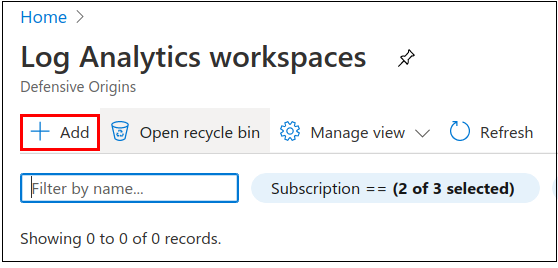
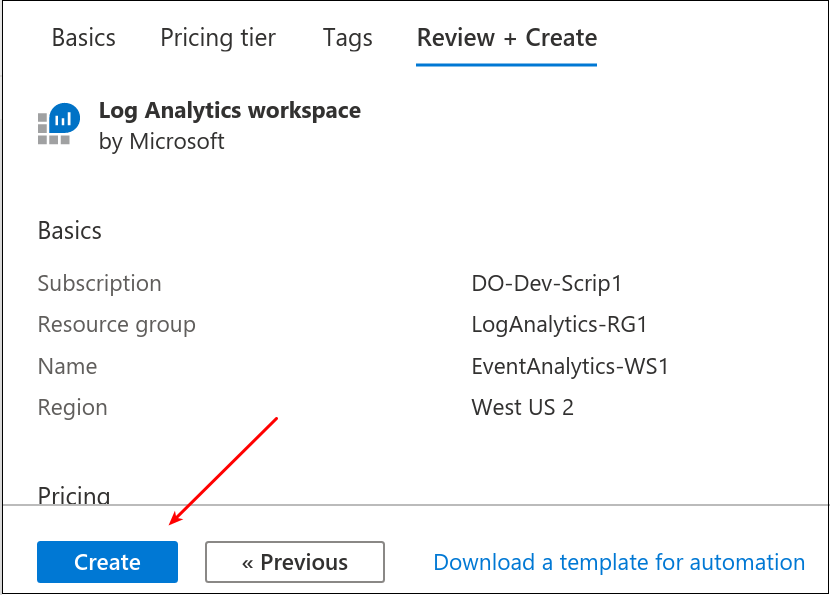
Add a new workspace, maybe a Resource group too if you want to keep things containerized.
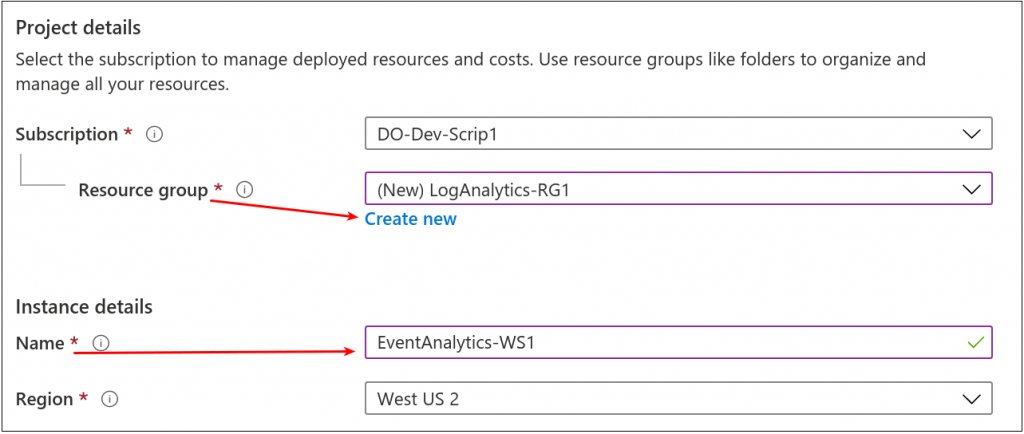
The pricing tier question seemed obvious, but here it is anyway. 
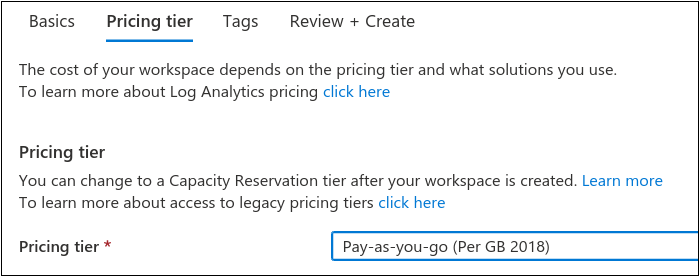
Finally, click create. Once this is complete, we should have a Log Analytics dashboard.
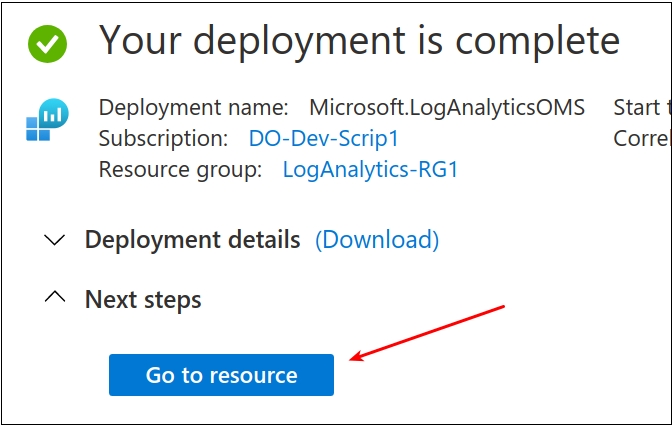
There was much rejoicing, and we clicked “Go to resource.”
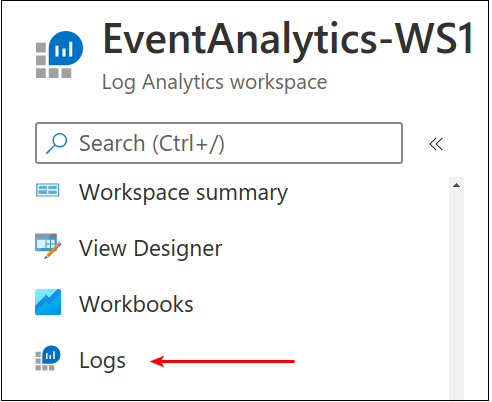
From the navigation tree, scroll down to Logs. 
Then, we land on the Logs dashboard, which on the left, we find the LogManagement schema. The Microsoft definition basically says the schema is a “…collection of tables grouped under logical categories.” The default, as shown, only has a few Tables. But, this will update akin to Elastic’s log index growth when we add new event sources. Also highlighted is the queries pane which we will see again after a while. 
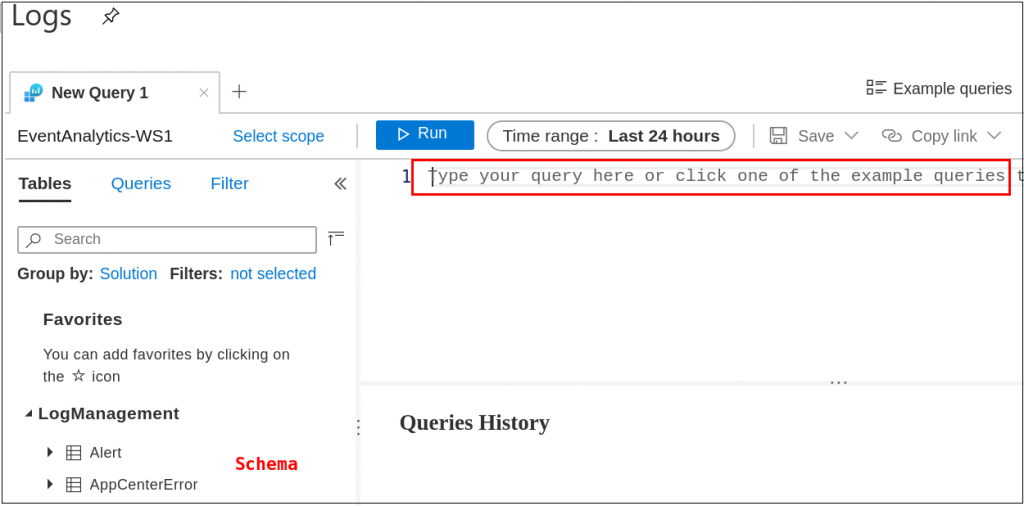
For documentation’s sake, an out-of-the-box schema appeared as follows.
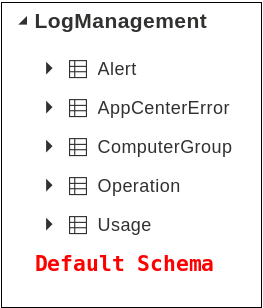
Let’s add some log sources — which the Azure platform facilitates with a few clicks. First up, let’s get our VMs connected to the Event Analytics workspace. 

Navigate to Home > Log Analytics Workspace > EventAnalytics-WS1 > under Get Started with Log Analytics, find 1. Connect a data source then click on Azure virtual machines. 
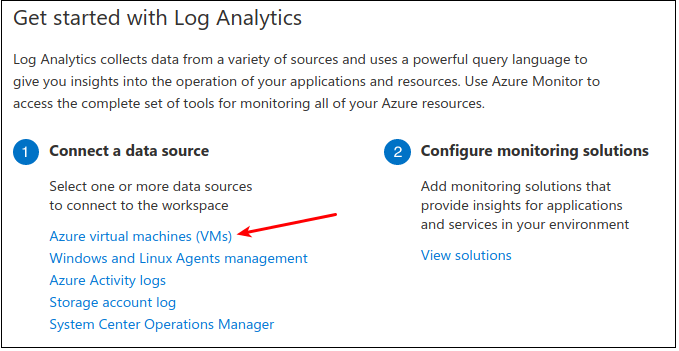
Further disclosure, the VMs listed below were deployed using the Terraform script from here. (We’ll have a blog about that soon too!)
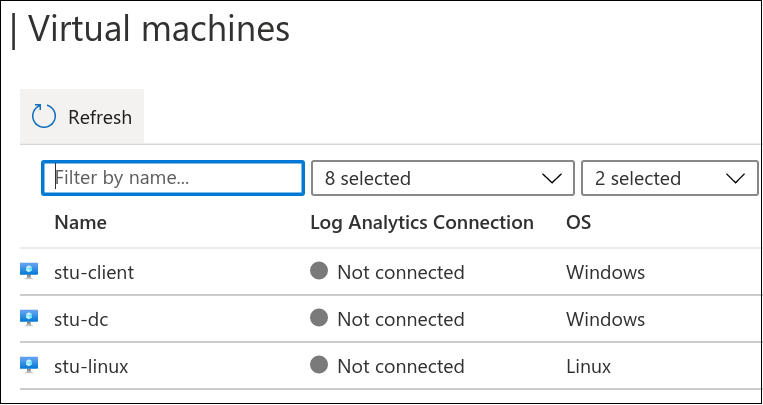
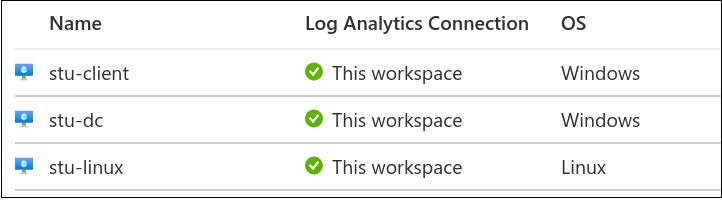
Click on any of the virtual machines listed in this panel. 
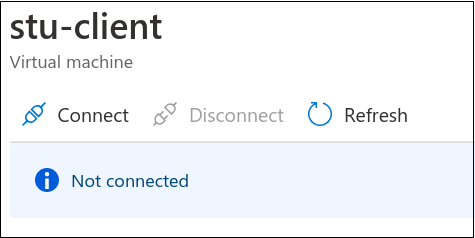
Click Connect. About five minutes, and the systems are connected. 
Next up, install the Log Analytics Agent. Navigate to Home > Security Center > Getting Started > Install Agents tab. Check the appropriate boxes for your subscriptions and click Install Agents. 
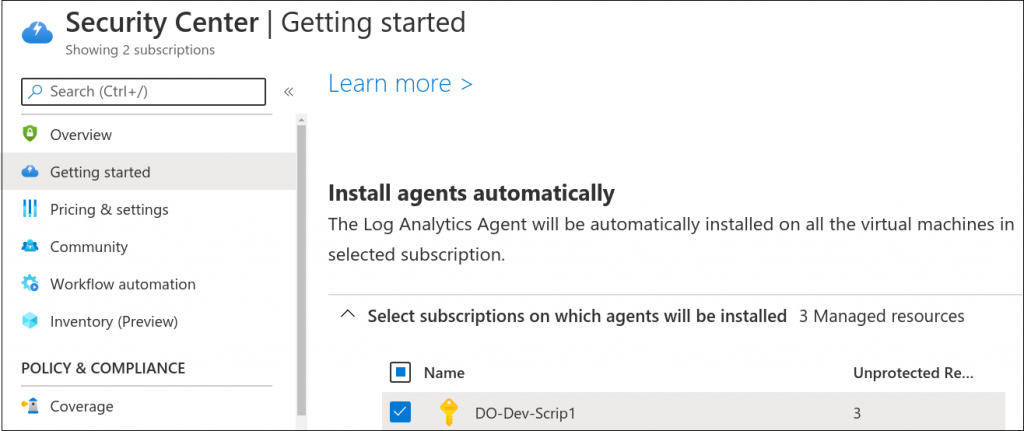
This function will install the Log Analytics agent on these systems. It takes just a few, so feel free to freshen your tea.

Events, Event Handling, and Our First Optics

(Caution: Inbound Charges are Likely)

To gather the first set of Security Events, we need to enable them, and that costs money. Proceed with consideration for your own wallet. We will summarize the charges at the end of the blog for this effort. This includes spinning up an APT Lab of three VMs, which cost about $2.40 per day each. This will include the Pay-As-You-Go pricing for log consumption.

Navigate to Home > Security Center > Pricing & Settings.
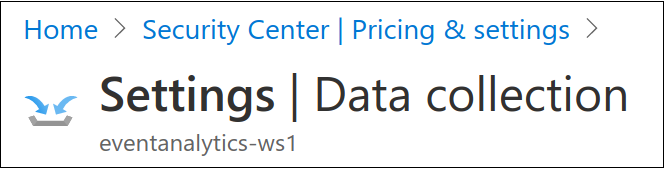
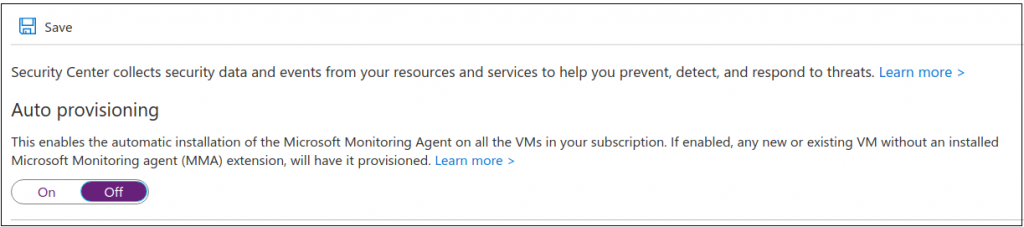
Once there, the first thing I did was Disable Auto-Provisioning. This will keep all the future VMs I deploy from magically costing money without interaction. 
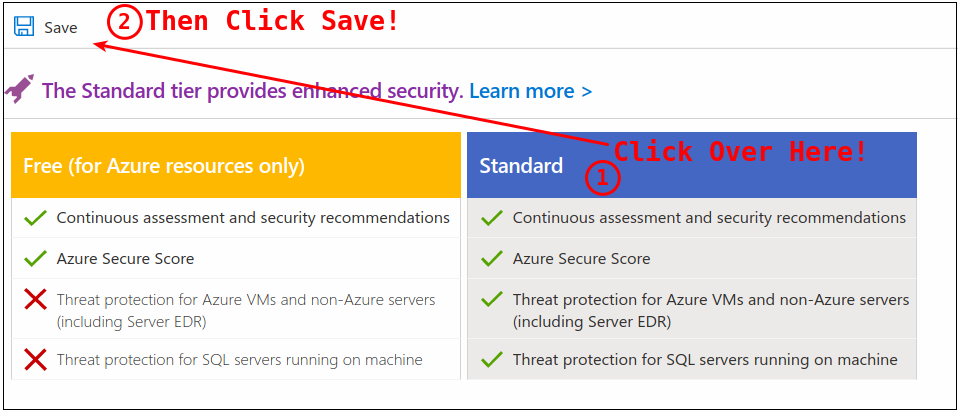
It’s time to enable Standard tier pricing. This will enable the event management we need to start seeing events in our log analytics dashboard. 

Navigate to Home > Security Center > Pricing & Settings. 
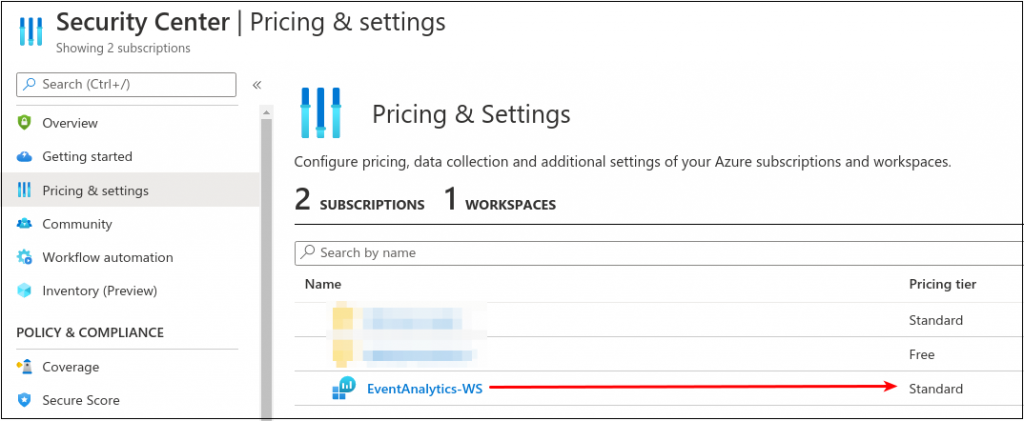
Edit the workspace created during this process and switch the pricing over to standard so we can enable all events. 
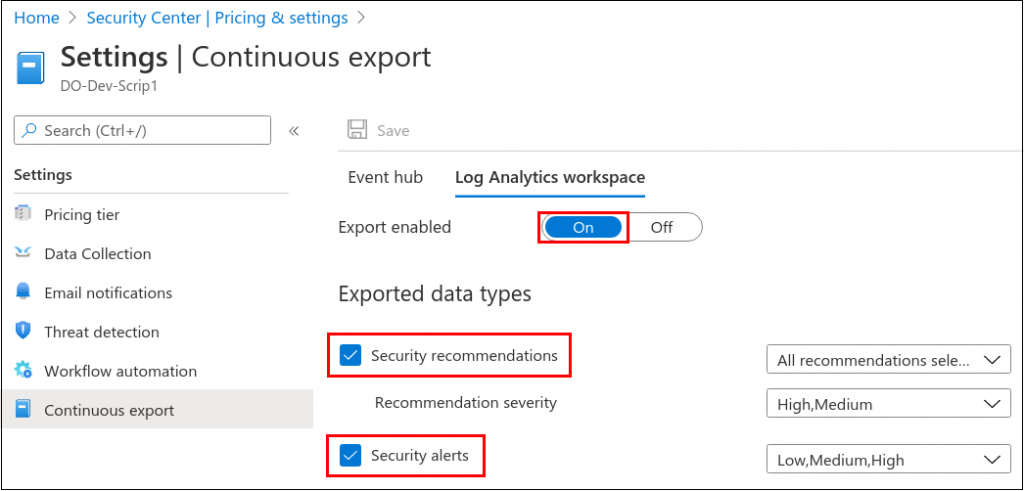
Next, navigate to Home > Security Center > Pricing & Settings > Continuous Export. Here we need to enable the appropriate Exported data types. 
At this point, we should have some initial events.

Next Up, Azure Sentinel

Navigate to Home > Sentinel. Click Add. 

Next up, add the workspace. 
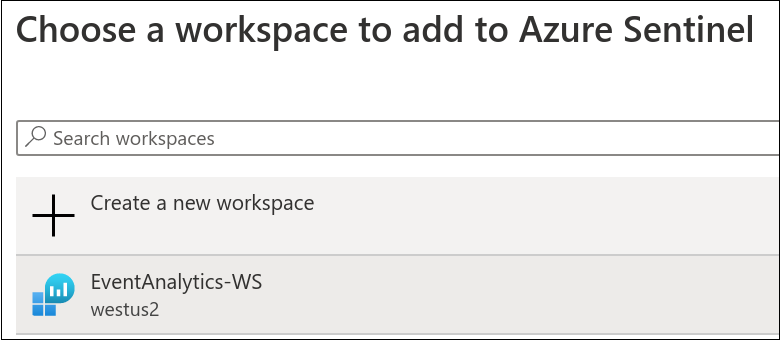
Once everything was connected, getting Sentinel online was just a couple of clicks. 
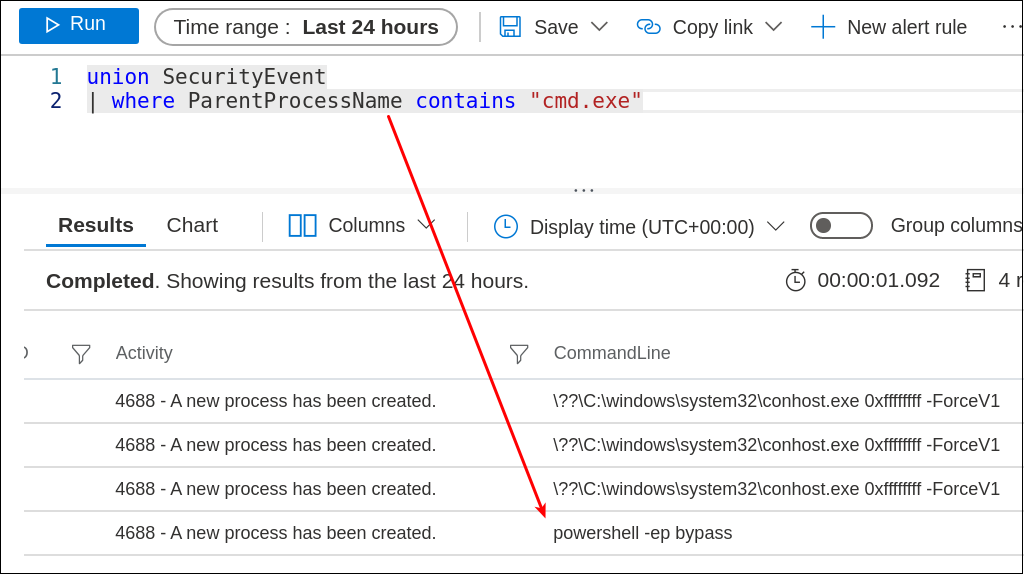
And thus begins our hunt operations on Azure. So many questions left to address, so many directions to go, and so many events to search. 

The next blog, already in the works, is to deploy this via Roberto’s work (OTRF) on AzureSentinel2Go. This is one of my favorite logos…

Terminology

Tenant – Accounts and Groups

Subscription – Agreement with Microsoft

VM – virtual machine on Azure space

Log Analytics – Logging dashboard for Azure

Log Analytics Agent – installed on VMs for event integration

ATP – Advanced Threat Protection, expensive, but holy amazing

Want to learn more mad skills from the person who wrote this blog?

Check out these classes from Jordan and Kent: