


Derek Banks //
ADVISORY: The techniques and tools referenced within this blog post may be outdated and do not apply to current situations. However, there is still potential for this blog entry to be used as an opportunity to learn and to possibly update or integrate into modern tools and techniques.
As pentesters, it is probably not a surprise that we tend to make fairly heavy use of Kali Linux on a fairly regular basis. The folks at Offensive Security have an amazing selection of options for platforms that can run Kali.
One of those platforms is Kali NetHunter which runs on multiple phones and tablets such as various Nexus and OnePlus devices. But why would anyone want a hacking platform on a mobile device? Aside from the obvious cool factor of running some of my day-to-day pentesting tools like Metasploit and Recon-ng on a mobile device what really is the point?
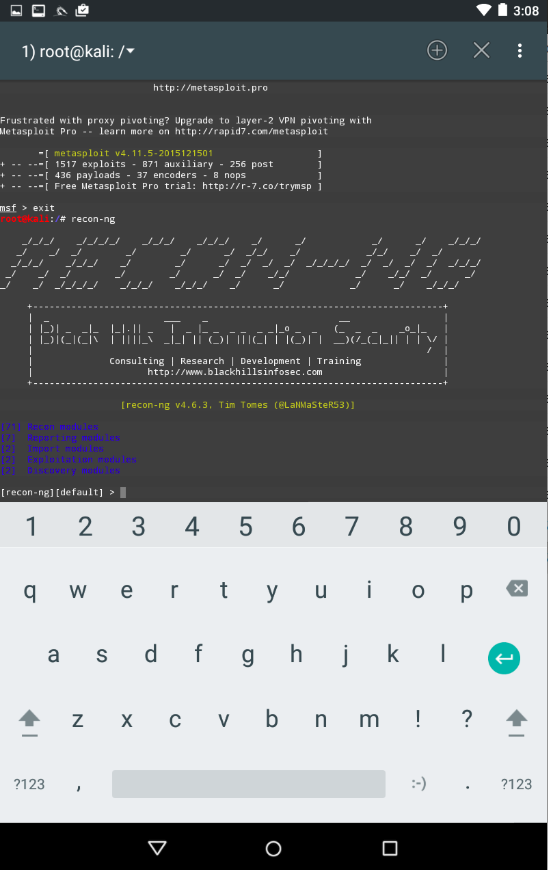
I think a Mobile Pentesting Platform shines best on an onsite internal engagement that involves gaining unauthorized physical access (like a Red Team or Physical Pen Test), especially when it comes to HID keyboard style attacks like those possible with the USB Rubber Ducky. I own multiple Rubber Ducky Devices and love them but a Mobile Pentesting Platform gives me the ability to have multiple HID attack options “on the fly” that would otherwise mean I would have to carry multiple USB devices. I like options.
Before we can pull off this style of HID attack though, we need to make the platform. First, make sure your device is supported. I had a Nexus 7 2012 Wi-Fi tablet that had been demoted to lab use and was already unlocked. These tablets are relatively cheap on eBay and have great support for unlocking the bootloader and rooting through the Nexus Root Toolkit by WugFresh. I chose this route and used a Windows 7 virtual machine and VirtualBox.
Installing Kali NetHunter
First, download the appropriate NetHunter image for your device and check the file hash. For a Nexus 7 2012 version the nethunter-grouper-lollipop-3.0 worked for me. The instructions on the Offensive Security github wiki were up to date at the time of this post.
https://github.com/offensive-security/kali-nethunter/wiki/Windows-install
As noted on their wiki, each step needs to be performed. This is important because skipping any part may result in a nonfunctional install. This post includes screenshots to help walk through the install.
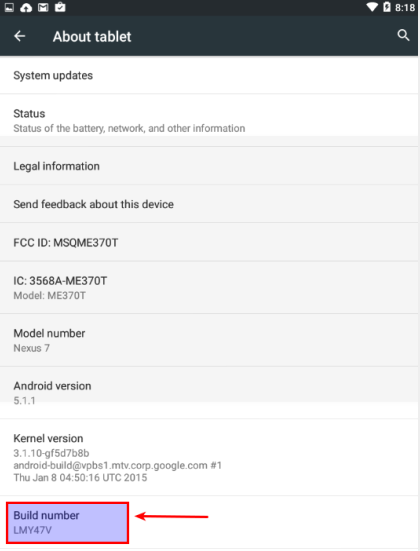
If your tablet doesn’t have developer mode enabled, do that. This is an easy process. On the device, go to Settings> About Tablet and tap on the “Build Number” seven times. Once that has been completed turn on Advanced Reboot and Android Debugging options.
Download and install the Nexus Root Toolkit on your Windows system (http://www.wugfresh.com/nrt/).

Next, choose the initial setup “Full Driver Installation Guide – Automatic + Manual” option and follow all instructions on each step. Step one removes the old drivers from the Windows install.

Remove the Nexus 7 device from Device Manager and use USBDeview to remove everything else associated with an Android device and Google USB devices.


Disable USB debugging and unplug and plug the tablet into the computer. In a few moments, Windows should prompt to choose what to do with the device after driver configuration. Select to view files and verify that the files system on the tablet can be accessed from Windows. This needs to work to copy the Kali Nethunter Image to the tablet later.


In step 3 install the Google driver option (#1). This consistently worked for me on 2 Nexus7 devices, so hopefully that is the case with most Nexus7 devices. Follow the prompts on the driver installation dialog and if everything was successful, move to step 4.


Run the “Full Driver Test”. If everything was successful, NRT will let you know. If something went south, start the process over, something may have been skipped over.


If you are using a virtual machine with VirtualBox you see an “ADB device was not found.” message, check to make sure that the device is connected to the VM.

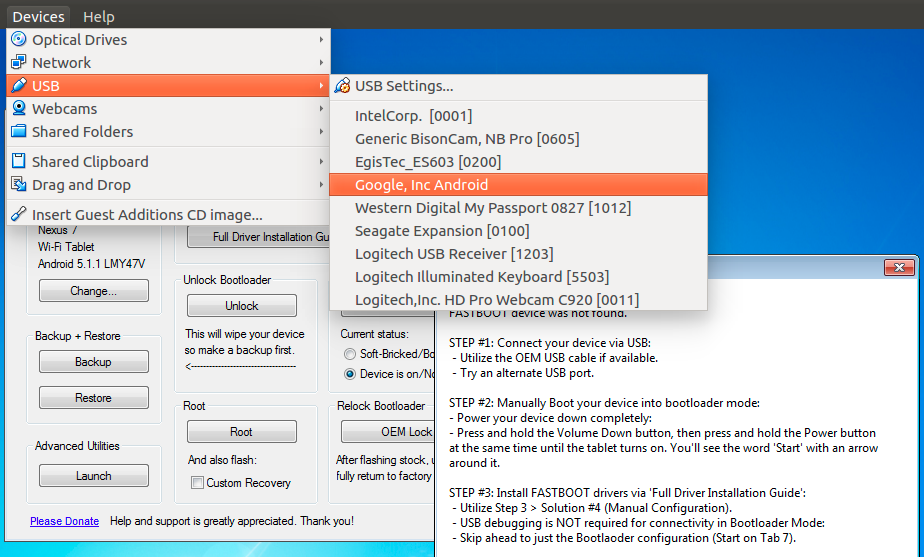
Next, flash the device to a known good state. Make sure any data you want off the device has been backed up elsewhere. Since this is going to be a rooted mobile device running hacking software, do not use it as a “daily driver” and put information you would consider sensitive or important on it.

NRT makes the flash to stock process easy, choose the “Flash Stock + Unroot” option and follow the instructions. If there is a prompt on the tablet to “Allow USB Debugging?” from the computer host, accept to allow.
Use the recommended image for your device – for the Nexus7 the NAKASI-GROUPER: Android 5.1.1 – Build: LMY47V was what I chose.


After the device has been flashed to stock, follow the device setup guide and re-enable Developer options and enable Advanced Reboot and Android Debugging options as before. You should be prompted to allow USB debugging, check always allow and accept.
Next click the choose the Root option, do not select custom recovery image. NRT will push the necessary files to the tablet and reboot and go into TWRP.


If you are asked to “Keep the System Read-only”, I chose to allow writes by swiping to the right. Once the process has completed, reboot the tablet.

Once the process has rebooted the tablet NRT will notify that it has completed.

Repeat the root process again, this time checking the “Custom Recovery” option.
After the second root process as completed successfully, copy the nethunter-grouper-lollipop-3.0.zip file to the device. I chose the Download directory.

Reboot the device and hold the power button and volume down. At the bootloader screen, navigate to and select “Recovery” to boot into recovery mode.

In TWRP, choose install and select the nethunter-grouper-lollipop-3.0.zip file. Swipe to confirm the flash, then choose install packages. I chose to install every option available. Once the install has completed, reboot the device.

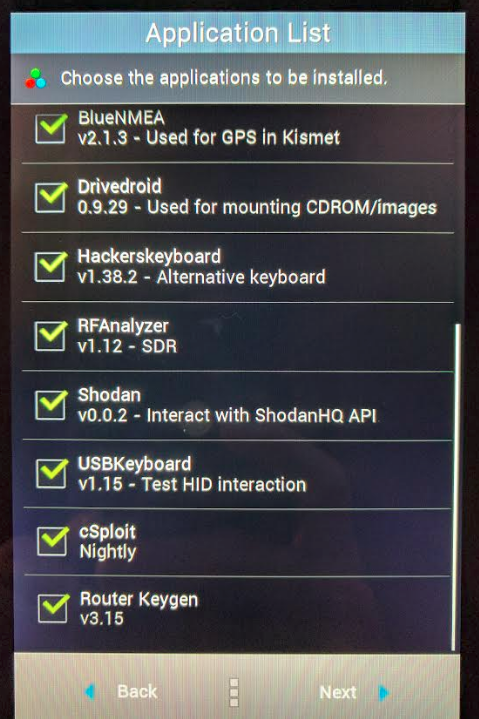
After the flash, it may take a few minutes for the device to boot past the splash screen. Once you have booted back up, NetHunter will now be installed.
Post Installation Configuration
There are a few tasks to complete after installation to get the DuckHunter HID attack to work. First, we need to update NetHunter. Open up the app and select “Check App Update”. If there is an update (there was at the time of this post) download it. You will need to uninstall NetHunter to install the update, it will not install successfully over the existing install.
Go into Settings>Apps and choose NetHunter and uninstall. Once complete, the latest APK should now successfully install.
When initially attempting to use Rubber Ducky scripts with NetHunter, there was an issue loading the script into the DuckHunter HID feature with the native file system selection option. The ZArchiver app from the Google Play store resolved this issue, this will be needed to load Rubber Ducky scripts.
DuckHunter Attack and Demonstration (Shellz!)
At this point, NetHunter is ready to run the DuckHunter HID attack. When on an engagement I like to have one USB Rubber Ducky set up to establish a PowerShell Empire session, we will use this to test out the functionality.
Use your favorite VPS provider (I like DigitalOcean), setup an Ubuntu based server, and install PowerShell Empire from their Github repository. Once set up, run PowerShell Empire and set up a listener.
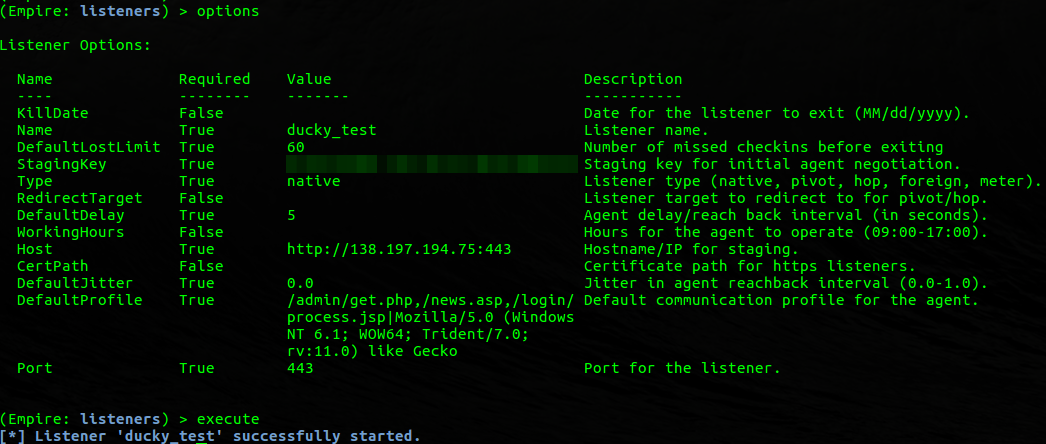
PowerShell Empire has a stager already built in to generate a Rubber Ducky script. From the listener menu run usestager ducky to get to it. Set the options of the stager to use the correct listener and set the OutFile to a location on the file system to write the script out to.
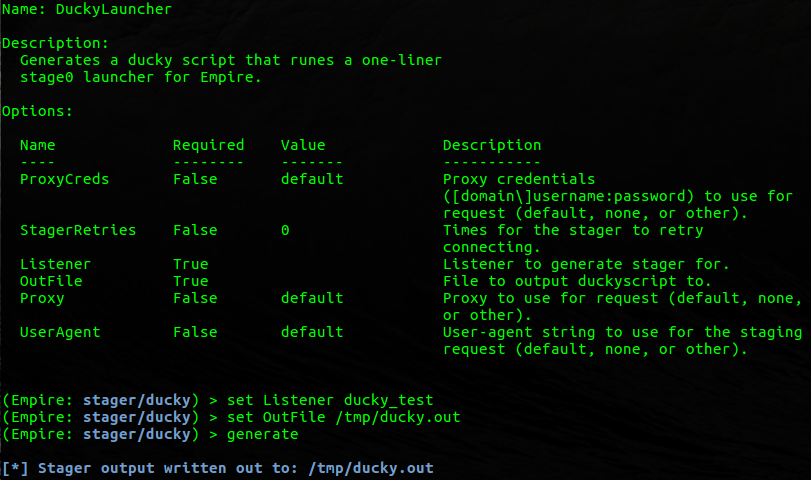
Copy the script off the VPS system to the NetHunter tablet and the attack is now ready to be launched. For a demonstration of this attack in action, take a look at the video below.
Ready to learn more?
Level up your skills with affordable classes from Antisyphon!
Pay-Forward-What-You-Can Training
Available live/virtual and on-demand

此内容由惯性聚合(RSS阅读器)自动聚合整理,仅供阅读参考。 原文来自 — 版权归原作者所有。