


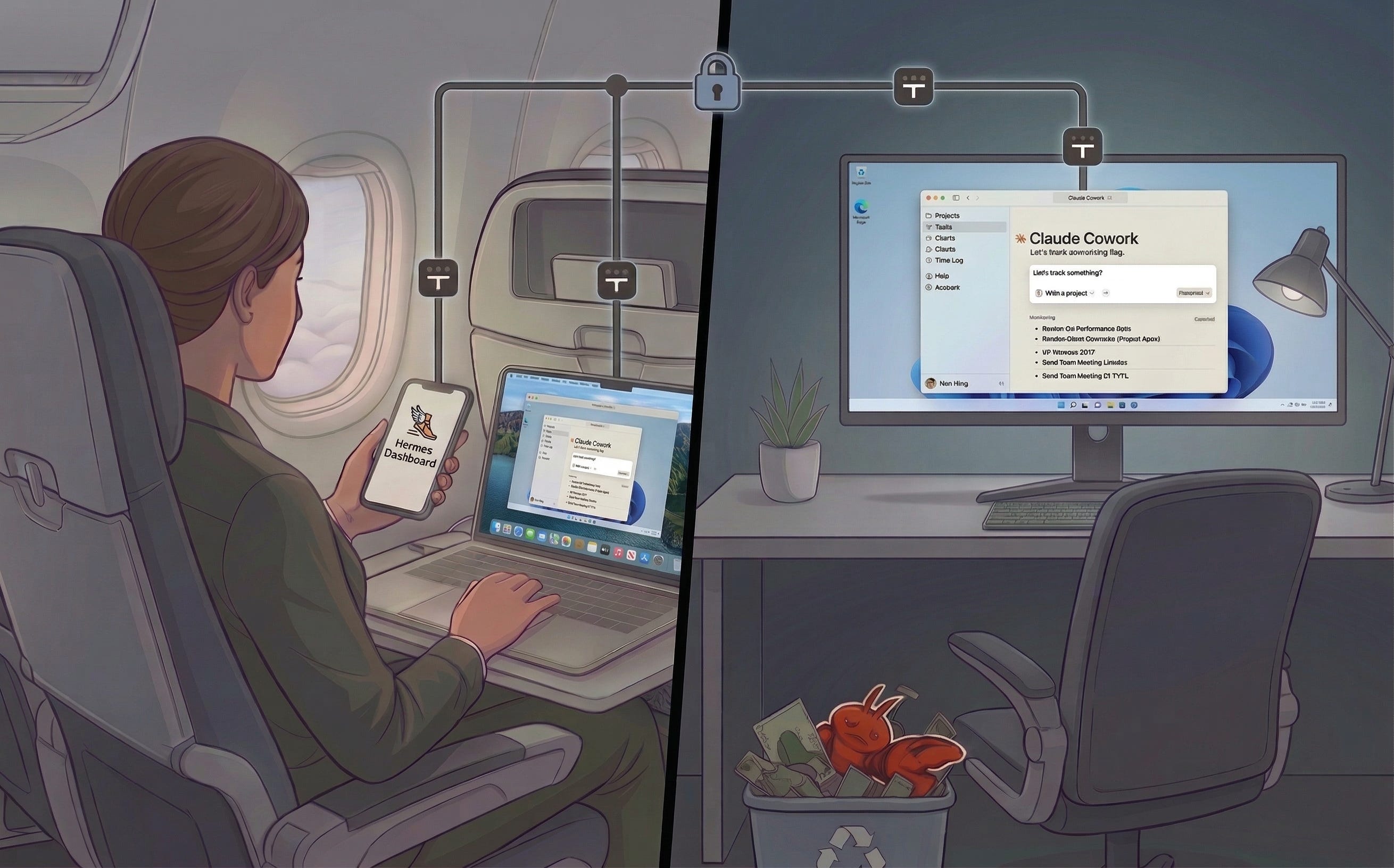
After spending ~12 hrs total tinkering with OpenClaw and Hermes in various configurations (cloud, local, semi-local), this is where I have landed for the foreseeable future:
I have an always-on Windows 11 Pro desktop with Remote Desktop
Connected via Tailscale so I can access it from my MacBook or my phone
Dispatching scheduled tasks through Claude Cowork
With some Hermes tinkering on the side
NO MESSAGING GATEWAY (not sure why everybody wants one)
What follows is a short brain dump of what worked for me and what did not. I hear rumors of how OpenClaw has been game-changing for people, and I understand how it can be fun, but I mostly found it less useful than the standard interfaces from Anthropic and OpenAI.
I have had tremendous gains from using Playwright to automate the testing of my applications, I am 100% sold on “agentic browsing”. There are a bunch of dashboard sorts of things I would love to have, where I want to collate ~5 random websites without APIs into one coherent thing that updates every day. But these websites need auth, and after burning ~4 hours on Camofox, Camoufox, agent-browser, Chrome DevTools Protocol and others, all I can say is - I cannot get any of the open solutions to work, and Claude Cowork just works.
And I mostly expect this to continue! Claude Cowork takes a very different approach - it takes the exact Chrome instance that I use, sticks a plugin into it, and then uses that browser to do stuff. So it looks like me, and the sites believe it! Everything else is faking it, and in general the websites can tell, and so it is flaky. The fakers will get better, the fake-detectors will get better, I want no part in that rat-race. I am surprised that none of the open solutions seem to have built around “try to be headless but always be able to ask for help if we need it”, but for now Cowork stands alone.
Cowork can do scheduled tasks, and you can dispatch it from your phone. If you’re trying to invest in “agent personal assistant” stuff, I would 100% start there.
As mentioned above, part of why Cowork is so good is because it uses the same computer that I do. If you want to be able to walk away from that computer and still fix a login issue, then you need to be able to login and fix stuff. Windows has not exactly covered itself in glory of late, but Windows Remote Desktop is excellent. I hate using Windows. But I was recently working while on plane WiFi. Using the browser on my actual laptop was horrifically slow. But I could remote into my Windows desktop at home, and the performance was flawless. Bizarre but true! To use Remote Desktop, you need Windows 11 Pro. Getting it will cost either $99 or $199, but it will cost you more than $100 to find out which price applies to you.
The other part to making this work is Tailscale. If you want to access this stuff from your phone or wherever you and your laptop happen to be, then you need some kind of static IP or VPN thing. I strongly strongly recommend just installing Tailscale on all your devices and calling it done - don’t mess around with static IPs or port forwarding. I think it’s free for under 5 devices?
There’s a few giant unlocks most people seem to agree on - agentic coding first beginning to work with Sonnet 3.5, the big end-of-2025 Claude+Codex upgrade. The only other giant upgrade I have experienced are “expert-in-a-box” skills. These are skills that provide structure to a task or problem domain, and I am shocked at how effective they are. I have always done the trick of “I am an expert in X, I am bad at Y, now explain Z to me” and it works pretty good. These “expert-in-a-box” skills seem to follow that sort of logic, but just cranked way up. Pages and pages elaborating on exactly what sort of expert the assistant should be, cognitive frameworks the assistant should use. It’s remarkable how useful the results are, and how different the result is from the 1-or-2 sentence primers I have given in the past.
The ones which have been most transformative for me were1:
https://marketing-skills.com/
https://impeccable.style/
https://skills.worksonmymachine.ai/
Some of these skills (impeccable.style for instance) live very naturally inside of a project repository. But others of them (marketing-skills.com for instance) would do better if they were in a 1:n relationship with a group of projects, rather than a 1:1 relationship with any specific project.
And so the question becomes - where do they go? And mostly I think the answer is “just into chatgpt.com silly”. You don’t need OpenClaw or Hermes to use them, these skills are incredibly portable.
1:1 relationship with you - Claude Cowork
1:1 relationship with a project - Put the skills into the project and use Claude Code or Codex
other arities of relationship? - I think this is where bespoke agents might be able to provide value that requires too much manual copy-pasting with mainstream products from the big labs2. One thing I am exploring in particular is that you can expose an Hermes to other Claude Code instances as a tool that they can call. I think it’s the beginning of “bespoke middle-management” for AI builders.
I would describe both Hermes and OpenClaw as Claude Code with write access to itself, and a mostly-unnecessary messaging gateway tacked on. I am placing my bets on Hermes for the time being. Simplest reasons to bet on Hermes imo is:
It is very easy to setup multiple of them, create and destroy. Not sure if you want to do X or Y? Do both at once and see which you like better.
You can quickly transition an agent back and forth between operating in “local” mode (hermes setup terminal to switch), where it has full R/W to itself (and your system!), into “docker” mode where it is much safer. So you can get something working in “local” mode, where its self-knowledge makes it easy to debug. When it becomes an unattended cron job, switch it to “docker” mode and you’ll be relatively safe with little effort. Something breaks? Go back to “local” and fix it.
One of the more tedious parts of getting these running is “The Gateway”, where you setup its Slack/Discord/WhatsApp/Email/whatever so that you can talk to it. Don’t do that.
You already setup Tailscale, just start a web interface, and bookmark that web interface on your phone.
https://github.com/nesquena/hermes-webui
https://github.com/outsourc-e/hermes-workspace
It will have more features than a messaging app can have, you can set it up much faster, and you can vibecode modify them into whatever shape you need. Yes it’s very duct-tapey to just have a random IP and port bookedmarked on your phone, but…
I do not have it. I don’t think you will have it either. Even the big labs don’t have it! My goal is to make it easy to change and easy to fix, not hard to break.
此内容由惯性聚合(RSS阅读器)自动聚合整理,仅供阅读参考。 原文来自 — 版权归原作者所有。