


slexp880/Shutterstock
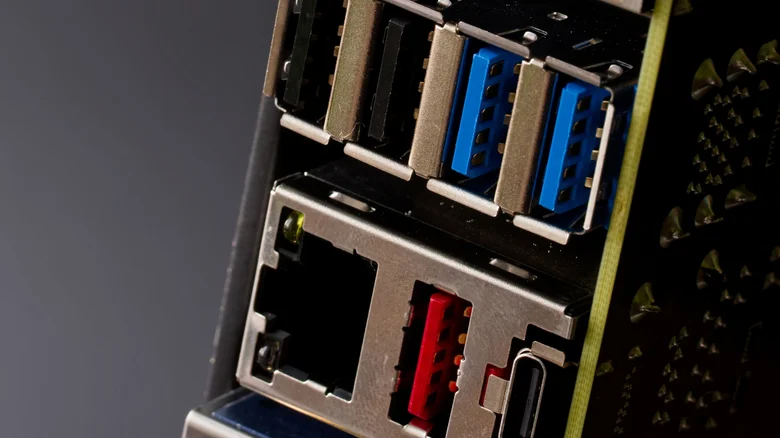
Universal Serial Bus or USB ports, particularly USB Type-A and Type-B, can have different colors, which are denoted by the color of the plastic insert present in the connectors. Blue USB ports, which are pretty common in modern computing devices, are often considered to be faster than other common ports, such as a black USB ports or white USB ports. However, if you have a red USB port on your computer, which is relatively less common, there is a high chance that you have access to a faster port than the blue USB.
The USB port color is typically associated with the USB generation supported by the connector, which determines how fast it can transfer data or its power capabilities. In some cases, the port color can also tell if the port has always-on functionality, which allows it to provide power or charge the connected device even when the computer is sleeping. For example, if a USB port is orange, it's typically an always-on port, and can also support USB 3.2 Gen 1 (or USB 3.0) data transfer speeds. So, what are the capabilities of the blue and red USB ports, and how much faster is the red USB port? Let's find out.
Red USB ports can reach up to 20Gbps data transfer rates
The presence of a blue plastic insert in a USB port indicates that it supports the USB 3.0 generation or SuperSpeed USB, which was launched in November 2008. Also known as USB 3.2 Gen 1, the USB 3.0 specification is capable of reaching up to 5Gbps data transfer rates and a power delivery of 900 mA at 5 volts (or 4.5W). In some cases, when a USB 3.0 port is dedicated to charging, it can deliver up to 1500mA at 5V for a total of 7.5W.
The red USB ports, on the other hand, are typically associated with USB 3.1, USB 3.2 Gen 2, or USB 3.2 (aka USB 3.2 Gen 2x2) generations, all of which are newer than USB 3.0, and can handle up to 10Gbps data transfer rates in the case of USB 3.1 and up to 20Gbps in the case of USB 3.2. The red USB ports are, however, similar in terms of power delivery, but you do get support for always-on functionality. So if your computer has both blue and red USB ports, there is a very good chance that you will get faster data transfer rates and support for always-on power on the red port. However, there is one big caveat.
Port colors don't always tell the full story
While USB port colors are typically a pretty good indicator of what you can expect from a USB port in terms of data transfer and power delivery capabilities, it's not always guaranteed. This is because the USB Implementers Forum (or USB-IF) has not made it mandatory to use specific colors with specific USB ports. It's just a recommendation, which means device and motherboard manufacturers are free to use whichever color they want when including a USB port. While most do follow the common USB port colors, it's not always a given.
One example of a popular computer manufacturer not following this practice is HP, which includes black colored plastic inserts in the front USB Type-A port on its Omen 25L gaming desktop, despite those USB ports supporting USB 3.2 Gen 1 or 5Gbps data transfer rates. So it's always a good idea to cross-check a USB port's capabilities in the supplied literature by the manufacturer or by asking the manufacturer directly.