







Kittyfly/Shutterstock
We may receive a commission on purchases made from links.
With the recent news that Amazon is essentially bricking a variety of old Kindle devices, we compiled our list of 5 e-reader alternatives. Among those were two totally separate Kobo e-readers. So, while we clearly think that Kobo is a worthy contender for your hard-earned eBook budget, what exactly is a Kobo device, what does it do well, and most importantly is it more right for you than a Kindle?
Kobo's history dates back to early 2009 when they launched in Toronto, and with the unveiling of their first e-reader in 2010, they became an official competitor to the Kindle, which launched a couple years earlier at Amazon. Kobo started with a focus on eBook innovation and app functionality, as much of the Kobo development team focused on apps prior to this point. So, while both Amazon and Kobo saw a key change picking up steam in the book buying space, Kobo had a much more e-ink-focused approach than the much larger Amazon business.
Today, Kobo readers are loved by many real-world users for their philosophical differences from Kindle. Like it or not, Amazon owns a massive chunk of the world's digital and physical storefront. Under the hood, a Kindle is loaded up with Amazon's proprietary flavor of Android, meaning you have to play by Amazon's rules to get books onto the device. This can be great for ease of use, but Kobo is known for offering more compatibility of file types and less strict guidelines. There are also unlimited plans to consider, as both companies have their version. Finally, look closely at the hardware, where Amazon features more devices to choose from, Kobo may have the right feature-to-price ratio.
The open vs. closed philosophy
Adem Karanfil/Shutterstock
Read into a few "what do I do when my Kindle is discontinued" Reddit threads, and you'll see a pretty large spread of community members whole-heartedly recommending Kobo. It's fair to be frustrated with Amazon for removing functionality for old devices, and the Kobo pitch is a strong one if you don't like some of Amazon's approaches. Kobo has historically supported more eBook formats than Kindle, including MOBI, PDF, and even CBR comic book options. While Kindle did open up ePub support a few years back, it's not quite as simple as downloading a book directly onto your Kindle.
The Kobo also allows for directly plugging into a computer and transferring eBooks, while Kindle gates it, requiring you to "send to Kindle" using a software web portal. This can be frustrating for those who have lots of eBook formats, but for people who want to download simply from the dedicated storefront on either device, it probably won't be a big issue for you. Then, of course, there's the fact that Amazon decided to literally cut off functionality from old devices, whereas Kobo has a better track record in this regard. The "closed" philosophy with that move really couldn't be more clear.
Kindle vs. Kobo storefronts and unlimited services
Fanta Media/Shutterstock
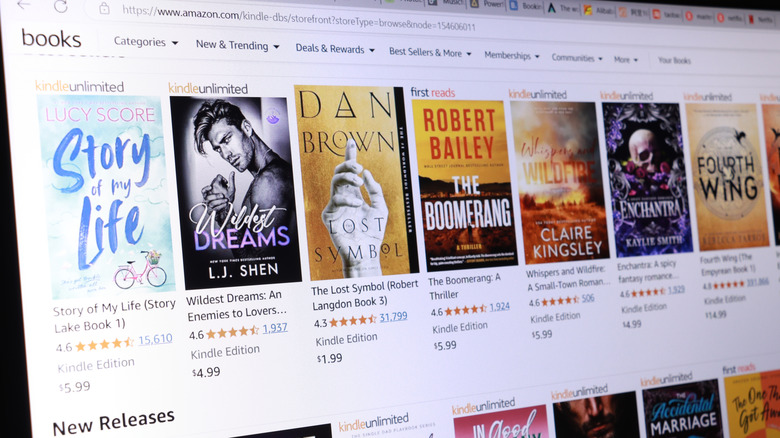
We recently wrote a roundup of Kindle Unlimited alternatives, so it shouldn't be that much of a surprise to see the Kobo Plus unlimited plan mentioned here in this piece. Comparing the unlimited options between these two providers can be tough. While the raw numbers of 5 million+ eBooks from Kindle and only 1.5 million from Kobo may seem clear, it really does matter what titles are on there. So it's best to browse the library for your own taste. But at $11.99/month for Kindle and only $7.99/month for Kobo, the savings put Kobo ahead for the budget-minded.
Then there are the storefronts themselves. This comparison gets a bit more interesting when you look at the deals and offerings from both. For starters, Amazon's Kindle probably has the most selection just by virtue of the fact that it's the household name for eBook publishing. However, if you're looking for bargains, this could mean that Kobo's store offers totally different configurations for sales and discounts. Some happy users point out that being able to shop around via different storefronts on Kobo will naturally allow for better deal-hunting, with some reports even confirming that Kobo will match prices in some regions. So, while you can't pin down the price advantage at any one time considering how sporadic promotions can be, Kobo could give you more flexibility, while Kindle is still often the "first place" for e-publishing.
Other software considerations
Nature/Getty Images
It's not just the "first-party" stuff that's worth considering if you want to get a Kobo over a Kindle, either. While the dedicated storefronts are important, third-party app support is a little freer in the Kobo ecosystem. Take the popular Libby, for example. This service basically allows you to claim a "copy" of an eBook if you've got a valid public library card, similarly to how you'd borrow a physical book from your library. The hitch is that you can't actually install Libby on e-ink Kindles, whereas you can on Kobo. This native support means you'll have a clear, simple interface for your borrowed eBooks. Kindle does allow Libby borrows, but you have to "send them" to the Kindle in the same way you do other eBooks, so it's just not quite as seamless.
Then there's the Calibre use-case that is genuinely interesting to unpack. Calibre is third-party software that allows you to convert eBooks, organize your library, and more so that the transfer to/from your e-reader fits with the level of detail and organization you want. As many users note, with Kindle you can basically just convert and send your files. With Kobo, there are more open plugins that allow for more customization, giving another rich experience to compare to.
Comparing the hardware

The e-reader itself is also an important consideration if you're comparing Kindles to Kobos. Kindle has long been considered a leader in the e-ink space with the Paperwhite and newer Colorsoft models garnering many positive reviews for build quality and features. However, Kobo offers its own share of strong features, albeit with a simpler device lineup. As of writing, here are the current active models for each: Kindle offers the base e-ink Kindle, the higher-end Kindle Paperwhite, the colorful Kindle Colorsoft, and the premium, note-taking-focused Kindle Scribe. Kobo offers the Libra Colour, the Clara Colour, and the Clara BW.
Right out of the gate, if you want pen support you're comparing the Libra Colour and the Kindle Scribe, which are both premium devices with premium builds. The Scribe has a lot more coverage, and its form factor and screen size feels more familiar. As you get down to the Clara line, the Kobo value prop starts to feel compelling. The Kindle Colorsoft starts at $189, while the Clara Colour is $159 — a meaningful savings for a color device. While the Clara BW is closer in price to the Papersoft ($139 vs. Kindle's $159), there's no real budget option with Kobo as there is with the base-level Kindle. But that lowest model doesn't offer some key features like backlighting and waterproofing, so you'll have to make sacrifices there.