


Elvard project/Shutterstock
Now that Android 17 is out for Pixel devices, many are, no doubt, downloading the new update to what cool new features this operating system has to offer. For some, this excitement is quickly wearing off as serious bugs continue to present themselves. The severity of these bugs varies from something as simple as widgets vanishing off to more series concerns like not being able to use the phone's eSim, and the hits just keep on coming, such as Android 17 touchscreen bugs.
Of course, you can always keep up to date with the latest known bugs for Android over on the Google Issue Tracker, so that you can see what bugs are being addressed and stay apprised of fixes as they become available. There are several bugs currently listed under Android 17, including those mentioned above, as well as issues with Android 17's contact picker, and more. But, if you were thinking about upgrading to Android 17 soon and own a Pixel 10 or other Google device, then these are some of the more egregious bugs you'll want to be aware of.
Wi-Fi issues in certain apps

ParinPix/Shutterstock
One particularly annoying bug that has been plaguing Pixel phone owners since the release of Android 17's first betas, is a bug that actually causes some Pixel devices to experience Wi-Fi issues when trying to use certain apps. Users have complained that it impacts Google apps the most, though some have also mentioned connectivity issues with TikTok as well. The exact cause of the issues is still unclear, though some users believe it has something to do with having IPv6 support enabled on your router.
This is not confirmed, though, and attempts to troubleshoot the issue with that particular feature have not completely panned out, either. Others have reported trying to factory reset their device, though this doesn't always appear to resolve the issue, either. If you're suffering from this issue, you can add your report to those on Reddit or submit a report directly to the Google Issue Tracker to make sure that Google sees it and addresses it. Obviously, not having Wi-Fi despite being connected to it is a big issue, especially with some smartphone data plans offering a limited amount of data each month.
eSim not working
wisely/Shutterstock
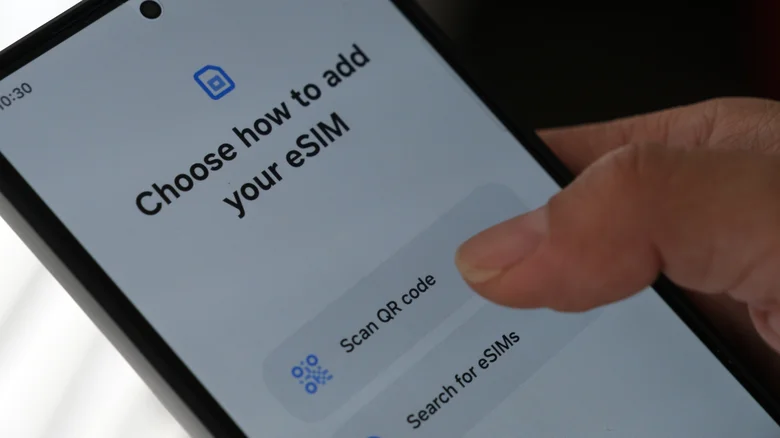
Another problem that appears to be causing trouble for some Pixel owners who have upgraded to Android 17 is an issue with the eSIM not being recognized after flashing the new Android OS. One user posted on Reddit claimed that they found the eSIM in their device had been turned off, and whenever they tried to reenable it, they would receive an error message. They also reported that upon rebooting their phone the eSIM was on, however, it then disappeared and turned itself off within around 30 seconds of so.
Considering newer Pixel phones in the U.S. market operate solely off eSim, this is especially frustrating. Users who have run into this problem with eSim say that physical SIM still seems to work as intended, and that even when downgrading to a previous version of Android, their eSIM still no longer worked. This particular problem has been reported in Android 17 at least as far back as April 2026, and one user even theorizes that the issue could be tied to the firmware being corrupted somehow during the flashing process. While some users have reported this issue, others say that they've had no problem at all, leading some to suggest that the bug may be tied to installing Android 17 through the flash tool, versus the over-the-air update.
GPU performance drop

Mikkelwilliam/Getty Images
Many times, new Android updates bring improved performance, but it appears that Android 17 may have had the opposite effect for some pixel device owners. One user on Reddit says that after downloading the Android 17 update on their Pixel 10 Pro they begin to experience very poor performance on games that they had previously run without issue on their phone. The user says that they've tested a few different titles and that these games and apps continue to stutter and suffer from poor performance even days after installing the update.
Other users also chimed in within the comments, noting that they had seen some similar issues as well. Google Pixel phones are not known for having the best performance on the market — this is one of the disadvantages of Pixel phones — however, they are usually considered strong enough to handle most of your day-to-day tasks and some gaming. As such, several users appear to be frustrated with this unexpected performance change after the update. Hopefully, a coming update to Android 17 will help resolve whatever might be causing the Tensor chip within some Pixel devices to feel slower than it used to.
Widgets vanishing completely
Tada Images/Shutterstock
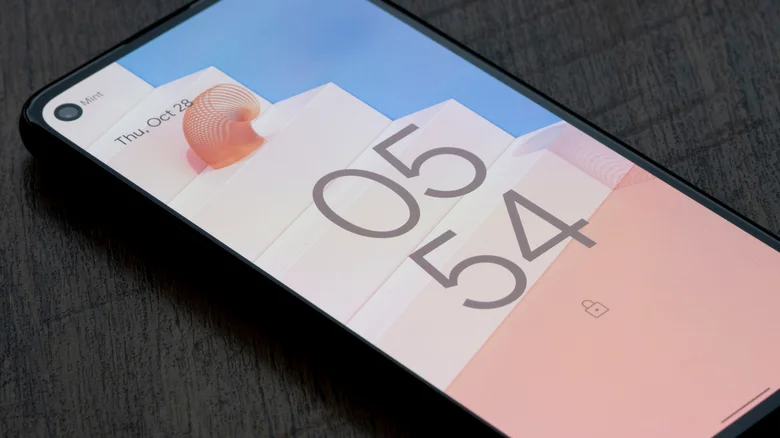
Another big issue that users have reported on Google's issue tracker is that their widgets have been deleted after updating to Android 17. Widgets are one of the easiest ways to personalize your phone, and this update introduced a new AI powered Create My Widget feature – Google lets you use natural language to generate your own custom widgets through vibe coding. However, the hype of this feature is being offset by the fact that many users appear to be unable to use existing widgets at all with the bug, noting that they have disappeared.
Some users on the official Issue Tracker have even noted that the limited widgets that do appear can go missing sometimes after a device restart. Luckily, this is an issue that Google is aware of, and the company has even stated to BGR in an email that it is working to resolve it in a future Android update. For now, though, users will have to try to work around the issue as best they can, as some Redditors have noted success when changing some settings on their phone's work profile.