


Importance of Page Load Speed
47% of consumers expect a web page to load in 2 seconds or less, and a 1-second delay in page response can result in a 7% reduction in conversions!
Are we still debating about the importance of page load speed?
The many, many images added to your website to increase its visual, as well as contextual appeal, are assets weighing down your webpages.
Amongst all the resources that load on a webpage, images make up for most of the payload!
And when data travels from point A to Point B, it takes time, in turn, slowing down the page load speed, and therefore, affecting website performance.
Role Of Network Speed in Website Performance
While time is spent optimizing images for various viewports, and compressing and optimizing them to reduce their bandwidth consumption, the importance of optimizing their delivery is often discounted, or sometimes even entirely ignored.
Yes, using a CDN helps cut latency, but what about the latency at the user’s end?
The various bandwidth connections have a direct impact on your website’s load speed. With each asset consuming bandwidth, the weight of that asset becomes a critical factor, and more so if the network speed fluctuates during the session.
So, assuming a user is visiting a webpage at the network speed of 4G, there would hardly be a hiccup the website faces as the bandwidth is fast enough for the resources to consume, and load quickly.
But if the user is on a 2G network, the available bandwidth would be much less, and with heavy website assets, the webpages would take far too long to load.
The bounce rate multiplies for each passing second the website takes to load. Those are potential conversions you’ve lost due to resources on your websites that haven’t been optimized for slower bandwidth connections.
Additionally, network speeds aren’t always stable. A user may have started their session on your website at a 4G connection, but it can drop down to a 2G one during their time on your webpages. You need to prepare your websites for such instances as well.
As high-quality images consume more bandwidth further slowing the page load speed, and with more and more users shifting to mobiles for internet browsing, network speeds at which your websites are visited are now consequential factors to consider in your image optimization strategy.
Poor data download speeds is not a concept limited to certain countries or data providers, it is an issue everyone faces. When one is camping in the woods or in the basement of their building parking their car, are some instances where mobile data download speed takes a hit.
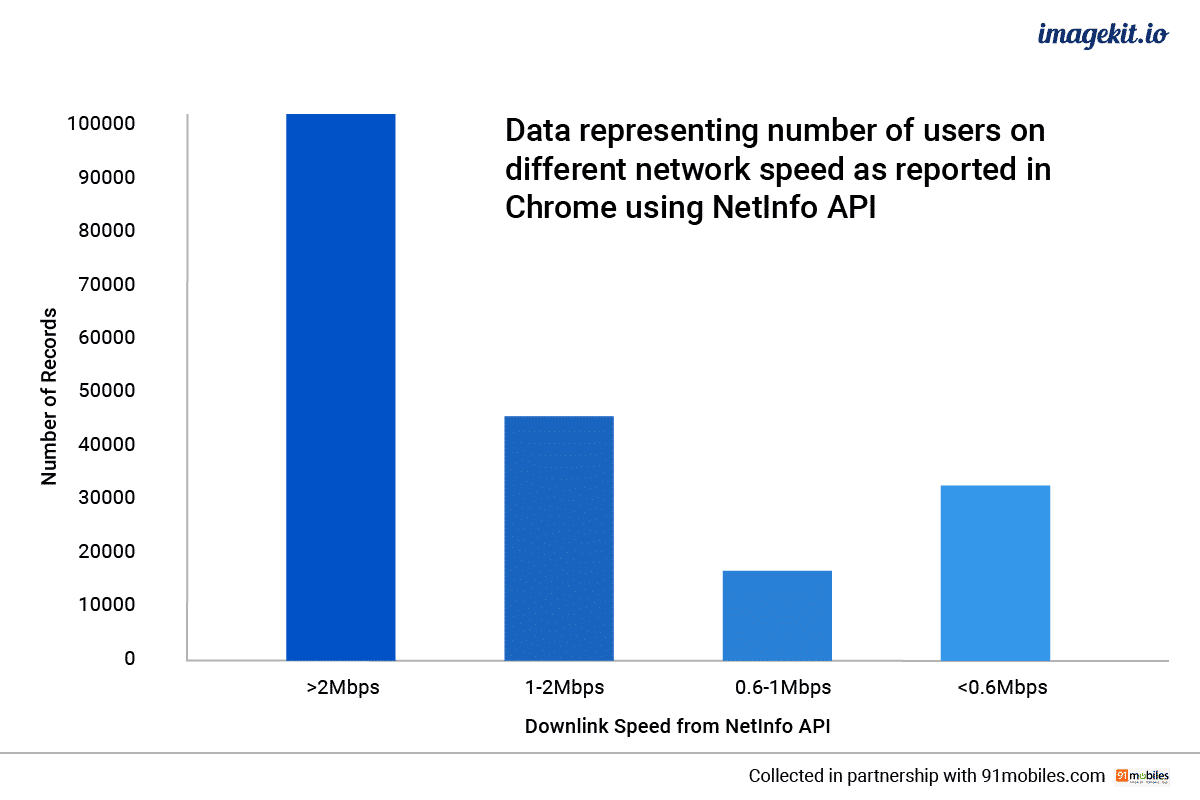
Image optimization based on network speeds is a relatively new concept, but now a critical yet effective one.
Essentially, the image is compressed and served based on the user’s network speed. So, slower the bandwidth speed, more the compression that needs to be applied to the images for a faster website.
Even if you do take care of optimizing the images in general, optimizing them further for slower networks can reduce the overall page weight by almost 30%. This reduces their weight, making them easier and faster to load even on slow networks.
Though you can optimize other assets apart from images on the basis of network speed, and while doing that will actually have a bigger impact on website performance than optimizing images for network speeds.
However, optimizing images is just simpler to do and, additional compression of images doesn’t break the critical functionality of any application.
Yes, the image quality drops a bit to provide for a better user experience. But unlike stripping away Javascript, which would require much thought, compressing images is relatively straightforward.
And all this can be done with minimum effort using ImageKit.io and our service worker.
It can help select the right image quality to be delivered to the user, without affecting the perceived website performance, for their bandwidth connection. All this without any changes in your code or image URLs, and no additional requests made to the server origins. Hence, saving bandwidth costs as well.
So how does it work?
Amongst the many challenges faced by developers is rendering the appropriate quality of any image based on the bandwidth or network speed of their users. But it does not need to be a complicated process. It should be as simple as passing an additional parameter in the image URL when the browser triggers a load for it.
ImageKit.io service worker can help optimize and deliver your images based on the network speed of your users, that too, in a simple, straightforward manner.
Network speeds are broadly divided into four categories - 4G, 3G, 2G, and slow 2G. ImageKit.io allows you to set different image quality levels based on each respective network speed based on application, within their dashboard.
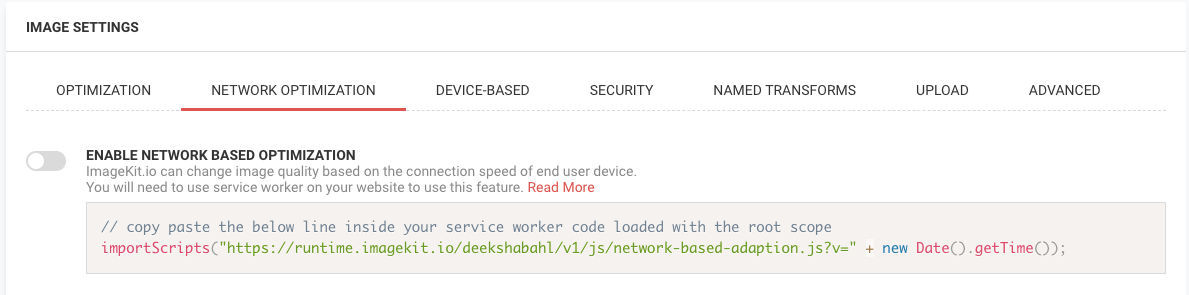
All that needs doing is enabling the setting for network-based image optimization in the ImageKit dashboard. You get a code snippet right there which needs to be added to an existing service worker on your website or to a new service worker.
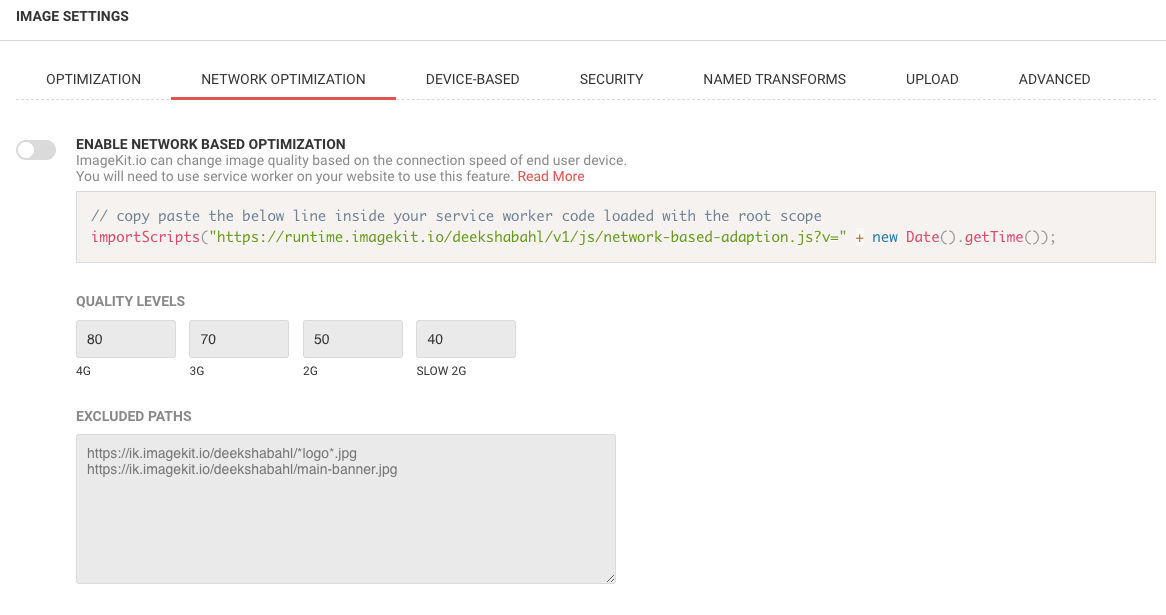
The ImageKit.io code snippet is like a plugin meant for use in service workers. It intercepts the image requests originating from the user’s browser, detects the user’s network speed, and adds the necessary parameters to the image URL. These parameters can be understood by the ImageKit server to compress the image to the desired level and maintain efficient client-side caching.
With ImageKit.io you can get the image with the desired compression level for a particular network speed in a simple manner.
The compression and quality levels can be customized and are entirely upon your discretion within ImageKit.io.
All you have to do is pass the network type in the image URL, and with the network type to image quality settings already stated within the dashboard, ImageKit.io service worker understands the parameter, and optimizes and renders the image in the required quality.
Quality is directly proportional to image size, thus, higher the quality number, larger will be the resulting image.
Additionally, in the ImageKit.io dashboard, you can specify the image URLs (or patterns in URLs) that should not be optimized based on the network type. For example, you would want to present the same crisp logo of your brand to your users regardless of their network speed.
Network-Based Image Caching With Service Worker
ImageKit.io service worker manages the caching (and expiration) of images.
So as an added advantage of using ImageKit.io service worker, the plugin bypasses the browser cache in favor of network-based image cache in the browser. Bypassing the browser cache means that the service worker can maintain different caches for different network types and chooses the correct image from the cache or request a new one based on the user’s current network condition.
The service worker plugin automatically uses the cache-first technique to load the images and also implements a waterfall method to pick the right one from the cache. With this waterfall method, images at higher quality get preference over images at a lower quality.
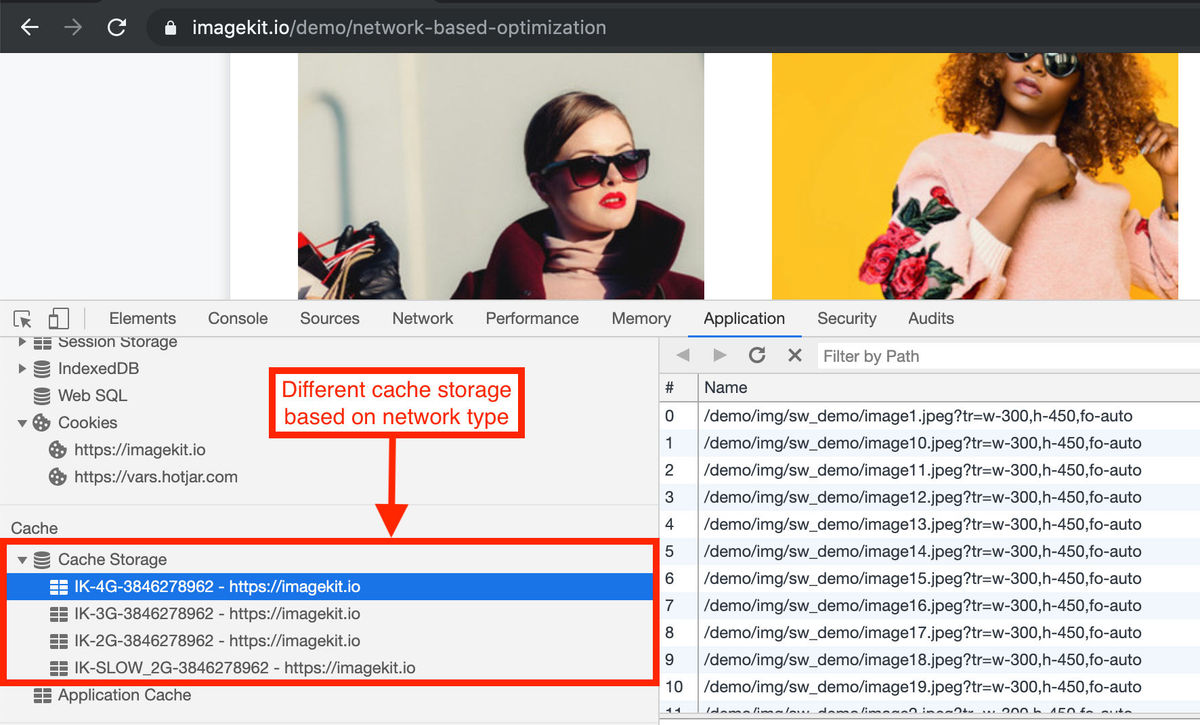
What this means is if the user’s speed drops to 2G and he has a particular image cached from the time when he was experiencing good download speed on a 4G network, the service worker will use that cached 4G-level image for delivery instead of downloading the image over the 2G network.
But the reverse is not valid.
If the user is experiencing 4G network speeds, the service worker won’t pick up the 2G image from the cache, because it is possible to fetch a better quality image and the resources allow for it.
Basically, it intercepts all image requests to check for the right cache of images to be served based on the requesting bandwidth connection, or check whether a simple image URL modification would suffice.
ImageKit.io has made it quite easy for you to optimize your images based on bandwidth speeds. It requires almost zero configuration on your part while offering network-based optimizations in a simple format within the tool.
With the feature incorporated in the dashboard as a convenient and effortless toggle, you can just turn it off or on by a simple click of a button!
Analytics
Another advantage of network-based optimizations with ImageKit.io is that the tool provides analytics on your user’s observed network type within its dashboard!
It gives you an insight into the number of times network-based optimization gets triggered and what does the user distribution look like across different network types.
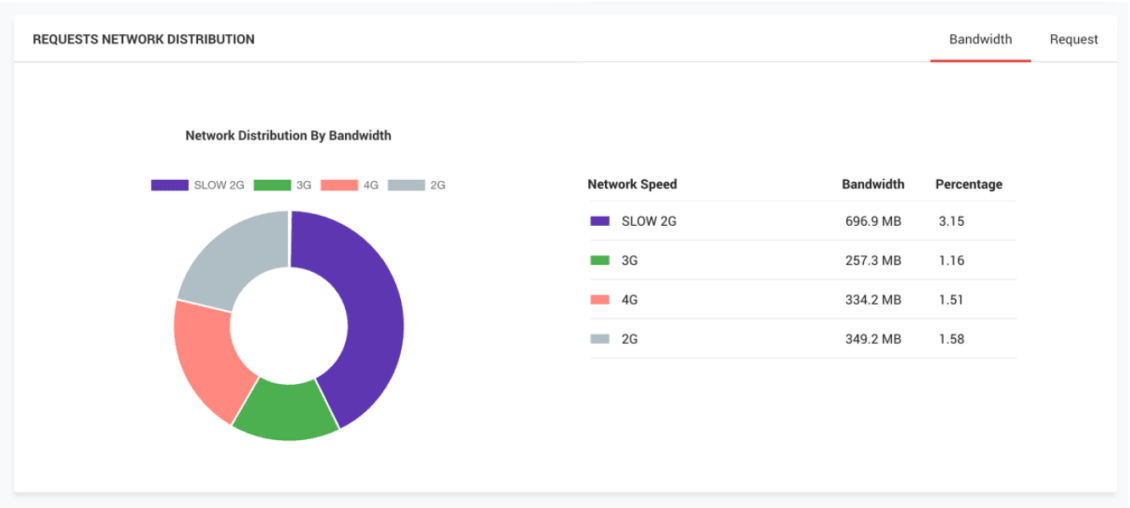
This distribution analysis can be helpful even for optimizing other resources on your website.
Things To Keep In Mind When Employing A Service Worker For Your Websites:
While using service workers for optimizing your images based on varying network speeds has its merits, there are some things that need to be put in order and kept in mind before you get started with them.
- For security reasons, service workers are available to secure origins only. Hence, your web pages, and subsequently, your service worker script needs to be served via HTTPS for it to be functional.
- The service worker should be placed in the root folder so it can access all the requests. This is imperative as the scope of the service worker is limited to the folder it is present in.
Final Thoughts
Any website should aim for an optimum user experience, and network-based image optimizations serve that very purpose.
With your images being cached and served at sizes most appropriate for your users' network speeds, ImageKit.io service worker aids more than just a faster website, it also saves on your users‘ bandwidths. And a good user experience is about more than just the website, isn't it?
ImageKit.io is a global image CDN and an easy-to-use tool providing real-time image optimization and management solutions with support for service workers to provide network-based image optimizations for your users.
And you can get started with it right now for free!