


惯性聚合 高效追踪和阅读你感兴趣的博客、新闻、科技资讯
阅读原文 在惯性聚合中打开

推荐订阅源

T
Troy Hunt's Blog
F
Fortinet All Blogs
D
DataBreaches.Net
Google DeepMind News
Y
Y Combinator Blog
The Register - Security
T
Tailwind CSS Blog
OSCHINA 社区最新新闻
OSCHINA 社区最新新闻
月光博客
月光博客
V
Vulnerabilities – Threatpost
S
Securelist
S
SegmentFault 最新的问题
T
Threat Research - Cisco Blogs
CTFtime.org: upcoming CTF events
让小产品的独立变现更简单 - ezindie.com
P
Privacy International News Feed
S
Schneier on Security
钛媒体:引领未来商业与生活新知
钛媒体:引领未来商业与生活新知
L
LangChain Blog
GbyAI
GbyAI
Apple Machine Learning Research
cs.CL updates on arXiv.org
美团技术团队
Cyberwarzone
Cyberwarzone
C
Cisco Blogs
Application and Cybersecurity Blog
Google Online Security Blog
M
MIT News - Artificial intelligence
U
Unit 42
V
V2EX
C
CERT Recently Published Vulnerability Notes
云风的 BLOG
云风的 BLOG
B
Blog
博客园 - 叶小钗
Attack and Defense Labs
Security Archives - TechRepublic
aimingoo的专栏
aimingoo的专栏
Hacker News: Ask HN
Hacker News: Ask HN
博客园 - Franky
Engineering at Meta
Engineering at Meta
Schneier on Security
C
CXSECURITY Database RSS Feed - CXSecurity.com
酷 壳 – CoolShell
酷 壳 – CoolShell
T
The Blog of Author Tim Ferriss
IT之家
IT之家
W
WeLiveSecurity
Cisco Talos Blog
Cisco Talos Blog
K
Kaspersky official blog
Martin Fowler
Martin Fowler
SecWiki News
SecWiki News

ImageKit.io Blog

Next.js Image Optimization with ImageKit Use Video as a Background in Your Next.js Project How to Fix Autoplay Video in Next.js How Durian Scaled a Visual-First Retail Experience to 350K Monthly Visitors Online How Matsmart accelerated image delivery across countries with ImageKit AI in Digital Asset Management: From Smart Workflows to Agentic Automation How Joseph Joseph unified and secured global video delivery with ImageKit How Modall powers fast, effortless media delivery across 40+ projects with ImageKit Digital Asset Management (DAM) Trends: 2026 Report How to add a poster image to Video.js player (and automate it) HLS streaming with Video.js + React Building the future of storytelling with fast, AI-powered video delivery How PushOwl delivers 100M+ image-rich notifications seamlessly with ImageKit How Homify delivers millions of interior design images seamlessly with ImageKit Better event discovery with lightning‑fast videos & images Adding video player in React Native Video player in Angular applications Crop and resize videos in React Next.js image and video upload React image and video upload React video optimization How we quadrupled our traffic to 625K monthly page views How Apollo 24|7 boosted performance & reduced costs with ImageKit Simplify your media workflows with ImageKit DAM integrations Extending Lighthouse for custom image and video optimization analysis Brand Asset Management: What is it? How does it work? WordPress Digital Asset Management Guide - Manage your WP media assets better Why Shopify retailers need a digital asset management solution DAM vs. SharePoint: Which is best for you? AI-powered Metadata and Tagging in Digital Asset Management How Hopscotch built India's largest online Kids' fashion brand with ImageKit Dropbox Vs. DAM: Which Is The Right Tool For Digital Asset Management Digital Asset Management for Photographers: A Complete Guide Why digital asset management for agencies is essential Helping both Top and Bottom Line: SaffronStays rapid, profitable growth with ImageKit How KreditBee simplified media experiences with ImageKit Google Drive alternatives for businesses (with fast-growing teams) Node.js image upload ImageKit: The Secret Ingredient in Swiggy’s Expansion Journey Streamlining the Design Approval Process: A Comprehensive Guide AV1 Codec - Complete guide for video application devs PHP image and video upload Angular image & video upload AV1 vs VP9: Which codec should you choose? Adding video player in Next.js React Video Player VP8 vs VP9 - In the context of online video delivery Exploring WebM vs MP4 7 Free Digital Asset Management Software that are not Open-Source Comparing 9 Top Digital Asset Management Tools in the Market What are Brand Standards and Why do they Matter? Boost Sales and Brand Appeal: Essential Tips for eCommerce Image Management Brand Recall: The Strategy to Create Unforgettable Brands How to upload files in HTML? Branding for Small Businesses (2025 Edition) Everything you need to know about VP9 codec Recent updates from ImageKit and what's next Best Ways to Write RFP For Digital Asset Management (+ with free RFP template) What is Brand Dilution? How to Avoid It? Explained with [Examples] The Importance of Brand Identity: Leveraging Digital Asset Management for Impact From Launch to Scale: How to Launch a Brand Campaign Digital Asset Management Requirements - What do You Need to Evaluate and How? Marketing Collateral Management: A Quick End-to-End Guide Video Content Management System: What Is It And How To Choose One? Dropbox vs. Google Drive vs. Onedrive: The Best Cloud Storage Solution How to Build Brand Trust: Get Started In 2025 Google Drive vs. Box: A Detailed Comparison How Digital Asset Management Solutions Help Protect Brand Equity A DAM Solution Can Safeguard Your Digital Intellectual Property - Here’s How WebP Vs. PNG: Which Image Format Should You Use and Why? How to Resize Images in Bootstrap Easily Progressive jpegs (PJPEG): the key to loading images faster on your website Dropbox vs. Google Drive: The Best Cloud Storage For Digital Assets Dropbox Pros & Cons In 2024: An In-Depth Analysis and Why A DAM Solution Stands Out Google Drive Vs OneDrive: The Better Storage Option For Digital Assets Manage your video assets better with video metadata Understanding DAM's Role in Strengthening Brand Identity Digital asset management strategy: What to know before creating one The Ultimate Guide To Marketing Agency Onboarding 6 Solutions To Simplify Large File Sharing Over The Web A Step-by-Step Breakdown of a Video Production Workflow 13 Digital Asset Management Use Cases You Should Know How to Conduct a Brand Audit and Manage Your Brand Assets Costly Consequences of Inconsistent Branding And How DAM Can Help Dynamic Asset Transformation: What It Is, Why You Need It, and How ImageKit Can Help Everything You Need to Know About HTML Video Autoplay How To Select Your DAM Vendor: A Complete Guide How to Boost User Experience with Smart Digital Asset Management React Image Optimization: A Guide for Web Developers Why Should DAM Be A Part Of Your MarTech Stack? Unleashing the Power of Content Repurposing with ImageKit MKV vs MP4: Which Video File Format Is Better for Your Needs? Digital Asset Management For Ecommerce: A Complete Guide How an Image Tagging Software can Transform Your Image Search How to Manage Your Content Lifecycle Effectively M4V vs MP4: Which Video Format Should You Use and Why? Why Every Business Needs An Image Management System All The Questions To Ask During A Dam Demo Which is the Best Image Format for Your Website? Uploading Multiple Files Using JavaScript: A Comprehensive Guide
How Media Library's Advanced Search Can Simplify Digital Asset Management for Your Business
Aakanksha Tyagi · 2021-06-03 · via ImageKit.io Blog

If you use loads of digital assets for your business, we understand your efforts to maintain a neatly organized repository. You make sure to follow file naming conventions. You put them into relevant folders and occasionally spend time cleaning them up.

But how often does it happen that you don't remember the name of the asset you wish to find, much less the folder you put it in? Or that you are searching for an asset added a certain while ago or one belonging to a previous campaign but just can't? You might frequently find yourself scouting for older assets only to end up recreating them.

This is where an intelligent search system comes into play. Powerful searching capabilities can make it effortless to locate these especially hard-to-find assets among hundreds of thousands of them. Apart from the dollar value of the time saved, your teams can avoid repetition of effort and deliver faster time-to-market by eliminating the repetitive tasks of asset hunting and sorting. Instead, with the time in hand, they can focus on what they do best!

We're excited to announce Advanced Search in Media Library - a simple, yet powerful way to find the exact asset you are looking for. Read on to know how it can help you harness the true power of the Media Library.

How Does Advanced Search Work?

When you search for an asset in the Media Library by entering the search term in the search box, by default, it only returns the files and folders beginning with that particular search term. Read here to understand how the default search results are determined.
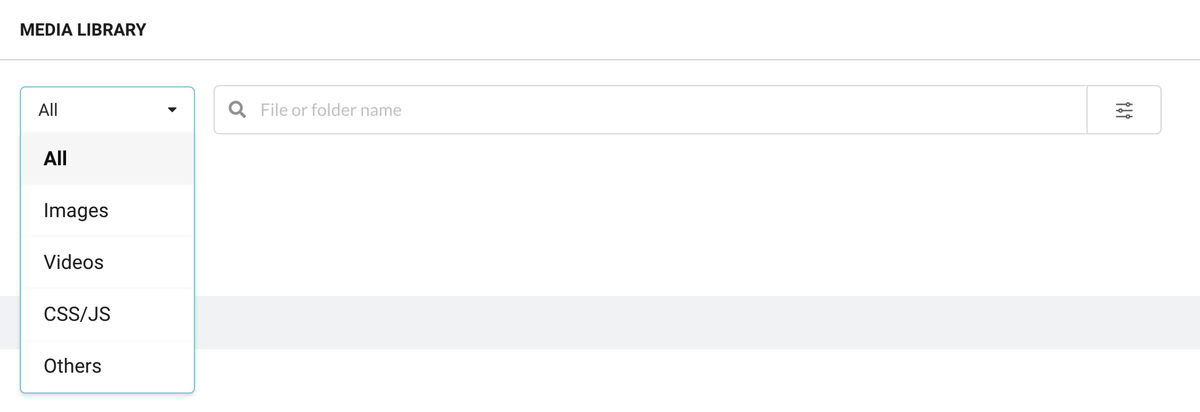
Basic search in the Media Library

Now, this is where it gets interesting! If you wish to get more specific with your search, click on the filter icon on the right-hand side of the search bar. In addition to search by name, this allows you to search by Tags, Size, Dimensions, Format, Privacy, Transparency, Upload Date, and Modified Date.

Possible search filters with ImageKit's Advanced Search

Combine Filters to Find That Exact File

Combining filters is super easy. The media library now allows you to add a new filter group or add filters to an existing filter group (using the + icon in the filter group). You can then decide whether you want your filters to narrow down the search (using the AND operator) or broaden your search (using the OR operator).

Example Use Case

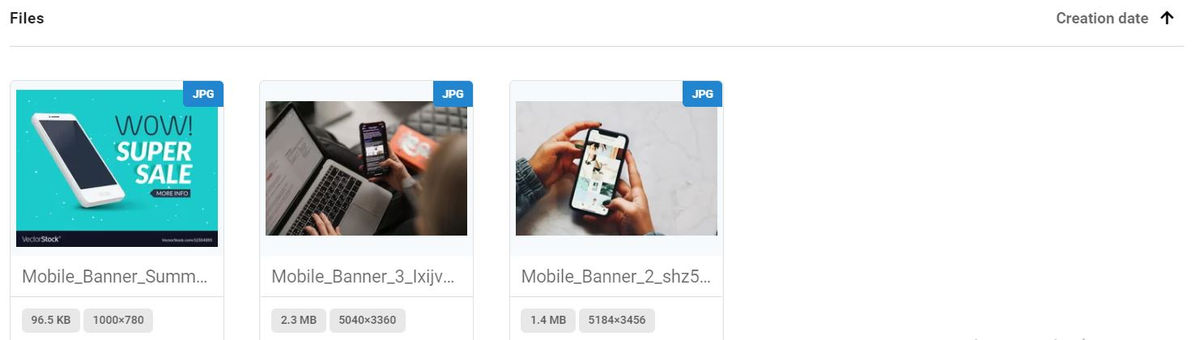
Say you're a marketer for an e-commerce business and create many promotional banners for seasonal sales. You wish to use a particular banner created for mobile products for the upcoming summer sale.

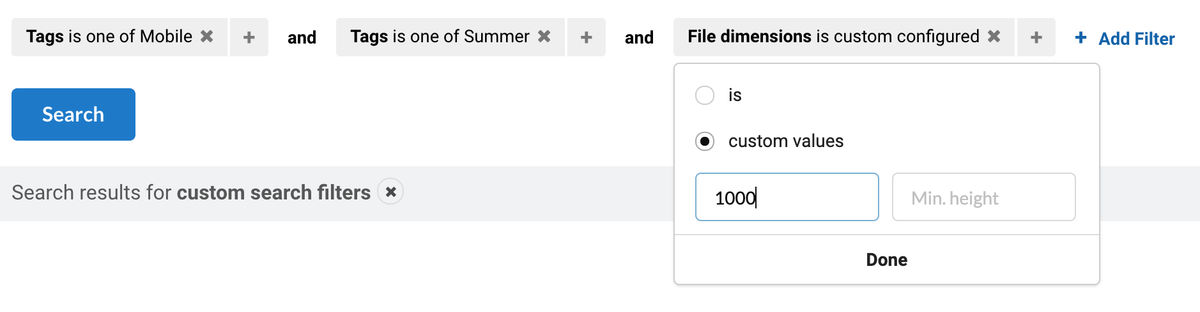
You may start by searching into a broader set of files by searching for images tagged as Mobile or Summer. Combining the two filters with the or operator returns files tagged either as Mobile or as Summer.

Or you may narrow down your results by searching for images tagged both as Mobile and Summer by combining these two with the and operator.

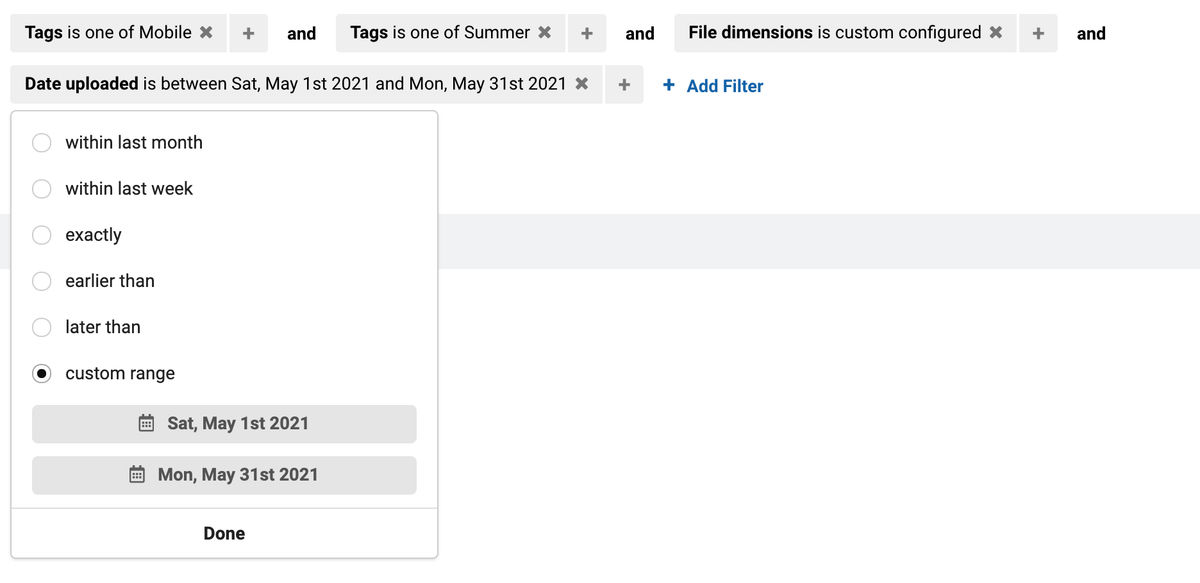
Say you wish to further drill down to a banner wider than 1000 px created during May 2021. Add the File Dimensions filter and input the custom value of Min. width.
Next, add the Date Uploaded filter and input the custom time range using the drop-down calendar.
And, voilà, you have the matching images listed.
If you want to integrate this image search in your existing CMS instead of logging in to the ImageKit dashboard, learn how to do it using the Search API.

Clear Your Digital Clutter, Keep Everyone on the Same Page

Your organization recently underwent rebranding. But your stakeholders keep using outdated creatives for their collaterals. You need to segregate and get rid of all images last modified at least a year ago. Instead of going through your library and finding older photos manually, simply select the Date Last Modified filter, click on "Earlier than", and select an exact date.
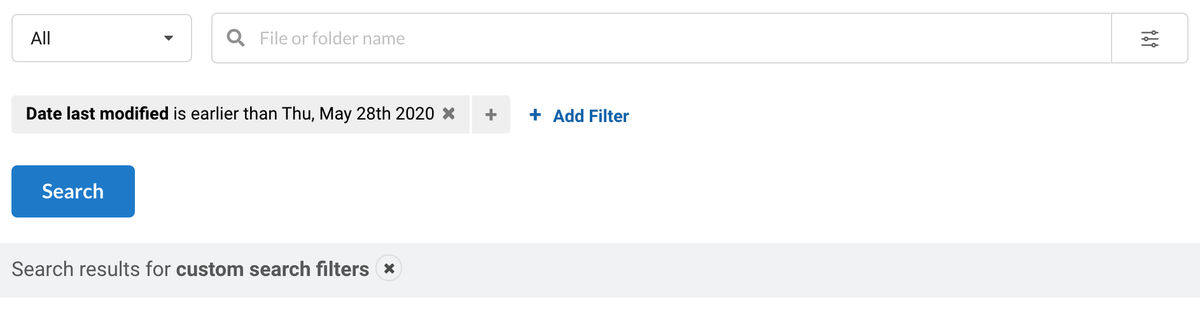
These are the files you would want to delete. Next, select multiple files by pressing and holding the Command key in Mac or the Ctrl key in Windows. Right-click any file and click the "Delete" option to delete all files in one go.

Not only will removing old assets free up Media Library storage space, but it will also make Media Library your single source of truth. You can now provide a seamless customer experience by delivering consistent digital assets across all channels.

If you want to share the files you got in your search results with your creative or tech teams, who have access to the dashboard, Advanced Search has you covered. Copy the URL generated for your search query from your browser's address bar and share away.

Easily Optimize and Transform Content, Distribute It Across Multiple Channels

Every image uploaded to the Media Library gets ready-to-use image URLs with automatic image compression and the best image format selection enabled by default. Additionally, you can access 40+ real-time image transformation options to resize, crop, rotate, add text, or image overlay directly from the image URL. You can also embed these URLs directly into your blog post, landing pages, emails, or other content pieces, in the correct format and size, without depending on your graphics team.

Examples of real-time image transformations with ImageKit

Media Library With Advanced Search vs. Your Current Cloud Storage Solution

Cloud Storages like AWS S3 or Google Cloud Storage are not meant for content and marketing teams to use directly. They require a fair bit of technical knowledge to use and configure. They are built as general object storage solutions and not specific to media files. On the other hand, solutions like Google Drive or Dropbox simplify the general storage problem to an extent where finding the right digital asset can become frustrating. In both of these solutions, you need to remember the exact name or folder of a particular file to find it as they lack advanced search options like image tags, file dimensions, and so on.

Organizations that are serious about their digital presence need something more powerful directly in the hands of the their content creators and marketers. This is where the Media Library comes in.

Built on top of AWS S3, ImageKit's media library has the same reliability as any cloud storage while providing an interface, features, and access controls that empower your teams to stay consistent, do more, and get a better ROI for their efforts.

Next Steps

Now that you've reached this far into the article, we hope you understand how you can simplify digital asset management in your organization using ImageKit's Media Library with its Advanced Search feature.

Want to use it for your business or want to learn more? Sign up for a free account from ImageKit's website, or reach out to our team to discuss your requirement.