


At ImageKit, we are delighted to welcome 2022 with some powerful product updates and an all-new dashboard! Let’s directly jump onto what we have been cooking.
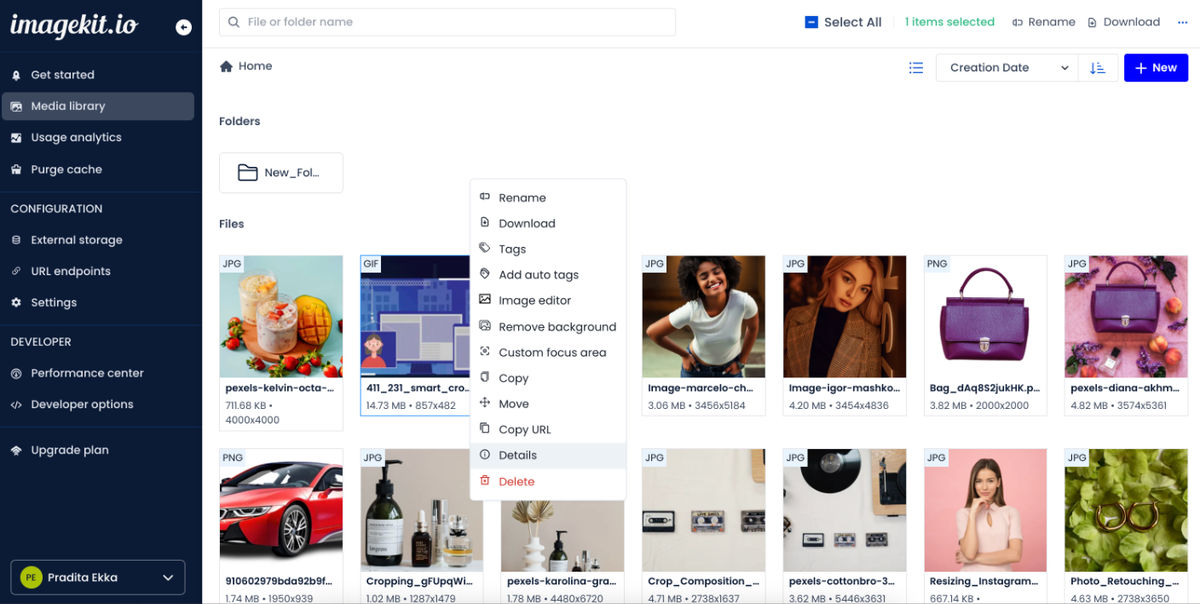
A sleek new design and improved usability
We’re committed to bringing updates that have a meaningful impact on your product experience. With that in mind, we have given our user interface a facelift - everything is cleaner and easier to navigate!
The resulting refresh, we’re proud to say, makes your digital asset workflows a whole lot easier and ensures that you get the most done with ImageKit.
Organize images using AI-based tags
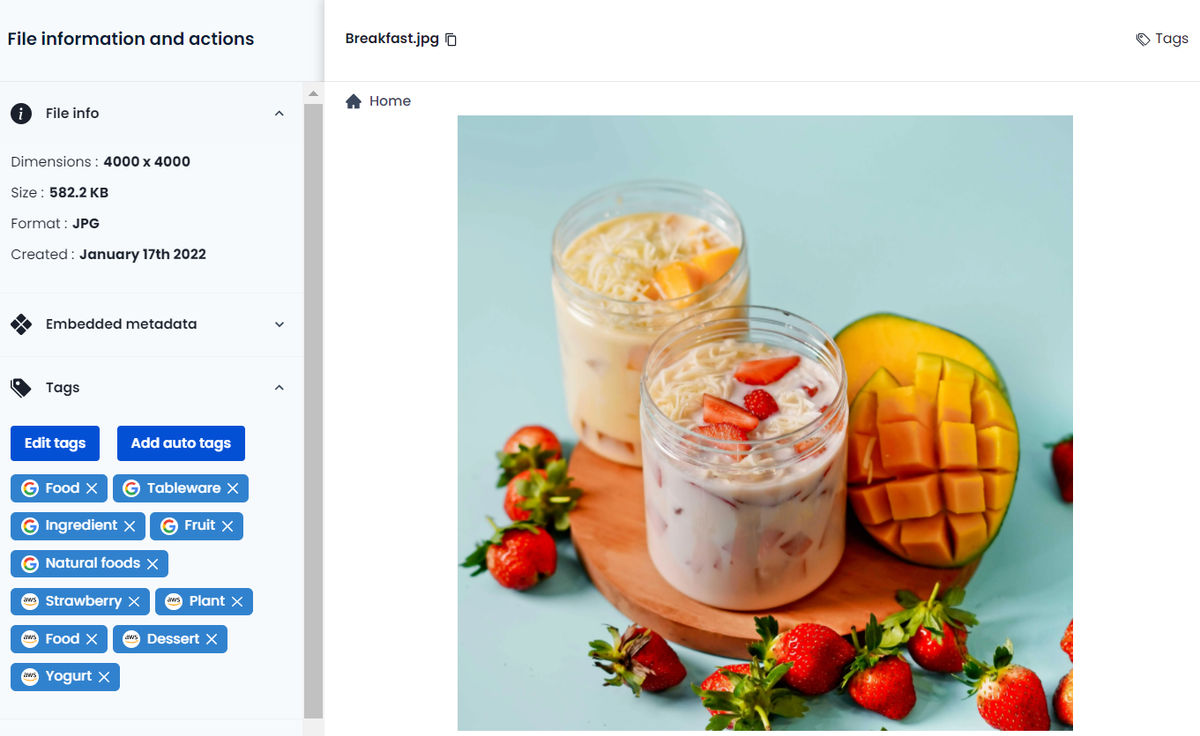
Until now, you could access the powerful Google Cloud Vision and Amazon Rekognition label detection capabilities using ImageKit's update and upload APIs. Now leverage these to add AI-generated tags to your images directly through the Media Library.
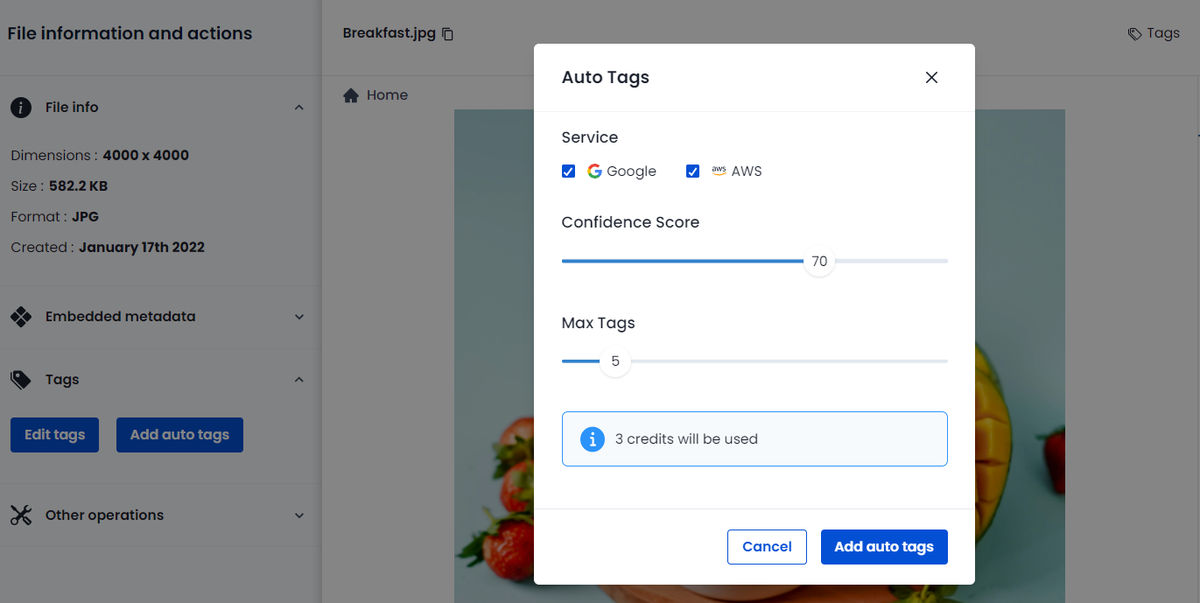
Just select the service, minimum confidence score, maximum tag values, and click on Add auto tags. In four simple steps, your images get an additional information layer added to them. Autotags make it super easy for you to later search for these images based on their actual content.
Add contextual information to assets using Custom Metadata
Now categorize assets by metadata fields that best suit your business needs. Fields could be as diverse as asset description, social media platform, and license information for a content business or product name, price, brand, discount, and available SKUs for an e-commerce business.
By creating a rich custom metadata convention, you can increase your asset discoverability and reusability manifold.
Tip: Worry not, if this is your first time putting together a strategy for organizing your digital assets, read more about it in our step-by-step guide here.
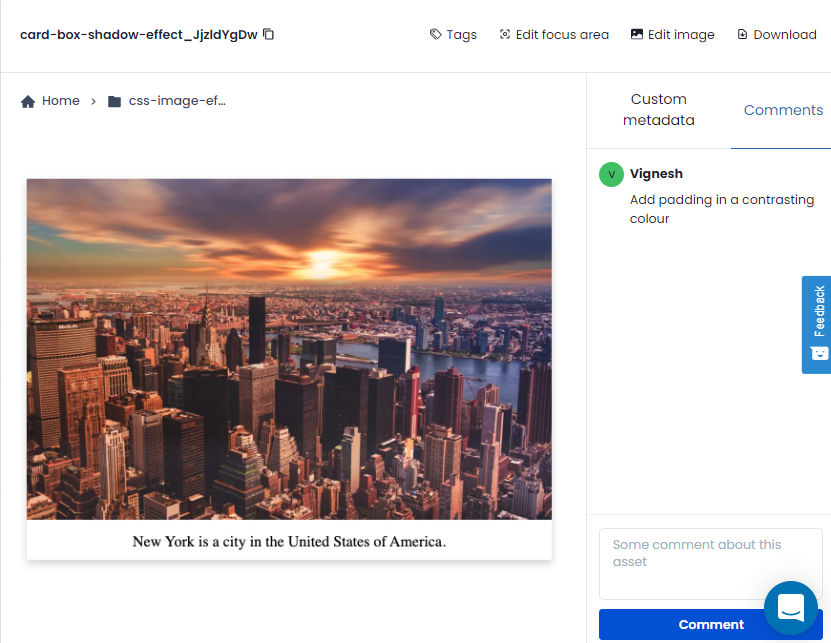
Keep your teams on the same page using comments
Every asset in the Media Library has its own comments section for users to leave notes in. Imagine your design teams asking for feedback on an asset. Your marketing team can ditch the e-mails and directly comment on the asset with helpful suggestions and ideas for the next version.

Give your images a makeover using the inbuilt advanced image editor
Say goodbye to the constant to-and-fro between marketing and design teams. You can crop, apply filters, change focus, apply frames & overlays, add text, adjust & refine multiple parameters, and perform many more advanced operations on images - saving you and your design teams tons of time.
Improve searches using custom metadata, embedded metadata, and autotags
Our sophisticated search that allows searching by combining multiple filters, now also supports searching based on auto-tags, embedded metadata, and user-defined custom metadata.
Instead of weeding through a bunch of unrelated search results, you will always land at the exact asset.

By keeping all aspects of digital asset production in the same location, ImageKit streamlines the process from start to finish.
The new easy-to-use UI makes sure you have a hassle-free experience when working with media and collaborating with teams. We can't wait for you to try it.
Go ahead and experience the new ImageKit!
P.S: We have some amazing features coming up this 2022. Stay tuned with us as we redefine digital asset management!