






You’re a marketing agency, dealing with a number of high-profile clients.
Communication with clients and sharing assets is done across different platforms - Google Drive, Slack, email and whatnot. So, dealing with cluttered folders, outdated versions, mislabled files, and duplicates has become the everyday scene. And, yes it’s ONLY HAPPENED ONCE – but, you might have shared some sensitive client files via email (with no possibility to revoke access) to unintended individuals causing some confidentiality breaches.
But, why do these challenges occur? Because the wrong tools are used for the wrong purposes. Slack is primarily a communication platform, while Google Drive and Dropbox are mainly for storage with limited collaboration features. Emails are best suited for initial communications. However, to use all these platforms to share and manage multiple client’s assets - not the best choice.
Challenges agencies face without a digital asset management solution
On the outside it may seem like you have everything under control, but operating an agency without having a DAM solution to manage your creative assets can quickly turn into chaos.
Here are a list of challenges you could face without a DAM solution in place:
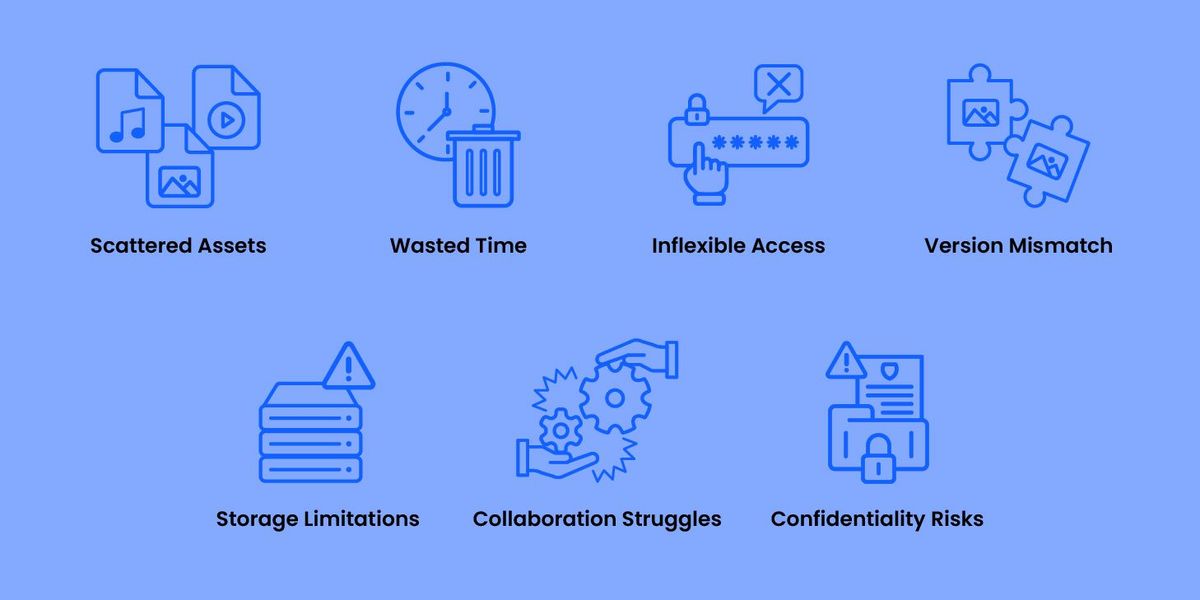
Scattered assets:
Every client you deal with can have their own way of sharing files. Some through email, a few through Slack and the rest through a cloud storage service provider like Google Drive. This means to stay on track with your deliverables you need to constantly monitor your emails, make sure you don’t miss any Slack threads (although sometimes you don’t get a notification unless your name is tagged) and keep your Google Drive organized.
Wasted time searching for files:
When your assets reside in different locations, it becomes challenging to track, organize, and retrieve files efficiently. And because of this disorganization, productivity dips. But, that’s not all. You also increase the risk of using outdated or incorrect files and this ultimately affects the quality and timeliness of your deliverables.
Access controls too restrictive or too permissive:
Using cloud storage like Google Drive for digital asset management isn’t the best idea - especially when it comes to sharing access. Accesses in GDrive are either overtly stringent or excessively lenient – both which can create significant issues.
For instance, you might want your designers to edit assets while giving your marketing team the ability to comment on drafts without making direct edits. Account managers should be able to download files for presentations without editing them, and the clients themselves need to view and comment on final materials. Google Drive’s permissions—limited to view, edit, or comment—fail to accommodate these nuanced needs and would lead to inefficient workflows, version control issues or even worse --- SECURITY RISKS.
Confusing asset versions:
Asset version confusions are a consequence of scattered assets across platforms. And when the wrong asset is used, extra time is wasted on corrections. Additionally, with this disorganization, valuable creative materials are often lost or overlooked, diminishing your agency's ability to leverage past successes and apply proven concepts to new projects.
Also when you work with multiple clients, tracking file versions using file names can be confusing. Each client needs to be educated your agency’s naming conventions, complicating the process and increasing the potential for errors. And with this lack of coherence, productivity slows down and your overall quality of work takes a hit as well.
In short, you risk your agency’s reputation.
Collaboration becomes inefficient:
Conversing with clients on asset feedback via multiple channels can lead to fragmented and duplicated discussions. Associating feedback or comments to assets via email gets confusing, and slack threads for review and approvals aren’t always the most efficient.
Storage limitations:
As your agency expands its client base relying on general storage platforms can become expensive. Why? – Since you can't expand in nominal tiers without large jumps in storage capacities.
For instance, with Google Drive, upgrading from 15GB to 20GB isn't an option. Instead, you’ll need to choose between fixed plans such as 100GB , 200GB or 2TB – meaning you might be paying for greater storage without the actual need.
Confidentiality risks:
Ensuring asset confidentiality can be difficult, especially when using multiple tools and platforms. Losing assets and mixing up deliverables of clients is a huge possibility. But these concerns extend with the tools you use as well.
For example Dropbox which is commonly used to store and manage digital assets experienced an incident where sensitive customer information was compromised. Now extend that to a highly confidential asset that you’re managing for your client – what happens, then?
What is a DAM solution? How can digital asset management benefit agencies
A digital asset management solution aka. DAM is typically cloud-based software that helps you manage your digital assets (i.e. product images, videos, banners, sales decks, social media, advertising graphics, etc.) without creating excessive manual tracking and project management overhead. Ideally, DAM software is a "single source of truth," not just for your completed digital assets but even for conversations, feedback, and usage.
Using a DAM to manage your agency’s asset repositories can be beneficial in many ways. Here are a few:
Centralize your asset repositories:
With DAM all the assets you receive from various clients, along with the relevant interactions can be consolidated on a single platform. Asset organization is not just nested files and folder - it’s way superior and also customizable. With a DAM you can use custom metadata to enrich assets with additional information like campaign or client name, creator name or any other criteria specific to the project or client.
Find assets in seconds:
Because assets are organized according to a schema you define, searches can be super quick.
DAMs like ImageKit allow you to search assets by multiple criteria. For example, if you're looking for Client A’s twitter image of a red car for their Black Friday campaign - you can do that by filtering assets in ImageKit by client, platform, color, and campaign. This level of searchability is not inherent to general cloud storage platforms because they don’t allow for complex query creation like a DAM.
Now, by chance you forget to classify your assets and still would like to find them, it’s possible. Advanced DAMs like ImageKit are powered with semantic searches so by typing contextual information about the asset, you can still draw matches.
Here’s how ImageKit helps you organize your asset repositories.
Grant right access for the right personnel:
With a DAM, you can be sure that every person’s access involved in the asset creation and management is controlled. Be it designers, photographers, account managers, or even the clients themselves; DAM allows you to assign granular user access based on their roles and responsibilities.
Here are some possible access workflows you can achieve with DAM unlike other storages.
Client-Specific Access: The DAM system allows you to create separate folders or collections for each client's digital assets. Each client folder/collection is isolated and accessible only to authorized personnel who are directly involved with that client's projects.
Note: Collections in a DAM system differ from folders in that they are virtual groupings of digital assets, allowing the same asset to exist in multiple collections without duplication. Folders, on the other hand, represent a structure where each asset resides in a single location, limiting its organization to a single hierarchical path.
Granular Control Over Permissions: The DAM system allows the agency administrators to configure detailed permissions for each user or team. For example, a freelance graphic designer might have "contribute" access to one client's folder where they are actively working, but only "read-only" access to other client folders they are not involved with directly.
Contribute Access Level: Within each client folder, you can assign a "contribute" access level to specific users or teams. These users can add, edit, and modify files within the client's folder as necessary. They have the flexibility to collaborate on creative assets without restrictions.
Read-Only Access to Other Clients' Assets: To maintain confidentiality and prevent accidental modifications, users with "contribute" access are granted read-only access to folders belonging to other clients. This ensures that while they can contribute actively to their assigned projects, they cannot inadvertently access or alter sensitive information from other clients.
Security and Compliance: By implementing these access controls, you ensure compliance with client confidentiality agreements and industry regulations. It also minimizes your risks from data leaks with sensitive client information while collaborating with their assets.
The DAM system allows you to share files, folders, and collections with entire teams, not just individuals securely with password-protected expirable links. Also, with DAM you’ll never need to worry about losing access to assets when a key team member leaves. Access can be configured with prescribed permissions within teams so that there are no disruptions or manual re-sharing of assets.
Never lose feedback:
With DAM you centralize the entire review and feedback process. Feedback is directly integrated into the platform and mapped to specific assets, ensuring it is always visible and accessible. This eliminates any excuses about feedback not being incorporated. Additionally, for media like videos, DAMs offer time-coded commenting, making it significantly easier for both editors and reviewers to provide and address precise feedback efficiently.
Whether you're a marketing agency managing end-to-end marketing, a creative agency, or an ad agency, the common denominator is that you handle multiple clients' digital assets. And you would need to store these assets safely and manage them optimally. With ImageKit’s DAM your agency’s digital assets can be stored and managed with ease.
But, we don’t stop here. We can help you deliver them over the web too.
Say you’re executing a multi-platform advertising campaign for your client’s new product launch. The campaign needs to be visually appealing and optimized for various platforms including social media, websites, and print media. With ImageKit your marketers can also create different versions of these assets to suit various devices and screen sizes with minimum tech dependency from your client’s teams.
In short, ImageKit takes care of the entire digital asset management and media delivery processes.
Here’s a quick run-through of what you can do with ImageKit:
- Upload assets directly to ImageKit's DAM using a drag-and-drop interface or in bulk via APIs.
- Organize them using a comprehensive DAM taxonomy structure defined according to your projects or clients.
- Add tags and custom metadata to enhance organization and searchability.
- Set custom permissions for files, folders, or media collections.
- Track versions to manage changes and updates effectively.
- Facilitate timely communication and feedback within the platform.
- Deliver assets directly to the web with the click of a button.
Try ImageKit today. We’re forever free until you decide to upgrade.