





Images are essential for any modern-day website or app. They are used for product photos, banners, user reviews or to simply enhance the visual experience and tell the brand’s story. However, images take up a lot of space on the website and consume the most bandwidth.
The end result - a heavier website and longer load time.
Images need to be optimized to provide the best web experience to your users. These need to be resized and compressed for the various use cases of your website.
In this article, we will see how and why you should use ImageKit, a complete image management solution with Akamai, one of the leading CDNs in the world, to deliver optimized images in real-time across devices for your users.
What is ImageKit?
ImageKit is a complete image optimization solution. It helps deliver the best fit for all your image optimizations and transformations and includes features like image security, automatic image format selection, smart crop, and image and text overlays, to name a few.
What is Akamai?
If you are reading this article, it is likely you are already using Akamai. So, as a brief introduction, Akamai is one of the leading CDN service providers in the world used by several companies across the globe.
Do you need image optimization with Akamai?
A lot of Akamai users believe they do not need to optimize their images as they are already using a good content delivery network. This couldn’t be farther from the truth.
Regardless of what CDN is being used, if you do not optimize the assets delivered through it, you are doing things wrong. Unoptimized images force your users to download those extra kilobytes of data, slowing down the overall page load time, and hampering the user experience.
Not only your users, but even search engines like Google penalize your website for a slow page load time, affecting your website ranking. Led by the fact that images play an important role in improving the overall page load performance, tools like Google Lighthouse have dedicated pointers relating to image optimization and image loading.
Additionally, Akamai, like any other CDN, charges you on the basis of the output bandwidth. For a typical e-commerce website, images usually make up for most of the bandwidth consumed on a CDN. Thus, by optimizing your images, you are able to lower your bandwidth consumption on the CDN, resulting in a reduction in your CDN expenditure.
Better experience for your users, better SEO, and lower costs for you — a win-win situation for everyone.
How does ImageKit integrate with Akamai?
Typically, you would have your own image storage or image server directly attached as an origin to Akamai CDN. To optimize images in real-time, ImageKit comes as a layer between your CDN and your existing image storage or server.
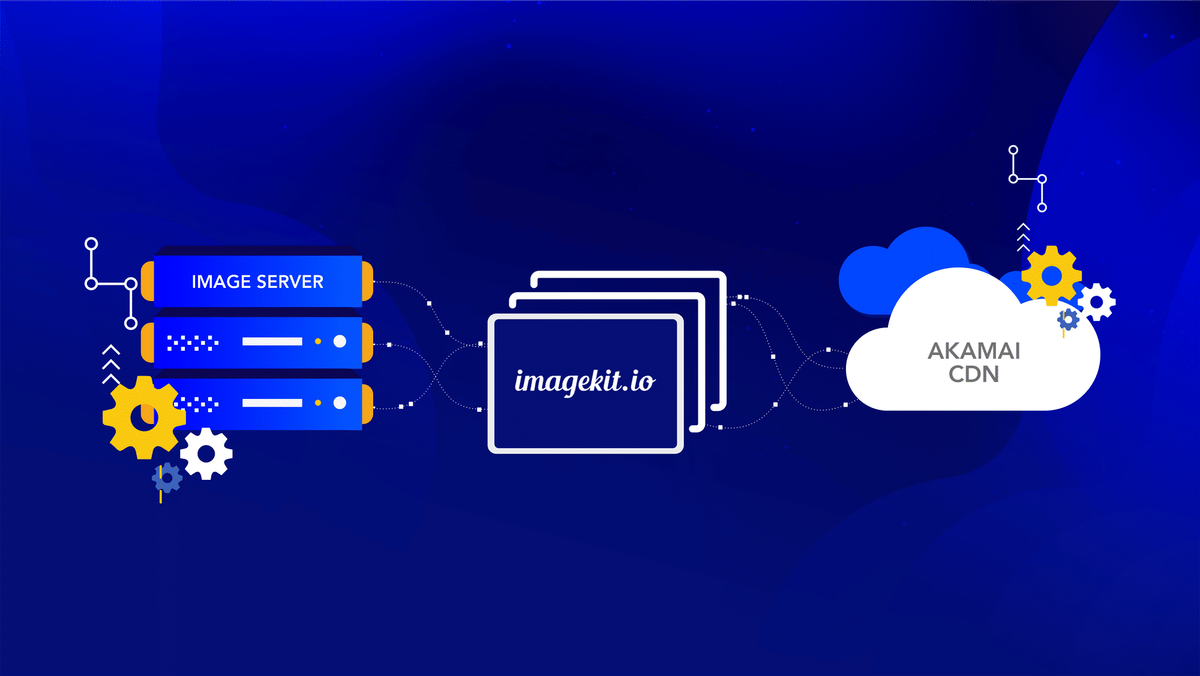
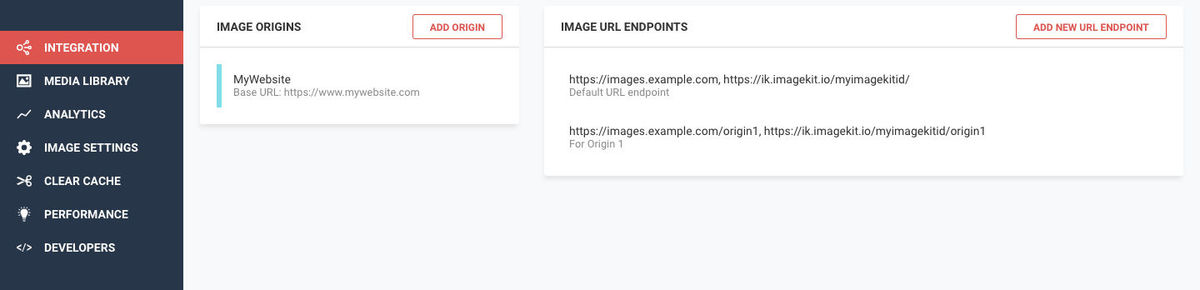
Instead of directly attaching your storage or server to Akamai, you configure them in ImageKit’s dashboard as shown in the screenshot below, and then add ImageKit as an origin to your Akamai CDN. In addition to this, our team works with you to set up the right configuration on Akamai to ensure correct caching of images on the CDN and to whitelist the domain names that you use for your images on the CDN.
What does ImageKit do?
Now that ImageKit is layered between the CDN and your images, it can now optimize and transform the images upon request in real-time before they are delivered through Akamai’s CDN.
Most optimizations in ImageKit are done automatically.
For instance, without even changing the image URL, ImageKit considers various factors like device type, image format support in browsers, content, and original image format to convert the image to the best possible format. It also compresses the image to an optimal level balancing visual appeal and size. This ensures that the images are automatically delivered at the lowest possible size without impacting the perceived quality.
These automatic optimizations alone have helped companies lower the image size by 25-40% or in some cases, even more.
For example,
Original Image is 195KB in size whereas the same when delivered via ImageKit here is 54KB in size and is automatically delivered in WebP format
This setup also allows you to transform your images — resize, crop, add watermarks, overlay texts, smart crop an image, and so on — in real-time.
For example:
You can resize the above image by specifying the resizing parameter directly in the URL

https://ik.imagekit.io/demo/img/test-compression_7vsHJwgIT.jpg?tr=w-300,h-300
Add to this, ImageKit’s smart crop functionality and the thumbnail automatically adjusts to bring the most important part of the image to the center.

https://ik.imagekit.io/demo/img/test-compression_7vsHJwgIT.jpg?tr=w-300,h-300,fo-auto
You can even watermark your images or overlay text on them, directly from the URL

Using these real-time transformations and many more, you can also implement a great cross-device image experience with responsive images and lazy loading to improve your website performance and reduce the bandwidth consumed.
Can ImageKit do network-based image optimizations?
For bandwidth- and network-based optimizations, it is essential to determine the user’s network conditions, whether they are on 2G/3G/4G, and then modifying and optimizing the images to be delivered accordingly.
For instance, here is an image at quality level 90 weighing 53.5KB that can be used for good network speeds on 4G. The same image is optimized here at quality level 50 which brings down its size to 42.6KB (~20% reduction in size). This can be used on slightly slower network speeds, on 3G.
Determining the user’s network speed can be best handled on their device by actively monitoring the download speeds they are observing. You can refer to this SDK by Facebook to do so in an Android device and you can do it using service workers for web and mobile apps.
With ImageKit, you don’t have to rely on CDN’s estimate of a user’s connectivity conditions (which are not real-time). You can quite accurately measure the actual speed on the user’s device using Service Workers, and use ImageKit to deliver the correctly optimized image for that network.
But what about Akamai Image Manager or Adaptive Image Compression modules?
These modules provided by Akamai are great, but here are a few things you should factor in when considering your choice in a solution provider.
DIY Configuration
If your team or you like to be in control of the content delivery configuration, then using a solution like ImageKit provides you with a much simpler setup compared to Akamai’s solutions. You can get started in no time without any further assistance after the initial setup.
Support
With ImageKit’s integration on Akamai, you get a dedicated technical support person with live chat and phone support. This ensures that all your queries and/or concerns will be resolved immediately.
Cost
As per the given pricing estimates of Akamai for their image management and optimizations, ImageKit proves to be more economical. ImageKit charges you only on the basis of the missed traffic from the CDN making it very cost-effective even at high traffic volumes. Also, since ImageKit only charges on the basis of the output bandwidth from its systems, the more you optimize your images, the less it costs you to use ImageKit.
How do I get started?
You create an account on ImageKit and then get in touch with our team through a support ticket or by emailing us at customer-support@imagekit.io to get started with the setup with Akamai.
Our team will then schedule a screen-share session at a convenient time with you, to guide you through the changes to be done in your Akamai configuration to integrate ImageKit.
FINAL THOUGHTS
If you value your user experience, page load performance, and SEO rankings, then you must give ImageKit a try with your Akamai CDN. Especially if you’re not currently using any Akamai image management and optimization tool, or paying a hefty amount for using the same, or exceeding the bandwidth quota at Akamai, ImageKit is the go-to solution for you.
If you do not want to integrate ImageKit with Akamai, ImageKit comes with a CDN bundled with its product as well (AWS CloudFront). You can sign up and start using this bundled CDN immediately for all your images.