








Optimize your WFH Setup
As more people are settling into their work from home (WFH) environment different hardware options can assist with space-saving or even redundancy of products taking up space. From KVMs to wall mounts we’ve quickly highlighted some products that you might want to consider for your home setup.
Extenders
With evolving work from home setups, there’s a good chance you’ll need an extender of some kind to connect your setup from an out of reach resource or allow your work and private setups to function in separate rooms.
Cough and sneeze guards
Sometimes a little plastic can make a big difference in your setup.
USB Docks
With the increased need for WFH, you very well might need a USB dock to keep all your devices plugged in and your phone charging through the day. Rather than hot-swapping devices all-day keep everything plugged in and at the ready.
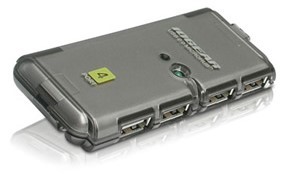 | IOGEAR MicroHub 4 Port Hi-Speed USB 2.0 Hubhttps://www.kvm-switches-online.com/guh274.html If you only need USB 2.0 slots for your hub this is a good choice for you. |
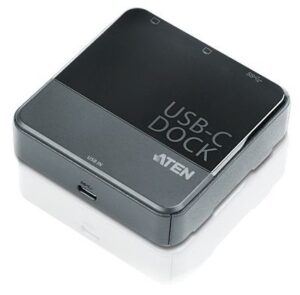 | USB-C Dual-HDMI Mini Dockhttps://www.kvm-switches-online.com/uh3231.html This Dual-DisplayPort Mini Dock which transforms your USB-C device into a dual-monitor workstation. It's compliant with the latest USB 3.1 Type-C specifications and supports various video converters that can convert HDMI, DVI, or VGA outputs for use in dual display mode. |
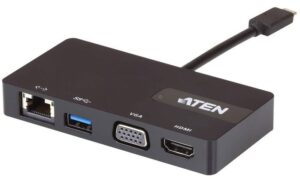 | USB-C Multiport Mini Dockhttps://www.kvm-switches-online.com/uh3232.html This multiport mini dock connects a USB-C computer to an Ethernet, HDMI, VGA, and USB Type-A port- through a single cable. Featuring an integrated and easy-to-use connector that instantly links your USB-C or Thunderbolt 3 computer to an HDMI HD (3840 x 2160 @ 30 Hz) or VGA 2K (2048 x 1152 @ 60 Hz) video output, USB 3.1 Gen 1 port, and Gigabit Ethernet port for fast desktop docking. |
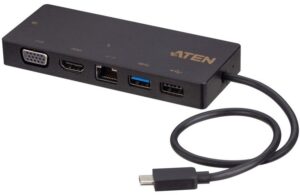 | USB-C Multiport Mini Dock with Power Pass-Throughhttps://www.kvm-switches-online.com/uh3236.html This device connects a USB-C enabled computer to up to 5 peripheral ports that includes a USB 2.0 Type-A, USB 3.1 Gen 1 Type-A, Gigabit LAN, HDMI, and VGA - through a single USB-C cable. |
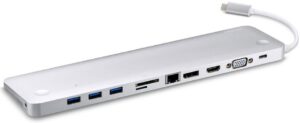 | USB-C Multi-port Dock with Power Pass-Throughhttps://www.kvm-switches-online.com/uh3234.html ThisMultiport Dock with Power Pass-Through is a one-step total upgrade for your laptop that provides all the extra expansion you need. Simply use one cable to add up to 10 devices with power delivery pass-through to boost your productivity with extra HDMI, DisplayPort, VGA, USB3.1 Gen1, SD/MMC/MicroSD, Ethernet, and audio connections. |
KVMs
Cleaning up your desk space becomes incredibly important when working from home more frequently. Having a KVM will let you take advantage of your home setup with the computing power coming from work.
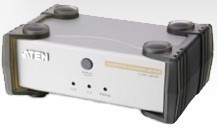 | Aten 2 Port VGA USB Computer Sharing Devicehttps://www.kvm-switches-online.com/cs231.html This device enables two users to share the use of a single computer - each from their own console. |
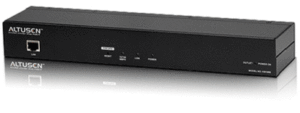 | TAA Compliant, 1-Port KVM/Power/Serial Over-IP Gatewayhttps://www.kvm-switches-online.com/kn1000.html Helping manage and control multiple widely distributed servers efficiently from a remote console, a built-in single-port Power Switch allows remote power management of a server/installation connected locally to the KN1000, including turning servers On, Off, and Rebooting. |
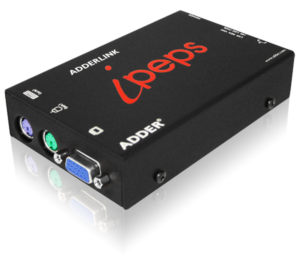 | Adder AdderLink IPEPS KVM over IPhttps://www.kvm-switches-online.com/adder-ipeps.html Despite its small size, there is no compromise in the performance of the ADDERLink ipeps. By using Adventiq Inside® on-chip KVM-over-IP technology, an extremely high-performance solution can be contained in a compact unit. |
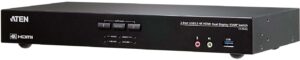 | 2 Port 4K 60Hz HDMI Dual Display KVM w/ USB 3.0https://www.kvm-switches-online.com/cs1842.html The patented Video DynaSync™ technology, the CS1842 provides optimized display resolutions and accelerated switching between systems, while a built-in USB 3.1 Gen 1 hub delivers data transfer rates up to 5 Gbps. The CS1842offers flexible switching options including pushbuttons, hotkeys, mouse port switching, a remote port selector, and RS-232 for quick and streamlined port selection. |
 | 2 Port 4K 60Hz HDMI Dual Display KVM w/ USB 3.0https://www.kvm-switches-online.com/cs1842.html For some wanting to contend with entertainment along businesses need in their WFH set up. |
KVM Pairing
A couple of options to help integrate and expand on including a KVM to your setup.
Peripheral Sharing Switches
Many might just need to swap between a work laptop and a home setup but wish to take advantage of USB items for both computers.
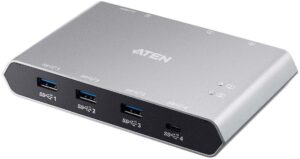 | 2-Port USB-C Gen 2 Sharing Switchhttps://www.kvm-switches-online.com/us3342.html This 4-port USB 3.2 Gen 2 peripheral sharing device that allows users to share data between four USB devices in two different USB-C enabled laptops. The US3342 is USB 3.2 Gen 2 compliant and supports data transfer rates up to 10Gps. |
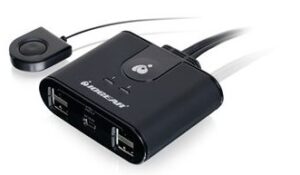 | USB 2.0 Peripheral Sharing Switchhttps://www.kvm-switches-online.com/gus402.html This USB switch is a USB 2.0 peripheral sharing switch that allows two computers to share up to four USB devices, such as keyboard, mouse, printer, portable hard drives, etc. |
Hook & Loops for cable management
Sometimes the most basic additions can make the biggest difference in cleaning up your environment.
Wall Mounting Racks
Another way to free up space is to make use of your wall space or empty space for computer storage.