






The Aten UC9020 Streamlive™ HD is an all in one A/V mixer solution for those wanting to stream directly to their live audience.
The StreamLIVE™ HD is a lightweight, portable streaming solution. Offering multi-channel audio/video mixing that integrates 1080p video capture, video source switching, stream broadcasting, video conversion, video splitting, and synced audio mixing all into one simple solution.
Eliminate the hassle of working and transporting different pieces of AV equipment for one broadcast. The UC9020 makes HDMI video broadcasts for higher quality live streams to CDN platforms such as YouTube Live, Facebook, and Twitch without the need of a computer to manage the flow.
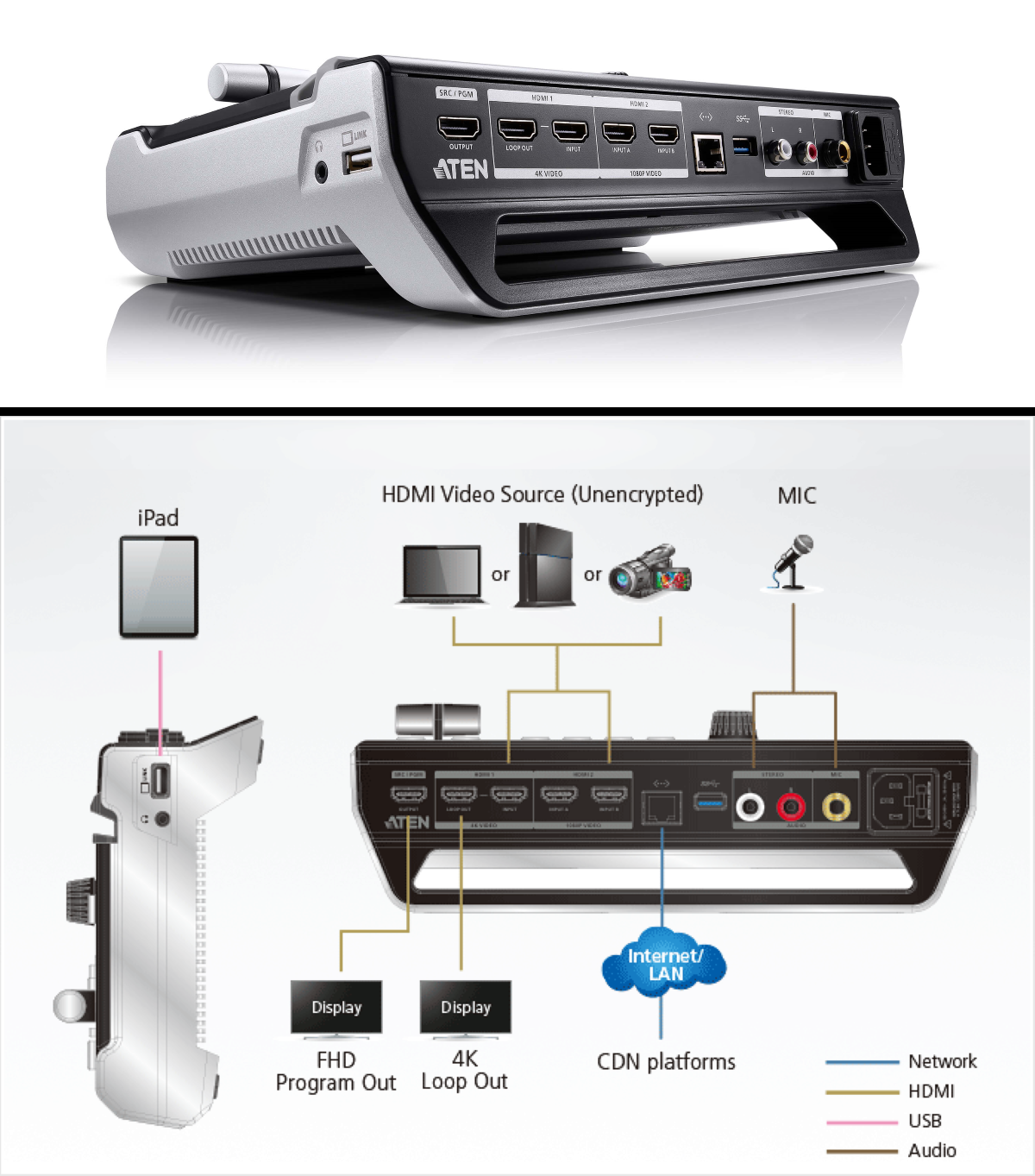
The ATEN UC9020 StreamLIVE HD is 11.36 inches long by 7.48 inches wide by 3.8 inches tall (28.85 x 18.99 x 9.66 cm) and weighs 4.16 lbs. (1.89 kg). While being compact, this design balances portability with ease of use.
The frame is made from metal to ensure a handsome look and durability of your investment. The device intentionally avoids the use of fans and instead opts for a thermal airflow system for quiet operation, ensuring that noise won’t bleed into the broadcast.
There is even a divot for the iPad, ensuring everything fits precisely as intended during use.
The UC9020 comes equipped with a compact mixer control panel that allows users to switch, mix, and overlay between multiple video and audio sources. The control panel integrates a dedicated Transition T-Bar for smooth scene switching with fade-in/fade-out effects. These luminous keys are easily identifiable, and super easy to understand, which are used for audio level monitoring and scene mode switching.
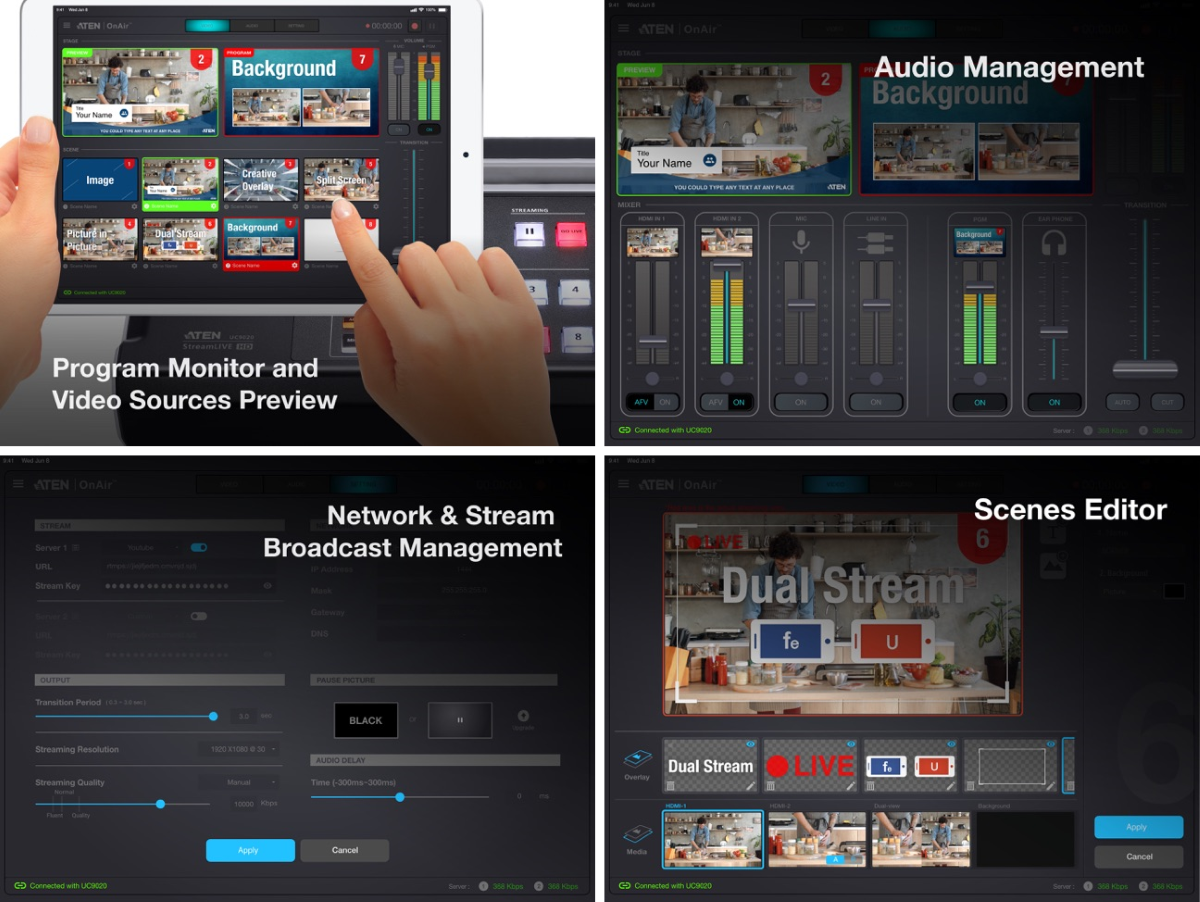
Much of the feature set of this product is tied to the Aten On-Air app. It is a powerful tool. However, it will require an iPad or an iPad pro with the appropriate cable to function, which should be considered before purchase. You can find the app in the Apple Store.
The use of the app will enable a straightforward remote control interface. You can prep for your broadcast by setting up screens to cut to that include split screen, picture in picture, nameplates, light design elements, and more.
Once live, you’ll be able to switch between video sources that use some variation of an HDMI output, push for smooth transitions, make hard cuts, automatically prep cuts, and pause your stream. The full use of this tool should eliminate or significantly reduce the amount of editing post-broadcast for your archive.
If you are interested in the Aten UC9020 Streamlive™ HD please find pricing and technical specs on KVM Switches Online.

此内容由惯性聚合(RSS阅读器)自动聚合整理,仅供阅读参考。 原文来自 — 版权归原作者所有。