





This article is also available in Chinese 简体中文.
T2I-Adapter is an efficient plug-and-play model that provides extra guidance to pre-trained text-to-image models while freezing the original large text-to-image models. T2I-Adapter aligns internal knowledge in T2I models with external control signals. We can train various adapters according to different conditions and achieve rich control and editing effects.
As a contemporaneous work, ControlNet has a similar function and is widely used. However, it can be computationally expensive to run. This is because, during each denoising step of the reverse diffusion process, both the ControlNet and UNet need to be run. In addition, ControlNet emphasizes the importance of copying the UNet encoder as a control model, resulting in a larger parameter number. Thus, the generation is bottlenecked by the size of the ControlNet (the larger, the slower the process becomes).
T2I-Adapters provide a competitive advantage to ControlNets in this matter. T2I-Adapters are smaller in size, and unlike ControlNets, T2I-Adapters are run just once for the entire course of the denoising process.
| Model Type | Model Parameters | Storage (fp16) |
|---|---|---|
| ControlNet-SDXL | 1251 M | 2.5 GB |
| ControlLoRA (with rank 128) | 197.78 M (84.19% reduction) | 396 MB (84.53% reduction) |
| T2I-Adapter-SDXL | 79 M (93.69% reduction) | 158 MB (94% reduction) |
Over the past few weeks, the Diffusers team and the T2I-Adapter authors have been collaborating to bring the support of T2I-Adapters for Stable Diffusion XL (SDXL) in diffusers. In this blog post, we share our findings from training T2I-Adapters on SDXL from scratch, some appealing results, and, of course, the T2I-Adapter checkpoints on various conditionings (sketch, canny, lineart, depth, and openpose)!
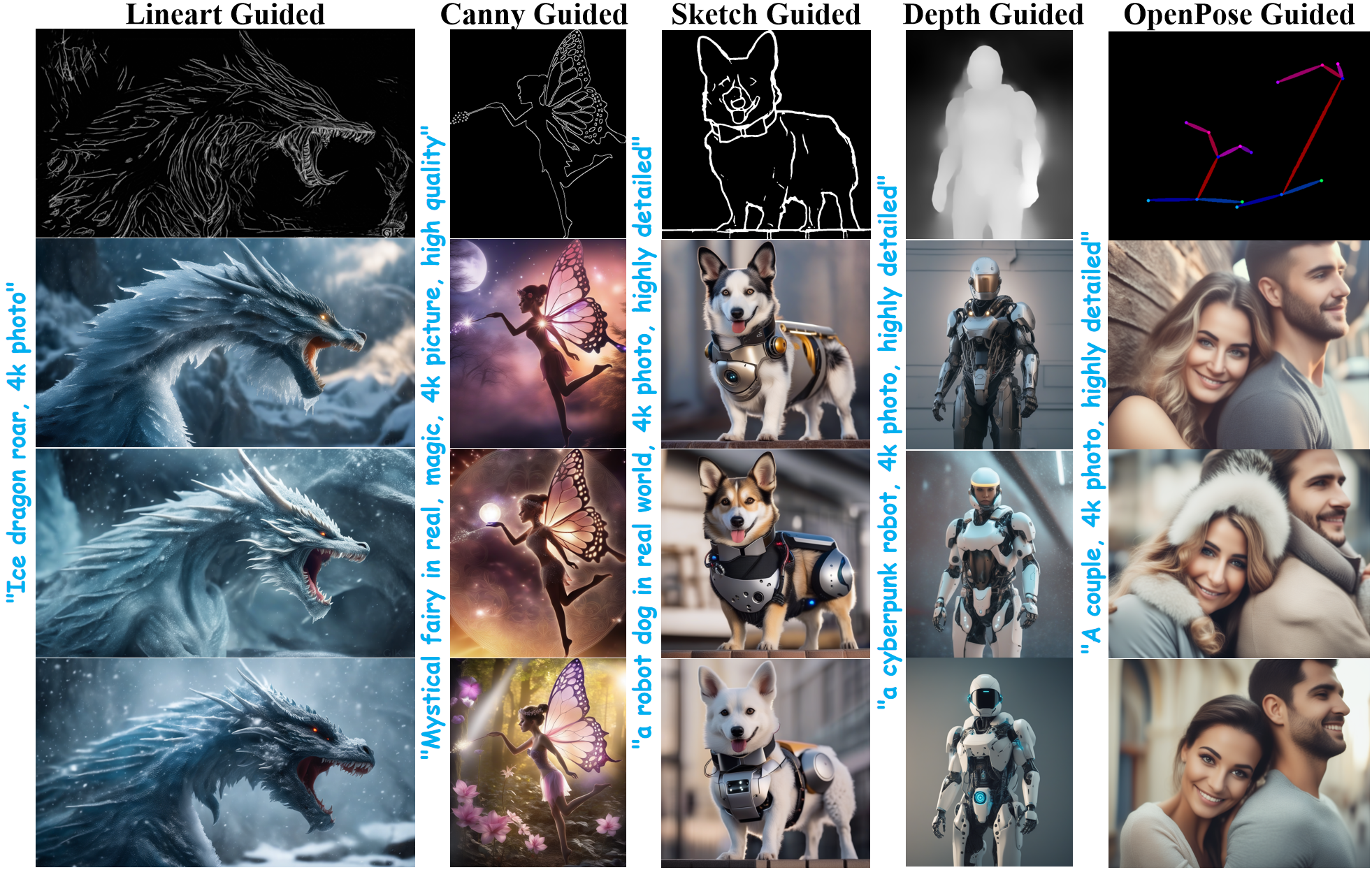
Compared to previous versions of T2I-Adapter (SD-1.4/1.5), T2I-Adapter-SDXL still uses the original recipe, driving 2.6B SDXL with a 79M Adapter! T2I-Adapter-SDXL maintains powerful control capabilities while inheriting the high-quality generation of SDXL!
diffusers
We built our training script on this official example provided by diffusers.
Most of the T2I-Adapter models we mention in this blog post were trained on 3M high-resolution image-text pairs from LAION-Aesthetics V2 with the following settings:
We encourage the community to use our scripts to train custom and powerful T2I-Adapters, striking a competitive trade-off between speed, memory, and quality.
diffusers
Here, we take the lineart condition as an example to demonstrate the usage of T2I-Adapter-SDXL. To get started, first install the required dependencies:
pip install -U git+https://github.com/huggingface/diffusers.git
pip install -U controlnet_aux==0.0.7 # for conditioning models and detectors
pip install transformers accelerate
The generation process of the T2I-Adapter-SDXL mainly consists of the following two steps:
StableDiffusionXLAdapterPipeline.Let's have a look at a simple example using the Lineart Adapter. We start by initializing the T2I-Adapter pipeline for SDXL and the lineart detector.
import torch
from controlnet_aux.lineart import LineartDetector
from diffusers import (AutoencoderKL, EulerAncestralDiscreteScheduler,
                       StableDiffusionXLAdapterPipeline, T2IAdapter)
from diffusers.utils import load_image, make_image_grid

# load adapter
adapter = T2IAdapter.from_pretrained(
    "TencentARC/t2i-adapter-lineart-sdxl-1.0", torch_dtype=torch.float16, varient="fp16"
).to("cuda")

# load pipeline
model_id = "stabilityai/stable-diffusion-xl-base-1.0"
euler_a = EulerAncestralDiscreteScheduler.from_pretrained(
    model_id, subfolder="scheduler"
)
vae = AutoencoderKL.from_pretrained(
    "madebyollin/sdxl-vae-fp16-fix", torch_dtype=torch.float16
)
pipe = StableDiffusionXLAdapterPipeline.from_pretrained(
    model_id,
    vae=vae,
    adapter=adapter,
    scheduler=euler_a,
    torch_dtype=torch.float16,
    variant="fp16",
).to("cuda")

# load lineart detector
line_detector = LineartDetector.from_pretrained("lllyasviel/Annotators").to("cuda")
Then, load an image to detect lineart:
url = "https://huggingface.co/Adapter/t2iadapter/resolve/main/figs_SDXLV1.0/org_lin.jpg"
image = load_image(url)
image = line_detector(image, detect_resolution=384, image_resolution=1024)
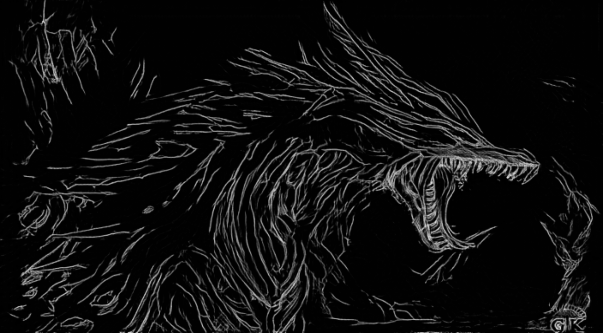
Then we generate:
prompt = "Ice dragon roar, 4k photo"
negative_prompt = "anime, cartoon, graphic, text, painting, crayon, graphite, abstract, glitch, deformed, mutated, ugly, disfigured"
gen_images = pipe(
    prompt=prompt,
    negative_prompt=negative_prompt,
    image=image,
    num_inference_steps=30,
    adapter_conditioning_scale=0.8,
    guidance_scale=7.5,
).images[0]
gen_images.save("out_lin.png")
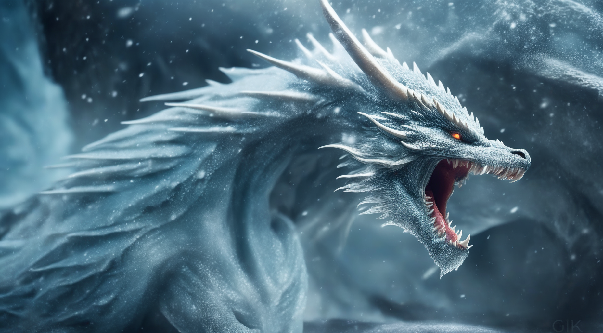
There are two important arguments to understand that help you control the amount of conditioning.
adapter_conditioning_scale
This argument controls how much influence the conditioning should have on the input. High values mean a higher conditioning effect and vice-versa.
adapter_conditioning_factor
This argument controls how many initial generation steps should have the conditioning applied. The value should be set between 0-1 (default is 1). The value of adapter_conditioning_factor=1 means the adapter should be applied to all timesteps, while the adapter_conditioning_factor=0.5 means it will only applied for the first 50% of the steps.
For more details, we welcome you to check the official documentation.
You can easily try T2I-Adapter-SDXL in this Space or in the playground embedded below:
You can also try out Doodly, built using the sketch model that turns your doodles into realistic images (with language supervision):
Below, we present results obtained from using different kinds of conditions. We also supplement the results with links to their corresponding pre-trained checkpoints. Their model cards contain more details on how they were trained, along with example usage.
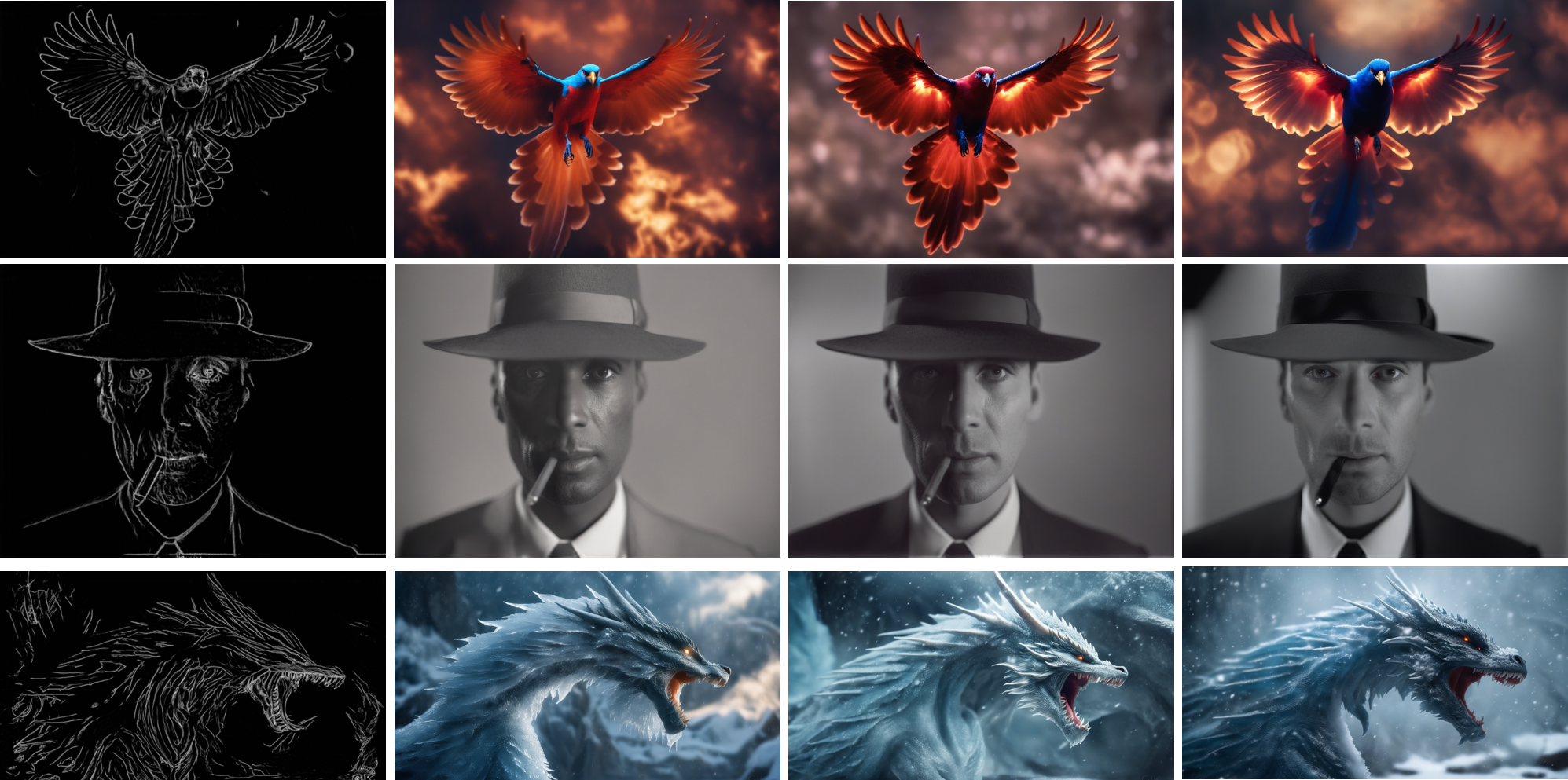 Model from
 TencentARC/t2i-adapter-lineart-sdxl-1.0
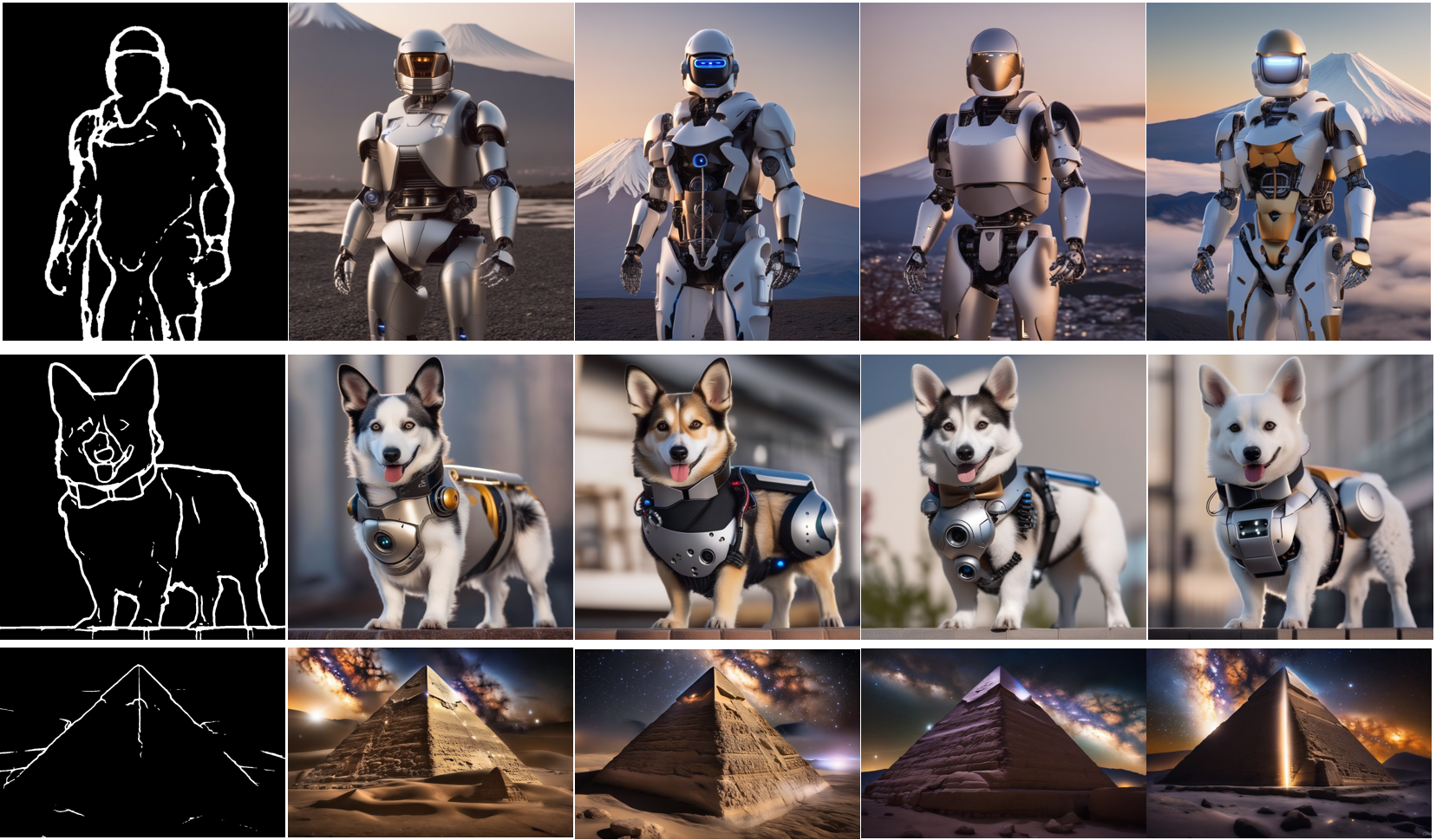 Model from
 TencentARC/t2i-adapter-sketch-sdxl-1.0
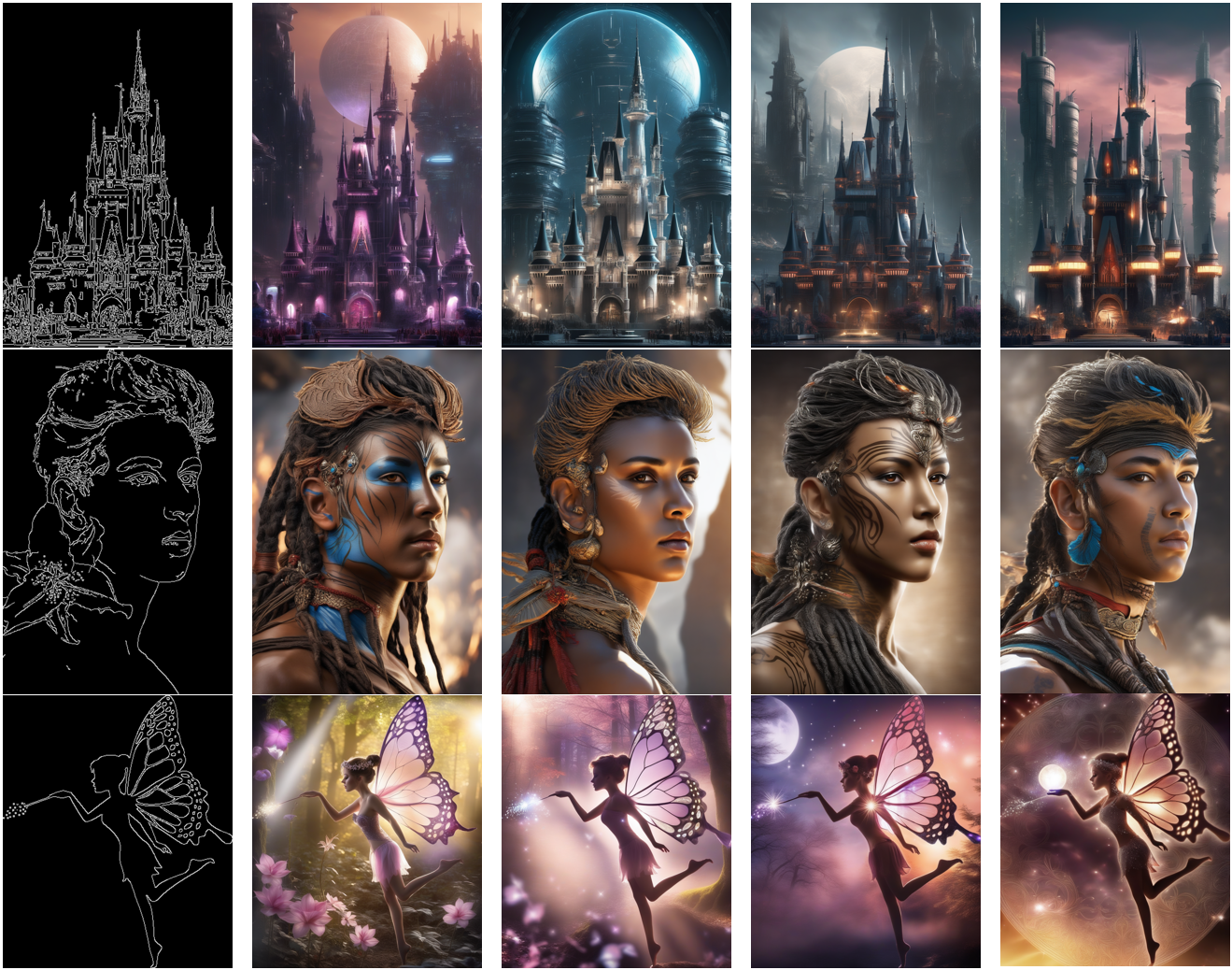 Model from
 TencentARC/t2i-adapter-canny-sdxl-1.0
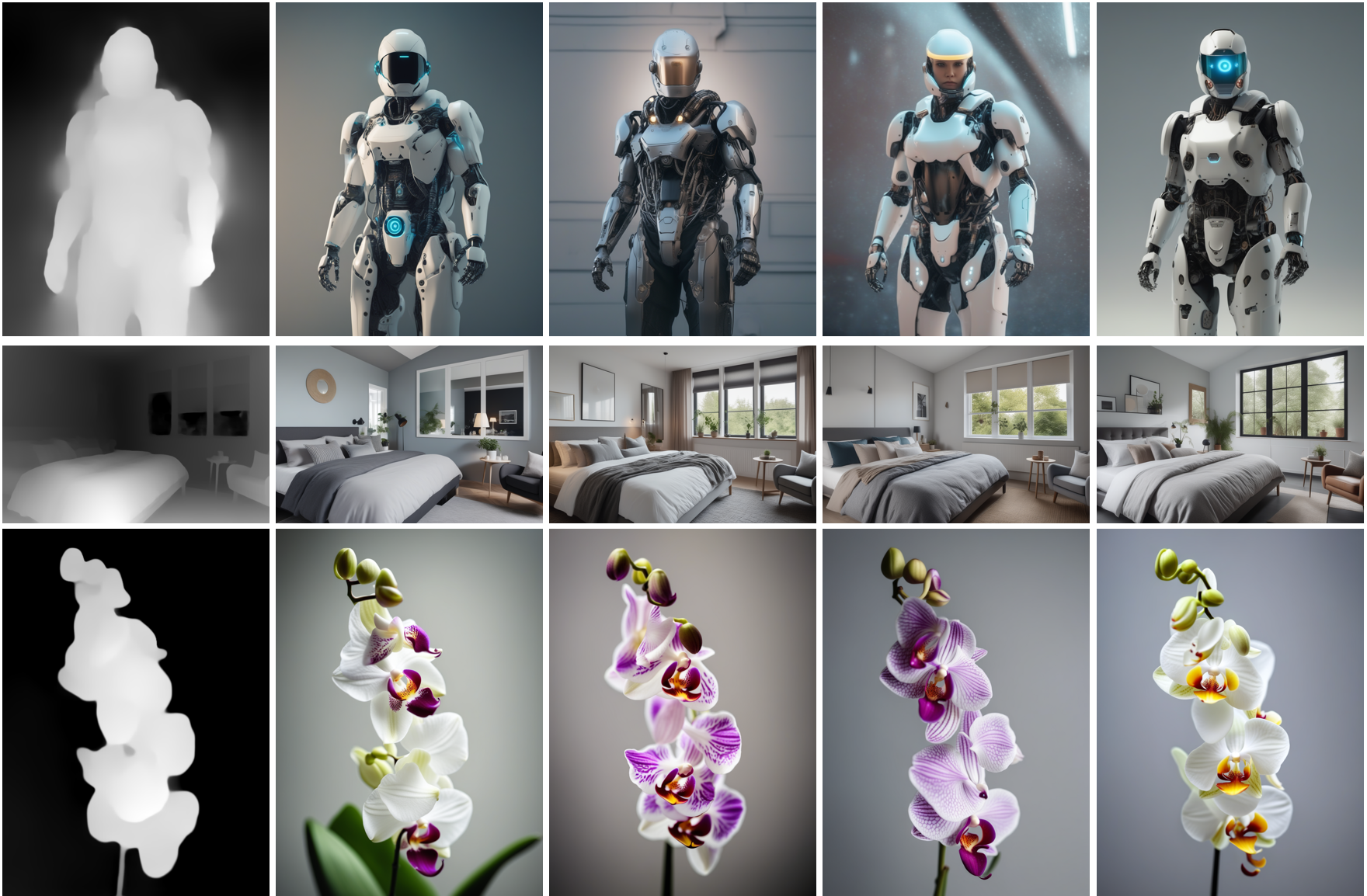 Depth guided models from
 TencentARC/t2i-adapter-depth-midas-sdxl-1.0 and TencentARC/t2i-adapter-depth-zoe-sdxl-1.0 respectively
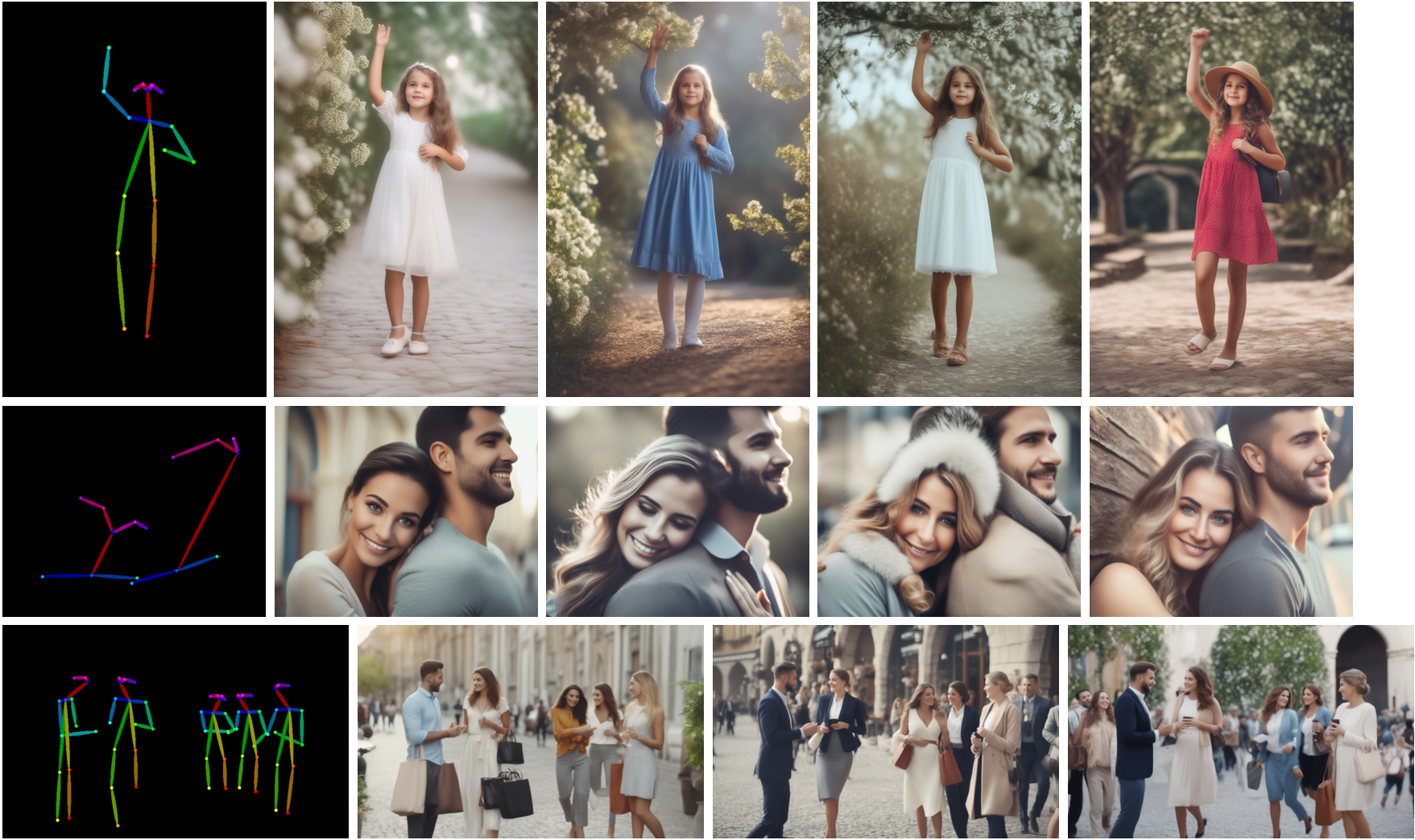 Model from
 TencentARC/t2i-adapter-openpose-sdxl-1.0
Acknowledgements: Immense thanks to William Berman for helping us train the models and sharing his insights.
此内容由惯性聚合(RSS阅读器)自动聚合整理,仅供阅读参考。 原文来自 — 版权归原作者所有。