

惯性聚合 高效追踪和阅读你感兴趣的博客、新闻、科技资讯
阅读原文 在惯性聚合中打开

推荐订阅源

P
Proofpoint News Feed
C
CERT Recently Published Vulnerability Notes
O
OpenAI News
V
Vulnerabilities – Threatpost
C
Cybersecurity and Infrastructure Security Agency CISA
S
Schneier on Security
Latest news
Latest news
F
Full Disclosure
T
Tenable Blog
T
Troy Hunt's Blog
The Last Watchdog
The Last Watchdog
S
Secure Thoughts
L
LangChain Blog
有赞技术团队
有赞技术团队
Project Zero
Project Zero
Cloudbric
Cloudbric
爱范儿
爱范儿
GbyAI
GbyAI
C
CXSECURITY Database RSS Feed - CXSecurity.com
T
The Exploit Database - CXSecurity.com
S
Security @ Cisco Blogs
Hugging Face - Blog
Hugging Face - Blog
Recorded Future
Recorded Future
大猫的无限游戏
大猫的无限游戏
Last Week in AI
Last Week in AI
C
Cisco Blogs
WordPress大学
WordPress大学
Apple Machine Learning Research
小众软件
小众软件
Cyber Security Advisories - MS-ISAC
V2EX - 技术
V2EX - 技术
Engineering at Meta
Engineering at Meta
Spread Privacy
Spread Privacy
cs.CL updates on arXiv.org
Hacker News: Ask HN
Hacker News: Ask HN
Recent Commits to openclaw:main
Schneier on Security
T
Threat Research - Cisco Blogs
M
MIT News - Artificial intelligence
让小产品的独立变现更简单 - ezindie.com
K
Kaspersky official blog
The Hacker News
The Hacker News
V
V2EX
F
Fortinet All Blogs
L
LINUX DO - 最新话题
Cisco Talos Blog
Cisco Talos Blog
钛媒体:引领未来商业与生活新知
钛媒体:引领未来商业与生活新知
N
News | PayPal Newsroom
博客园 - 三生石上(FineUI控件)
cs.CV updates on arXiv.org

Hugging Face - Blog

Waypoint-1.5: Higher-Fidelity Interactive Worlds for Everyday GPUs ALTK‑Evolve: On‑the‑Job Learning for AI Agents Safetensors is Joining the PyTorch Foundation Holo3: Breaking the Computer Use Frontier Any Custom Frontend with Gradio's Backend A New Framework for Evaluating Voice Agents (EVA) Bringing Robotics AI to Embedded Platforms: Dataset Recording, VLA Fine‑Tuning, and On‑Device Optimizations One-Shot Any Web App with Gradio's gr.HTML CUGA on Hugging Face: Democratizing Configurable AI Agents New in llama.cpp: Model Management Building Deep Research: How we Achieved State of the Art OVHcloud on Hugging Face Inference Providers 🔥 20x Faster TRL Fine-tuning with RapidFire AI Building for an Open Future - our new partnership with Google Cloud Aligning to What? Rethinking Agent Generalization in MiniMax M2 Building a Healthcare Robot from Simulation to Deployment with NVIDIA Isaac Sentence Transformers is joining Hugging Face! Unlock the power of images with AI Sheets Supercharge your OCR Pipelines with Open Models Google Cloud C4 Brings a 70% TCO improvement on GPT OSS with Intel and Hugging Face Get your VLM running in 3 simple steps on Intel CPUs Nemotron-Personas-India: Synthesized Data for Sovereign AI Introducing RTEB: A New Standard for Retrieval Evaluation Accelerating Qwen3-8B Agent on Intel® Core™ Ultra with Depth-Pruned Draft Models VibeGame: Exploring Vibe Coding Games Nemotron-Personas-Japan: ソブリン AI のための合成データセット Swift Transformers Reaches 1.0 – and Looks to the Future Smol2Operator: Post-Training GUI Agents for Computer Use SyGra: The One-Stop Framework for Building Data for LLMs and SLMs Gaia2 and ARE: Empowering the community to study agents Scaleway on Hugging Face Inference Providers 🔥 Democratizing AI Safety with RiskRubric.ai Public AI on Hugging Face Inference Providers 🔥 `LeRobotDataset:v3.0`: Bringing large-scale datasets to `lerobot` Visible Watermarking with Gradio Introducing the Palmyra-mini family: Powerful, lightweight, and ready to reason! Tricks from OpenAI gpt-oss YOU 🫵 can use with transformers Fine-tune Any LLM from the Hugging Face Hub with Together AI Jupyter Agents: training LLMs to reason with notebooks mmBERT: ModernBERT goes Multilingual Welcome EmbeddingGemma, Google's new efficient embedding model SAIR: Accelerating Pharma R&D with AI-Powered Structural Intelligence Make your ZeroGPU Spaces go brrr with ahead-of-time compilation NVIDIA Releases 6 Million Multi-Lingual Reasoning Dataset Generate Images with Claude and Hugging Face From Zero to GPU: A Guide to Building and Scaling Production-Ready CUDA Kernels MCP for Research: How to Connect AI to Research Tools Kimina-Prover-RL Arm & ExecuTorch 0.7: Bringing Generative AI to the masses Neural Super Sampling is here! TextQuests: How Good are LLMs at Text-Based Video Games? 🇵🇭 FilBench - Can LLMs Understand and Generate Filipino? Introducing AI Sheets: a tool to work with datasets using open AI models! Accelerate ND-Parallel: A guide to Efficient Multi-GPU Training Vision Language Model Alignment in TRL ⚡️ Welcome GPT OSS, the new open-source model family from OpenAI! Measuring Open-Source Llama Nemotron Models on DeepResearch Bench 📚 3LM: A Benchmark for Arabic LLMs in STEM and Code Implementing MCP Servers in Python: An AI Shopping Assistant with Gradio Introducing Trackio: A Lightweight Experiment Tracking Library from Hugging Face Say hello to `hf`: a faster, friendlier Hugging Face CLI ✨ Parquet Content-Defined Chunking TimeScope: How Long Can Your Video Large Multimodal Model Go? Fast LoRA inference for Flux with Diffusers and PEFT Accelerate a World of LLMs on Hugging Face with NVIDIA NIM Arc Virtual Cell Challenge: A Primer Consilium: When Multiple LLMs Collaborate Back to The Future: Evaluating AI Agents on Predicting Future Events Five Big Improvements to Gradio MCP Servers Ettin Suite: SoTA Paired Encoders and Decoders Migrating the Hub from Git LFS to Xet Kimina-Prover: Applying Test-time RL Search on Large Formal Reasoning Models Asynchronous Robot Inference: Decoupling Action Prediction and Execution ScreenEnv: Deploy your full stack Desktop Agent Building the Hugging Face MCP Server Reachy Mini - The Open-Source Robot for Today's and Tomorrow's AI Builders Creating custom kernels for the AMD MI300 Upskill your LLMs With Gradio MCP Servers SmolLM3: smol, multilingual, long-context reasoner Three Mighty Alerts Supporting Hugging Face’s Production Infrastructure Efficient MultiModal Data Pipeline Announcing NeurIPS 2025 E2LM Competition: Early Training Evaluation of Language Models Training and Finetuning Sparse Embedding Models with Sentence Transformers Welcome the NVIDIA Llama Nemotron Nano VLM to Hugging Face Hub Gemma 3n fully available in the open-source ecosystem! Transformers backend integration in SGLang (LoRA) Fine-Tuning FLUX.1-dev on Consumer Hardware Groq on Hugging Face Inference Providers 🔥 How Long Prompts Block Other Requests - Optimizing LLM Performance Learn the Hugging Face Kernel Hub in 5 Minutes Convert Transformers to ONNX with Hugging Face Optimum Intel and Hugging Face Partner to Democratize Machine Learning Hardware Acceleration Director of Machine Learning Insights [Part 3: Finance Edition] The Annotated Diffusion Model Deep Q-Learning with Space Invaders Graphcore and Hugging Face Launch New Lineup of IPU-Ready Transformers Introducing Pull Requests and Discussions 🥳 Efficient Table Pre-training without Real Data: An Introduction to TAPEX An Introduction to Q-Learning Part 2/2 How Sempre Health is leveraging the Expert Acceleration Program to accelerate their ML roadmap
AI Apps in a Flash with Gradio's Reload Mode
Freddy Boulton · 2024-04-16 · via Hugging Face - Blog

Back to Articles

Freddy Boulton's avatar

This article is also available in Chinese 简体中文.

In this post, I will show you how you can build a functional AI application quickly with Gradio's reload mode. But before we get to that, I want to explain what reload mode does and why Gradio implements its own auto-reloading logic. If you are already familiar with Gradio and want to get to building, please skip to the third section.

What Does Reload Mode Do?

To put it simply, it pulls in the latest changes from your source files without restarting the Gradio server. If that does not make sense yet, please continue reading.

Gradio is a popular Python library for creating interactive machine learning apps. Gradio developers declare their UI layout entirely in Python and add some Python logic that triggers whenever a UI event happens. It's easy to learn if you know basic Python. Check out this quickstart if you are not familiar with Gradio yet.

Gradio applications are launched like any other Python script, just run python app.py (the file with the Gradio code can be called anything). This will start an HTTP server that renders your app's UI and responds to user actions. If you want to make changes to your app, you stop the server (typically with Ctrl + C), edit your source file, and then re-run the script.

Having to stop and relaunch the server can introduce a lot of latency while you are developing your app. It would be better if there was a way to pull in the latest code changes automatically so you can test new ideas instantly.

That's exactly what Gradio's reload mode does. Simply run gradio app.py instead of python app.py to launch your app in reload mode!

Why Did Gradio Build Its Own Reloader?

Gradio applications are run with uvicorn, an asynchronous server for Python web frameworks. Uvicorn already offers auto-reloading but Gradio implements its own logic for the following reasons:

  1. Faster Reloading: Uvicorn's auto-reload will shut down the server and spin it back up. This is faster than doing it by hand, but it's too slow for developing a Gradio app. Gradio developers build their UI in Python so they should see how ther UI looks as soon as a change is made. This is standard in the Javascript ecosystem but it's new to Python.
  2. Selective Reloading: Gradio applications are AI applications. This means they typically load an AI model into memory or connect to a datastore like a vector database. Relaunching the server during development will mean reloading that model or reconnecting to that database, which introduces too much latency between development cycles. To fix this issue, Gradio introduces an if gr.NO_RELOAD: code-block that you can use to mark code that should not be reloaded. This is only possible because Gradio implements its own reloading logic.

I will now show you how you can use Gradio reload mode to quickly build an AI App.

Building a Document Analyzer Application

Our application will allow users to upload pictures of documents and ask questions about them. They will receive answers in natural language. We will use the free Hugging Face Inference API so you should be able to follow along from your computer. No GPU required!

To get started, let's create a barebones gr.Interface. Enter the following code in a file called app.py and launch it in reload mode with gradio app.py:

import gradio as gr

demo = gr.Interface(lambda x: x, "text", "text")

if __name__ == "__main__":
    demo.launch()

This creates the following simple UI.

Simple Interface UI

Since I want to let users upload image files along with their questions, I will switch the input component to be a gr.MultimodalTextbox(). Notice how the UI updates instantly!
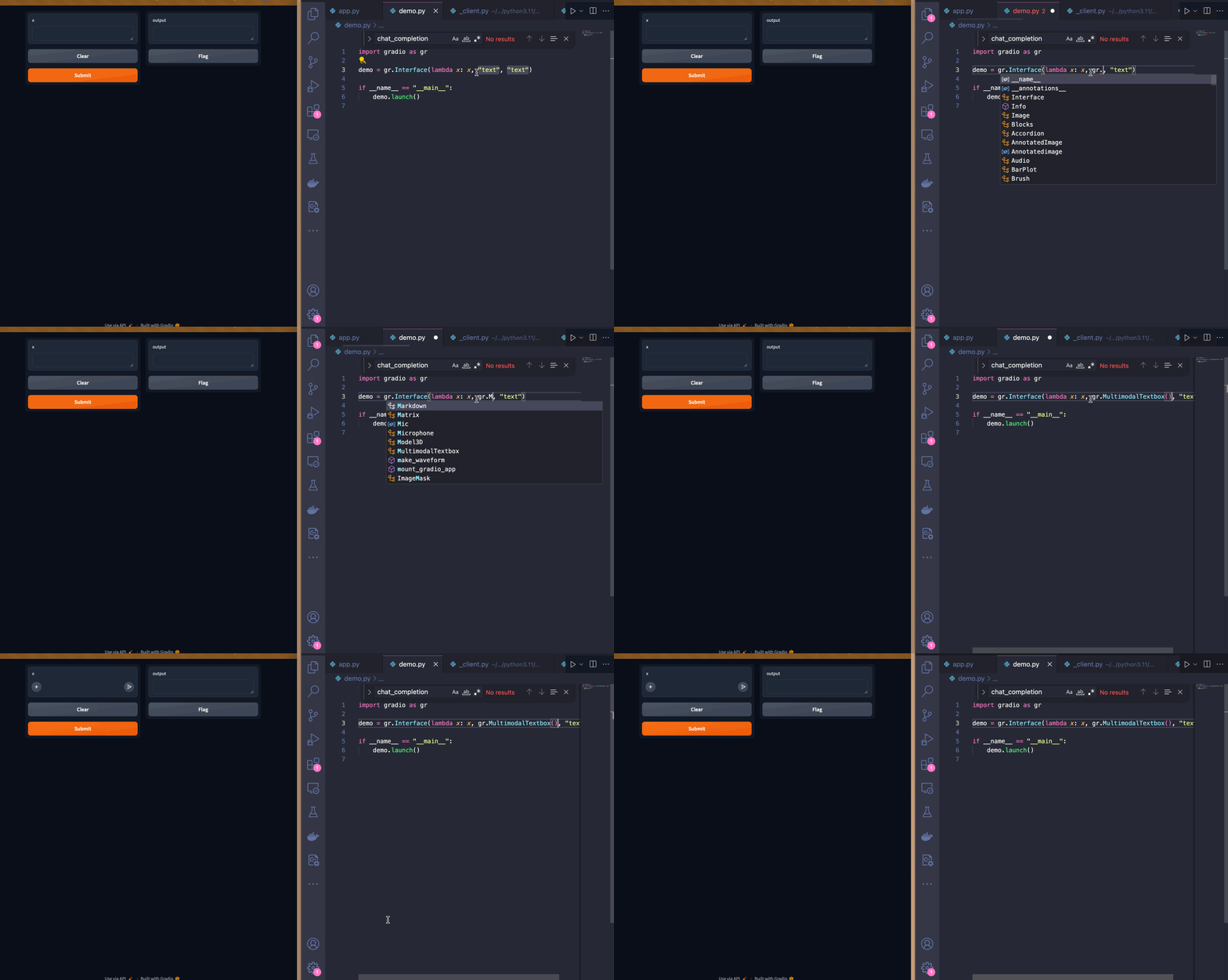
Simple Interface with MultimodalTextbox

This UI works but, I think it would be better if the input textbox was below the output textbox. I can do this with the Blocks API. I'm also customizing the input textbox by adding a placeholder text to guide users.
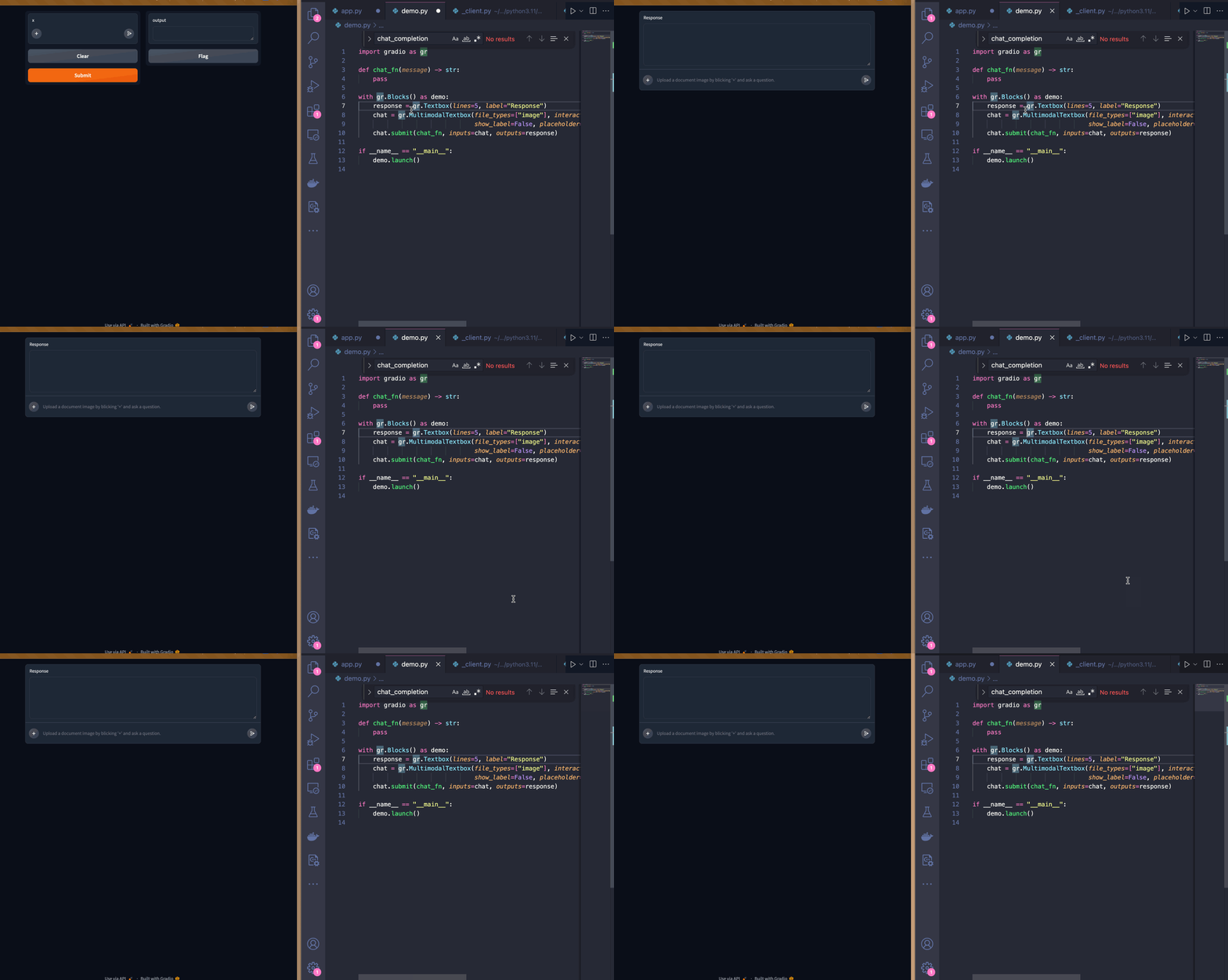
Switch to Blocks

Now that I'm satisfied with the UI, I will start implementing the logic of the chat_fn.

Since I'll be using Hugging Face's Inference API, I will import the InferenceClient from the huggingface_hub package (it comes pre-installed with Gradio). I'll be using the impira/layouylm-document-qa model to answer the user's question. I will then use the HuggingFaceH4/zephyr-7b-beta LLM to provide a response in natural language.

from huggingface_hub import InferenceClient

client = InferenceClient()

def chat_fn(multimodal_message):
    question = multimodal_message["text"]
    image = multimodal_message["files"][0]
    
    answer = client.document_question_answering(image=image, question=question, model="impira/layoutlm-document-qa")
    
    answer = [{"answer": a.answer, "confidence": a.score} for a in answer]
   
    user_message = {"role": "user", "content": f"Question: {question}, answer: {answer}"}
   
    message = ""
    for token in client.chat_completion(messages=[user_message],
                           max_tokens=200, 
                           stream=True,
                           model="HuggingFaceH4/zephyr-7b-beta"):
        if token.choices[0].finish_reason is not None:
           continue
        message += token.choices[0].delta.content
        yield message

Here is our demo in action!

Demoing our App

I will also provide a system message so that the LLM keeps answers short and doesn't include the raw confidence scores. To avoid re-instantiating the InferenceClient on every change, I will place it inside a no reload code block.

if gr.NO_RELOAD:
    client = InferenceClient()

system_message = {
    "role": "system",
    "content": """
You are a helpful assistant.
You will be given a question and a set of answers along with a confidence score between 0 and 1 for each answer.
You job is to turn this information into a short, coherent response.

For example:
Question: "Who is being invoiced?", answer: {"answer": "John Doe", "confidence": 0.98}

You should respond with something like:
With a high degree of confidence, I can say John Doe is being invoiced.

Question: "What is the invoice total?", answer: [{"answer": "154.08", "confidence": 0.75}, {"answer": "155", "confidence": 0.25}

You should respond with something like:
I believe the invoice total is $154.08 but it can also be $155.
"""}

Here is our demo in action now! The system message really helped keep the bot's answers short and free of long decimals.

Demo of app with system message

As a final improvement, I will add a markdown header to the page:
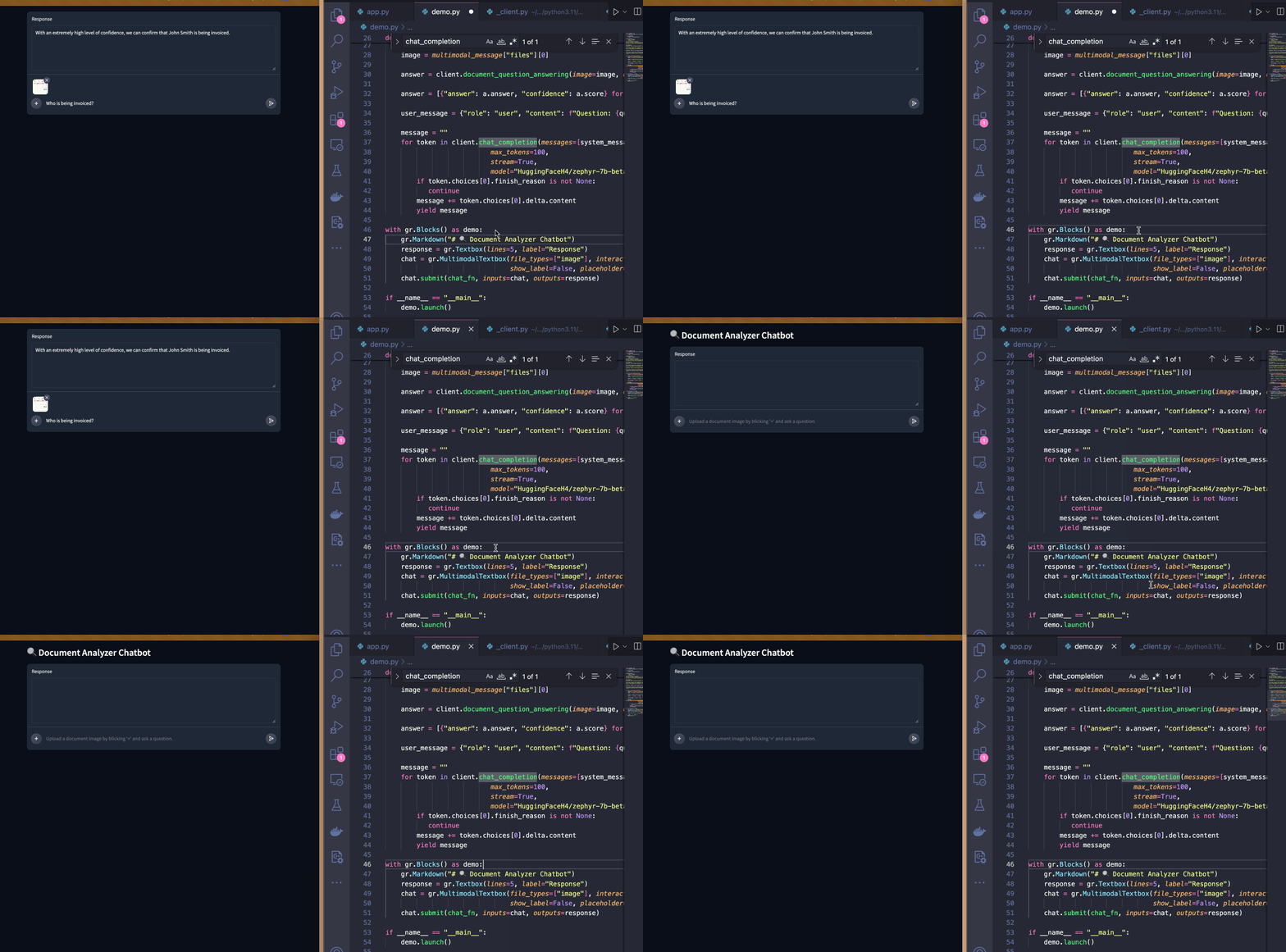
Adding a Header

Conclusion

In this post, I developed a working AI application with Gradio and the Hugging Face Inference API. When I started developing this, I didn't know what the final product would look like so having the UI and server logic reload instanty let me iterate on different ideas very quickly. It took me about an hour to develop this entire app!

If you'd like to see the entire code for this demo, please check out this space!