





Writing a screenplay can be hard. The blank white page dotted with a blinking cursor can be daunting. There’s no one way to turn that blank page into a hundred and twenty riveting ones, but there are a few time-tested steps you can take to make the process a little bit easier. Let’s look at how to write a screenplay.
Screenwriting is a particular form of writing quite different from prose. And while screenplay formatting is somewhat specific, the storytelling fundamentals are exactly the same. We're going to use StudioBinder’s screenwriting software to break down the steps of writing a screenplay to better visualize these universal processes.
To get started, here's what a finished screenplay looks like.
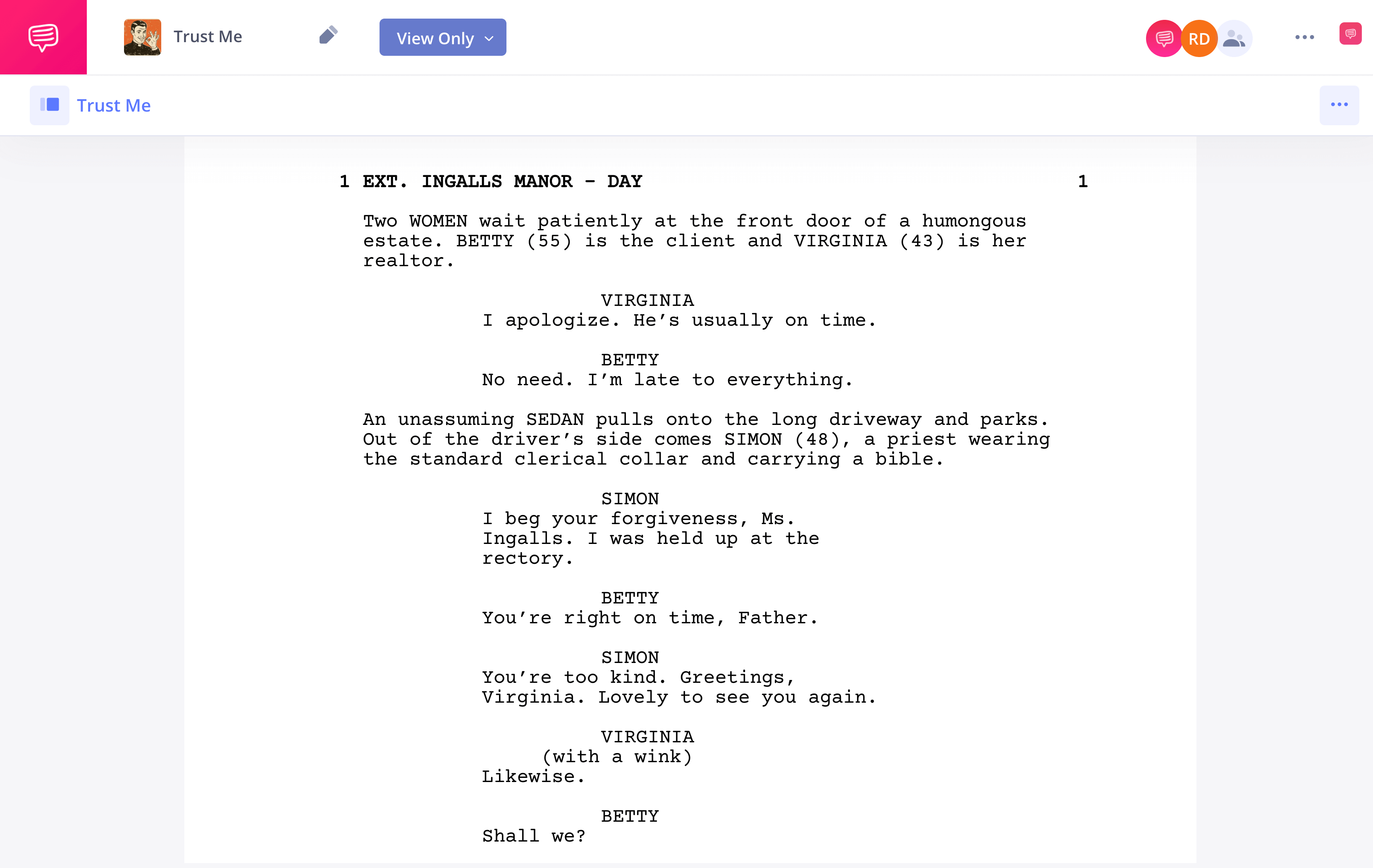
Now, we'll go back to the beginning to cover the steps of taking that idea in your head and turning it into a full screenplay. Let's begin our screenplay guide!
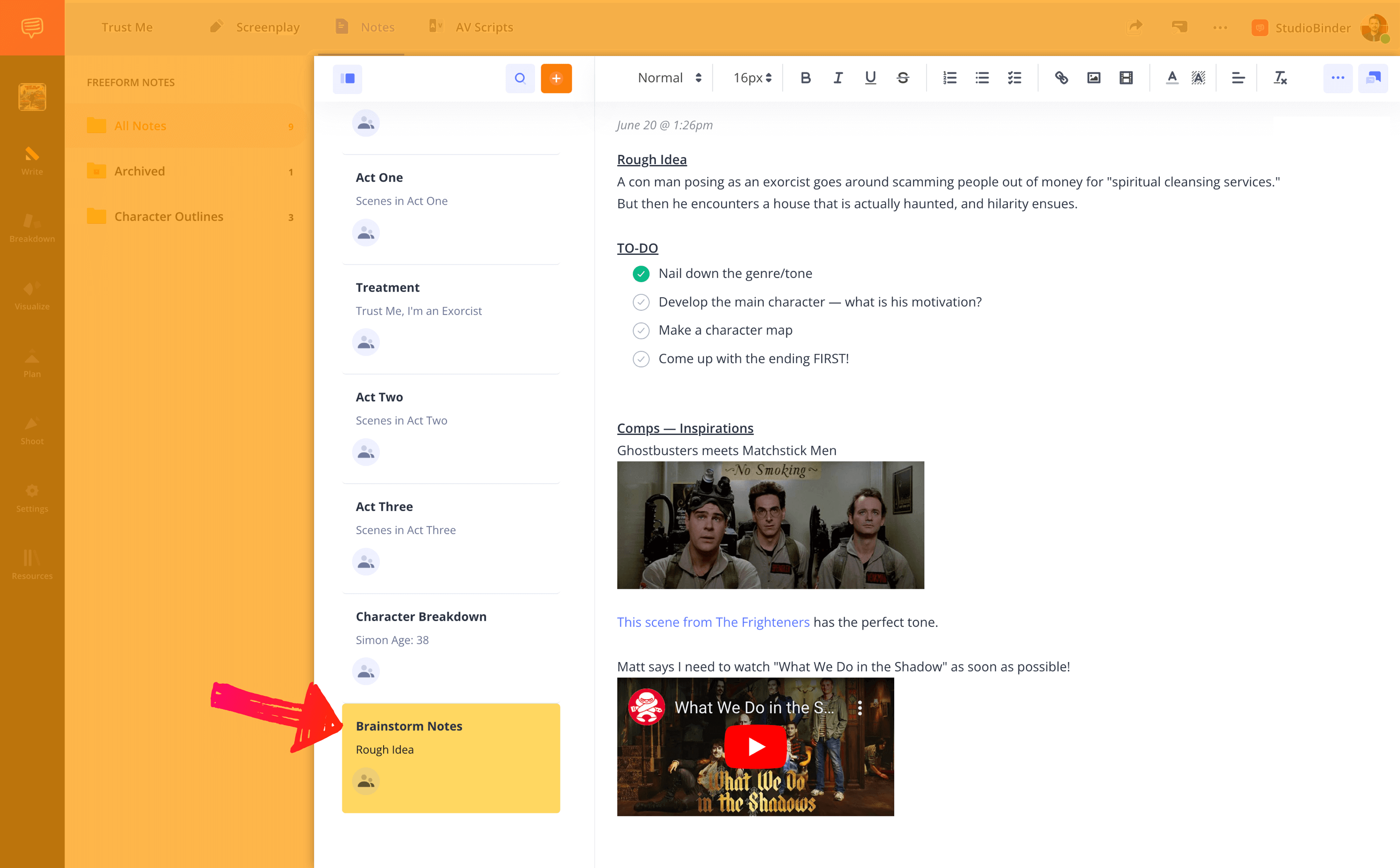
For many writers, the first step can be the hardest. Finding an idea that is right for a feature film requires a lot of critical thinking. You could have a story that you think is interesting, but it may be too thin to be stretched out over two hours. Or, conversely, the idea might be too big, and better suited for writing a TV pilot. You want to catch the attention of script readers, but don't overthink the 'how' either. Make something that draws you in first.
StudioBinder's Notes feature is a great place to get the juices flowing. You can quickly jot down ideas, make lists, and even add images and videos. It’s a great spot to keep all of your inspirations and leads so you’re not searching around for a variety of docs you’ve created (we’ve all been there).
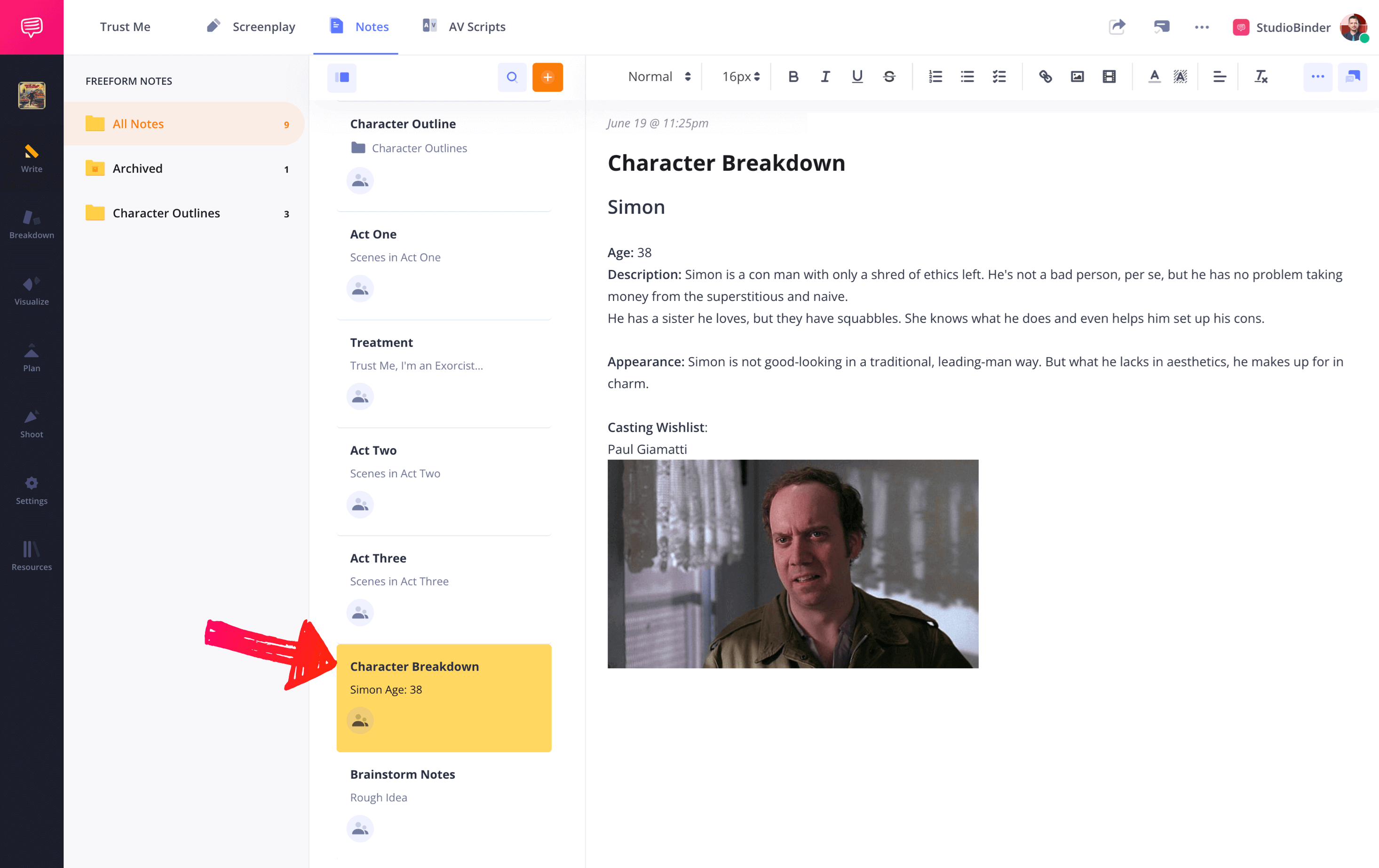
Great stories have great characters. Before you go too deep into your plot, you should have a comprehensive understanding of your characters.
This starts with your protagonist. Write out a couple pages describing this person. What’s their background? What are their interests? What are their insecurities? Their strengths? Their weaknesses? What is their character arc?
With your lead character set, move onto your other primary characters and do the same thing. Start thinking about how all these players are connected and what their relationships and mutual histories look like. Then, try to sum up each character in one line. A great screenplay introduces the characters with finesse.
Again, you can keep your writing and ideations on each character in the StudioBinder Notes app. Include images of people you think each character might look like. You can also create a template that you can use for each part.
Now it’s time of day to get into the nitty-gritty of the story. Outline your story, scene-by-scene. You may want to mark act breaks if you’re using a three act structure, and you can also take note of significant story beats as well.
Outlining your plot will give you a good sense of the pace of your story. Check to make sure that areas aren’t moving too slowly or quickly, and confirm that each scene you write out has a purpose, whether it be informing a character arc or pushing the plot forward. And always connect to your central conflict.
Some writers say that this step takes the longest out of the entire screenwriting process. There’s a reason for that. You’re not going to nail your scenes the first time through. You’ll likely spend days, weeks, or even months tinkering with the story structure, what comes when and how.
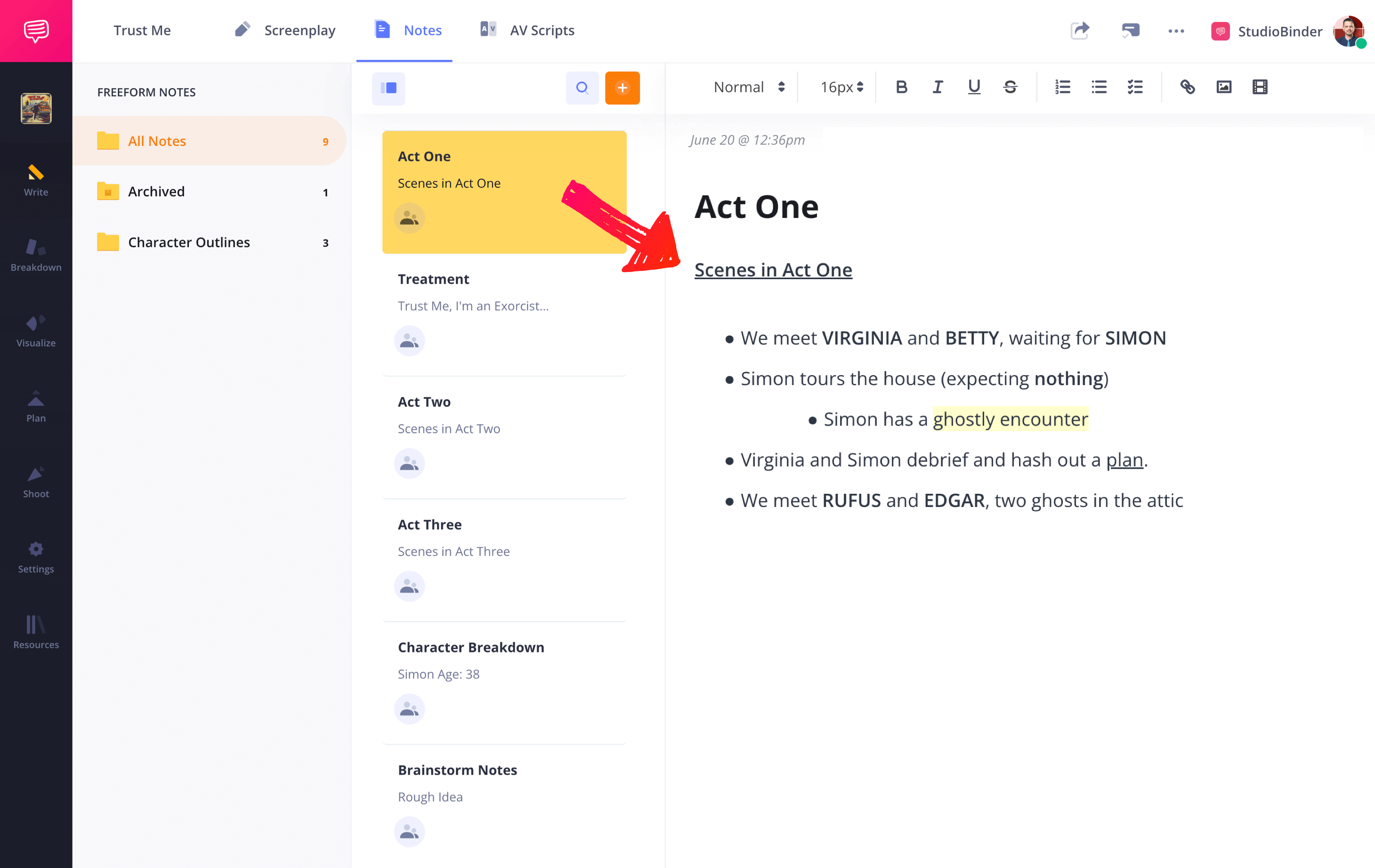
In StudioBinder Notes, you can create a note for each scene, and create a group of notes for each Act. Once you have everything organized, you’ll be able to see the overview of the entire story.
Your logline will likely be the most important sentence you write. When you’re talking about your script, pitching it, previewing it for financiers– this is what you’ll start with. So how do you write a logline?
A logline is a one sentence description of your film. As such, it should include all the most important elements of the story: the hero, their core obstacle, and the hook of the story.
If your logline doesn’t spark interest, or doesn’t feel unique, you may want to go back to the drawing board. Trying to sell a script with a weak logline is an uphill battle.
Next, it’s time to start shaping your story some more with a treatment. A treatment is a high-level overview of your narrative. It typically includes character descriptions, a description of the genre, and a couple page summary of the story.
You can also create a treatment in the StudioBinder Notes feature. You can add images to make it all the more arresting, and when you’re done, you can export it as a PDF to distribute.
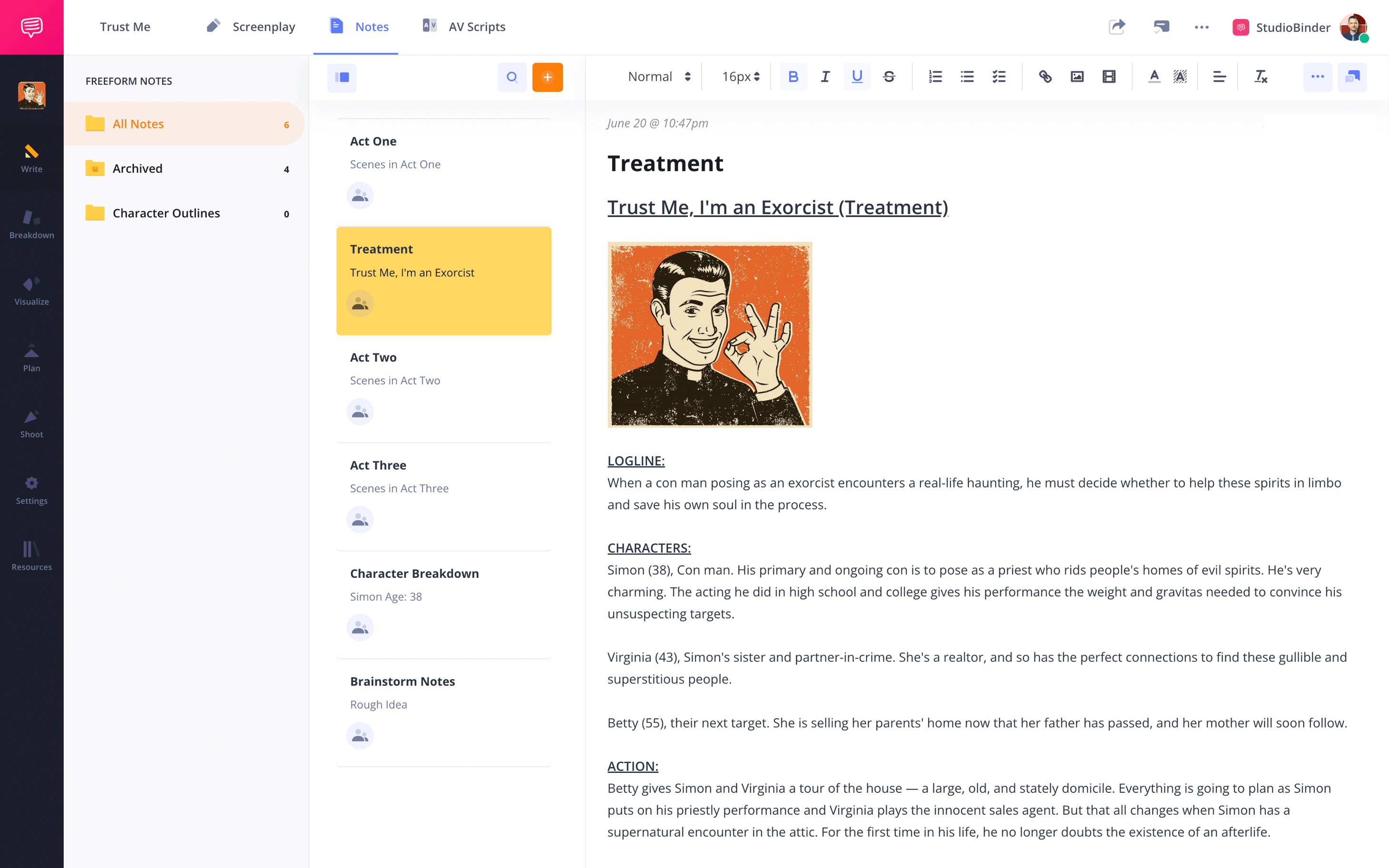
A treatment will help you hone your story further. Like a logline, this document will usually become a tool to sell your film, something you send to interested parties that piques their interest.
Hopefully, with all the prep work you’ve done, the blank page in front of you feels less daunting. You know your characters, you know your genre, you know your scenes, you know your arc.
Ideally, your script’s page count will be around 90-120 pages. Fluctuations may depend on the nature of your story and whether it's light or heavy on dialogue.
If you are using a three act structure, your first act should be roughly 25% of your total page count, your second act 50%, and your third act 25%.
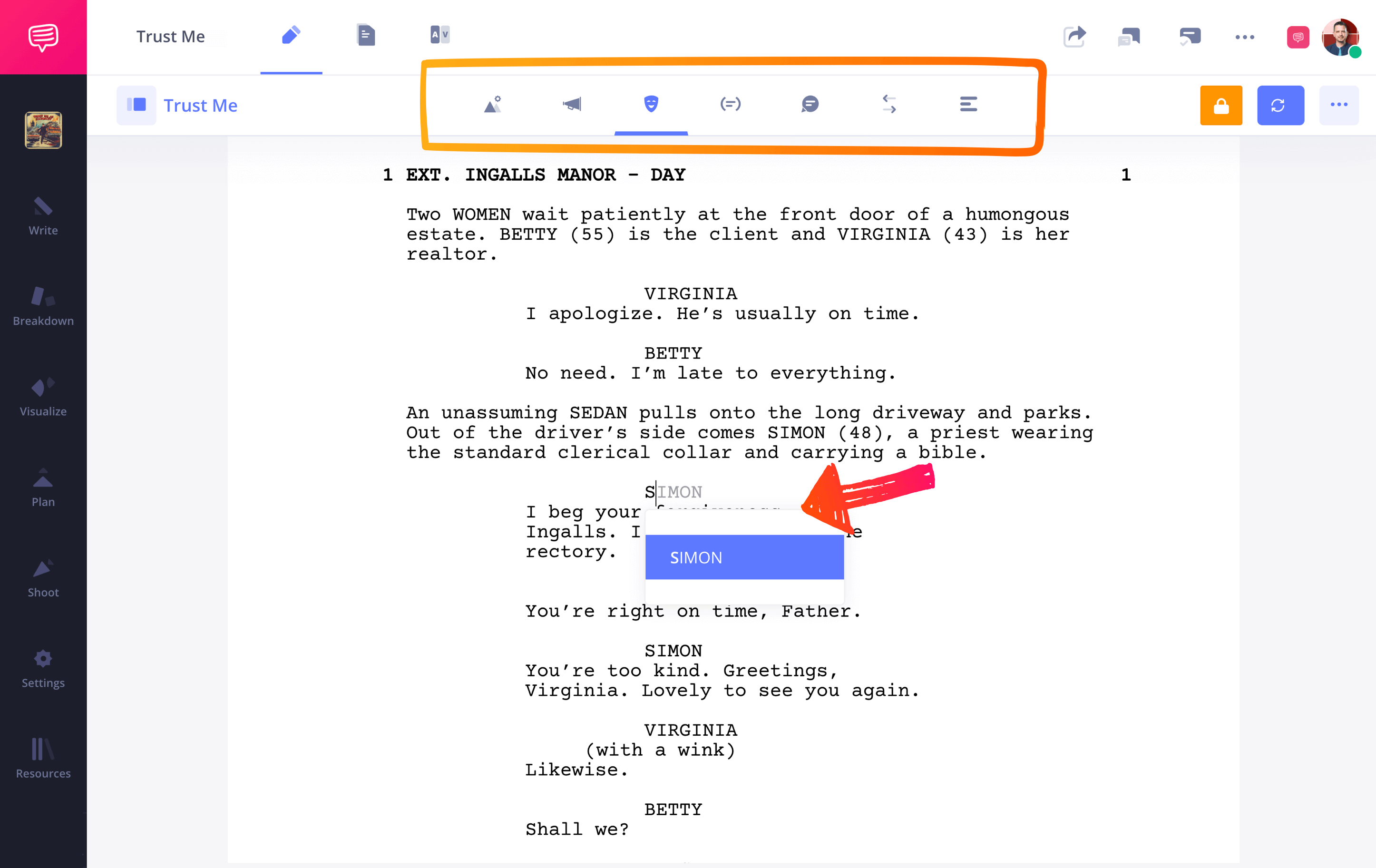
StudioBinder includes all the screenplay elements and formatting conventions you need, from scene headings written in all caps to accurate left margin spacing. So, all you have to worry about is writing a good story.
Now it’s time to share your script with the world.
But don’t start sending manila folders to big shot producers just yet. Send your script to friends and colleagues whose opinion you respect. They’ll have notes and ideas you could never have thought of in a million years. If multiple people give you the same note, then you should probably take it, or at least think about why they are giving the note.
StudioBinder makes it easy to share and collaborate with others. You can send “view-only” links to anyone, regardless of whether or not they have a StudioBinder account.
You can also invite collaborators and give them one of three access levels: viewer, commenter, or editor.
With collaborators involved, you can get feedback directly on your script. This eliminates the need for lengthy email "back-and-forths," clunky PDF mark-ups, or any other communication that might get lost in the shuffle.
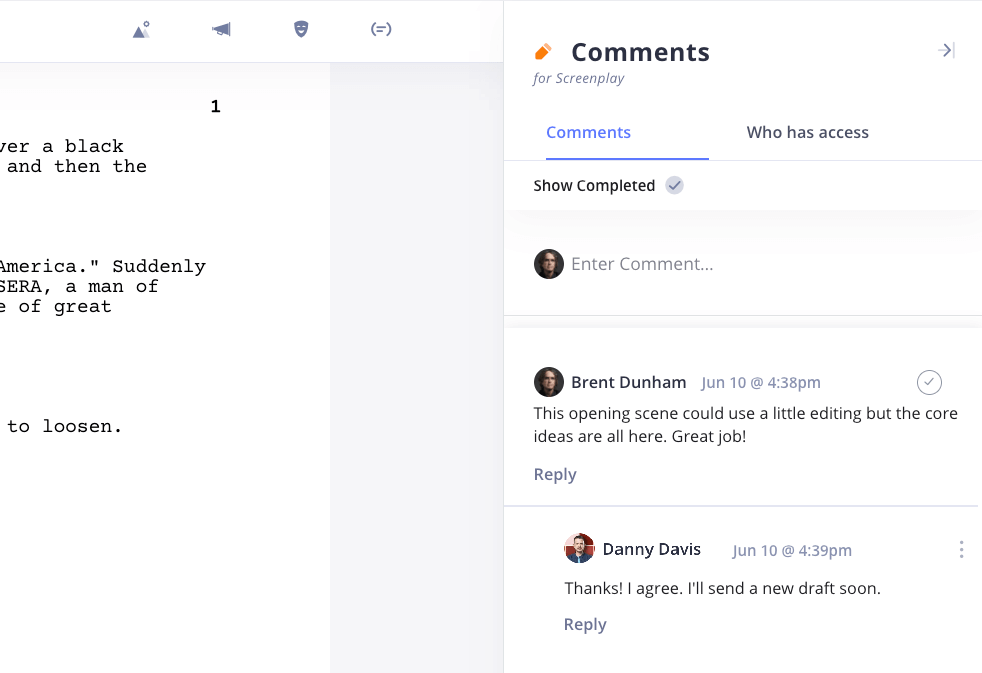
Getting others’ thoughts on your script is vital. Just like with any other aspect of filmmaking, collaboration is king.
Like with your outline, you are not going to write a perfect script on the first pass. In fact, you shouldn’t be discouraged if you don’t think the script is very good at all. That’s why it’s called a first draft and not a final draft – you’re only just beginning.
But before you start rewriting, it can be a good idea to spend some time away from the draft. Clear your head, attend to the chores you’ve been ignoring while holed away at the typewriter, hang out with friends. This will allow you to come back to the script with a fresh perspective.
In StudioBinder, new versions can be created while old versions are accessible at any time. In your script revision history, you can access previous drafts for reference or restore those versions as needed. None of your work is lost, including that amazing idea you had in the first draft.
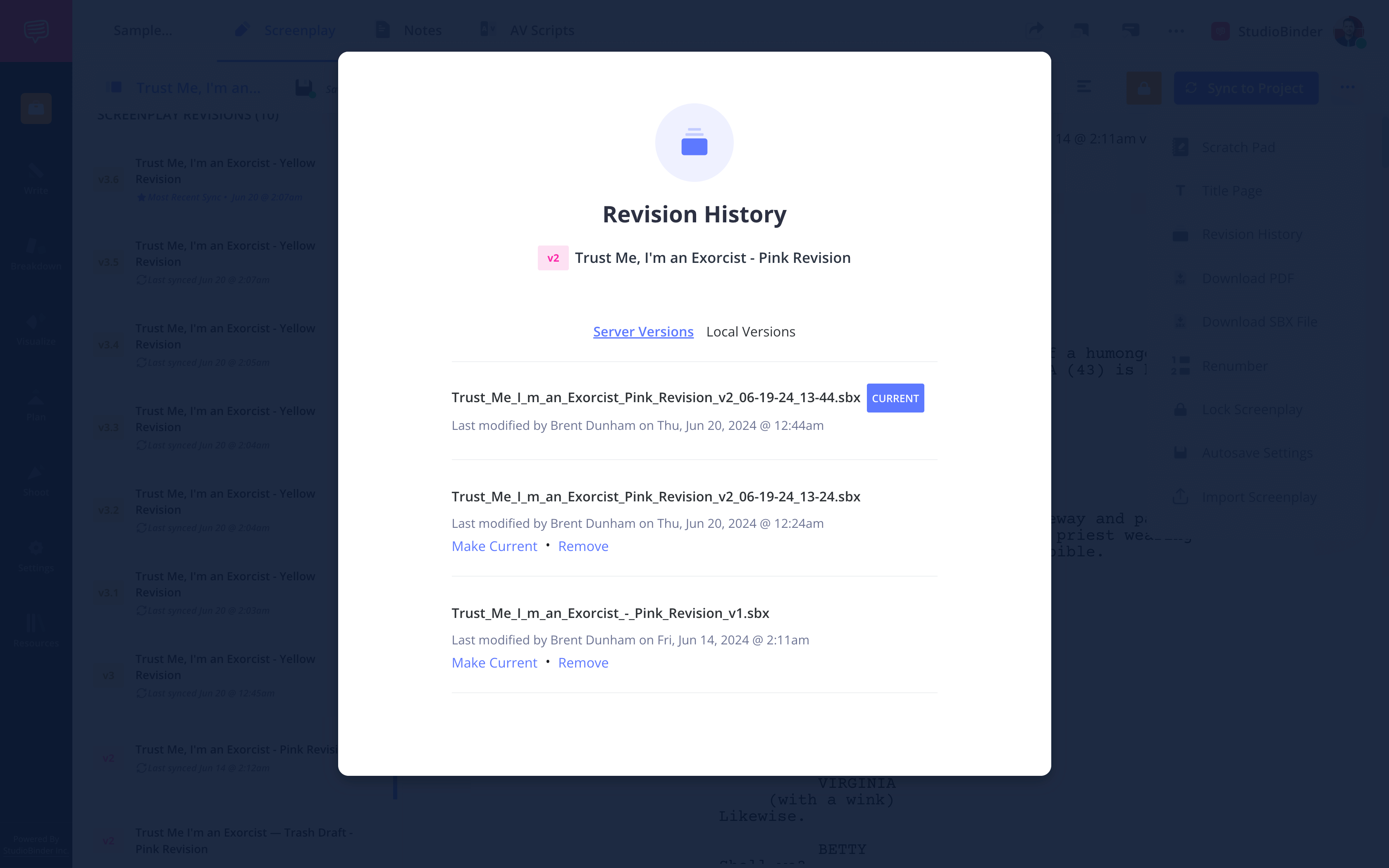
StudioBinder also uses WGA-standard color codes for subsequent drafts that you can use when multiple versions have been created and distributed.
This is what rewriting is all about. Kill your darlings to make room for new and better darlings. Move entire scenes. Add entire scenes. Rewrite your ending. Rewrite your beginning. Make that character introduction more riveting for gosh sakes.
So it only takes a few steps to create a great script. Now that you know them, you know how to write a screenplay, and you have no excuse not to get started on your own today. After all, how hard could it be?
You’re ready to start writing your script — all you need is a software to write on. You’re in luck! StudioBinder has a script writing software which works seamlessly with other pre-production tools like shot listing and storyboarding.
此内容由惯性聚合(RSS阅读器)自动聚合整理,仅供阅读参考。 原文来自 — 版权归原作者所有。