






Autonomous Systems (AS) form the backbone of internet routing — each one representing a distinct network under unified control with its own routing policies. Whether you’re tracking threat infrastructure, performing attribution, or analyzing global traffic flows, understanding how ASNs work is essential.
This guide walks you through the key concepts and techniques for exploring Autonomous Systems. You’ll start by learning what ASNs are, who controls them, and how they’re categorized. Then, we examine the main data sources — WHOIS, RDAP, BGP collectors, and contextual platforms — that power ASN analysis. Finally, you’ll apply this knowledge through practical investigation methods using both command-line tools and web-based interfaces.
By the end, you’ll be equipped with a solid foundation in ASN lookups and discovery techniques to support cybersecurity research, OSINT workflows, and network intelligence.
Before we dive deeper, let’s clarify a few basic concepts:
IANA and the RIRs work together to coordinate the global distribution of IP address space and ASNs used for routing internet traffic.
Each autonomous system manages one or more blocks of IP addresses, known as prefixes.
For example, 192.0.2.0/24 represents 256 IP addresses from 192.0.2.0 to 192.0.2.255.
Autonomous Systems announce their prefixes to the global internet using the Border Gateway Protocol (BGP). The ASN serves as a label indicating which AS is originating or forwarding a particular prefix. This connection between ASNs and prefixes forms the basis for global routing — it tells other networks where to send traffic for a given destination.
In practice, a single ASN might announce multiple prefixes, each covering different parts of its infrastructure or customer networks.
An autonomous system is typically created by organizations that need full control over how their internet traffic is routed. This includes internet service providers, large corporations, universities, and financial institutions that operate their own networks and connect to multiple upstream providers.
To register an autonomous system, the organization must apply for an ASN through the Regional Internet Registry responsible for their geographic area.
The applicant must demonstrate a valid technical reason, such as multihoming (connecting to two or more providers) or having a unique routing policy. Once approved, the ASN allows the organization to announce its own IP prefixes, establish BGP sessions with other networks, and participate in global internet routing as an independent entity.
How often ASNs registered?
Creating an AS is a formal process — not something individuals do casually — but it’s essential for those building internet infrastructure at scale.
Autonomous Systems can be categorized into four basic types based on how they connect and operate within the larger internet infrastructure:
Transit systems and IXPs are especially critical — they influence how traffic flows, how resilient a network is, and how disruptions might ripple across regions. In security investigations, recognizing whether an IP belongs to a stub network, a transit provider, or an IXP can provide context about its purpose, reliability, and potential risk level.
Autonomous system numbers were originally structured as 16-bit values, allowing for a maximum of 65,536 unique identifiers. Of these, a range from 64512 to 65534 was reserved for private use — similar in concept to private IPv4 address ranges.
However, by the early 2000s, the rapid growth of the internet raised concerns that the 16-bit space would soon be exhausted. To address this, a 32-bit ASN format was introduced in RFC 4893 (May 2007), and further refined in RFC 6793 (December 2012). This upgrade expanded the total number of possible ASNs to over 4 billion. Within the new 32-bit space, a block from 4200000000 to 4294967294 is reserved for private use.
From around 2007, many systems supported a dual-format approach using the so-called ASDOT+ notation1. Eventually, as of January 1, 2010, IANA and RIRs began assigning 32-bit ASNs by default.

Book Your Netlas Demo
Chat with our team to explore how the Netlas platform can support your security research and threat analysis.
Key Takeaways from This Section
To analyze, monitor, or investigate ASN-related infrastructure, analysts rely on a range of data sources — from registration records to routing behavior and contextual metadata.
This chapter explores the most important protocols, platforms, and registries used to gather insights about ASNs.
The WHOIS protocol is one of the oldest and most widely used sources for retrieving information about autonomous systems. It provides registry-based data — that is, information recorded and maintained by Regional Internet Registries such as RIPE NCC, ARIN, APNIC, and others.
When you perform a WHOIS lookup for an ASN, you typically receive:
How to query WHOIS for ASN Data?
You can query ASN WHOIS data using the command line:
You should see a response like this (truncated for clarity):
% IANA WHOIS server
% for more information on IANA, visit http://www.iana.org
% This query returned 1 object

as-block:     13312-15359
organisation: Assigned by ARIN

ASNumber:   15169
ASName:     GOOGLE
RegDate:    2000-03-30
Updated:    2012-02-24
Ref:        https://rdap.arin.net/registry/autnum/15169

OrgName:    Google LLC
Address:    1600 Amphitheatre Parkway, Mountain View, CA, 94043, US
Abuse Email: [email protected]
Tech Email:  [email protected]
This output comes from ARIN and shows that ASN 15169 is assigned to Google LLC. It includes the registration date, company name, and a link to the full RDAP record.
This data is useful for attribution, compliance checks, and basic ownership verification.
However, WHOIS has several limitations:
Despite its shortcomings, WHOIS remains a foundational source for understanding the administrative side of ASN ownership. It’s often the first step when investigating an unfamiliar network on the internet.
The Registration Data Access Protocol (RDAP) is the modern successor to the WHOIS protocol. It was designed to solve several of WHOIS’s long-standing limitations — including inconsistent formats, lack of structure, and limited support for internationalization or authentication.
Unlike WHOIS, which returns raw, free-form text, RDAP delivers structured JSON responses, making it easier for applications to parse, display, and automate lookups across different regional internet registries.
How to query RDAP for ASN Data?
You can perform an RDAP query using your browser or command line:
curl https://rdap.arin.net/registry/autnum/15169RDAP returns a structured response like this (truncated for clarity):
{
  "handle": "AS15169",
  "name": "GOOGLE",
  "startAutnum": 15169,
  "endAutnum": 15169,
  "entities": [
    {
      "handle": "GOGL",
      "vcardArray": [
        "vcard",
        [
          ["fn", {}, "text", "Google LLC"],
          ["adr", {}, "text", ["", "", "1600 Amphitheatre Parkway", "Mountain View", "CA", "94043", "US"]],
          ["tel", {}, "text", "+1-650-253-0000"],
          ["email", {}, "text", "[email protected]"]
        ]
      ]
    }
  ]
}
While RDAP is more powerful and structured than WHOIS, many casual users still rely on WHOIS tools for quick checks. But if you’re building tools or performing large-scale analysis, RDAP is the better choice. RDAP is now the default lookup mechanism for many RIRs, including ARIN, RIPE, and APNIC.
For an up-to-date list of RDAP base URLs for various registries, you can refer to the IANA Registrar IDs registry.
While WHOIS and RDAP provide ownership data, BGP tells us how networks are connected and how traffic flows between them.
How to query BGP for ASN Data?
Unlike WHOIS, you don’t query BGP directly. Instead, data is collected by route monitors and public collectors that observe BGP updates from routers around the world.
What BGP Data Reveals:
This kind of visibility is crucial for network engineers, threat hunters, and researchers trying to understand how a given ASN interacts with the global internet.
Let’s take ASN 15169 (Google). A BGP collector might show:
Origin ASN: 15169
Prefix: 8.8.8.0/24
AS Path: 6939 15169
Peer AS: 6939 (Hurricane Electric)
This means AS15169 is announcing the 8.8.8.0/24 block, and it’s being passed to the world by AS6939 (a transit provider).
Public BGP collectors and monitoring tools for ASN data exploration are listed in the table below:
| Tool | Description | Focus |
|---|---|---|
| bgp.he.net | User-friendly tool for viewing ASNs, announced prefixes, peers, and AS paths. Operated by Hurricane Electric. | Quick lookups, infrastructure exploration |
| RIPEstat | Aggregates BGP, WHOIS, DNS, and geolocation data — ideal for quick ASN investigations. | All-in-one IP/ASN intelligence |
| RouteViews | Global BGP visibility from routers at major IXPs and ISPs. | AS path tracing, prefix monitoring |
| RIPE RIS | Passive BGP collector offering both historical and real-time routing data. | Global routing visibility, BGP snapshots |
| BGPStream | Research-grade platform for tracking BGP hijacks, route instability, and outages. | Security research, hijack detection |
Limitations of BGP ASN Data:
Still, BGP data is invaluable for detecting anomalies, tracking infrastructure changes, and understanding how autonomous systems interconnect in practice.
In addition to observing actual BGP routes, it’s sometimes useful to know what network operators intend to announce. This is where Internet Routing Registries come in.
These declarations are voluntary and typically include how the AS imports and exports traffic from peers and providers. They are written in a structured format using fields like:
import – how the AS accepts routes from other networksexport – how it advertises routes to othersmp-import / mp-export – for multi-protocol (IPv6, VPN) routing rulesNetwork engineers and transit providers use this information to validate configurations, manage routing filters, and automate parts of BGP peering.
| Registry | Description |
|---|---|
| RIPE IRR | Operated by RIPE NCC, used primarily in Europe and surrounding regions. |
| RADB | One of the oldest IRRs, operated by Merit Network. Global in scope, widely supported. |
| NTT IRR | Run by NTT Communications. Used by their customers and peers to publish routing policies. |
How to query IRR for ASN Data?
IRR data is often queried via the whois protocol using specialized tools (e.g., whois -h whois.radb.net), or integrated into automation platforms and RPKI filtering systems.
Here is an example request:
whois -h whois.radb.net AS15169The response should looks like this:
aut-num:        AS15169
as-name:        Google
descr:          Google, Inc
import:         from AS-ANY   accept ANY AND NOT {0.0.0.0/0}
export:         to AS-ANY   announce AS-GOOGLE AND NOT {0.0.0.0/0}
import:         from AS1273   accept ANY
import:         from AS3356   accept ANY
import:         from AS6453   accept ANY
admin-c:        Google Network Engineering
tech-c:         Google Network Engineering
notify:         [email protected]
mnt-by:         MAINT-AS15169
changed:        [email protected] 20190626
source:         RADB
last-modified:  2023-11-13T15:56:40Z
What it means:
AS15169 is accepting routes from major upstream providers like AS3356 (Lumen), AS6453 (Tata), and AS1273 (Vodafone).import and export lines define how Google receives and advertises routes — for example, it announces AS-GOOGLE but filters out the default route (0.0.0.0/0).Beyond WHOIS, RDAP, and BGP data, there are several platforms that enrich ASN information with additional context — such as geolocation, hosting providers, DNS metadata, peering presence, or related infrastructure. These tools help analysts better understand what a network does, where it operates, and who runs it.
Why Use Enrichment Platforms?
Enrichment and contextual platforms are especially useful in security investigations, threat attribution, network mapping, and monitoring infrastructure changes.
Common Use Cases:
Popular enrichment platforms are listed in the table below:
| Platform | Description | Focus |
|---|---|---|
| Netlas | Combines WHOIS, IP scans, certificates, and domain data — all linked to ASN and prefix context. | Threat intelligence, OSINT, infrastructure discovery |
| PeeringDB | A community-driven database of networks, showing ASN presence at Internet Exchange Points (IXPs) and peering policies. | Peering relationships, facility locations |
| IPinfo | Commercial API that maps IPs to ASNs, locations, companies, and carrier data. | Geolocation, ASN metadata enrichment |
| MaxMind GeoLite2 ASN | Free ASN-to-IP mapping database, commonly used in SIEMs and firewalls. | Lightweight ASN identification |
| db-ip.com | Offers downloadable IP-to-ASN mappings and geolocation data for enrichment pipelines. | Offline enrichment and data integration |
These platforms are often used alongside traditional ASN sources to complete the picture — for example, identifying whether an IP range is hosted in the cloud, tied to a threat actor’s infrastructure, or part of a CDN.
Some of them offer bulk exports, APIs, or integrations with security tools and automation platforms.
Key Takeaways from This Section
Let’s walk through practical techniques — using both CLI tools and web platforms — to identify ASN ownership, explore IP block metadata, and uncover related infrastructure.
To determine the ASN associated with a specific IP address, you can use a standard WHOIS query:
whois 23.192.228.80 | grep -i originThis might return:
If your investigation starts with a domain, use dig to resolve it to IP addresses, then pass those to WHOIS:
whois $(dig +short example.com) | grep -i originThat should work in theory — but in practice, my output looked like this:
OriginAS:
OriginAS:
OriginAS:
OriginAS:
OriginAS:
OriginAS:
This happens because ARIN, which handles IP registrations for North America, does not consistently populate the OriginAS field in WHOIS responses. It’s an optional field, and many network operators leave it blank.
Team Cymru offers a purpose-built WHOIS service that reliably maps IP addresses to their originating ASNs:
whois -h whois.cymru.com 23.215.0.138AS | IP | AS Name
20940 | 23.215.0.138 | AKAMAI-ASN1, NLThis method is fast, accurate, and works consistently even when standard WHOIS fails.
You can also use the Netlas CLI tool to retrieve detailed ASN data:
netlas host 23.215.0.138 --include whois.asnip: 23.215.0.138
source:
- availability: default
id: 7106
type: whois_ip
type: ip
whois:
asn:
cidr: 23.214.224.0/19
country: US
name: AKAMAI-AS
number:
- '16625'
registry: arin
updated: '2013-07-12'The host command returns a rich YAML document by default (use -f json for JSON). The whois.asn section includes the announced IP block, ASN number(s), registry, country, and last update date — making it ideal for automation and enrichment pipelines.
Identifying who owns and operates a particular ASN is often the first step in network investigations. Whether you’re tracking a suspicious IP or mapping the infrastructure behind an online service, discovering the responsible organization provides essential context.
Once you’ve resolved an IP address to its ASN, the next step is to look up details about that ASN’s ownership: the organization name, contact points, registration data, and sometimes routing policies.
You can use RDAP to look up ownership records. For example:
curl "https://rdap.arin.net/registry/autnum/20940"This returns structured JSON data, which includes:
Alternatively, traditional WHOIS still works with some RIRs:
aut-num:        AS20940
as-name:        AKAMAI-ASN1
org:            ORG-AT1-RIPE
import:         from AS9126 accept ANY
import:         from AS6805 accept AS-MWAYS
import:         from AS12755 accept ANY
...
export:         to AS9126 announce AS-AKAMAI
export:         to AS12755 announce AS-AKAMAI
...
admin-c:        NARA1-RIPE
tech-c:         CDAK23-RIPE
abuse-mailbox:  [email protected]
mnt-by:         AKAM1-RIPE-MNT
source:         RIPE

organisation:   ORG-AT1-RIPE
org-name:       Akamai International B.V.
country:        NL
address:        145 Broadway, Cambridge, MA 02142, US
phone:          +1-617-4443000
The same — and even more — information can be retrieved from the Netlas database. Let’s explore what’s available in the .whois field using the Netlas CLI:
netlas host 23.215.0.138 --include whoisYou’ll get rich, structured data like:
ip: 23.215.0.138
organization: Akamai Technologies, Inc. (AKAMAI)
source:
- availability: default
  id: 7106
  type: whois_ip
type: ip
whois:
  abuse: [email protected]
  asn:
    cidr: 23.214.224.0/19
    country: US
    name: AKAMAI-AS
    number:
    - '16625'
    registry: arin
    updated: '2013-07-12'
  ip:
    gte: 23.214.224.0
    lte: 23.215.8.255
  net:
    address: 145 Broadway
    cidr:
    - 23.192.0.0/11
    city: Cambridge
    contacts:
      emails:
      - [email protected]
      - [email protected]
      phones:
      - +1-617-444-2535
      - +1-617-274-7134
      - +1-617-444-0017
    country: US
    created: '2013-07-12'
    description: Akamai Technologies, Inc.
    end_ip: 23.223.255.255
    handle: NET-23-192-0-0-1
    name: AKAMAI
    net_size: 2097151
    organization: Akamai Technologies, Inc. (AKAMAI)
    postal_code: '02142'
    range: 23.192.0.0 - 23.223.255.255
    start_ip: 23.192.0.0
    state: MA
    updated: '2013-08-09'
  related_nets: []
This data is far more than just ASN lookup — it includes:
This level of detail makes Netlas ideal for infrastructure attribution, alert triage, and enriching threat intelligence pipelines.
If you prefer browser-based tools over command-line utilities, several platforms offer intuitive interfaces for ASN lookups, network ownership research, and IP block exploration.
Below are the most useful free tools for practical ASN investigations.
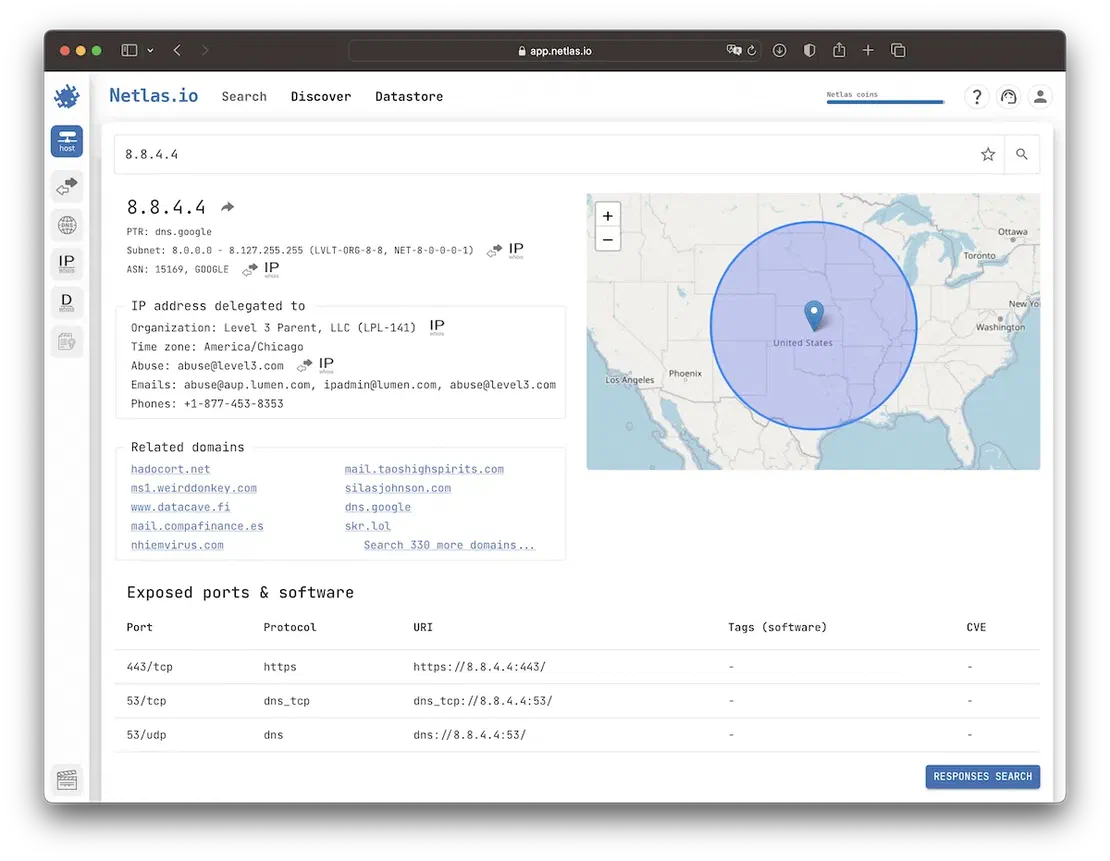
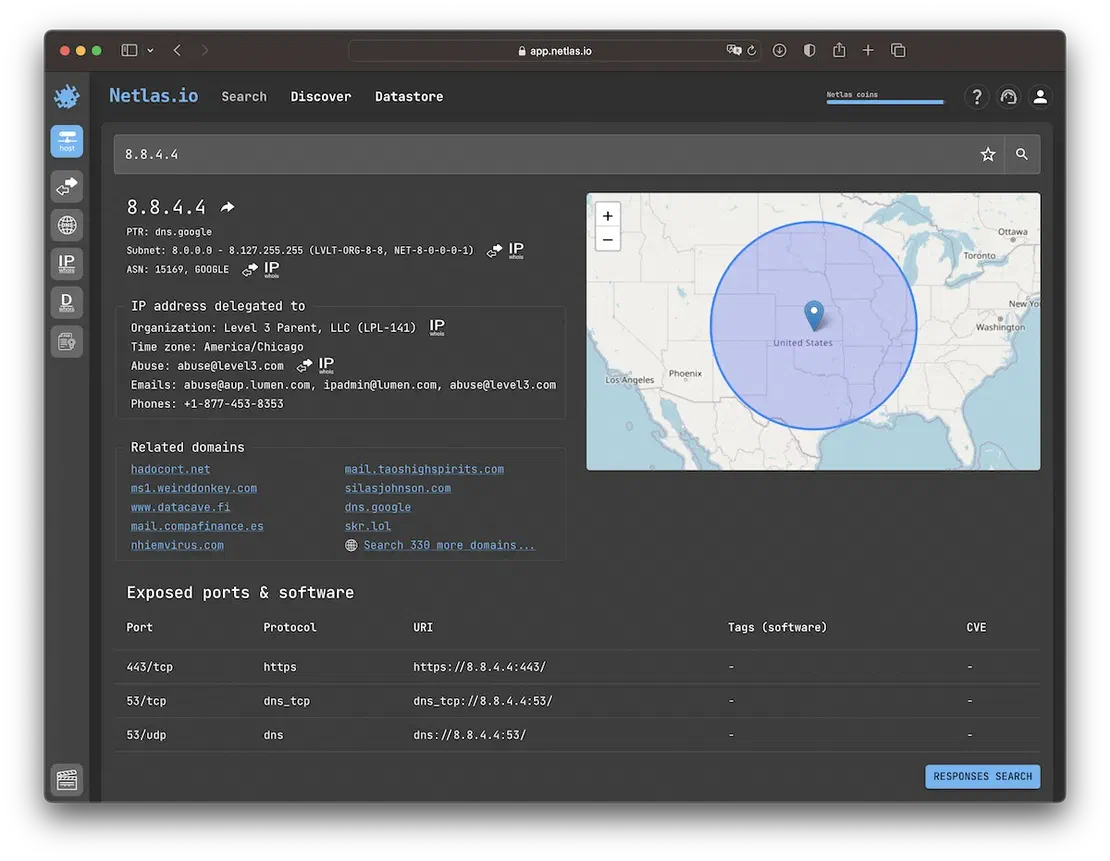
Netlas allows users to query ASN-related data by IP address, ASN number, or organization name. The platform provides a structured output that includes:
In addition to raw data, Netlas also shows historical records and connected infrastructure, enabling quick pivoting across multiple data points.
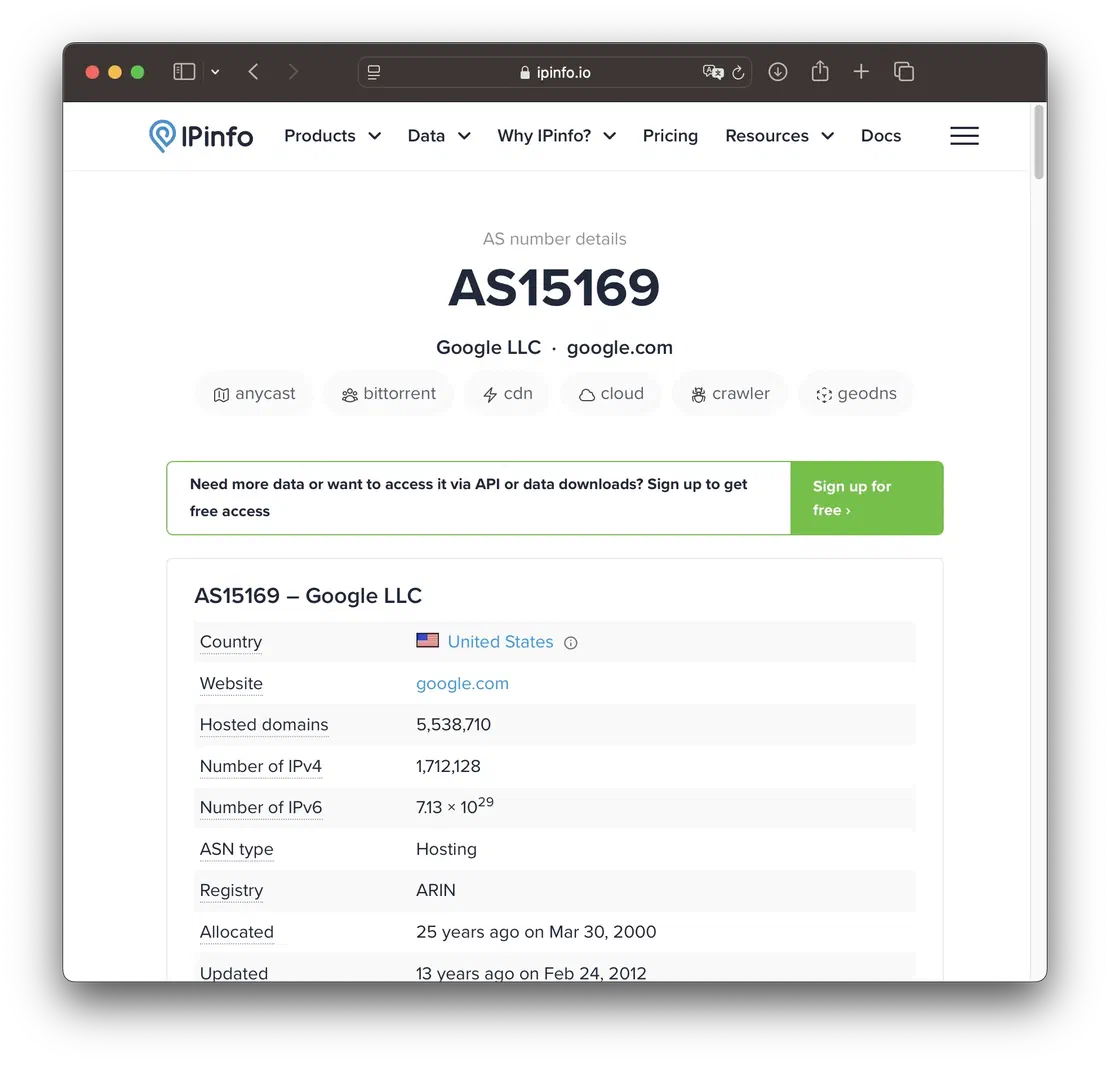
IPinfo.io offers quick lookup functionality for IP and ASN information, showing:
Recommended Reading
Netlas vs IPinfo: Tools Comparison
It’s especially useful for geolocation context or integrating ASN data into larger threat intelligence workflows.
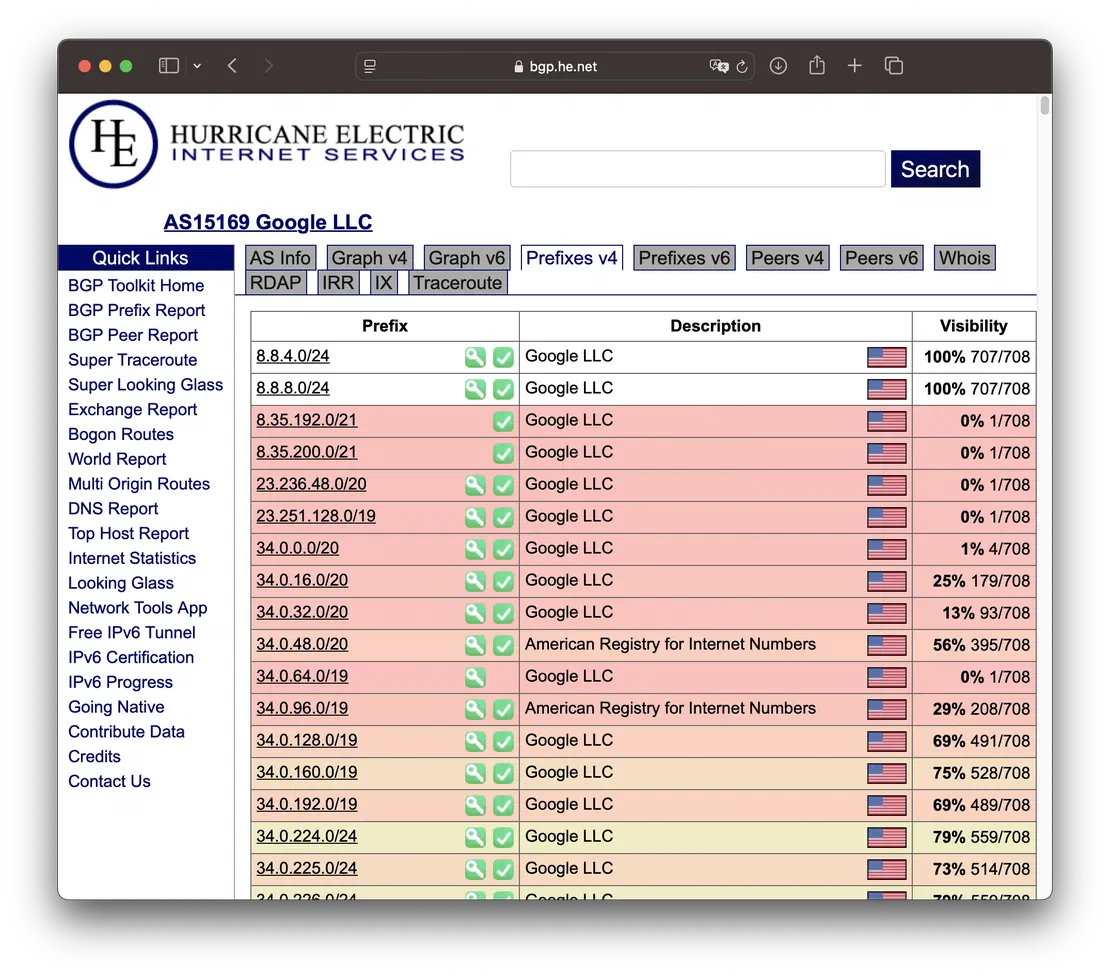
A popular tool for viewing BGP routes, ASN details, and peering relationships. Users can:
It is particularly useful for understanding an ASN’s routing policy and reachability.
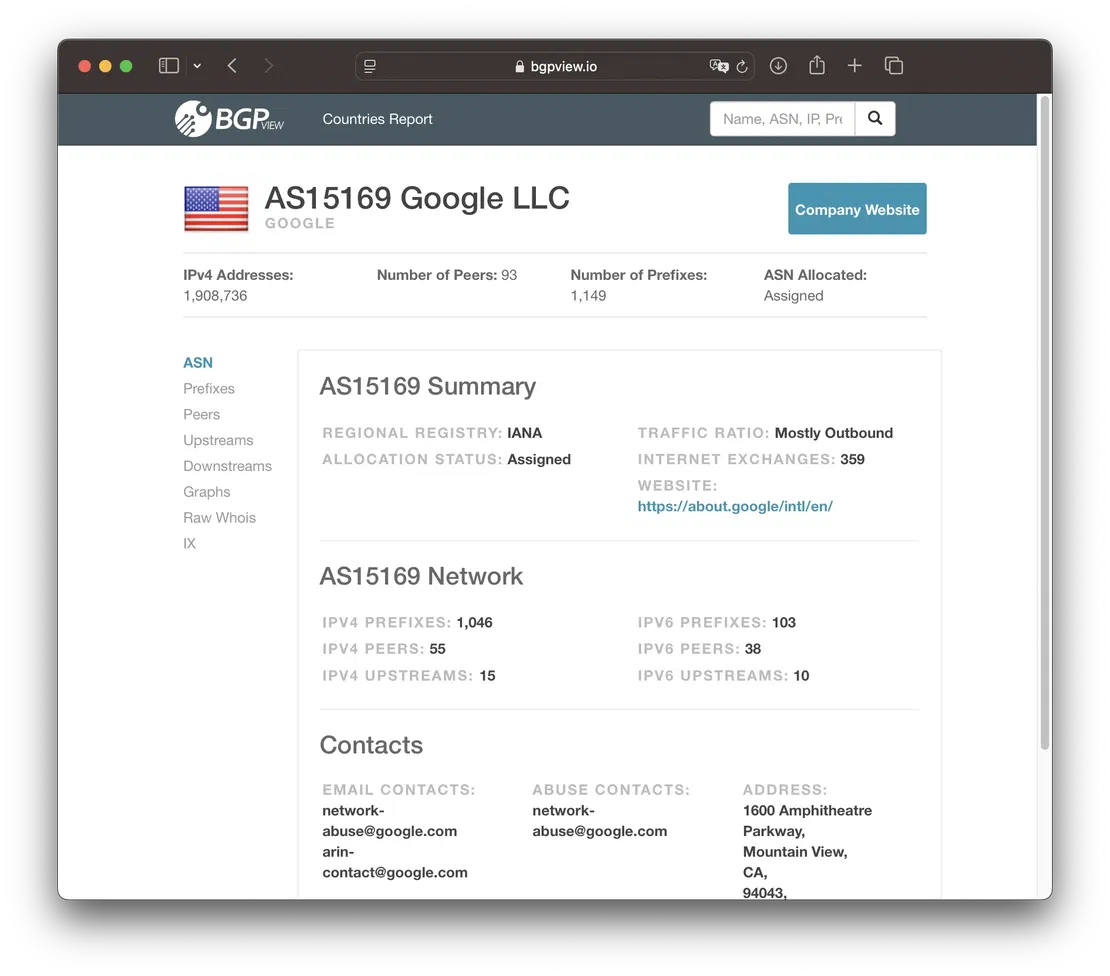
BGPView offers a well-organized view into ASN and IP allocation data, including:
Each IP or ASN query yields a clear breakdown of how resources are distributed and advertised.
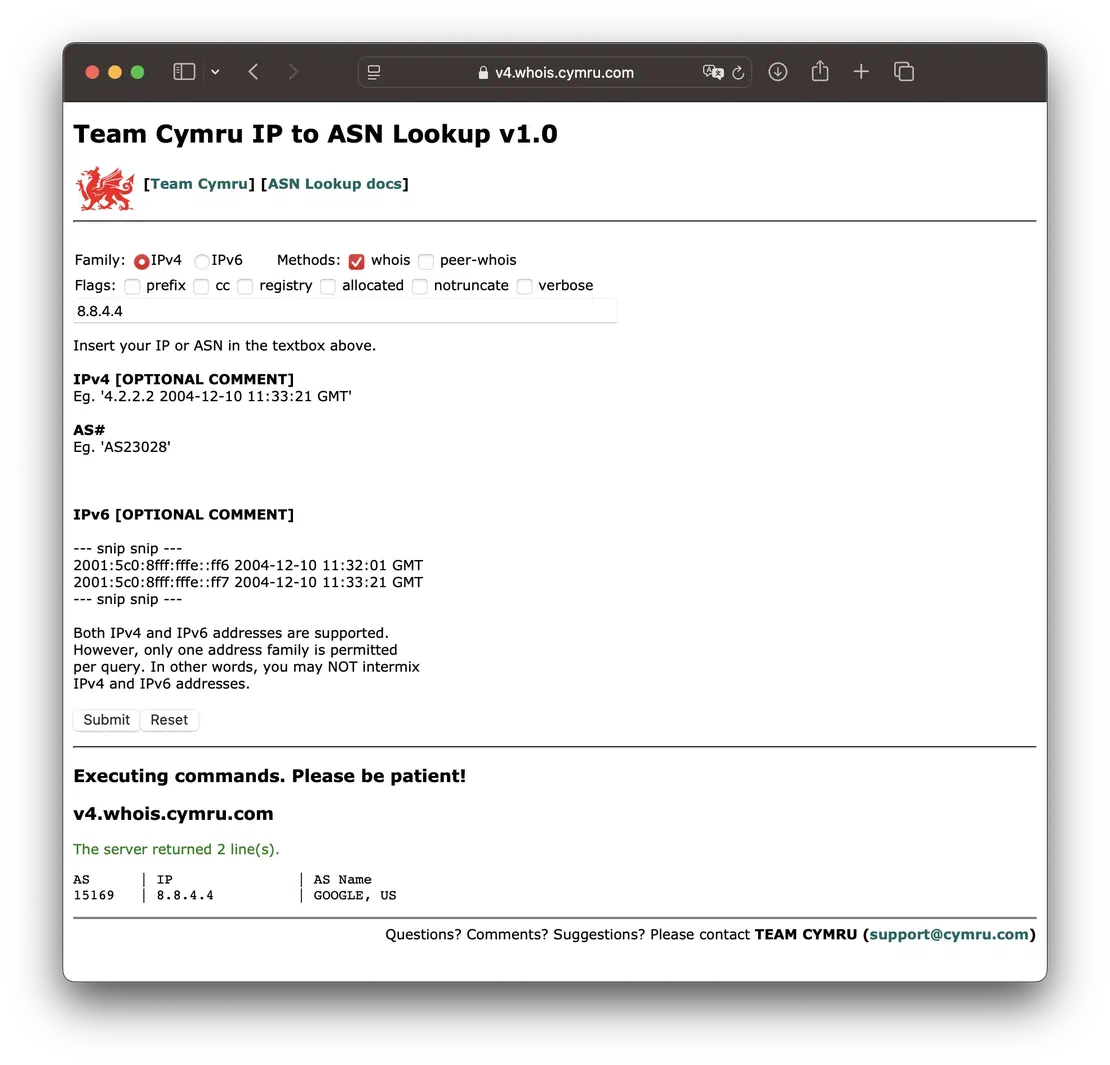
Team Cymru provides both command-line and web-based IP-to-ASN mapping tools. The web version lets users:
Team Cymru’s database is updated frequently and is known for high accuracy.
Key Takeaways from This Section
Autonomous System investigation is a core part of understanding and mapping any organization’s internet-facing infrastructure. This guide has walked through key techniques for ASN resolution, ownership discovery, and infrastructure attribution — all of which are foundational steps in a broader attack surface management workflow.
Whether you’re tracing a suspicious IP, uncovering cloud or CDN infrastructure, or enriching threat intelligence pipelines, ASN metadata reveals how networks are structured and who controls them. By combining structured data with historical records and registry metadata, you gain a much richer understanding of how assets are distributed across the internet.
For those looking to go further, we recommend the Complete Guide on Attack Surface Discovery. It provides a holistic framework for identifying and mapping your full digital footprint, helping you uncover vulnerabilities, assess risk, and implement effective defenses.
此内容由惯性聚合(RSS阅读器)自动聚合整理,仅供阅读参考。 原文来自 — 版权归原作者所有。