









Below is a detailed technical comparison of two widely used IoT search engine platforms: Netlas and Censys. This evaluation focuses on three key aspects: capabilities, data volume and relevance, and enterprise features.
Which platform stands out in each area, and how do you determine which one best fits your needs? Let’s explore the details.
The first part of our research provides a brief overview of the capabilities offered by both platforms. It is important to note that this article does not cover query syntax or other technical details. For such information, we recommend referring to the official documentation for Netlas and Censys. Instead, we will focus on the key differences between these tools and explore the scenarios in which each platform is best suited.
The core functionality of both platforms revolves around their search engines, which are primarily designed to discover internet-connected devices. In Netlas, this capability is provided by the Responses Search Tool, while in Censys, it is known as Censys Search.
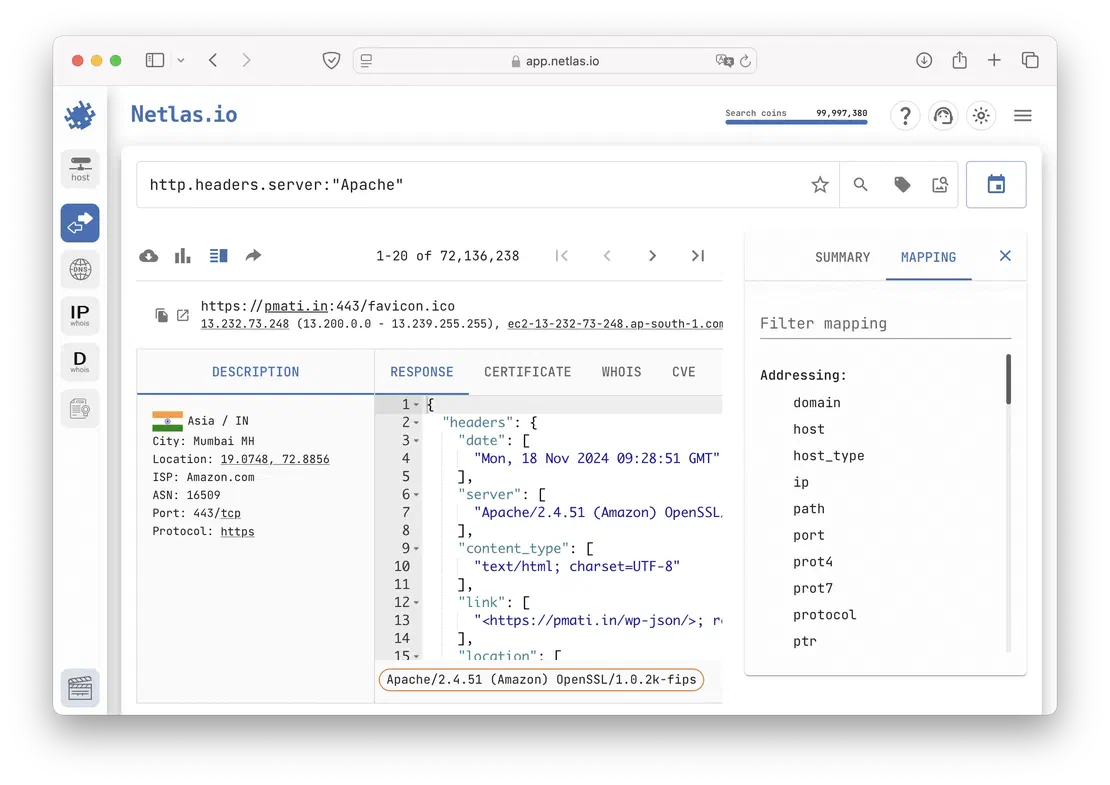
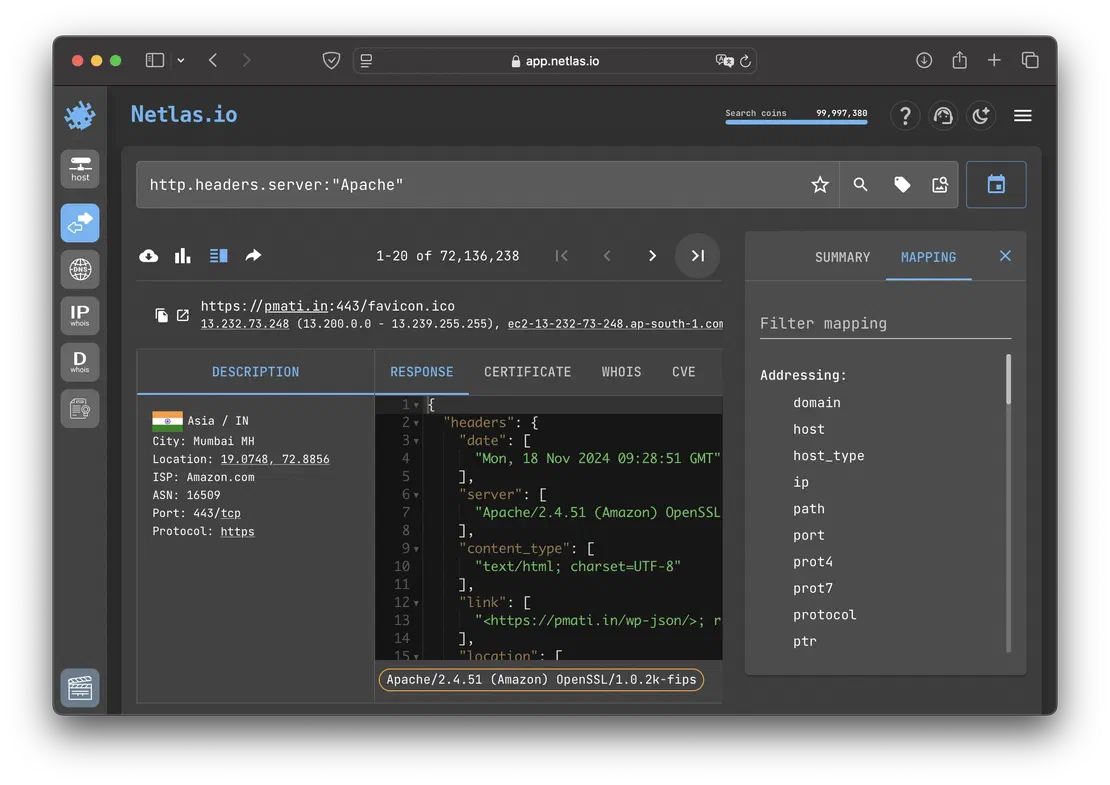
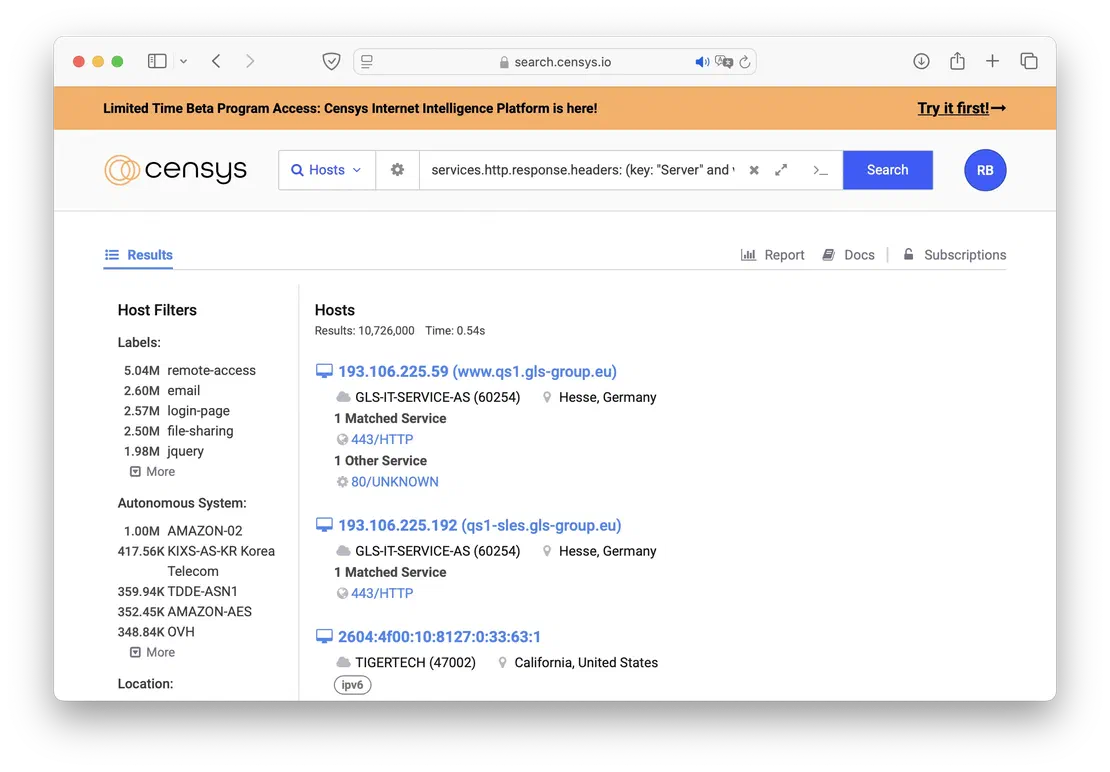
IoT search engines like Netlas and Censys enable cybersecurity specialists to analyze vast amounts of server responses, helping them quickly identify potential vulnerabilities, assess network configurations, and enhance the security of the systems they manage.
Both platforms provide robust search capabilities, allowing users to filter data based on IP address, port, or protocol for precise targeting of network assets. Additionally, searches can be performed using technology names such as Apache, Nginx, or OpenSSH to locate systems running specific services or software versions.
For more advanced use cases, logical operators like AND, OR, and NOT can be combined to construct complex queries. This enables specialists to refine searches, uncover hidden vulnerabilities, and detect misconfigurations across large-scale networks.
Another important capability of both search engines is their use in external attack surface management, with dedicated tools designed specifically for this purpose.
In Netlas, these tools include the Attack Surface Discovery Tool and the Private Scanner.
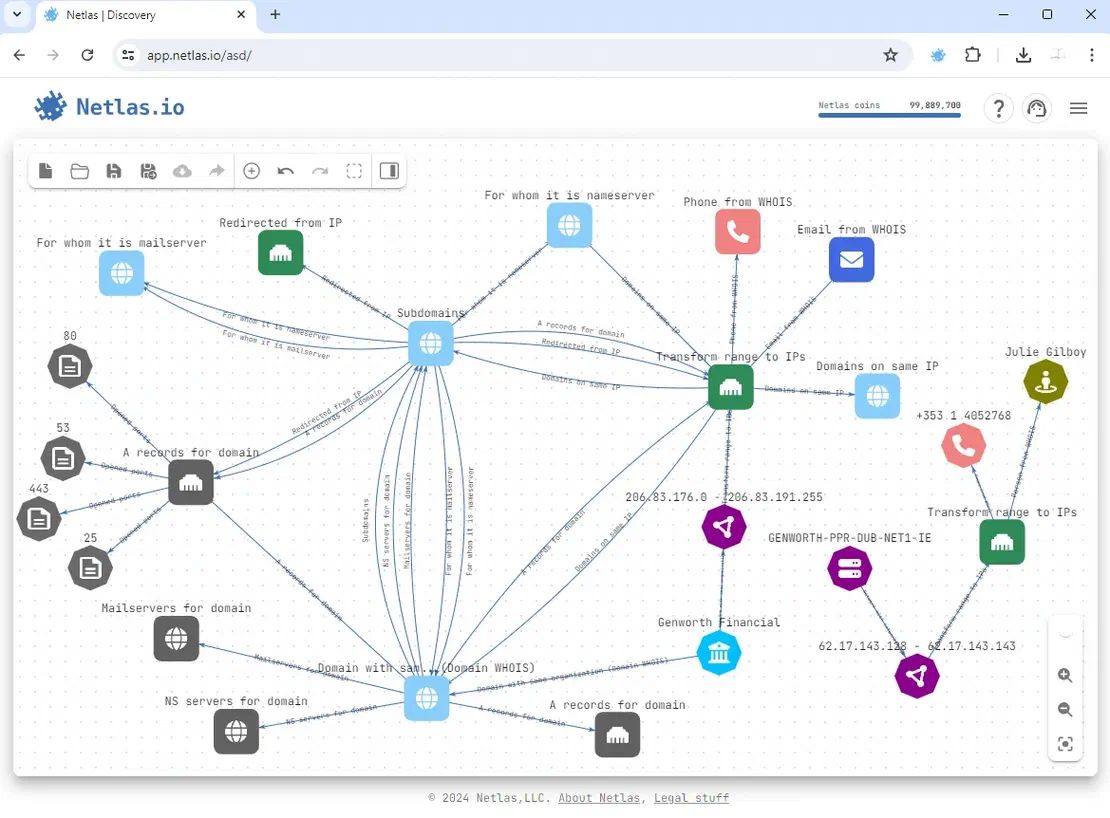
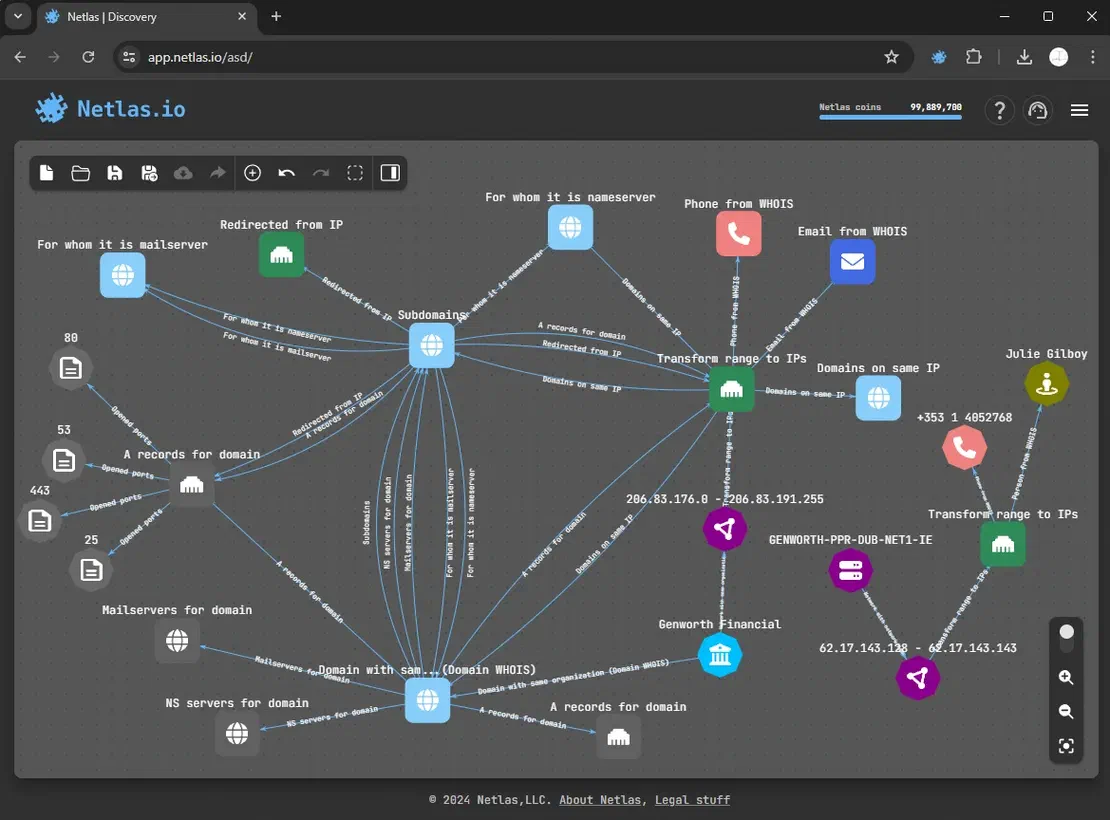
The Attack Surface Discovery Tool streamlines and visualizes attack surface mapping. It allows researchers to build a dynamic graph by adding different types of objects and automatically establishing relationships between them. To expand the graph, users can click on an existing node, select a relevant search operation (such as retrieving all subdomains of a domain), and have the results automatically incorporated. This process can be repeated iteratively until the graph fully represents the attack surface being analyzed.
The Attack Surface Discovery Tool also includes features for grouping and excluding nodes, providing greater flexibility during analysis. Objects of the same type can be grouped into a single node, which can then be used as a starting point for further searches. If needed, researchers can manually remove specific results from the group.
Additionally, unnecessary nodes can be excluded. While excluded nodes remain visible on the graph, they lose all functionality and are omitted when exporting the attack surface as a file. To keep the visualization clean, users can hide all excluded nodes with a single click.
The following image illustrates an example of a graph generated using the Attack Surface Discovery Tool.
The Private Scanner enhances the Attack Surface Discovery Tool by providing real-time data on a user’s attack surface using Netlas’s scanning capabilities. Researchers simply need to input a list of targets, which are then scanned across more than 1,200 ports. The collected data is stored in a private index, where relevant tags — such as CVEs or product information—are automatically applied. Searching within this private dataset is as intuitive as querying public data in the Responses Search Tool.
Recommended Reading
Complete Guide on Attack Surface Discovery
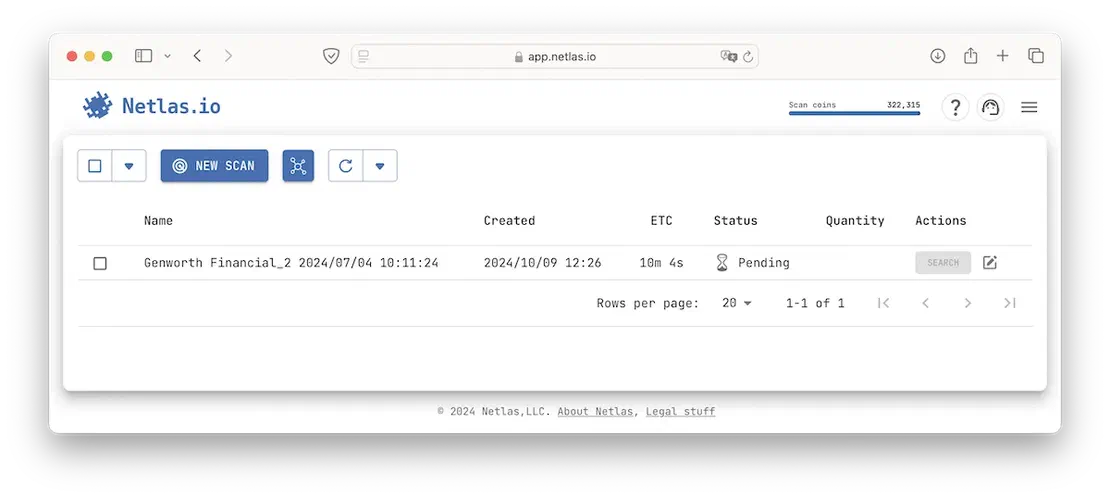
One of the key advantages of the Private Scanner is its seamless integration with the Attack Surface Discovery Tool. With just a single click, users can initiate scans directly from their constructed graph, significantly streamlining the attack surface analysis process and reducing it to just two steps.
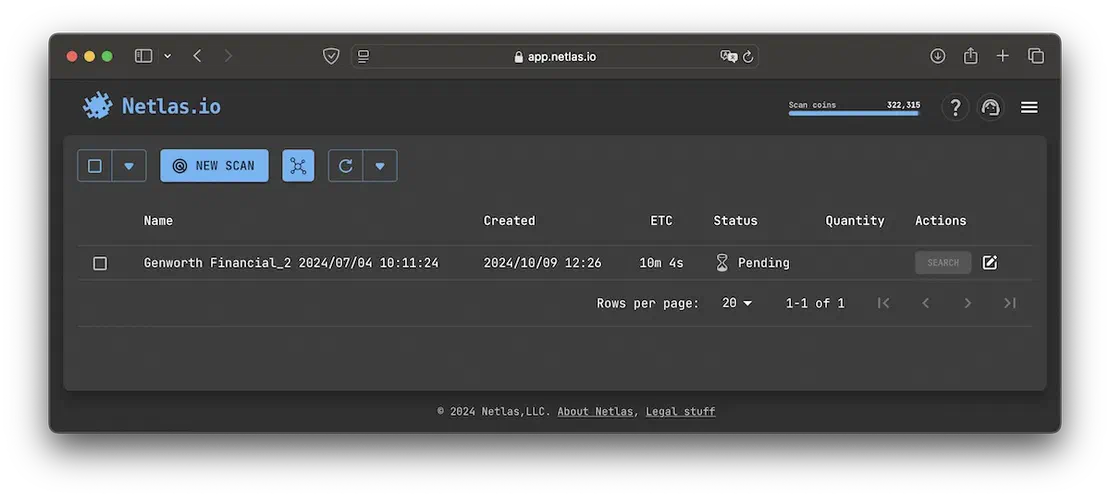
The following image illustrates the Private Scanner interface.
On the other hand, Censys provides a separate tool called Censys Attack Surface Management.
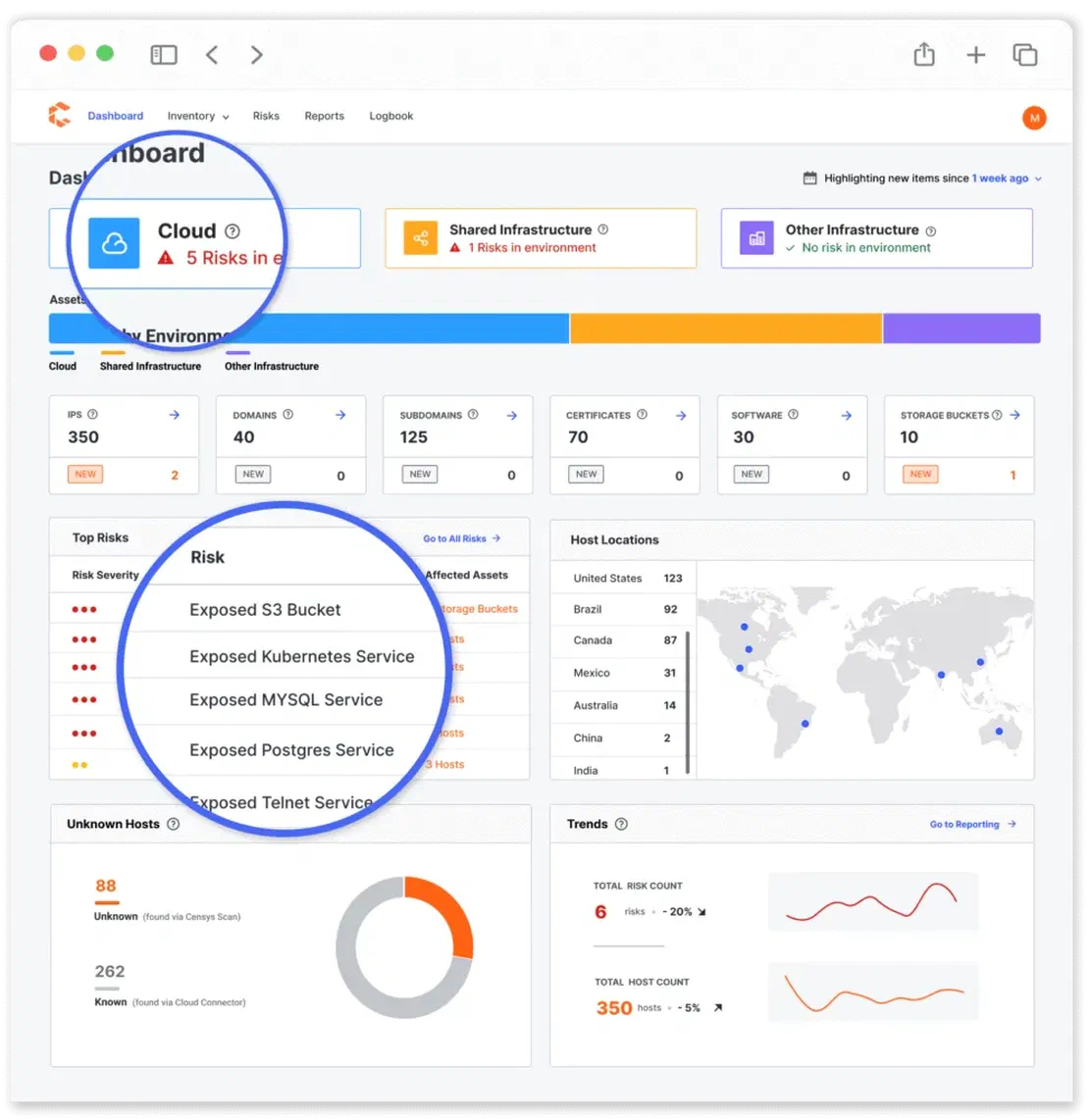
This platform offers users daily or weekly updates, depending on the subscription tier, to keep track of their attack surface. It includes threat monitoring, alerts, and various plugins to enhance security analysis.
However, Censys ASM is not included in standard subscriptions, so we were unable to test its functionality firsthand. The following image, sourced from publicly available materials, provides an example of its interface.
You can read more about this tool on the page dedicated to it.
Both search engines provide API access, command-line interfaces, and Python libraries for seamless integration into automated workflows.
To install them, use the following commands:
An example of usage is shown in the following image.

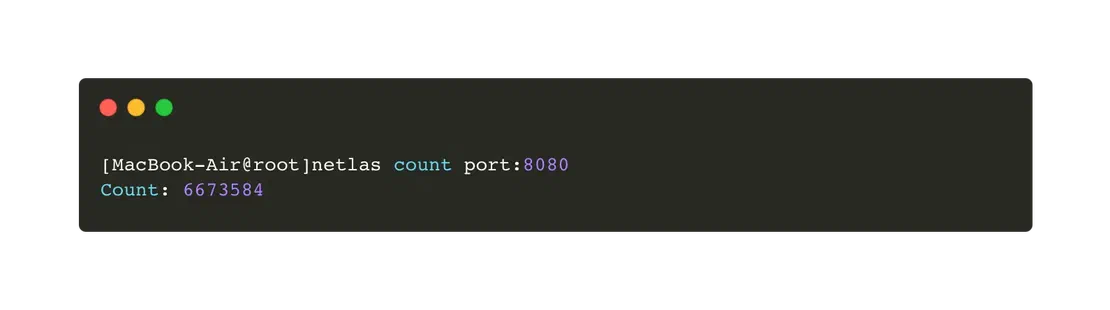
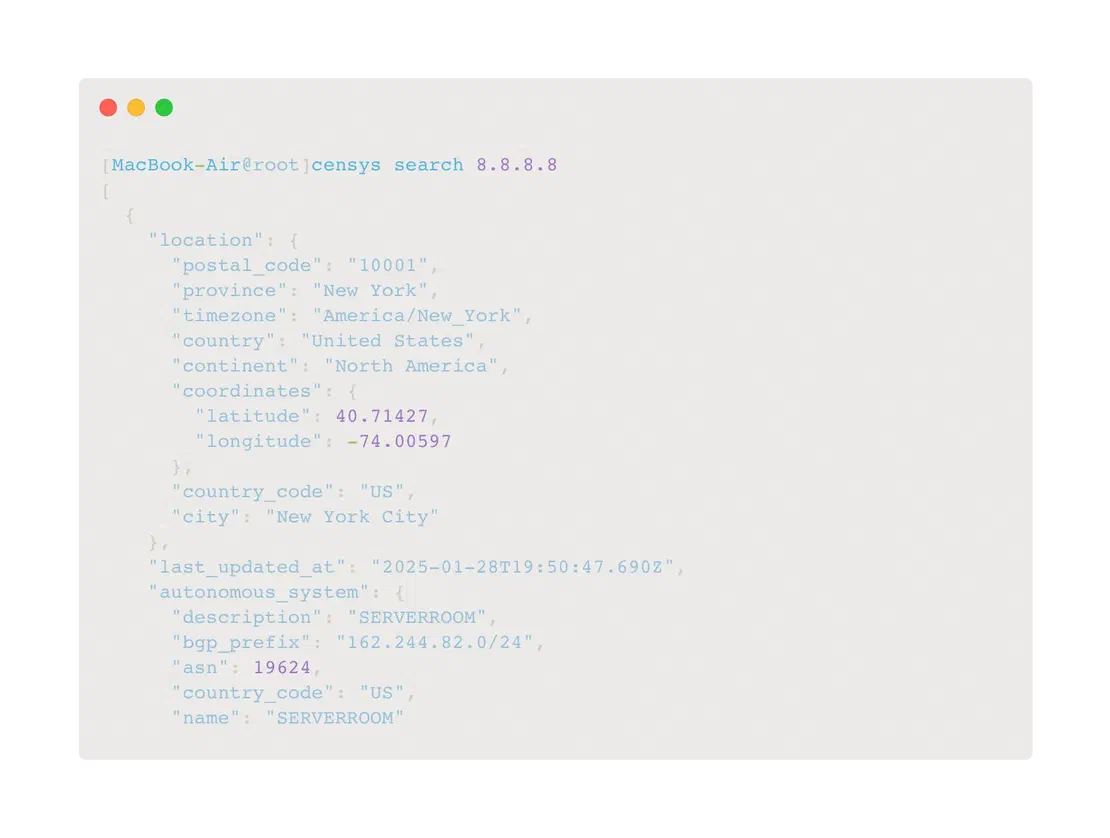
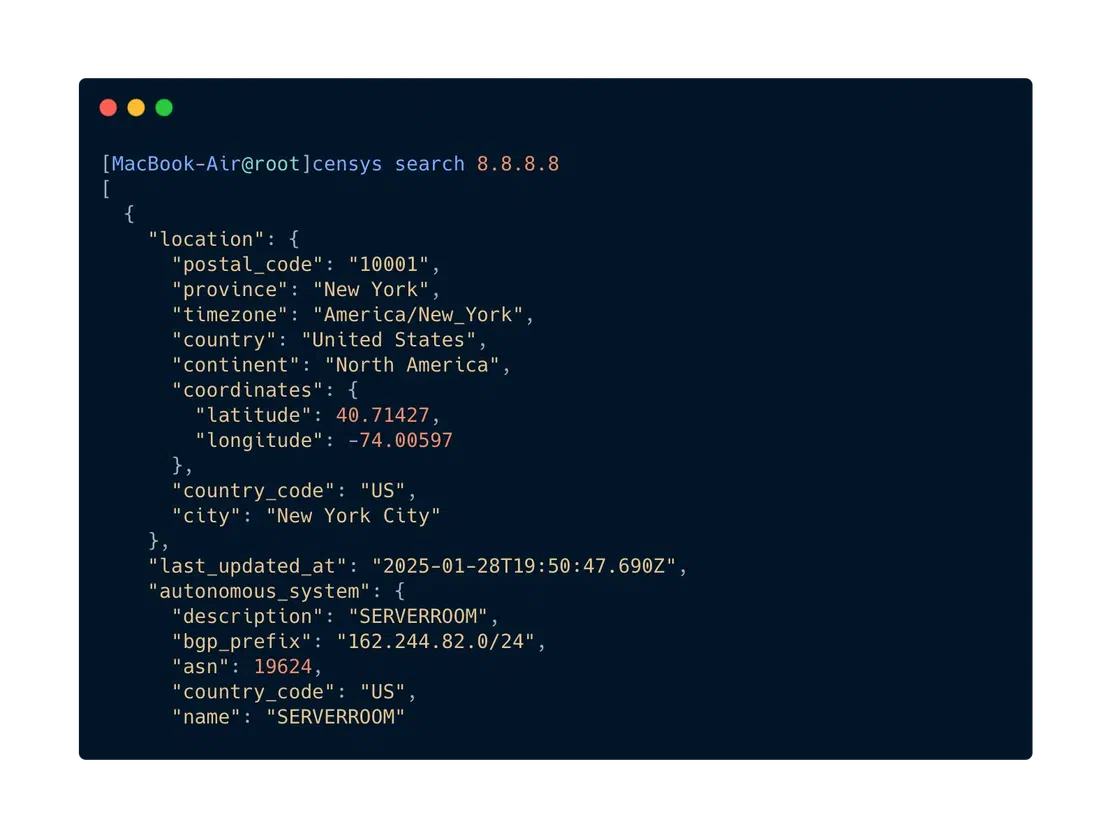
When working with Python, users can import the netlas and censys modules, utilizing their API wrappers for seamless integration into scripts. These libraries simplify interaction with the respective search engines, making it easier to retrieve and process data.
For detailed usage instructions, refer to the corresponding sections in the documentation for Netlas and Censys.
It is important to note that access to the Censys API is only available with a paid subscription. In contrast, the Netlas API is accessible starting from the free Community tier. Subscription options will be discussed in more detail later.
In addition to the web interface and API, both search engines can be integrated into various third-party applications. This subsection provides a brief overview of these integrations and their functionalities.
Browser Plugins: Netlas provides an official way to search via browser plugins. You can install them here: Google, Mozilla. Censys also has an add-on for Mozilla Firefox, but it has not been updated since 2015.
Modules for Maltego: Maltego is one of the leading tools for reconnaissance, automation, and visualization of results. Both search engines discussed here can be integrated into Maltego using dedicated modules. You can find more details about Netlas integration in the corresponding article, and about Censys integration on the official module page.
Data Files and Streaming API: For users who prioritize anonymity and prefer processing data on their own servers, Netlas offers two solutions: Datastore and Streaming API. The Datastore allows users to purchase datasets containing specific types of data, such as scanned DNS records and database responses. The Streaming API provides continuous access to data directly from Netlas scanners, enabling real-time processing and analysis. These features are available as part of paid plans, with additional benefits for Corporate and Enterprise-level users. At this time, Censys offers access to Bulk Data Files exclusively for Enterprise subscribers. The differences between the highest subscription tiers will be discussed in more detail in one of the following sections.
Recommended Reading
Using Maltego with Netlas Module
This concludes the overview of the most significant features of both search engines. As demonstrated, they share many core capabilities; however, Censys lacks certain functionalities, such as a convenient command-line interface and the ability to access data anonymously.
Now, let’s take a closer look at some smaller yet noteworthy features.
In this short section, we will explore additional features that enhance the usability of search engines or provide new opportunities for researchers.
Netlas Tools
Let’s start with the additional tools available in Netlas. In addition to the Responses Tool, Attack Surface Discovery Tool, and Private Scanner, Netlas also provides the following:
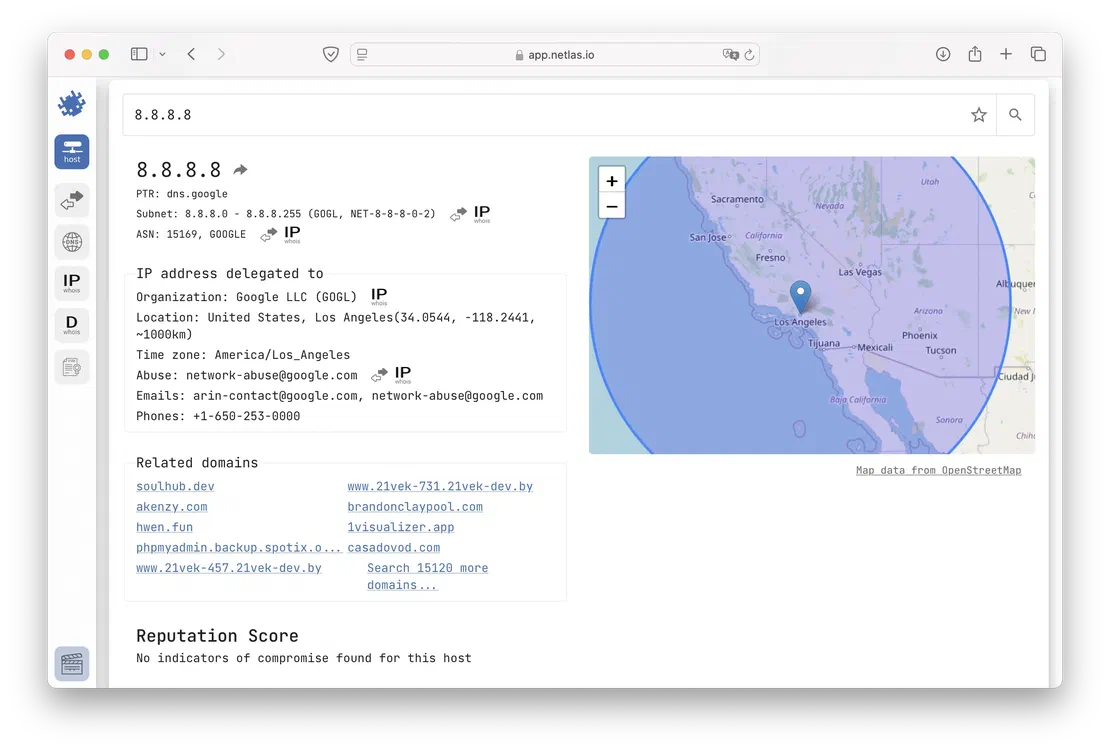
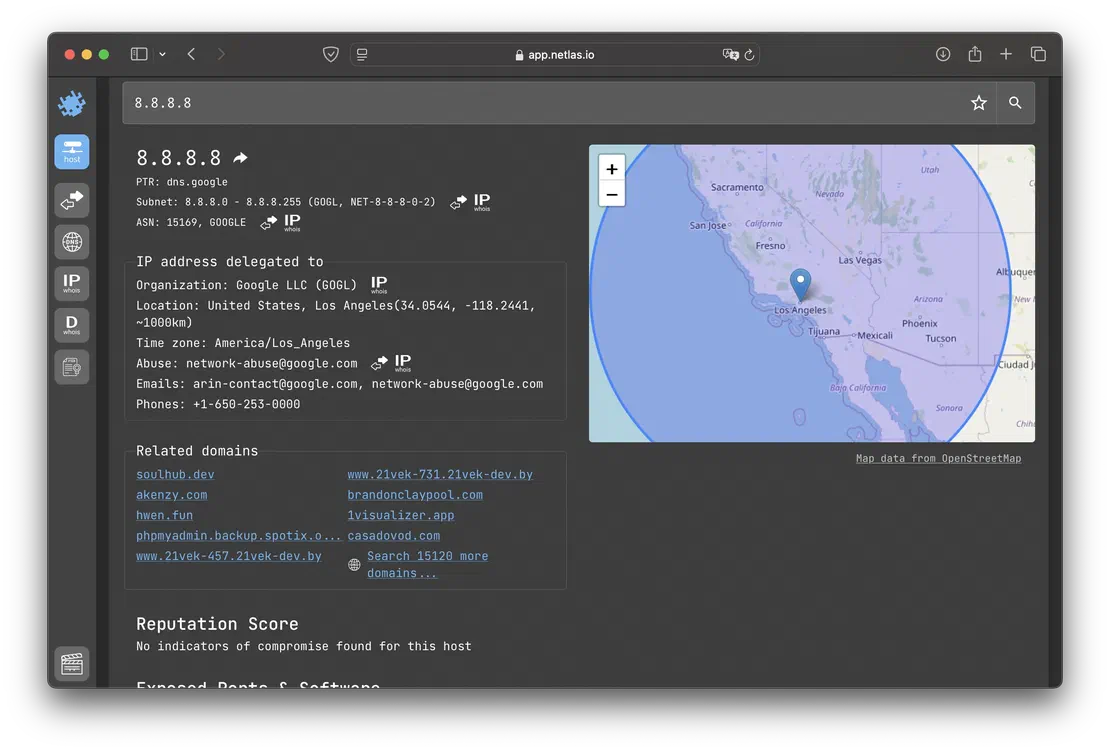
DNS Search: The main purpose of this tool is to provide detailed information about DNS records. It supports both forward DNS search and reverse DNS search, enabling comprehensive DNS analysis.
IP WHOIS Search: This tool enables users to search within WHOIS protocol fields. Netlas collects WHOIS data for every known IP address, making it a valuable resource for investigations and attack surface mapping.
Domain WHOIS Search: This tool functions similarly to the previous one but focuses on WHOIS protocol data for domain names instead of IP addresses.
Certificates Search: This tool enables users to search within SSL certificate fields, making it particularly useful for identifying devices and services associated with specific certificates.
Netlas Team Access
Another valuable feature in Netlas is team access. By joining a team, users can view private scans and attack surface discovery graphs shared by the owner. This functionality enhances collaboration by streamlining data sharing and improving teamwork. The following image provides an example of the team access interface.
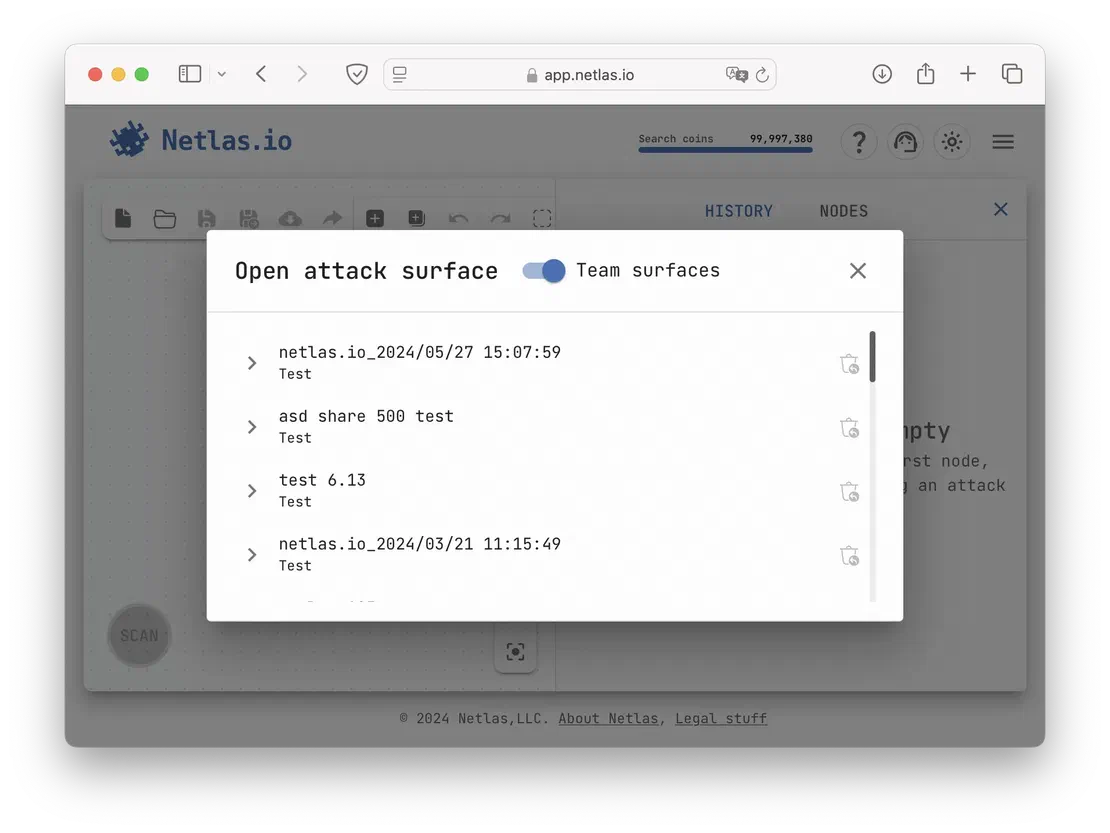
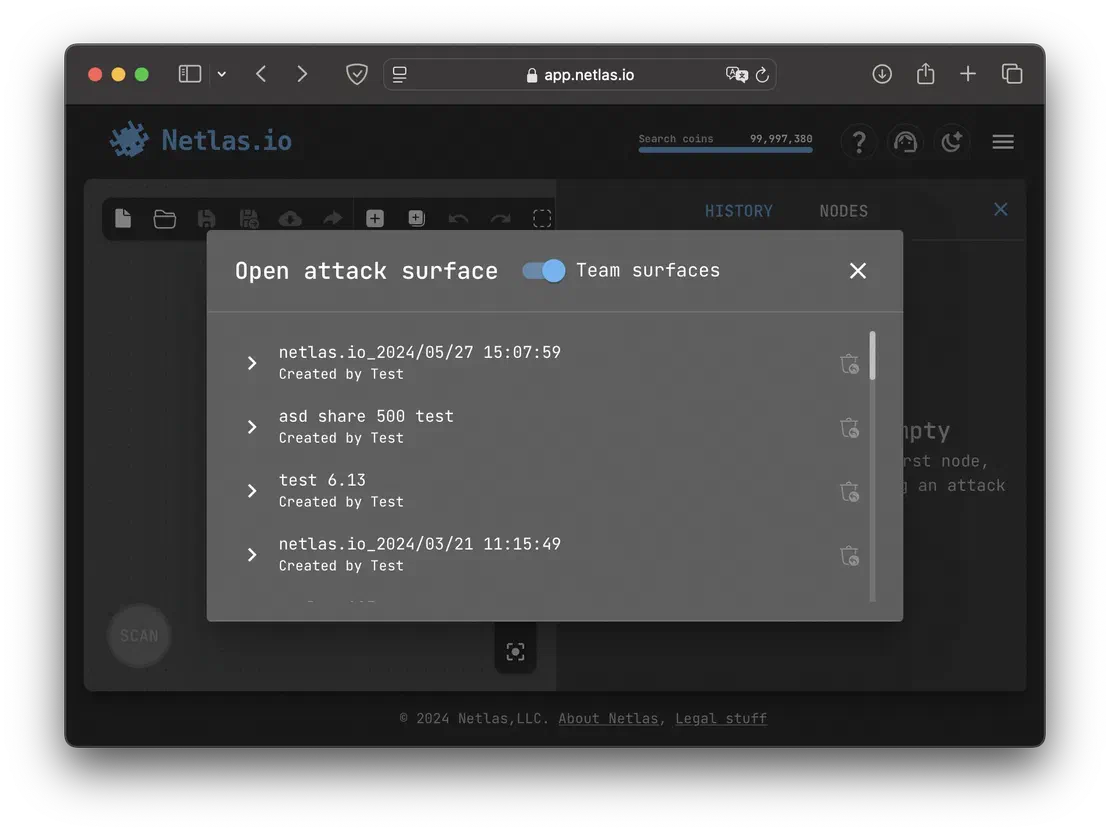
This setup greatly enhances collaboration by allowing team members to access shared results in one centralized location. Without this feature, users would have to share attack surfaces as separate documents, which could slow down workflows and make data management less efficient.
Censys Tools
Like Netlas, Censys offers a set of little but valuable features. Let’s take a closer look at them below.
Censys GPT
While not the most essential feature, this is certainly one of the most interesting. Censys offers a query generator powered by ChatGPT, allowing users to generate search queries by simply describing their target in natural language. This can help streamline the search process for those unfamiliar with query syntax. An example is shown in the following image.
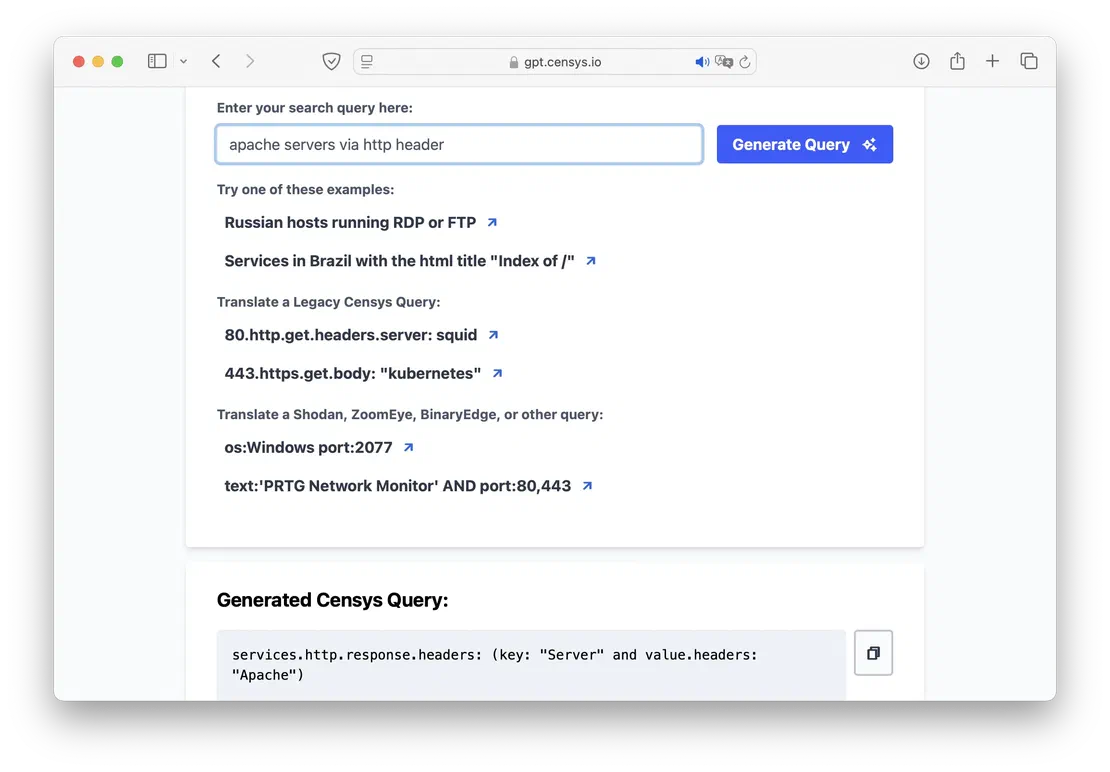
However, it is important to note that this tool does not always generate valid requests. Some queries may not work at all, while others may return fewer results than what is actually available. It should be seen as a helpful addition rather than a replacement for manually crafting precise search queries.
Response History
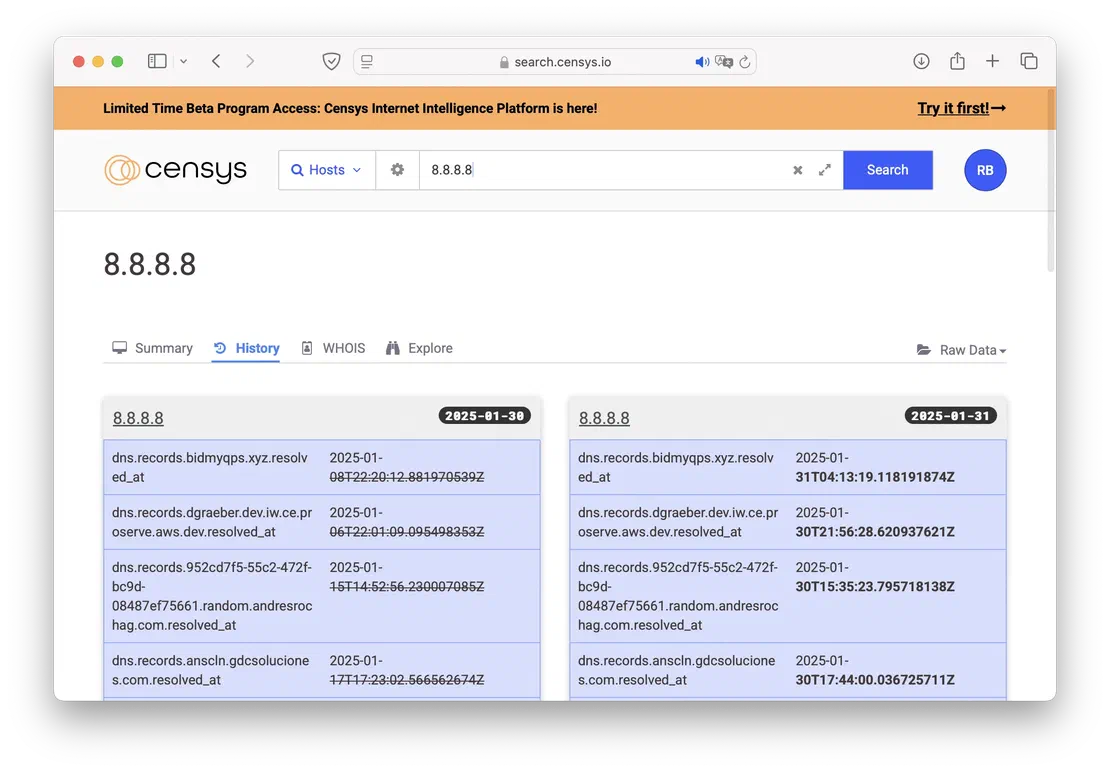
In addition to retrospective search, Censys provides a useful feature for comparing changes made to a given object over time. Users can select two points in time from the “History” tab and then click the “Compare” button to see the differences between them.
Response Graph
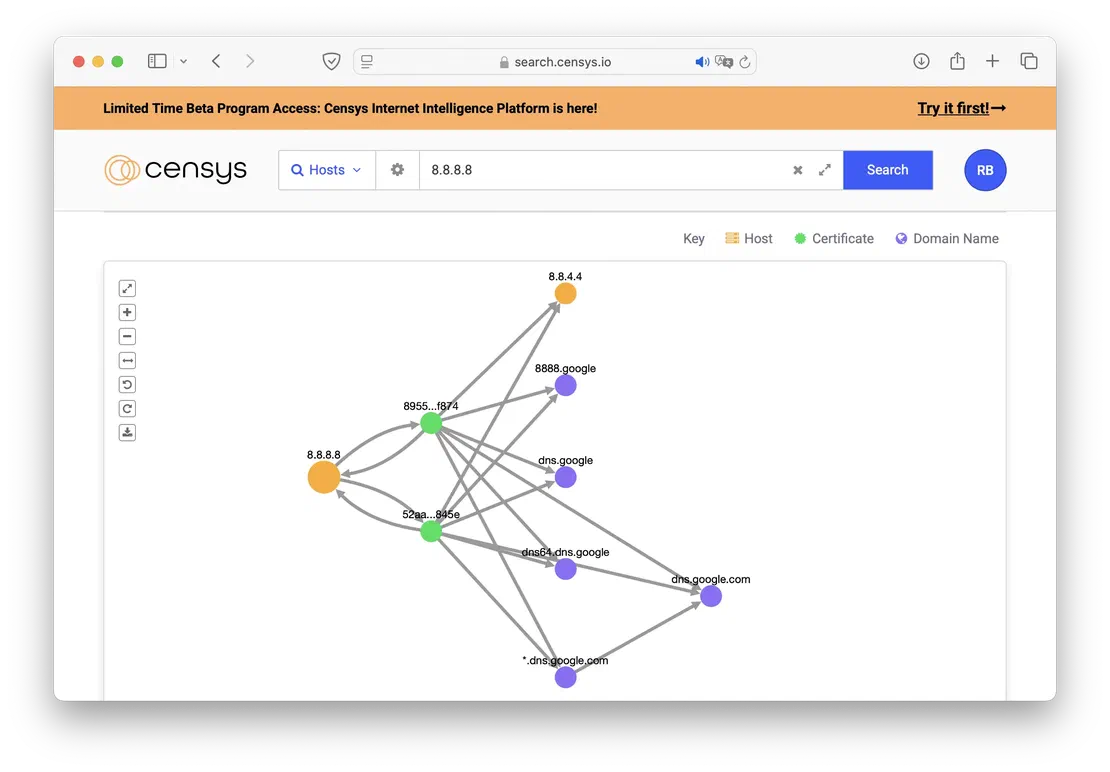
For individual results, Censys offers functionality similar to the Netlas Discovery Tool. By selecting the “Explore” tab, the user can see a graphical representation of the relationship between the target and some other objects, such as certificates and DNS. An example is shown in the image below.
Regex Search
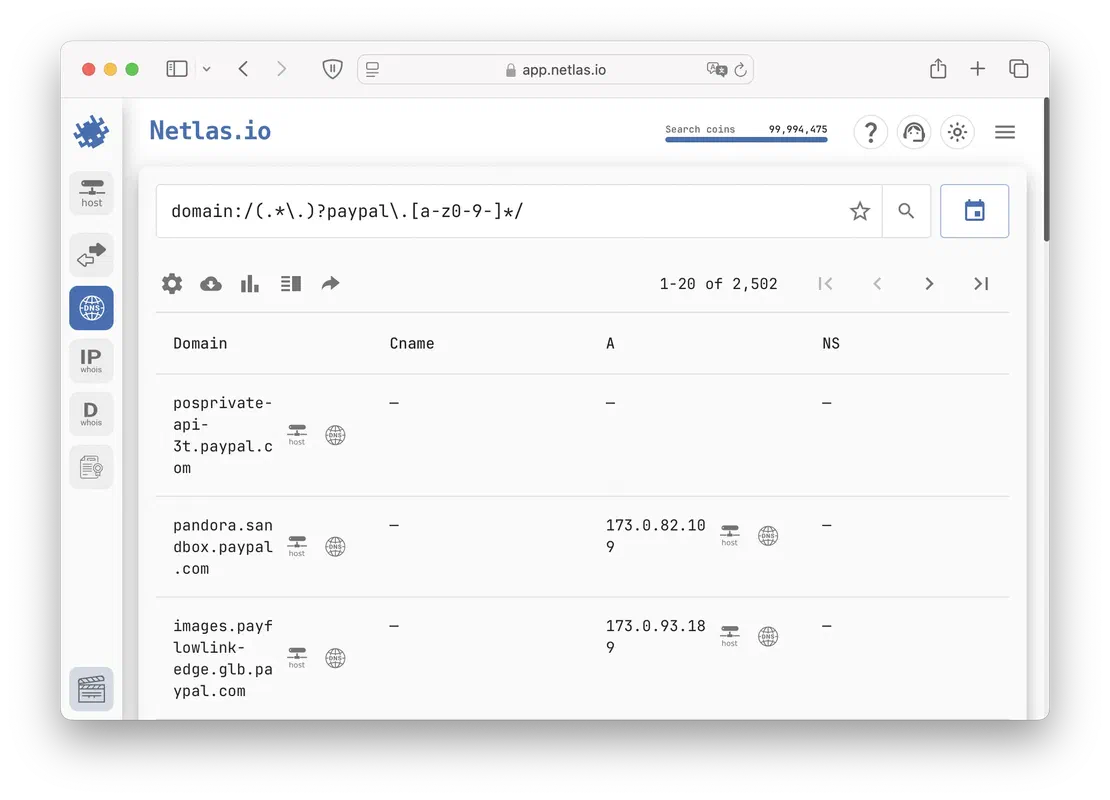
Using regular expressions in search is a useful method when an exact match to a search query is uncertain or when looking for similar objects.
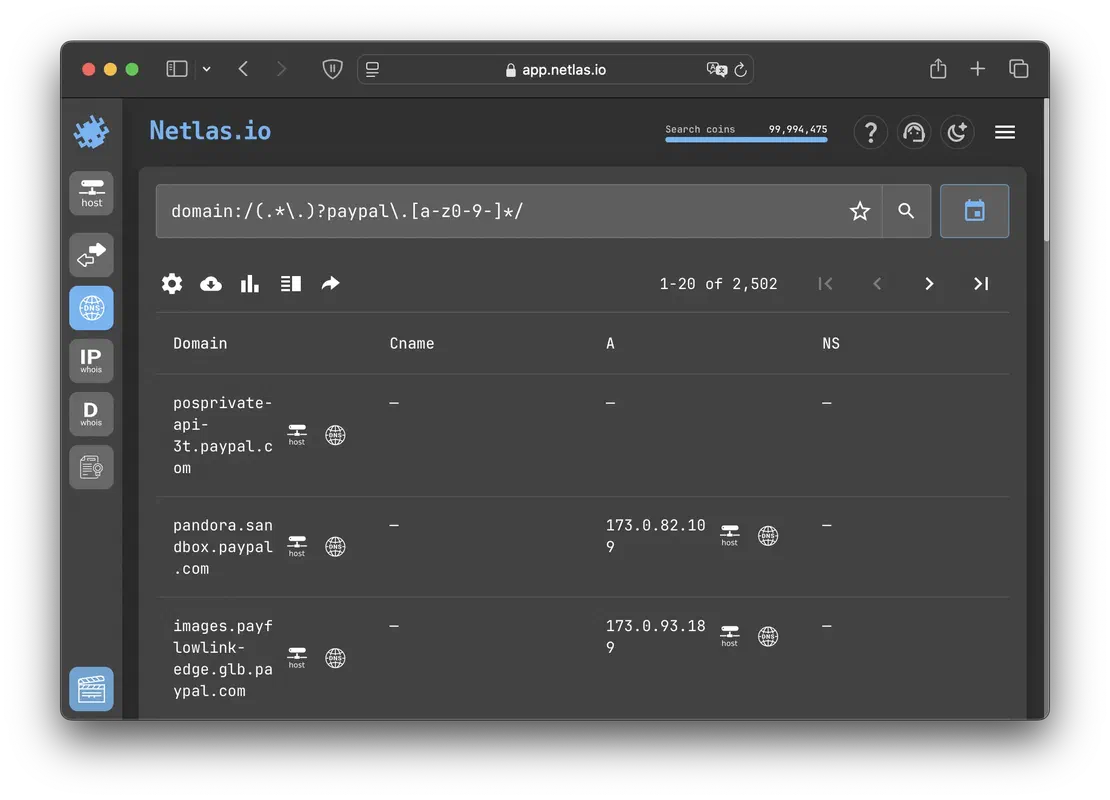
Netlas allows all users to apply regular expressions in their searches, making it easier to identify patterns and variations in data. An example of this functionality is shown in the following image.
Meanwhile, Censys restricts the use of regular expressions to higher-tier subscriptions, starting from the In-Depth Use level. This limitation makes advanced pattern-based searches unavailable to users on lower-tier plans, which will be discussed further in the following sections.
Having reviewed this aspect, we can now summarize the key findings. To do this, I have created a concise table presenting the main points.
| Feature | Netlas | Censys |
|---|---|---|
| Responses Search | + | + |
| API | Free users | Paid users |
| Automation | Python SDK, CLI usage | Python SDK, CLI usage |
| EASM Tools | Visual Discovery, Private Scanner | Censys Attack Surface Manegement |
| Browser Plugins | Chrome, Firefox | Firefox (old) |
| DNS Data | + | + |
| Certificates Data | + | + |
| WHOIS Data | + | + |
| Vulnerability Data | + | + |
| Host Reputation | + | - |
| Regex Search | + | Paid users |
Before comparing the volume and relevance of data, it is essential to understand the differences in the scanning methods used by Netlas and Censys. In this section, we will examine their distinct approaches to scanning, how they categorize and label data, and the number of ports each search engine scans.
Netlas initially assumes a specific protocol for the scanned port and then verifies whether the detected service matches the expected protocol. If the service does not match, it is labeled as RAW. If the protocol is confirmed, the service is recorded as the originally detected protocol.
Censys, on the other hand, scans all possible addresses with a stronger focus on identifying services rather than relying on predefined port expectations. It uses automated methods to detect services, regardless of the ports they operate on. Additionally, its crawlers leverage predictive scanning, a technology that dynamically generates new targets for scanning based on real-time data.
For more details on Censys scanning technologies, refer to the relevant section of its documentation.
It is also important to note that both search engines have limitations on the number of ports they scan.
For public data collection, Netlas scanners examine up to 146 ports per IP address, consisting of 141 TCP ports and 5 UDP ports. A detailed list of these ports can be found in the relevant section of the documentation. While this number may seem restrictive, the Private Scanner helps overcome this limitation by expanding the number of scanned ports to approximately 1,300.
At the same time, Censys scans all 65k ports available on the internet. This comprehensive approach significantly increases the amount of data collected, providing broader visibility into exposed services and network assets.
According to the documentation, Censys continuously scans the entire IPv4 space for the 100 most popular ports, updating the data as new information becomes available. For the remaining ports, updates occur approximately once per day. The same update frequency applies to data on IPv6 hosts, ensuring regular refreshes of the collected information. The important thing is that the frequency of updating ports depends on their importance, which is why data on port 80 will always be fresh, while less popular services may wait for an update for some time.
Meanwhile, Netlas follows a subnet-by-subnet scanning approach, where entire subnets are scanned individually and added to the index as they are updated. This means that all services on a given IP address are refreshed simultaneously, ensuring consistency in the data for each scanned host.
This difference in scanning methodology can introduce challenges when comparing average data freshness between Netlas and Censys. More details on this will be discussed in the next section.
The most critical metric for any search engine is the amount of data it provides and its relevance. In this section, we will conduct several tests to compare Netlas and Censys based on these factors.
While we could have conducted a broad analysis using the * query, this approach would be neither insightful nor representative of the full picture. Instead, we performed targeted tests based on the following criteria:
For fairness, all tests were conducted using Netlas’s General Data Index and Censys’s last month’s dataset to ensure comparable data freshness.
The first test focuses on port analysis. Before proceeding, there are a few important points to consider.
First, unlike Censys, Netlas does not scan the IPv6 address space. Therefore, this and all subsequent tests will be conducted exclusively on IPv4 data.
Second, due to its predictive scanning technology, Censys identifies a significantly higher number of virtual hosts. In the port comparison, a separate row will be dedicated to these hosts. However, for all subsequent comparisons, virtual hosts will not be included, as they hold less value from a Red Team perspective.
The results are presented in the table below.
| Port | Netlas | Censys |
|---|---|---|
| 80 | 44,257,588 | 51,368,308 |
| 80 (with virtual hosts) | 326,720,506 | 1,451,122,178 |
| 443 | 39,148,303 | 49,192,939 |
| 443 (with virtual hosts) | 271,583,660 | 1,400,260,956 |
| 7547 | 26,495,390 | 24,311,852 |
| 22 | 15,906,874 | 21,177,117 |
| 161 | 17,835,517 | 17,548,238 |
The results show that Censys leads in most cases, with the difference becoming especially evident when considering virtual hosts. However, Netlas still outperforms on certain ports, demonstrating its ability to provide valuable data in specific areas.
Let’s proceed to the next evaluation: popular web servers.
| Web Server | Netlas | Censys |
|---|---|---|
| Nginx | 20,587,937 | 17,995,574 |
| Apache | 9,818,638 | 10,297,821 |
| Microsoft IIS | 2,821,143 | 2,806,178 |
| Cisco-IOS | 63,145 | 48,142 |
| Cloudflare | 2,890,470 | 908,706 |
In the case of web servers, without taking into account virtual objects, Netlas holds a slight advantage on most counts.
Next we will look at popular databases.
| Database | Netlas | Censys |
|---|---|---|
| PostgreSQL | 469,629 | 843,277 |
| MongoDB | 92,294 | 341,743 |
| MySQL | 2,654,051 | 3,801,485 |
| Elastic | 31,897 | 51,896 |
| CouchDB | 5,068 | 5,963 |
Here, we observe the opposite trend, with Censys outperforming in all cases. This can be attributed to its broader port scanning coverage, which allows it to detect services running on non-standard ports.
Finally, let’s examine some critical vulnerabilities from 2024.
| CVE | Netlas | Censys |
|---|---|---|
| CVE-2024-39710 (Ivanti Connect Secure) | 19,372 | 47,166 |
| CVE-2024-45763 (Dell SonicOS) | 11,862 | - |
| CVE-2024-46538 (pfSense) | 55,136 | 99,049 |
| CVE-2024-49768 (Waitress Python Server) | 23,014 | 23,215 |
| CVE-2024-50388 (QNAP NAS) | 108,246 | 70,140 |
| CVE-2024-46483 (Xlight FTP) | 2,220 | 2,364 |
| CVE-2024-45157 (Rancher) | 3,331 | 3,346 |
| CVE-2024-9264 (Grafana) | 94,383 | 137,753 |
| CVE-2024-49193 (Zendesk) | 23,033 | 72,835 |
| CVE-2024-3656 (Keycloak) | 12,158 | - |
In this test, we once again see approximate parity. Some products are more effectively detected by Netlas, while others are better identified by Censys.
After analyzing the data volume, we can conclude that Censys holds the lead in most cases. However, Netlas remains competitive, matching Censys in certain areas and even surpassing it in some instances. Ultimately, the choice between these tools depends on the specific needs of the user.
Netlas crawlers typically scan the entire internet approximately every three weeks. This can be verified by checking the crawl periods listed on the About page. Censys, on the other hand, claims that the average age of its data is only 16 hours, as stated in their help documentation.
To verify these claims, a small test was conducted to experimentally determine the average age of the data.
For this test, a script was used to randomly generate two senior octets of an IPv4 address, forming a subnet with a /16 mask. From this subnet, two addresses were randomly selected from the data available in both search engines. The scan age of these addresses was then recorded and compared.
| Average Data Age, days | |
|---|---|
| Netlas | 14 |
| Censys | 1,5 |
The results of this test reveal a significant advantage for Censys in terms of data freshness. This can be partially attributed to the fact that, unlike Censys, Netlas follows redirects up to five levels deep, which significantly slows down the scanning process. However, regardless of this factor, Censys is the undisputed winner in data freshness.
After reviewing the capabilities of both search engines, it is important to consider their limitations. Not all features are available to every user, as some are restricted to paid subscription plans.
In this section, we will present the subscription plan tables for Netlas and Censys, along with a summary table specifying the minimum required plan for accessing various features.
Netlas Plans
| Plan | Cost at month |
|---|---|
| Community | 0 $ |
| Freelancer | 49 $ |
| Business | 249 $ |
| Corporate | 830 $ |
| Enterprise | Custom |
Censys Plans
| Plan | Cost at month |
|---|---|
| Community | 0 $ |
| Solo | 69 $ |
| Teams | 499 $ |
| In-Depth Use* | Custom |
* - Pro, Advanced, Premium, Government
Netlas pricing is generally lower than that of Censys. Additionally, the highest-tier Censys plans are not described in detail, requiring potential customers to contact company representatives for specific information. This lack of transparency makes direct comparisons more challenging, so the following data may be incomplete.
Features
| Feature | Plan in Netlas | Plan in Censys |
|---|---|---|
| Search via API | Community | Solo |
| Search via CLI | Community | Solo |
| Historical Lookups | Community | Community |
| DNS Lookups | Community | Community |
| Search by Domain | Community | Community |
| Regex Search | Community | In-Depth Use |
| Scanner | Freelancer | Censys ASM* |
| Vulnerability Information | Freelancer | In-Depth Use |
| Search by Vulnerability | Business | In-Depth Use |
| Search by Tags | Business | Solo |
| Bulk Data Files | Enterprise | In-Depth Use |
* - In fact, Censys ASM is a separate product that is not included in standard subscriptions.
This is where Netlas’ main advantage over Censys becomes apparent. While its data quality may be slightly lower in some cases, it offers a wider range of features at a lower price.
Another important consideration is that Censys imposes strict rate limits and monthly request caps, which can significantly impact usability, especially for users requiring high-volume queries.
The following table highlights these differences, using the cheapest paid plans (Freelancer vs Solo) as a comparison.
| Feature | Netlas Freelancer | Censys Solo |
|---|---|---|
| Requests at month | 30,000 | 500 |
| Web Rate Limit | 1 request/second | 0.2 request/second |
| API Rate Limit | 1 request/second | 0.4 request/second |
Thus, combining both search engines can be an effective approach. Netlas is well-suited for quick reconnaissance, where the goal is to gather key objects efficiently, while Censys can be leveraged in later stages for a more in-depth analysis of targets. This strategy allows users to take advantage of lower-cost subscription plans without being significantly affected by their quantitative limitations.
In this comparison, we will skip aspects such as “Ease of Use” and ‘Enterprise Features". In terms of “Ease of Use”, both search engines provide comprehensive documentation and a well-structured query system, making a direct comparison unnecessary. As for “Enterprise Features”, the highest-tier Censys subscriptions lack detailed descriptions, preventing a full evaluation.
Moving on to the conclusions, it is clear that Censys is a powerful competitor, with many justified use cases. However, while Netlas may be slightly behind in some aspects of data coverage, it offers more favorable usage conditions.
The main drawback of Censys is its high price, making it the most expensive option among all the competitors analyzed. This is understandable, as high-quality data comes at a cost. However, for freelance users or those involved in cybersecurity as a hobby, the price may be prohibitive.
This leads to an optimal strategy for using both tools effectively. Netlas can be used for broad, fast, and large-scale data collection, while Censys can be applied selectively to analyze the most critical targets in greater detail. By combining these approaches, users can balance cost efficiency with data quality, mitigating the individual limitations of each platform while achieving more comprehensive results.

I can show you how deep the Internet really goes
Discover exposed assets, infrastructure links, and threat surfaces across the global Internet.
此内容由惯性聚合(RSS阅读器)自动聚合整理,仅供阅读参考。 原文来自 — 版权归原作者所有。