












Android has built-in vision, hearing and mobility tools created with and for employees with disabilities.
Bullet points
- This article highlights nine Android features that support workplace accessibility for employees with disabilities.
- Android offers a range of visual accessibility features, including Braille Display support, Lookout, and TalkBack.
- Android's hearing tools include RTT, Sound Amplifier, and hearing aid support for clear communication and audio enhancement.
- Android provides personalized control for employees with motor limitations through Gesture Navigation, Camera Switches, and Action Blocks.
- These features help organizations meet accessibility standards and create inclusive work environments.
Summaries were generated by Google AI. Generative AI is experimental.
The global assistive technology market is on track to reach an impressive $36.6 billion by 2033 1 , with workplace applications playing a key role in this growth. This highlights the increasing importance of providing high-quality assistive technology in today's evolving work environments.
However, there is still a gap in availability of assistive technology. In fact, 45% of employees with disabilities report that the accessibility features of their workplace software are only fair or poor 2 , indicating a significant gap in meeting their needs.
To fill this gap, Android provides a high-quality suite of built-in accessibility tools to address the needs of employees with vision, hearing and mobility disabilities that help organizations meet accessibility standards. Here are nine Android features to support employees with their accessibility needs.
Supporting a range of visual needs with Android's adaptable vision features
Visual accessibility is not a one-size-fits-all solution. That’s why Android offers a range of customizable visual assistance features to help make work devices easier to use for people who are blind and who have low or partial vision.
- Android's Braille Display support 3 provides a flexible and tactile way for employees to read and interact with their work phone or tablet by enabling them to connect to compatible braille displays.
- Lookout 4 transforms Android devices into powerful visual assistants, using AI and Google's Gemini models to provide instant insights. It can quickly describe images and answer questions about visual content in the workplace.
- TalkBack 5 is Android’s screen reader, which employees with blindness and low vision can use to interact seamlessly with their Android work devices. TalkBack provides spoken feedback and audio/gesture navigation for emails, reports and apps.
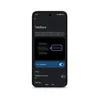
Helping teams amplify what matters at work with Android's hearing tools
To help employees focus on what matters most, Android provides audio features that adapt to a range of hearing needs. Android offers a suite of intelligent audio features designed to enhance clarity and personalize the experience for people with hearing impairments.
- Teams can use RTT 6 (Real-time text) to make and receive phone calls with confidence by engaging in text-based conversations in real-time without the need to press send.
- Sound Amplifier 7 enhances important sounds at work by filtering out background noise and amplifying important conversations or work media for clearer audio, both in person and online.
- Android's hearing aid support enables employees to work from anywhere by pairing their compatible hearing aids for direct audio streaming of meetings, media and work presentations. Learn more about Android's new launch of LE audio hearing aid integration.
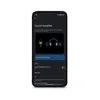
Unlocking personalized control for employees with motor limitations
From intuitive voice commands and customizable shortcuts to assistive switch controls, Android puts teams in control of their mobile experience by adapting to the individual needs and preferences of employees with mobility impairments.
- Gesture Navigation 8 helps employees take control of their workdays by navigating their phones with simple gestures, like swipes and taps.
- Camera Switches 9 turns the front-facing camera into a switch to help team members use facial gestures to control their Android work phone, enabling navigation with eye movements and facial gestures.
- Action Blocks 10 simplify workflows by creating large on-screen buttons to open frequently used work apps, compose emails or automate tasks with a single tap.
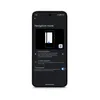
Android builds for everyone by providing a wide array of built-in accessibility tools for the devices people use at work everyday. Read our data sheet to learn more about how using Android Enterprise can help teams interact with their work devices more effectively and independently, and check out the Android Accessibility site to stay up to date with the latest feature announcements.