









Dec 02, 2025
New features like dark theme’s expanded option, emotion tags in Expressive Captions, and easier Voice Access activation with Gemini are rolling out to make your device more helpful.

Julie Cattiau
Product Manager, Android Accessibility
General summary
Android is adding new accessibility features to help you see your screen better and communicate easier. You can now use a dark theme for most apps and understand emotion in captions with AI. Also, expect improvements to mouse clicks, voice dictation, photo capture, voice access, and hearing aid connections.
Summaries were generated by Google AI. Generative AI is experimental.
Bullet points
- Android's adding accessibility features to help you see, communicate, and interact with the world.
- Dark theme now darkens most apps, even those without native dark themes, for easier viewing.
- Expressive Captions show emotion in captions, plus intensity of speech and environmental sounds.
- AutoClick lets you customize mouse clicks, reducing strain, and Voice Access is now hands-free.
- Connect Bluetooth hearing aids with a single tap, making pairing with Android easier.
Summaries were generated by Google AI. Generative AI is experimental.
Basic explainer
Android is getting some cool updates to help everyone use their phones easier. They're making screens easier to see and captions better to understand feelings. People can now use a mouse easier and control their phone with their voice. It will also be easier to connect hearing aids to Android phones.
Summaries were generated by Google AI. Generative AI is experimental.

In celebration of International Day of Persons with Disabilities tomorrow, we’re excited to share several new accessibility features on Android that make it easier to see your screen, communicate with others and interact with the world.
See your screen better with a new dark theme option
We’ve heard how frustrating it is to switch from a dark app to a glaring light one. With the new expanded option for dark theme in today’s Android 16 release, your phone will now automatically darken most of the apps on your device, even those that don’t have their own native dark theme. This creates a more consistent and comfortable viewing experience, especially for people with low vision or light sensitivity.
Enable the new expanded option in dark theme to automatically darken most apps on your device.

Understand more emotion behind captions
Expressive Captions uses AI to communicate things like tone, volume, environmental cues and human sounds from the audio playing on your device. Starting today, it can also detect and display the emotional tone of speech from the audio content on your Android device. This helps you grasp the speaker’s intent when captions are tagged with emotions like [joy] or [sadness], adding important context to the conversations and media.
Get more insight into the emotional tone of the speech from the audio on your device with Expressive Captions.
And, after being built on Android, we’re bringing some of the capabilities of Expressive Captions to YouTube across all devices. Now videos in English uploaded after October will showcase a more immersive captions experience. Expressive Captions will use AI to automatically display the intensity of speech in all caps, expressions of sounds like sighs and gasps, as well as noises from the environment.
Click more easily with an external mouse
If you use a connected mouse with your Android device and experience pain or difficulty with the physical "click" action, AutoClick now offers an improved dwell cursor experience. This means you can set a custom amount of time for the cursor to pause on something before it automatically performs a click for you, reducing physical strain. You can also customize the action itself in the new click-type panel by choosing between left-click, right-click, double-click, long-press, scroll or drag.
Use Autoclick's improved dwell cursor to customize delay time before a click is performed.
Use voice dictation more easily with TalkBack
We’re making it easier to use voice dictation with TalkBack on Android. Launching soon, you will be able to start dictating in Gboard with a simple two-finger double-tap.
Capture photos with confidence
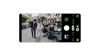
Guided Frame in the Pixel camera app helps people who are blind or low vision take great photos. Now powered by Gemini models, it provides a richer, more descriptive understanding of what’s in the camera’s view. You won’t just hear that there’s a face in the frame; you’ll hear a description like, “One girl with a yellow T-shirt sits on the sofa and looks at the dog.”
Guided Frame is now powered by Gemini models.
Go hands-free with Voice Access updates
Based on community feedback, we know that needing to physically tap your phone’s screen to start using Voice Access can be challenging. Now, once the feature is enabled on your device you can launch it directly with Gemini, just say “Hey Google, start Voice Access” and begin controlling your phone entirely hands-free.
Voice Access is also now available in Japanese. Plus, it’s better at understanding voice typing commands, including punctuation, as well as recognizing different accents and speech patterns automatically. It can even turn your Wi-Fi or Bluetooth on and off.
Launch Voice Access directly with Gemini, just say "Hey Google, start Voice Access" to start controlling your phone hands-free.
Connect hearing aids with a single tap
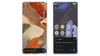
Having a quick and straightforward way to pair your hearing aids with your Android device is essential to getting the full benefits of your phone. Now with Fast Pair, we’re making this more accessible and intuitive: With a single tap, you can easily connect your Bluetooth LE Audio-enabled hearing aids directly to your compatible Android device.
Connect more easily to hearing aids with Fast Pair compatibility.

Available now on Demant hearing aids, we’ll be expanding compatibility to Starkey hearing technology in early 2026.