Plan outfits in Google Photos, get alerts for fake calls and share pics with iPhone users.
Your browser does not support the audio element.
Listen to article
This content is generated by Google AI. Generative AI is experimental
[[duration]] minutes
Last month, we announced a wave of exciting updates coming to Android, including Gemini Intelligence and more. We can’t wait for you to experience them. Today, we’re bringing you even more features for stronger safety, improved styling and easier sharing only on Android.
The latest Android updates help you get more from your favorite apps — whether you’re keeping your calls and family safer, searching an entire look in one go or planning an outfit in your digital wardrobe. Here’s a look at what’s new in the June Android Drop.
1. Spot scammers impersonating your contacts.
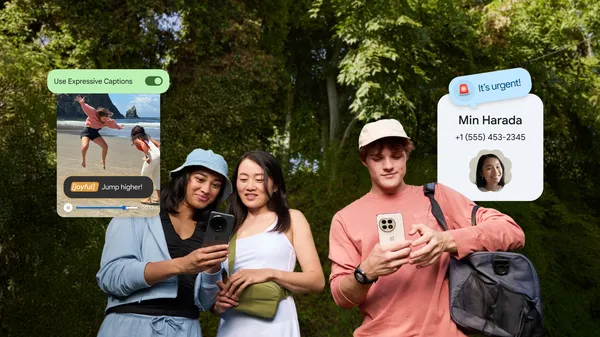
Get peace of mind with alerts that spot suspected scammers impersonating your contacts. With fake call detection, Phone by Google can now verify if a call is actually coming from your contact’s device. If a scammer pretends to call from a number you trust, you’ll receive a warning so you can end the call fast. Learn more about this feature, available on Android 12+ devices with Phone by Google, in our latest Google Security blog post.
Stay ahead of scammers with fake call detection.
2. Quickly find the look with Circle to Search.
Even Paris Hilton needs style inspiration sometimes. And when she sees an outfit she loves, she wants to know where to find the whole ’fit. Be like Paris and use Circle to Search to find the whole outfit — from tops to footwear and everything in between — without switching apps. Now available on all Android 14+ devices that have Circle to Search.
Circle an outfit to find every piece.
3. Style the perfect outfit from your digital wardrobe.
Coming soon, Google Photos is giving you your own personal digital closet where you can mix and match outfits and try them on virtually. Google Photos wardrobe effortlessly catalogs the clothes you are wearing in your photo library by turning them into snapshots you can browse on your phone — so it’s easier to get inspired, save your favorite looks and share them with friends. From everyday essentials to your most iconic ’fits, your signature style is organized and ready when you are. Rollout begins next week to eligible users in the U.S., India and Brazil with Android 10+.
Your digital closet — automatically organized.
4. Enjoy extra peace of mind with Personal Safety app features for kids.
Feel confident as kids head out with safety features for the whole family — coming soon. Kids under 13 will have access to helpful features in the Personal Safety app, like displaying their medical information and setting emergency contacts on their device’s lock screen. They'll also be able to turn on car crash detection, which automatically calls emergency services and texts emergency contacts after an accident. Plus, teens can use Personal Safety app location features like Safety Check and real-time sharing with emergency contacts. The Personal Safety app is available globally.
Set up safety features for the whole family.
5. Get more out of Google Play Books with a helpful reading companion.
Jump back in with a recap of what you’ve read so far by tapping “Catch me up,” or highlight a passage to ask questions and dive deeper into themes, context or characters — all while staying immersed in your book. Book insights starts rolling out today in the Google Play Books app and will be available when you’re reading select English titles, including thousands that are available at no charge.
Get recaps and insights right from your page.
6. Share every moment with your iPhone friends, too.
It’s easier than ever to share files between select Android phones and iPhone devices. Quick Share now works with AirDrop on more Android devices, so you can securely send photos, videos and documents to friends and family regardless of what device they use — with or without an internet connection. From vacation pics to concert videos and travel documents, share back and forth with iPhone friends, so no one’s left out. Sharing to iPhone has never been smoother.
Send photos, videos and other files back and forth.
7. Send fun emoji combos with Emoji Kitchen.
Send friends a small gesture of love with new Emoji Kitchen combinations. When a simple pink heart isn't enough to capture how you feel, remix your emoji into something more. From cute critters to blingy bees 🐝 + 💍, find the right mix to match your mood and share them with friends in Gboard.
Find the right mix to match your mood.
Learn about these new features and more at android.com/drop and watch them in action here. There are even more exciting updates coming soon in Android 17.