惯性聚合 高效追踪和阅读你感兴趣的博客、新闻、科技资讯
阅读原文 在惯性聚合中打开

推荐订阅源

WordPress大学
WordPress大学
D
Darknet – Hacking Tools, Hacker News & Cyber Security
Hacker News: Ask HN
Hacker News: Ask HN
N
News and Events Feed by Topic
Forbes - Security
Forbes - Security
The Last Watchdog
The Last Watchdog
TaoSecurity Blog
TaoSecurity Blog
Schneier on Security
SecWiki News
SecWiki News
V
Vulnerabilities – Threatpost
Project Zero
Project Zero
O
OpenAI News
W
WeLiveSecurity
Security Archives - TechRepublic
Exploit-DB.com RSS Feed
H
Hacker News: Front Page
Cisco Talos Blog
Cisco Talos Blog
Spread Privacy
Spread Privacy
Help Net Security
Help Net Security
P
Privacy & Cybersecurity Law Blog
K
Kaspersky official blog
S
Security @ Cisco Blogs
Latest news
Latest news
AWS News Blog
AWS News Blog
U
Unit 42
Martin Fowler
Martin Fowler
阮一峰的网络日志
阮一峰的网络日志
S
Secure Thoughts
CTFtime.org: upcoming CTF events
Application and Cybersecurity Blog
Know Your Adversary
Know Your Adversary
Scott Helme
Scott Helme
博客园 - 司徒正美
B
Blog RSS Feed
C
Check Point Blog
Hacker News - Newest:
Hacker News - Newest: "LLM"
D
Docker
Google Online Security Blog
Jina AI
Jina AI
aimingoo的专栏
aimingoo的专栏
Recent Commits to openclaw:main
Last Week in AI
Last Week in AI
月光博客
月光博客
C
CXSECURITY Database RSS Feed - CXSecurity.com
S
SegmentFault 最新的问题
NISL@THU
NISL@THU
T
The Blog of Author Tim Ferriss
C
Cisco Blogs
Attack and Defense Labs
小众软件
小众软件

Android

The DMA should not undercut security & privacy for Europeans The latest AI news we announced in June 2026 New expanded Android parental controls to support families around the world Check out what's new in Android 17 Reservations are open for XREAL AURA — plus, see more news from AWE 2026. Paris Hilton is Android’s first icon in residence The latest AI news we announced in May 2026 June Android Drop: New personalization and safety features are here Catch up on 12 major I/O 2026 moments Stay in sync with your agent with Android Halo. Intelligent eyewear is coming this fall Introducing Googlebook, designed for Gemini Intelligence More ways to create and share with Android Reclaim your time with Pause Point. Do more and have more fun with the next generation of Android in the car Express yourself with our new 3D emoji. Android makes it easier to share, switch and connect securely A smarter, more proactive Android with Gemini Intelligence The Android Show: I/O Edition 2026 End-to-end encrypted RCS messaging begins rolling out today for Android and iPhone users Your car with Google built-in is about to get smarter, thanks to Gemini 5 new features for Android XR 3 new Gemini features are coming to Google TV Connecting your car beyond the dashboard Help find your lost luggage with Google’s Find Hub New on Android: Find friends, lost luggage and great apps Learn about our Android and Google AI updates at MWC Barcelona. Let Gemini handle your multi-step daily tasks on Android. A more intelligent Android on Samsung Galaxy S26 We’re sharing how we kept the Google Play and Android app ecosystems safe in 2025. Android XR lights up Sphere in Las Vegas for CES. 60 of our biggest AI announcements in 2025 Share live video with emergency services to get the help you need The Android Show: New features for Galaxy XR and a look at future devices The latest AI news we announced in November 7 ways we’re making Android more accessible New Android features keep you focused on what matters most Unwrap the Best of 2025 on Google TV Android and iPhone users can now share files, starting with the Pixel 10 family. Gemini is here for Android Auto: 5 things to try
Stay organized and express yourself with Android 16’s new updates
Mindy Brooks · 2025-12-03 · via Android

Dec 02, 2025

The latest Android 16 release brings AI-powered notification tools, more advanced customization and stronger parental controls.

Mindy Brooks

Mindy Brooks

Vice President of Product and UX for Android Platform

General summary

Android 16 is here with smarter features and more frequent releases. You now have AI-powered notification summaries, a notification organizer, and more ways to personalize your phone. Parents can manage controls directly on their child's device.

Summaries were generated by Google AI. Generative AI is experimental.

Basic explainer

Android 16 has some cool new updates. It helps you stay organized by sorting your notifications. You can also make your phone look more like you with custom icons and dark mode. Parents can now easily control their kids' screen time right on the phone.

Summaries were generated by Google AI. Generative AI is experimental.
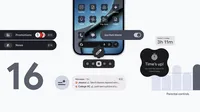
A collage of Android 16 features

With today's Android 16 release updates, your device is getting smarter, more personal and easier to manage.

This release also marks a new chapter for how Android updates work, moving from a single, yearly operating system update to more frequent releases. This means you get the latest features as soon as they’re ready.

Here’s a look at what’s new:

Stay focused and organized, automatically

Notifications are essential, but they can also be overwhelming. We’re introducing two intelligent features to help you cut through the clutter and stay focused.

  • AI-powered notification summaries condense longer messages and group chats, giving you quick understanding and context at a glance.
  • Notification organizer automatically groups and silences your lower-priority notifications (such as promotions, news, and social alerts), making it easier for you to stay focused on what matters with fewer distractions. Notification organizer is rolling out in stages and will be available in the coming weeks.

Express yourself with a more personal interface

Your phone should reflect your own unique aesthetic. This update brings more ways to customize your experience and make your device truly yours.

  • Custom icon shapes allow you to express your style for your device's home screen.
  • Themed icons are automatically applied across your apps for a more cohesive and minimal look. This creates a more consistent look and feel across all your apps.
  • The expanded option in dark theme automatically darkens most light apps, even those that don’t have their own native dark theme. Dark theme helps save battery and is easier on your eyes.

Settings screen allowing an Android user to modify their app icon shapes and color

Manage parental controls directly on your child or teen’s device

We're always working to make it easier for parents to help their children and teens build healthy digital habits. With the new Parental Controls 1 option within Android Settings, families now have a single, easy-to-access place for built-in device controls and Google Family Link.

Protected by an easy-to-set PIN, these on-device controls can be used to:

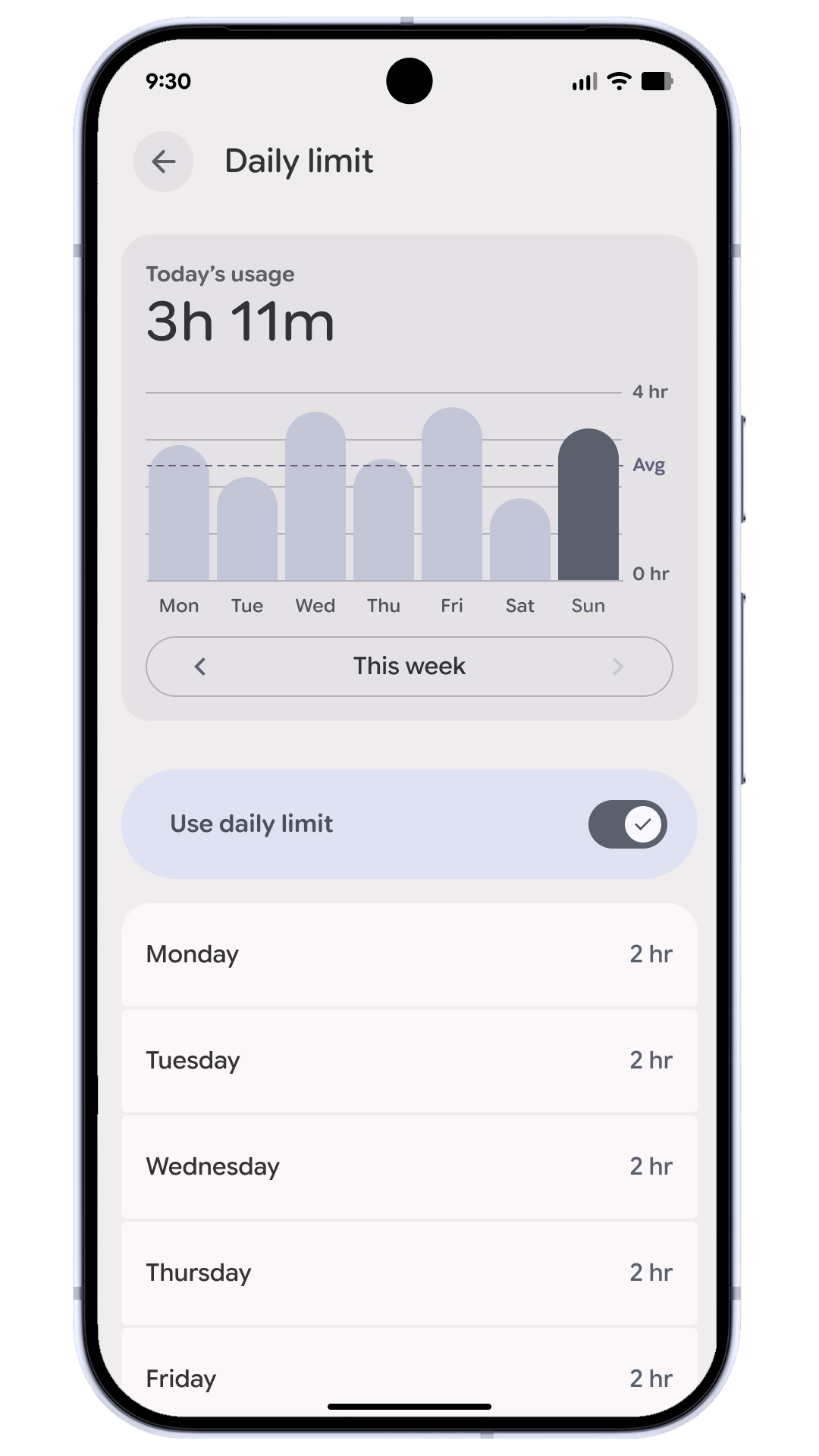
  • Set the amount of screen time that can be spent on a device each day to help establish healthy habits
  • Set downtime schedules to automatically lock the device at night to ensure restful sleep without distraction
  • Control app usage by limiting time spent on specific apps, or blocking apps entirely
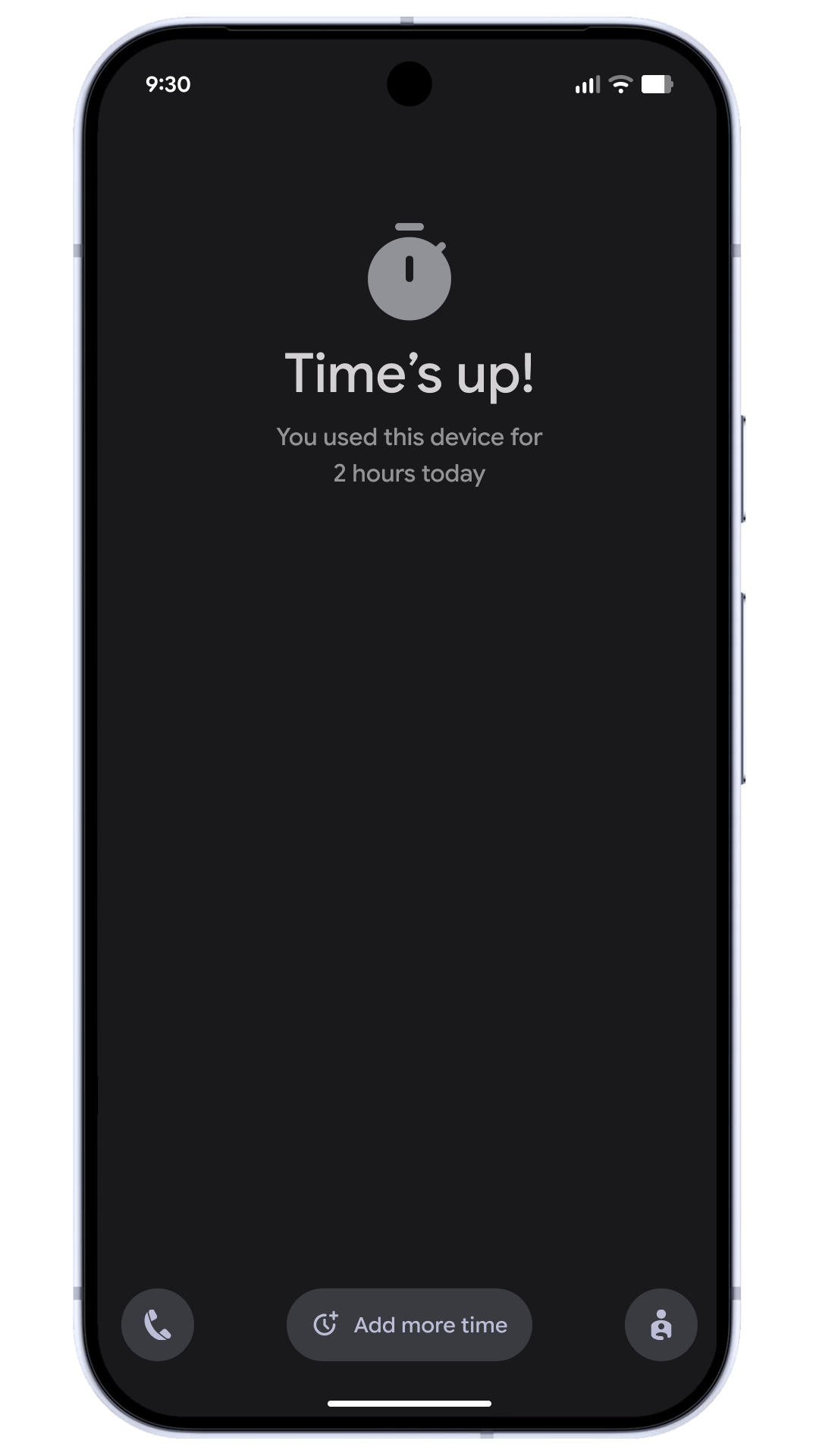
  • Add more time by granting extra minutes when a time limit is reached, or to extend a scheduled break
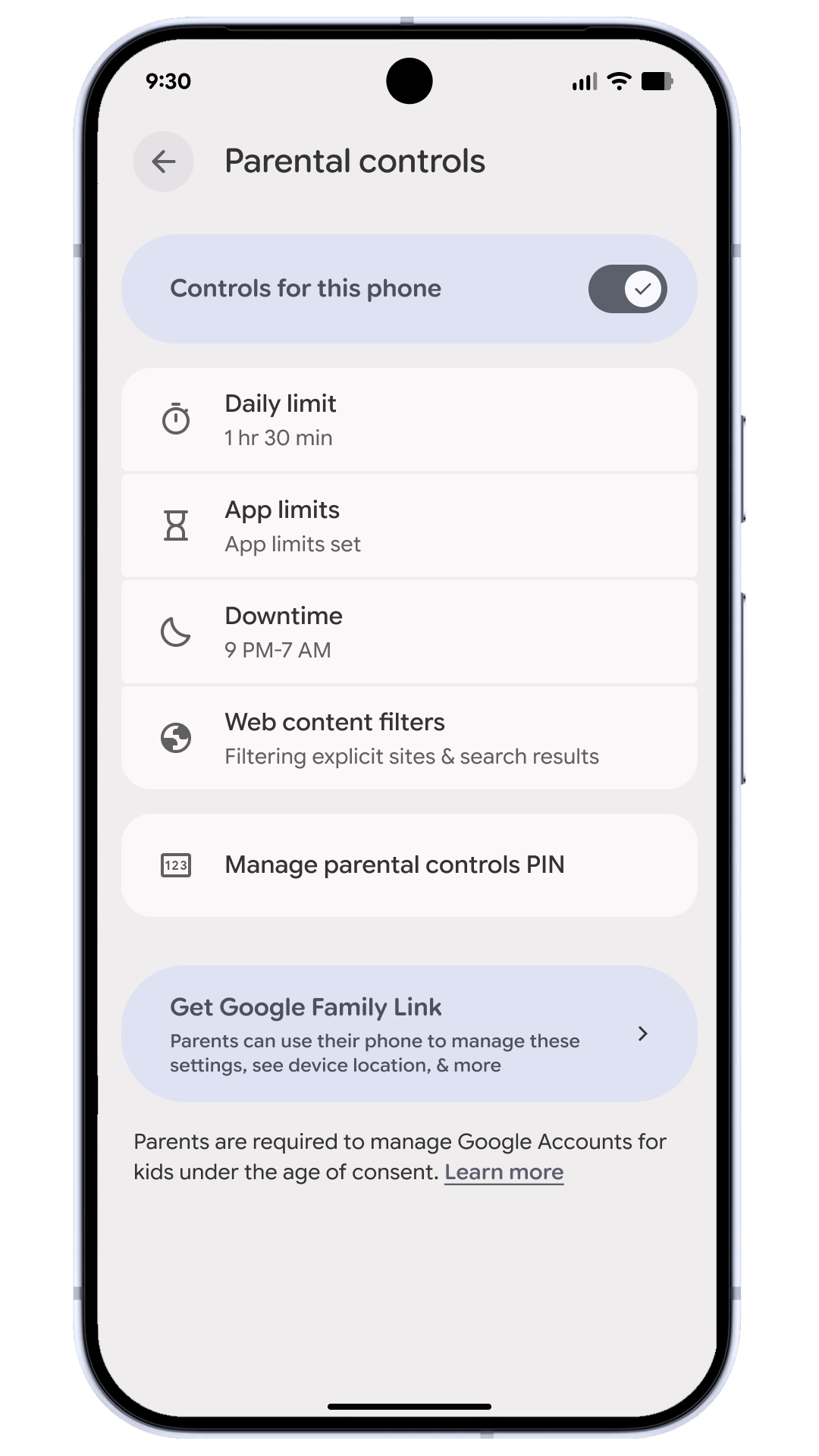
Parental controls main menu in the Android ‘Settings’ app

Parental controls ‘daily limit’ for screentime

‘Time’s up!’ notification received when 2 hour screen time is reached

Parental Controls in Settings also provides a direct path to easily set up Google Family Link 2 , which offers more capabilities, like School Time, app purchase approvals, location alerts and more in the Family Link app on a parent’s phone.

Check out the latest updates today

This is just a small sample of what’s new today. These updates are starting to roll out with Android 16 on eligible Pixel devices today.

1

“Parental Controls” in settings is currently available on Pixel phones and tablets on Android 16+.

2

Users can run Google Family Link on Android devices running versions 5.0 (Lollipop) and higher, and iPhones running iOS 11 and higher - Family Link requires a supervised Google Account for kids under 13 or the applicable age in your country.

Related stories

.