


Google released a security update for Chrome that fixes 18 vulnerabilities, including four rated Critical. There is no indication that any of these newly patched bugs are being actively exploited in the wild.
The stable channel has been updated to 149.0.7827.196/197 for Windows and Mac and 149.0.7827.196 for Linux. The update will roll out over the coming days and weeks. Chrome for Android was also recently updated to 149.0.7827.197.
How to update Chrome
If you don’t want to wait for the rollout to reach you, manually updating is easy.
The easiest option is to allow Chrome to update automatically. But you can end up lagging behind on updates if you never close your browser or if something goes wrong, such as an extension preventing the update.
To update manually, click the More menu (three dots), then go to Settings > About Chrome. If an update is available, Chrome will start downloading it automatically. Restart Chrome to complete the update, and you’ll be protected against these vulnerabilities.
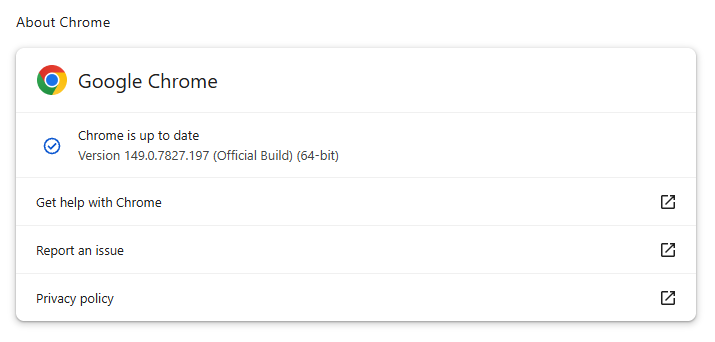
You can find an explanation of the version numbering system and also find step-by-step instructions in our guide to how to update Chrome on every operating system.
Technical details
Let’s look at the two Critical WebGL vulnerabilities. WebGL, short for Web Graphics Library, is a browser technology that lets websites display interactive 2D and 3D graphics.
We’ll start with the only vulnerability that wasn’t discovered by Google. It’s a use-after-free vulnerability in WebGL, tracked as CVE-2026-13028, that could allow an attacker to escape Chrome’s browser sandbox using a specially crafted HTML page.
Use-after-free is a class of vulnerability caused by incorrect use of dynamic memory during a program’s operation. If, after freeing a memory location, a program does not clear the pointer to that memory, an attacker can abuse that mistake to crash a program or make it run code it should not run.
The browser sandbox is a restricted, sealed-off environment that is supposed to contain any malicious activity within the browser rather than directly on your whole computer. So a sandbox escape is dangerous because it can help attackers move from “something bad happened inside the browser” to “something bad can affect the wider system.”
The other Critical WebGL vulnerability is CVE-2026-13032. It’s also a use-after-free flaw that could allow a remote attacker to escape the sandbox via a crafted HTML page.
Even without confirmed in‑the‑wild exploitation for these CVEs, Chrome has had several zero‑days exploited this year, so attackers clearly invest in web-based attacks. For example, CVE‑2026‑2441, which got its own separate update, allowed attackers to run code inside Chrome’s sandbox through a malicious web page. Paired with either of the WebGL flaws discussed above, it could have helped attackers break out of the browser’s protections. Together, those vulnerabilities could potentially have allowed attackers to take control of the wider system.
Stop threats before they can do any harm.
Malwarebytes Browser Guard blocks phishing pages and malicious sites automatically. Free, one click to install. Add it to your browser →