







An attachment in an email impersonating DHL about a shipment contains a link to a preconfigured SimpleHelp remote access tool—an ideal starting point for attackers to explore a network, steal data, and drop additional malware.
A German industrial spare parts and equipment supplier received an email pretending to be from DHL, claiming a shipment had arrived.
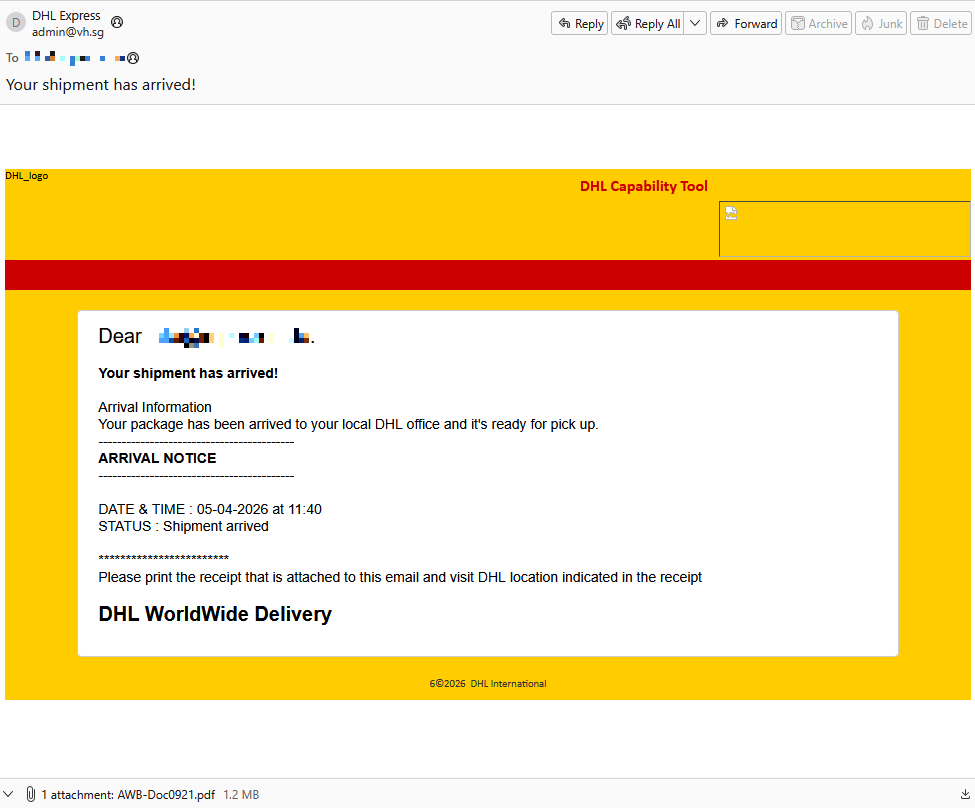
Given their line of business, I imagine they get this type of email all the time. But a few details stood out:
- The sender’s email address did not belong to DHL,
- the receiver address was the general info@ for the company,
- the images in the email were hosted on
ecp.yusercontent.com, - and, most importantly, there was attachment.
While the remote content is hosted on a legitimate Yahoo webpage commonly used to serve images and other content in Yahoo Mail, this is not something DHL typically uses.
The attachment, a PDF file called AWB-Doc0921.pdf is just a blurred image with a Microsoft-branded button that prompts the victim to “Continue” to access a secure file.
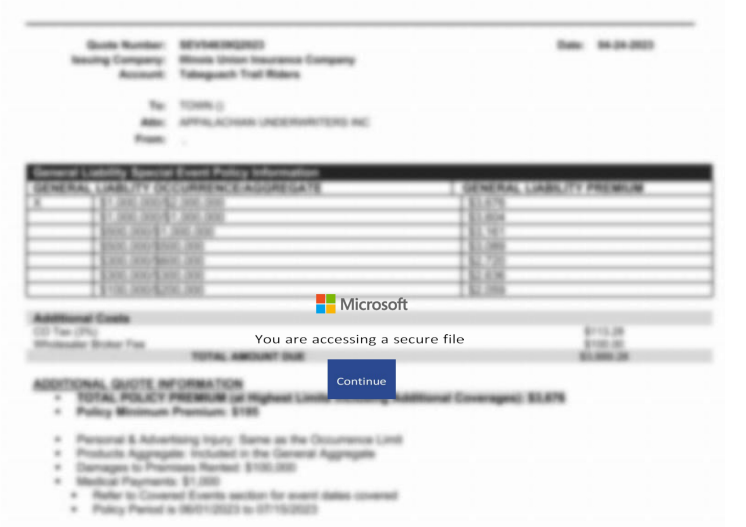
In reality, clicking the button downloads a file called AWB-Doc0921.scr from the domain longhungphatlogistics[.]vn, a domain belonging to a Vietnamese logistics company that was likely compromised to host malware.
![Malwarebytes blocks longhungphatlogistics[.]vn](https://www.malwarebytes.com/wp-content/uploads/sites/2/2026/04/MBAM_block.png)
A .scr file is a Windows file, which is an executable (.exe) file used to launch screensavers. They are often used to hide malicious code because Windows trusts them, allowing them to bypass some security layers.
In this case, the file is a modified installer of a remote access tool signed by SimpleHelp.
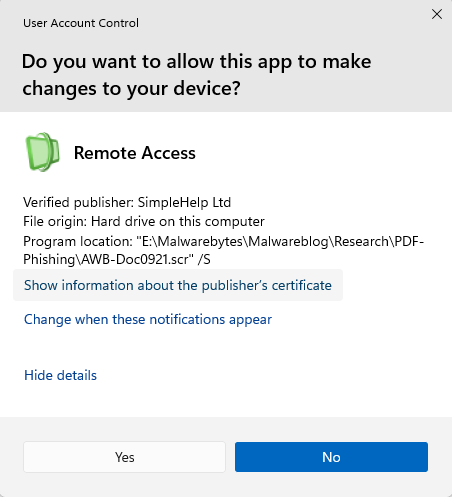
SimpleHelp is a remote support and remote monitoring and management (RMM) platform. It allows remote desktop control, file transfer, diagnostics, and unattended access. In the wrong hands, that’s effectively a support-style backdoor. Attackers can use it for reconnaissance, credential theft, lateral movement, defense evasion, and staging further malware, including ransomware. We’ve seen SimpleHelp abused in this way before.
This is basically a beaconing model. Once installed, the system connects out to the attacker’s server, which is more likely to be allowed through NAT and firewalls than inbound connections. Because the user initiated the install, the attacker gets immediate visibility of the system and can reconnect later whenever the service is running. In the case of a phish, that means the lure only has to get the victim to execute the file once. After that, the attacker’s console can show the new machine as a manageable asset.
For what seems to be a non-targeted attack, the campaign shows a decent level of sophistication by using legitimate components to trick targets into running the remote access tool.
How to stay safe
The good news: once you know what to look for, these attacks are much easier to spot and block. The bad news: they’re cheap, scalable, and will continue to circulate.
So, the next time a “PDF” prompts you to download a file, pause to think about what might be hiding under the hood.
Beyond avoiding unsolicited attachments, here are a few ways to stay safe:
- Only access your accounts through official apps or by typing the official website directly into your browser.
- Check file extensions carefully. Even if a file installs a legitimate tool, it may not be safe to run it.
- Enable multi-factor authentication for your critical accounts.
- Use an up-to-date, real-time anti-malware solution with a web protection module.
Pro tip: Malwarebytes Scam Guard recognized this email as a scam.
Something feel off? Check it before you click.
Malwarebytes Scam Guard helps you analyze suspicious links, texts, and screenshots instantly.
Available with Malwarebytes Premium Security for all your devices, and in the Malwarebytes app for iOS and Android.