
惯性聚合 高效追踪和阅读你感兴趣的博客、新闻、科技资讯
阅读原文 在惯性聚合中打开

推荐订阅源

D
Docker
Simon Willison's Weblog
H
Help Net Security
F
Fortinet All Blogs
H
Heimdal Security Blog
S
Schneier on Security
L
LangChain Blog
博客园 - Franky
酷 壳 – CoolShell
酷 壳 – CoolShell
NISL@THU
NISL@THU
P
Palo Alto Networks Blog
J
Java Code Geeks
博客园 - 【当耐特】
The Last Watchdog
The Last Watchdog
W
WeLiveSecurity
www.infosecurity-magazine.com
OSCHINA 社区最新新闻
OSCHINA 社区最新新闻
V
Vulnerabilities – Threatpost
I
InfoQ
Recorded Future
Recorded Future
钛媒体:引领未来商业与生活新知
钛媒体:引领未来商业与生活新知
C
CERT Recently Published Vulnerability Notes
T
Tenable Blog
腾讯CDC
C
Check Point Blog
量子位
M
MIT News - Artificial intelligence
GbyAI
GbyAI
罗磊的独立博客
Threat Intelligence Blog | Flashpoint
B
Blog
小众软件
小众软件
cs.AI updates on arXiv.org
奇客Solidot–传递最新科技情报
奇客Solidot–传递最新科技情报
C
CXSECURITY Database RSS Feed - CXSecurity.com
Stack Overflow Blog
Stack Overflow Blog
P
Proofpoint News Feed
P
Privacy & Cybersecurity Law Blog
V2EX - 技术
V2EX - 技术
T
Threatpost
Engineering at Meta
Engineering at Meta
Attack and Defense Labs
T
Tailwind CSS Blog
S
Securelist
The Cloudflare Blog
博客园 - 叶小钗
L
LINUX DO - 最新话题
T
Troy Hunt's Blog
C
Cyber Attacks, Cyber Crime and Cyber Security
爱范儿
爱范儿

Starred Articles

Improvements to Web for AI Should Benefit All Users New to the web platform in April  |  Blog  |  web.dev Delivering a dynamic hexagonal world map in just 10kb | Calibre Eames Pavilion System Squarespace & Web Standards: How We Helped Bring HTML Video & Audio Lazy Loading to Today’s Browsers | Scott Jehl, Web Designer/Developer The Web is a Guitar Amp Now (Literally) Making keyboard navigation effortless I used Claude Code and GSD to build the accessibility tool I’ve always wanted - blakewatson.com Sizing chaos Scroll indicators on tables with background colours using animation-timeline Webspace Invaders Fresh Hot CSS: Trig Functions The Year Of The Linux Desktop (for fitness games) Almost Plain Text, Nicely Done – Email is good. Uncrate's 100-ish favorite things on Amazon How musicals use motifs to tell stories Good Tidings! Review: MoErgo Go60, a split ergonomic and fully programmable keyboard The line and the stream. — Ethan Marcotte Testing HTML Light DOM Web Components: Easier Than Expected! Enhancing Web Components Safely with Self-Destructing CSS | Scott Jehl, Web Designer/Developer Steam Machine Caira AI Mirrorless Camera A Treatise on AI Chatbots Undermining the Enlightenment Talking CSS, Web Components, App Design and (gulp) AI on ShopTalk Show Microsoft™ Ergonomic Keyboard (now sold by Incase) A new, new logo for the W3C Chris Coyier Solved by CSS Scroll State Queries: hide a header when scrolling down, show it again when scrolling up. closedBy=any · October 16, 2025 Paxos accidentally mints more than twice the global GDP in PayPal stablecoins The CSS Podcast is back! And I’m a co-host now. Who needs a flying car when you have display: grid Junior Dev Tip: "Scroll Up" WWW Ep212 With Dave Rupert · October 2, 2025 DHH Is Way Worse Than I Thought | jakelazaroff.com A custom --light-dark() function in CSS that works with any type of value (not just colors!) in just 3 LOC Make accessible carousels  |  Blog  |  Chrome for Developers 37 pm · Paul Robert Lloyd Against the protection of stocking frames. — Ethan Marcotte “Why would anybody start a website?” Necropolis Should Men Be the Head of Every Household? The History of Themeable User Interfaces Speeding up my Learning Log process Eight years of Jessie How our dog increased my appreciation for accessibility In the Future All Food Will Be Cooked in a Microwave, and if You Can’t Deal With That Then You Need to Get Out of the Kitchen Somewhere Between Lost and Found Impact of AI on Tech Content Creators Progressive Enhancement and Web Components Sizzle Rizzle · July 4, 2025 The Cascade
VS Code – highlight just the active indent guide
Ben Frain · 2026-01-09 · via Starred Articles

Long term readers may wonder – VS Code, Ben? Really? Let’s not getting into that now, instead, just the issue before us.

The problem before us is that we want to highlight just the active indent guide of the code in the editor. By default, VS Code highlights both the active indent level, and also, with less brightness, the inactive indent levels.
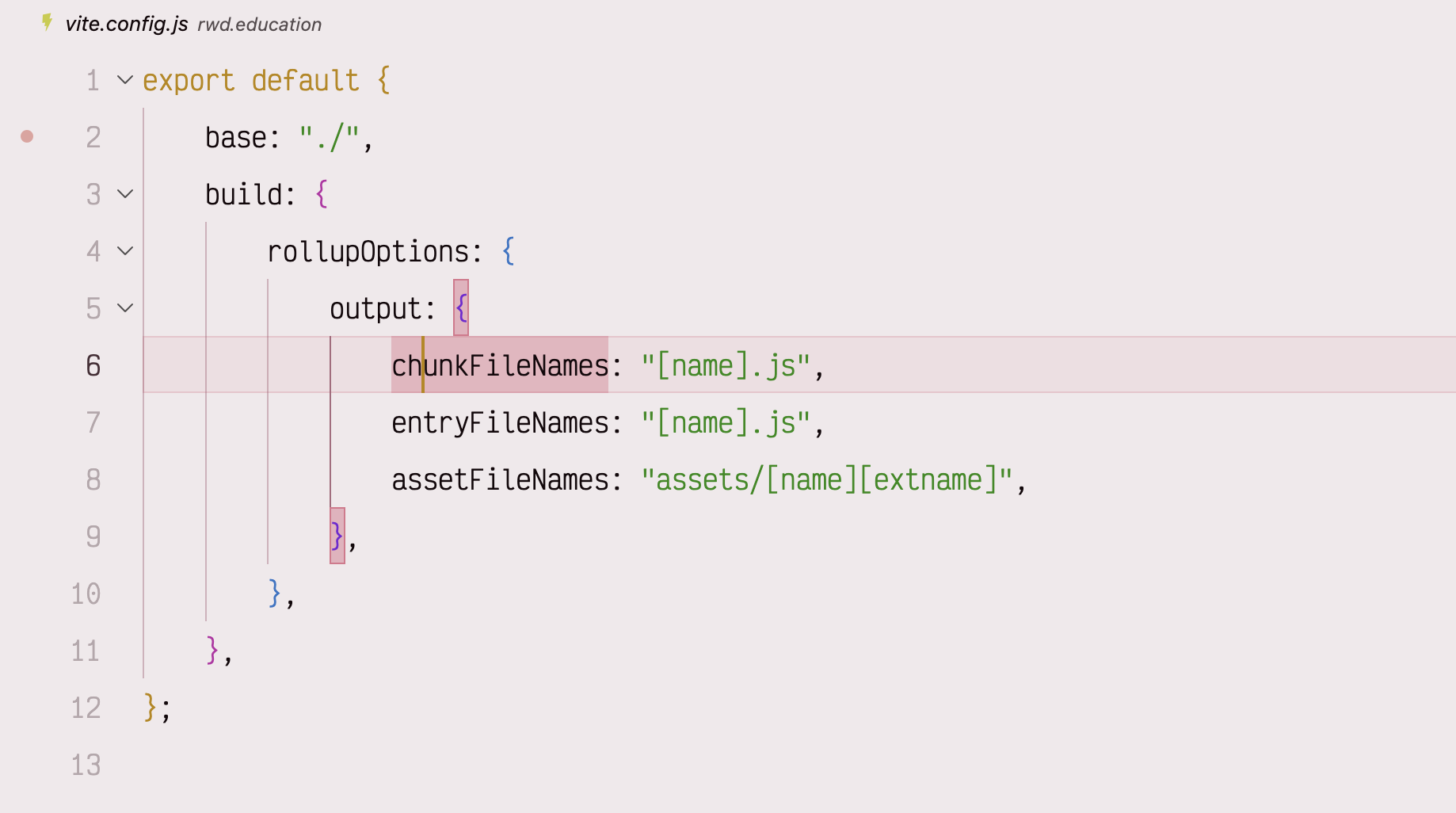
code with indent guides at all indent levels
By default, VS Code shows indent guides for every level of code

The problem

Sadly, there is currently no setting to have just the active indent guide shown – it would be lovely if the Editor > Guides: Highlight Active Indentation setting had an only option. Alas, it does not.

I then came by this YouTube video, which around 6 minutes in, describes adding something like these settings to your settings.json:

"workbench.colorCustomizations": {
    "editorIndentGuide.background1": "#00000000"
}

The idea being that the lines are still there, you just render the non-active ones transparent, which we do here using 8-digit hex, with the last two digits setting the transparency, so you only see the active one. Incidentally, if you didn’t know that hex has a 4-digit and 8-digit syntax for transparency, I covered that here.

But there in an issue.

When you do this, all the indent guides are rendered transparent. Boo! Hiss! Throw cabbages at the monitor etc. This is, I’m pretty sure, a bug, and you can see someone has opened a ticket on it here: https://github.com/microsoft/vscode/issues/189624

The workaround

Turns out that if you add even a little mathematical opaqueness to the ‘normal’ background, the guides are all rendered. So given that, we can amend our settings thus:

"workbench.colorCustomizations": {
    "editorIndentGuide.background1": "#00000001"
}

As Alan Partridge might declare, ‘Back of the net’!
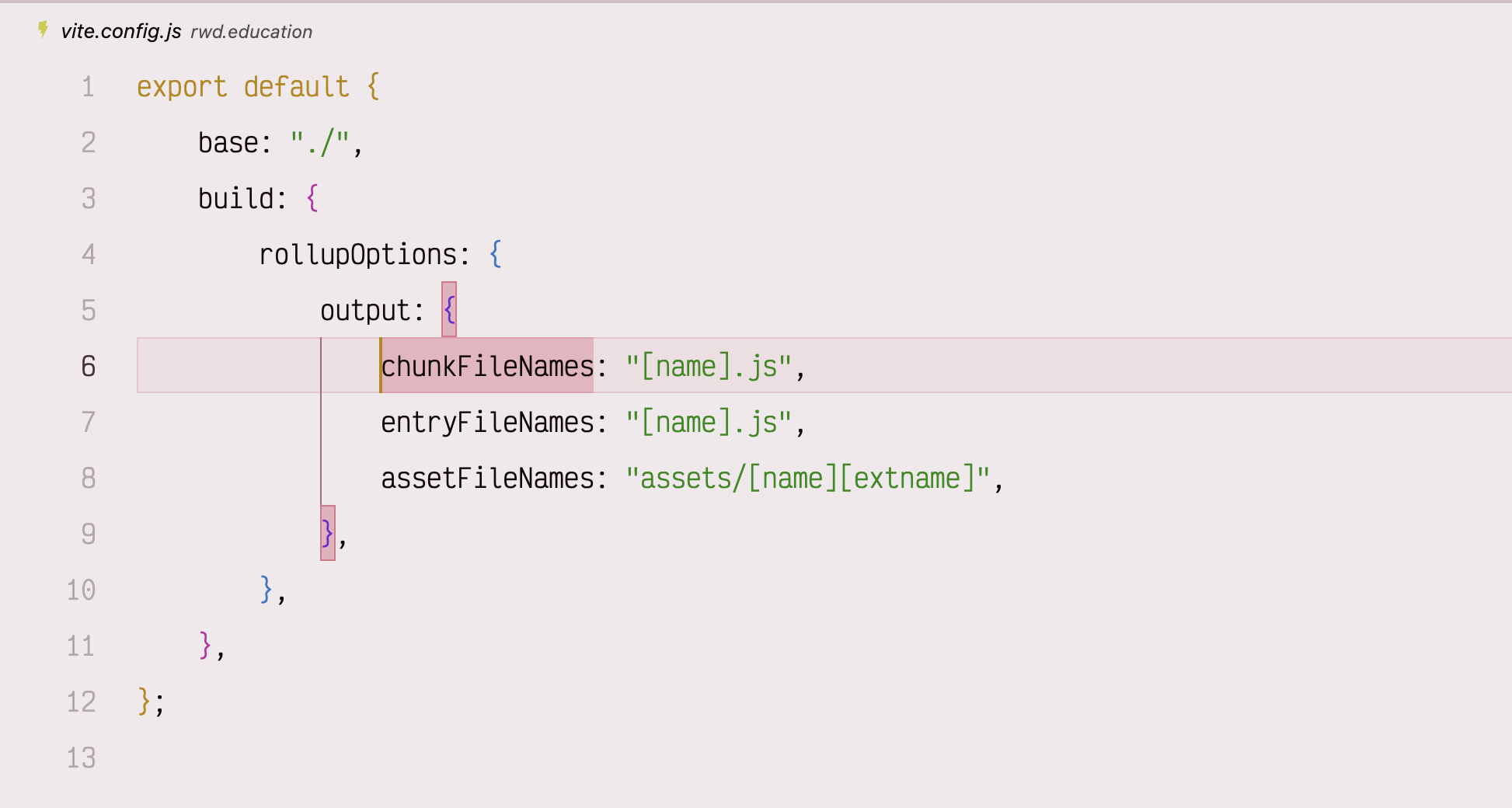
VS Code with only the currently active indent level guide showing
With a little workaround you can have just the currently active level indent guide, which is just a little visually calmer

Also, if you know you want a different specific color for the active indent, you can set it like this:

"workbench.colorCustomizations": {
    "editorIndentGuide.background1": "#00000001",
    "editorIndentGuide.activeBackground1": "#ff9900"
}