The Lenovo ThinkStation P3 Ultra SFF Gen 2 is a spectacular compact powerhouse of a PC.
Specs-wise, it packs in an Intel Core Ultra 9, an Nvidia RTX 4000 SFF ADA Generation GPU with 20GB, 64GB RAM, up to 4TB SSD, a wide range of ports, and a massive 330W power supply.
For my testing model, I have an Intel Core 9 285, the Nvidia RTX 4000 SFF ADA Generation GPU with 20GB, 2x 32GB of DDR5, and a 1TB SSD. It’s definitely not the most built-out, but it absolutely gets the job done.
The one key thing that is hard about all this power crammed into a small space, though, is that the fans to keep everything cool are insanely loud under load.
When it comes to complex professional workloads, it's one of the best mini PCs around - although it's incredibly expensive and the fan noise under load are loud.
Lenovo ThinkStation P3 Ultra SFF Gen 2: Price and availability

The ThinkStation P3 Ultra SFF Gen 2 is available direct from Lenovo US, Lenovo UK, and a broad range of online retailers.
It comes in a range of configurations, with the base model costing $1,399, but once you upgrade it, you can easily exceed $4,000.
Keep in mind, you could get similar hardware in a standard desktop tower, but you’re paying more for the compact space-saving footprint of this chassis.
Lenovo ThinkStation P3 Ultra SFF Gen 2: Unboxing and First Impressions

The Lenovo ThinkStation P3 Ultra SFF Gen 2 includes everything you’ll need to get up and running, except the display. Lenovo even sends a basic keyboard and mouse in the box, if you’re in desperate need — though I’d strongly suggest picking up a better one.
I chose not to hook up the antennae as I was going with a wired connection, and I didn’t need the keyboard and mouse that came with the computer since I have plenty lying around.
During boot-up, while benchmarking, and while running heavy programs, the fans on this computer whirred to an impressive decibel level, though it still handled quite a bit of power.
Setup was fairly easy outside of that, just plug in, get your mouse and keyboard set up, and then log in. As an IT Pro, you could get this done in minutes, prepping it to help your team.
Lenovo has done a phenomenal job of incorporating spectacular ports on the front and back of this machine, designed for real power and real use.
Yes, there isn’t Thunderbolt, but there are two 20Gbps USB-C ports that can still be great for transferring files, just maybe not consistent 6k footage (though this machine isn’t really meant to be a primary heavy video workflow machine)
Lenovo ThinkStation P3 Ultra SFF Gen 2: Design & Build Quality

The ThinkStation P3 Ultra feels like Lenovo’s answer to the (in)famous Mac Studio. It’s compact, but not the most compact, a slightly thicker version of the also well-known Mac mini, or in the Lenovo world, the P3 Tiny.
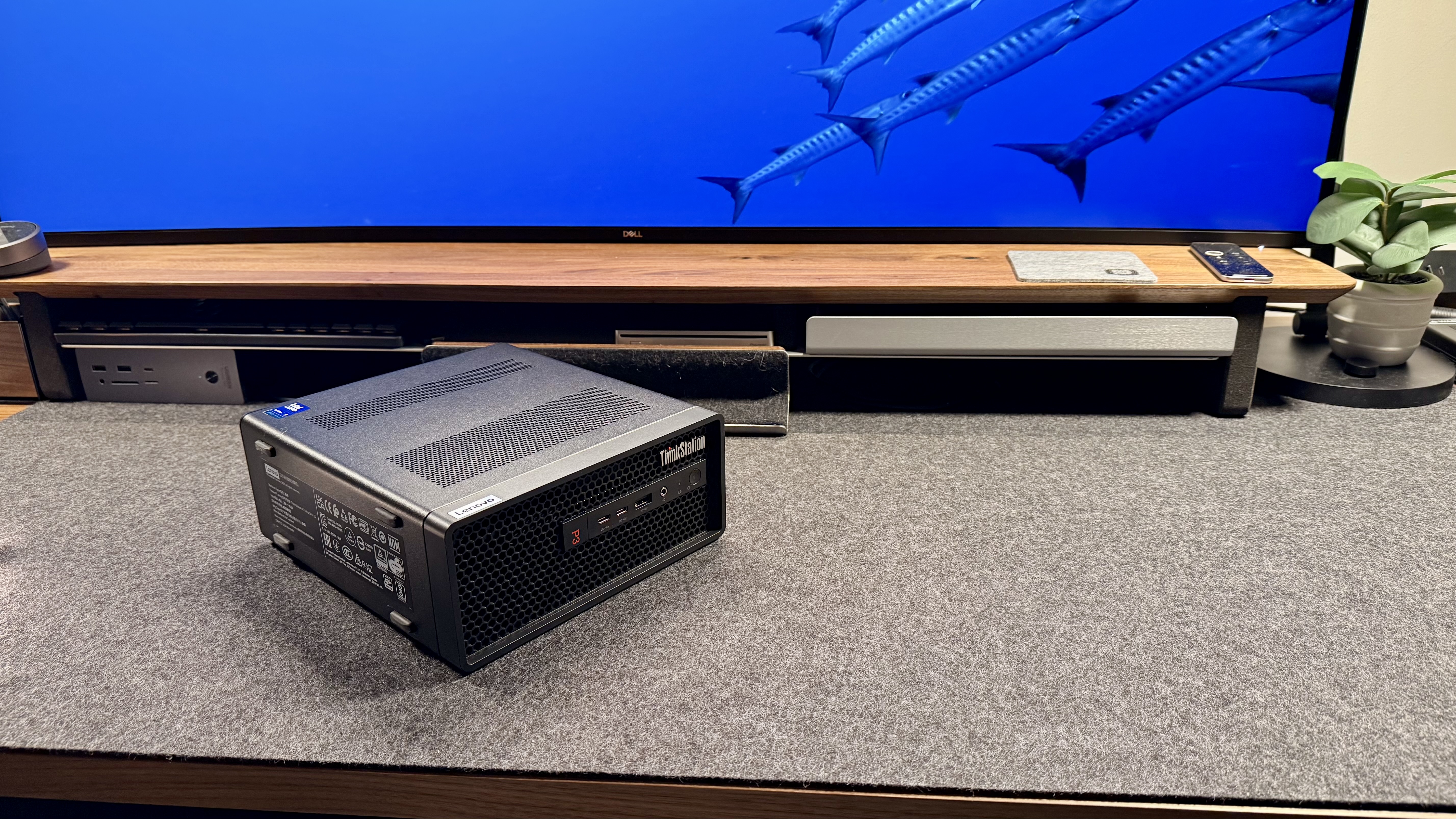
The P3 Ultra has a 3.9L footprint and can be propped upright or vertically, or set horizontally and fit under a monitor, mount, or similar. Either way, make sure that the fans you see have plenty of clearance and room to breathe.
The team at Lenovo did a great job with the port layout on the P3 Ultra, placing the plug-and-forget ports on the back for easy cable management and a clean desktop. The front of the machine has quick ports for file transfer, a well-spaced split of ports for different needs, and all are compatible with thicker USB-A plugs.
Outside of design, the build quality is good and up to what I expect from Lenovo these days. Sharp corners, well-laid out, quality materials that should last for a long time, even with heavy, everyday, high-power use. Some machines are built to handle “perfect conditions,” and others are meant to withstand “real conditions” that everyday machines withstand.
Lenovo definitely favors the real-world conditions side, building machines designed to withstand the everyday grind and strain that always-on or relied-upon machines endure.
Lenovo ThinkStation P3 Ultra SFF Gen 2: In use

The ThinkStation P3 Ultra has been an impressive machine through and through. It’s been able to handle even intense workloads thrown at it, it’s benchmarked well, and in the most important sense, it hasn’t had any issues day to day.
I’ve run my full workload on this machine, pushing a 52-inch 6K display at full resolution, and it hasn’t even stuttered. While not everyone will be running that massive of a monitor, it’s great to know the P3 Ultra can deliver impressive graphics performance, especially for a business machine, not a graphics or media machine.
This desktop is a phenomenal option for CAD users, 3D rendering machines, and those handling large LLMs or large coding projects. It’s great for data admins who need to have a thousand tabs open at once, and it can handle those with 40GB of Chrome eating up their memory because they never close tabs.
Continuing the real-world usability, the ports are great. So far, I haven’t had to reach around or hope for another set of ports. Everything I’ve needed at setup was on the back, and everything I’ve needed since then have been on the front of the unit.
Image
1
of
13
For more options, we've tested the best business computers.