


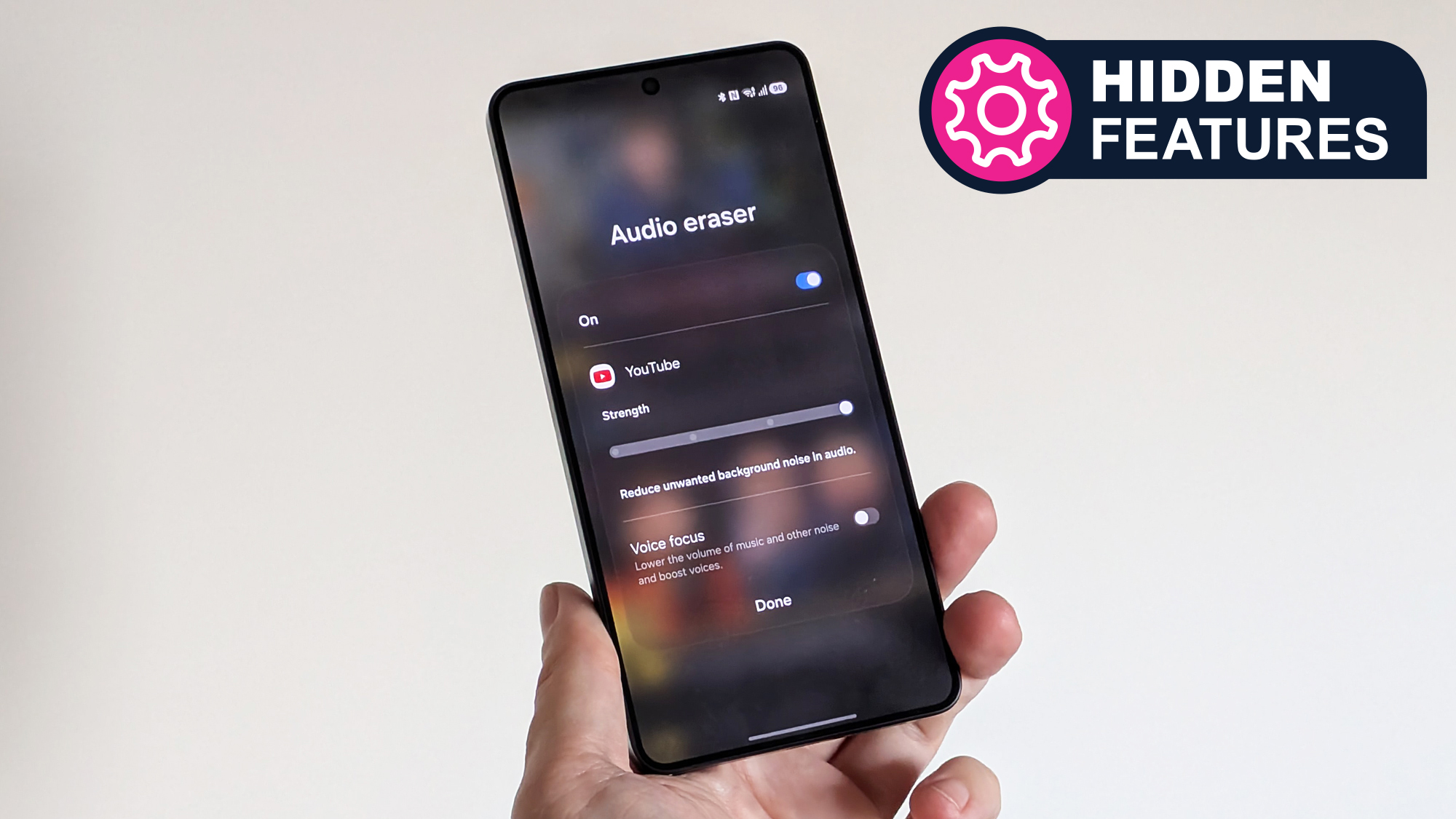
 Audio Eraser on the Samsung Galaxy S26 Ultra
(Image credit: Future)
Audio Eraser on the Samsung Galaxy S26 Ultra
(Image credit: Future)
Hidden Features
We love a good hidden feature, that functionality on your device that may not necessarily be active at default but which elevates your experience (or even your life). This series explores our pick of them - and you can read them all here.
If you've invested in the Samsung Galaxy S26 Ultra, the Galaxy S26+, or the standard model, then you've got access to a very useful tool for improving your video viewing experience in any app — though the feature is quite well hidden away.
This is the same Audio Eraser tool that Samsung debuted last year, but originally it could only be used on your own videos. With the Galaxy S26 models and the One UI 8.5 software, it can be used on anything — in Netflix, YouTube, or any other video streaming app.
Article continues below
I've been using it to make movies and TV shows easier to follow when I'm watching them on the go, and it can make a huge difference given the right content. Here's how to access it on your own Galaxy S26 device.
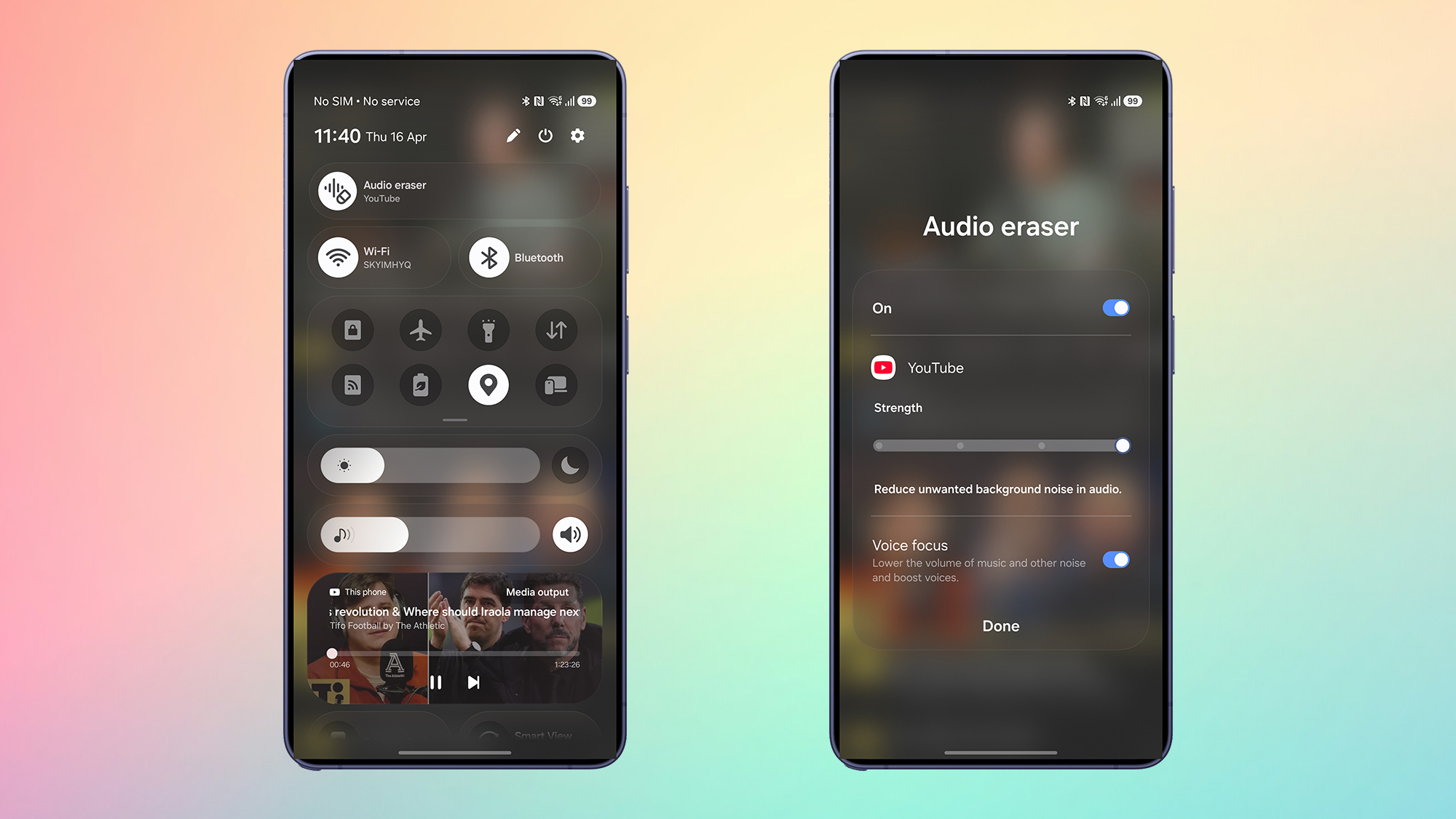
To get started with Audio Eraser, load up a video: this can be inside any video playback app you like. Whether you're streaming a movie through Netflix, or watching a video that your friend just uploaded to TikTok, the Audio Eraser tool should be available for you.
With the video playing (if it's paused this won't show up), swipe down from the top right of the screen, and Audio Eraser should be available as an option at the top — tap this to get into the tool. You get two controls: a slider for adjusting the strength of the background noise reduction, and a Voice focus toggle switch for boosting dialog.
The features are explained next to the settings. The slider will "reduce unwanted background noise in audio", while the toggle switch will "lower the volume of music and other noise and boost voices" — though that latter option only becomes available if you're watching a dialog-heavy video or scene.
Sign up for breaking news, reviews, opinion, top tech deals, and more.
In my own experience of the feature, the changes are quite subtle ones — movie and TV show directors don't generally mess up their productions with high levels of background noise — but they do make a difference. The Voice focus option is particularly handy for video podcasts, I've found.
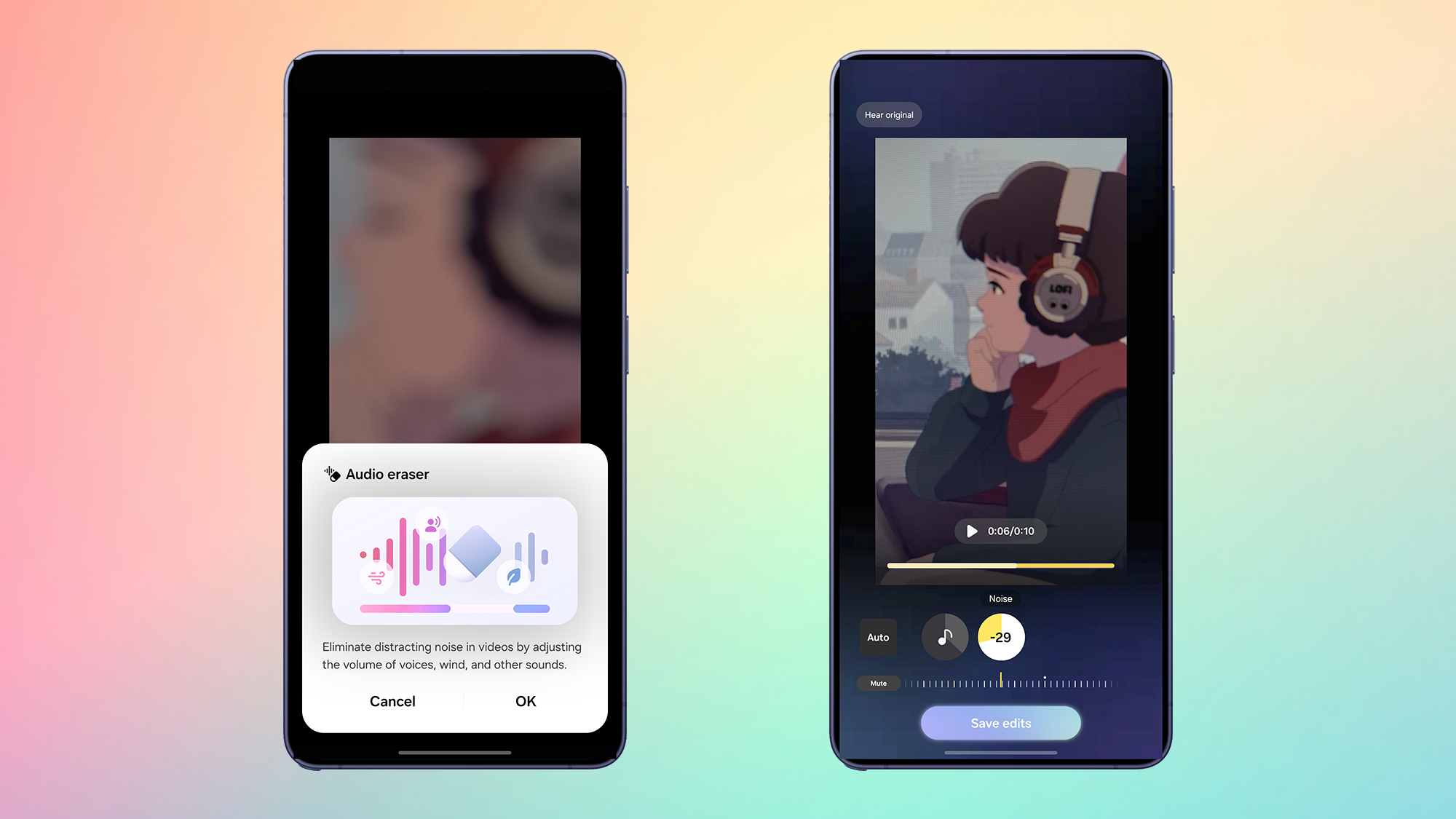
We should also acknowledge the roots of the Audio Eraser tool and explain how you can use it on your own videos. This is where the feature can have an even bigger impact, because you're more likely to have issues with background noise (such as wind or crowd noise) on something you've recorded yourself.
Head to the Gallery app on your Galaxy S26 device, then find a video you've recorded and tap on it. Tap on the Galaxy AI button at the bottom — it's the little stars icon in the center — then choose OK to confirm the use of Audio Eraser.
You can opt for the Auto option to have the video's audio automatically cleaned up for you, or you can make manual tweaks: There are both Music and Noise buttons to switch between, and a slider to make adjustments. When you're happy with how the audio is sounding, tap Save edits.
The Gallery app saves a copy of the video, so the original is still there — you can play them both to see the difference Audio Eraser has made. It's a useful and easy-to-use tool, especially if you're making video recordings outside and in noisy environments, and it shows how mobile AI can be genuinely useful if it's used in the right way.
Follow TechRadar on Google News and add us as a preferred source to get our expert news, reviews, and opinion in your feeds. Make sure to click the Follow button!
And of course you can also follow TechRadar on TikTok for news, reviews, unboxings in video form, and get regular updates from us on WhatsApp too.
Dave is a freelance tech journalist who has been writing about gadgets, apps and the web for more than two decades. Based out of Stockport, England, on TechRadar you'll find him covering news, features and reviews, particularly for phones, tablets and wearables. Working to ensure our breaking news coverage is the best in the business over weekends, David also has bylines at Gizmodo, T3, PopSci and a few other places besides, as well as being many years editing the likes of PC Explorer and The Hardware Handbook.
You must confirm your public display name before commenting
Please logout and then login again, you will then be prompted to enter your display name.
此内容由惯性聚合(RSS阅读器)自动聚合整理,仅供阅读参考。 原文来自 — 版权归原作者所有。