




When it comes to deterring burglars, light is a powerful weapon. Burglars hate to be seen, especially at night when they can’t easily pretend to be working at the property or just visiting a friend. Enter the Reolink Solar Floodlight Cam. A very interestingly designed home security camera, it features two large spotlights either side of a main unit to help deter intruders. On top, there’s also a fixed solar panel for additional power. So not only can you flood your property with light if the PIR motion sensor is triggered, you also don’t have to worry about taking the device down every couple of months for recharging.
Two powerful spotlights
Solar panel provided for extra energy
Local MicroSD storage option
Only 2K video resolution
Solar panel is fixed
Not the widest field of view
Why you can trust TechRadar We spend hours testing every product or service we review, so you can be sure you're buying the best. Find out more about how we test.
Founded in 2009 by a team of engineers in Shenzhen, China, Reolink has grown into a global provider of smart, yet affordable, security cameras. A little while back I tested the Reolink Altas PT Ultra and was really impressed with the 355-degree pan and 90-degree tilt camera, though the design was a little bulky. This recently launched Reolink Solar Floodlight Cam is very different though.
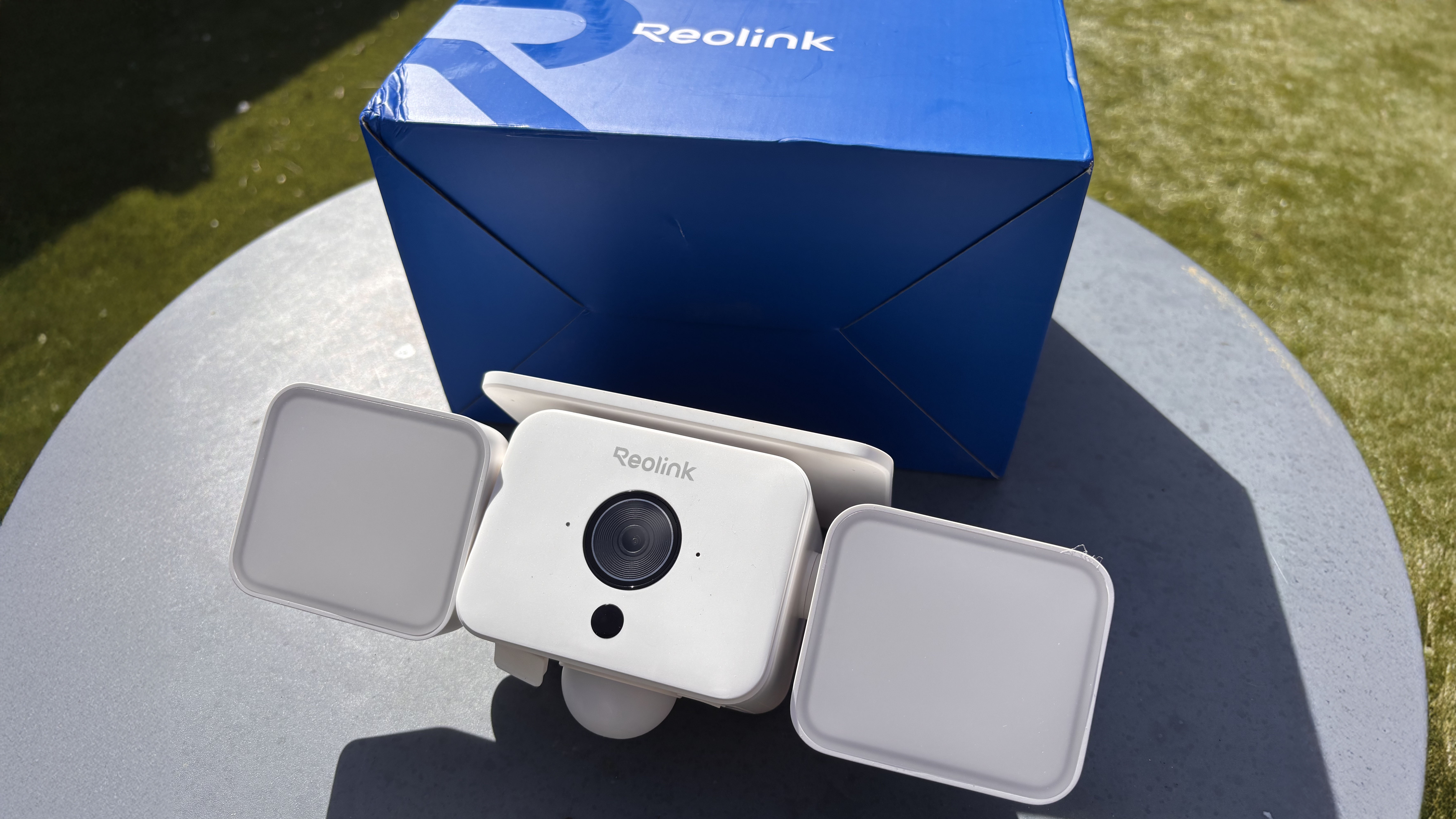
Designed to be placed on the outside of the property with a clear view of the sky at a height of around 2.5 to 3m, the Reolink Solar Floodlight Cam is reasonably easy to install. In the box there’s a mounting bracket with screws and wall plugs, as well as — unusually — a mounting wrench for tightening up the bracket.
Before installation, you will need to charge the unit using the USB-C cable provided and pair the camera with the Reolink app using the QR code on the back of the unit. Helpfully, the camera supports both 2.4GHz and 5GHz Wi-Fi frequencies and it tells you when it is successfully paired with your home network.
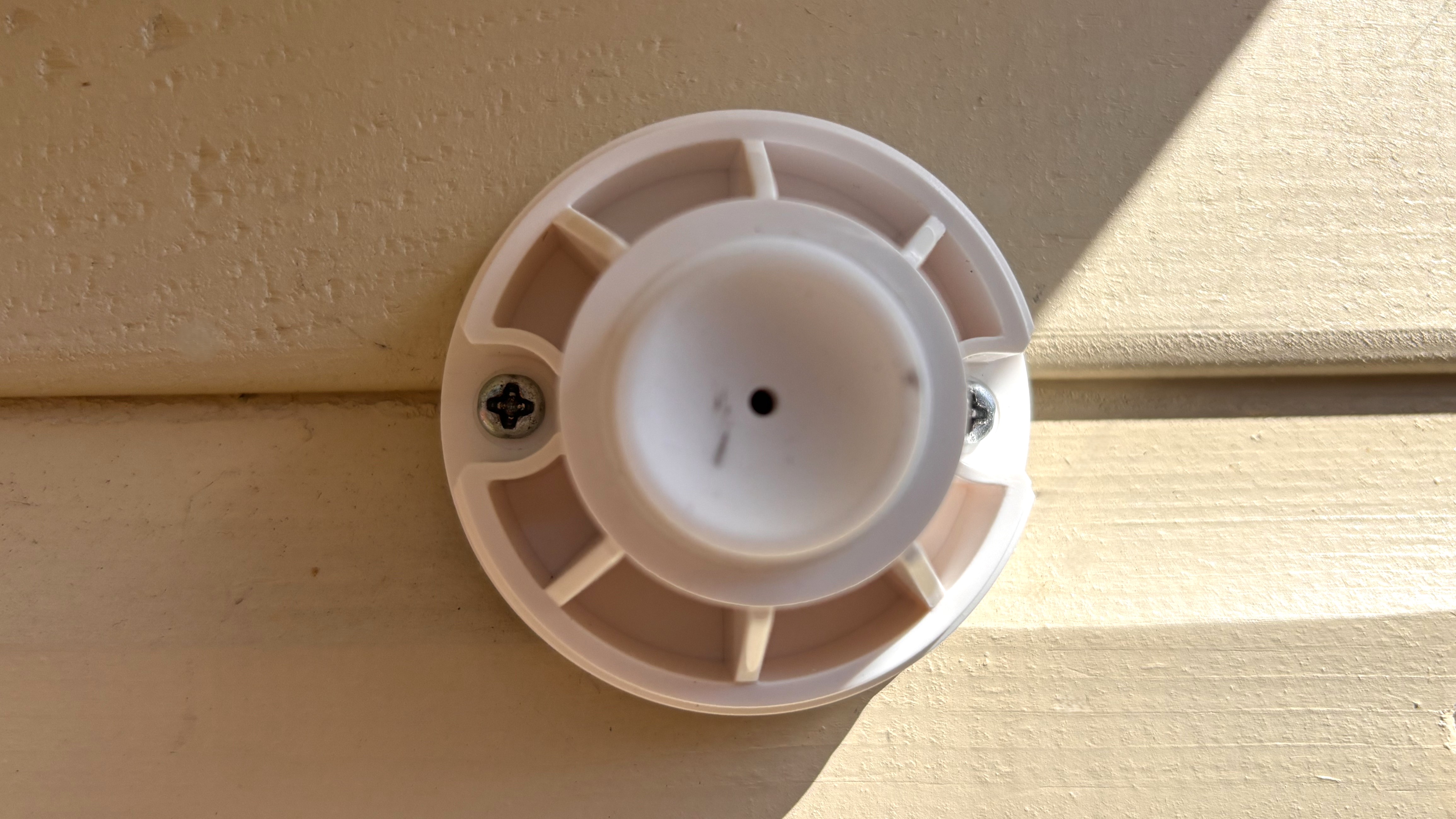
Unlike some apps, which can be confusing to navigate, the Reolink app offers everything you need within a reasonably clear interface. You can select the different types of object you want the camera to detect (human, animal, vehicle or other) and set a schedule for when you want recordings to happen (for example, switch off during the day if you know family members are going to be around). You can also exclude certain parts of the frame, which is handy if — like me — you are setting the camera up in a back garden and don’t want to record activity from your next-door neighbour’s property.
Alternatively, if you don’t want to use the Reolink app, the device can be fully integrated with Amazon Alexa, allowing you to view live video feeds on screen-enabled devices such as an Echo Show (though we didn’t test this facility). You can even control the floodlights using your own voice via the Alexa app.
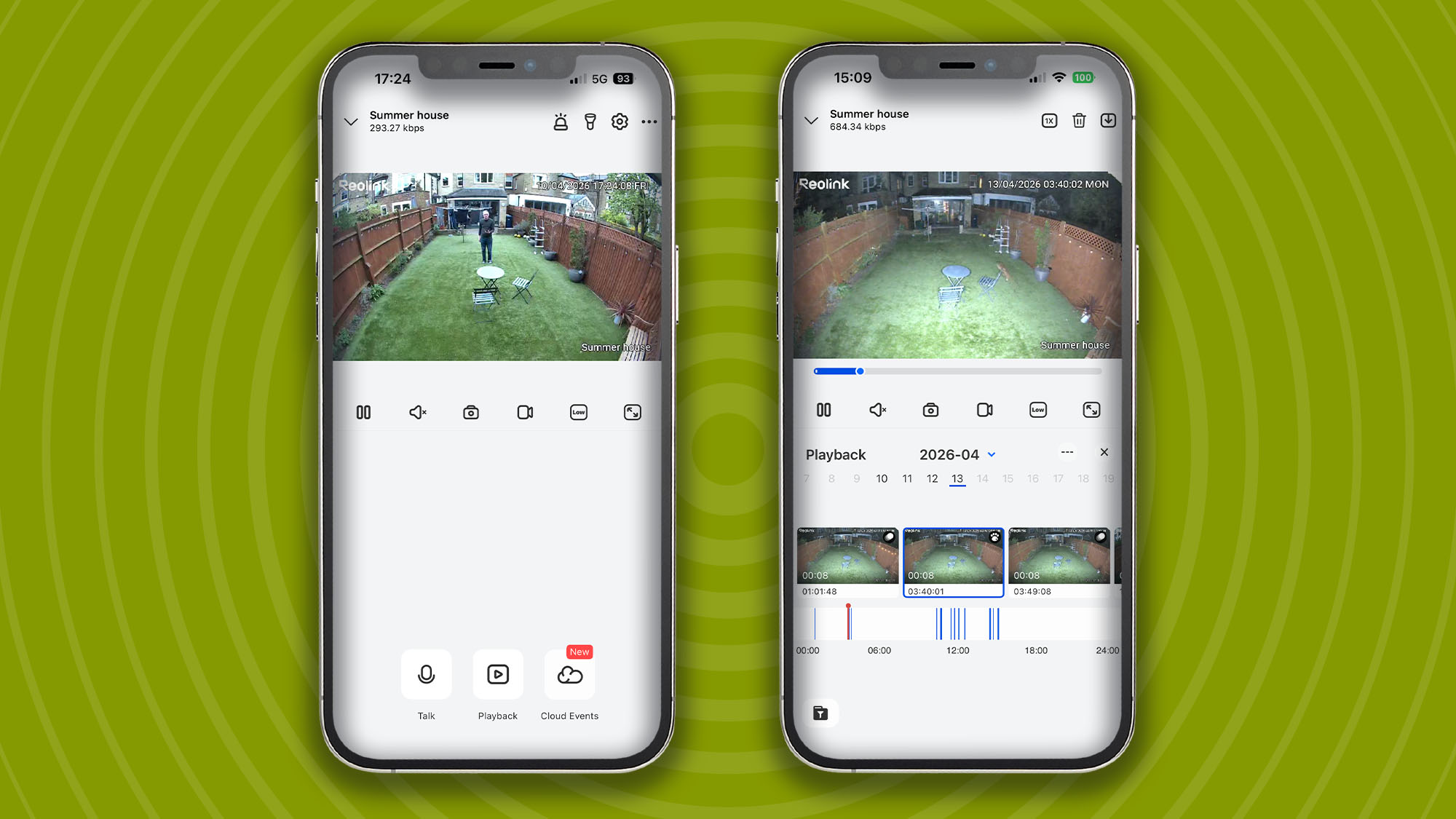
In addition to two powerful spotlights, a very loud 110dB siren is provided to help deter burglars. Alternatively, it’s possible to set your own custom audio tone if the alarm is triggered such as whispering ‘pssst’ to get intruders to look at the camera for better facial recognition.
Sign up for breaking news, reviews, opinion, top tech deals, and more.
Not only can the brightness of the LED spotlights be adjusted depending on your preferences, it’s also possible to adjust color temperature depending on whether you want your intruders to be bathed in a cold ‘blue-ish’ light or a much warmer yellow light.
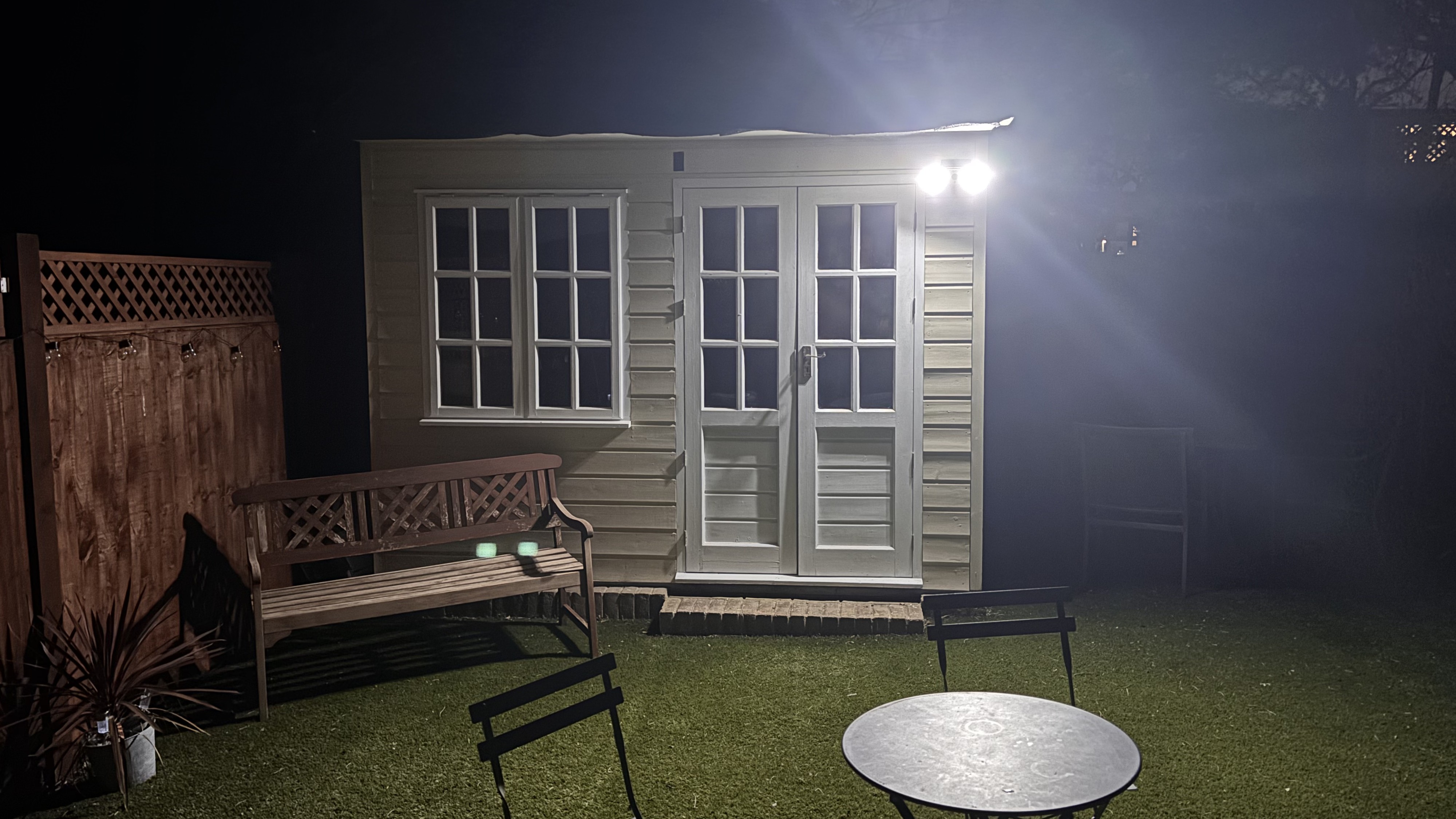
Two-way audio is provided for communications with sound coming from a large-ish speaker on the bottom of the unit next to the PIR sensor and waterproof connections for the USB-C cable and Micro SD card.
Footage can be recorded either to the MicroSD card (up to a maximum of 512GB) or you can subscribe to Reolink Cloud to store footage in the cloud – see details below. This facility also includes AI Video Search so you can quickly find footage using natural language. For example, type ‘man wearing a red T-shirt’ and in the UK it will bring up the postman coming to the door and anyone else wearing a red T-shirt!
Reolink Cloud, Single Device Plan: Up to 30-day cloud video history, one camera, 16GB cloud storage, AI video search. £2.71 (about $3.50 / AU$5) per month.
Reolink Cloud, Standard Plan. Premier Plan: Up to 30-day cloud video history, up to 5 cameras supported, 30GB cloud storage. £2.87 (about $4 / AU$6) per month.
See https://cloud.reolink.com/cloud-plan for further details
First announced at CES 2026 in early January, the Solar Floodlight Cam is one of a number of devices Reolink is planning to release this year. Others include a 24MP triple lens outdoor camera (the OMVI X16 PoE) and an interesting Reolink AI set-top box designed to add AI functionality to non-AI cameras.
What’s more, the Floodlight Cam is also one of the cheapest outdoor cameras you can buy with local storage (although you will have to fork out for your own Micro SD card). Whereas some companies keep hardware prices relatively low by tying you into a subscription even for basic functionality, the Reolink offers a best of both worlds’ solution - cheap hardware combined with local subscription-free storage.
Nor is just about the money. For those worried about the security of cloud-based storage, local storage is a far safer option (providing the burglar doesn’t steal the camera with the MicroSD card inside, of course). However, there is always the option of taking out a monthly subscription if you so choose.
Whereas some manufacturers will charge you over £10 a month for basic functionality, at least Reolink Cloud is relatively cheap. Subscription prices have even come down since I last reviewed a Reolink product around 18 months ago. You can now get 30-days of recordings stored in the cloud for less than £3 a month. The cloud subscription also includes AI video search for finding recordings using short descriptions.
Most outdoor security cameras comprise either one or maybe two main elements. There’s usually the camera itself plus a solar panel which is either mounted on the camera or housed in a separate device and connected via a USB-C cable. The Reolink Solar Floodlight Cam is unusual in that it really comprises four elements of similar size and shape.
First there’s the main cube where the fixed camera lens and PIR are located. Then there are the two flexible LED lights that sit either side like big flappy ears. Finally, there’s the solar panel, which sits on top of the main unit.
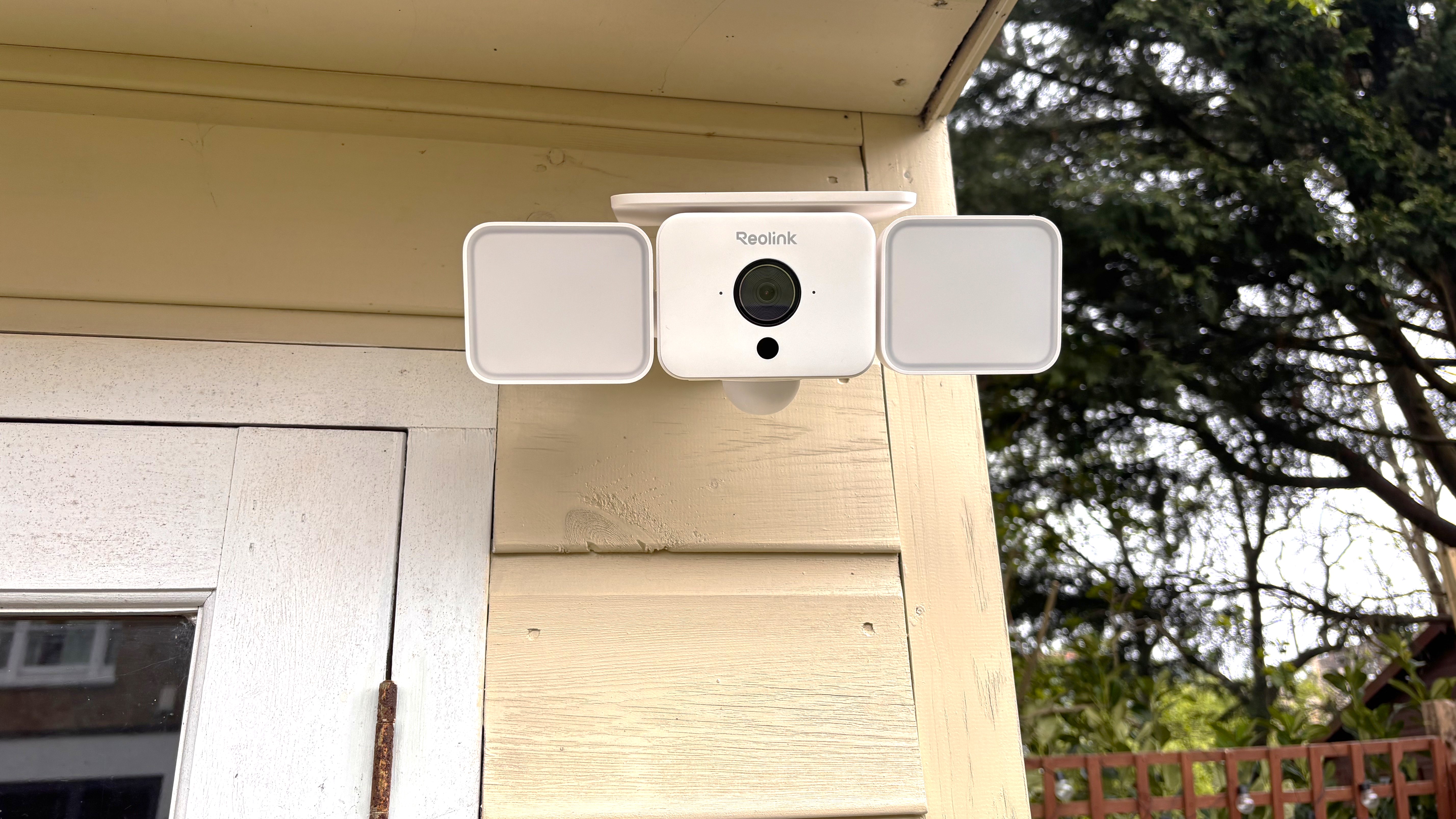
Usually if the solar panel is integrated it can be moved manually towards the sun (or in the case of the innovative Baseus Security S2 the panel actually rotates with the movement of the sun). But that’s not the case here. Instead, the solar panel is fixed which means you will need to install the camera somewhere that is relatively sunny to ensure additional power.
Initially I had worried that the unusual cube design might make the Solar Floodlight Cam feel a bit more flimsy than some of the more conventional tubular shaped models. However, this white unit feels well-built and comes with IP66 waterproofing.
Image
1
of
2
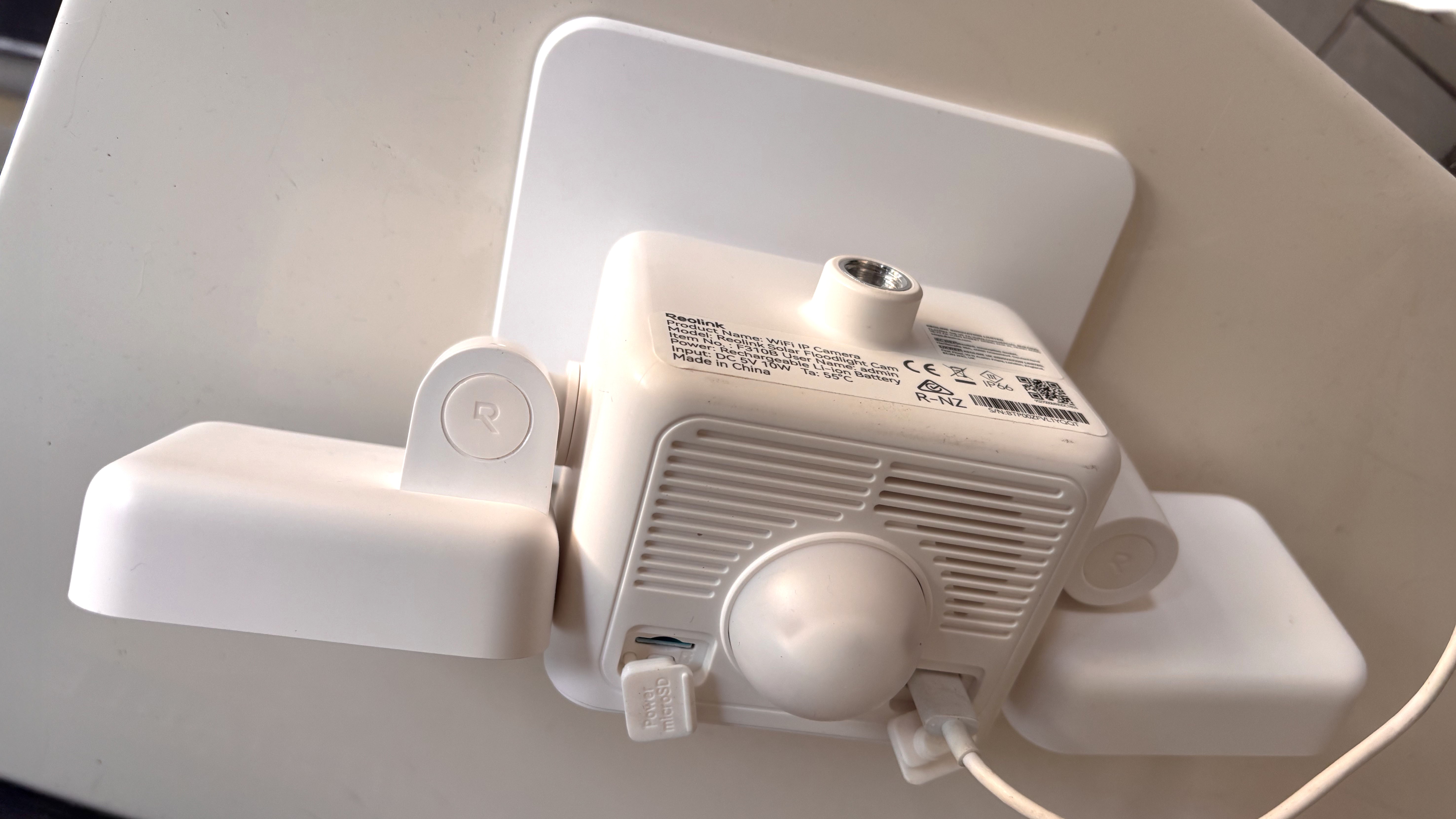
Underneath the camera are two weatherproof sockets (one for external power from a USB-C cable and one for power on/off and a MicroSD card slot). Also provided are a PIR dome motion sensor and large speaker. Finally at the back of the camera sits a metal ball joint that connects to the mounting bracket to provide ultimate flexibility when it comes to angling the camera.
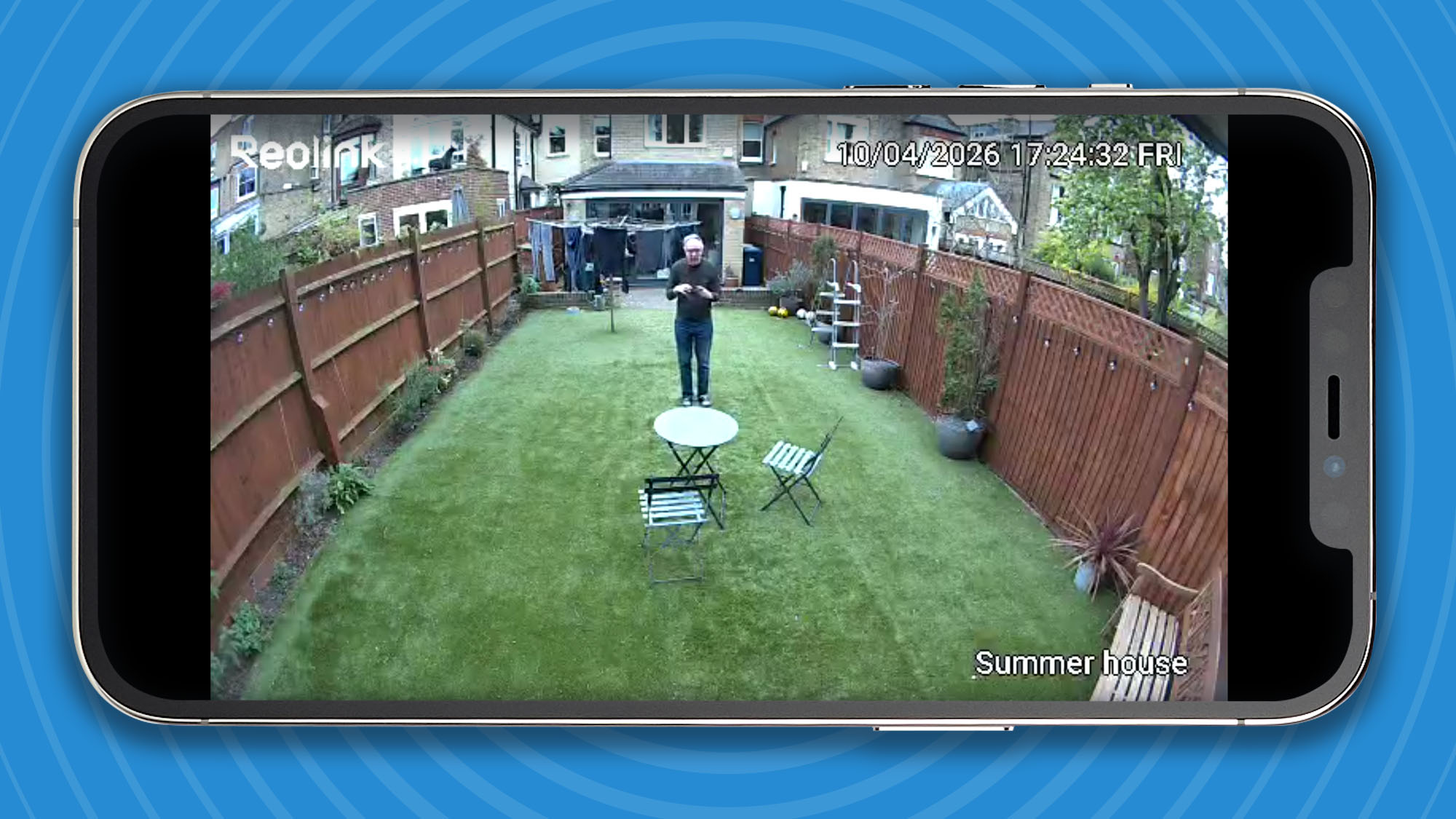
When it comes to performance it’s fair to say that the Reolink is solid rather than spectacular. Images from the 2K (1440p) camera lens aren’t the sharpest I’ve seen, certainly nowhere near as good as those from its stablemate, the Reolink Altas PT Ultra. However, where it comes into its own is its ability to capture footage in near total darkness. Virtually every night I tested the camera it captured wildlife in my garden, including several foxes and even a hedgehog! Thankfully no human intruders though.
Image
1
of
4
Whereas some security cameras have apps that are very difficult to navigate, Reolink’s are generally very easy to use. Underneath the main image there’s a timeline where you can scroll through captured footage — useful if you missed the push notifications on your phone. Each of the clips is categorized for easy reference with an image of a running person for an intruder, pawprint for animal or a circle for other sighting. This makes it much easier to find relevant footage.
As with many security cameras, I found the lens on the Reolink Solar Floodlight camera a little too sensitive at its default setting of 80. For example, sheets hanging on a washing line were routinely triggering alerts. As a result, I found it necessary to reduce the sensitivity to around 50 so it didn’t capture every minor movement.
Image
1
of
2
Alternatively, if you want to use the camera for creative, rather than security purposes, there’s an innovative time lapse setting. This can be set up to capture images at set intervals of between 10 seconds and six hours and also includes different pre-sets including one for construction — handy if you are tracking the progress of a building project.
Swipe to scroll horizontally
Attribute | Notes | Score |
|---|---|---|
Swipe to scroll horizontally
If you're not sure whether the Reolink Solar Floodlight Cam is the right device to protect your home, here are two other options you should consider:
I installed the Reolink camera on the front of my summer house which also serves as a small gym and an office during the summer. Because the building is made of wood it makes it simple to install cameras using the screws provided, whereas if it was on a brick wall I would have to use a drill and the wall plugs provided for installation.
As the solar panel is fixed and the ideal location for the camera is under the eaves of the summer house I had worried that the solar panel would be ineffective. But, remarkably, after 10 days of testing (admittedly many of them actually sunny for a change), the camera’s battery is still at 100% charge. Part of the reason is that I turned the sensitivity of the camera down to reduce the number of false alerts. I also reduced the brightness of the spotlights so as not to annoy the neighbours with too much light pollution every time an alert is triggered.
Over 25 years experience as a staff and freelance journalist. Currently working freelance for The Daily Telegraph, writing technology content for the newspaper as well as working with their clients (Vodafone Microsoft, Nokia, SAP, DXC, BAE Systems) on branded content.
You must confirm your public display name before commenting
Please logout and then login again, you will then be prompted to enter your display name.
此内容由惯性聚合(RSS阅读器)自动聚合整理,仅供阅读参考。 原文来自 — 版权归原作者所有。