People of a certain age can remember taking notes with a pen or pencil and paper. As a reporter, I did it for years, filling volumes of notebooks with my chicken-scratch stenography and a steady stream of doodles. Every meeting was 50% notes and 50% drawing, which I insisted helped me listen. Some years ago, I stopped taking handwritten notes and switched to typing on my laptop or iPhone. I can't say I miss the handwriting, but I do miss the doodling.
reMarkable's new Paper Pure digital paper tablet is taking me back to those bygone days of scribbling my thoughts in words and images. It's like muscle memory, and I don't know if I want to go back to typing.
Just digital paper
Image
1
of
3
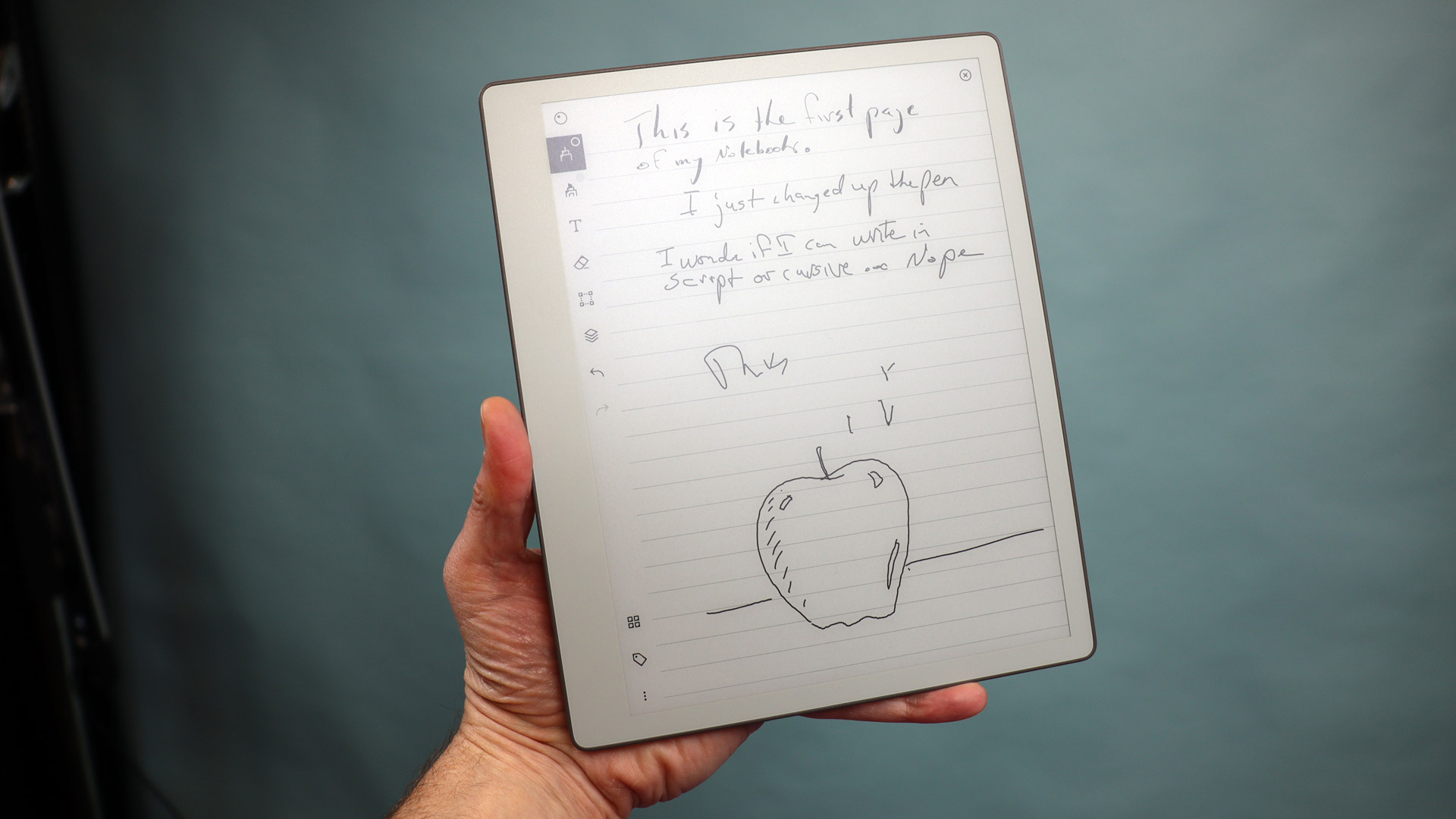
The aptly named Paper Pure is both innovative and a return to basics. There are still no apps, and this isn't, despite the E Ink association, a traditional ereader. It's a tablet for generating ideas, collaborating with others, some reading (but with a pen!), and drawing up concepts.
Article continues below
It's also by no means a closed system, as the latest software lets you grab pages from the web (via a nifty browser extension) and drop them into your paper tablet for reading and annotation. It lets you take your scribbles and send them (encrypted) to the cloud, where AI converts them into searchable text. If you want to work with others, you can connect to a website that others can view as you annotate.
The reMarkable Paper Pure is like a digital bridge between the old ways of collecting ideas and the new ways of collecting, processing, and sharing them. It's also, even in my brief experience of using the device, a great platform for doing so.
Image
1
of
3
At 360g, the 6mm-thick Paper Pure is made of recycled magnesium and feels light and comfortable in hand or on your lap. There's an expansive 10.3-inch reflective display panel under a matte-finish sheet of glass that gives you just enough friction between the stylus pen tip and the screen to feel like you're still writing on paper.
Image
1
of
2
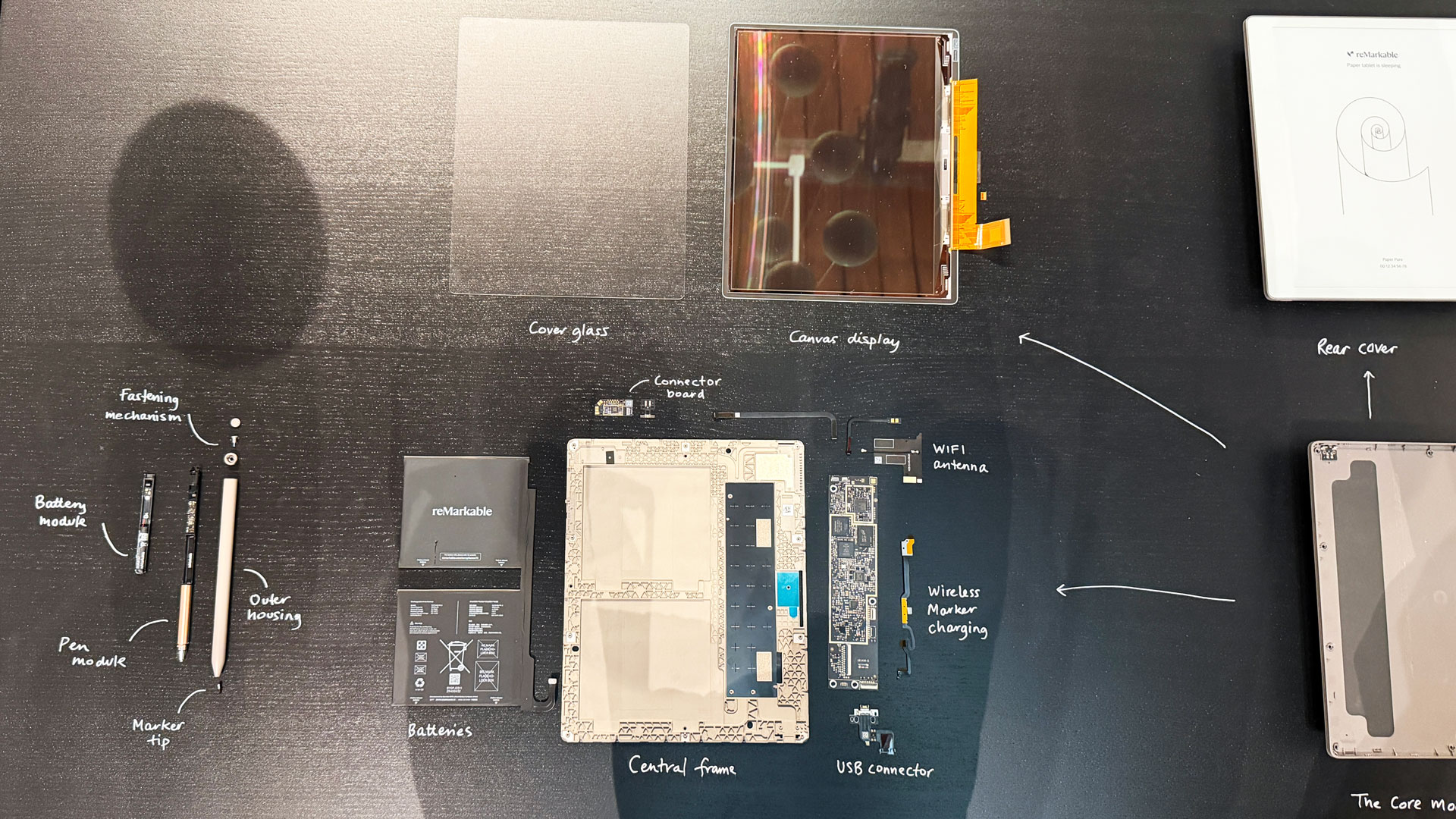
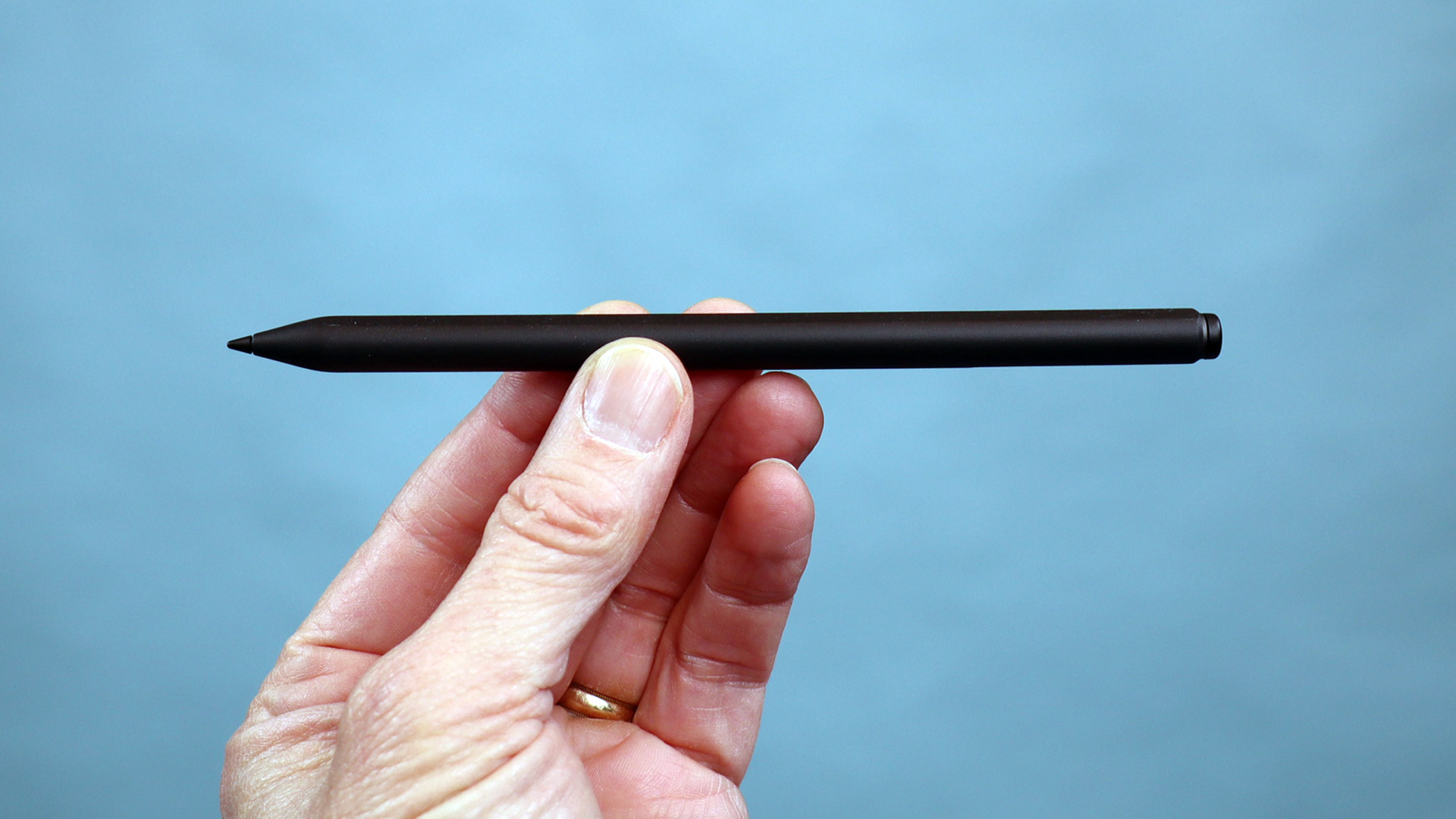
It's also the picture of simplicity. There's a single power-sleep button and one USB-C charging port. The digital pen attaches magnetically to the side of the tablet and does not fall off easily. You get the basic stylus with the $399 / £359 (AU$TBC) package when the Paper Pure ships in June (you can pre-order now). If you want the one with the digital eraser on the back, you'll buy the $449 / £399 bundle that includes the Folio case (slip the tablet in, and it automatically goes to sleep, and wakes up when you remove it). My hands-on unit included both the eraser-equipped pen and a blue folio.

From a hardware standpoint, the biggest change is the new display, which is based on E Ink's Carta 1300 panel, providing the darkest digital ink and whitest background yet. The resolution, though, is still 226ppi, and the responsiveness and pressure sensitivity appear equal — which is to say excellent — to what you'll find in the pricer reMarkable Paper Pro.
One thing this tablet loses as compared to the most recent reMarkable Papers is a screen light. That shouldn't be a major issue, since you can easily use it outdoors (not in the rain, no IP rating here) or with a good light source, but just don't expect the table to provide any illumination.

The interface is simple, intuitive, and can be accessed via touch or the included pen. Since the system itself is the main app, your home screen is a thumbnail grid of your current files. You can easily add one using the large plus sign at the bottom of the screen. Next to it is a useful search function and the new Meeting Notes. The software can now connect to your calendar and automatically create a sheet that includes attendees and an agenda, and where you can take synchronized notes. Because my Google account is managed by my organization, I could not connect to my work Google Calendar.
One of the coolest new features is screen share, which allows me to share my Paper Pure screen live in a browser. This would be useful for, say, a large screen presentation where I wanted to markup a document or create, say, a diagram that an entire room could see. Not only does the screen share track every line I write, but it also shows where my pen is hovering (in red) in case all I want to do is indicate certain portions of the document.
Image
1
of
2
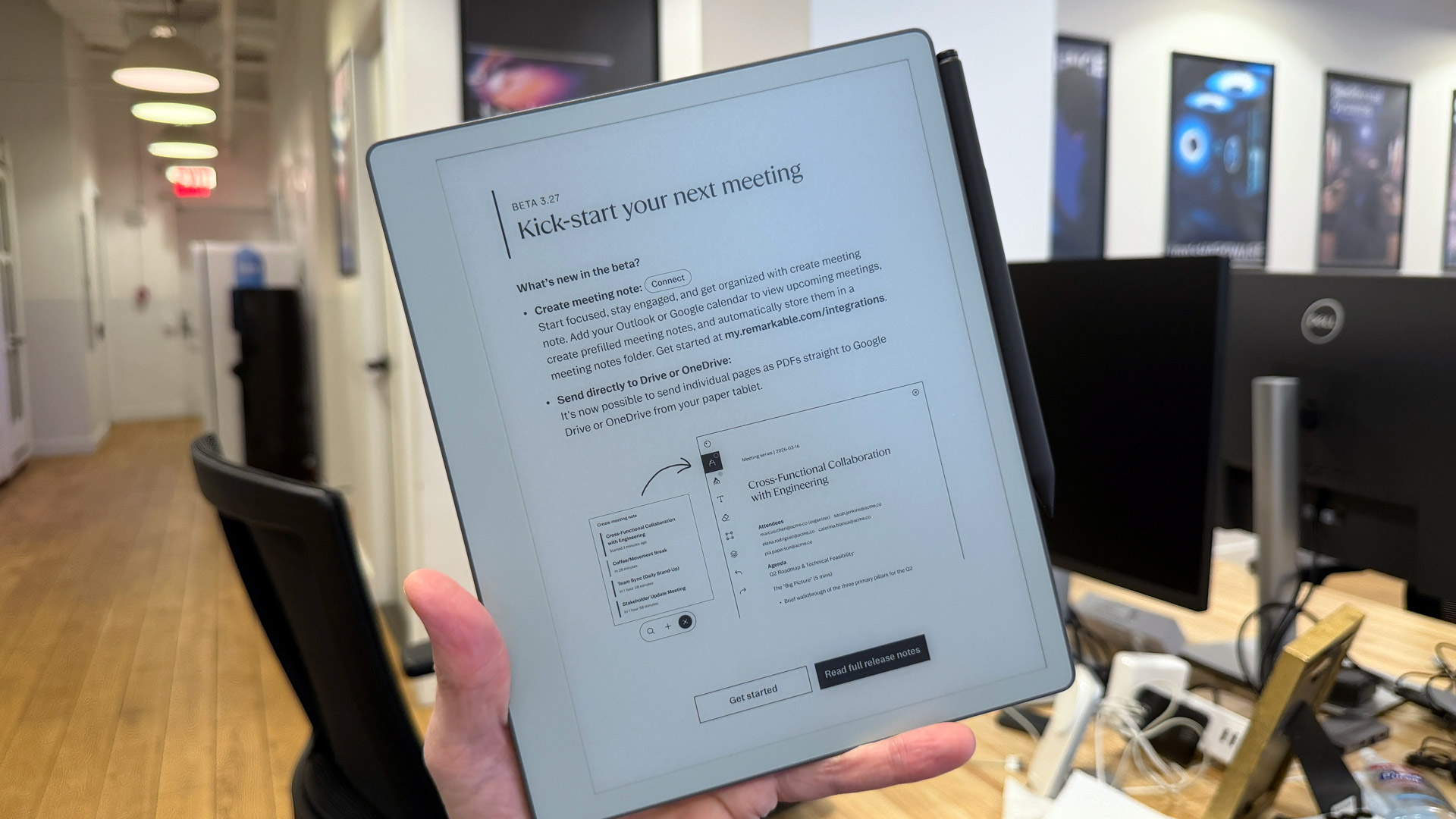
The reMarkable Paper Pure is a responsive system, but I'd forgotten how often the screen refreshes, and I find those instances slightly distracting. I guess it's the price you pay for a low-powered, high-resolution display that only uses energy when it has to create the image. Keeping a static image on an E Ink display takes essentially zero power, but using a reMarkable tablet for annotating and drawing is like constantly turning the page on an ebook. All that work requires many updates to the page imagery, and the extra refreshes ensure that the image quality remains top-notch.
The art of digital ink

Most of your time on the Paper Pure will be spent in the various notebooks that have templates ranging from blank to lined to grid. There's a healthy selection of highlighters and pens, and depending on the one you use, you may see the benefits of pressure sensitivity. I found myself switching between a fountain pen, which can really vary in width, and the more rigid rapidograph-style pen.
Digital lines really do appear to flow directly from the pen tip, even though I know there is a tiny distance between that tip and the E Ink screen, and that the image is being generated inside that panel. You really can't outrun the line generation, and the feel of the stylus on that glass screen is just exquisite.
I found I could write, sketch (I often did both), take notes, and more. When drawing or working in detail, I could even pinch and zoom with two fingers to zero in on the area I wanted to touch up or adjust.
On my desktop, I installed the new browser extension in Chrome, then sent a web page to the Paper Pure tablet. It appears in a stripped-down form, more like a PDF document with formatting. I could then mark it up as needed.

I also tried out the new AI features, which let me write in my terrible scrawl in a notepad page and then send it to the AI converter. The output was surprisingly accurate considering the dreadfully low readability of my handwriting. Doing so with all my notes would make everything searchable — basically that digital bridge I was talking about earlier.
While I'm already a fan, there are some caveats. I'm not thrilled that an E Ink device has just three weeks of power, and not the 10 weeks or so I'm used to from most E Ink-based ereaders. Still, that's down to the screen size and the always-connected nature. You could stretch it out if you take it off WiFi, but I think then you lose access to a few key features.
I also wish the Paper Pure were waterproof so I could sketch in more adverse conditions, but I bet that would raise the price well above $399.
Image
1
of
2
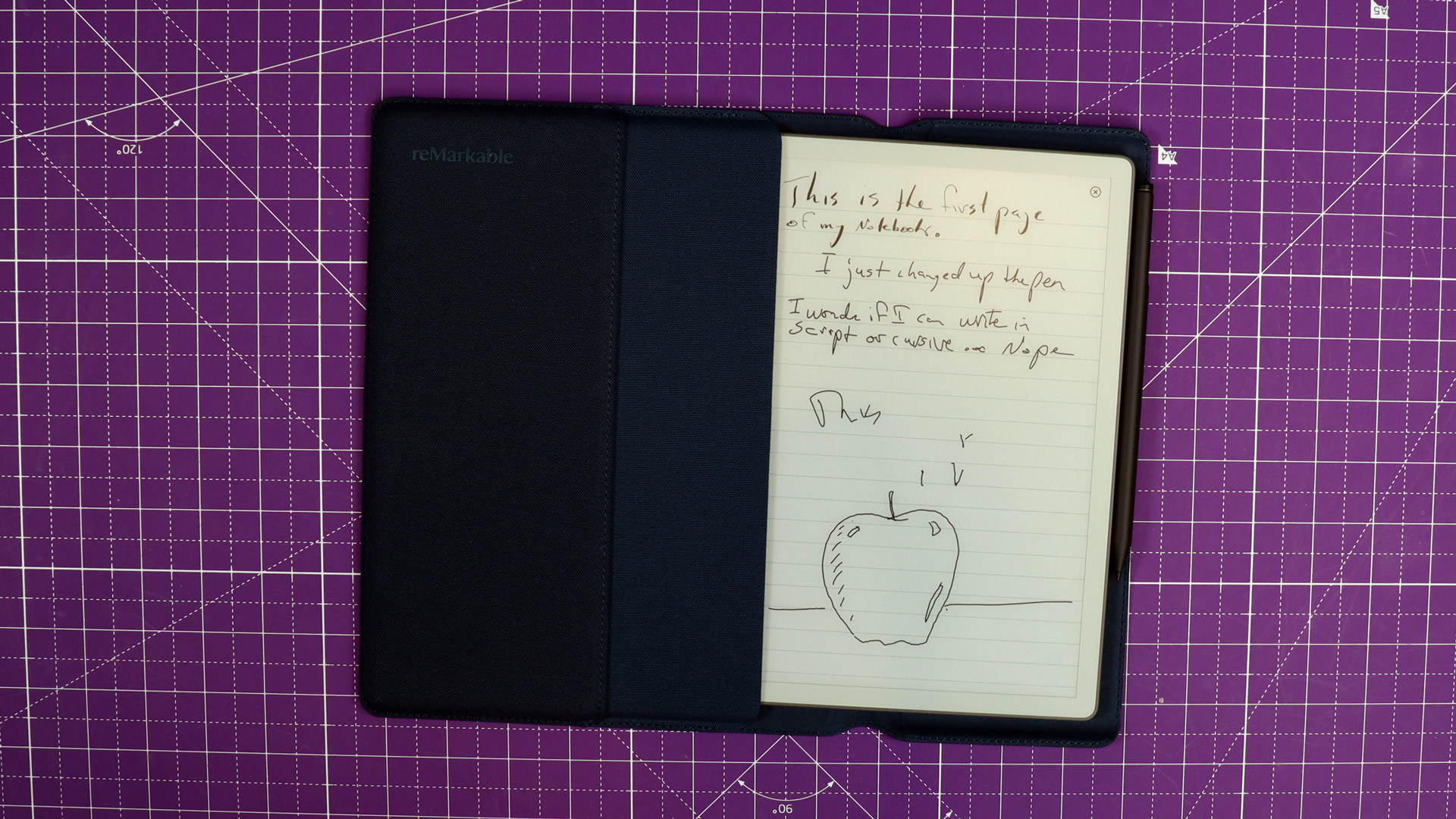
While I'm sure I won't stop taking notes on my iPhone, I can feel myself slipping back into old habits on the reMarkable Paper Pure. I pick it up to write down a story idea, capture notes from a meeting, or mark up a web article on the latest robot innovation, and quickly find myself doodling in the margins. Minutes pass before I realize I've derailed from work to mind-soothing creativity. Perhaps that's not a bad thing.

Follow TechRadar on Google News and add us as a preferred source to get our expert news, reviews, and opinion in your feeds.