


Kensington SD5010T5 EQ: 30-second review
The Kensington SD5010T5 EQ is a 13-in-1 Thunderbolt 5 docking station announced in May 2026. It sits at the entry end of Kensington's growing TB5 line-up and is designed to bring next-generation connectivity to a broader audience without the price tag of the flagship EQ Pro.
The key design choice here is straightforward. Kensington trades two of the three downstream Thunderbolt 5 ports found on the SD5000T5 for a pair of built-in HDMI 2.1 outputs. That is a significant swap.
Windows users gain the convenience of plugging monitors in directly, but Mac users with Apple-only displays lose access to the full TB5 daisy-chain capability offered by some of the alternatives.
What remains is still competitive, but it’s a Windows-centric choice.
Another PC-friendly inclusion is that the dock delivers 140W power delivery with KonstantCharge, meaning peripherals continue charging even when the laptop is absent. There are two USB-C Gen 2 ports that the SD5000T5 lacked, three USB-A ports across two speed grades, SD 4.0 and microSD 4.0 card readers, 2.5Gbps Ethernet, and a 3.5mm combo audio jack.
That spec pitches to Windows-based creatives who want to connect their laptop to multiple monitors and peripherals while recharging.
The issue with Kensington-branded equipment is always the asking price, and the SD5010T5 EQ is at the premium price end of the small TB5 dock offerings. That said, it’s a highly capable device, and on the cusp of being the best laptop docks for Thunderbolt 5 right now.
Kensington SD5010T5 EQ: Price & availability

- How much does it cost? $300/£330
- When is it out? Available now in the USA
- Where can you get it? Direct from Kensington or via an online retailer
The Kensington SD5010T5 EQ Thunderbolt 5 Triple 4K Docking Station is currently available through Kensington's official site and selected retail partners.
Launched at an MSRP of $349.99 / £329.99, it falls squarely within the premium pricing tier commanded by next-generation multi-display docks. The actual retail price is $299.99 on Amazon.com in the US, but it has yet to appear on European Amazon locations.
On the UK Kensington website, you are directed to ask for ‘business pricing’, hinting that Kensington want to keep this product decidedly B2B in some regions.
This investment positions it alongside competitor offerings like the Cable Matters Thunderbolt 5 Dock, yet it undercuts hyper-premium alternatives by choosing a tightly curated 13-in-1 layout over expansive, multi-device enterprise chassis. For business fleets, it's a standard three-year limited warranty and unified hardware SKU offer tangible IT cost-reduction benefits during long-term workspace standardisation rollouts.
However, the recent Ugreen Maxidok 10-in-1 offers very similar specifications, equivalent build quality, and better availability than the SD5010T5, but it sells for $50 less.
Also cheaper is the StarTech Thunderbolt 5 Dock, which sells for around $283 on Amazon, and bears an uncanny resemblance to the Kensington product. The same spec, ports, and layout hint that one or both of these products are rebrands or derivatives.
Therefore, with this pricing, Kensington is hoping that its customer base is more trusting of its brand than Ugreen, or that the deals its B2B channel pathway can offer counter those comparisons.
What I should say is that, compared to a few Kensington docks I might mention, the SD5010T5 seems to be on the right side of affordable. But that doesn’t make it a bargain.
- Value: 4 / 5
Kensington SD5010T5 EQ: Specs
Swipe to scroll horizontally
Feature | Specification |
Model | SD5010T5 EQ (K35210EU) |
Compatibility | Thunderbolt 5, Thunderbolt 4, USB4 (Windows 11 23H2+, macOS 14.5) |
Total Ports | 13 |
Thunderbolt 5 (upstream) | 1x TB5 host port (80Gbps / 120Gbps Bandwidth Boost) |
Thunderbolt 5 (downstream) | 1x TB5 ports |
USB-A ports | 3x USB-A 3.2 Gen2 (1x 10Gbps, 2x 5Gbps) |
USB-C ports | 2 x USB-C Gen2 10Gbps (1 x 30W, 1 x 7.5W) |
Video | 2x HDMI 2.1 (+ 1xTB5 ports with adapters) |
Display Output (Windows / TB5) | Triple 4K @ 144Hz, or Dual 8K @ 60Hz |
Display Output (macOS M4/M5 base, M-Pro/Max) | Dual 4K @ 60Hz via HDMI, or 4K + 6K via HDMI + TB5 |
Power Delivery | Up to 140W on upstream |
Power Use | 4.5W each on USB-A ports, 30W on 1x USB-C, 7.5W on 1x USB-C, 15W on TB5 downstream |
Storage Slot | N/A |
Card Readers | SD 4.0 + microSD 4.0 |
Network | 1x 2.5GbE Ethernet |
Audio | 1 x 3.5mm Combo Microphone & Headphone Port (front) |
Security | Kensington lock slot (cable lock sold separately, (K65020EU or K65021WW)) |
Thermal | Passive cooling |
Construction | Aluminium |
Weight | 780g |
Size | 140 x 140 x 40mm |
Warranty | 3 years |
Kensington SD5010T5 EQ: Design

- Mac mini-sized
- Plenty of ports
- Only one TB5 downstream port
In terms of physical construction, Kensington has delivered an exceptionally solid, industrial-grade brick. The shell is sculpted from 100% post-consumer recycled (PCR) aluminium, featuring a striking milled exterior with structural ridging across its top surface that serves dual purposes: heat dissipation and minimalist styling.
Capped with sleek black impact-resistant composite faces on the front and rear, this unit sits anchored heavily on the desktop. It is a substantial, reassuringly weighted device designed to remain planted even when thick, stiff high-bandwidth cables are plugged into its rear ports.
While this is a guess on my part, I think the target audience here was undoubtedly Apple Mac Mini owners. The size is about 13mm larger, front and side, than the current Mac Mini, and therefore it would easily fit on top of the SD5010T5. I could test that assertion if I owned one, but I never have.
On this dock, the Port layout follows a logical workflow separation, though they show distinct philosophy differences from lower-tier hubs. The front face hosts immediate-access operational IO: an informative status LED, one high-speed 10Gbps USB-A port providing 7.5W of charging, a 3.5mm audio combo jack, and twin high-performance SD and MicroSD 4.0 card readers.
Wisely, the primary high-power upstream Thunderbolt 5 connection is routed safely away to the rear panel alongside the downstream expansion tree.
This layout successfully pushes trailing host cables out of sight, maximising usable desk space. The rear array includes two native HDMI 2.1 ports, a 2.5GbE LAN interface, two standard legacy USB-A ports, and two Thunderbolt 5 receptacles, one each for uplink and downlink.

Unlike competing consumer-grade products, the dock includes integrated dual security-lock slots for Kensington cables, along with an optional zero-footprint vertical-mounting bracket array tailored specifically for dense corporate desks.
The issue the port selection immediately raises is how committed is this dock to TB5. Since you can only connect a single downstream device, that doesn’t naturally translate into more direct ways to exploit its maximum performance potential.
Unsurprisingly, the Kensington Security Slot is present, as it is across the EQ range. A zero-footprint mounting bracket is also available as an optional accessory (K34050WW), allowing the dock to be hidden beneath a desk. That is a thoughtful addition for hot-desking environments where visibility and access are priorities.
Build quality across the Kensington EQ family has been consistently praised. The three-year limited warranty reflects confidence in that construction.
- Design: 4 / 5
Kensington SD5010T5 EQ: Features
- TB5 Bandwidth
- Triple monitors
- 140W charging
The core proposition of the SD5010T5 EQ centres entirely on the transformative potential of Intel's Thunderbolt 5 standard. By doubling the bi-directional throughput of Thunderbolt 4 to a baseline of 80Gbps, it eliminates the strict interface constraints of yesteryear. Or, that’s the theory.
For complex multi-monitor tasks, its asymmetric Bandwidth Boost mechanism dynamically flexes to deliver up to 120Gbps of pure display pipeline throughput. This immense pipeline allows a Windows 11 host to comfortably drive a spectacular three 4K monitors at 144Hz or dual 8K displays at 60Hz simultaneously over native HDMI and downstream ports without sub-sampling artefacts or compression stutter.
For macOS workflows, the docking station provides comprehensive native support, although it is constrained by Apple's architectural variations across its silicon tiers. Base M4/M5 MacBooks can confidently extend to dual 4K monitors at 60Hz via the direct dual HDMI outputs, while advanced configurations equipped with M5 Pro or M5 Max silicon can completely maximise productivity by driving a full triple-display array.
That said, for numerous reasons, I suspect that Apple fans are more likely to gravitate toward a dock with TB5 daisy-chaining as a priority than toward this layout, which has only one downlink port.

Beyond data and video, power delivery is a standout highlight. Operating under the advanced USB-C Power Delivery 3.1 architecture, the dock outputs a massive 140W over its single upstream link. That’s plenty of power to rapidly fast-charge a high-end 16-inch workstation laptop under maximum computational loads, assuming nothing else is sucking power from the dock.
I’ll talk more about this later, but a 140W output uses most of the PSU's capacity, leading to potential deficits elsewhere.
Kensington has integrated its clever KonstantCharge engineering, which guarantees that downstream accessories and smartphones connected to the designated charging ports continue to receive stable power even when the host laptop is entirely uncoupled from the desk. Which is useful.
Power management on this dock is one of its strengths, but conversely, if you do use three monitors, you won’t have any downstream Thunderbolt ports to connect a TB5 external SSD or an adapter to run 10GbE Ethernet.
- Features: 4 / 5

Kensington SD5010T5 EQ: Performance
- 80Gbps upstream bandwidth
- TB5 Bandwidth Boost for video
- Power seems an issue

In synthetic testing and real-world deployment, the SD5010T5 EQ runs at the absolute peak of peripheral capabilities, provided you are feeding it from a native Thunderbolt 5 silicon host. Interfacing with next-generation external storage configurations reveals blistering cross-device speeds, easily saturating high-end NVMe drive enclosures well beyond old Thunderbolt 4 thresholds.
The built-in SD and MicroSD 4.0 readers operate natively on the UHS-II bus, consistently sustaining benchmarked file transfer rates up to 312MBps. This easily outpaces the built-in card readers integrated into premium notebooks, making it a highly valued asset for digital content creators, photographers, and video editors handling raw 8K video timelines.
Networking performance is similarly robust. Upgrading from standard 1GbE to an integrated 2.5Gbps RJ45 Ethernet port allows the dock to mesh perfectly with modern high-speed corporate network infrastructures, accelerating large local network backups and NAS file transfers.
However, early testing uncovers a clear hardware limitation regarding the dock's 180W external power supply unit. While 140W is reliably allocated to feed the host laptop over the upstream cable, that leaves a slim 40W headroom to run the internal hub logic, the high-power 2.5GbE controller, and all remaining downstream ports.
When a user populates the 30W fast-charging USB-C port while simultaneously running a 15W downstream Thunderbolt accessory and drawing power from the front legacy USB-A line, the power envelope hits an absolute wall, which might lead to minor wattage throttling on the uplink or brief accessory disconnection cycles under full load.
It’s hard to say how much extra power the PSU needed to negate this possible pitfall, but some smaller docks, like the Ugreen Maxidok 10-in-1, have roughly 60W to work with above the laptop charging requirements. And, I did also notice that the Maxidok 17-to-1 promises 140W laptop charging, but has a 240W PSU.
But conversely, the Plugable TBT-UDT3 has the same 180W PSU and 140W output as the SD5010T5 EQ, but doesn’t include a 30W-enabled USB 3.2 port.
It may be that Kensington thinks that much headroom is unnecessary for the majority of customers, but evidently, other dock makers see things differently.
Overall, the SD5010T5 EQ delivers the sort of experience that encourages those who have the choice of a laptop or Mini PC with TB5 to side with that technology. For those with TB4 or USB4, there is no practical advantage to this over cheaper docks.
- Performance: 4 / 5
Kensington SD5010T5 EQ: Final verdict

There is plenty to like here, if you can ignore Kensington’s temptation to make things more expensive than it can easily justify.
However, if you intend to attach three monitors to a dock, then the ports on this one are well organised, unless you use DisplayPort and not HDMI. That could save you additional expense on adapters that other docks require implicitly.
The flip side of those design choices is that there is only one TB5 downlink, so those who designed this device assumed the buyers wouldn’t have more than one TB5 high-performance peripheral. While that might not seem crazy now, in a few years' time, TB5 or USB4v2 external SSDs might be the norm, creating a bottleneck with this arrangement
In this respect, the SD5010T5 EQ makes a guess about the future: while Thunderbolt 5 is an excellent technology for connecting a dock, it's too expensive for external storage that isn’t premium-priced. If you agree with that prediction, the SD5010T5 EQ is likely a good fit for you. If you think differently, that faster external drives are going to dominate in the near future, a dock with more TB5 ports would probably be a better choice.
As a product in the broader Thunderbolt 5 docking market, the SD5010T5 fills a specific gap. Entry-level TB5 docks with built-in video outputs and strong USB-C provision are not yet common. If the pricing were more competitive, this dock would be easy to recommend to the right buyer.
Kensington SD5010T5 EQ: Report card
Swipe to scroll horizontally
Value | High-quality product but a premium price | 4 / 5 |
Design | Nice engineering and plenty of ports | 4 / 5 |
Features | Works with TB5, TB4 and USB4, and the native HDMI ports avoid the need for adapters. | 4 / 5 |
Performance | Native TB5 video and dual HDMI, but no DisplayLink, The 180W PSU gets stretched thin if every port is used. | 4 / 5 |
Overall | The price and only a single TB5 downlink stop this device from being a go-to choice. | 4 / 5 |
Should I buy a Kensington SD5010T5 EQ?

Buy it if...
You have Thunderbolt 5
If you have the right ports, you can extract levels of performance from this dock that TB4 and USB4 could only dream. And it can also handle dual 8K video, should you have the monitors to connect to. However, the enormous architectural benefits and 120Gbps video boost require a proper next-gen host to be fully realized.
You demand multi-display native HDMI setups
The inclusion of dual native HDMI ports significantly streamlines multi-monitor cable management without relying on adapters. And, not needing those might save the difference between this and something cheaper.
Don't buy it if...
You are running a Thunderbolt 4 or legacy USB4 laptop
This dock won’t work with TB3, it requires TB4, TB5 or USB4. But while fully backwards compatible with TB4 and USB4, you will pay a massive early-adopter premium for speed capabilities you cannot access.
You need a native DisplayPort
Those aiming to route displays solely via traditional DisplayPort connectors will find this dock heavily prioritising HDMI. You can get a Thunderbolt to DisplayPort adapter, but that’s an extra cost, and you can only use one.
Also consider
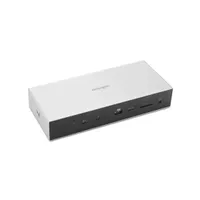
Kensington SD5000T5 EQ
More of a hub than a dock, but overall, it is a well-specified dock for those planning to head down the TB5 rabbit hole. However, the lack of machines with this port and peripherals to connect does make it largely overkill at this point. But cheaper than the SD7100T5 EQ Pro.
Check out our Kensington SD5000T5 EQ review
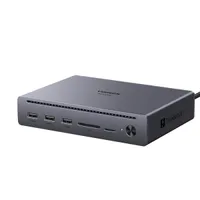
Ugreen Maxidok 10-in-1 Thunderbolt 5 Docking Station
A similarly sized dock that went a different path with the display and Thunderbolt downlinks, making it probably more suitable for Mac users. I wasn’t a fan of a permanently attached uplink cable, but the rest of this device is excellent. And, it's also $50 less than the Kensington SD5010T5 EQ.
Check out my full Ugreen Maxidok 10-in-1 review
