





Our phones aren't just tools for calling each other anymore. For many of us, they're also the hub of our online lives, core work devices, and repositories of precious photos and personal information. Cyberattacks can steal this information and damage or lock us out of these essential devices, causing major damage to our personal and professional lives. In the last 12 months, over half of laptop owners (54%) experienced potential malware, according to CNET's latest antivirus survey. It's more important than ever to learn how to protect your phone from viruses and other threats.
We'll show you several strategies you can use to protect your phone, from device-specific tactics like keeping your phone updated to broader internet safety techniques like learning to identify phishing and other scams.
How to protect your phone from viruses and other threats
Keep your device updated
Major upgrades to Android and iOS are released occasionally, with smaller patches released on a semi-regular basis throughout the year. These updates can include security fixes that can improve your phone's protection, such as by patching vulnerabilities. Most phones receive update support for at least two years, with some receiving support for three to five.
Most Android phones have automated updates enabled by default, so each update installs on its own the first time you connect with WI-Fi after it is released. You can confirm that this is enabled by checking your device's system settings. The process for software upgrades varies a bit by device, but generally, you'll head to Settings > Security and Privacy > Updatesor a similar area of your phone's settings menu. This area tells you if automated updates are enabled and when your device last installed an update. You can also manually check for updates here.

Android devices let you easily download updates.
Screenshot/CNETYou'll need to manually enable automated updates if you're using an iPhone. You can do this by going to Settings > General > Software Update > Automatic Update. You can then enable automatic installation, which fully implements updates for you, or automatic downloading, which downloads updates but requires you to manually install them.

Apple's iPhones let you set updates as well as security responses and system files to download and install automatically.
Screenshot/CNETI recommend automatic installation for most people as it makes your life much easier. However, you may want to choose automatic downloading if you store essential information on your phone and you want to make sure it's backed up before an update occurs. This ensures your data is safe if the update causes problems with your phone.
Install an antivirus app if you have specialized security needs

Most folks don't need antivirus protection for mobile devices. Android and iOS both have built-in antivirus protection. Google Play Protect scans apps for malware and is the main layer of device security on Android phones, with some manufacturers providing additional security tools like Samsung device protection.
iOS doesn't use a specific antivirus software, but protocols like sandboxing -- which keeps apps separate from your main operating system -- and Apple's strict app review process significantly reduce the risk of infection. These tools and protocols provide enough protection for most people.
You may want to install additional, third-party antivirus protection if your phone stores important information, you regularly partake in risky activities on your phone or you're not the only one using it. Luckily, most companies producing high-quality antivirus tools for computers also provide apps for Android and iOS. I found the Bitdefender and Norton apps particularly easy to navigate.
Learn how to identify phishing

Phishing is a type of scam involving fraudulent emails or text messages designed to appear as if they come from legitimate sources, such as your bank. While phishing typically aims to get you to share personal information, some of these scams dupe you into installing viruses, spyware or other malware. On Android, you can enable Safe Browsing in your Chrome browser to help keep you away from malicious websites that have been identified for phishing or malware injection.
There are several things you can look for to identify phishing and other scams.
- Check the email address or phone number. Many scammers use emails or phone numbers that imitate the companies they're impersonating. For example, the email might be something like "contact@paypal1.com".
- Pay close attention to links. Read URLs to confirm that links belong to the company the messages claim to be from. If a hyperlink uses text rather than showing the URL, hold your thumb on the link for a few seconds until a dialogue box appears with the URL.
- Be wary of urgency. Perpetrators of phishing -- and other scams -- often use urgent language to get you to take action before you have a chance to notice signs of deception.
- Watch out for generic greetings. Any company you have an account with -- especially financial institutions -- will have your name on file, so they won't need to use greetings like "Dear Sir or Madam".
- Check screencaps of attachments. Some scams send attachments bundled with malware. Always look at the file preview to ensure that anything you're sent is legitimate.
- Pay attention to spelling and grammar. A corporate message might have a single typo, but if it's riddled with errors, that's a likely sign of a scam.
- Contact the company the email claims to be from. Use the contact information from the company's official website to check if the message you've received is legitimate.
Many antivirus companies, including Bitdefender and McAfee, have introduced anti-scam tools. You can connect these tools to your email address or phone number, and they'll scan incoming messages for signs of phishing or other scams. Messages deemed suspicious are marked with scam warnings or blocked outright.
Most antivirus companies also offer AI assistants you can send suspicious messages to. The AI assistant will scan the messages for signs of trouble and tell you if they're scams. These tools aren't perfect, so you'll still need to exercise common sense, but they do provide an additional layer of security that can help you keep your phone safe.
Only download files from sources you trust
Malware is often attached to files otherwise created to look legitimate. This makes it important to take some precautions when downloading files:
- Check the URL or sender info. If you're downloading from a website, make sure the URL matches the official site of the company or organization -- or a licensed reseller -- you intend to download from. Similarly, always check the username, phone number or email address connected to any message asking you to download something.
- Look for https:// in front of the URL. This signals that the website is protected with SSL certification, encrypting all data sent to and from your device when interacting with that site. This reduces the chances of malicious third parties infiltrating data transmitted between your device and that website.
- Research companies before you buy. Before you buy any software or other downloadables, research the creator to determine whether they've been caught installing spyware, viruses or other malware onto customers' computers. You can also Google "(company name) scam".
Taking these steps can dramatically reduce your likelihood of downloading viruses and other malware.
Stick with trustworthy apps
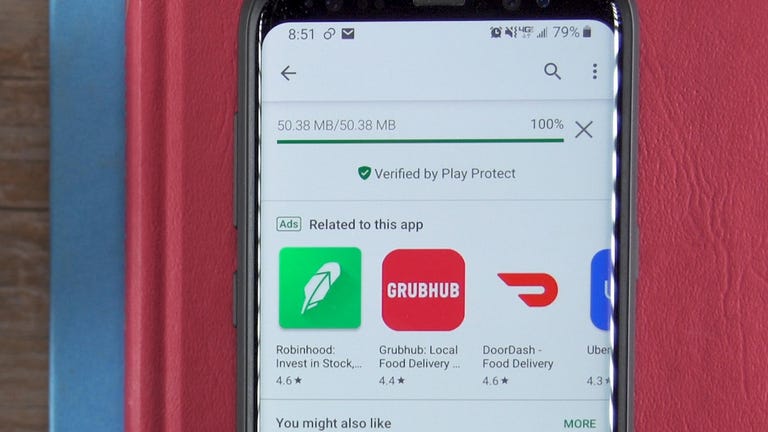
Apps can be used to sneak viruses and other malware onto your phone. Both the iOS App Store and the Google Play Store have security requirements intended to prevent apps with malware from being sold on their platforms, but these systems aren't perfect. Before you download any app, make sure it:
- Comes from a legitimate company with an online presence.
- Has good reviews showing that it works as intended, without slowing down or otherwise damaging your phone's function.
- Is compatible with the most recent version of your phone's operating system and is still in active development, suggesting that it will receive security updates as vulnerabilities are discovered.
You can learn most of these things right in the app store, but it doesn't hurt to do some additional Google searches for "(company) scam" or "(company) virus".
Lock your phone
All of the precautions you take when downloading files won't matter if the wrong person gains access to your phone and uses it to install malware. Make sure your phone automatically locks when you're not using it and choose a PIN that:
- Is hard to guess. It shouldn't be part of your phone number, your birth year, or anything else someone would be able to easily guess.
- Isn't the same as other PINs. If someone does manage to guess it, they shouldn't automatically be able to get into your bank account or other important accounts.
- Is more than four digits. PINs with six to eight digits are significantly more difficult to crack than four-digit PINs.
You may also want to enable biometric locking through fingerprints or facial recognition. Using biometrics can be highly secure and easier than remembering a long PIN or password. However, these systems aren't perfect. New York University was able to create a neural network that successfully cracked fingerprint authentication during 20% of attempts.
There are also serious concerns about data containment and privacy when using biometrics, as you can't reset your face or fingerprints if someone gains access to your biometric data. Make sure you understand and weigh the pros and cons of biometric locking before you set it up.
Final thoughts on how to protect your phone from viruses and cyberattacks
Viruses and other cyberattacks can steal your data, lock you out of your phone and cause significant damage to your life. Thankfully, your phone's operating system comes with solid antivirus protection and regular security patches to keep your device safe. You can also bolster this security by installing a third-party antivirus app and learning to identify phishing, scams and suspicious files.
However, with viruses evolving every day, it's still possible for malware to get through all of your precautions. I recommend keeping a cloud backup of all of your important data so you can easily restore it if something does happen to your phone. You may also want to consider alternative backup solutions like an external hard drive if you store extremely important or sensitive data on your phone.
