












Mac Pro M2
The Mac Pro M2 is Apple's latest. It contains an M2 Ultra chipset and offers flexibility in choosing GPU, memory, and storage.
Pros
- More customization option
- More memory and storage options
Cons
- Old machine with older internals
- Expensive
- New model could arrive in 2025

Apple Mac Studio (M2 Ultra)
The Mac Studio is a little bit older, but still a good option with the potential to save some money.
Pros
- Compact sleek package
- Solid workstation performance
- Reasonably priced
Cons
- Can get PCs with more powerful GPUs
- New model could arrive in 2025
This article compares the Mac Studio with M2 Max and M2 Ultra to the Mac Pro with its M2 Ultra configuration to help you determine which of these desktop giants reign supreme.
Article continues below
Mac Pro M2 vs Mac Studio M2: Specs
Swipe to scroll horizontally
| Row 0 - Cell 0 | Mac Pro M2 | Mac Studio M2 |
Display | None | None |
Type | N/A | N/A |
Refresh rate | N/A | N/A |
Processor / Graphics | M2 Ultra | M2 Max or M2 Ultra |
Memory | Up to 192GB | Up to 192GB |
Storage | Up to 8TB | Up to 8TB |
Ports | Front: two Thunderbolt 4 (USB-C) ports, 3.5 mm headphone jack Rear: Six Thunderbolt 4 (USB-C) ports, two HDMI ports, two USB-A (USB 3) ports | Front: two Thunderbolt 4 (USB-C) ports, 3.5 mm headphone jack Rear: Six Thunderbolt 4 (USB-C) ports, two HDMI ports, two USB-A (USB 3) ports |
Mac Pro M2 vs Mac Studio M2: Prices & availability
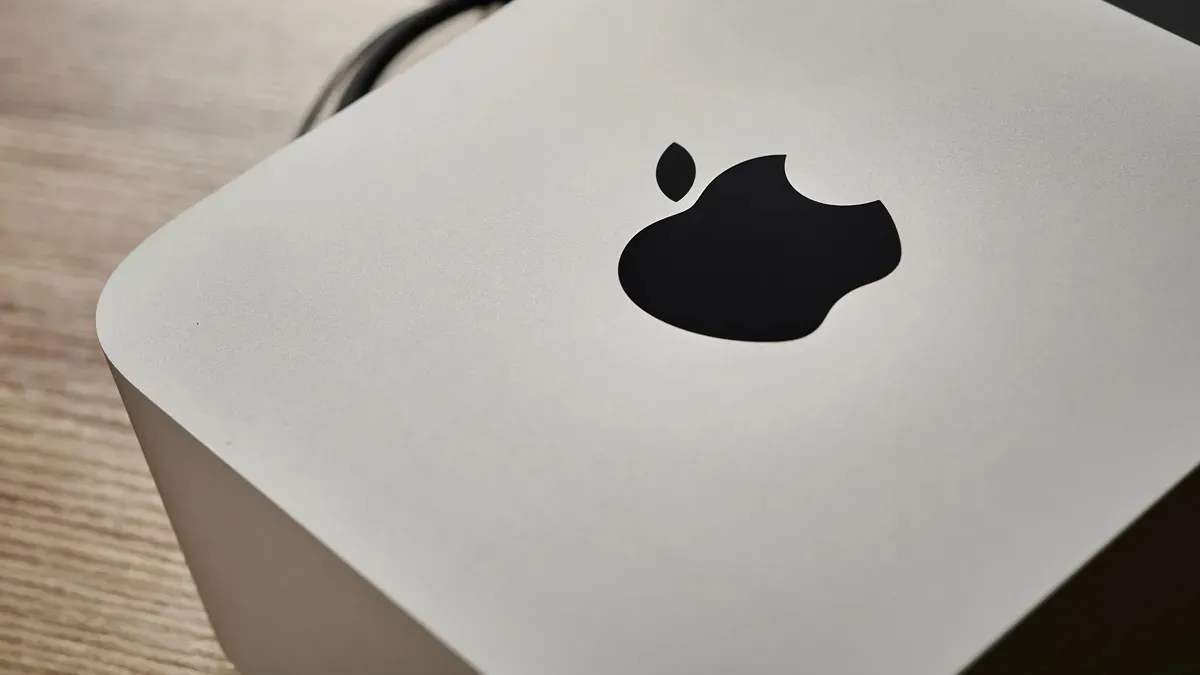
The current Mac Pro model is designed to be highly customizable but significantly less so than previous Intel-based models. You must start by choosing between a tower and rack model. After that, you must decide whether to purchase the Mac Pro with the M2 Ultra chip, which offers a 60-core or a 76-core GPU. Both configurations include a 24-core CPU and a 32-core Neural Engine.
You can select from 64GB to 192GB of unified memory and 1TB to 8TB of storage.
Expect to pay at least $5000 / £5000 - but it could be more, especially as with Apple discontinuing the line, they're becoming rarer finds.
The Mac Studio is available with an M2 Max or M2 Ultra chipset. From there, you can make adjustments to the RAM and storage.
Pricing tends to be around $2000 / £2000, depending on the configuration. For comparison, the latest M3 Ultra and M4 Max models are available direct from Apple, with prices from $1999 in the US for the base model and from £2099 in the UK.
Mac Pro M2 vs Mac Studio M2: Portability

The Mac Studio is a desktop computer designed to remain in a single location. It requires external peripherals such as a monitor, keyboard, and mouse. In contrast, the Mac Pro is also a desktop but is larger and heavier, which makes it even less portable.
While it offers greater expandability and customization options than the Mac Studio, this comes at the cost of portability. If portability is a priority for you, neither of these options is ideal; in that case, a MacBook Pro would be a better choice.
Winner: Tied
Mac Pro M2 vs Mac Studio M2: Performance
While Mac Studio and Mac Pro can be configured with the M2 Ultra chip, the Mac Pro generally offers better performance, especially under sustained heavy workloads. This is mainly due to its superior thermal design.
The Mac Pro's larger chassis allows for a more robust cooling system, preventing the M2 Ultra from throttling its performance to manage heat, as can sometimes happen in the more compact Mac Studio. This translates to the Mac Pro maintaining higher clock speeds for extended periods, resulting in faster rendering times and smoother performance in demanding tasks like video editing and 3D rendering.
However, for most everyday tasks and even moderately demanding workflows, the performance difference between the two machines with the M2 Ultra chip will be negligible. Also, unlike the Mac Pro, the Mac Studio has a less expensive M2 Max chip option.
Winner: Mac Pro (just)
Mac Pro M2 vs Mac Studio M2: Upgradeability

When it comes to upgradeability, the Mac Pro clearly stands out. While neither machine allows users to upgrade the M2 chip or the unified memory, the Mac Pro features PCIe slots for expansion. This means you can add dedicated graphics cards, networking cards, and high-performance storage solutions in the future.
In contrast, the Mac Studio is limited to its internal configuration and whatever external devices can be connected via Thunderbolt. Therefore, if you expect to need to expand your system’s capabilities down the line, the Mac Pro offers significantly more flexibility.
Winner: Mac Pro
Mac Pro M2 vs Mac Studio M2: Connectivity

Regarding connectivity, the Mac Pro and Mac Studio M2 models offer similar ports, but some key differences exist. Both models feature multiple Thunderbolt 4 ports—8 on the Mac Pro and 6 or 8 on the Mac Studio, depending on your chosen chip—allowing for high-speed connections to external displays, storage devices, and other peripherals.
Additionally, both include an HDMI port and at least two USB-A ports. However, the Mac Pro has an advantage with two 10Gb Ethernet ports, compared to the Mac Studio’s single 10Gb Ethernet port, providing greater flexibility for high-bandwidth network connections.
Furthermore, the Mac Pro includes PCIe slots that allow for the addition of specialized cards, which can expand connectivity options for professional audio interfaces or support for legacy connections. Overall, the Mac Pro offers slightly more built-in connectivity and greater potential for expansion than the Mac Studio.
Winner: Mac Pro
Mac Pro M2 vs Mac Studio M2: Verdict

For most users, the Mac Studio with the M2 Max chip is the better choice. It strikes an exceptional balance between performance and practicality, making it ideal for a wide range of tasks, from everyday computing to more demanding content creation workflows. The M2 Max chip delivers unparalleled processing power and graphics capabilities, allowing for smooth multitasking and efficient handling of intensive applications such as video editing software like Final Cut Pro and graphic design tools like Adobe Photoshop.
In terms of design, the Mac Studio is significantly more compact than the Mac Pro, making it a perfect fit for users with limited desk space or those who prefer a minimalist setup. Its sleek, modern aesthetic blends well with various environments, whether at home or in a professional setting. Additionally, the pricing of the Mac Studio is more accessible for most users, providing a high-end performance experience without the premium cost associated with the Mac Pro.
While the Mac Pro does boast superior thermal management, which allows for sustained performance during heavy workloads, this feature is mainly beneficial for users with very specific needs, such as high-end 3D rendering, scientific simulations, or extensive computational tasks that require advanced hardware configurations. The Mac Pro's expandability also allows for customizable enhancements, which may be appealing to niche professionals who frequently upgrade their systems or need specialized hardware.
However, unless you anticipate requiring substantial upgrades in the future or regularly pushing your hardware to its absolute limits, the Mac Studio offers a more balanced combination of performance, size, and price. It caters to creative professionals and casual users alike, ensuring that you can tackle demanding projects efficiently without the unnecessary overhead that comes with the Mac Pro. In summary, for the vast majority of users, the Mac Studio is not only a practical choice but also a powerful one that will meet most computing and creative demands with ease.
Winner: For most users, the Mac Studio. For ultimate creatives, the Mac Pro