







NetBird v0.60.0 introduces a complete rewrite of our SSH feature from the ground up, transforming how organizations and home lab enthusiasts manage secure remote access. The new implementation brings native OpenSSH client support, identity-aware authentication, and advanced capabilities that align with modern zero-trust security principles.
Managing SSH access traditionally means collecting public keys from every user, manually injecting them into authorized_keys files, tracking access across servers, and removing keys when people leave. For organizations with dozens of servers and frequent team changes, this becomes an operational nightmare—one missed key removal during offboarding creates a security vulnerability.
Meanwhile, automation systems like Ansible and CI/CD pipelines often require jump hosts positioned near target infrastructure just to establish connectivity, adding unnecessary complexity to deployment workflows.
Our previous SSH implementation (v0.59.x and earlier) followed a straightforward approach:
This worked, but user feedback consistently pointed to the same limitation: lack of flexibility. Teams wanted to use the tools they already knew—their native SSH clients, existing scripts, and familiar workflows. They needed granular control over who could access what, when, and under what conditions.
NetBird SSH v0.60.0 is a complete rewrite built with modern zero-trust principles:
Native OpenSSH Integration: You can now run standard SSH commands like directly from your terminal. No special commands, no custom clients—just the SSH workflows you already know. NetBird seamlessly integrates with OpenSSH through automatic configuration, handling authentication and server detection transparently in the background.
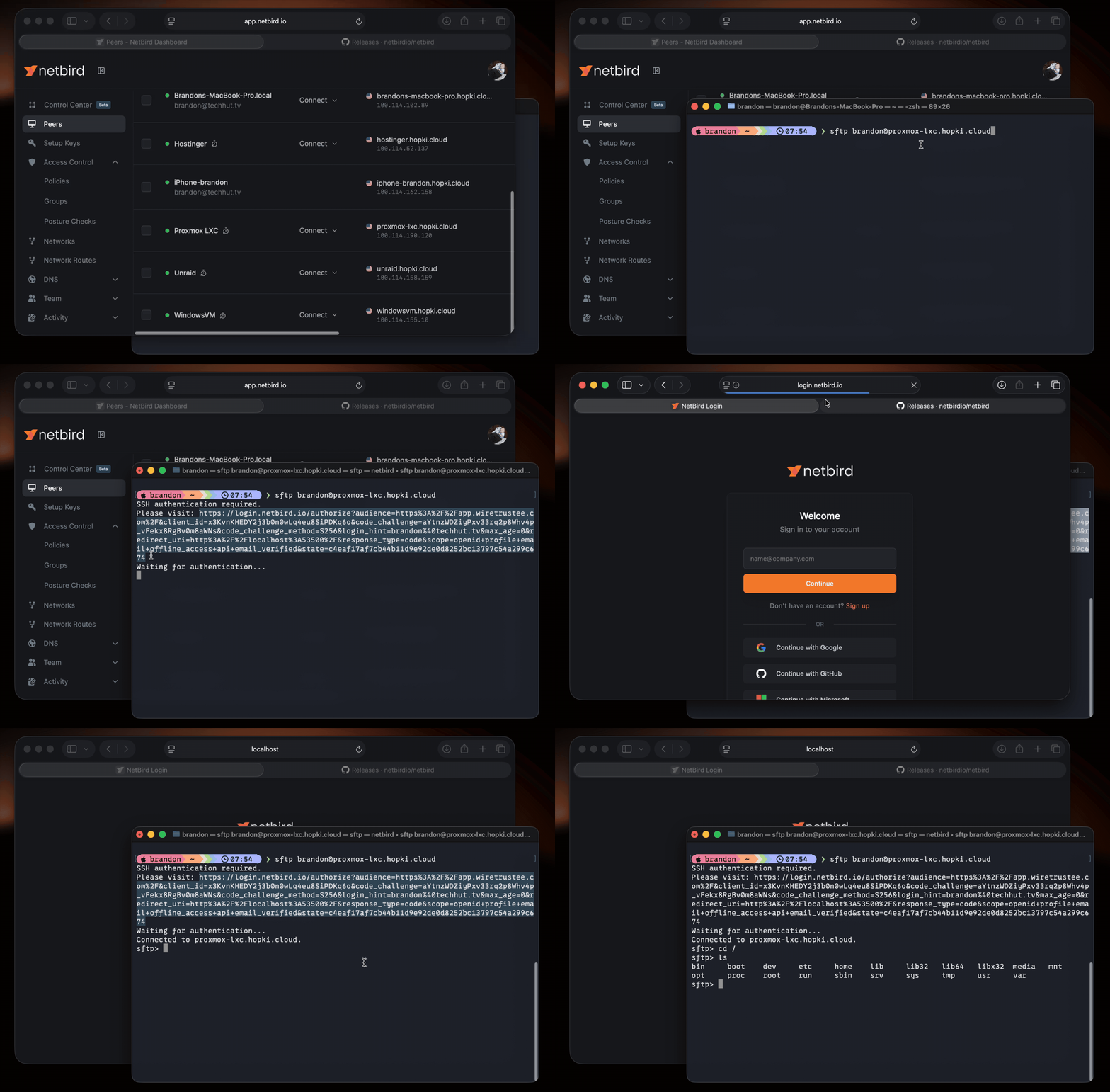
Identity-Based Authentication: When you first connect to a NetBird SSH server, you're prompted to authenticate via an OIDC flow with your organization's Identity Provider (Okta, Google Workspace, Microsoft Entra ID, etc.). This creates an SSH session authenticated as you—not as a machine, not as a generic service account, but as your actual user identity.
This enables:
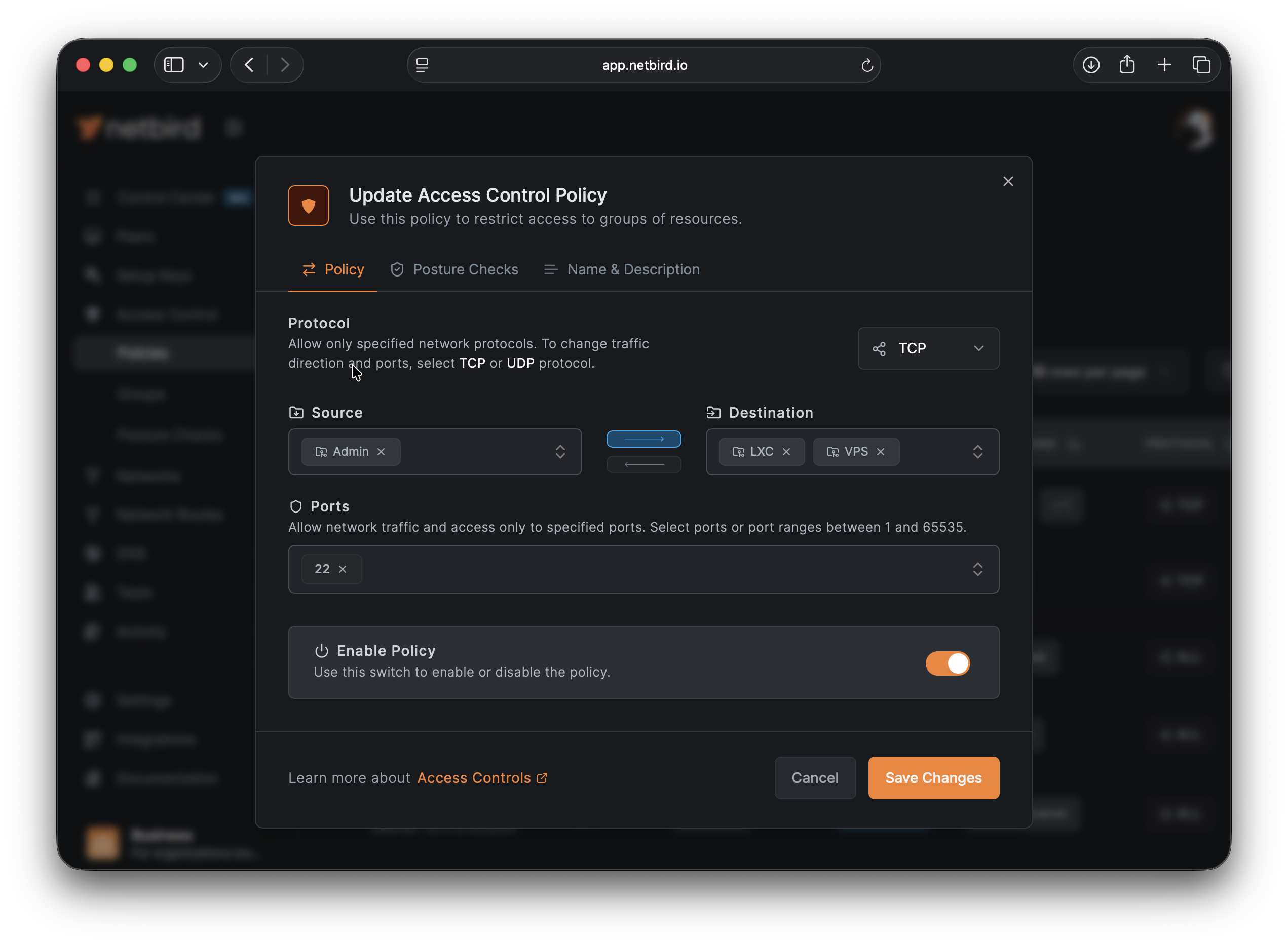
The new implementation requires explicit Access Control Policies that define:
This zero-trust approach ensures that network connectivity alone isn't sufficient for access—every connection must be explicitly authorized.
When a new engineer joins your team:
The new model scales effortlessly. Whether you're onboarding one person or fifty, the process remains consistent and automated.
When someone leaves your organization:
A single forgotten SSH key can become a security incident. With identity-based SSH, the surface area for this class of vulnerability essentially disappears.
Your Ansible playbooks, CI/CD pipelines, and automation scripts no longer need to live on machines physically near your infrastructure. They can run from anywhere in your NetBird network and reach any authorized target.
Need to deploy from a GitHub Actions runner to a server in your datacenter? Create an Access Control policy allowing the runner's peer access to your deployment targets on port 22. The automation executes as if the runner were local, but with all the security benefits of your zero-trust network.
The new SSH implementation brings capabilities that were previously unavailable:
SFTP and SCP Support: Transfer files using the standard tools you already know:
Port Forwarding: Tunnel services securely through your SSH connection:
Non-Interactive Command Execution: Run commands without opening an interactive shell:
Cross-Platform Support: Full support across Linux, macOS, Windows, and FreeBSD. Your Windows machines can now run NetBird SSH servers, opening up previously inaccessible infrastructure to secure remote access.
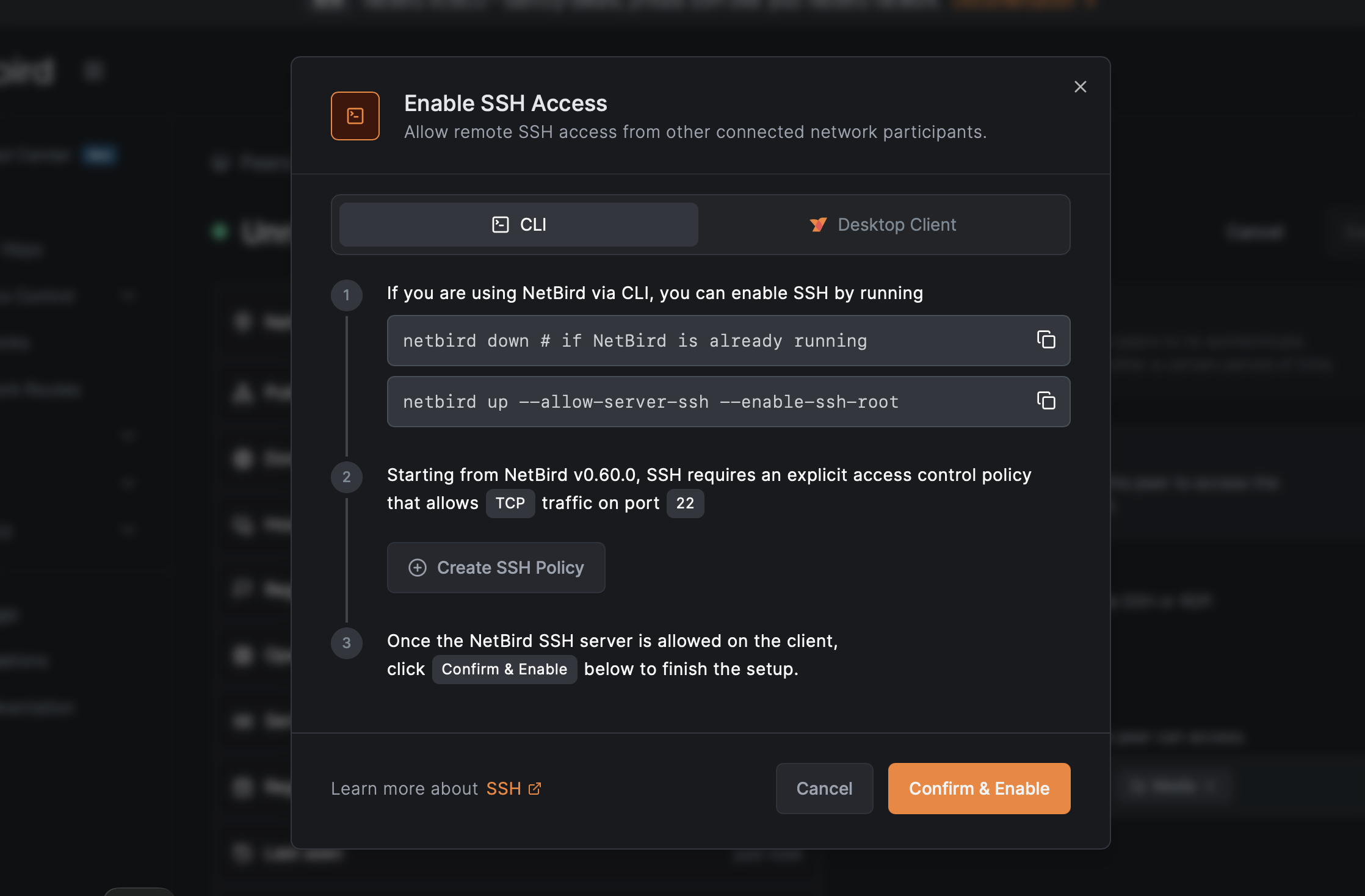
This is a breaking change. NetBird v0.60.0+ clients cannot connect to v0.59.x servers, and vice versa. However, the migration path is straightforward:
The browser-based SSH client in the dashboard maintains backward compatibility during migration, ensuring continuous access throughout the transition.
For detailed migration steps and configuration options, see our SSH documentation .
For those interested in the implementation details:
SSH Port Redirection: The remote peer's NetBird client seamlessly intercepts SSH traffic on port 22 and redirects it to port 22022, where the NetBird SSH service is listening. This allows standard SSH clients to connect without any special configuration.
JWT Token Flow: When connecting, NetBird requests a JWT token from your IdP via OIDC. The token is sent to the SSH server, which validates it against the JWKS (JSON Web Key Set) endpoint configured in your management server. Valid tokens establish SSH sessions authenticated with the user identity from the token.
OpenSSH Configuration: NetBird installs a drop-in configuration file () that automatically detects NetBird SSH servers and handles JWT authentication transparently—no manual SSH config editing required.
Flexible Authentication: While JWT authentication is recommended for most use cases, you can disable it () for scenarios requiring machine-based access (such as automation systems that don't have user identities). This maintains backward compatibility with existing workflows while making identity-based access the secure default.
Ready to experience the new SSH implementation? Here's the quick start:
On your first connection, you'll authenticate via your IdP. After that, SSH works exactly as you expect—because it is standard SSH, just secured by NetBird's zero-trust network and your organization's identity system. No learning curve, no new tools to master.
For advanced configurations including SFTP, port forwarding, and JWT caching options, check out our comprehensive SSH documentation .
Join the community:
此内容由惯性聚合(RSS阅读器)自动聚合整理,仅供阅读参考。 原文来自 — 版权归原作者所有。