


NetBird offers a powerful and easy way to create access policies, but it has lacked a clear overview, making it difficult to grasp the bigger picture of access across users, devices, and resources. As organizations grow, managing secure access often requires creating dozens of granular policies. This makes it increasingly difficult to clearly see which users or devices have access to which resources.
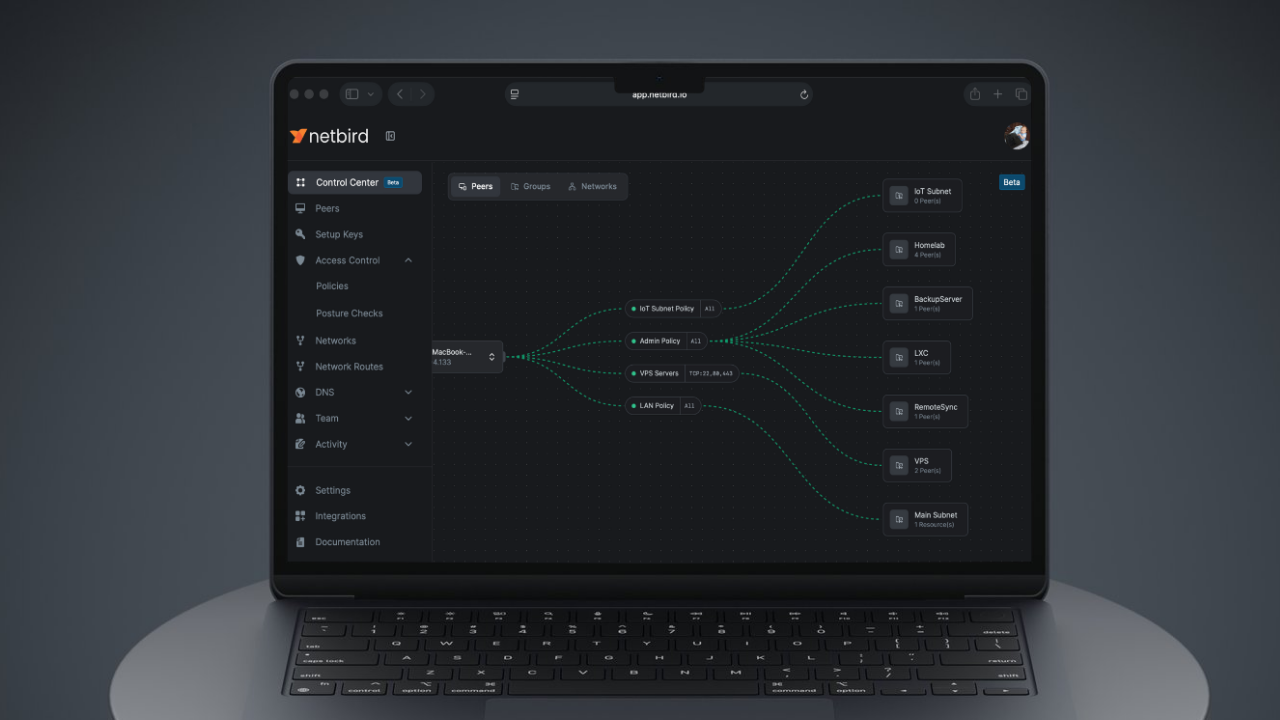
The NetBird Control Center was built specifically to solve this problem. It serves as your hub for understanding and managing secure remote access across your organization. It displays the relationships and connectivity defined by your policies between all your NetBird resources. This includes peers, groups, and networks. Giving you a clear view of your infrastructure’s connectivity and access configurations. Translating access policies into a clear, navigable visual map.
| Benefit | Description |
|---|---|
| Policy Clarity Solved | Immediately see which policies connect which resources, eliminating the confusion that comes with managing numerous access rules. |
| Simplified Troubleshooting | Quickly identify and resolve access configuration issues by visually mapping how policies apply to different resources. Click and edit policies directly from the diagram. |
| Enhanced Security Auditing | Easily determine who has access to what by following the visual links, making it simpler to enforce the principle of least privilege and maintain continuous compliance. |
| Improved Visibility | Get a complete, real-time picture of peer connection status and resource accessibility in one centralized, policy-focused location. |
| Faster Onboarding | Accelerate the learning curve for new administrators and team members by providing an immediate, visual understanding of the access architecture. |
The Control Center is an living representation of your Zero Trust network's logical state and security configuration. The entire visualization is dynamically built around these primary resource types and the vital policies that govern how they interact:
Peers: View all connected devices and machines on your NetBird network, complete with their live connection status and essential properties.
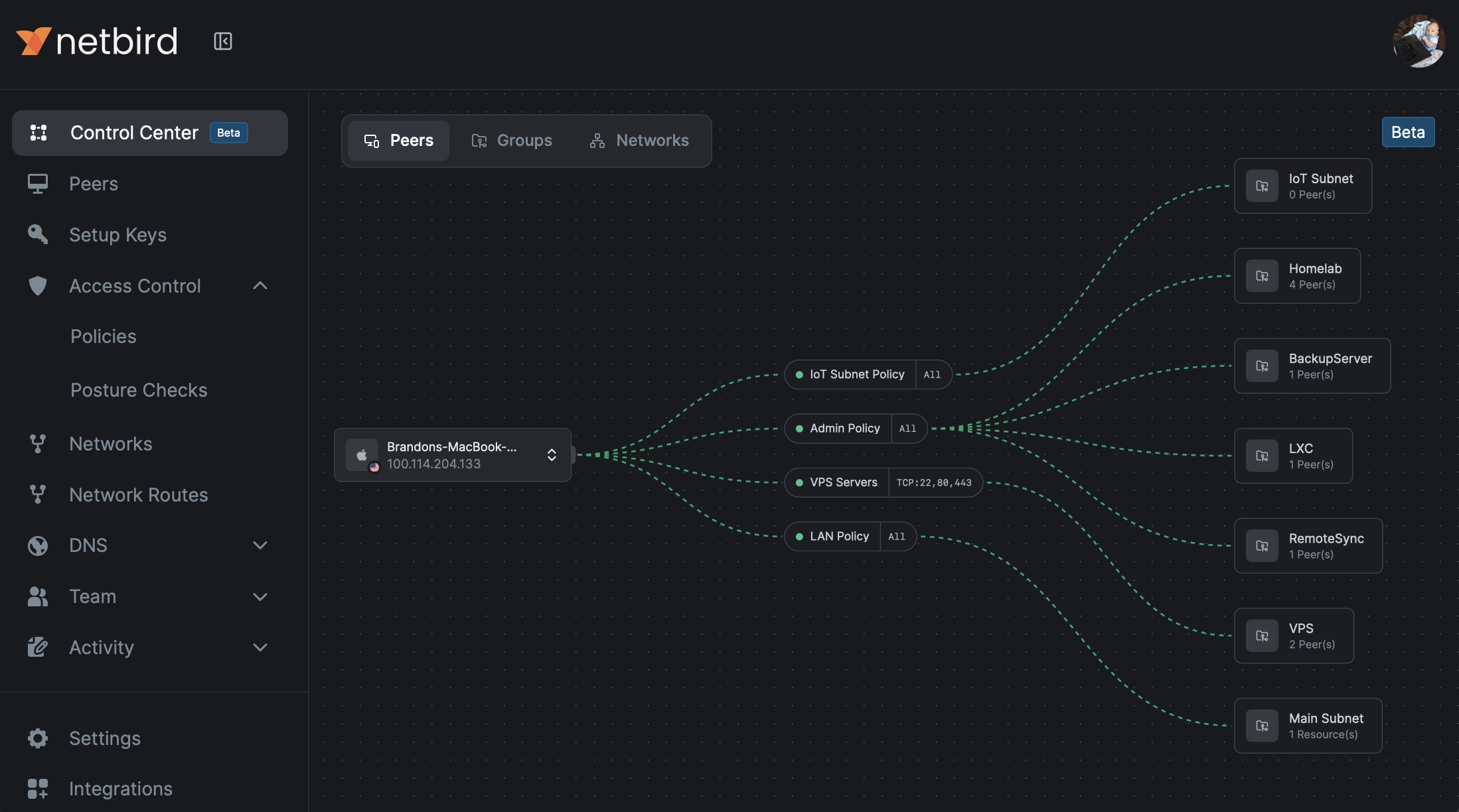
Groups: See how peers are organized into logical Groups, which are the fundamental building blocks for streamlined policy application and management.
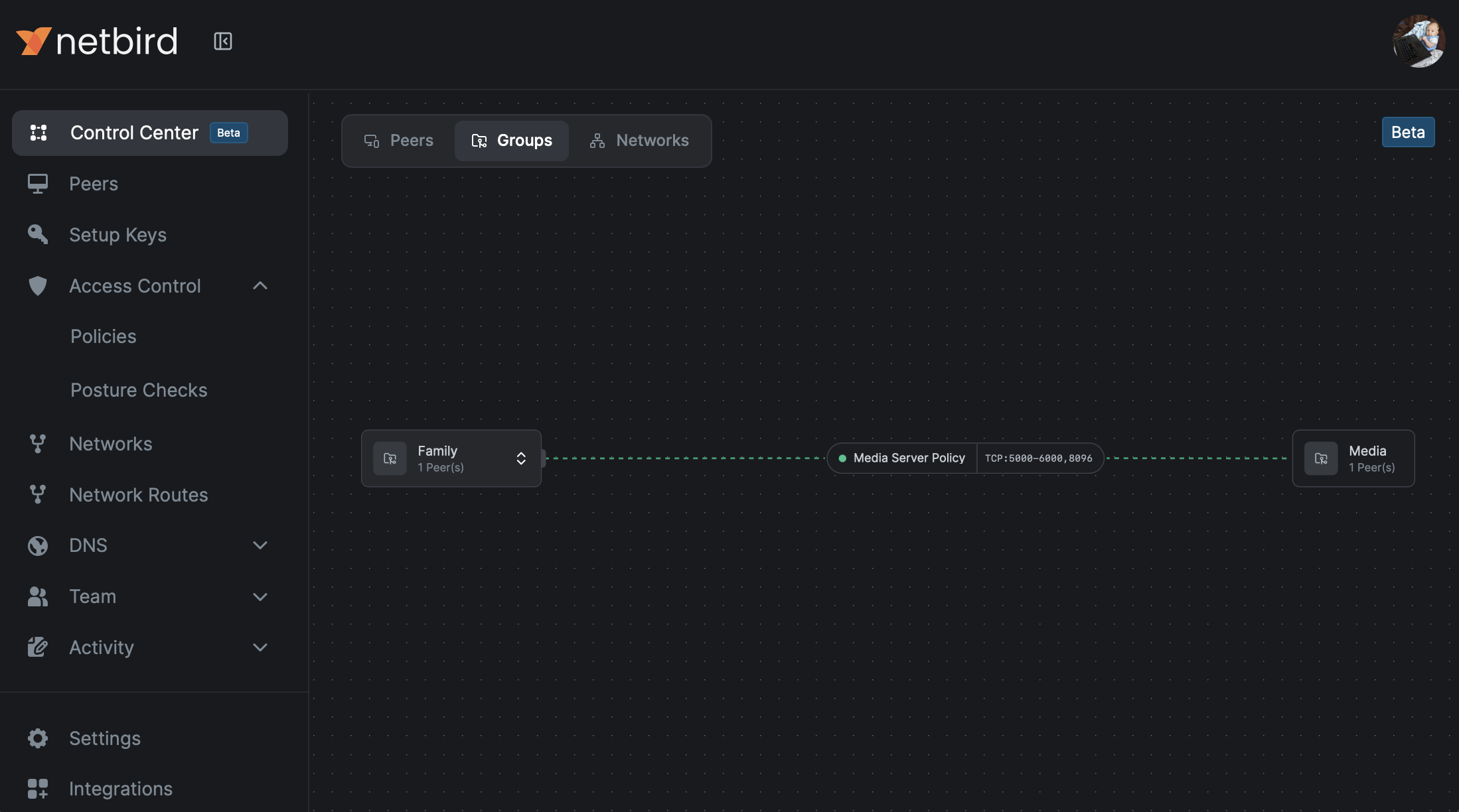
Networks: Understand your segmented networks and how they are configured for secure access control. The Network View defaults to an overview of all networks and the groups that can access them. By clicking a network (or selecting it from a dropdown), you get a Detailed Network View focused on the relevant peer groups, policies, and resources.
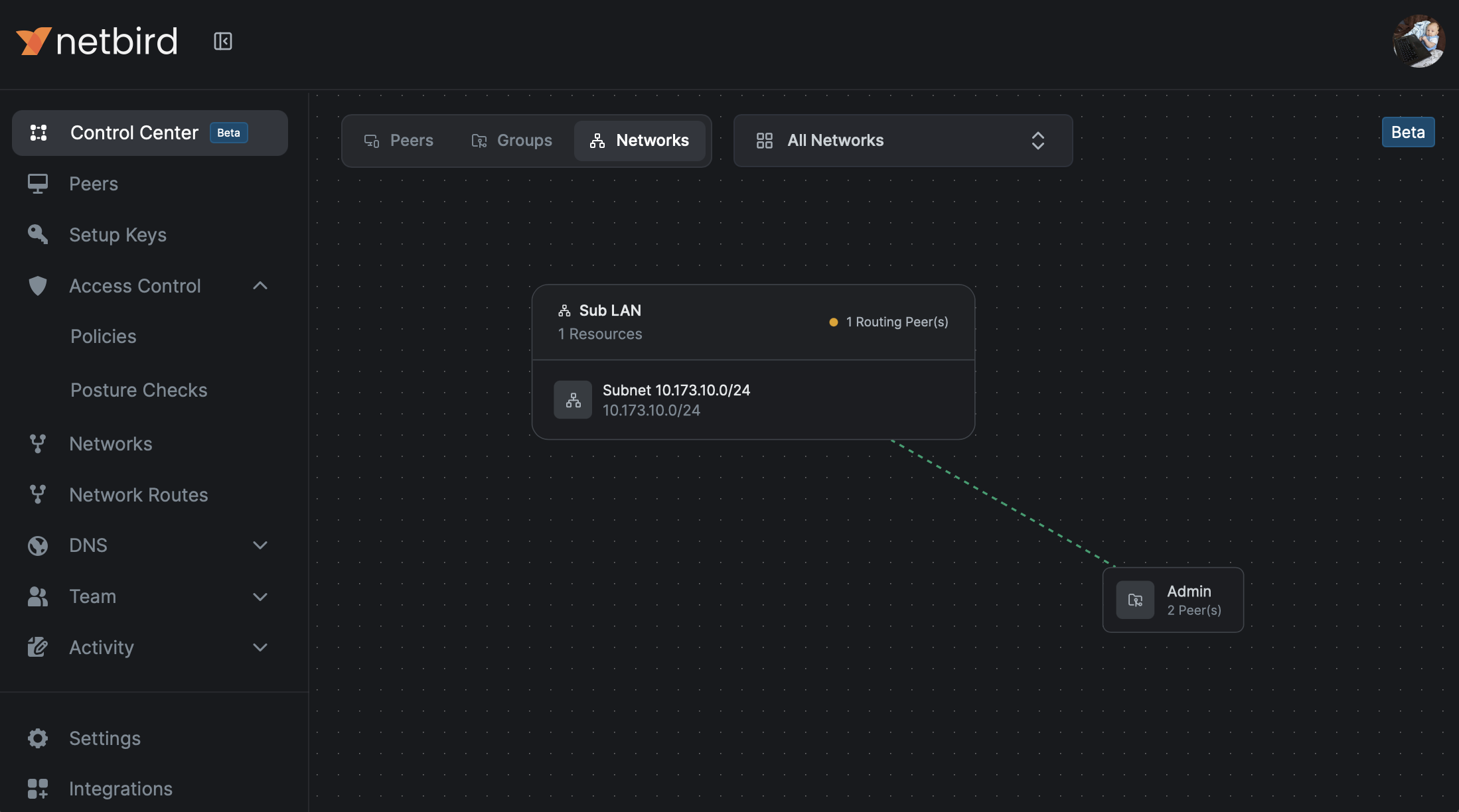
Policies are displayed directly on the lines connecting the source peers and groups to the destination resources. This visual link gives you an immediate, clear view of the specific policy, protocol, and ports allowed. You can click on the policy link directly in the visualization to open and make changes instantly, eliminating the need to navigate through separate menus.
When a user reports they cannot access a specific resource, the Control Center easy to visualize where connection disconnects are happening:
For regulatory checks or internal security reviews, the Control Center provides an auditable map:
Before adding new resources or making infrastructure changes, use the visual insights to prevent errors:
Simply log in to your NetBird dashboard and navigate to the Control Center section from the main menu. The interactive visualization will load instantly, giving you a powerful, live map of your entire network configuration and access policies.
此内容由惯性聚合(RSS阅读器)自动聚合整理,仅供阅读参考。 原文来自 — 版权归原作者所有。