


惯性聚合 高效追踪和阅读你感兴趣的博客、新闻、科技资讯
阅读原文 在惯性聚合中打开

推荐订阅源

Apple Machine Learning Research
Google DeepMind News
小众软件
小众软件
GbyAI
GbyAI
酷 壳 – CoolShell
酷 壳 – CoolShell
F
Fortinet All Blogs
博客园 - 三生石上(FineUI控件)
B
Blog
量子位
B
Blog RSS Feed
Vercel News
Vercel News
Blog — PlanetScale
Blog — PlanetScale
Last Week in AI
Last Week in AI
博客园 - 叶小钗
MongoDB | Blog
MongoDB | Blog
Cyber Security Advisories - MS-ISAC
钛媒体:引领未来商业与生活新知
钛媒体:引领未来商业与生活新知
爱范儿
爱范儿
Jina AI
Jina AI
C
Check Point Blog
freeCodeCamp Programming Tutorials: Python, JavaScript, Git & More
IT之家
IT之家
H
Hackread – Cybersecurity News, Data Breaches, AI and More
云风的 BLOG
云风的 BLOG

NetBird - Networking Knowledge Hub - RSS Feed

NetBird Is Now on the Vultr Marketplace Native NetBird on the GL.iNet Comet Pro (GL-RM10) NetBird v0.71 - IPv6 Overlay Addressing NetBird Exit Nodes - Appear at Home, or Anywhere Else Reporting Bugs and Requesting Features in NetBird Setup and Use Local AdGuard Home Anywhere with NetBird DNS How to Set Up NetBird on PiKVM for Secure Remote KVM Access NetBird v0.69 - CrowdSec IP Reputation for the Reverse Proxy Cloudflare Mesh vs NetBird vs Tailscale: Performance Compared Self-Hosting Nextcloud with Docker and NetBird Implementing Zero Trust with NetBird NetBird v0.67 - Layer 4 Proxy Support for TCP, UDP, and TLS Solwr Enhances Remote Connectivity with NetBird Self-Hosting NetBird with Authentik Jellyfin Media Server - Self-Host Your Movies, TV, and Music Cloudflare Tunnels vs. NetBird Reverse Proxy INFITX Builds Zero-Touch Kubernetes Networking with NetBird NetBird v0.66 - Expose Local Services to the Internet from the CLI Pangolin vs. NetBird Home Assistant Setup Guide with EASY Remote Access NetBird v0.65 - Built-in Reverse Proxy with Custom Domains Docker for Beginners - Everything You Need to Get Started NetBird for SOC 2 Compliance NetBird v0.63 - Custom DNS Zones for Private Network Resolution Vibecode This in a Weekend and Take 5% of the Company NetBird v0.62 - Built-in Local Users with Optional IdP Integration NetBird v0.61.0 - Granular SSH Access Control and Automatic Updates Top 5 Alternatives to OpenVPN Top 5 Open Source Alternatives to Tailscale Top 5 Alternatives to ZeroTier
NetBird and Huntress - Secure Network Access for MSPs
Written byMisha Bragin · 2025-12-05 · via NetBird - Networking Knowledge Hub - RSS Feed

Huntress

After countless conversations with our MSP partners across North America, one message stood out loud and clear: "We need an integration with Huntress."

Today, we're excited to announce that NetBird now officially supports Huntress, the managed detection and response platform loved by MSPs throughout North America.

Why Huntress Matters for MSPs

Managed Service Providers face a unique challenge: they must secure not just their own infrastructure, but the networks of every customer they manage. A single compromised endpoint can cascade across multiple client environments, turning trusted MSP relationships into attack vectors.

Huntress has become the go-to EDR platform for MSPs because it was built specifically for their needs. It combines automated threat detection with human-powered threat hunting, providing the 24/7 security coverage that MSPs need to protect their clients without building massive security operations teams.

What This Integration Enables

With the NetBird-Huntress integration, you can ensure that only devices managed by Huntress are allowed to access your customers' networks. This creates a powerful security boundary that addresses three critical requirements:

Enforce device compliance automatically: NetBird continuously verifies that connecting devices meet your Huntress security standards. The integration checks Windows security metrics including Defender policy status, managed Microsoft Defender configuration, and firewall state. Devices that fail to meet these requirements automatically lose network access until compliance is restored.

Eliminate manual security reviews: When a device falls out of compliance, NetBird immediately restricts its network access without requiring manual intervention. When the device becomes compliant again, access is automatically restored. This removes the time-consuming ticket queues and human error from your security workflow.

Protect multi-tenant environments: For MSPs managing multiple client networks, this integration ensures that only properly secured devices can reach each customer's resources. Combined with NetBird's network segmentation capabilities, you can create isolated environments for each client while maintaining centralized security policy enforcement.

How It Works

The integration operates through a straightforward device matching process:

  1. NetBird connects to Huntress via API to retrieve your managed device inventory
  2. Each device is matched using its serial number as a unique identifier
  3. NetBird continuously monitors the compliance status of each device
  4. Devices with active Huntress agents that meet your defined security policies receive network access
  5. Non-compliant devices see an "Approval required" status and cannot access protected resources

You can configure specific compliance requirements based on your security needs, including Defender policies and firewall configurations. The sync window is configurable, defaulting to 24 hours to ensure your access decisions reflect current device status.

Growing EDR & MDM Ecosystem

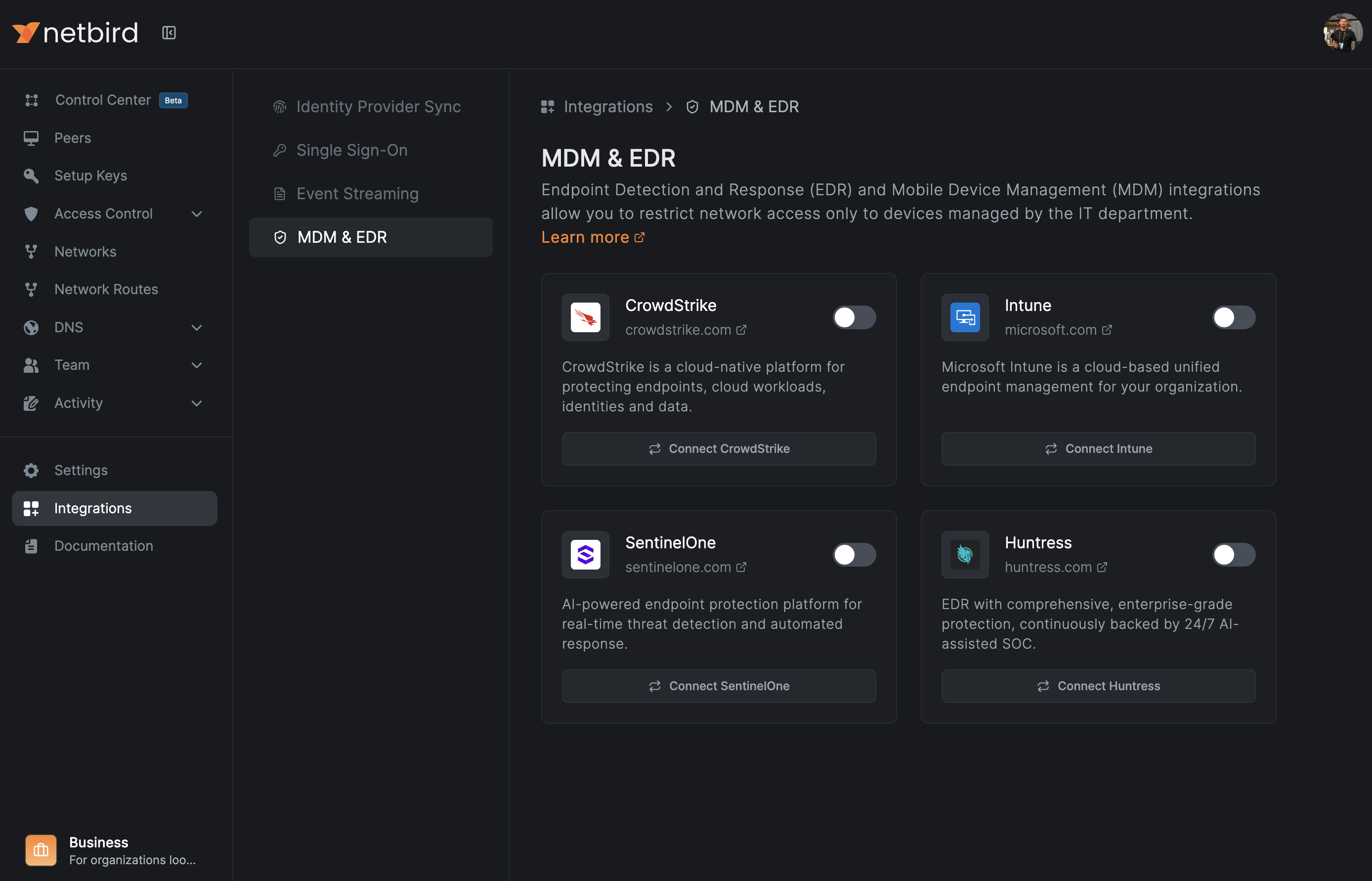
This integration expands NetBird's growing list of supported endpoint security solutions:

  • Huntress - Managed detection and response for MSPs
  • Microsoft Intune - Device compliance and MDM
  • SentinelOne Singularity - AI-powered endpoint protection
  • CrowdStrike Falcon - Cloud-native endpoint security

Each integration follows the same principle: verify device security posture before granting network access, and continuously enforce compliance throughout the session.

Get Started

The Huntress integration is available now for all NetBird Cloud customers. To set it up:

  1. Generate API credentials in your Huntress Management Console under Settings > API Credentials
  2. Navigate to Integrations > EDR in your NetBird dashboard
  3. Enter your Huntress API key and secret
  4. Select which peer groups should be subject to the integration
  5. Define your compliance requirements

For detailed setup instructions, check out the Huntress EDR documentation .

A big shout-out to the entire Huntress team for building such a fantastic product that MSPs rely on every day. We're thrilled to bring these two platforms together.


What integration would you like to see next? Join our Slack community and let us know.