
惯性聚合 高效追踪和阅读你感兴趣的博客、新闻、科技资讯
阅读原文 在惯性聚合中打开

推荐订阅源

V
Vulnerabilities – Threatpost
T
The Blog of Author Tim Ferriss
S
SegmentFault 最新的问题
D
DataBreaches.Net
博客园_首页
罗磊的独立博客
B
Blog
T
Threat Research - Cisco Blogs
C
Cisco Blogs
GbyAI
GbyAI
Engineering at Meta
Engineering at Meta
WordPress大学
WordPress大学
G
GRAHAM CLULEY
H
Help Net Security
酷 壳 – CoolShell
酷 壳 – CoolShell
Cyber Security Advisories - MS-ISAC
爱范儿
爱范儿
SecWiki News
SecWiki News
T
Threatpost
钛媒体:引领未来商业与生活新知
钛媒体:引领未来商业与生活新知
Schneier on Security
T
The Exploit Database - CXSecurity.com
Google Online Security Blog
T
Tor Project blog
小众软件
小众软件
让小产品的独立变现更简单 - ezindie.com
Y
Y Combinator Blog
H
Hacker News: Front Page
V
V2EX
Security Latest
Security Latest
Cloudbric
Cloudbric
Simon Willison's Weblog
Attack and Defense Labs
D
Darknet – Hacking Tools, Hacker News & Cyber Security
P
Proofpoint News Feed
博客园 - 三生石上(FineUI控件)
NISL@THU
NISL@THU
S
Secure Thoughts
Blog — PlanetScale
Blog — PlanetScale
博客园 - 司徒正美
V2EX - 技术
V2EX - 技术
Vercel News
Vercel News
P
Palo Alto Networks Blog
IT之家
IT之家
MyScale Blog
MyScale Blog
有赞技术团队
有赞技术团队
Application and Cybersecurity Blog
D
Docker
Google DeepMind News
Webroot Blog
Webroot Blog

NetBird - Networking Knowledge Hub - RSS Feed

NetBird Is Now on the Vultr Marketplace Native NetBird on the GL.iNet Comet Pro (GL-RM10) NetBird v0.71 - IPv6 Overlay Addressing NetBird Exit Nodes - Appear at Home, or Anywhere Else Reporting Bugs and Requesting Features in NetBird Setup and Use Local AdGuard Home Anywhere with NetBird DNS How to Set Up NetBird on PiKVM for Secure Remote KVM Access NetBird v0.69 - CrowdSec IP Reputation for the Reverse Proxy Cloudflare Mesh vs NetBird vs Tailscale: Performance Compared Self-Hosting Nextcloud with Docker and NetBird Implementing Zero Trust with NetBird NetBird v0.67 - Layer 4 Proxy Support for TCP, UDP, and TLS Solwr Enhances Remote Connectivity with NetBird Self-Hosting NetBird with Authentik Jellyfin Media Server - Self-Host Your Movies, TV, and Music Cloudflare Tunnels vs. NetBird Reverse Proxy INFITX Builds Zero-Touch Kubernetes Networking with NetBird NetBird v0.66 - Expose Local Services to the Internet from the CLI Pangolin vs. NetBird Home Assistant Setup Guide with EASY Remote Access NetBird v0.65 - Built-in Reverse Proxy with Custom Domains Docker for Beginners - Everything You Need to Get Started NetBird for SOC 2 Compliance NetBird v0.63 - Custom DNS Zones for Private Network Resolution Vibecode This in a Weekend and Take 5% of the Company NetBird v0.61.0 - Granular SSH Access Control and Automatic Updates Top 5 Alternatives to OpenVPN Top 5 Open Source Alternatives to Tailscale Top 5 Alternatives to ZeroTier How to Set Up ZeroByte and REST Server for Backups with NetBird How to Install n8n v2.0 with NPM and PM2 ZeroTier vs. NetBird The Ultimate Immich Guide - Ditch Google and Amazon Photos for Good NetBird as Your Help with ISO 27001 Compliance NetBird and Huntress - Secure Network Access for MSPs How to Access Windows Shares from Anywhere with NetBird netgo Relies on Modern ZTNA with NetBird Connect to Your Homelab from Anywhere with a Raspberry Pi NetBird SSH - A New, Identity-Aware Approach The AI Mega Mesh: How to Connect 30+ GPU Cloud Providers Connect Multiple Ollama GPUs to OpenWebUI with NetBird Top 5 Tailscale Alternatives SSH and RDP, now in your browser NetBird–Acronis Integration: Empowering MSPs for Advanced Ransomware and Threat Defense Introducing the Control Center - Remote Access, Beautifully Visualized NetBird at MSP Global 2025 Understanding Overlay Networks - The Basics NetBird and SentinelOne Singularity™ - Automate Threat Response NetBird and Microsoft Intune - Enforcing Device Compliance for Zero Trust Rethinking Zero Trust Security with NetBird and pfSense Improving Unidirectional Access Control Proxmox VE for Beginners Guide with NetBird LXC Stronger Security: NetBird + GitHub Secure Open Source Fund NetBird's MSP Partner Program Signicat Enhances Cross-Cloud Accessibility with NetBird SonicWall SSL VPN NetExtender vs. NetBird NetBird Is Embracing the AGPLv3 License NetBird Profiles Have Landed - Manage Multiple Accounts Effortlessly Rethinking Access Control to Secure Your On-Premises SharePoint Servers Sport Alliance Increases Efficiency with Zero Trust Networking at Scale Rethinking Network Access: qwertiko Goes Zero Trust with NetBird Optimizing Network Efficiency with NetBird's Lazy Connections Use Port Ranges in Access Control Policies Generic HTTP Endpoint for Network Events Streaming NetBird’s Response to Spear-Phishing Campaign Targeting Financial Executives Zero-Trust Access to Internal Resources Without Installing Agents Enhance Network Visibility with NetBird’s Traffic Events Logging TrueNAS Made Easy - Install, Set Up, and Access From Anywhere Top 5 Alternatives for WireGuard Jump Hosts. Gateways for Remote Access NetBird Network Routes and Exit Nodes Security for All - SSO and MFA for Free Enhancing Network Access Control with NetBird's Identity Provider Feature Twingate vs. NetBird Limit Network Access Based on Running Applications FortiClient ZTNA vs. NetBird OpenVPN vs. NetBird Tailscale vs. NetBird Getting Started with an Azure Site-to-Site VPN Getting Started with an On-premise-to-AWS Site-to-Site VPN Secure Remote Access to VPCs, LANs, and Offices regreSSHion - A New OpenSSH Server Remote Code Execution Vulnerability Evolve Bank & Trust Data Breach. What Happened? What Is a Site-to-Site VPN? IPSec Tunneling Demystified. Enhancing Data Security Across Networks Understanding IPSec Tunnel and Transport Modes Understanding the Differences Between IKEv1 and IKEv2 Understanding the IKEv1 Protocol in IPSec ZeroTier versus NetBird - Which Should You Choose? AWS Lambda Serverless Security. Mistakes, Oversights, and Potential Vulnerabilities Using NetBird for Kubernetes Access Serverless Security Vulnerabilities and Best Practices to Mitigate Them Security Best Practices for Serverless Azure Functions A Guide to Remote Access Security for SMEs IoT Security Essentials. How to Achieve Secure Remote Access Open Source Zero Trust Networking Using SSH for Secure Remote Access How We Integrated Rosenpass in NetBird The First Quantum-Resistant Mesh VPN Using eBPF and XDP to Share Default DNS Port Between Multiple Resolvers
NetBird v0.62 - Built-in Local Users with Optional IdP Integration
Written byBrandon Hopkins · 2026-01-08 · via NetBird - Networking Knowledge Hub - RSS Feed

Self-hosting NetBird just got a lot simpler. Version 0.62 removes the requirement for an external identity provider—you can now create and manage users directly from the Dashboard. No Zitadel, no Keycloak, no Auth0 setup required.

The new quickstart script gets you up and running in about 5 minutes with a single command. It handles everything: deploys all services, sets up TLS certificates, and even walks you through reverse proxy selection if you're using Traefik, Nginx, or something else instead of the built-in Caddy.
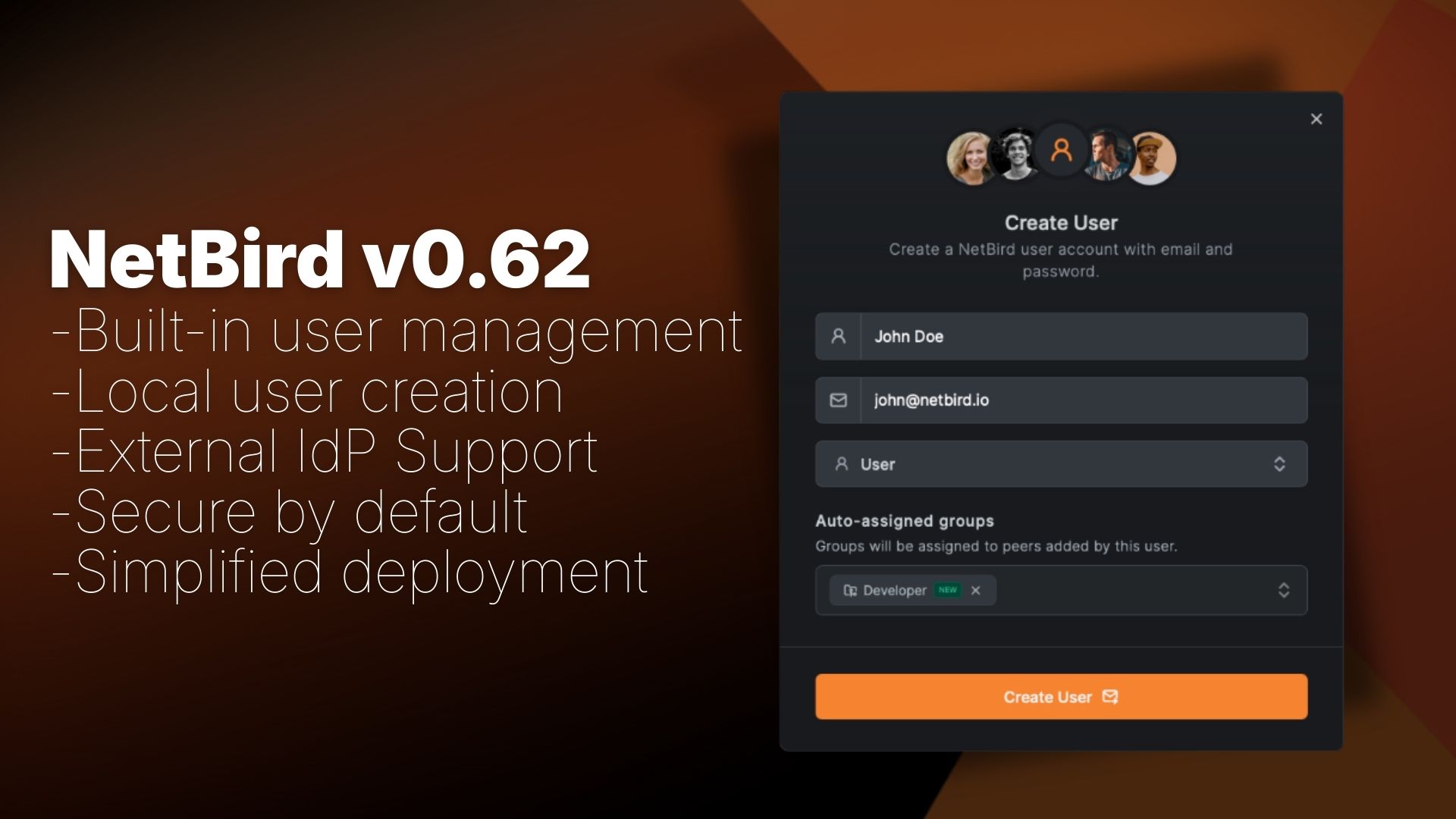
v.62 changes

Here's what changed:

  • Built-in user management - Create users directly from the Dashboard using the embedded Dex server—no external IdP required. Secure by default with bcrypt-hashed passwords and AES-256-GCM encryption
  • Simplified deployment - Reduced from 7+ containers down to just 5. No separate database for the IdP, no extra containers to maintain. The quickstart script handles everything automatically—from container deployment to reverse proxy configuration
  • Interactive setup wizard - When you first access the Dashboard, a setup wizard guides you through creating your admin account. That's it—you're done
  • Easy external IdP integration - Connect multiple SSO providers simultaneously (Google, Microsoft, Okta, Keycloak, etc.) directly from the Dashboard. No config files to edit, no service restarts. Optional JWT group sync automatically provisions groups from your IdP

If you're already running NetBird with Zitadel, don't worry. You can keep using it as-is, add it as an external provider alongside local users, or migrate to local users entirely. We've got you covered either way.

Simplified Quickstart

Getting started with self-hosted NetBird is now faster than ever. The new quickstart script handles everything automatically—from container deployment to reverse proxy configuration.
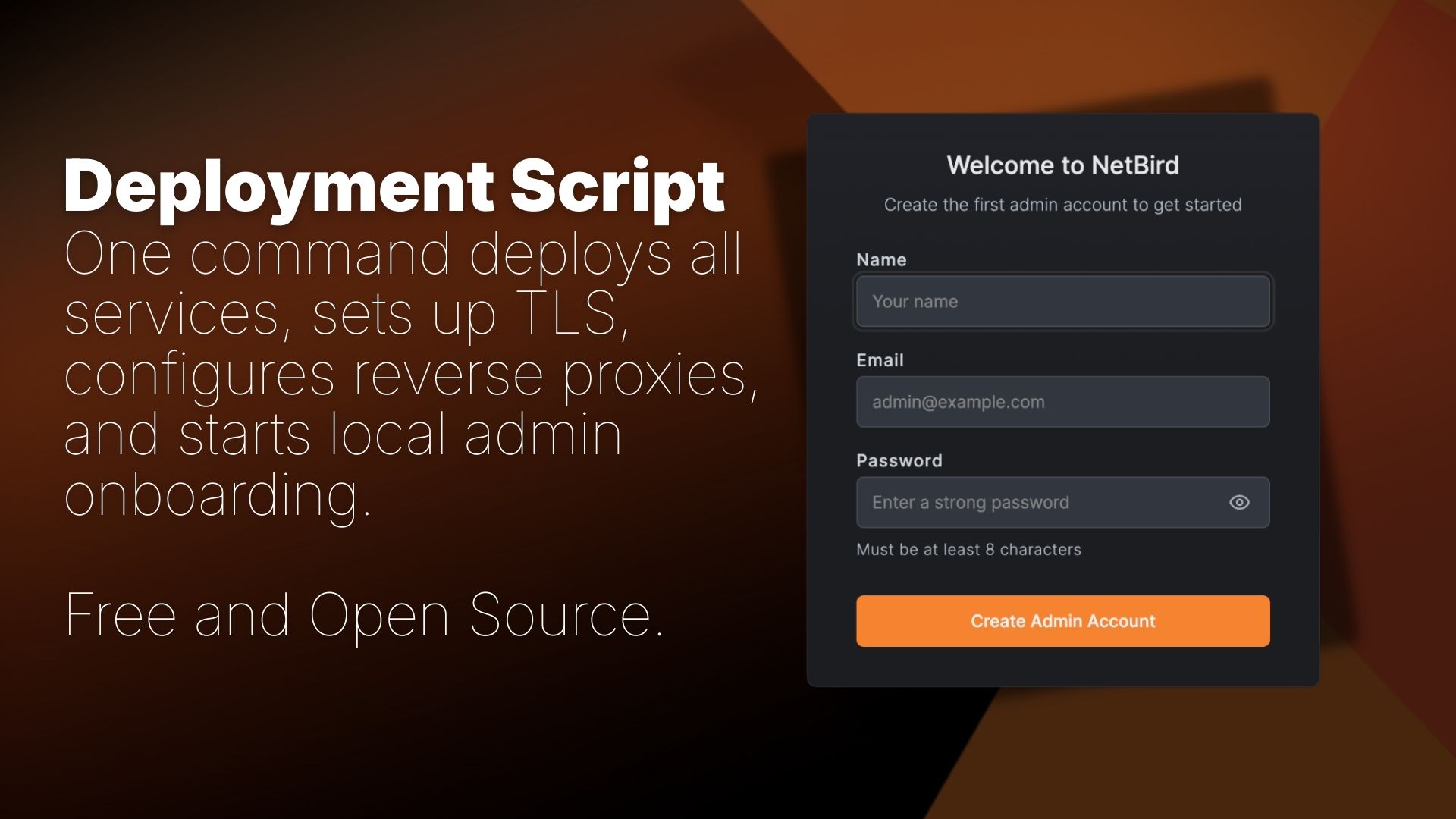
New NetBird Quickstart

You'll need a Linux VM (1 CPU, 2GB RAM) with public access on ports 80, 443, and UDP 3478, plus a public domain name. The script requires Docker with docker-compose, jq, and curl. For detailed requirements and setup instructions, see the Quickstart Guide .

Installation

Run the installation script:


The script will:
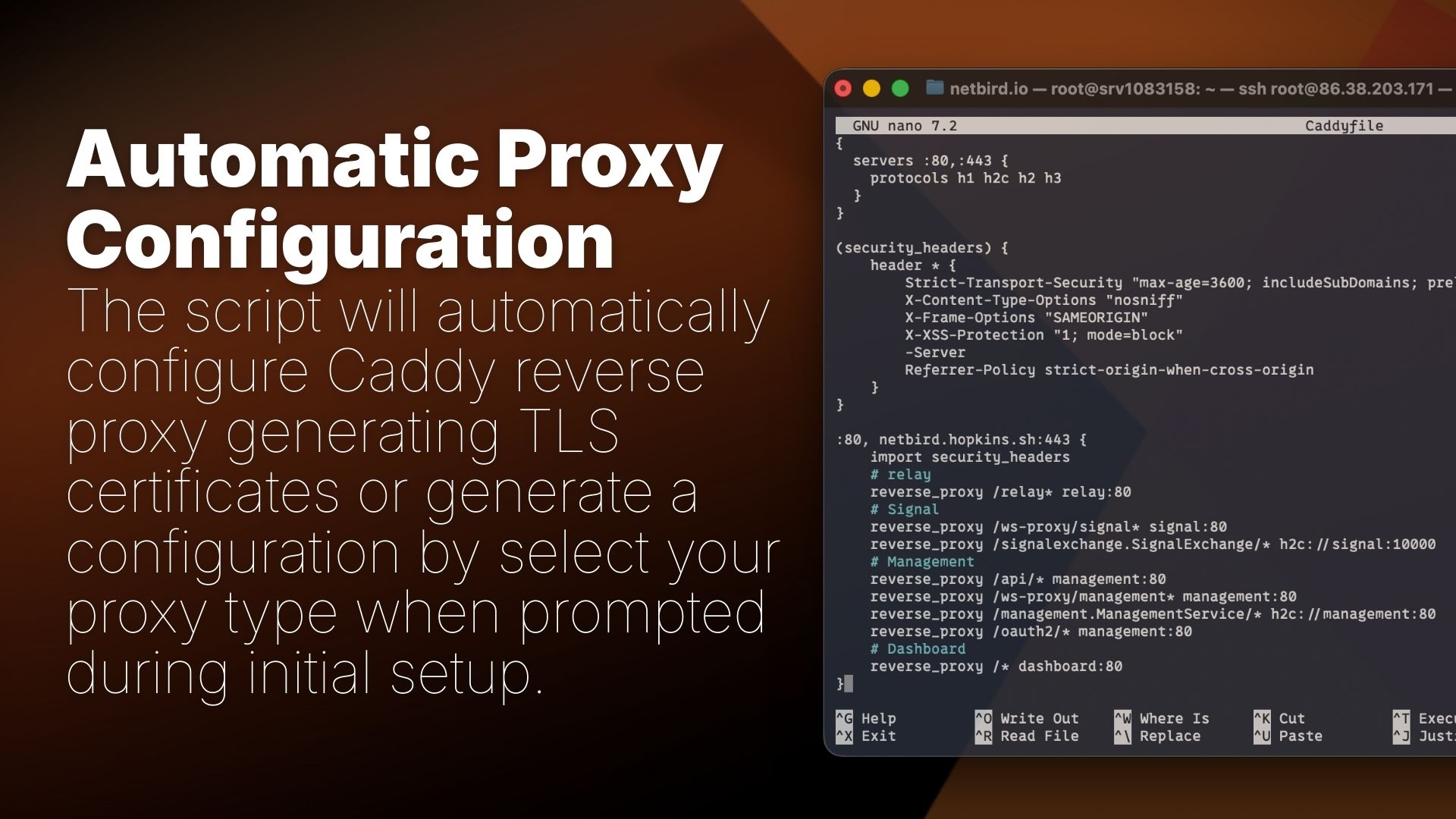
  • Deploy all NetBird services with Docker Compose
  • Configure the embedded IdP (enabled by default)
  • Set up automatic TLS certificates via built-in Caddy
  • Guide you through reverse proxy selection if you prefer an external proxy

Reverse Proxy Options

Reverse Proxy NetBird

During installation, you can choose your reverse proxy configuration:

  • Built-in Caddy (recommended) - Automatic TLS certificates, zero configuration
  • Traefik - Automatic service discovery via Docker labels
  • Nginx - Configuration templates for Docker or host-based setups
  • Nginx Proxy Manager - Step-by-step instructions for GUI-based configuration
  • External Caddy - Caddyfile snippets for existing Caddy deployments
  • Other/Manual - Documentation links for custom setups

The script generates all necessary configuration files and provides setup instructions for your chosen proxy. No manual routing configuration required. Once finished, you can manage the deployment via commands.

The Problem with External IdPs

Setting up self-hosted NetBird has always required deploying an identity provider alongside the core services. Our quickstart script used Zitadel, which meant spinning up additional containers (Zitadel itself plus CockroachDB) and managing yet another piece of infrastructure.

For homelabs, small teams, and proof-of-concept deployments, this was overkill:

  • More containers to deploy and maintain (7+ vs 5 now)
  • Additional configuration for OAuth clients, redirect URIs, and scopes just to get started
  • Separate user management in the IdP console instead of NetBird

Many self-hosters just wanted to create a few local users and get their network running. They didn't need federated SSO or enterprise identity management, they needed simplicity.
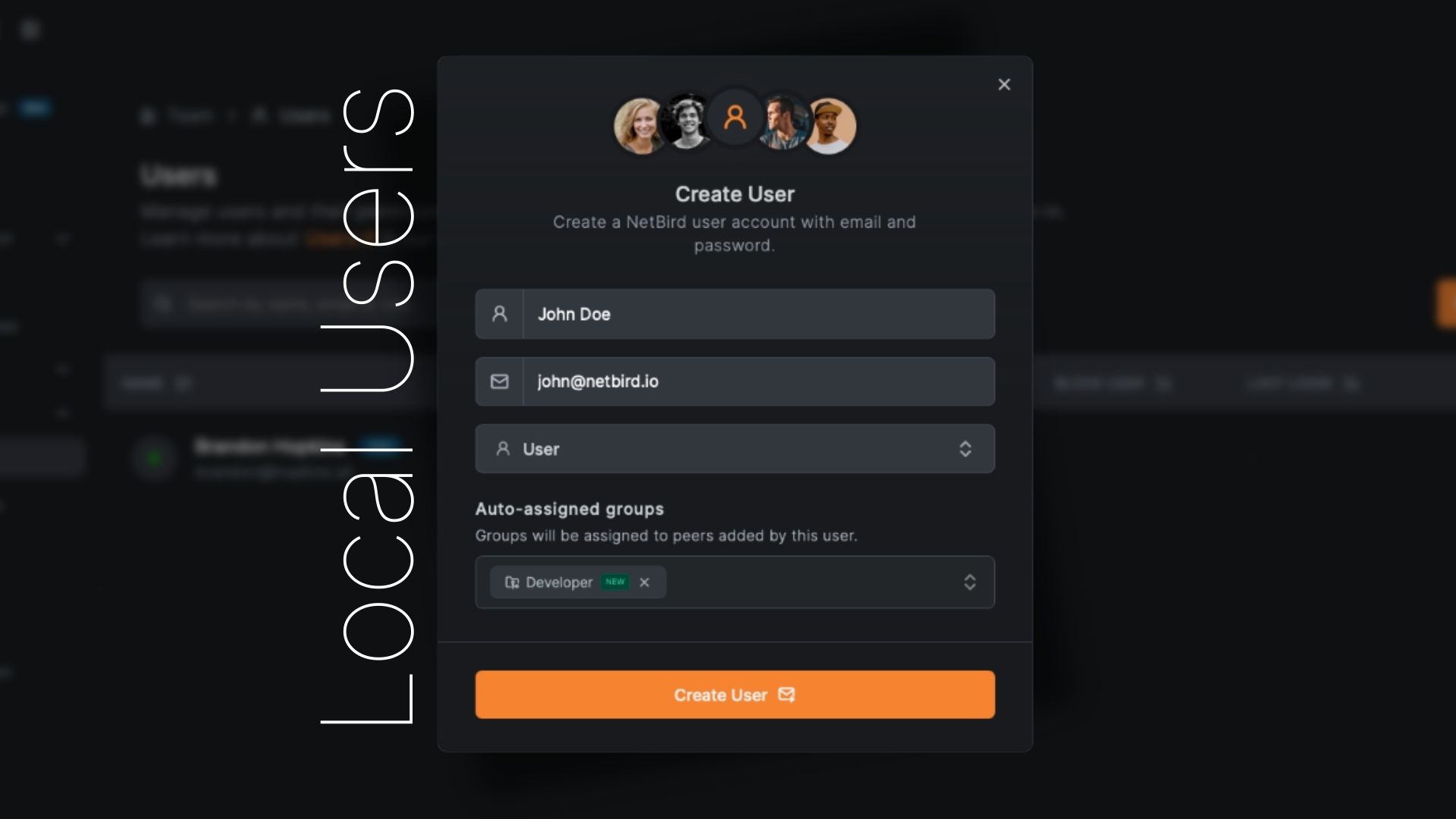
Local User Management

Local User Managment

Version 0.62 embeds user management directly into the NetBird Management service with the help of Dex in the backend. When you deploy NetBird, you get:

  • Local user creation - Add users with email/password directly from the Dashboard
  • No external dependencies - Works out of the box, no IdP setup required
  • Dashboard-based management - Create, view, and manage users where you manage everything else
  • Secure by default - Passwords are bcrypt-hashed, sensitive data encrypted at rest with AES-256-GCM

Onboarding Flow

New deployments start without any users. When you first access the Dashboard, you're guided through a setup wizard:

  1. Navigate to your NetBird Dashboard URL
  2. You're redirected to the page
  3. Create your admin account (email, name, and password)
  4. Log in and you're ready to go

That's it. No separate IdP console, no OAuth configuration, no client ID juggling.

Embedded IdP Configuration

The embedded IdP is enabled by default when using the quickstart script . For manual deployments or custom configurations, you can enable it in :


Adding More Users

Once logged in, adding users is straightforward:

  1. Navigate to TeamUsers
  2. Click Create User
  3. Fill in the user details:
    • Email (required) - User's email address for login
    • Name (required) - Display name
    • Groups (optional) - Auto-assign to groups
  4. Click Create

A secure password is generated and displayed once in a modal with a copy button. This password will only be shown once—make sure to copy it and share it securely with the user.
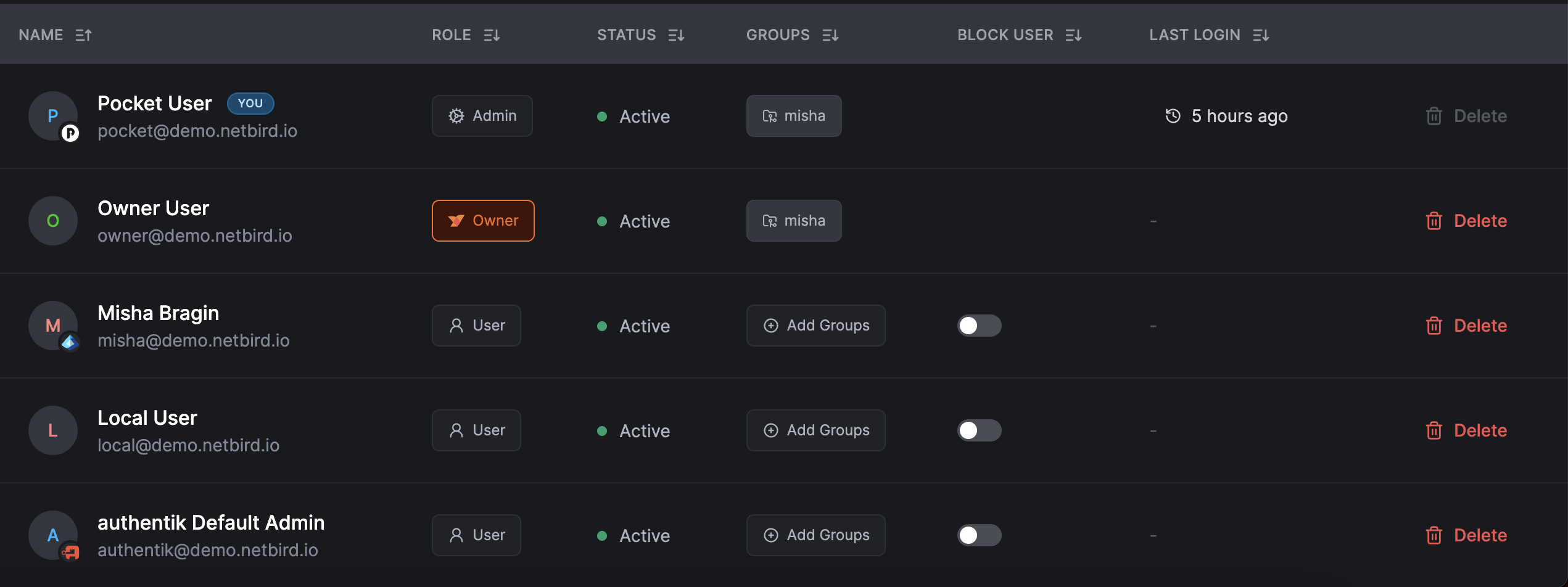
User list

User Roles

Users created through local authentication can be assigned roles:
  • Owner - Full administrative access, cannot be demoted
  • Admin - Manage users, peers, policies, and settings
  • User - Connect devices, view assigned resources

Optional: External Identity Providers

External IdP in NetBird

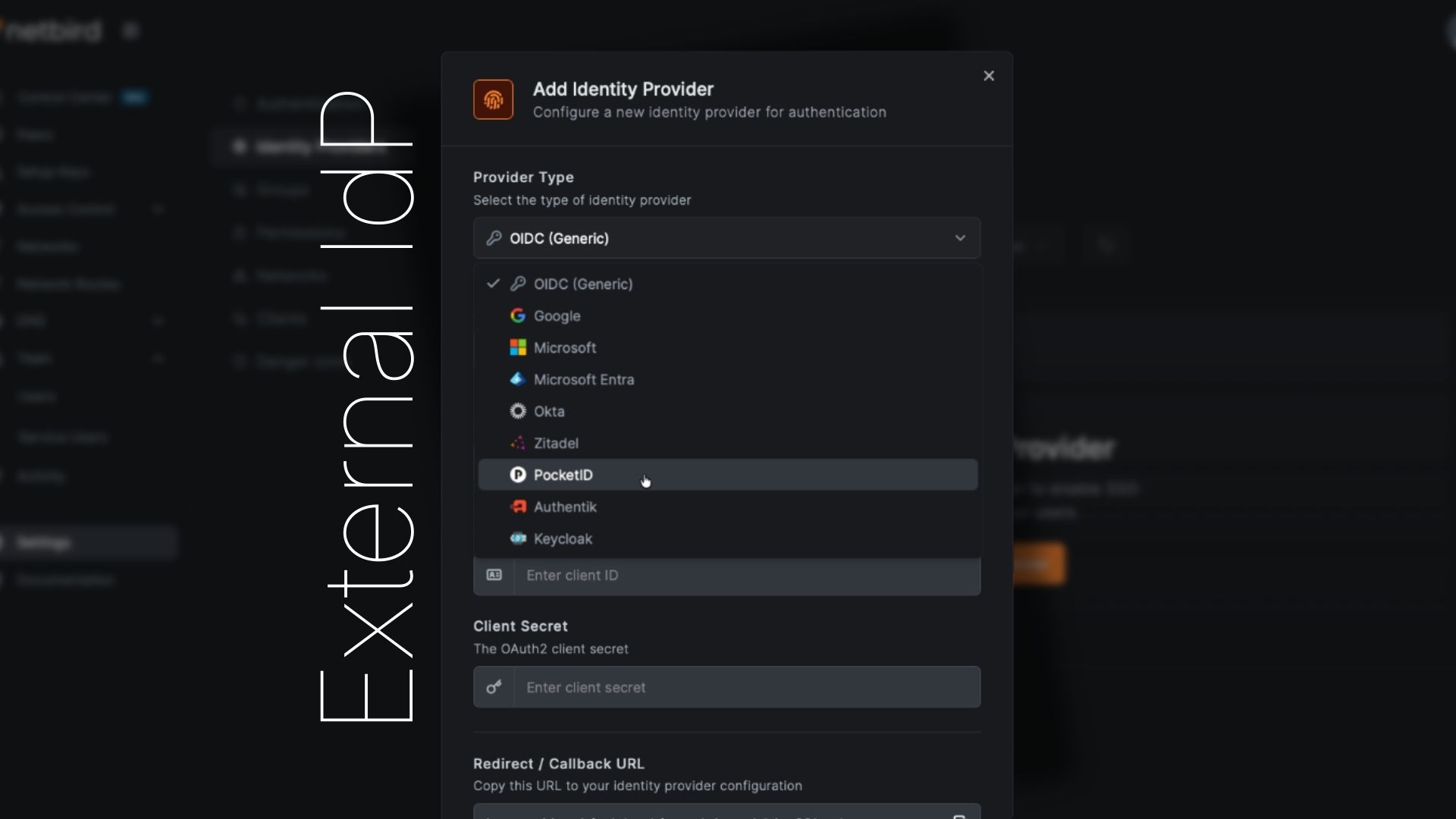
Local users work great on their own, but sometimes you want SSO. Maybe you already have an instance of Pocket ID, or your company requires Microsoft Entra ID authentication. Version 0.62 supports connecting external identity providers alongside local users. Our integration now makes it easy to manage all of this directly in NetBird.

Multiple Providers Supported

You can configure multiple OIDC-compatible identity providers simultaneously:
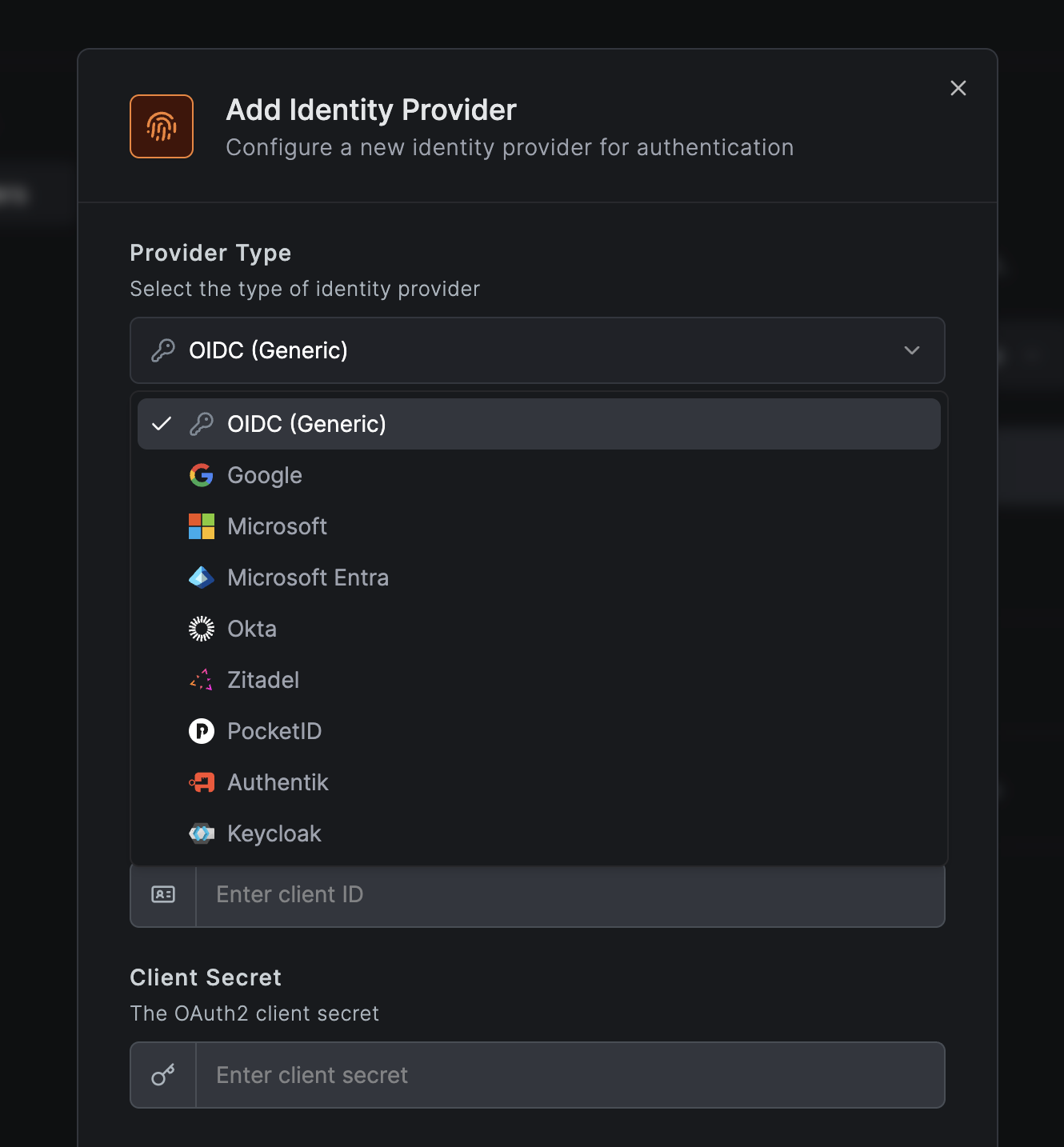
  • Generic OIDC - Any OIDC-compliant provider
  • Google - Google Workspace and personal Google accounts
  • Microsoft - Personal Microsoft accounts
  • Microsoft Entra ID - Azure AD / work and school accounts
  • Okta - Enterprise SSO
  • Auth0 - Managed identity platform
  • JumpCloud - Directory-as-a-Service platform
  • Zitadel - Open-source IAM with multi-tenancy and passwordless auth
  • Keycloak - Popular open source IAM with extensive enterprise features
  • Authentik - Flexible open source IdP with SSO, MFA, and policy engine
  • Pocket ID - Lightweight OIDC provider with passkey authentication

IdP provider types

Users see all configured providers as login options, with local email/password authentication always available as a fallback.
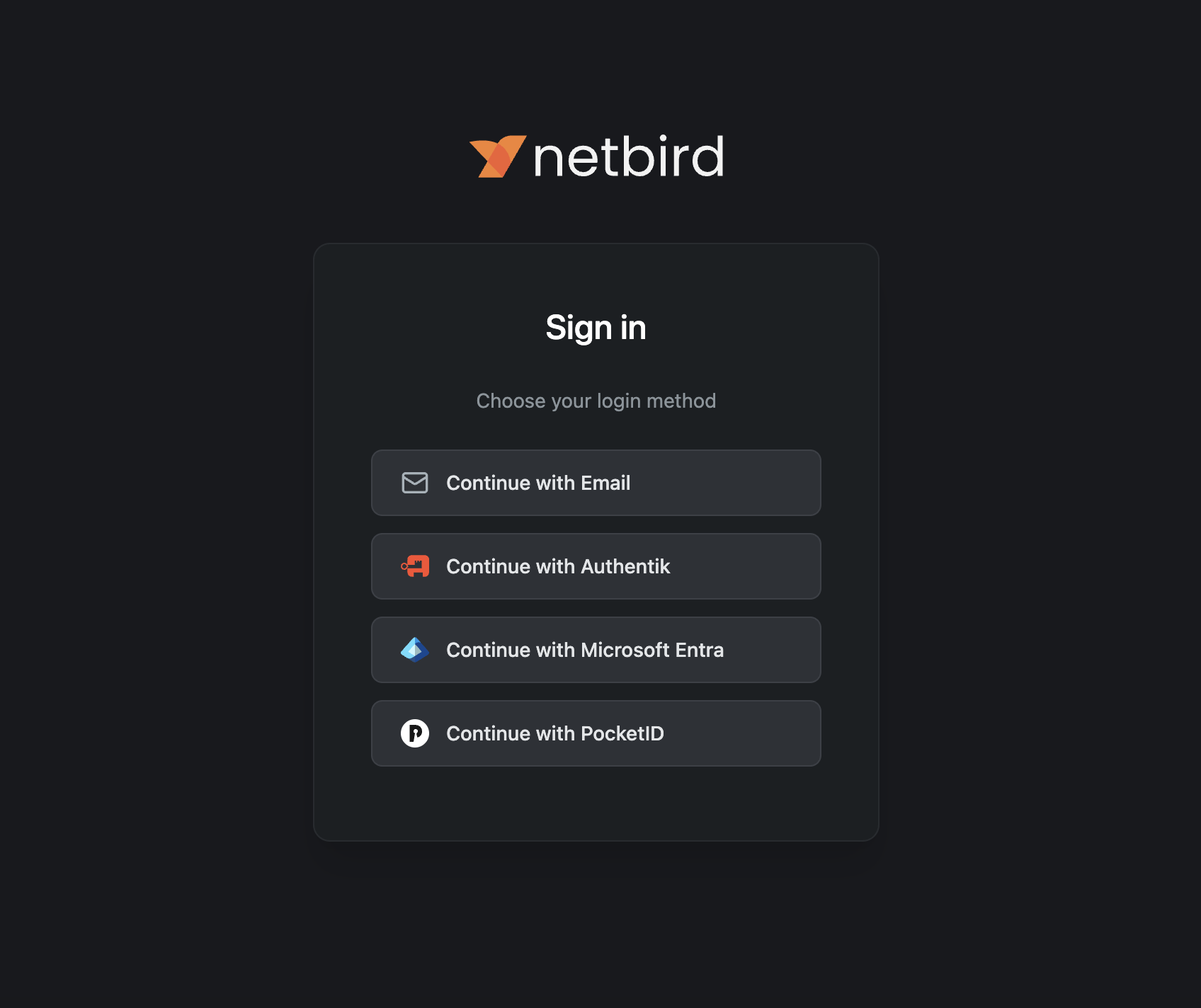
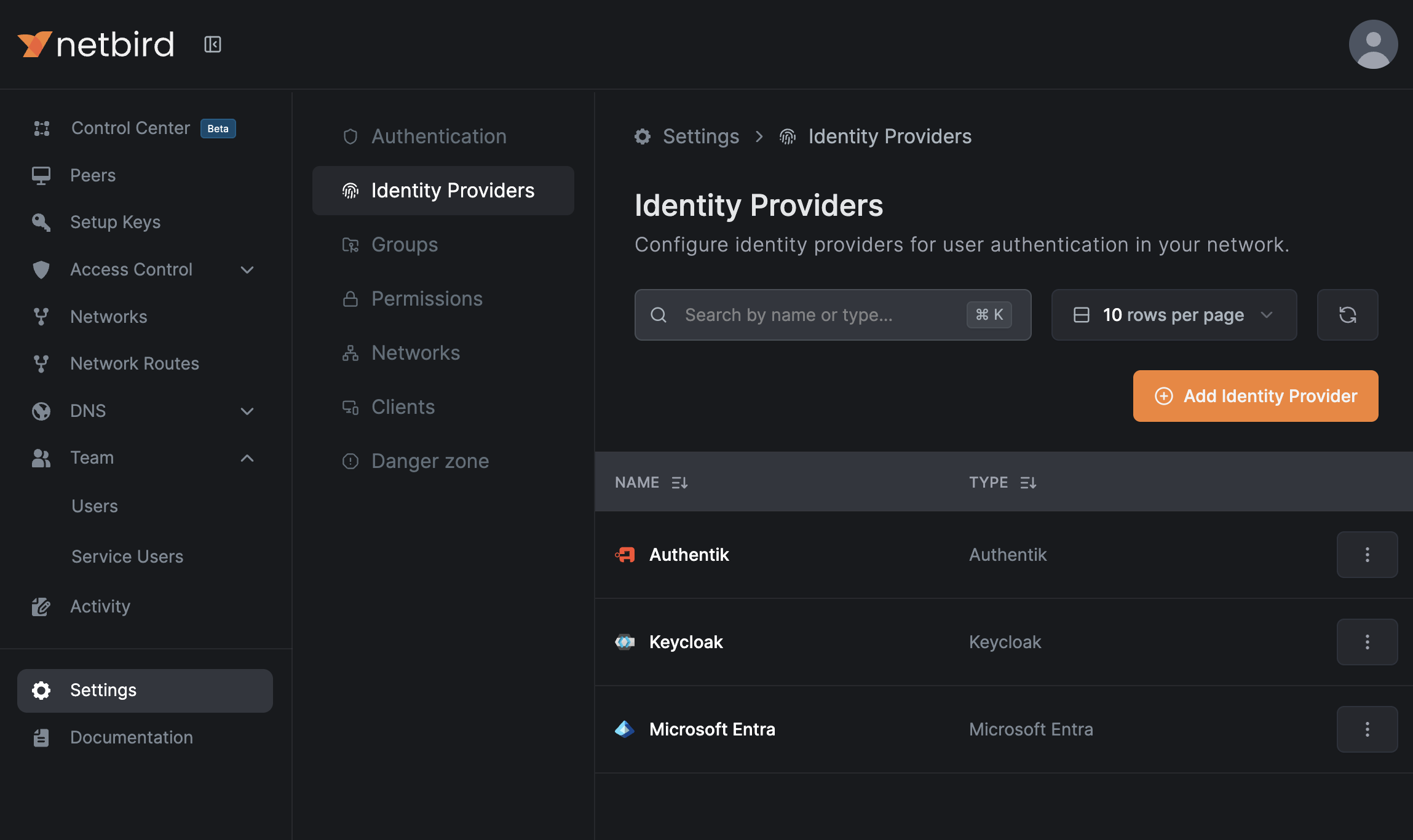
IdP login page

Adding an External Provider

  1. Navigate to SettingsIdentity Providers
  2. Click Add Identity Provider
  3. Select your provider type from the dropdown
  4. Configure the required fields:
    • Name - Display name for the login button
    • Client ID - From your identity provider
    • Client Secret - From your identity provider
    • Issuer - From your identity provider (for generic OIDC)
  5. Copy the Redirect URL that NetBird displays
  6. Configure the Redirect URL in your identity provider's OAuth settings
  7. Click Save

IdP list

That's the entire flow, no config files to edit, no service restarts required. The secret is stored securely in your NetBird installation and never exposed to the public.
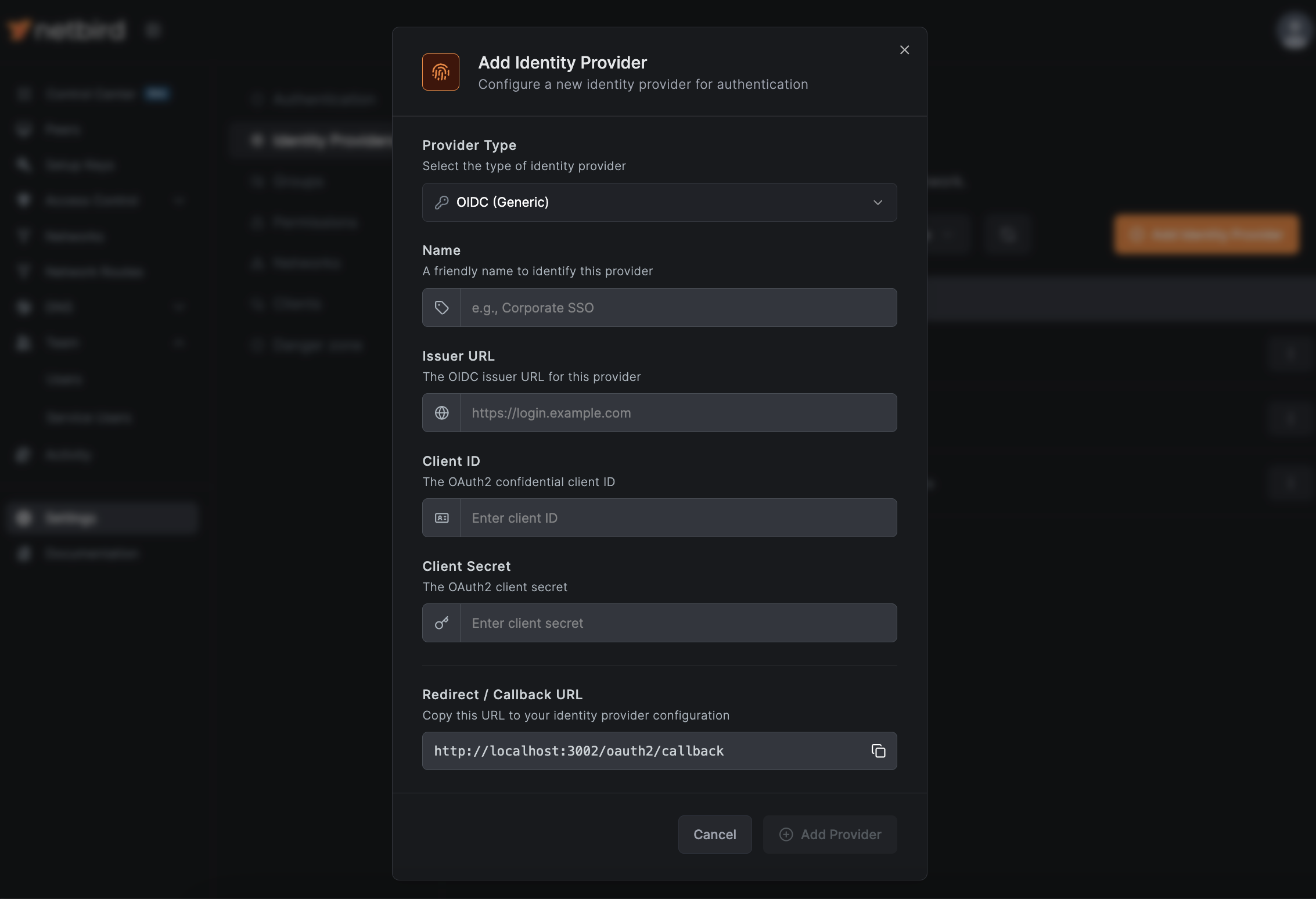
Add identity provider

How External Authentication Works

When a user authenticates via an external identity provider:

  1. User clicks the provider button on the login page
  2. User is redirected to the identity provider to authenticate
  3. After successful authentication, the identity provider issues a JSON Web Token (JWT) containing the user's identity and claims
  4. User is redirected back to NetBird with the token
  5. NetBird validates the token and creates/updates the user account automatically
  6. User is logged in and can access the Dashboard

Users who authenticate via an external identity provider appear in your Users list with a badge showing their identity provider (Google, Microsoft, etc.), making it easy to see which authentication method each user uses.
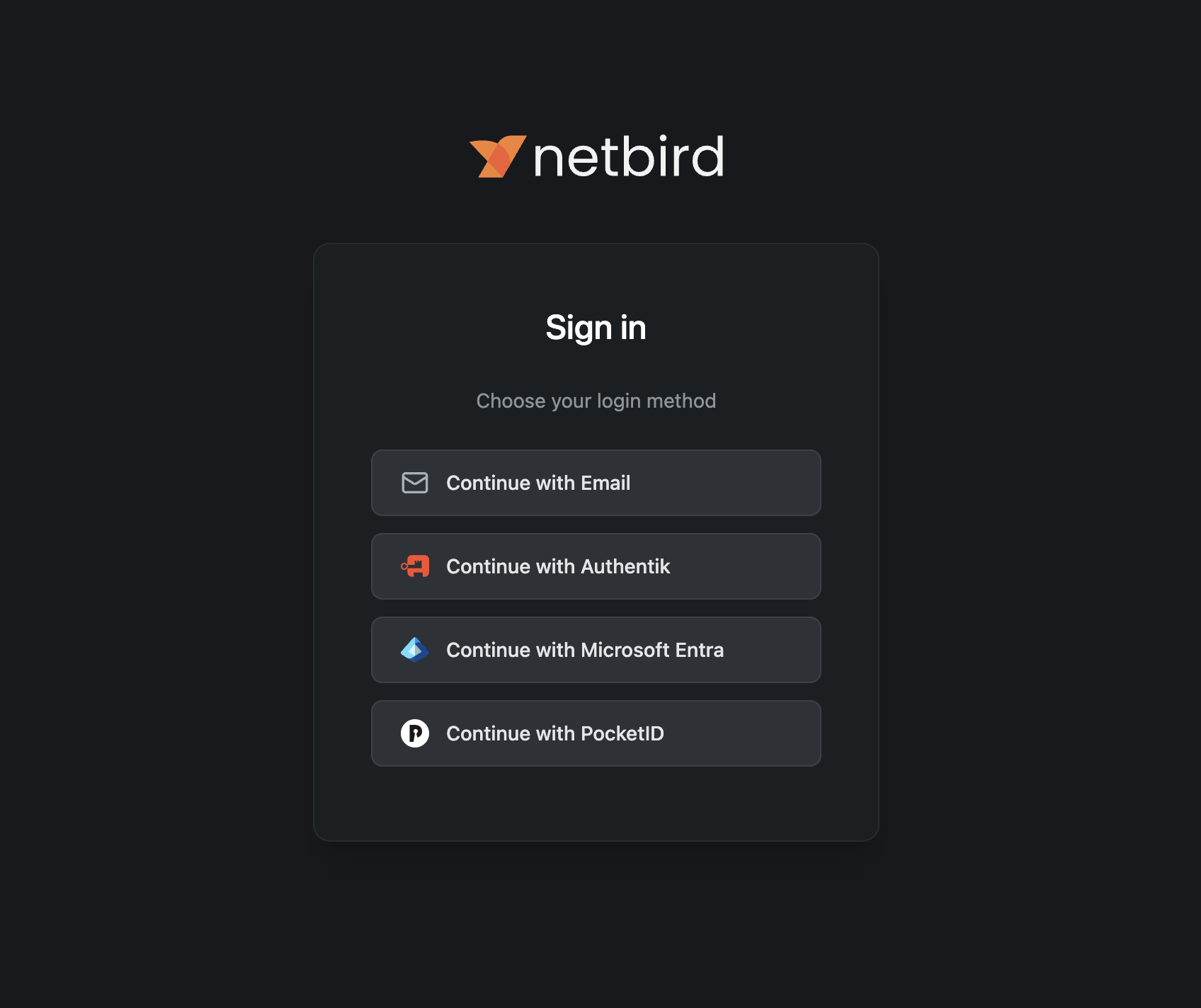
IdP main view

JWT Group Sync

For IdPs that support it, NetBird can automatically sync user groups from JWT claims. When enabled, groups from your identity provider are automatically created in NetBird and assigned to users upon authentication.

To enable JWT group sync:

  1. Navigate to SettingsGroups
  2. Toggle Enable JWT group sync
  3. Configure the JWT claim name (typically ) that contains the user's group list
  4. Optionally specify JWT allow groups - users must belong to at least one of these groups to access NetBird

Once configured, groups from your IdP's JWT tokens will automatically be created in NetBird and assigned to users when they authenticate. This eliminates the need to manually manage group memberships for users authenticating via external providers.

Different identity providers may require specific configuration to pass groups in JWT claims. For detailed, provider-specific setup instructions, see the Identity Providers documentation .

Technical Implementation

Under the hood, local user management is powered by an embedded Dex server running within the Management service. Dex is a lightweight, battle-tested OIDC provider that handles:

  • Local username/password authentication
  • External provider federation (the "connectors")
  • JWT token issuance
  • Device authorization flow for CLI authentication

No additional containers, no separate databases, and no external network dependencies for authentication.

Passwords are securely hashed using bcrypt before storage.

Migration from Zitadel Quickstart

If you deployed NetBird using the previous script, you have options:

Option A: Keep Using Zitadel

Your existing setup continues to work. No action required. The standalone IdP documentation remains available for reference.

Option B: Add Zitadel as an External Provider

Deploy the new version, then add your existing Zitadel instance as an external identity provider:

  1. In your Zitadel console, note your application's Client ID and Client Secret
  2. In NetBird Dashboard, go to SettingsIdentity Providers
  3. Add Zitadel as a provider with your existing credentials
  4. Users can continue logging in with Zitadel

This gives you the simpler deployment while preserving your existing authentication.

Option C: Migrate to Local Users

  1. Export your user list from Zitadel
  2. Deploy the new NetBird version
  3. Create users locally via Dashboard or API
  4. Decommission Zitadel containers

For detailed migration steps, see our Migration Guide .

Note: We're working on an in-depth migration guide to help with switching from standalone IdPs to external providers. Contact us at support@netbird.io if you need immediate assistance.

Get Started