








NetBird offers a fast and secure peer-to-peer mesh network with end-to-end encryption where devices and machines run a NetBird agent and connect directly to each other. Using NetBird this way lets you precisely segment your network, isolate individual machines, and remotely access them securely without opening ports or exposing them to the internet. However, sometimes installing the agent on every machine isn't practical or hasn't been done yet, so access must be given to an entire LAN, office network, or cloud VPC.
NetBird's Network Routes feature allows you to do just that. By configuring routing peers, you can access networks like your office LAN or cloud VPC without installing a NetBird agent on every machine. Moreover, NetBird allows you to limit access to specific machines or services within that LAN or VPC, providing a secure and efficient zero-trust remote access solution.
In this article, you'll discover when and how to use NetBird's Network Routes feature to access LANs or cloud VPCs securely. You'll also learn how to configure high availability for reliable remote access to internal resources.
Accessing an entire corporate LAN or VPC can be essential in various scenarios:
Side-by-side migrations: When part of your network is already using NetBird but needs to access services that are not yet migrated. Another scenario involves cloud migrations, where cloud services may need to access on-premises databases or vice versa. In this case, network administrators need to ensure that all parts of the network can communicate effectively during the transition period, minimizing disruptions.
Systems with limited operating system access: Certain devices, such as IoT devices and printers, may have limited capabilities to install additional software. Similarly, cloud-managed services have restrictions on installing software. Therefore, setting up remote access to managed services like Amazon Relational Database Service (AWS RDS) or Google Cloud SQL require an alternative to installing the NetBird agent.
Legacy networks: Administrators might encounter challenges installing the NetBird agent on all machines due to outdated hardware or software compatibility issues. Similar to the previous points, network administrators need to provide secure remote access to these legacy networks without extensive upgrades or modifications.
NetBird's Network Routes feature provides a solution to these challenges by allowing your team and machines to securely access remote networks without installing the NetBird agent on every machine.
The diagram below illustrates a network setup using a NetBird network on the left and a private network that can be any internal network, such as an office LAN or VPC in the cloud, like AWS and Azure.
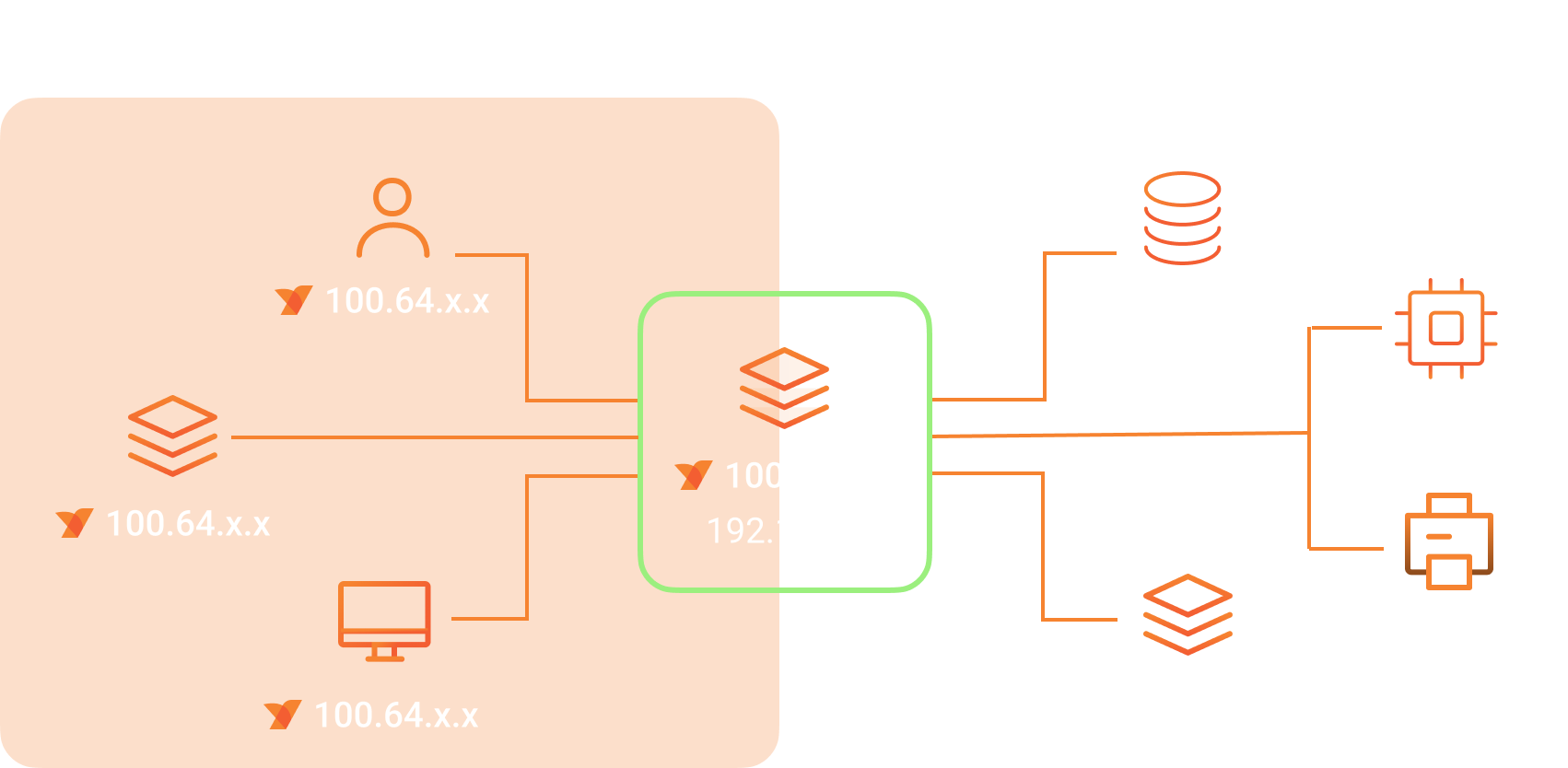
The NetBird network includes machines with a NetBird agent installed. These machines can be remote employees' laptops, docker containers, on-premises servers, or databases. Each machine in the NetBird network receives a private static IP address assigned by the NetBird Management server that runs in the cloud or on-premises (if you're using the self-hosted version). These machines form an overlay network and can communicate with each other directly (if allowed by access policies) .
The network on the right is a private network that can be an office LAN, a cloud VPC, or any internal network of your organization. The devices and servers in this network do not run the NetBird agent and are not directly accessible from the NetBird network. How can remote employees access these internal resources securely?
The solution is the machine in the middle, a routing peer that resides in the private network and has a NetBird agent installed, making it part of the NetBird network, too. It advertises the private network's range to the NetBird agents that locally apply it as a network route. Consequently, traffic flows from the NetBird network to the private network via this routing peer.
There is a special feature of NetBird Network Routes that allows you to configure multiple machines as routing peers for the same network. This setup makes remote access to internal resources highly available, ensuring reliable connectivity. You'll learn more about the high availability feature of Network Routes later in this article.
Network Routes are configured in the NetBird Management console , where you can define routing peers and IP ranges they advertise. If you don't have a NetBird account, sign up for a free to get started.
To use the Network Routes feature, you will need to install the NetBird agent on a Linux machine that resides in your private network that you want to route to. You can also run NetBird in a Docker container and use it as a routing peer.
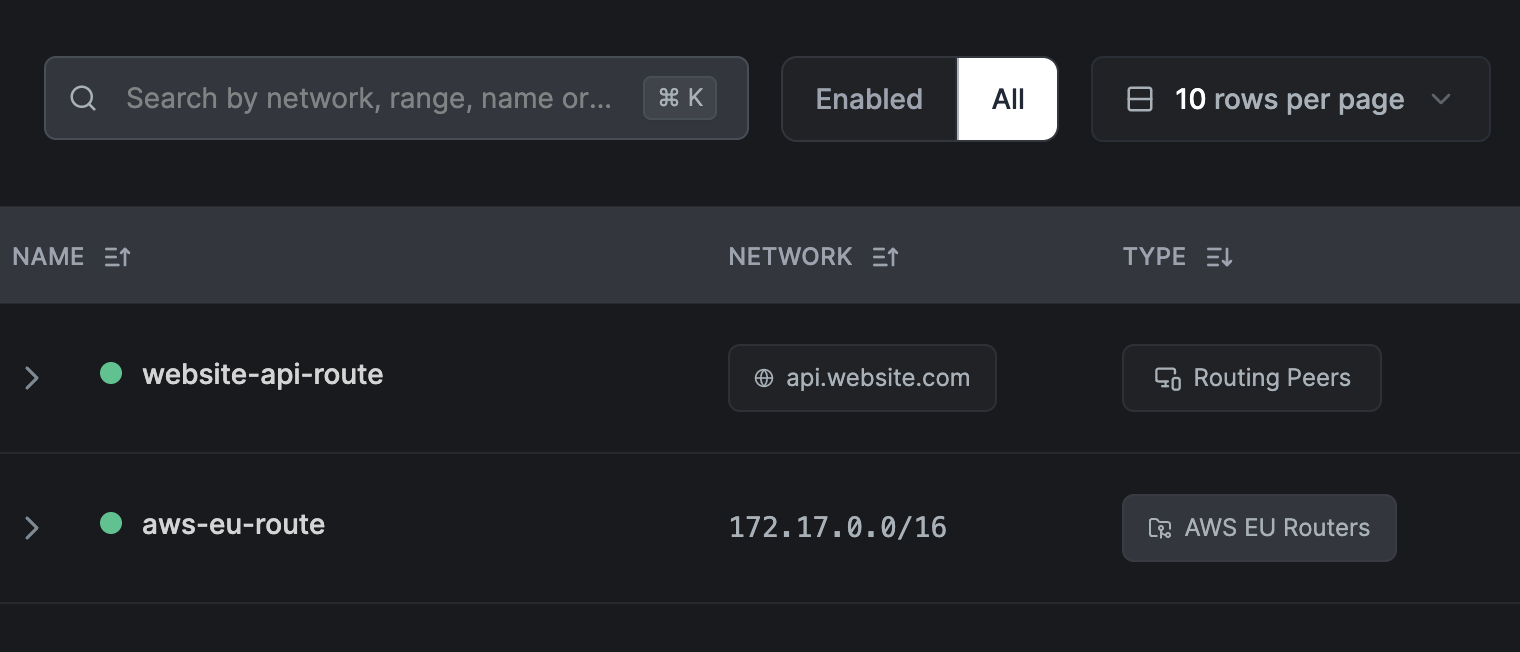
You can create and manage Network Routes in the NetBird Management web console under the Network Routes tab. The image below shows a table with a list of network routes configured to route traffic to different private networks.
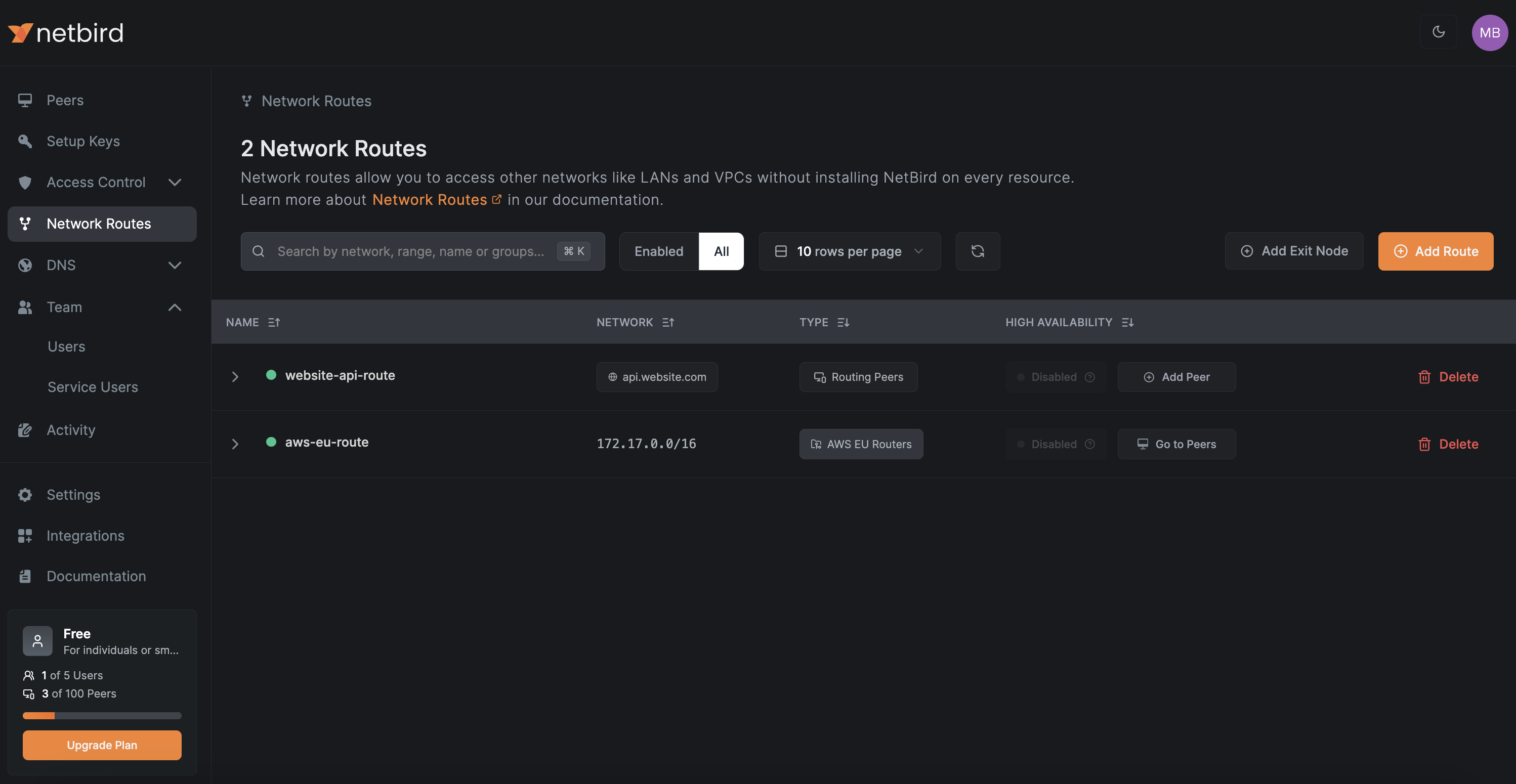
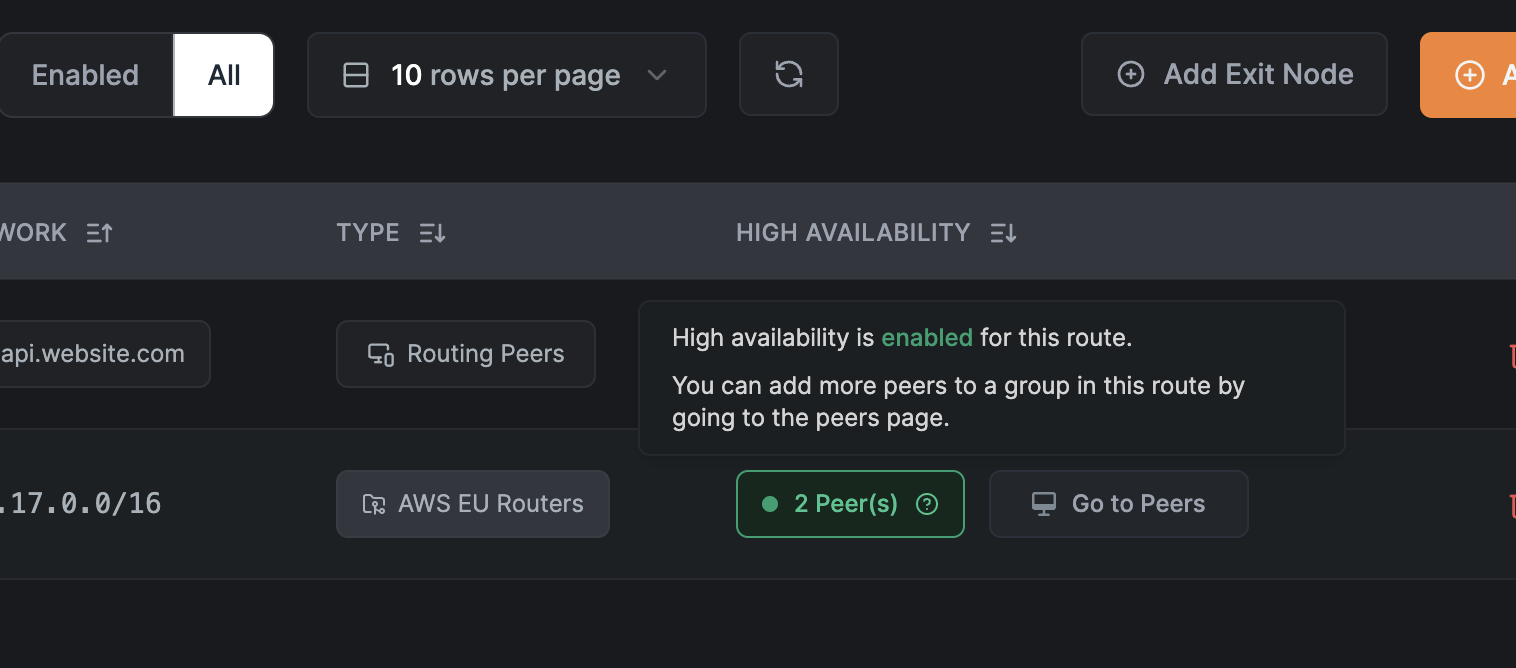
The table has two routes: one for the AWS VPC located in the EU and another for api.website.com. While the purpose of the AWS VPC route is clear—allowing access to resources in the network within the AWS VPC—what is the route for? This is an example of a DNS route, which allows you to route traffic to a specific domain name instead of a network range.
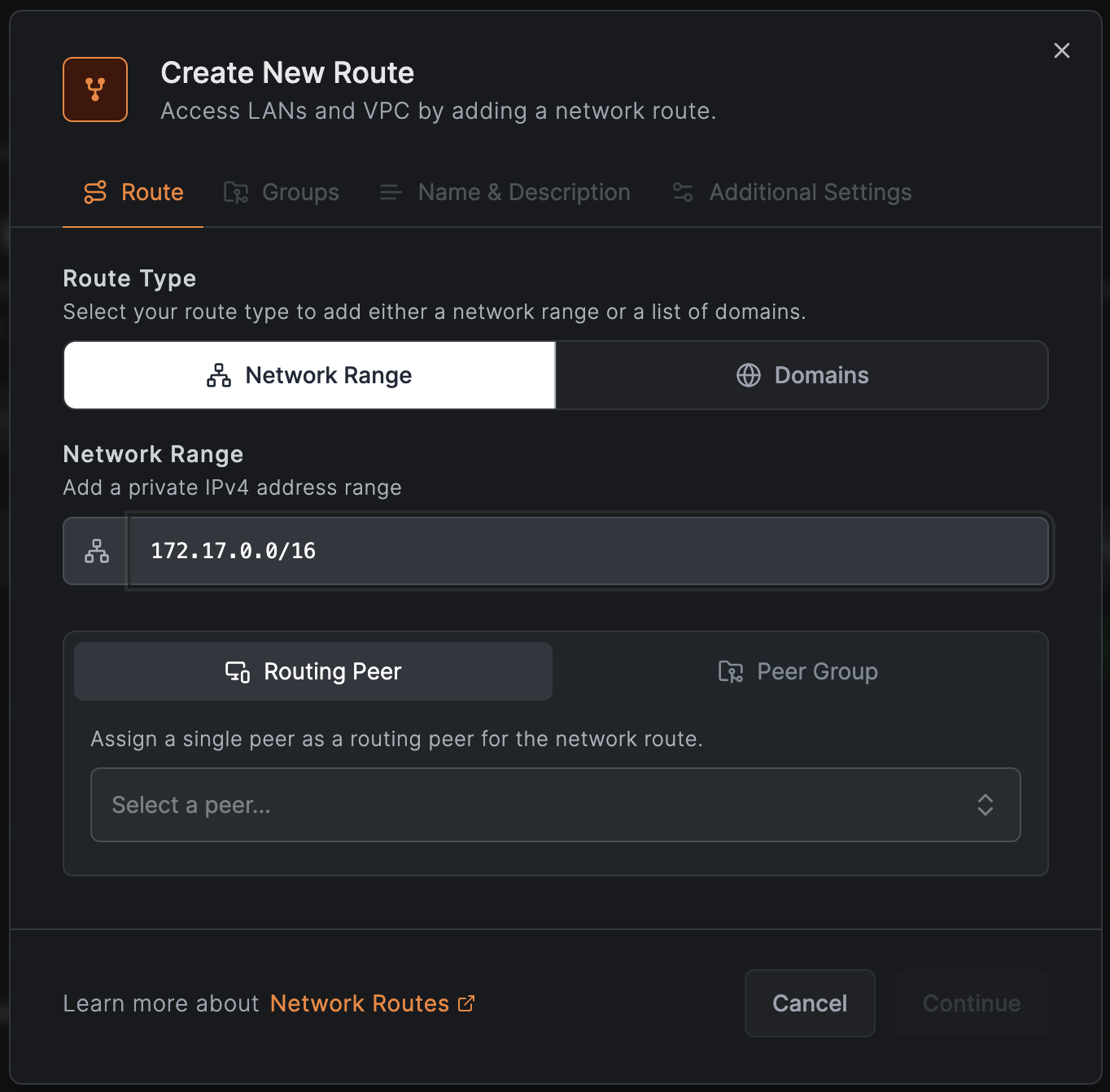
When creating network routes in NetBird, you can choose to route traffic to a specific network range or a domain name.
The image below shows an example configuration of a route using the network range in CIDR notation.
DNS routes can be used in cases where IPs are dynamic or traffic needs to be routed to a specific public or private domain name. When selecting , you can add multiple domain names that will be resolved dynamically to IP addresses by the NetBird agent and added locally as routes. This feature simplifies routing traffic to load balancers, managed databases, internal services, and restricted sites behind CDNs.
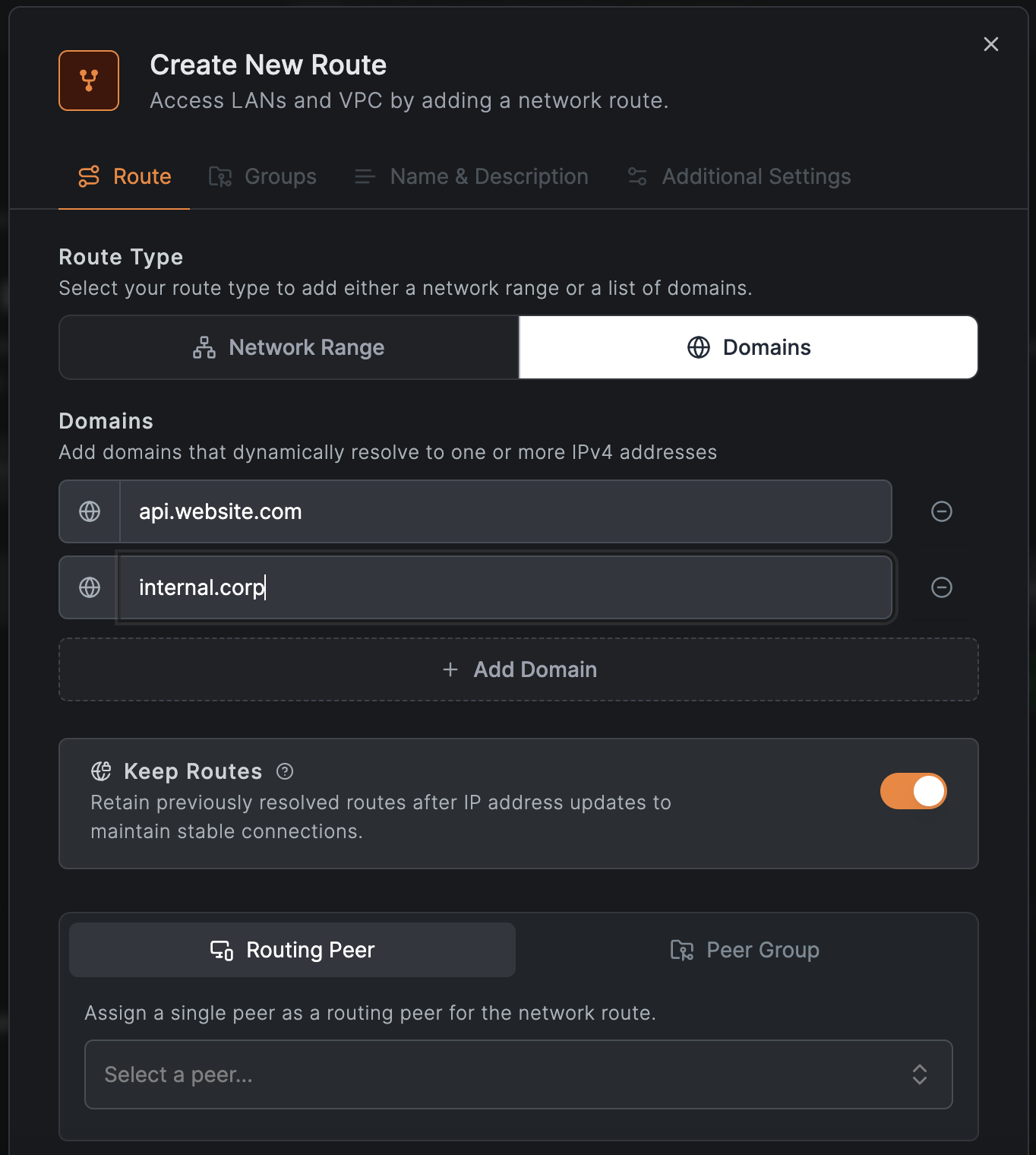
Enabled by default, the switch ensures that resolved IP addresses remain configured even if the domain resolves to a different IP later, maintaining session integrity with the original IP address. This feature is particularly helpful when routing traffic to external and internal services with load balancers or managed databases like AWS RDS.
You probably noticed another column in the Network Routes table: . The configured values are and . What is the difference between them?
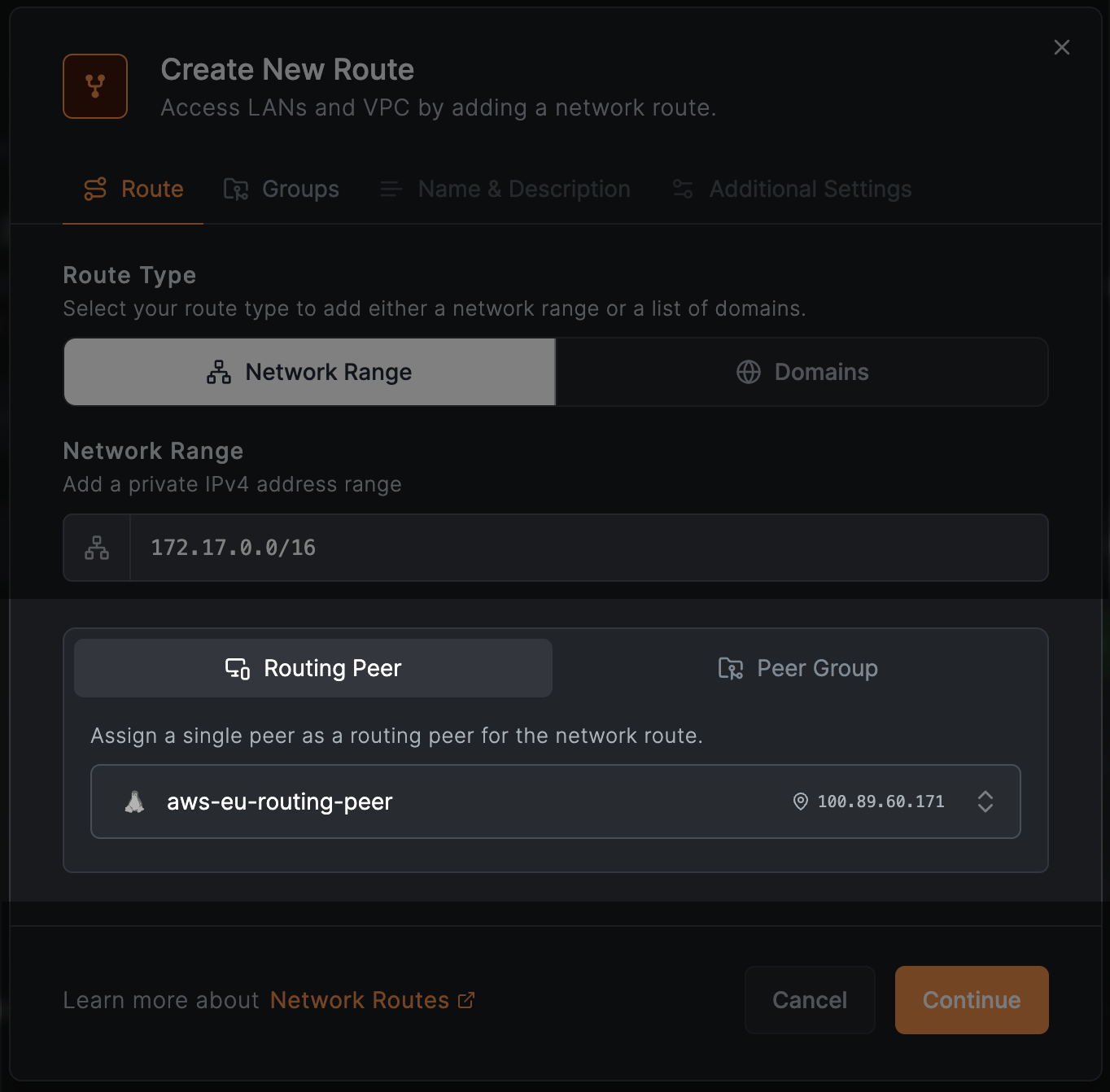
There are two ways of adding network routes in NetBird: using individual NetBird peers as routing peers, hence the type, or a group of peers - type. In the case of the type, you can select an individual NetBird peer that will act as a routing peer. The requirement is that this peer has to be a Linux machine or a Docker container. The image below shows the selected that runs on AWS in the VPC network.
NetBird supports a more dynamic way of adding routing peers. Instead of individual peers, you can select a group that will act as routing peers. The image below shows the selected group.
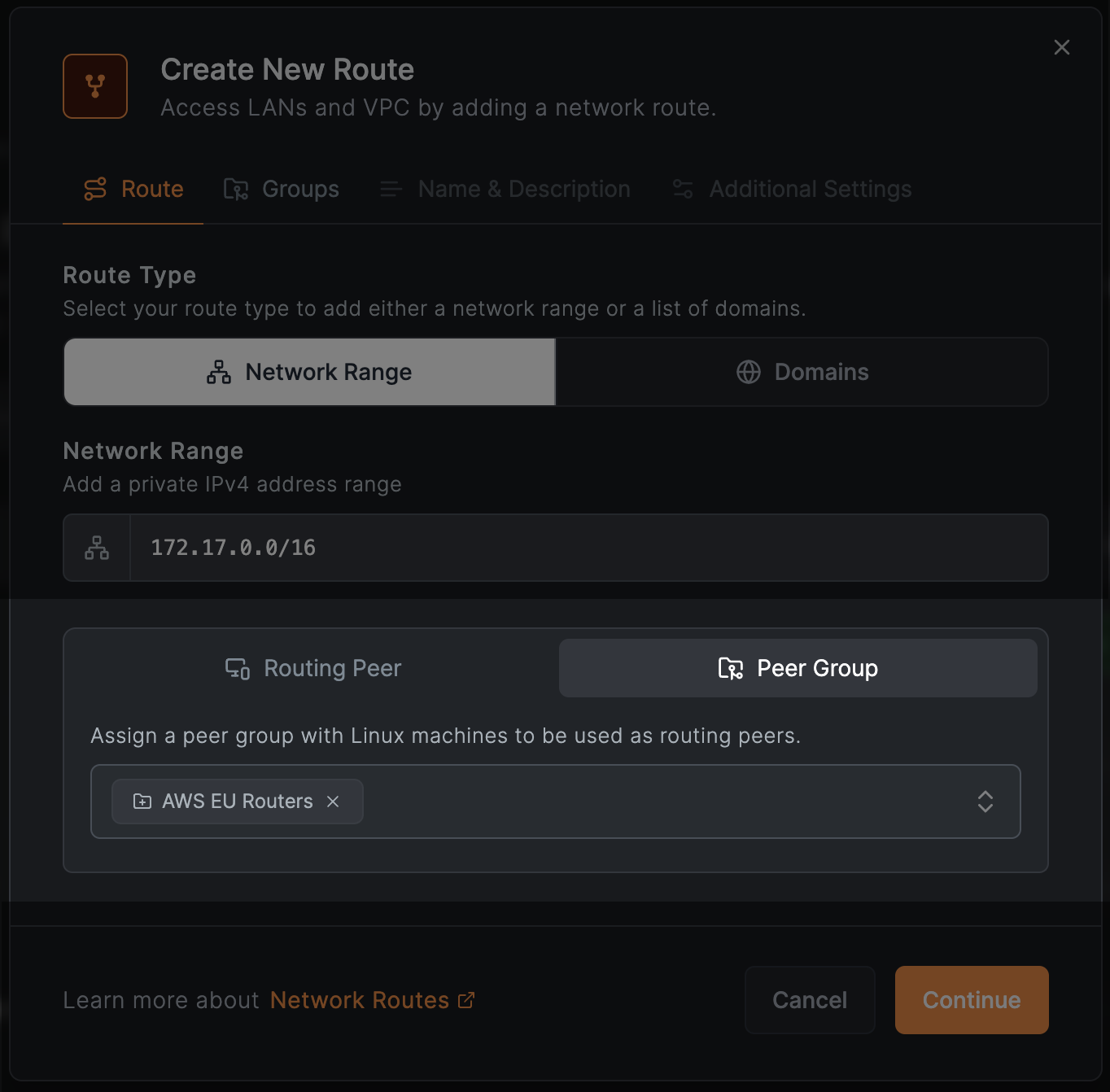
Every NetBird peer in the selected group will automatically become a routing peer, saving you from manually selecting individual peers. Moreover, this feature is particularly useful when running routing peers on Kubernetes clusters or other dynamic environments with auto-scaling capabilities, ensuring highly available remote access to internal resources.
To save you even more time, NetBird allows to automatically add new peers to groups by using the peer auto-grouping feature of setup keys. The ephemeral peers feature will help you dispose of the routing peers automatically after a certain period of time in the event of downscaling.
High availability is crucial for ensuring reliable remote access to internal resources. NetBird's Network Routes feature allows you to configure multiple routing peers for the same network, ensuring that traffic is routed if one of the peers goes down.
If you use type, you can add multiple peers to the same network route. To do this, use the button in the Network Routes table and select another peer from the list of available peers:
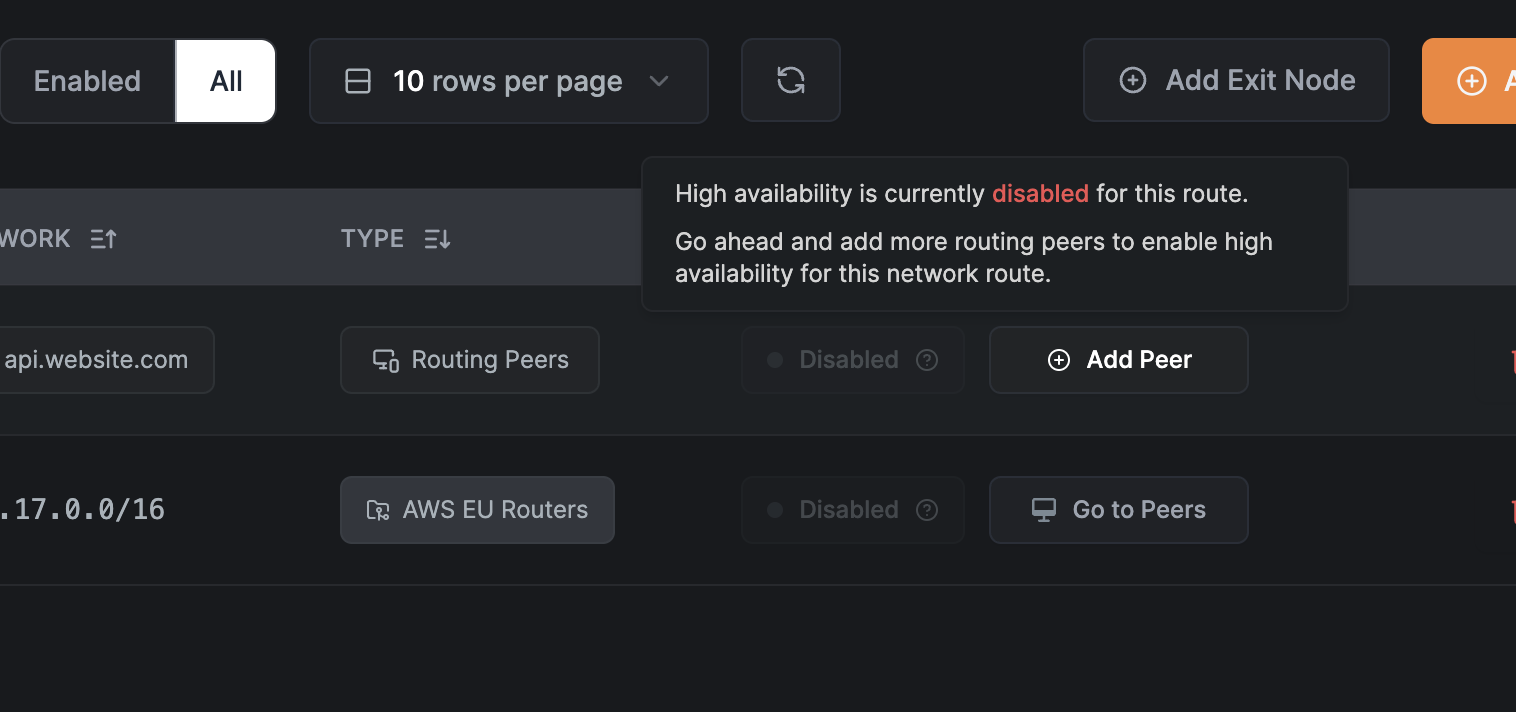
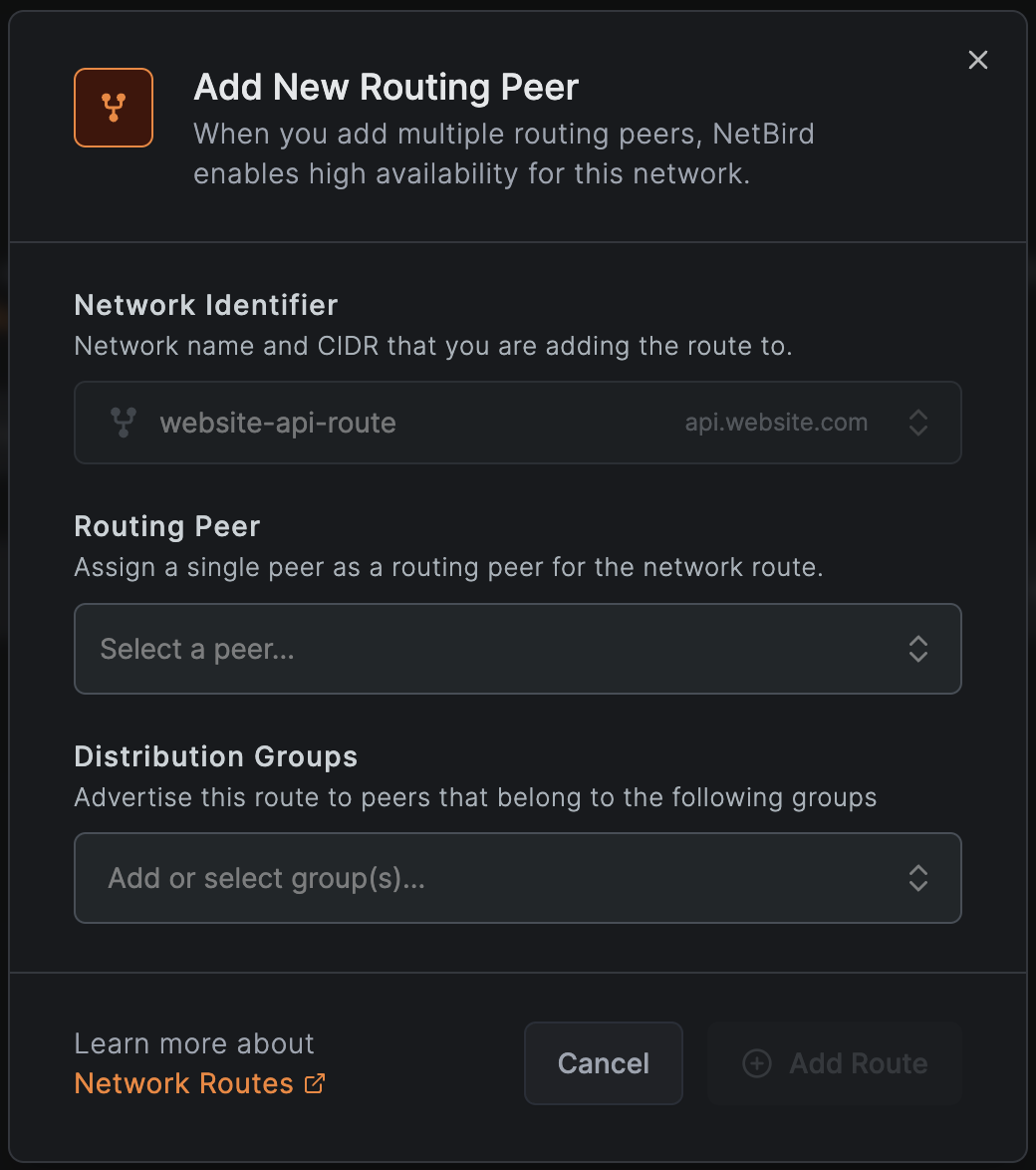
If you use the type, you can add multiple peers to the routing group, and NetBird will enable high-availability for this route automatically:
The next step in configuring network routes is to define where the routes should apply. NetBird uses a concept of groups everywhere to simplify the management of access policies, DNS, and other configurations. The Network Routes feature is no exception. You can select a list of to apply the route to all peers that are part of these groups:
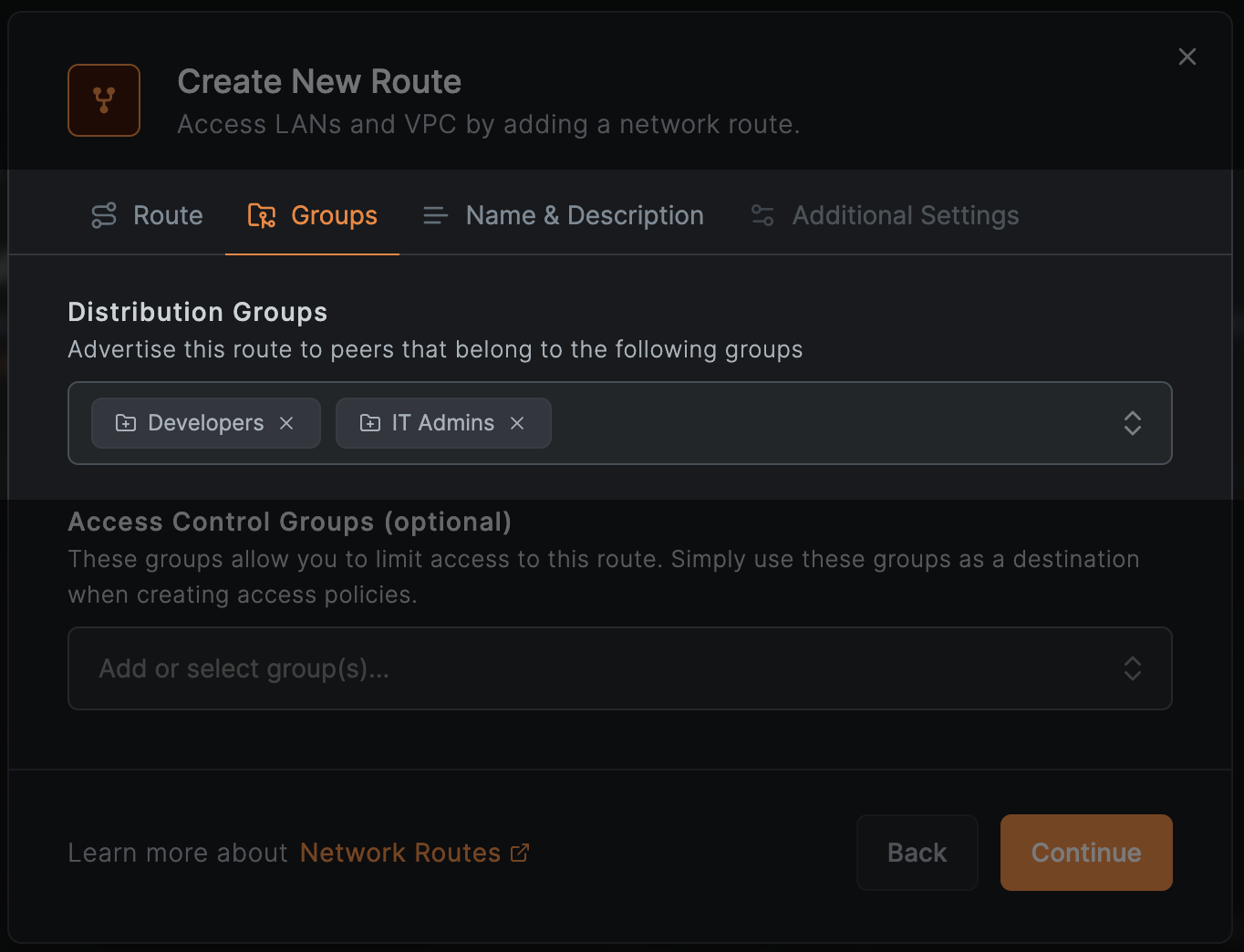
Every NetBird peer that is part of the selected distribution group will receive the route and apply it locally to their operating system's routing table.
The caveat here is that you need to ensure that peers from the selected distribution groups can reach the routing peers. This requires an access policy that allows traffic from the distribution group to the routing peers. You can manage this using the field.
You can restrict access to your route by adding the route to and using these groups when creating access policies.
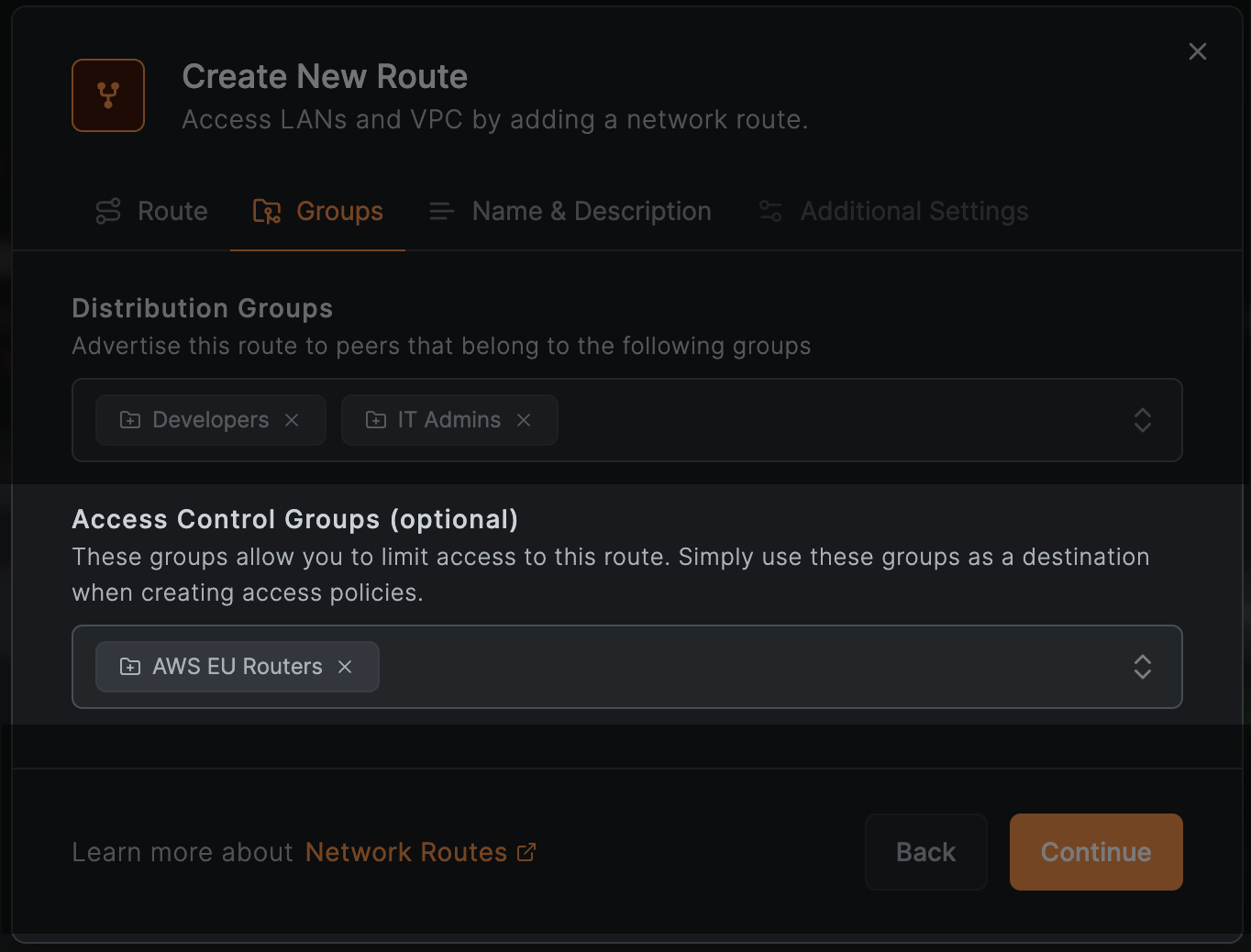
The route is added to the group in the image above. When creating an access policy, you can use this group as a destination to restrict access. For example, to allow only developers to access this route, create a policy as follows:
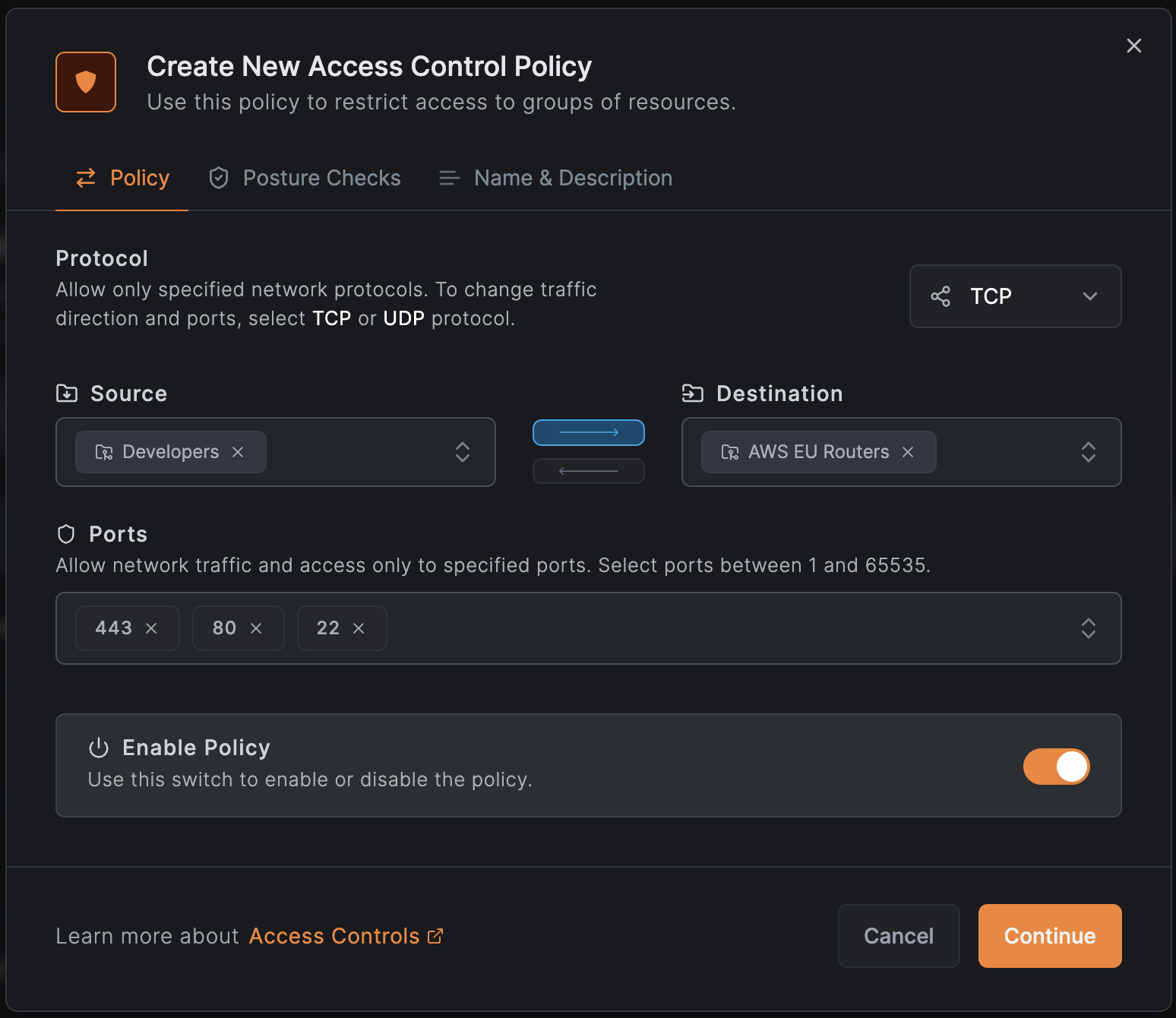
This policy allows a one-way HTTP, HTTPS, and SSH remote access to for all machines in the group.
Network Routes can be used to access entire networks or parts of the network, but you can also use them to access individual resources within a network.
You can create a route to access a specific machine in your network by specifying the exact IP address of this machine in
the field. Similarly, you can add the domain name of a particular service in the field.
For example, if you have an internal Jira or GitLab server with the IP address , you can create a route as
shown in the image below:
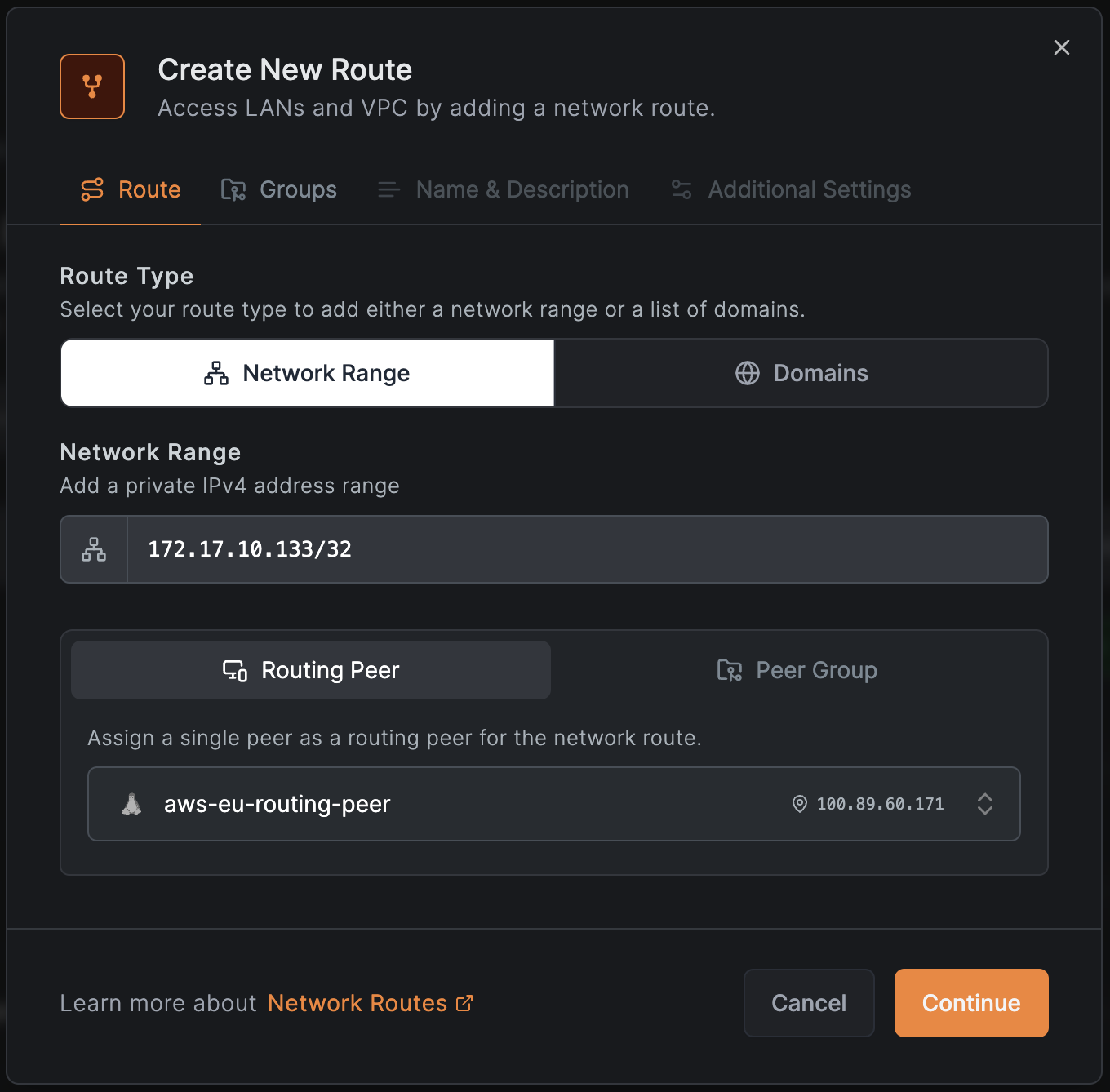
Furthermore, you can restrict access to this resource by adding the route to an and creating an access policy.
NetBird's Network Routes feature provides a practical solution for secure remote access to entire LANs, office networks, and cloud VPCs without requiring the NetBird agent on every device. This is crucial for side-by-side migrations, systems with limited OS access, and legacy networks. Administrators can ensure seamless and reliable connectivity with high availability by configuring multiple routing peers or routing groups.
Using network ranges and DNS routes enables efficient traffic routing, while distribution and access control groups simplify access management. Granular access control ensures that internal resources are securely and reliably accessible, making NetBird's Network Routes an effective tool for modern zero-trust network access.
此内容由惯性聚合(RSS阅读器)自动聚合整理,仅供阅读参考。 原文来自 — 版权归原作者所有。