


Enabling remote access creates new opportunities for small-to-medium enterprises (SMEs), empowering employees to work from anywhere. IT resources that used to only be accessible on-premise are now accessible from anywhere with an internet connection! This flexibility enables SMEs to attract the best talent as employees no longer need to be in a specific location.
Secure remote access also helps enhance business continuity and takes into account situations where physical locations become unsuitable for work, as was seen with COVID-19. Providing access to private resources over a public network without security measures leaves your network vulnerable and makes it an easy target for cyberattacks.
In this article, you'll learn about some of the options available to network admins of smaller businesses to help implement secure remote access.
Before implementing a remote access solution, there are several things you need to consider to facilitate a secure and seamless adoption process.
One of the most important things you need to do before implementing remote access is to educate users regarding how to securely access remote networks. This helps reduce the risk of human error.
Education should be your first line of defense when safeguarding your network. Users should be trained to recognize phishing attempts, handle sensitive information safely, and actively contribute to the security of the business.
Authentication also plays a primary role in securing remote access by identifying a user or device before receiving any access (ie who gets access to what). Consider authenticating users with single sign-on (SSO) , which allows you to centrally provision and authenticate user identities while users are required to maintain only a single set of credentials.
Additionally, implementing multifactor authentication (MFA) greatly enhances authentication security by requiring a second mode of user verification before accepting credentials, including email or SMS verification and authenticator apps, which require a soft token or biometrics (eg fingerprint or Face ID).
Defining the services and resources that will be remotely accessed allows you to design the required connectivity flows using zero-trust principles (ie removing the implicit trust from a device or user based on their network location or ownership status). Classifying endpoints by roles and attributes and applying strict access policies based on zero-trust principles ensures that users and devices are given the exact access to the resources they require and no more.
Requiring devices to meet security hardening and posture checks before allowing remote access mitigates the risk of data breaches and helps identify and remediate security vulnerabilities. Make sure you establish a strict device compliance policy that includes endpoint security best practices as well as any unique security measures necessary to meet your organization's compliance requirements.
Common device context and security posture checks include but are not limited to the following:
SMEs must also understand the capabilities and implications of the available virtual private network (VPN) protocols. These include the following:
Additionally, the scalability of the prospective VPN solution should be assessed—particularly the differences between a gateway and client VPN and point-to-point mesh network architectures:
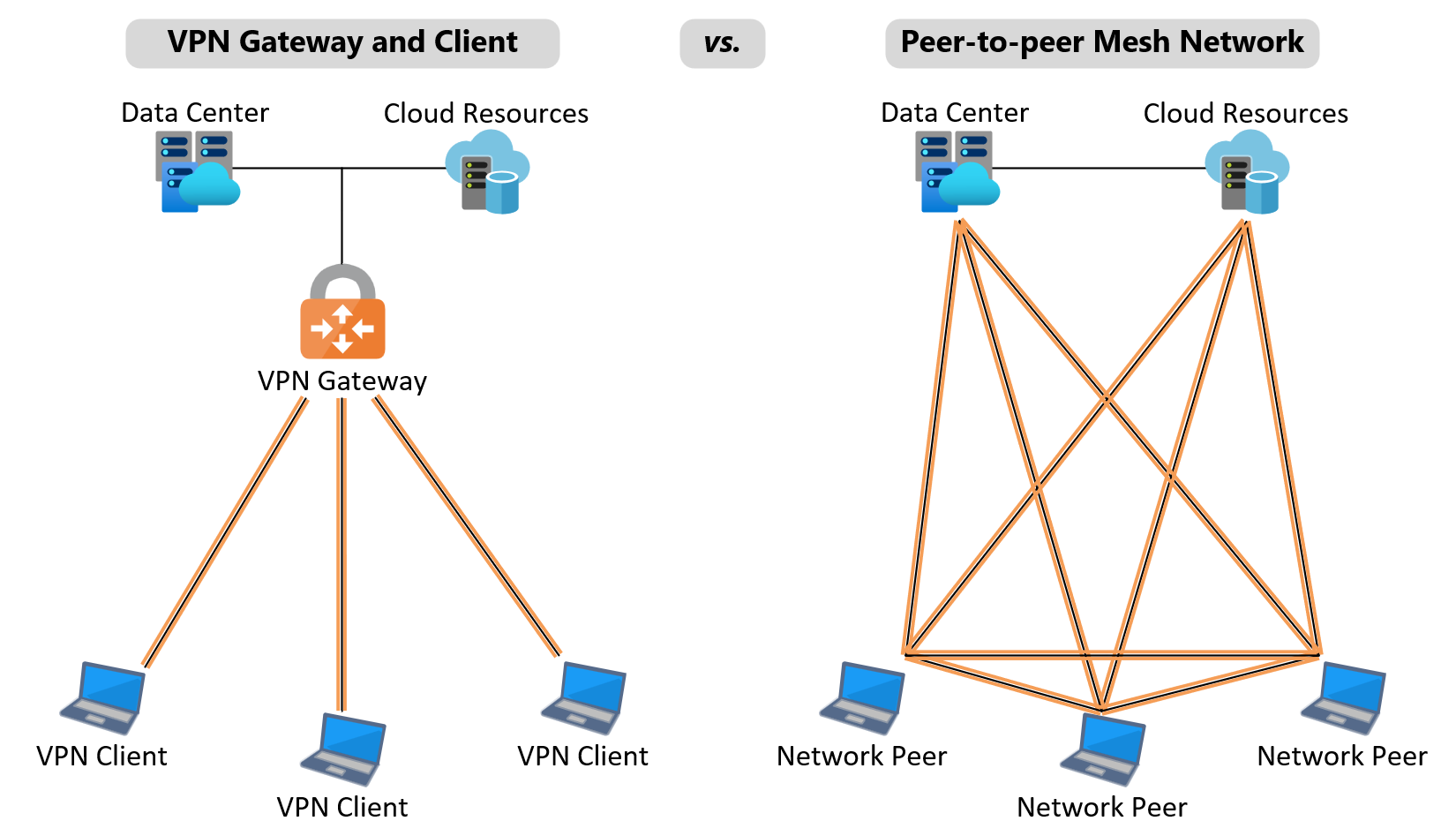
A VPN gateway typically terminates all VPN connections at a centralized hub, which mediates connectivity between remote devices and enterprise resources. Historically, this architecture scales poorly as it can present a single point of failure and is limited by the capacity of the device(s) terminating the VPN tunnels. This leads to performance bottlenecks where users experience slow connection and application speeds.
Alternatively, point-to-point mesh networks decouple the VPN data and control planes, allowing devices to connect directly and securely without relying on a gateway. This becomes inherently scalable as new nodes can be added to the network without impacting performance. SMEs can scale point-to-point mesh networks more cost-effectively than with VPN gateway solutions as there is no bottleneck.
Now that you've learned about some pre-implementation considerations and available VPN protocols, let's discuss some options for providing secure remote access.
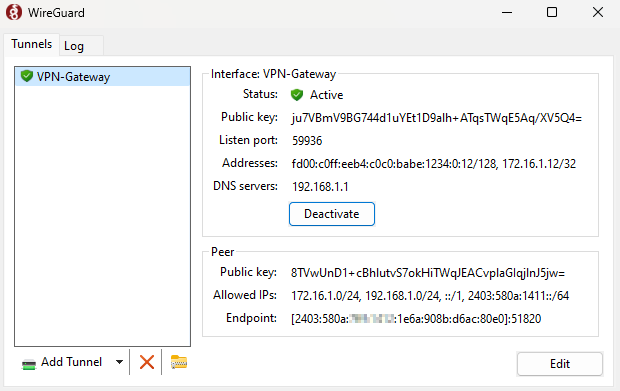
A traditional VPN uses a gateway appliance residing on the enterprise network to create a bridged connection to remote resources. Client software is installed on client computers to establish a secure connection to the gateway and handle routing decisions. VPN clients offer secure authentication methods, with most vendors integrating with SSO providers and supporting MFA for user authentication.
Traditional VPNs provide options for split-tunneling traffic, allowing a selection of internet traffic to route directly (usually to improve application performance) while the rest transits the VPN gateway for security inspection. Some VPNs also allow an always-on experience, where a VPN tunnel is always maintained between the client and gateway to ensure all traffic transits the gateway whether or not a user is logged in.
When using managed computers to connect to the VPN, the process of installing and managing VPN clients becomes smooth because all components of the device are controlled. However, if the VPN is installed on unmanaged or personal devices, then issues can arise from antivirus software, device/operating system compatibility, and network security posture (ie an unhardened computer has access to the network).
VPN gateway and client remote access rely on the VPN gateway always being available to receive connections and forward VPN traffic. As more remote computers require VPN access, VPN gateways can become congested if they reach their client capacity limits. For smaller businesses, this typically isn't an issue, especially if the number of VPN clients is stable. However, in businesses experiencing rapid growth as well as larger organizations, the need for additional VPN gateways and more powerful appliances becomes urgent once users are affected by congestion issues.
Additionally, using high-bandwidth applications over a VPN can lead to slow performance as large amounts of data may be required to transfer files or display content over the encrypted connection.
Despite some of the limitations regarding gateway scalability and unmanaged devices, the VPN gateway and client model remain popular choices for secure remote access.
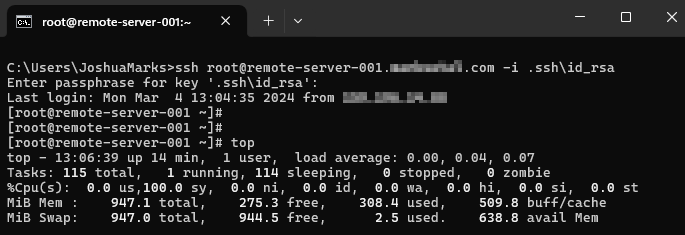
Secure Shell (SSH) is a common method of remote terminal access using secure encryption and authentication techniques. This protocol is suitable for administering remote servers and IoT devices , and it is commonly used to provide secure connectivity for the following tasks:
SSH is often used for large-scale administration of systems using shell commands to execute remote actions. Orchestration software like Ansible can be used to run commands and scripts over SSH for multiple machines at a time. This large-scale administration comes with the challenge of managing SSH keys for dozens or hundreds of machines. Additionally, remote connectivity using SSH requires exposing the server or the device's public IP address to the internet, which can be left exposed if the devices aren't hardened properly.

Remote desktops or virtual desktop infrastructure (VDI) provide a centralized, user-friendly option for secure remote access. Users access a desktop environment, typically deployed with a standard set of applications enabling an on-premise desktop experience over a remote connection. Transport Layer Security (TLS) is used to secure the data between the client and the remote desktop, facilitating a multi-user desktop environment.
Remote desktops can be useful when consuming large amounts of data, as the remote data remains on the enterprise network and never needs to traverse the remote connection. Conversely, the user experience is never truly the same as the local computer, especially when working with high-detail programs requiring pixel-perfect precision.
VDIs share compute resources between users, meaning the higher the number of users connected to a host, the less optimal the performance can become. If the load on the system is consistently higher than anticipated, it can be offset by increasing the capacity of the VDI, which requires additional investment.
Remote desktops also provide a means for accessing the enterprise network from managed and unmanaged devices alike. Because the VDI can be hardened to prevent data from being exfiltrated from the remote desktop to the local computer, end users have the option to use a personal device for remote connectivity.
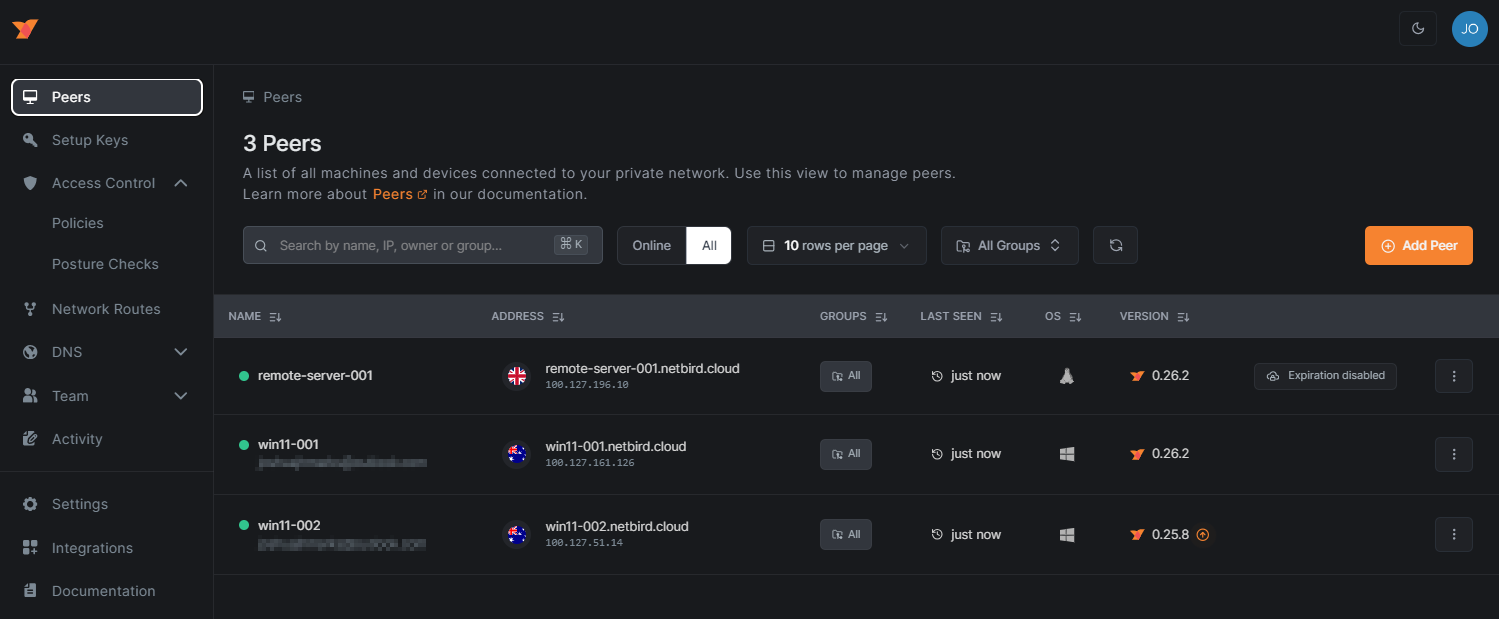
Peer-to-peer mesh networks use a new approach to remote access by leveraging a decentralized architecture, decoupling the VPN control and data planes to provide seamless VPN connectivity without the need for a centralized gateway. The mesh network control plane is hosted in the cloud, while lightweight client software is installed on end devices (known as peers). This means no hardware investment is required. Peers authenticate to the network and share their connectivity information with other peers through the control plane. Once information like IP addresses and cryptographic keys are exchanged, peers can establish line-of-sight connections using point-to-point WireGuard tunnels. Network address translation (NAT) traversal capabilities relieve devices from requiring static public IP addresses, port forwarding, or holes in firewalls.
Mesh network technologies, like NetBird , provide integration with identity providers for modern authentication and zero-trust use cases as well as connectivity for headless servers and devices. Mesh networks create highly scalable and resilient remote networks suitable for a variety of use cases, from users accessing corporate applications to administration of remote servers and IoT devices, regardless of the location and hardware.
Domain Name System (DNS) is typically included as an overlay service to provide automatic name resolution between peers on the mesh network. To secure connections in the fabric-style mesh network, access control policies can be defined to implement a zero-trust network, restricting lateral flows around the network. These policies can discriminate based on source and destination users, devices, and ports, as well as real-time device posture . This enables both managed and unmanaged devices to access the network and receive differentiated access according to the security state of the device.
This distributed mode of connectivity provides a solution to the scalability issues inherent in gateway and client VPNs by removing bottlenecks and relieving the public IP addressing and protocol hardening requirements of SSH.
SMEs looking to implement secure remote access are advised to plan and make strategic decisions based on their own specific use cases and security requirements.
Legacy VPN gateway and client implementations have served businesses well in the past; however, increased demand from a dispersed workforce can create performance and reliability issues. SSH and remote desktop connectivity offer solutions to specific remote access use cases, including shell access and multi-user desktop computing. However, in the case of SSH, improper implementation may lead to resources being left vulnerable. In contrast, remote desktops relying on centralized resources may perform poorly under higher-than-expected load.
Peer-to-peer mesh networks eliminate the traditional client-server remote connectivity architecture with a decentralized overlay network providing secure and direct connectivity between endpoints. Carrier-grade NAT capabilities in products like NetBird allow any device with an internet connection to dynamically establish secure peer-to-peer connections for any remote access use case.
Sign up for free peer-to-peer network remote access with NetBird today.
此内容由惯性聚合(RSS阅读器)自动聚合整理,仅供阅读参考。 原文来自 — 版权归原作者所有。